
The best desktop PCs balance processing power, memory, storage, and upgrade flexibility without making buyers pay for hardware they will never use. My best overall pick is the HP OmniDesk with Ryzen 7 8700G because its 32GB of DDR5 memory, 1TB SSD, and Radeon 780M graphics suit the widest range of home and office workloads. The Dell OptiPlex 7060 SFF is the value standout, while the Dell Tower ECT1250 with Core Ultra 7-265 is the stronger premium choice for demanding productivity. The main tradeoffs are new versus renewed hardware, compact size versus expansion room, and basic integrated graphics versus enough visual power for creative work or light gaming. Continue reading for my full ranking logic, buying advice, and recommendations for different buyer types.

Get the latest gadgets delivered free with Prime
- Fast, free delivery on millions of items
- Prime Video, Amazon Music and more included
- Member-only deals all year
Complete the kit



Key Takeaways
- The HP OmniDesk with Ryzen 7 8700G is the most balanced option because it combines 32GB of DDR5 memory and a 1TB SSD with Radeon 780M graphics that are more versatile than the basic graphics in most business towers.
- The Dell OptiPlex 7060 SFF offers the strongest value case when sold with dependable warranty coverage, pairing a six-core Core i7-8700 with 32GB of memory in a compact package.
- Newer Core Ultra towers command a premium, but they make more sense for sustained productivity and longer ownership than for buyers who only browse, stream, and edit documents.
- Several 16GB business systems are powerful but unevenly configured; the HP ProDesk 400 G9 has a fast Core i7-14700, yet its memory may need an upgrade sooner than its processor.
- A low-end discrete card is not automatically better graphics. The GeForce GT 610 in the HP ProDesk 600 is dated, while the Radeon 780M built into the Ryzen 7 8700G is the more useful option for modern visual workloads.
| HP OmniDesk Desktop Computer PC |  | Best Overall | Processor: AMD Ryzen 7 8700G, 4.2GHz | Memory: 32GB DDR5-5200 | Storage: 1TB PCIe Gen4 NVMe SSD | VIEW LATEST PRICE | See Our Full Breakdown |
| Dell OptiPlex 7060 SFF Desktop Computer | 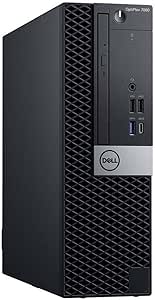 | Best Refurbished Value | Processor: 8th Gen Intel Core i7-8700, 6 cores | Memory: 32GB DDR4 | Storage: 512GB NVMe M.2 SSD | VIEW LATEST PRICE | See Our Full Breakdown |
| Dell OptiPlex 7050 SFF Desktop PC |  | Best for Storage-Heavy Multitasking | Model: Dell OptiPlex 7050 SFF | Processor: Intel Core i7-7700, 3.60GHz | Memory: 32GB DDR4 | VIEW LATEST PRICE | See Our Full Breakdown |
| HP ProDesk 600 G6 SFF Desktop |  | Best for Dual-Monitor Offices | Processor: Intel Core i5-10400F, 6 cores, 2.9GHz to 4.3GHz | Memory: 16GB DDR4 | Storage: 256GB PCIe SSD | VIEW LATEST PRICE | See Our Full Breakdown |
| Dell OptiPlex 3060 Desktop Computer |  | Best Budget 1TB Pick | Processor: Intel Core i5-8500 | Memory: 32GB DDR4 | Storage: 1TB SSD | VIEW LATEST PRICE | See Our Full Breakdown |
| Dell Tower Desktop ECT1250 with Intel Core Ultra 7-265 |  | Best Overall | Processor: Intel Core Ultra 7-265 | Memory: 32GB | Storage: 1TB SSD | VIEW LATEST PRICE | See Our Full Breakdown |
| Dell Ect1250 Tower Desktop PC with Intel Core Ultra 5-225 |  | Best Business Value | Processor: Intel Core Ultra 5-225, 10 cores, 3.3GHz to 4.90GHz | Memory: 32GB DDR5-5600 | Storage: 1TB NVMe SSD | VIEW LATEST PRICE | See Our Full Breakdown |
| HP ProDesk SFF 400 G9 Business Desktop Computer |  | Best Compact Business PC | Processor: Intel Core i7-14700 | Core and Thread Count: 20 cores, 28 threads | Memory: 16GB DDR5 | VIEW LATEST PRICE | See Our Full Breakdown |
| Dell 2026 Pro Desktop Computer Tower PC |  | Best for Basic Office Work | Processor: Intel Core i3-14100, 4 cores, up to 4.7GHz | Memory: 16GB DDR5 | Storage: 512GB PCIe NVMe SSD | VIEW LATEST PRICE | See Our Full Breakdown |
| Dell OptiPlex Business Tower Desktop with Intel Core i9-12900K |  | Best for Heavy Multitasking | Processor: Intel Core i9-12900K | Cache: 30MB Smart Cache | Memory: 32GB DDR5 | VIEW LATEST PRICE | See Our Full Breakdown |
| Dell Pro Tower Business Desktop |  | Best for IT-Managed Offices | Processor: Intel Core i5-14500 vPro, 14 cores and 20 threads, up to 5.0GHz | Memory: 16GB DDR5 | Storage: 512GB PCIe SSD | VIEW LATEST PRICE | See Our Full Breakdown |
| HP OmniDesk M03 Business Desktop PC |  | Best for Four-Monitor Multitasking | Processor: Intel Core Ultra 7 265, 20 cores and 20 threads, up to 5.3GHz | Memory: 32GB DDR5, upgradable to 64GB | Storage: 1TB PCIe NVMe SSD, with support listed up to 8TB | VIEW LATEST PRICE | See Our Full Breakdown |
| ASUS V500 Home & Business Tower Desktop |  | Best Home-and-Office Balance | Processor: Intel Core i7-13620H, 10 cores and 16 threads, up to 4.9GHz | Memory: 32GB DDR5 | Storage: 1TB SSD | VIEW LATEST PRICE | See Our Full Breakdown |
| Dell Pro Tower Plus QBT1250 Business Desktop |  | Best for Legacy-Ready Business Workspaces | Processor: Intel Core Ultra 5 235 | Memory: 32GB DDR5 | Storage: 1TB PCIe SSD | VIEW LATEST PRICE | See Our Full Breakdown |
| HP ProDesk 600 Desktop Computer |  | Best for Mixed-Connector Displays | Processor: Intel Core i5-10400F, 2.90GHz base and up to 4.30GHz turbo | Memory: 16GB DDR4 | Storage: 512GB PCIe NVMe SSD | VIEW LATEST PRICE | See Our Full Breakdown |
| desktop PC | Processor | Memory | Storage | Operating System |
|---|---|---|---|---|
| HP OmniDesk Desktop Computer P | AMD Ryzen 7 8700G, 4.2GHz | 32GB DDR5-5200 | 1TB PCIe Gen4 NVMe SSD | Windows 11 Home 64-bit |
| Dell OptiPlex 7060 SFF Desktop | 8th Gen Intel Core i7-8700, 6 cores | 32GB DDR4 | 512GB NVMe M.2 SSD | Windows 11 Pro |
| Dell OptiPlex 7050 SFF Desktop | Intel Core i7-7700, 3.60GHz | 32GB DDR4 | 1TB SSD | Windows 11 Pro |
| HP ProDesk 600 G6 SFF Desktop | Intel Core i5-10400F, 6 cores, 2.9GHz to 4.3GHz | 16GB DDR4 | 256GB PCIe SSD | Windows 11 Pro |
| Dell OptiPlex 3060 Desktop Com | Intel Core i5-8500 | 32GB DDR4 | 1TB SSD | Windows 11 Professional |
| Dell Tower Desktop ECT1250 wit | Intel Core Ultra 7-265 | 32GB | 1TB SSD | Windows 11 Home |
| Dell Ect1250 Tower Desktop PC | Intel Core Ultra 5-225, 10 cores, 3.3GHz to 4.90GHz | 32GB DDR5-5600 | 1TB NVMe SSD | Windows 11 Pro |
| HP ProDesk SFF 400 G9 Business | Intel Core i7-14700 | 16GB DDR5 | 1.5TB | Windows 11 Pro |
| Dell 2026 Pro Desktop Computer | Intel Core i3-14100, 4 cores, up to 4.7GHz | 16GB DDR5 | 512GB PCIe NVMe SSD | Windows 11 Pro |
| Dell OptiPlex Business Tower D | Intel Core i9-12900K | 32GB DDR5 | 1TB PCIe SSD | Windows 11 |
| Dell Pro Tower Business Deskto | Intel Core i5-14500 vPro, 14 cores and 20 threads, up to 5.0GHz | 16GB DDR5 | 512GB PCIe SSD | Windows 11 Pro |
| HP OmniDesk M03 Business Deskt | Intel Core Ultra 7 265, 20 cores and 20 threads, up to 5.3GHz | 32GB DDR5, upgradable to 64GB | 1TB PCIe NVMe SSD, with support listed up to 8TB | Windows 11 Pro |
| ASUS V500 Home & Business Towe | Intel Core i7-13620H, 10 cores and 16 threads, up to 4.9GHz | 32GB DDR5 | 1TB SSD | Windows 11 Pro |
| Dell Pro Tower Plus QBT1250 Bu | Intel Core Ultra 5 235 | 32GB DDR5 | 1TB PCIe SSD | Windows 11 Pro |
| HP ProDesk 600 Desktop Compute | Intel Core i5-10400F, 2.90GHz base and up to 4.30GHz turbo | 16GB DDR4 | 512GB PCIe NVMe SSD | Windows 11 Pro |
More Details on Our Top Picks
HP OmniDesk Desktop Computer PC
I rank the HP OmniDesk first because its Ryzen 7 8700G, 32GB of DDR5 memory, and Radeon 780M graphics form the strongest all-around package in this batch. Compared with the Dell OptiPlex 7060 SFF, it offers a much newer platform, faster memory, twice the storage, and better integrated graphics, making it more capable for creative work, demanding multitasking, and light gaming. The 1TB Gen4 NVMe SSD also leaves more room for applications and projects than the smaller drives in the HP ProDesk 600 G6 and OptiPlex 7060. Its tradeoff is price and graphics ceiling: Radeon 780M remains integrated graphics, so buyers seeking high settings in demanding games still need a desktop with a dedicated GPU. Windows 11 Home also lacks some business controls found in the Pro-equipped alternatives.
Pros:- Modern Ryzen 7 8700G delivers strong productivity and multitasking performance
- Radeon 780M graphics are more capable than the older graphics solutions in the refurbished office PCs
- 32GB of DDR5 memory supports demanding workloads
- 1TB Gen4 NVMe SSD combines useful capacity with fast application loading
Cons:- Integrated graphics cannot match a current dedicated gaming GPU
- Windows 11 Home offers fewer business management features than Windows 11 Pro
- 1TB may still feel restrictive for large game or media libraries
Best for: Home-office power users, creators, and casual gamers who want modern performance without buying a separate graphics card
Not ideal for: Serious PC gamers and professional 3D artists who need a high-end dedicated GPU, or managed workplaces that require Windows 11 Pro
- Processor:AMD Ryzen 7 8700G, 4.2GHz
- Memory:32GB DDR5-5200
- Storage:1TB PCIe Gen4 NVMe SSD
- Graphics:AMD Radeon 780M
- Operating System:Windows 11 Home 64-bit
- Wi-Fi:Wi-Fi 6 (2×2)
- Bluetooth:Bluetooth 5.4
- Dimensions:12.40 x 6.10 x 13.27 in
Our verdict“This is my leading choice for buyers who want the best balance of modern processing, capable integrated graphics, and generous memory.”
Dell OptiPlex 7060 SFF Desktop Computer
The Dell OptiPlex 7060 SFF earns my value role by combining a six-core Core i7-8700, 32GB of memory, and an NVMe drive in a compact business chassis. It is a smarter performance buy than the OptiPlex 7050 for workloads that benefit from extra cores, including large spreadsheets, many browser tabs, and routine content production. The included keyboard and mouse also reduce setup costs. Against the newer HP OmniDesk, however, its older DDR4 platform and lack of capable gaming graphics are clear compromises. The 512GB SSD is quick but offers half the capacity of the OptiPlex 7050 and 3060 configurations. I see its strongest appeal in low-cost office productivity, provided buyers accept refurbished-condition variability, modest internal expansion, and no dedicated graphics card for demanding visual work.
Pros:- Six-core Core i7-8700 outperforms the older four-core i7-7700 in parallel workloads
- 32GB of RAM provides ample headroom for office multitasking
- NVMe SSD supports fast boots and responsive application launches
- Wireless keyboard and mouse add practical bundle value
Cons:- 512GB storage is smaller than several competing 1TB configurations
- No dedicated graphics card for gaming or GPU-accelerated creative work
- Refurbished condition and remaining component life can vary
Best for: Budget-conscious professionals who run heavily multitasked office workloads and want a complete keyboard-and-mouse setup
Not ideal for: Gamers, GPU-focused creators, and buyers who want new hardware with broad upgrade flexibility
- Processor:8th Gen Intel Core i7-8700, 6 cores
- Memory:32GB DDR4
- Storage:512GB NVMe M.2 SSD
- Operating System:Windows 11 Pro
- Wireless:Wi-Fi and Bluetooth
- Ports:5 USB 3.0, 2 USB 2.0, 2 DisplayPort
- Form Factor:Small form factor
- Weight:12.3 lb
Our verdict“I recommend this model to office power users who prioritize processor value and memory over graphics performance and storage capacity.”
Dell OptiPlex 7050 SFF Desktop PC
I place the Dell OptiPlex 7050 SFF behind the 7060 because its Core i7-7700 has four cores rather than six, making it less effective for sustained parallel workloads. It answers back with a roomier 1TB SSD, twice the listed capacity of the 7060, while retaining 32GB of RAM for large spreadsheets, research sessions, and multiple business applications. That capacity advantage also makes it easier to keep files local without adding an external drive. The compact chassis suits a crowded desk, but it restricts major upgrades and relies on integrated Intel graphics. Compared with the HP OmniDesk, this renewed Dell is far less appealing for gaming, media creation, or buyers seeking a current platform. I regard it as a practical file-heavy office PC, though condition differences and the aging processor prevent it from ranking higher.
Pros:- 1TB SSD provides more local capacity than the OptiPlex 7060 and HP ProDesk 600 G6
- 32GB of DDR4 memory handles demanding office multitasking
- Compact chassis supports dual-monitor business setups
- Windows 11 Pro supplies business-oriented security and management features
Cons:- Four-core i7-7700 trails the six-core processors in the OptiPlex 7060 and HP ProDesk 600 G6
- Integrated graphics are unsuitable for demanding games and visual workloads
- Small refurbished chassis offers limited expansion and variable cosmetic condition
Best for: Accountants, researchers, and home-office users who need 32GB of memory plus substantial local document storage in a compact PC
Not ideal for: Video editors, modern gamers, and buyers who expect a current processor platform or extensive future upgrades
- Model:Dell OptiPlex 7050 SFF
- Processor:Intel Core i7-7700, 3.60GHz
- Memory:32GB DDR4
- Storage:1TB SSD
- Graphics:Intel UHD Graphics 630
- Operating System:Windows 11 Pro
- Wireless:802.11ac Wi-Fi and Bluetooth
- Dimensions:11.5 x 3.6 x 11.4 in
Our verdict“This is my pick for storage-heavy office work when a 1TB SSD matters more than newer processing power or graphics.”
HP ProDesk 600 G6 SFF Desktop
The HP ProDesk 600 G6 SFF is my specialist pick for straightforward dual-monitor office stations. Its six-core Core i5-10400F and 16GB of RAM cover web applications, documents, video calls, and typical business software, while HDMI and DVI outputs accommodate mixed-generation displays. Compared with the OptiPlex 7050, it offers a newer six-core processor and USB-C, but only half the memory and one-quarter of the storage. The included GeForce GT 610 is a legacy graphics card; it supplies display outputs rather than meaningful gaming or creative acceleration, and buyers should not mistake it for a modern GPU. A USB Wi-Fi adapter is less tidy than built-in wireless, while the 256GB SSD will fill quickly. I rank it for practical monitor connectivity, not raw performance or long-term expansion.
Pros:- Six-core Core i5 processor is well matched to mainstream business applications
- HDMI and DVI outputs support practical dual-monitor configurations
- USB-C and high-speed USB ports broaden peripheral compatibility
- Keyboard, mouse, and Wi-Fi adapter are included
Cons:- 256GB SSD has the least storage capacity among these five picks
- GeForce GT 610 is outdated and weak for graphics-intensive work
- USB Wi-Fi adapter occupies a port and adds external clutter
Best for: Reception desks, administrative teams, and hybrid workers building a dual-monitor station with mixed HDMI and DVI displays
Not ideal for: Users storing large local file libraries, playing modern games, or running GPU-accelerated design and video applications
- Processor:Intel Core i5-10400F, 6 cores, 2.9GHz to 4.3GHz
- Memory:16GB DDR4
- Storage:256GB PCIe SSD
- Graphics:NVIDIA GeForce GT 610
- Operating System:Windows 11 Pro
- Video Outputs:HDMI and DVI
- USB Ports:8 total, including USB-C and 10Gbps SuperSpeed USB
- Dimensions:10.63 x 3.74 x 11.93 in
Our verdict“I would choose this for a basic dual-monitor workstation, but not when storage capacity or graphics speed drives the purchase.”
Dell OptiPlex 3060 Desktop Computer
I assign the Dell OptiPlex 3060 the budget 1TB role because its 32GB of RAM and spacious SSD make everyday home and office work feel less constrained than the 256GB HP ProDesk 600 G6. Its six-core Core i5-8500 should also handle routine multitasking well, though the OptiPlex 7060 remains the stronger choice for heavier processing because its Core i7-8700 offers higher-tier performance and a faster listed NVMe drive. The built-in Wi-Fi and Bluetooth simplify peripheral connections, while the RGB lighting gives this otherwise corporate desktop a more casual look. That styling will not suit every workplace, and the supplied data leaves graphics capabilities and chassis dimensions unspecified. As a renewed machine, it also carries more condition and warranty uncertainty than the new HP OmniDesk. I see it as a capacity-first low-cost option, rather than a gaming PC.
Pros:- 1TB SSD provides useful space for documents, applications, and media
- 32GB of RAM supports extensive browser and office multitasking
- Six-core Core i5-8500 offers solid everyday productivity
- Built-in Wi-Fi and Bluetooth reduce adapter clutter
Cons:- Refurbished condition and warranty coverage may vary
- Graphics hardware is not specified, making suitability for visual workloads uncertain
- RGB lighting may be distracting or inappropriate in formal offices
Best for: Students and home-office buyers who keep many files locally and want ample memory without paying for a current premium desktop
Not ideal for: Corporate buyers wanting understated hardware, gamers needing documented graphics capability, and shoppers seeking new-condition warranty coverage
- Processor:Intel Core i5-8500
- Memory:32GB DDR4
- Storage:1TB SSD
- Storage Type:Solid-state drive
- Operating System:Windows 11 Professional
- Wi-Fi:Built in
- Bluetooth:Yes
- Lighting:Customizable RGB
Our verdict“This makes the most sense for budget buyers who value 1TB of storage and 32GB of memory more than modern graphics or new-condition assurance.”
Dell Tower Desktop ECT1250 with Intel Core Ultra 7-265
I rank the Dell Tower Desktop ECT1250 first because its Core Ultra 7 processor, 32GB of memory, and accessible tower design form the strongest all-around package here. It has more processing headroom than the Core Ultra 5 Dell Ect1250, while tool-less internal access makes later storage or memory changes less restrictive than on the HP ProDesk SFF 400 G9. Support for four FHD monitors also suits analysts and office users with screen-heavy workflows. The compromise is graphics: integrated UHD Graphics cannot match the Radeon 780M in the HP OmniDesk elsewhere in the roundup, much less a dedicated gaming GPU. Its 180-watt power rating and Windows 11 Home license also make it less business-focused than Dell models supplied with Windows 11 Pro.
Pros:- Core Ultra 7 processor and 32GB RAM provide ample capacity for demanding multitasking
- Supports as many as four FHD monitors
- Tool-less access simplifies future component changes
- 1TB SSD offers practical capacity for applications and working files
Cons:- Integrated UHD Graphics limits gaming and GPU-accelerated creative work
- Windows 11 Home lacks some business management features found in Pro
- 180-watt power rating may be excessive for buyers with light workloads
Best for: Power users who want strong multitasking, several office displays, and a tower that remains easy to upgrade
Not ideal for: Gamers, 3D creators, and managed-office buyers who need dedicated graphics or Windows 11 Pro
- Processor:Intel Core Ultra 7-265
- Memory:32GB
- Storage:1TB SSD
- Graphics:Intel UHD Graphics
- Operating System:Windows 11 Home
- Display Support:Up to four FHD monitors
- Dimensions:11.54 × 6.06 × 12.77 inches
- Power Consumption:180 watts
- Security:Hardware TPM and built-in lock slot
Our verdict“I recommend this as the most balanced desktop in the batch, provided graphics performance and Windows 11 Pro are not priorities.”
Dell Ect1250 Tower Desktop PC with Intel Core Ultra 5-225
The Dell Ect1250 Core Ultra 5 is my value choice for offices because it preserves the 32GB DDR5 memory and 1TB NVMe SSD of pricier models while adding Windows 11 Pro. Compared with the Core Ultra 7 Dell Tower ECT1250, it gives up processor headroom but gains business-oriented software, making it the smarter fit for routine accounting, browser-based tools, remote meetings, and large spreadsheets. Wi-Fi 6, Bluetooth 5.4, Gigabit Ethernet, and the included wired peripherals reduce setup purchases. Its 10-core chip also offers more multitasking flexibility than the four-core Dell 2026 Pro. I would skip it for rendering or gaming, since Intel UHD Graphics is the limiting component. The tower occupies more desk space than the HP ProDesk SFF 400 G9, and limited USB-C connectivity may frustrate laptop-dock users.
Pros:- 32GB of fast DDR5 memory supports busy office multitasking
- 1TB NVMe SSD balances speed with useful capacity
- Windows 11 Pro suits business administration and security needs
- Wi-Fi 6, Bluetooth 5.4, keyboard, and mouse make setup straightforward
Cons:- Integrated graphics are poorly suited to demanding visual workloads
- Limited USB-C connectivity reduces flexibility with newer accessories
- Full tower footprint is less convenient in tight work areas
Best for: Small businesses and home offices running many productivity applications that want Windows 11 Pro without paying for Core i9 performance
Not ideal for: Creative professionals, gamers, and USB-C-heavy workspaces that need stronger graphics or broader modern connectivity
- Processor:Intel Core Ultra 5-225, 10 cores, 3.3GHz to 4.90GHz
- Memory:32GB DDR5-5600
- Storage:1TB NVMe SSD
- Graphics:Intel UHD Graphics
- Operating System:Windows 11 Pro
- Wireless:Wi-Fi 6 and Bluetooth 5.4
- Networking:Gigabit Ethernet
- Video Outputs:HDMI 2.1 and DisplayPort 1.4
- Weight:12.02 lb
Our verdict“I would choose this for a business workstation that needs generous memory, fast storage, and Windows 11 Pro at a more sensible level than a Core i9 system.”
HP ProDesk SFF 400 G9 Business Desktop Computer
I place the HP ProDesk SFF 400 G9 above larger towers for buyers who need serious CPU performance without surrendering much desk space. Its 20-core Core i7-14700 is better prepared for code compilation, data work, and concurrent business applications than the Core i3 inside the Dell 2026 Pro. The listed 1.5TB storage also exceeds the 1TB capacity of both Dell Ect1250 configurations. Yet this is not the batch’s best heavy-multitasking package: 16GB of DDR5 RAM is only half what the Core Ultra Dell towers and Core i9 OptiPlex provide. The small chassis can also restrict expansion, while the Dell Tower ECT1250 explicitly offers tool-less access. With no dedicated GPU listed, visual performance remains modest. I see its space-saving SFF design as the deciding benefit, not maximum upgrade flexibility.
Pros:- 20-core Core i7-14700 handles demanding productivity workloads
- Small-form-factor chassis saves valuable desk space
- 1.5TB of listed storage is the largest capacity in this batch
- Windows 11 Pro and dual-display connectivity suit office deployments
Cons:- 16GB RAM offers less multitasking capacity than the 32GB alternatives
- Small chassis may constrain upgrades and component selection
- No dedicated graphics card is listed for GPU-intensive work
Best for: Office professionals who need high CPU throughput and generous storage in a desktop that fits a crowded desk or reception area
Not ideal for: Frequent hardware upgraders and memory-heavy creators who need 32GB RAM or room for larger expansion cards
- Processor:Intel Core i7-14700
- Core and Thread Count:20 cores, 28 threads
- Memory:16GB DDR5
- Storage:1.5TB
- Form Factor:Small form factor
- Operating System:Windows 11 Pro
- Display Connections:HDMI and DisplayPort
- Networking:Gigabit Ethernet
Our verdict“I recommend this when compact dimensions and strong processor performance matter more than maximum memory or expansion room.”
Dell 2026 Pro Desktop Computer Tower PC
The Dell 2026 Pro Desktop earns its place as the practical choice for email, documents, web applications, and dual-screen administration. Its four-core Core i3-14100 is less capable under sustained multitasking than the 10-core Dell Ect1250, but pairing it with 16GB DDR5 memory avoids the sluggishness common in lower-spec entry systems. Windows 11 Pro, Wi-Fi 6, Bluetooth 5.2, USB-C, and seven total USB ports give a small office the connections it is likely to need. A 512GB SSD is enough for cloud-centered workflows, though it offers half the capacity of most higher-ranked picks. I would not buy this for video production, engineering software, or modern gaming: both the processor ceiling and integrated graphics become constraints. The 180-watt tower also lacks the space advantage of the HP ProDesk SFF 400 G9.
Pros:- Core i3-14100 and 16GB DDR5 are well matched to everyday office tasks
- HDMI and DisplayPort support a productive dual-monitor setup
- Seven USB ports include USB-C for varied accessories
- Wi-Fi 6, Bluetooth 5.2, and Windows 11 Pro cover modern office needs
Cons:- Four-core processor has limited headroom for demanding multitasking
- 512GB SSD fills sooner than the 1TB and 1.5TB alternatives
- Integrated graphics rule out serious gaming and GPU-heavy creation
Best for: Reception desks, administrative staff, and cloud-based home offices needing dual monitors and Windows 11 Pro
Not ideal for: Power users who run demanding creative software, large local file libraries, or heavily threaded workloads
- Processor:Intel Core i3-14100, 4 cores, up to 4.7GHz
- Memory:16GB DDR5
- Storage:512GB PCIe NVMe SSD
- Display Support:Two monitors via HDMI 2.1 and DisplayPort 1.4
- Wireless:Wi-Fi 6 and Bluetooth 5.2
- USB Ports:Seven, including USB-C
- Operating System:Windows 11 Pro
- Dimensions:12.76 × 6.06 × 11.53 inches
- Power Supply:180 watts
Our verdict“I would pick this for dependable everyday office work, but spend more on the Core Ultra 5 Dell if workload growth is likely.”
Dell OptiPlex Business Tower Desktop with Intel Core i9-12900K
The Dell OptiPlex Core i9 tower targets buyers whose work regularly overwhelms ordinary office desktops. Its i9-12900K, 32GB DDR5 memory, and 1TB PCIe SSD make it better suited to large datasets, virtual machines, and processor-heavy creative applications than the Core i3 Dell 2026 Pro. It also drives two 4K monitors, whereas the Dell Tower ECT1250 emphasizes as many as four lower-resolution FHD displays. I rank it below that Core Ultra 7 model for general buyers because the older 12th-generation processor, likely higher price, and bulky tower are harder to justify for routine work. Graphics capability is also unclear beyond display support, so I would not treat it as a gaming workstation. Its broad port selection, Wi-Fi 6, and TPM 2.0 help offset those concerns for professional users who value raw CPU capacity.
Pros:- Core i9-12900K offers substantial processing capacity for demanding workloads
- 32GB DDR5 memory supports virtual machines and large concurrent applications
- Dual 4K display support creates a sharp, spacious working environment
- Broad connectivity includes Wi-Fi 6, USB-C, HDMI, DisplayPort, and Ethernet
Cons:- Premium processor may be poor value for routine productivity
- Graphics hardware is unspecified beyond dual-display support
- Tower chassis needs more room than a small-form-factor desktop
Best for: Analysts, developers, and professional multitaskers running CPU-heavy applications across two high-resolution displays
Not ideal for: Routine office users, space-limited desks, and gamers who would benefit more from a cheaper CPU or a confirmed dedicated GPU
- Processor:Intel Core i9-12900K
- Cache:30MB Smart Cache
- Memory:32GB DDR5
- Storage:1TB PCIe SSD
- Display Support:Two 4K monitors
- Operating System:Windows 11
- Wireless:Wi-Fi 6 and Bluetooth
- Ports:HDMI-in 1.4, HDMI-out 2.1, DisplayPort, USB 3.2, USB-C, and Ethernet
- Security:TPM 2.0
Our verdict“I recommend this to buyers who can keep a Core i9 busy, while everyone else will find better balance in the Core Ultra 7 Dell Tower ECT1250.”
Dell Pro Tower Business Desktop
I place the Dell Pro Tower Business Desktop high among office-focused PCs because its 14-core Core i5-14500 vPro processor pairs strong everyday speed with remote management and security tools. It is a smarter fleet choice than the ASUS V500, whose Core i7 label may appeal more to home buyers but lacks the stated vPro advantage. The Dell also supports two 4K displays, giving analysts and administrators useful screen space without an added graphics card. However, the HP OmniDesk M03 offers twice the memory, twice the storage, and support for four 4K monitors, so it is better for heavier multitasking. I would choose this Dell for managed deployments, not creative production: Intel UHD 770 graphics cannot match a capable dedicated GPU, and the tower consumes more desk space than an SFF system.
Pros:- Core i5-14500 combines 14 cores with boost speeds up to 5.0GHz
- vPro and Windows 11 Pro support business management and security
- Can drive two 4K productivity displays
- DDR5 memory and PCIe storage provide responsive office performance
Cons:- Integrated Intel UHD 770 graphics are poorly suited to demanding visual work
- 16GB RAM and 512GB storage trail several other desktops in the roundup
- Tower chassis requires more desk or floor space than an SFF PC
Best for: IT-managed offices that need vPro administration, Windows 11 Pro, and reliable dual-monitor productivity
Not ideal for: Video editors, 3D creators, and workers with very small desks because it lacks dedicated graphics and uses a tower chassis
- Processor:Intel Core i5-14500 vPro, 14 cores and 20 threads, up to 5.0GHz
- Memory:16GB DDR5
- Storage:512GB PCIe SSD
- Graphics:Intel UHD 770
- Display support:Dual 4K monitors
- Operating system:Windows 11 Pro
- Connectivity:Gigabit Ethernet, USB-C, USB-A, HDMI 2.1, and DisplayPort 1.4a
Our verdict“I recommend this Dell to managed offices that value vPro and current-generation processing more than maximum memory, storage, or graphics power.”
HP OmniDesk M03 Business Desktop PC
I rank the HP OmniDesk M03 as the strongest choice here for traders, operations teams, and other buyers building a screen-heavy workstation. Its 20-core Core Ultra 7 265, 32GB of DDR5 memory, and 1TB SSD provide more multitasking headroom than the Dell Pro Tower with its Core i5, 16GB RAM, and 512GB drive. Support for four 4K monitors also surpasses the three-display Dell Pro Tower Plus, making the HP easier to grow around. That capability comes in an 11.78-pound tower, so compact-desk buyers should favor an SFF model. I also give little weight to the bundled 64GB flash drive; it does not change the buying case. The larger concern is that the system was opened for memory or storage upgrades, which may create warranty questions that factory-sealed buyers will want resolved before ordering.
Pros:- Core Ultra 7 processor and 32GB DDR5 suit demanding multitasking
- Supports as many as four 4K monitors
- 1TB NVMe SSD provides useful capacity and fast application loading
- Memory and storage can be expanded beyond the included configuration
Cons:- Integrated Intel graphics are not intended for high-end gaming or GPU rendering
- Opened-for-upgrade configuration may affect warranty expectations
- Full tower footprint is less convenient in tight workspaces
Best for: Financial analysts, dispatch teams, and operations professionals who run many applications across as many as four 4K monitors
Not ideal for: Buyers seeking a factory-sealed compact PC or a workstation for GPU-accelerated rendering and gaming
- Processor:Intel Core Ultra 7 265, 20 cores and 20 threads, up to 5.3GHz
- Memory:32GB DDR5, upgradable to 64GB
- Storage:1TB PCIe NVMe SSD, with support listed up to 8TB
- Graphics:Integrated Intel Graphics
- Display support:Up to four 4K monitors
- Operating system:Windows 11 Pro
- Networking:Wi-Fi 6 and Ethernet
- Dimensions:13.27 x 6.10 x 12.40 inches
- Weight:11.78 pounds
Our verdict“I would pick the OmniDesk M03 for a demanding multi-display office station, provided the seller confirms acceptable warranty coverage.”
ASUS V500 Home & Business Tower Desktop
The ASUS V500 earns its place as a flexible middle ground for buyers who split one computer between home administration and demanding office work. Its 32GB DDR5 memory and 1TB SSD match the HP OmniDesk M03 on core capacity, while the 10-core Core i7-13620H should keep large spreadsheets, browser sessions, and routine content work responsive. I still rank the HP higher for sustained multitasking because its Core Ultra 7 has 20 cores and drives up to four 4K displays. The ASUS provides HDMI and DisplayPort for a practical dual-screen setup, but no dedicated graphics card is listed, making it a poor match for serious gaming or 3D work. Buyers should also recognize that the unit was opened for its upgrades; possible wear and warranty handling matter more than the included 64GB USB drive.
Pros:- 32GB DDR5 supports large office workloads and frequent multitasking
- 1TB SSD balances fast access with useful local capacity
- HDMI and DisplayPort simplify a two-monitor workspace
- Windows 11 Pro adds business-oriented management features
Cons:- No dedicated graphics card is specified
- Core i7-13620H has less multicore capacity than the HP OmniDesk M03 processor
- Opened-for-upgrade condition may involve minor wear or warranty uncertainty
Best for: Home-office users who want 32GB RAM, a roomy SSD, and dual-display support without buying an enterprise-focused fleet PC
Not ideal for: Gamers, 3D professionals, and buyers who require an untouched factory configuration with straightforward warranty coverage
- Processor:Intel Core i7-13620H, 10 cores and 16 threads, up to 4.9GHz
- Memory:32GB DDR5
- Storage:1TB SSD
- Display outputs:HDMI and DisplayPort
- Multi-monitor support:Supported
- Operating system:Windows 11 Pro
- Included accessory:ADATA 64GB USB flash drive
Our verdict“I see the ASUS V500 as a sensible shared home-and-business tower for memory-heavy work, but not as a graphics workstation.”
Dell Pro Tower Plus QBT1250 Business Desktop
I give the Dell Pro Tower Plus QBT1250 a distinct role for established offices that need modern performance without abandoning older physical media. The built-in DVD writer is rare in this lineup, while TPM 2.0 and Windows 11 Pro fit business deployment needs. Its 32GB DDR5 and 1TB PCIe SSD double the memory and storage of the Dell Pro Tower i5-14500 configuration, and three 4K DisplayPorts suit dense administrative workspaces. The HP OmniDesk M03 remains the stronger pure multitasking pick because its Core Ultra 7 supports four 4K monitors, whereas this Dell uses a lower-tier Core Ultra 5. Integrated graphics also rule out demanding rendering and modern gaming. I would only pay for the optical drive if archived discs or legacy software still matter; otherwise, unused chassis space and hardware weaken its case against slimmer alternatives.
Pros:- 32GB DDR5 and a 1TB PCIe SSD support substantial office workloads
- Three 4K DisplayPorts accommodate multi-screen desks
- DVD writer supports legacy media and archived software
- TPM 2.0 and Windows 11 Pro suit business security requirements
Cons:- Integrated graphics limit gaming, 3D, and GPU-accelerated creative work
- Core Ultra 5 offers less processing headroom than the HP OmniDesk M03 Core Ultra 7
- Optical drive adds little value for businesses that no longer use discs
Best for: Businesses that still use DVDs or archived disc media and need three DisplayPort-connected 4K monitors
Not ideal for: Gaming and creative-production buyers, or paperless offices that would gain nothing from an optical drive
- Processor:Intel Core Ultra 5 235
- Memory:32GB DDR5
- Storage:1TB PCIe SSD
- Graphics:Integrated Intel graphics
- Display outputs:Three 4K DisplayPorts
- Optical drive:DVD writer
- Operating system:Windows 11 Pro
- Security and connectivity:TPM 2.0, USB-C, USB-A, and Wi-Fi adapter
Our verdict“I recommend this Dell for legacy-aware offices that need three 4K displays, ample memory, and a built-in DVD writer.”
HP ProDesk 600 Desktop Computer
I include the HP ProDesk 600 for offices connecting a mix of old and newer monitors. Its GeForce GT 610 exposes HDMI, DVI-I, and VGA, a much broader legacy-display selection than the DisplayPort-focused Dell Pro Tower Plus. The 16GB RAM and 512GB NVMe SSD are sufficient for email, browser applications, documents, and remote-work software, while the microtower remains narrower than many full towers. Yet this is not a performance-led recommendation. The 10th-generation Core i5-10400F falls well behind the 14-core i5-14500 in the newer Dell Pro Tower, and the GT 610 is an old entry-level card despite being dedicated. A 180W power supply and compact chassis also restrict meaningful graphics upgrades. I would choose it for display compatibility and routine office work, not longevity under demanding workloads.
Pros:- HDMI, DVI-I, and VGA accommodate mixed-generation monitors
- 512GB NVMe SSD offers faster startup and access than a hard drive
- 16GB RAM is adequate for mainstream office multitasking
- Microtower width helps reduce its desk footprint
Cons:- Core i5-10400F is several generations behind newer processors in the roundup
- GeForce GT 610 is too weak for modern games or demanding visual applications
- 180W power supply and compact chassis constrain major upgrades
Best for: Offices reusing VGA, DVI, and HDMI monitors for document work, call-center software, or remote administration
Not ideal for: Buyers seeking current-generation performance, modern gaming capability, or room for a power-hungry graphics upgrade
- Processor:Intel Core i5-10400F, 2.90GHz base and up to 4.30GHz turbo
- Memory:16GB DDR4
- Storage:512GB PCIe NVMe SSD
- Graphics:Nvidia GeForce GT 610 with 2GB memory
- Operating system:Windows 11 Pro
- Form factor:Microtower
- Dimensions:5.98 x 11.93 x 13.27 inches
- Power supply:180W
- Connectivity:Wi-Fi adapter, USB-C, USB-A, Ethernet, HDMI, DVI-I, and VGA
Our verdict“I would buy this ProDesk only when legacy monitor support matters more than current processing speed or graphics performance.”
How We Picked
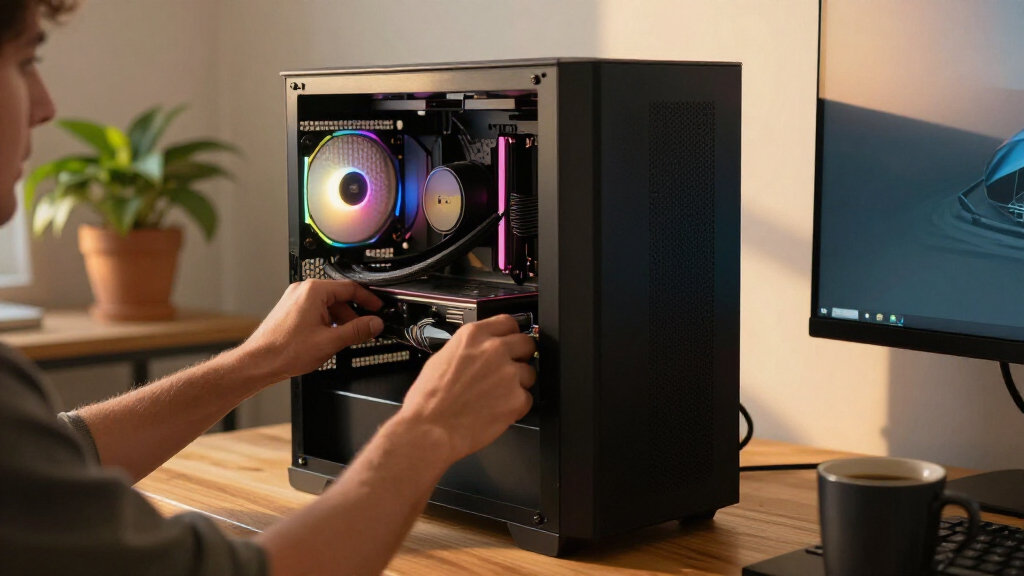
I ranked these desktops by how well each complete configuration serves a real buyer, not by processor branding alone. My main criteria were application performance, memory and storage balance, graphics capability, connectivity, physical size, and room for future upgrades. I also examined whether each processor, RAM capacity, and SSD combination avoids an obvious bottleneck. That approach favors balanced machines such as the Ryzen-powered HP OmniDesk over systems that pair a fast processor with limited memory or dated graphics.
The order also reflects new-versus-renewed risk, likely service life, operating-system suitability, and how much extra hardware a buyer may need after purchase. Compact business desktops score well for office use but lose ground when proprietary parts, tight interiors, or limited graphics-card clearance restrict upgrades. Towers move higher when their added space supports long-term ownership, while refurbished OptiPlex models earn value positions only when their lower cost offsets their age. Since seller pricing changes, I treat final checkout price and warranty coverage as factors that can move closely ranked models up or down.
| desktop PC | Operating System |
|---|---|
| HP OmniDesk Desktop Computer P | Windows 11 Home 64-bit |
| Dell OptiPlex 7060 SFF Desktop | Windows 11 Pro |
| Dell OptiPlex 7050 SFF Desktop | Windows 11 Pro |
| HP ProDesk 600 G6 SFF Desktop | Windows 11 Pro |
| Dell OptiPlex 3060 Desktop Com | Windows 11 Professional |
| Dell Tower Desktop ECT1250 wit | Windows 11 Home |
| Dell Ect1250 Tower Desktop PC | Windows 11 Pro |
| HP ProDesk SFF 400 G9 Business | Windows 11 Pro |
| Dell 2026 Pro Desktop Computer | Windows 11 Pro |
| Dell OptiPlex Business Tower D | Windows 11 |
| Dell Pro Tower Business Deskto | Windows 11 Pro |
| HP OmniDesk M03 Business Deskt | Windows 11 Pro |
| ASUS V500 Home & Business Towe | Windows 11 Pro |
| Dell Pro Tower Plus QBT1250 Bu | Windows 11 Pro |
| HP ProDesk 600 Desktop Compute | Windows 11 Pro |
Factors to Consider When Choosing Best Desktop PCs
Choosing among the best desktop PCs starts with matching the hardware to the work rather than buying the highest model number. I focus on workload fit, balanced specifications, and the cost of upgrades that may be needed later. A modest but well-matched desktop can feel quicker than an expensive machine held back by too little memory or storage. The sections below cover the distinctions that product listings often obscure.
Match the Processor to the Actual Workload
Processor labels such as Core i3, i5, i7, and i9 only make sense alongside their generation and intended power class. A newer Core i3-14100 can feel very responsive in everyday office work, while an older Core i7 may still win in heavily threaded jobs because it has more cores. Buyers working with large spreadsheets, code compilation, video exports, or many simultaneous applications should favor higher core counts and sustained performance. Web browsing, email, streaming, and document editing rarely justify the cost of a Core Ultra 7 or Core i9 by themselves. Chips ending in F, including the Core i5-10400F, lack usable integrated graphics and must rely on a separate graphics adapter. I would choose the least expensive processor that handles the hardest recurring workload with some spare capacity.
Do Not Judge Graphics by the Discrete Label
A separate graphics card can sound superior, but the card’s age and performance tier matter more than whether it is discrete. The GeForce GT 610 is an outdated entry-level card intended for basic display output, not current gaming or demanding creative software. By comparison, the Radeon 780M integrated into the Ryzen 7 8700G can provide a much stronger foundation for media work, multiple high-resolution displays, and light gaming. Intel integrated graphics are suitable for office applications and video playback but are less attractive for 3D work. Buyers planning serious gaming, rendering, or GPU-accelerated editing should check power-supply capacity and case clearance for a modern graphics-card upgrade. Paying for a weak discrete card simply because a listing highlights it is a common and costly mistake.
Choose Memory and Storage as a Pair
For general use, 16GB of RAM remains a sensible starting point, but 32GB gives heavier multitaskers more breathing room and can extend the useful life of the PC. Memory matters most when many browser tabs, large creative files, virtual machines, or data-heavy applications run together. Storage capacity affects convenience, while SSD type and speed affect loading and file-transfer performance. A 1TB NVMe SSD is the strongest all-purpose target in this lineup because it leaves room for applications and personal files without an immediate upgrade. A 256GB drive can fill quickly after Windows updates, productivity software, and media libraries are added. Before paying extra for factory-installed storage, I would compare that premium with the price and difficulty of adding a second drive later.
Pick Between Small Form Factor and Tower Designs
Small-form-factor systems save desk space and fit neatly into offices, but their compact cases can limit cooling, graphics cards, storage expansion, and replacement power supplies. A model such as the HP ProDesk 400 G9 SFF suits processor-heavy office work when desk space matters more than future graphics upgrades. Full towers occupy more room but usually provide easier access to components and better airflow during sustained workloads. That makes a tower the safer long-term format for buyers who expect to add drives, memory, expansion cards, or stronger graphics. Business desktops may also use proprietary connectors or case layouts that reduce compatibility with standard retail parts. I would inspect the internal slots, power-supply rating, and maximum supported component sizes before treating any desktop as upgrade-friendly.
Weigh Renewed Savings Against Support and Age
Renewed OptiPlex and ProDesk systems can deliver more memory and storage per dollar than new entry-level desktops. Their appeal depends on seller quality, warranty length, and component condition, not specifications alone. SSD health, dust buildup, fan wear, and replacement power adapters can vary even among units carrying the same model name. Older processors may also receive fewer years of platform support and offer weaker efficiency than newer chips. I would compare the renewed price with a new system after accounting for possible battery-free repairs, upgrades, and downtime. A renewed machine is a strong office bargain when it includes a clear return window, but a small discount does not compensate for uncertain history.
Check Ports, Wireless Hardware, and Bundled Accessories
Listings frequently highlight Wi-Fi adapters, keyboards, mice, and USB drives, yet those inexpensive extras should not drive the purchase. Built-in Wi-Fi 6 and modern Bluetooth are preferable to generic USB adapters because they preserve ports and usually provide a cleaner setup. Buyers running two or more monitors should verify the exact HDMI, DisplayPort, and USB-C outputs rather than relying on a broad multi-monitor claim. Display resolution and refresh-rate support also depend on the graphics hardware and connection type. A bundled keyboard may help a first-time buyer, but core hardware and port selection deserve priority because accessories are easy to replace. I would also check whether the system includes Ethernet, front-facing USB ports, an audio jack, and the correct video connections for existing monitors.
Frequently Asked Questions
Is the Ryzen 7 8700G powerful enough for gaming without a graphics card?
The Ryzen 7 8700G and its Radeon 780M graphics are suitable for light gaming, esports titles, and some modern games at reduced resolution and quality settings. They are far more appealing for this purpose than the basic Intel graphics and GeForce GT 610 configurations in the roundup. They do not replace a current midrange graphics card for high-detail 1440p gaming, ray tracing, or consistently high frame rates. Fast dual-channel memory also affects integrated-graphics performance, making the listed 32GB DDR5 configuration a useful match. I would choose this HP OmniDesk for mixed home use and occasional gaming, then buy a dedicated gaming tower for more demanding play.
Is a renewed Dell OptiPlex a better buy than a new entry-level desktop?
A renewed OptiPlex can be the better value when it includes 32GB of memory, a capable six-core processor, and dependable warranty coverage at a clear discount. The OptiPlex 7060 is especially appealing for office software, browsing, accounting, and multitasking. A new entry-level system may offer stronger efficiency, newer connectivity, and a longer support horizon even when its headline specifications look lower. The decision comes down to price gap, seller reputation, return rights, and whether future processor or graphics upgrades matter. I would favor the renewed OptiPlex for budget office deployment and a new tower for longer ownership or broader expansion.
Do I need 32GB of RAM, or is 16GB enough?
Sixteen gigabytes is enough for ordinary home and office work, including web browsing, video calls, streaming, and mainstream productivity applications. Thirty-two gigabytes is better for large spreadsheets, creative software, virtual machines, software development, or keeping many demanding applications open. Extra memory will not compensate for a slow processor or weak graphics, so the whole configuration still needs to be balanced. Buyers choosing a 16GB model should check whether it has a free memory slot and uses standard replaceable modules. I prefer 32GB for a desktop expected to last several years, especially when the upgrade premium is modest.
Should I buy a small-form-factor PC or a full tower?
A small-form-factor PC is better for compact offices, reception desks, classrooms, and buyers who expect to keep the original configuration. It can run demanding processors, but its tighter case may restrict cooling, full-size graphics cards, extra drives, and standard power supplies. A tower takes more space yet makes maintenance and component upgrades easier. Buyers planning only memory or SSD additions may be satisfied with either format, while those anticipating a strong graphics card should favor the tower. I would pick the HP ProDesk 400 G9 for compact productivity and one of the newer Dell or HP towers for expansion.
Is paying more for a Core Ultra desktop worthwhile?
A Core Ultra desktop is worthwhile for buyers running demanding productivity software, frequent media work, heavy multitasking, or newer applications that can use its added platform features. The Core Ultra 7 towers provide more performance headroom than the older renewed office systems, but basic users may never feel the difference. An integrated neural processing unit can help compatible AI-assisted tasks, though software support and workload type determine the benefit. Storage, memory, cooling, and warranty can matter more than the Core Ultra badge when comparing complete systems. I would pay the premium for long-term professional use, not for email, streaming, and occasional document editing.
Conclusion
For the broadest mix of work, media, and light gaming, my best overall choice is the HP OmniDesk with Ryzen 7 8700G. Its balanced memory, storage, and Radeon 780M graphics separate it from the office-focused systems around it. The Dell OptiPlex 7060 SFF is my best value pick when backed by a good return policy, while the Dell Tower ECT1250 with Core Ultra 7-265 is the premium choice for demanding productivity and longer-term performance headroom.
Beginners who want a straightforward new system should start with the Dell 2026 Pro Desktop with Core i3-14100, provided 16GB of memory and 512GB of storage meet their needs. For a compact office, I favor the HP ProDesk 400 G9 SFF because its Core i7-14700 supplies strong multitasking performance in a smaller case. The Ryzen-powered HP OmniDesk remains the better specific-use pick for buyers who need stronger integrated graphics, while upgrade-minded users should choose one of the full towers. Buyers focused only on routine office tasks can save money with a renewed OptiPlex, but creative professionals and heavy multitaskers will get more lasting value from the newer DDR5 systems.