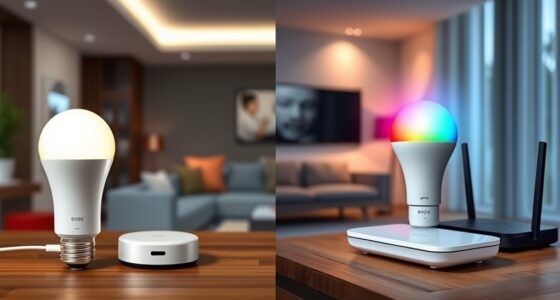

Over-the-air updates let you easily keep your smart bulbs‘ firmware current, guaranteeing they operate efficiently and stay compatible with your smart home system. These updates can improve features, energy savings, and connection stability without needing to replace devices manually. It’s important to regularly check for new firmware via your app or manufacturer notices. If you want to ensure your smart bulbs work perfectly and stay up-to-date, there’s more to discover below.
Key Takeaways
- OTA updates enable remote firmware upgrades, keeping smart bulbs current without physical access.
- Regular updates improve energy efficiency, dimming capabilities, and overall device performance.
- Compatibility issues may arise with older models, potentially causing malfunctions or feature limitations.
- Firmware updates can affect connectivity, risking disconnections from Wi-Fi or hubs if not managed properly.
- Best practices include checking update details, ensuring network stability, and verifying device compatibility beforehand.
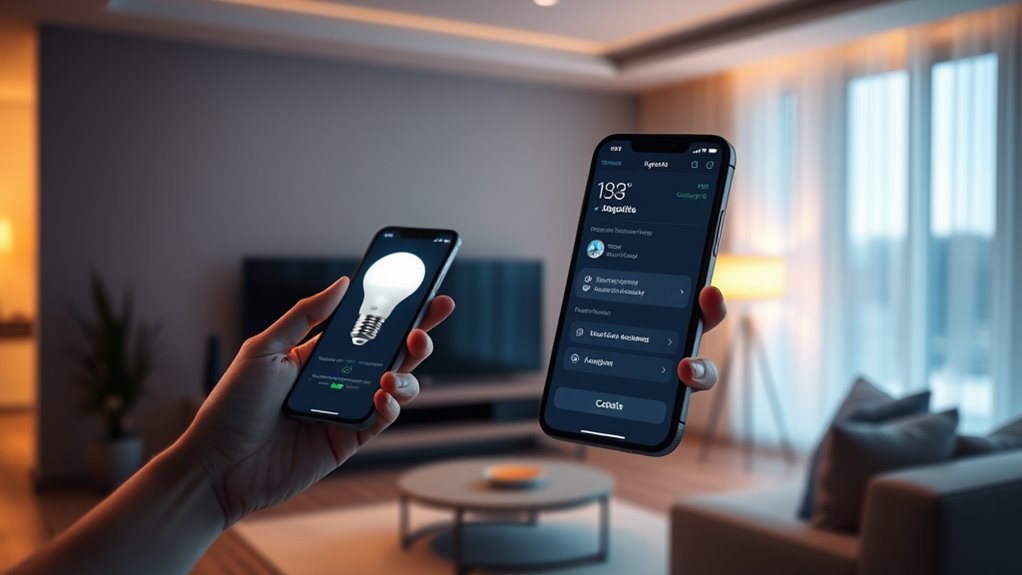
Smart bulbs are increasingly becoming essential parts of modern homes, offering convenience and energy savings. With the ability to control lighting remotely and customize brightness or color, they enhance everyday living. However, to keep these features working smoothly and securely, over-the-air (OTA) updates have become crucial. These updates allow your smart bulbs to receive new firmware versions without needing a physical connection or manual intervention, ensuring they stay up-to-date with the latest improvements.
One of the main benefits of OTA updates is maintaining energy efficiency. Manufacturers regularly release firmware updates that optimize how smart bulbs consume power. They might improve the bulb’s ability to dim smoothly, reduce unnecessary energy drain, or enhance scheduling features that turn lights off when not needed. When your smart bulbs receive these over-the-air updates, you benefit from improved energy savings, which can translate into lower electricity bills over time. Staying current with firmware helps ensure that your bulbs function at peak efficiency, maximizing their cost-saving potential.
OTA updates enhance energy efficiency, reduce power drain, and improve scheduling for smarter, cost-effective lighting.
However, compatibility issues can sometimes arise during OTA updates, especially when you have a mix of different smart devices or older models. Not all firmware updates are universally compatible across all product versions or brands. Sometimes, a new update might only support certain features on newer models, leading to potential malfunctions or loss of functionality if your device isn’t fully compatible. This can be frustrating, particularly if you rely on specific features like color changing or scheduling. To avoid compatibility issues, it’s essential to verify the update details before installing and ensure your smart bulbs and their associated apps are compatible with the latest firmware. Manufacturers often provide compatibility information and guidelines to help you determine if an update will work seamlessly with your existing setup.
Additionally, compatibility issues can sometimes cause connectivity problems, where your smart bulbs disconnect from your home Wi-Fi network or your smart home hub. This can interrupt scheduled lighting routines or remote control capabilities. To minimize these problems, keep your network hardware updated, and ensure your smart bulbs are within range of your Wi-Fi router. Some updates may also improve stability and connectivity, so applying OTA firmware updates can be a proactive way to prevent these issues. Regularly checking for firmware updates and reviewing manufacturer notices can help you stay ahead of potential problems and keep your smart home running smoothly.
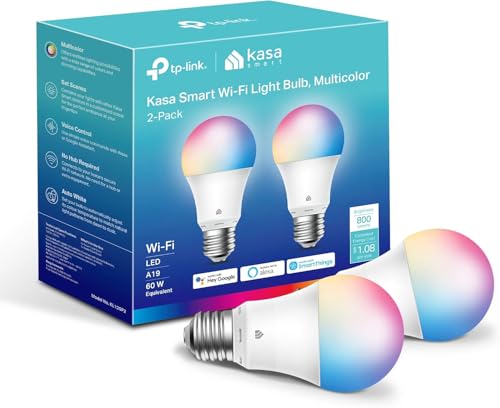
Kasa Smart Light Bulbs, Full Color Changing Dimmable Smart WiFi Bulbs Compatible with Alexa and Google Home, A19, 60 W 800 Lumens,2.4Ghz only, No Hub Required, 2-Pack (KL125P2), Multicolor
Multicolor & Auto White: Dimmable 16 million colors and warm to cool whites(2500K-6500K). Set your bulb to automatically…
As an affiliate, we earn on qualifying purchases.
As an affiliate, we earn on qualifying purchases.
Frequently Asked Questions
Can Over-The-Air Updates Improve Smart Bulb Security?
Yes, over-the-air updates can improve your smart bulb’s security. They allow manufacturers to quickly deploy patches that fix vulnerabilities, enhancing firmware security. By enabling seamless patch deployment, updates address potential threats before they can be exploited. You should regularly update your smart bulbs to guarantee they stay protected from new security risks, making over-the-air updates a crucial part of maintaining your device’s safety.
What Is the Typical Duration of an OTA Update?
Sure, OTA updates usually take just a few minutes, but don’t expect them to be lightning-fast—your smart bulb’s battery life and update frequency often slow things down. It’s ironic how a small update can feel like a long, drawn-out process, testing your patience. You might think it’s quick, but in reality, it’s a gentle reminder that sometimes, even technology prefers to take its time.
Are OTA Updates Compatible With All Smart Bulb Brands?
OTA updates aren’t compatible with all smart bulb brands. Some brands offer regular updates to improve performance and security, but others might not support OTA at all. You should check your specific brand’s compatibility and update frequency to guarantee your smart bulbs stay current and secure. Keep in mind that brand compatibility varies, so always verify before expecting seamless updates across different brands.
How Do OTA Updates Affect Smart Bulb Lifespan?
OTA updates can positively impact your smart bulb’s lifespan by improving firmware stability, reducing glitches, and enhancing overall performance. They typically boost battery efficiency, meaning your bulb consumes less power over time. However, frequent or poorly optimized updates might strain your device, potentially shortening its lifespan. To maximize longevity, make certain updates are from trusted sources and install them promptly, helping your smart bulb stay reliable and efficient longer.
Is an Internet Connection Necessary for OTA Updates?
You bet you need an internet connection for OTA updates. Without Wi-Fi connectivity, your smart bulb can’t download the latest firmware updates, which are essential for maintaining firmware compatibility and peak performance. Think of it as trying to catch a fish without a net—impossible. Ensuring your device stays connected guarantees your smart bulb receives timely updates, keeps running smoothly, and avoids compatibility issues down the line.

Linkind Smart Light Bulbs, Smart Bulb that Work with Alexa, Google Home, AiDot, LED Light Bulbs Color Changing RGBTW, 104 Preset Scene, Music Sync, Dotis, A19 E26 2.4G WiFi Bluetooth 60W 800LM, 4Pack
【Alexa & Google Home Voice Control: Hands-Free Convenience】As smart bulbs that work with Alexa & Google Home, it…
As an affiliate, we earn on qualifying purchases.
As an affiliate, we earn on qualifying purchases.
Conclusion
By keeping your smart bulbs up to date over the air, you guarantee brighter lighting, better security, and improved performance. Updating regularly keeps your bulbs current, your system secure, and your experience seamless. Embrace over-the-air updates to stay ahead, to enjoy new features, and to prevent issues. With simple updates, you enhance functionality, extend longevity, and enjoy peace of mind. Stay connected, stay updated, and let your smart bulbs shine brighter every day.
Kasa Smart Light Bulbs, Full Color Changing Dimmable Smart WiFi Bulbs Compatible with Alexa and Google Home, A19, 60 W 800 Lumens,2.4Ghz only, No Hub Required, 2-Pack (KL125P2), Multicolor
Multicolor & Auto White: Dimmable 16 million colors and warm to cool whites(2500K-6500K). Set your bulb to automatically…
As an affiliate, we earn on qualifying purchases.
As an affiliate, we earn on qualifying purchases.
Kasa Smart Light Bulbs, Full Color Changing Dimmable Smart WiFi Bulbs Compatible with Alexa and Google Home, A19, 60 W 800 Lumens,2.4Ghz only, No Hub Required, 2-Pack (KL125P2), Multicolor
Multicolor & Auto White: Dimmable 16 million colors and warm to cool whites(2500K-6500K). Set your bulb to automatically…
As an affiliate, we earn on qualifying purchases.
As an affiliate, we earn on qualifying purchases.