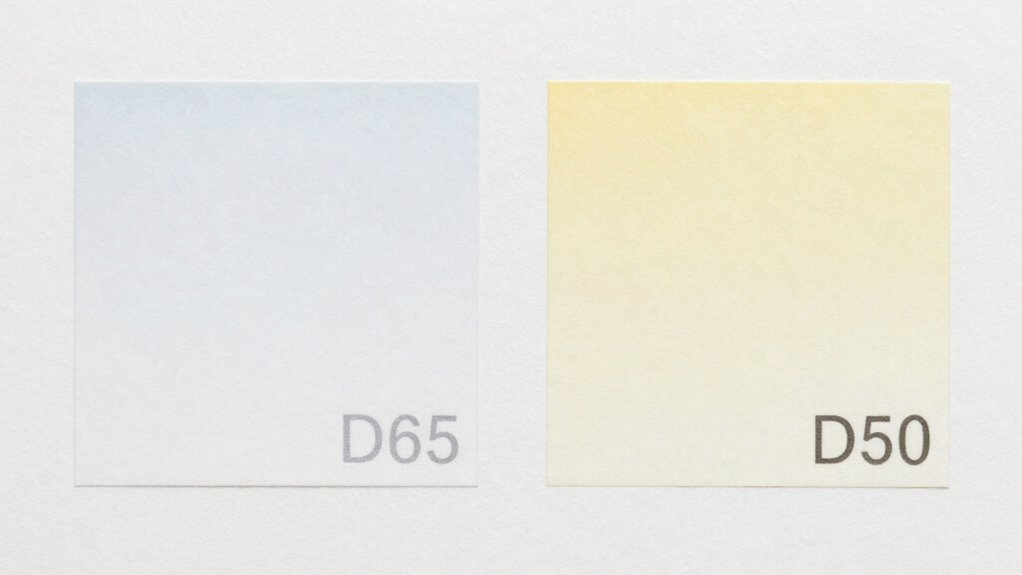

The choice between D65 and D50 white points considerably impacts your print color accuracy. D65 mimics daylight and is ideal for digital displays, while D50 matches typical indoor lighting used in print workflows. Mismatched white points can make your prints look dull, off, or washed out. Ensuring your monitor, printer, and environment align with the correct white point helps get consistent, true-to-life colors—if you want to know how to choose and manage them effectively, keep exploring.

Get the latest gadgets delivered free with Prime
- Fast, free delivery on millions of items
- Prime Video, Amazon Music and more included
- Member-only deals all year
Key Takeaways
- D65 mimics natural daylight (~6500K), ideal for digital displays and outdoor viewing; D50 (~5000K) is preferred for print and graphic design.
- Mismatched white points between monitor and printer cause prints to appear dull, off, or with unnatural color casts.
- Proper calibration aligning devices to the correct white point ensures consistent and accurate color reproduction.
- The viewing environment’s lighting influences the optimal white point choice, affecting how prints are perceived.
- Using the appropriate white point for your workflow prevents color shifts and ensures prints reflect intended hues.
As an affiliate, we earn on qualifying purchases.
What Are D65 and D50 White Points: And Why Do They Matter for Printing?

White points like D65 and D50 define the standard lighting conditions used to evaluate and reproduce colors accurately. These points serve as reference points for white point calibration, guaranteeing your monitor or printer displays colors consistently. D65 mimics daylight with a color temperature of about 6500K, making it ideal for viewing images as they appear in natural sunlight. D50, with a temperature of around 5000K, is often used in print workflows because it resembles typical indoor lighting. Adjusting the white point through color temperature adjustment helps you match your device’s display to these standards. This calibration process is essential because it guarantees that the colors you see on your screen will match the printed output, reducing discrepancies and improving overall color accuracy. Moreover, achieving proper color accuracy is crucial in ensuring that printed materials replicate the intended hues and tones effectively. Understanding these principles is vital for exploring new frontiers in digital content and research, ensuring that color representation remains consistent across various formats.
As an affiliate, we earn on qualifying purchases.
How White Points Affect Your Print Color Accuracy

Choosing the right white point guarantees that your printed colors match what you see on your screen. White points influence how colors are perceived and can cause discrepancies if mismatched. Historical color standards, like D65 and D50, shape how printers interpret color, affecting accuracy. Sound healing practices utilize specific frequencies to enhance emotional well-being, which can be reflected in the choices made for color representation. Cultural color perceptions also play a role; different cultures associate specific whites with certain moods or settings, impacting your choice. Using the wrong white point can make prints appear off, dull, or overly warm. Here’s a quick comparison:
| White Point | Common Use | Perception Effect |
|---|---|---|
| D65 | Digital screens, photography | Bright, neutral daylight |
| D50 | Printing, graphic design | Warm, softer daylight |
| Custom | Specific projects | Tailored color accuracy |
Selecting the appropriate white point guarantees your prints reflect your intent. Understanding urban traffic confidence can enhance the overall experience of presenting your work in print. Additionally, choosing the right data storage solution can ensure that your digital files maintain their color accuracy throughout the printing process.
printer color calibration software
As an affiliate, we earn on qualifying purchases.
As an affiliate, we earn on qualifying purchases.
Deciding When to Use D65 or D50 in Printing Workflows

Choosing between D65 and D50 depends on your workflow compatibility and color matching needs. If your process aligns with standard viewing conditions, D65 may be the best fit; if precision under specific lighting is critical, D50 might be better. Consider how each white point impacts your overall color accuracy and consistency.
Workflow Compatibility Considerations
Understanding when to use D65 or D50 in your printing workflows is essential for achieving accurate and consistent color reproduction. Your choice depends on your workflow’s compatibility, especially with white balance settings and calibration targets. If your digital files and monitors are calibrated with D65 white points, matching that in your printing process ensures uniformity. Conversely, if your calibration targets and printing equipment are designed around D50, switching to that white point prevents color shifts. Compatibility between your devices and standards is critical; mismatched white points can cause prints to look off. Always verify your workflow’s white balance settings and calibration targets early in the process to maintain consistency. This approach minimizes surprises and guarantees your prints match your intended colors. Additionally, incorporating eco-friendly practices in your workflow can enhance the sustainability of your printing processes.
Color Matching Requirements
Deciding whether to use D65 or D50 in your printing workflows hinges on your specific color matching requirements. Historical color standards influence this choice, as certain industries and regions have long favored one point over the other. For example, D50 is often linked to traditional print standards and viewing conditions, aligning with established cultural color preferences for accurate reproduction in print environments. If your work involves matching colors for branding, packaging, or fine art, consider which standard aligns best with client expectations and industry norms. D65, with its cooler, daylight-like tone, suits digital displays and environments where color consistency across screens is essential. Ultimately, understanding your target audience and the cultural context helps you choose the appropriate white point, ensuring your prints look consistent and true to intent.
lighting for print color accuracy
As an affiliate, we earn on qualifying purchases.
As an affiliate, we earn on qualifying purchases.
Signs Your Prints Are Off Because of White Point Mismatch

When your prints consistently look dull, washed out, or oddly tinted, it’s often a sign that your white point isn’t matching your display’s white point. This mismatch affects the perceived white balance and how ambient lighting influences your view. Here are signs to watch for:
- Colors appear off or inconsistent under different lighting conditions.
- Whites look gray or discolored instead of pure.
- Prints seem flat, lacking depth or vibrancy.
- Edges or highlights look unnatural or overly muted.
These issues highlight a disconnect between your monitor’s white point and your printer’s output, causing your prints to look “off.” Ensuring your white point matches and considering ambient lighting can greatly improve color accuracy and print quality.
How to Choose the Right White Point for Your Printing Needs
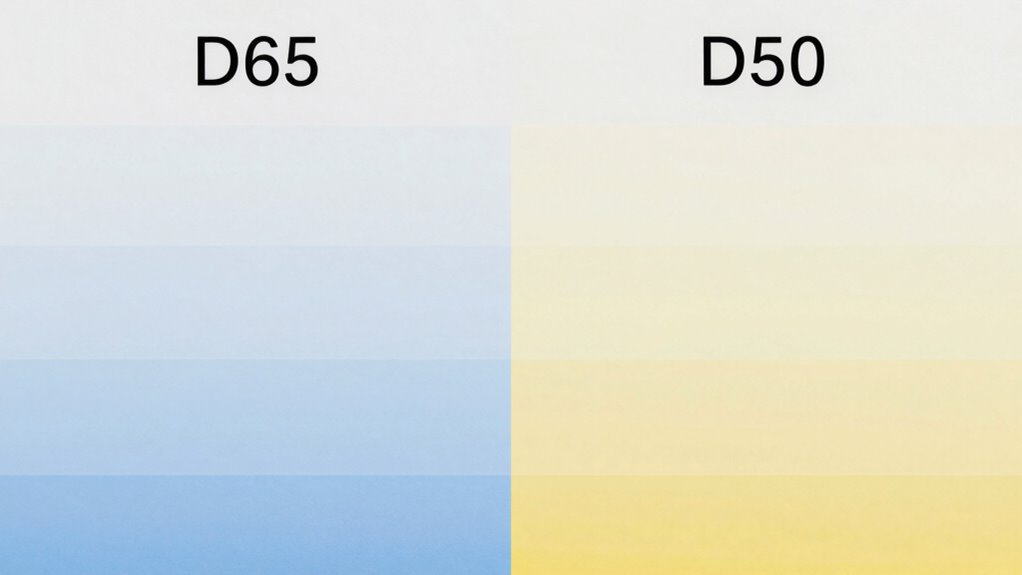
Choosing the right white point starts with understanding the basics of white balance and how it affects your prints. You should also consider the lighting conditions in which your work will be viewed and how that impacts color accuracy. Additionally, proper piercing care and hygiene is essential for ensuring that your prints maintain their intended appearance over time. Using a consistent color temperature can further enhance the accuracy of your prints in various lighting environments. Furthermore, understanding electric power generation can help you choose sustainable methods for powering your printing equipment. Finally, think about the final display needs to guarantee your prints look their best in any setting. Additionally, the importance of customer service ratings can enhance your overall satisfaction with the printing process. To achieve the best results, consider how different hair products can affect the appearance of colors under various lighting.
Understanding White Point Basics
Understanding white point basics is essential for achieving accurate color reproduction in printing. Your choice impacts how colors appear and how true your prints look. Historically, color standards like D65 and D50 were established to maintain consistency. When selecting a white point, consider these key factors:
- Historical color standards—they guide your decision based on industry benchmarks.
- Perceptual color differences—small shifts can cause noticeable variations in print quality.
- Lighting conditions—matching your print’s white point to the ambient light minimizes color discrepancies.
- Intended use—photography, fine art, or commercial printing each benefit from different white points.
Understanding these elements helps you navigate the subtle nuances of white point choices and ensures your prints look as intended, avoiding perceptual color differences.
Matching Lighting Conditions
Matching your print’s white point to the lighting conditions where it will be viewed is essential for achieving accurate color representation. Your goal is to set the white balance so the print appears natural under ambient lighting. If your environment has warm, yellowish light, choosing a white point like D50 helps maintain consistency and prevents colors from looking washed out or overly warm. Conversely, in cooler, bluish lighting, a D65 white point can make your prints look more vibrant and true to their original colors. Always consider the ambient lighting in the viewing area when adjusting your print settings. By aligning the white point with your lighting conditions, you guarantee your prints look their best, with colors that match expectations and prevent unwanted color shifts. Understanding early detection awareness can also help emphasize the importance of color accuracy in various contexts.
Considering Final Display Needs
Have you ever considered how your final display environment influences your white point selection? Your ambient lighting and its color temperature directly impact how your prints appear. To choose the right white point, think about:
- The predominant environmental lighting—will it be warm, cool, or neutral?
- The color temperature of your workspace—higher values (~6500K) favor D65, lower (~5000K) suit D50. Additionally, using necessary cookies can help ensure a smoother online shopping experience for your printing supplies.
- The purpose of your prints—are they for digital display, gallery viewing, or professional printing? Incorporating Italian gelato culture can enhance visual storytelling in your prints. Additionally, understanding Indigenous culture can provide a deeper context and enrich the narrative of your visual displays. Maintaining indoor air quality is also essential, as it can affect the longevity and appearance of your printed works.
- The consistency between your display and final environment—matching white points minimizes color shifts.
Additionally, understanding debt management strategies can help ensure your printing projects stay within budget while achieving the desired visual quality.
Tips for Managing White Points in Color Management Systems

Properly managing white points is essential for consistent color reproduction across devices. To do this, focus on setting accurate white balance and understanding color temperature. Adjust your display’s white point to match your target environment or output medium. Use calibration tools to guarantee your monitor’s white point aligns with the desired standard, like D65 or D50. Remember, a warmer color temperature (lower Kelvin) produces a more yellowish-white, while a cooler temperature (higher Kelvin) appears bluish. Keep these key factors in mind:
| Parameter | Effect |
|---|---|
| White Balance | Balances color tint for natural appearance |
| Color Temperature | Influences overall warmth or coolness of white |
| Calibration Tools | Ensures consistent white point settings |
| Standard Targets | Guides accurate white point selection |
| Monitor Profile | Maintains color accuracy across workflows |
Troubleshooting White Point Issues in Color Reproduction

When white point issues arise, they often cause color inconsistencies that can be difficult to identify and correct. To troubleshoot, start with proper white point calibration to confirm your monitor matches the target standard. Next, check the spectral reflectance of your print materials, as mismatched spectral data can cause color shifts. Consider these steps:
- Verify your display’s white point setting matches your workflow’s standard, like D65 or D50.
- Use calibration tools that incorporate spectral reflectance data for accurate color rendering.
- Reassess your print profiles to ensure they align with your chosen white point.
- Regularly recalibrate to maintain consistency over time, especially when switching between light sources or media.
Understanding and adjusting these factors helps correct white point issues and achieve consistent color reproduction.
Frequently Asked Questions
How Does Ambient Lighting Influence White Point Selection in Printing?
Ambient lighting and its color temperature substantially influence your white point selection in printing. When you view your prints under different ambient conditions, such as warm or cool lighting, it can alter how colors appear. To guarantee accurate color reproduction, you should adjust your white point to match the ambient lighting. This helps your prints look consistent and true to their intended colors, regardless of the surrounding environment.
Can Using the Wrong White Point Damage Print Longevity?
Choosing the wrong white point can damage print longevity by disrupting color consistency and ink compatibility. When you mismatch white points, your prints may fade faster or develop color shifts over time, as the inks struggle to maintain accurate hues. You’ll notice fading, discoloration, or a loss of vibrancy, all stemming from improper white point selection. To protect your prints, always match the white point to your printer and paper for lasting, luminous results.
Are D65 and D50 Compatible With All Types of Inkjet Printers?
D65 and D50 white points are generally compatible with most inkjet printers, but color consistency depends on matching your printer’s ink compatibility. You might notice variations in color accuracy if your printer isn’t tailored for a specific white point. To guarantee ideal results, check your printer’s specifications and use compatible inks that support the chosen white point. This helps maintain consistent colors across your prints.
How Do Monitor White Points Impact Printed Color Accuracy?
Did you know that improper monitor white points can cause up to a 15% color inconsistency in printed photos? When your monitor’s white point isn’t calibrated correctly, it throws off color accuracy, making prints look dull or overly warm. Using proper calibration techniques guarantees your monitor displays colors accurately, aligning with your printer’s color profile. This consistency ensures your prints match your screen’s colors, giving you reliable, true-to-life results every time.
Is It Possible to Calibrate Prints for Both D65 and D50 Simultaneously?
You can’t perfectly calibrate prints for both D65 and D50 simultaneously because of calibration challenges and color consistency issues. Each white point has unique qualities that affect how colors appear. To achieve the best results, focus on calibrating your monitor and printer to one white point that matches your workflow’s primary viewing conditions. This helps guarantee consistent, accurate prints, even if it means compromising on perfect dual white point calibration.
Conclusion
Choosing between D65 and D50 is like picking the right brush for your masterpiece—you need the perfect fit to bring your vision to life. When your prints feel “off,” it’s often a sign the white point isn’t aligning with your workflow. Mastering this subtle detail transforms your colors from mere shades into vivid stories. So, tune your white point settings, and watch your prints bloom with accuracy, turning your creative efforts into stunning, true-to-life works of art.
Fall Picks
fall essentials
As an affiliate, we earn on qualifying purchases.