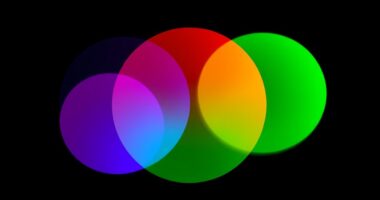
The colors you see on your screen are created with light using the RGB model, which has a wider color range and shows vivid hues. In contrast, print uses the CMYK model, with a narrower color gamut, causing printed colors to often look duller or different. This fundamental difference in how colors are produced and reproduced explains why your prints never match what you see on screen. Keep exploring for more insights on bridging this color gap.
Key Takeaways
- RGB has a wider color gamut than CMYK, making screen colors more vibrant and difficult to replicate in print.
- Differences in color gamuts and color spaces cause colors to appear differently on screens versus printed materials.
- Improper calibration of monitors or printers leads to mismatched hues and inconsistent color output.
- Ink absorption and paper quality in printing can alter colors, making printed results differ from digital displays.
- Using different color profiles and workflows without proper management results in discrepancies between screen and print colors.
Understanding the Basics of RGB and CMYK Color Models

To understand the differences between RGB and CMYK, grasping how each color model works is essential. RGB operates within an additive color space, combining red, green, and blue light to produce a broad range of colors. Its color depth determines how many shades each color channel can display, affecting the overall richness of images. The higher the color depth, the more precise the color gradations. CMYK, on the other hand, uses a subtractive color space based on cyan, magenta, yellow, and black inks. It’s designed for print, where ink absorption affects color accuracy. Unlike RGB, CMYK’s color depth influences the detail and vibrancy of printed images. Additionally, understanding the color gamuts of each model explains why some colors cannot be perfectly replicated across mediums. Understanding these core principles helps you grasp why colors appear differently on screens and in print.
How RGB Colors Are Created on Digital Screens

Digital screens create RGB colors by combining red, green, and blue light at varying intensities. Your monitor’s color calibration and profile settings determine how these colors appear, ensuring accurate representation. When you adjust your monitor’s profile, it helps standardize color output, making RGB colors more consistent across devices. The monitor’s hardware and software work together to produce a broad spectrum of hues by controlling the light emitted from each pixel. This process relies on precise calibration to match what you see on the screen with the intended colors. Without proper calibration, colors may look off or inconsistent. Additionally, understanding how color profiles influence display output can significantly improve color accuracy. By understanding how RGB colors are generated and maintaining accurate monitor profiles, you can better appreciate the vibrant, dynamic range digital screens offer.
The Process of Printing With CMYK Inks

When you print images or designs, the process shifts from emitting light to applying ink onto paper using the CMYK color model. Ink blending is vital here; the four inks—cyan, magenta, yellow, and black—combine to produce a broad color spectrum. Your paper selection influences how well inks adhere and how colors appear; smoother paper yields sharper images, while textured paper can alter color vibrancy. Proper paper choice guarantees consistent results and minimizes ink absorption issues. Additionally, understanding the Self Watering Plant Pots reservoir system can help you manage ink flow and saturation during printing.
Key Differences Between RGB and CMYK Color Gamut

Understanding the key differences between RGB and CMYK color gamuts is essential for ensuring your designs look their best across various media. RGB has a wider color gamut, meaning it can display more vibrant colors and higher color saturation, especially in bright, luminous shades. This makes it ideal for screens where light emission enhances color richness. In contrast, CMYK’s color gamut is narrower, limiting the range of colors it can reproduce. This results in less vibrant, more muted tones in printed materials. The difference in color saturation is significant; RGB can produce highly saturated, vivid hues, while CMYK’s colors tend to be softer and less intense. Recognizing these distinctions helps you optimize your designs for each medium, avoiding mismatched colors and ensuring your visuals remain impactful. Additionally, Volkswagen Tuning principles can be applied to digital design, where understanding color performance can help optimize visual appeal and consistency.
Common Causes of Color Discrepancies in Printing

Color discrepancies in printing often stem from differences between on-screen colors and those produced on physical media. One common cause is calibration issues, where your monitor’s colors aren’t accurately aligned with your printer’s settings, leading to mismatched hues. Additionally, ink absorption profoundly impacts color output; different paper types absorb ink differently, causing colors to appear duller or more vibrant than expected. If your printer isn’t properly calibrated or if the paper isn’t suited for your ink, you’ll notice inconsistencies. These issues can make your prints look off compared to what you see on the screen. To minimize discrepancies, ensure your monitor is calibrated correctly, and choose the right paper for your printing needs. Proper calibration and material selection are key to achieving consistent color results. Furthermore, understanding color accuracy and how it relates to your printing setup can significantly improve your outcomes.
Tips for Achieving Color Accuracy When Printing Digital Designs

Achieving accurate colors in your printed digital designs requires careful attention to several key factors. First, make certain your monitor is properly calibrated and profiled, so what you see on screen closely matches real colors. Regular color calibration helps maintain consistency over time. Next, use monitor profiling to create a color profile that accurately represents your display’s capabilities. When preparing files, avoid making adjustments based solely on your screen; instead, trust color management workflows. Additionally, communicate with your printer or print shop to understand their color profiles and calibration standards. Proper refrigerant management is also essential for maintaining energy efficiency and environmental standards in printing processes. Finally, always perform test prints to verify color accuracy before producing final copies.
Tools and Techniques for Color Management in Printing

To guarantee consistent and accurate results in printing, you need to leverage effective tools and techniques for color management. Start with color calibration of your monitors and printers to ensure your digital files match real-world outputs. Regular calibration minimizes color discrepancies caused by device drift. Additionally, focus on ink formulation; selecting the right inks ensures proper color reproduction and durability. Using color management software helps you monitor and adjust color profiles, maintaining consistency across different devices and print runs. Implementing proofing techniques, like soft and hard proofs, allows you to preview how colors will appear on paper before printing. Ensuring your color profiles are correctly configured is essential for bridging the gap between on-screen colors and printed results. Combining calibration, proper ink formulation, and smart software use creates a reliable workflow that bridges the gap between on-screen colors and printed results.
Frequently Asked Questions
Can I Convert RGB Images Directly to CMYK Without Color Loss?
You can convert RGB images directly to CMYK, but be aware that color space conversion may cause some color loss or shifts, affecting image quality. When you perform the conversion, you risk losing vibrant hues or details because of the different gamuts. To minimize this, use professional editing software and check your colors carefully afterward. This way, you preserve as much of the original image quality as possible during the conversion process.
How Do Monitor Calibration Settings Affect Color Accuracy?
Ever wonder why colors seem off? Your monitor calibration settings hold the key to uncovering true color accuracy. When you calibrate correctly, your display aligns with industry standards, revealing vibrant, accurate hues. Skipping calibration risks dull or oversaturated colors, throwing off your work. Regular calibration ensures your monitor faithfully reproduces colors, so what you see is what you get—crucial for precise design, editing, and printing.
Are There Industry-Standard Color Profiles for Printing?
You should know that industry-standard color profiles, like Adobe RGB and sRGB, help with color management and maintaining color consistency across devices. For printing, profiles such as US Web Coated SWOP or FOGRA are widely used. Using these profiles guarantees your colors match more accurately, reducing surprises in your final prints. Always embed the correct profile into your files to achieve reliable, consistent color results.
What Role Does Paper Type Play in Color Matching?
Paper type is the canvas on which your colors come to life, shaping the final look. It acts like a sponge, influencing ink absorption, which affects vibrancy and detail. Brightness plays a role too, as a brighter paper can make colors pop, while matte or textured papers may dull them. Choosing the right paper guarantees your print matches your vision, just like a painter selecting the perfect surface for their masterpiece.
How Can I Preview How My Design Will Look When Printed?
To preview how your design will look when printed, use color management tools and soft proofing features in your design software. These tools simulate the printed output on your screen, giving you a close idea of the final look. By adjusting your colors based on the soft proof, you can guarantee better accuracy before sending it to print, reducing surprises and ensuring your design matches your expectations.
Conclusion
Understanding the differences between RGB and CMYK is like knowing two languages—you need the right one for the right situation. By grasping their unique color gamuts and managing your colors carefully, you can get closer to matching your screen’s vibrant display with your printed results. Remember, achieving perfect color accuracy is a bit like tuning a musical instrument; it takes patience and practice. With the right tools and techniques, you’ll bring your digital visions beautifully to life on paper.