TL;DR
Microsoft has officially acknowledged that the Windows 11 KB5120998 update causes mouse cursor malfunctions and wallpaper display problems. The company recommends uninstalling the update to resolve these issues. The situation remains ongoing, with no fix yet available.
Microsoft has officially acknowledged that the latest Windows 11 update, KB5120998, causes significant problems with mouse cursor functionality and wallpaper display. The company confirmed these issues after numerous user reports and is advising users to uninstall the update to restore normal system behavior. This development is notable because it affects a broad user base and highlights ongoing quality control challenges for Windows updates.
On March 15, 2024, Microsoft released the KB5120998 update for Windows 11, which was intended to include security patches and feature improvements. However, shortly after deployment, users began reporting that their mouse cursors either disappeared or became unresponsive, alongside wallpaper issues where screens turned black or displayed incorrect images. Microsoft responded within days, issuing an official statement acknowledging these problems and recommending that affected users uninstall the update to fix the issues.
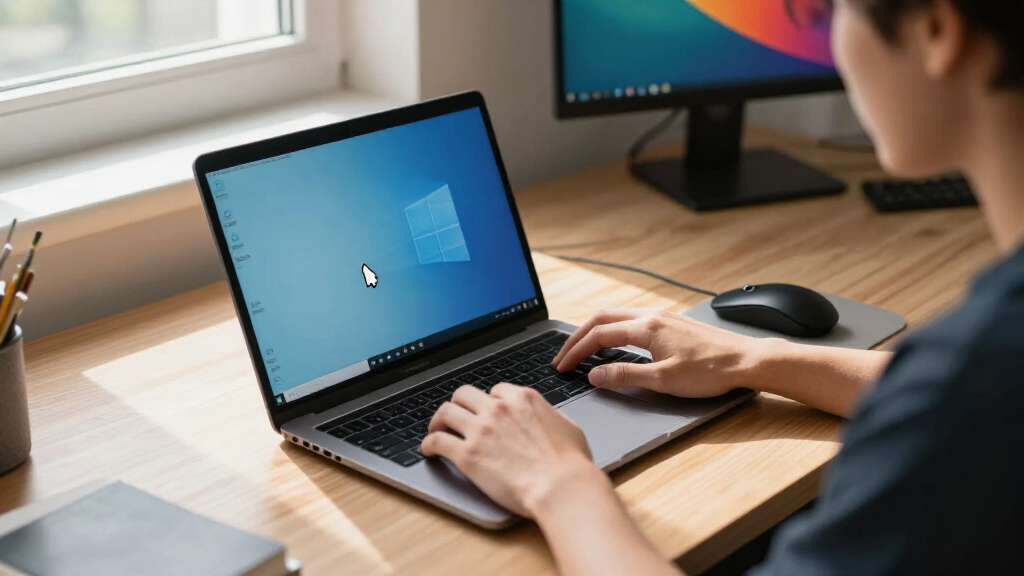
According to Microsoft, the issues specifically involve mouse cursor visibility and responsiveness, with some users experiencing complete cursor disappearance, making navigation difficult. The wallpaper problems include screens turning black or showing corrupted images until the update is removed. The company did not specify the exact technical cause but indicated that it is investigating the root problem. No official patch or fix has been released yet, and affected users are advised to uninstall the update via Windows Settings.
Impacts on Windows 11 Users and System Stability
This issue is significant because it affects a core aspect of user interaction with Windows 11—mouse navigation—and disrupts visual elements that are essential for user experience. The widespread reports suggest that many users, including enterprise and casual users, are unable to operate their systems normally until the problem is resolved. The incident underscores ongoing challenges in Windows update quality control and may influence user trust in future updates, especially if similar issues recur.
As an affiliate, we earn on qualifying purchases.
Recent Windows 11 Update Rollouts and User Feedback
The KB5120998 update is part of Microsoft’s regular update cycle for Windows 11, which has seen a mix of security patches and feature enhancements over recent months. While most updates have been smooth, this particular release has triggered a wave of complaints across various online forums, social media, and tech communities. Historically, Windows updates have occasionally caused bugs, but the scale of this particular problem appears to be more widespread, affecting both consumer and enterprise environments.
Microsoft has previously faced criticism for update-related bugs, but the company’s quick acknowledgment and recommendation to uninstall the update suggest a serious concern. It is not yet clear whether a formal patch will be issued soon or if the problem is confined to specific hardware configurations.
computer mouse with customizable cursor
As an affiliate, we earn on qualifying purchases.
As an affiliate, we earn on qualifying purchases.
Technical Causes and Future Fixes Still Unclear
Microsoft has not yet disclosed the specific technical cause behind the cursor and wallpaper issues. It remains uncertain whether a targeted patch will be released soon or if the problem is hardware-specific. The scope of affected systems and the timeline for resolution are still unknown, leaving many users in limbo.
As an affiliate, we earn on qualifying purchases.
Microsoft’s Next Steps and User Guidance
Microsoft is expected to investigate the root cause further and develop a fix, potentially in a forthcoming cumulative update. In the meantime, users are advised to uninstall KB5120998 to restore system stability. The company may also issue a formal patch or update once the issue is fully diagnosed. Users should monitor official channels for announcements and guidance on future updates.
USB mouse for gaming and office use
As an affiliate, we earn on qualifying purchases.
As an affiliate, we earn on qualifying purchases.
Key Questions
How do I uninstall the KB5120998 update?
You can uninstall the update by going to Windows Settings > Windows Update > Update history > Uninstall updates. Select KB5120998 from the list and follow prompts to remove it.
Will Microsoft release a fix for this issue?
Microsoft has not confirmed a specific timeline for a fix but is actively investigating the problem. A patch may be released in upcoming updates, depending on the root cause.
Is my system affected if I haven’t installed the update?
If you have not installed KB5120998, your system should not be affected by these specific issues. However, it’s recommended to keep your system updated for security and stability.
Are there any workarounds besides uninstalling the update?
Currently, the primary workaround is uninstalling the update. No other confirmed solutions are available, but users should stay tuned for official guidance from Microsoft.
Should I delay installing future Windows updates?
While delaying updates can prevent encountering this specific issue, it may expose your system to security vulnerabilities. It is advisable to install updates once they are verified as stable, especially after official fixes are released.
Source: rss