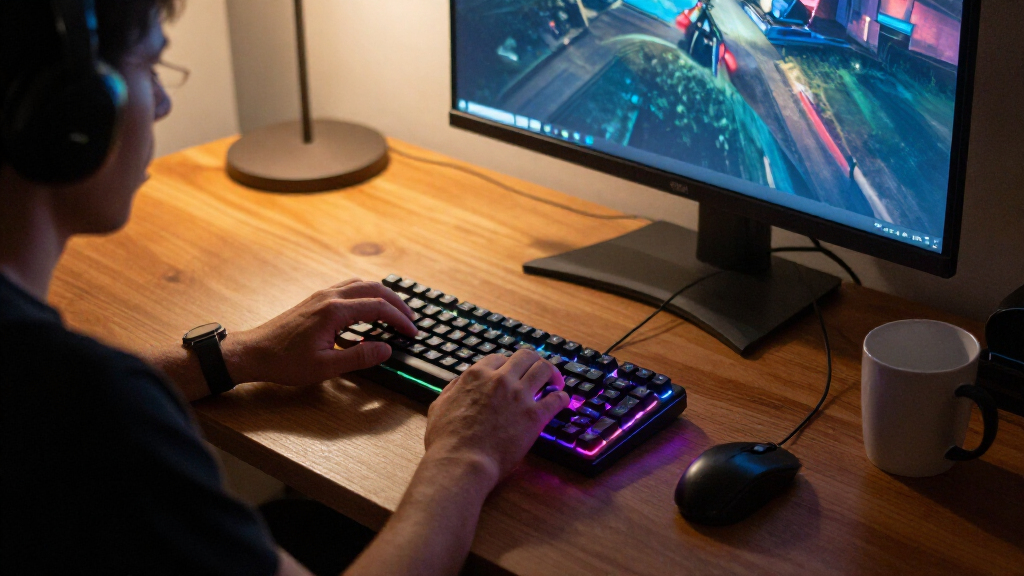
For most players, I’d start with the Corsair K70 CORE RGB: its full-size layout, gaming-focused controls, and detachable palm rest make it a well-rounded wired choice. The AULA WIN68 HE stands out for players drawn to compact magnetic-switch gaming, while the AULA F75 Pro suits buyers who want wireless flexibility and a smaller layout. The main tradeoffs are size, switch feel, wired versus wireless use, and how much extra control or customization you actually need. No single board fits every desk or play style, so I’ve ranked these options by their practical strengths and limitations. Read on for the full comparison and advice on choosing the right mechanical gaming keyboard for your setup.

Get the latest gadgets delivered free with Prime
- Fast, free delivery on millions of items
- Prime Video, Amazon Music and more included
- Member-only deals all year
Complete the kit



Key Takeaways
- The K70 CORE is the most balanced wired pick: it pairs a full-size layout and detachable palm rest with gaming-focused RGB, while some alternatives prioritize compactness or lower-cost essentials.
- The WIN68 HE serves a different gaming need: its magnetic-switch design is the standout for players seeking that switch format, but its 68-key layout gives up dedicated keys found on full-size boards.
- Compact layouts offer real desk-space gains: the WIN68 HE and F75 Pro use smaller footprints, while the K70 CORE, G413 SE, and K580 VATA retain full-size or near-full-size layouts for more direct access to keys.
- Hot-swap support changes the ownership tradeoff: the Redragon K668 and K671 make switch replacement more accessible than boards without that feature, though hot-swapping does not by itself make a keyboard better for every player.
- Feature-rich does not always mean best fit: the Razer BlackWidow V4 X and SteelSeries Apex 5 add gaming-specific controls or display features, while the Logitech G413 SE keeps its appeal in a simpler, less elaborate setup.
| AULA WIN68 HE 68-Key Compact Magnetic Gaming Keyboard |  | Best for Adjustable Actuation | Layout: 68-key compact QWERTY | Switch type: Linear Hall Effect magnetic | Actuation range: 0.02–3.44 mm | VIEW LATEST PRICE | See Our Full Breakdown |
| Corsair K70 CORE RGB Full-Size Wired Mechanical Gaming Keyboard with Detachable Palm Rest |  | Best for a Full-Size, Quieter-feeling Setup | Layout: Full-size, 104 keys | Switch type: Linear red mechanical | Keycaps: Double-shot ABS | VIEW LATEST PRICE | See Our Full Breakdown |
| Logitech G413 SE Full-Size Mechanical Gaming Keyboard |  | Best for a Simple, Durable Full-Size Board | Layout: Full-size QWERTY, 108 keys | Switch type: Tactile mechanical | Key rollover: 6-key anti-ghosting | VIEW LATEST PRICE | See Our Full Breakdown |
| Redragon K668 108-Key Hot-Swappable Wired RGB Gaming Keyboard |  | Best for Switch and Keycap Customization | Layout: 108-key QWERTY | Switch type: Linear red | Hot-swap compatibility: 3-pin and 5-pin switches | VIEW LATEST PRICE | See Our Full Breakdown |
| Logitech G316 X 98 Mechanical Gaming Keyboard, Linear Switches, Black |  | Best Compact Pick with a Numpad | Layout: 98% QWERTY, 96 buttons | Switch type: Linear, hot-swappable | Keycaps: Double-shot PBT | VIEW LATEST PRICE | See Our Full Breakdown |
| Redragon K580 VATA Wired RGB Mechanical Gaming Keyboard |  | Best for Onboard Macros and Switch Swapping | Layout: 104-key QWERTY | Connectivity: Wired USB-C | Switches: Hot-swappable Outemu Blue, clicky | VIEW LATEST PRICE | See Our Full Breakdown |
| Razer BlackWidow V4 X Mechanical Gaming Keyboard with Yellow Switches |  | Best for Quiet Linear Gaming | Layout: 104-key QWERTY | Connectivity: Wired | Switches: Yellow linear, 1.2 mm actuation distance, 45 g actuation force | VIEW LATEST PRICE | See Our Full Breakdown |
| Redragon K671 Wired Mechanical Gaming Keyboard with Hot-Swappable Linear Red Switches |  | Best Value for Linear Switch Customization | Layout: 104-key QWERTY | Connectivity: Wired | Switches: Hot-swappable linear Red | VIEW LATEST PRICE | See Our Full Breakdown |
| AULA F2088 Wired Mechanical Keyboard with Blue Switches |  | Best for Clicky Typing with a Wrist Rest | Layout: 104-key QWERTY | Connectivity: USB wired | Switches: Clicky Blue | VIEW LATEST PRICE | See Our Full Breakdown |
| AULA F75 Pro 75% Wireless Mechanical Keyboard with Knob |  | Best Compact Wireless Pick | Layout: 75%, 81-key QWERTZ | Connectivity: Bluetooth 5.0, 2.4 GHz wireless, USB-C | Device switching: Up to 5 devices | VIEW LATEST PRICE | See Our Full Breakdown |
| SteelSeries Apex 5 Hybrid Mechanical Gaming Keyboard with OLED Display and RGB Lighting |  | Best for Clicky Feedback and On-Keyboard Game Info | Switch type: Hybrid blue, tactile and clicky | Switch lifespan: 20 million keypresses | Layout and key count: AZERTY, 104 keys | VIEW LATEST PRICE | See Our Full Breakdown |
| mechanical gaming keyboard | Layout | Connectivity | Backlighting | Keycaps |
|---|---|---|---|---|
| AULA WIN68 HE 68-Key Compact M | 68-key compact QWERTY | Wired USB-C | RGB, 16.8 million colors | — |
| Corsair K70 CORE RGB Full-Size | Full-size, 104 keys | Wired USB-A | — | Double-shot ABS |
| Logitech G413 SE Full-Size Mec | Full-size QWERTY, 108 keys | Wired USB 2.0 | Single-color white LED | PBT |
| Redragon K668 108-Key Hot-Swap | 108-key QWERTY | Wired USB-C | RGB with 19 preset modes | Two sets included |
| Logitech G316 X 98 Mechanical | 98% QWERTY, 96 buttons | Wired USB-A and USB-C | Customizable RGB | Double-shot PBT |
| Redragon K580 VATA Wired RGB M | 104-key QWERTY | Wired USB-C | RGB | Double-shot |
| Razer BlackWidow V4 X Mechanic | 104-key QWERTY | Wired | Per-key Chroma RGB | Doubleshot ABS |
| Redragon K671 Wired Mechanical | 104-key QWERTY | Wired | 11 modes; adjustable speed and brightness; color cannot be changed | — |
| AULA F2088 Wired Mechanical Ke | 104-key QWERTY | USB wired | Rainbow LED, 19 effects, three customizable profiles | — |
| AULA F75 Pro 75% Wireless Mech | 75%, 81-key QWERTZ | Bluetooth 5.0, 2.4 GHz wireless, USB-C | RGB, 16.8 million colors | Side-printed PBT, double-shot and heat-sublimated |
| SteelSeries Apex 5 Hybrid Mech | — | — | Per-key RGB | — |
More Details on Our Top Picks
AULA WIN68 HE 68-Key Compact Magnetic Gaming Keyboard
The AULA WIN68 HE is the pick here for players who want to tune how quickly keys register, rather than stick with a fixed mechanical switch feel. Its Hall Effect switches offer per-key actuation settings, which can suit games where rapid inputs matter, while the compact 68-key layout keeps arrow keys and basic function access. Compared with the full-size Corsair K70 CORE, it frees up more desk space but gives up a numpad and dedicated media controls. Its 8,000 Hz polling rate and wired connection are aimed at responsive play, though those numbers matter less if adjustable actuation is not part of your setup. The Windows-only web driver is a real limitation for Mac users, and extra commands rely on FN combinations.
Pros:- Per-key adjustable Hall Effect actuation from 0.02–3.44 mm
- Compact 68-key layout retains arrow keys and basic function keys
- 8,000 Hz polling rate and wired USB-C connection
- Hot-swappable switches and detachable cable
Cons:- Customization web driver does not support Mac
- FN combinations are needed for additional keyboard commands
- Plastic enclosure offers a less substantial build than the aluminum-top Corsair K70 CORE
Best for: Windows gamers who want per-key actuation tuning, a compact footprint, and arrow keys without a full-size layout
Not ideal for: Mac users who need the customization driver, or players who rely on a numpad and dedicated media controls
- Layout:68-key compact QWERTY
- Switch type:Linear Hall Effect magnetic
- Actuation range:0.02–3.44 mm
- Polling rate:8,000 Hz
- Connectivity:Wired USB-C
- Backlighting:RGB, 16.8 million colors
- Compatibility:Windows; gaming consoles, laptops, and PCs
- Dimensions:14 × 6 × 1.7 in
Our verdict“Choose the WIN68 HE if adjustable actuation and a compact layout matter more to you than Mac software support or a numpad.”
Corsair K70 CORE RGB Full-Size Wired Mechanical Gaming Keyboard with Detachable Palm Rest
The Corsair K70 CORE suits players who want a full-size board with comfort and media controls built in. Its pre-lubricated linear switches and two layers of sound-dampening foam target a smoother, less hollow typing sound than a more basic design like the Logitech G413 SE, though neither feature makes the board silent. The aluminum top plate adds a sturdier foundation, and the magnetic palm rest can be removed when you want more desk space. A rotary dial, programmable media button, and storage for five profiles make everyday control easier without reaching for software each time. The tradeoff is a wide, wired 104-key footprint: unlike the compact AULA WIN68 HE, this model takes up more room and uses USB-A rather than USB-C.
Pros:- Pre-lubricated linear switches and two layers of sound-dampening foam
- Aluminum top plate and magnetic detachable soft-touch palm rest
- Rotary dial, programmable media button, and up to five onboard profiles
- Per-key customizable RGB lighting
Cons:- Wired USB-A connection limits placement flexibility
- Listed operating system compatibility is Windows 10 and Windows 11
- Full-size footprint takes more desk space than the AULA WIN68 HE
Best for: PC gamers who want a full-size layout, onboard profiles, dedicated media controls, and a detachable palm rest
Not ideal for: Small-desk users, Mac-first setups, or anyone who needs wireless connectivity or a compact keyboard
- Layout:Full-size, 104 keys
- Switch type:Linear red mechanical
- Keycaps:Double-shot ABS
- Top plate:Aluminum
- Connectivity:Wired USB-A
- Media controls:Multi-function rotary dial and programmable media button
- Onboard profiles:Up to 5
- Dimensions:17.64 × 6.02 × 1.39 in
Our verdict“Pick the K70 CORE if you want a comfortable, feature-rich full-size wired board and have room for its broad layout.”
Logitech G413 SE Full-Size Mechanical Gaming Keyboard
The Logitech G413 SE is a straightforward choice for players who want tactile switches and a full-size layout without a long list of software-led features. Its PBT keycaps and aluminum-magnesium alloy top case give it a durable, restrained build, while six-key rollover helps register several simultaneous inputs. Compared with the RGB-equipped Corsair K70 CORE, the G413 SE keeps lighting to white and omits a rotary dial and onboard profile storage; in return, its controls and appearance are simpler. The tactile switches also provide a different feel from the Corsair’s linear reds, which may suit typists who prefer a noticeable bump but not players seeking a smooth linear action. It is wired USB 2.0, so placement is limited, and the lighting offers little color customization.
Pros:- Durable PBT keycaps resist wear and heat
- Aluminum-magnesium alloy top case with minimal flex
- Tactile mechanical switches and six-key anti-ghosting
- Twelve function-key media controls
Cons:- Wired USB 2.0 connection limits placement flexibility
- White LED backlighting does not offer RGB color options
- Lacks the K70 CORE’s rotary dial, palm rest, and onboard profile storage
Best for: PC or Mac gamers who want a durable full-size wired keyboard with tactile switches and understated white lighting
Not ideal for: Players seeking per-key RGB, hot-swappable switches, a wireless connection, or the smoother feel of linear switches
- Layout:Full-size QWERTY, 108 keys
- Switch type:Tactile mechanical
- Key rollover:6-key anti-ghosting
- Keycaps:PBT
- Top case:Aluminum-magnesium alloy
- Backlighting:Single-color white LED
- Connectivity:Wired USB 2.0
- Compatibility:Windows and macOS
Our verdict“Choose the G413 SE for a durable, no-frills full-size board if tactile switches and white lighting fit your setup.”
Redragon K668 108-Key Hot-Swappable Wired RGB Gaming Keyboard
The Redragon K668 makes the most sense for buyers who want to personalize a full-size board without soldering. Its hot-swap sockets support 3-pin and 5-pin switches, and the included second keycap set gives you a starting point for changing the look and feel. That flexibility sets it apart from the Logitech G413 SE, whose listed design does not offer hot-swappable switches; the K668 also adds four dedicated shortcut keys for common desktop actions. The tradeoff is a plastic build and wired-only use, so it feels less like a premium desk centerpiece than the aluminum-topped Corsair K70 CORE. Its listed dimensions include a 17.3-inch height, an unusual figure for a keyboard, so check the actual listing dimensions and your desk clearance before buying.
Pros:- Hot-swap support for compatible 3-pin and 5-pin switches without soldering
- Four dedicated shortcut keys can be reassigned through software
- Two sets of keycaps and customizable RGB effects
- USB-C wired connection and adjustable feet
Cons:- Plastic construction is less substantial than the aluminum-topped Corsair K70 CORE
- Wired connection limits placement flexibility
- Listed 17.3-inch height is unusual and should be checked against available desk space
Best for: Budget-minded PC gamers who want a full-size wired board to customize with compatible switches, keycaps, and macros
Not ideal for: Small-desk users, people who want wireless play, or buyers who prefer an aluminum chassis and a more polished build
- Layout:108-key QWERTY
- Switch type:Linear red
- Hot-swap compatibility:3-pin and 5-pin switches
- Connectivity:Wired USB-C
- Backlighting:RGB with 19 preset modes
- Extra hotkeys:4
- Keycaps:Two sets included
- Material:Plastic
Our verdict“Pick the K668 if switch swapping and included customization options matter more than a premium chassis or wireless use.”
Logitech G316 X 98 Mechanical Gaming Keyboard, Linear Switches, Black
The Logitech G316 X 98 is for players who need a numpad but do not want the full width of a conventional full-size keyboard. Its 98% layout keeps number entry close at hand, while hot-swappable linear switches and double-shot PBT keycaps allow more customization than the Logitech G413 SE. Gasket-mounted silicone and foam layers are intended to soften the sound and feel, and the onboard display and dial make media and settings easier to adjust from the keyboard. Its 8 kHz report rate gives it a high polling specification, though the wired connection still ties placement to the desk. Compared with the compact AULA WIN68 HE, this model preserves the numpad but gives up much of the smaller footprint; advanced report-rate and lighting customization also depends on G HUB.
Pros:- 98% layout retains a numpad while using less space than a full-size design
- Hot-swappable linear switches and double-shot PBT keycaps
- Gasket-mounted construction uses silicone and foam sound dampening
- Onboard dot-matrix display and dial provide media and settings controls
Cons:- Wired connection limits placement flexibility
- G HUB is required for report-rate and advanced lighting customization
- Larger than the AULA WIN68 HE, despite its compact layout
Best for: PC gamers who enter numbers regularly and want a space-saving layout with hot-swappable linear switches and onboard controls
Not ideal for: Players seeking a very small keyboard, wireless placement, or a setup that avoids Logitech G HUB for advanced customization
- Layout:98% QWERTY, 96 buttons
- Switch type:Linear, hot-swappable
- Keycaps:Double-shot PBT
- Report rate:8 kHz
- Connectivity:Wired USB-A and USB-C
- Backlighting:Customizable RGB
- Controls:Dot-matrix LED display and dial
- Dimensions:15.12 × 5.51 × 1.57 in
Our verdict“Choose the G316 X 98 if you need a numpad in a more compact footprint and are comfortable using G HUB for advanced settings.”
Redragon K580 VATA Wired RGB Mechanical Gaming Keyboard
The K580 VATA is a strong fit for players who want programmable commands without relying on software: its five onboard macro keys can be set directly on the keyboard. Compared with the Redragon K671, it adds dedicated macro keys, a volume roller, and hot-swappable switches, giving owners more ways to tailor the setup. Full anti-ghosting supports simultaneous inputs, while double-shot keycaps are made to resist fading with regular play. The tradeoff is the Outemu Blue click, which is loud in shared rooms and unlike the quieter linear feel of the Razer BlackWidow V4 X Yellow. Deeper macro profiles and advanced RGB effects require companion software, so this is best for straightforward onboard customization rather than software-free control of every feature.
Pros:- Five onboard programmable macro keys work without software.
- Hot-swappable switches allow replacement without soldering.
- Full anti-ghosting supports multi-key gaming input.
- Double-shot keycaps are designed to resist fading.
Cons:- Clicky Blue switches are loud and may bother nearby people.
- Advanced RGB effects and deeper macro profiles require companion software.
Best for: Players who want onboard macro recording, a full-size layout, and the option to replace switches without soldering.
Not ideal for: People gaming or working in quiet shared spaces, or buyers who want quiet linear switches and fully configurable RGB without companion software.
- Layout:104-key QWERTY
- Connectivity:Wired USB-C
- Switches:Hot-swappable Outemu Blue, clicky
- Backlighting:RGB
- Macro keys:5 onboard programmable keys
- Anti-ghosting:Full
- Keycaps:Double-shot
- Plate:Aluminum
Our verdict“Choose the K580 VATA if onboard macros and switch swapping matter more than quiet typing.”
Razer BlackWidow V4 X Mechanical Gaming Keyboard with Yellow Switches
The BlackWidow V4 X makes the most sense for players who prefer quick, smooth key presses without the sharp click of the Redragon K580 VATA or AULA F2088. Its linear Yellow switches have sound dampeners, a 1.2 mm actuation distance, and 45 g actuation force; that combination suits rapid inputs and a quieter desk, though it does not provide the tactile click some typists want. Six programmable macro keys and dedicated media controls put frequently used commands within reach, while per-key Chroma RGB gives more lighting control than the K671’s fixed-color backlight. The full-size wired build is less flexible than the wireless AULA F75 Pro, and the keyboard is not water resistant. I’d pick it for a stationary gaming setup where quieter linear switches and software customization outweigh cable-free use.
Pros:- Dampened linear Yellow switches offer a quieter alternative to clicky Blue switches.
- Six programmable macro keys and dedicated media controls provide quick command access.
- Per-key Chroma RGB allows individual lighting customization.
- Doubleshot ABS keycaps and sound-dampening features support a more subdued typing sound.
Cons:- Wired connection limits placement flexibility.
- Not water resistant.
- Linear switches lack the clicky feedback of the K580 VATA and AULA F2088.
Best for: PC gamers who want a full-size layout, quiet-feeling linear switches, per-key RGB, and several dedicated macro keys.
Not ideal for: Players who need wireless connectivity, water resistance, or clicky switches with distinct tactile feedback.
- Layout:104-key QWERTY
- Connectivity:Wired
- Switches:Yellow linear, 1.2 mm actuation distance, 45 g actuation force
- Macro keys:6 programmable keys
- Backlighting:Per-key Chroma RGB
- Keycaps:Doubleshot ABS
- Media controls:Dedicated controls
- Water resistance:Not water resistant
Our verdict“Choose the BlackWidow V4 X if you want a full-size wired gaming board with quiet linear switches and per-key lighting.”
Redragon K671 Wired Mechanical Gaming Keyboard with Hot-Swappable Linear Red Switches
The K671 is a practical entry point for players who want a conventional full-size board with hot-swappable linear Red switches and useful gaming basics. Full-key anti-ghosting handles simultaneous presses, and the included spare switches make experimentation or replacement more accessible. It also supports macros, remapping, and 12 multimedia shortcuts, giving it more setup flexibility than the simpler lighting-focused AULA F2088. Its clearest compromise is the backlight: there are 11 modes with adjustable speed and brightness, but the color cannot be changed. That makes it less visually customizable than the RGB K580 VATA or Razer BlackWidow V4 X. For a wired setup, the K671 prioritizes switch choice and input features over elaborate lighting, though buyers should check layout compatibility if they use a Mac.
Pros:- Hot-swappable linear Red switches allow switch replacement without soldering.
- Includes four spare switches and two red keycaps.
- Full-key anti-ghosting supports simultaneous key presses.
- Supports macros, key remapping, and 12 multimedia shortcuts.
Cons:- Backlight color cannot be changed.
- Wired connectivity only.
- ABS enclosure and keycaps offer a less premium material feel than the aluminum-panel AULA F2088.
Best for: Budget-minded PC players who want linear switches they can replace, full-size keys, and macro support without needing multicolor RGB.
Not ideal for: Gamers who want wireless play, per-key RGB or a choice of backlight colors, or a compact keyboard.
- Layout:104-key QWERTY
- Connectivity:Wired
- Switches:Hot-swappable linear Red
- Backlighting:11 modes; adjustable speed and brightness; color cannot be changed
- Anti-ghosting:Full-key
- Macro support:Yes
- Multimedia shortcuts:12
- Warranty:24 months
Our verdict“Choose the K671 if replaceable linear switches and gaming essentials matter more than wireless use or customizable RGB color.”
AULA F2088 Wired Mechanical Keyboard with Blue Switches
The AULA F2088 suits players who want the pronounced feedback of clicky Blue switches alongside a more comfort-focused full-size setup. Its removable wrist rest, media and lighting knob, and aluminum alloy panel give it a different appeal from the macro-oriented Redragon K580 VATA: the AULA emphasizes desk comfort and quick control rather than five dedicated macro keys. It also offers 19 rainbow lighting effects and three customizable profiles, although the rainbow backlight is not described as per-key color customization like the Razer BlackWidow V4 X’s Chroma system. Double-shot round keycaps add a distinctive shape, but may not suit everyone’s preferred feel. The main drawback is noise: Blue switches produce a crisp click, making this a poor match for quiet rooms, and the keyboard is not water resistant.
Pros:- Clicky Blue switches provide distinct audible and tactile feedback.
- Removable wrist rest supports a more comfort-focused desk setup.
- Aluminum alloy panel and double-shot keycaps add durable construction details.
- Lighting knob, 19 effects, and three customizable profiles offer convenient lighting control.
Cons:- Blue switches produce a crisp click that may disturb nearby people.
- Not water resistant.
- Rainbow backlighting offers less color control than per-key RGB on the Razer BlackWidow V4 X.
Best for: Players who enjoy audible tactile feedback and want a full-size wired keyboard with a removable wrist rest and simple lighting controls.
Not ideal for: People sharing a quiet workspace, buyers who need water resistance, or users seeking quiet linear switches and per-key RGB control.
- Layout:104-key QWERTY
- Connectivity:USB wired
- Switches:Clicky Blue
- Backlighting:Rainbow LED, 19 effects, three customizable profiles
- Panel:Aluminum alloy
- Wrist rest:Removable
- Anti-ghosting:Yes
- Compatibility:Windows, macOS, Linux, ChromeOS
Our verdict“Choose the F2088 if you want clicky switches, a wrist rest, and easy lighting controls in a full-size wired keyboard.”
AULA F75 Pro 75% Wireless Mechanical Keyboard with Knob
The F75 Pro is the standout choice here for players who want to reclaim desk space without giving up arrow keys or a control knob. Its 75% layout is more compact than the 104-key Redragon K580 VATA and AULA F2088, while tri-mode connectivity lets it work over Bluetooth, 2.4 GHz, or USB-C. Support for switching among up to five devices also makes it useful beyond a single gaming PC. The hot-swap socket accepts 3-pin and 5-pin switches, and the pre-lubricated linear switches and stabilizers are intended to smooth key movement. The tradeoffs are the QWERTZ layout, which may conflict with QWERTY habits, and driver dependence for some lighting effects and programming. Its compact format also omits the full-size number pad.
Pros:- Bluetooth, 2.4 GHz wireless, and USB-C provide three connection options.
- Can switch among up to five devices.
- Hot-swappable sockets support both 3-pin and 5-pin switches.
- Compact layout retains arrow keys and includes a multifunction knob.
Cons:- QWERTZ layout may not suit users accustomed to QWERTY.
- Some lighting effects and key programming require the driver.
- Compact layout omits the number pad found on the full-size K580 VATA and F2088.
Best for: Gamers with limited desk space who want wireless flexibility, arrow keys, a knob, and one keyboard for several devices.
Not ideal for: QWERTY users who do not want to adapt to QWERTZ, players who need a number pad, or buyers who want all lighting and programming features without a driver.
- Layout:75%, 81-key QWERTZ
- Connectivity:Bluetooth 5.0, 2.4 GHz wireless, USB-C
- Device switching:Up to 5 devices
- Switches:Linear LEOBOG Reaper
- Hot-swap support:3-pin and 5-pin switches
- Battery:Rechargeable 4000 mAh
- Backlighting:RGB, 16.8 million colors
- Keycaps:Side-printed PBT, double-shot and heat-sublimated
Our verdict“Choose the F75 Pro if you want a compact, multi-device gaming keyboard and are comfortable with QWERTZ.”
SteelSeries Apex 5 Hybrid Mechanical Gaming Keyboard with OLED Display and RGB Lighting
I’d pick the SteelSeries Apex 5 for players who want pronounced tactile, clicky feedback and a keyboard that can show game information without sending their eyes elsewhere. Its customizable OLED display can show supported game data, messages, or GIFs, setting it apart from the more conventional full-size options such as the Corsair K70 CORE RGB. The 104-key layout keeps a number pad, while per-key RGB and an aluminum frame add useful customization and a sturdy base.
The tradeoff is its hybrid blue switches: their audible clicks suit players who like clear keystroke feedback, but can bother nearby people in a quiet room. The Apex 5 also uses a wired USB connection and its IP32 rating is splash resistance, not waterproofing. Compared with the compact AULA WIN68 HE, this SteelSeries gives up desk space and magnetic-switch features for a conventional full-size layout and its distinctive display.
Pros:- Tactile, clicky hybrid switches rated for 20 million keypresses
- Customizable OLED display can show supported game information, messages, and GIFs
- Per-key RGB lighting supports reactive effects
- Aluminum alloy frame and magnetic wrist rest provide a sturdy base and added support
Cons:- Clicky switches can be disruptive in shared or quiet spaces
- IP32 protection does not make the keyboard waterproof
- Full-size wired design takes more desk space and offers less placement flexibility than compact or wireless alternatives
Best for: PC gamers who want a full-size AZERTY keyboard, audible tactile feedback, and at-a-glance game or message information on an onboard display.
Not ideal for: Players sharing a quiet room, buyers who need a compact or wireless keyboard, and anyone seeking waterproof protection or magnetic-switch features.
- Switch type:Hybrid blue, tactile and clicky
- Switch lifespan:20 million keypresses
- Layout and key count:AZERTY, 104 keys
- Display:Customizable OLED smart display
- Backlighting:Per-key RGB
- Frame and wrist rest:Aluminum alloy frame; magnetic wrist rest
- Water resistance:IP32
- Connectivity and compatibility:USB; macOS and Windows
- Warranty:1 year
Our verdict“Choose the Apex 5 if you want clicky feedback, a full-size AZERTY layout, and an onboard OLED display; skip it if quiet typing or a compact setup matters more.”
How We Picked
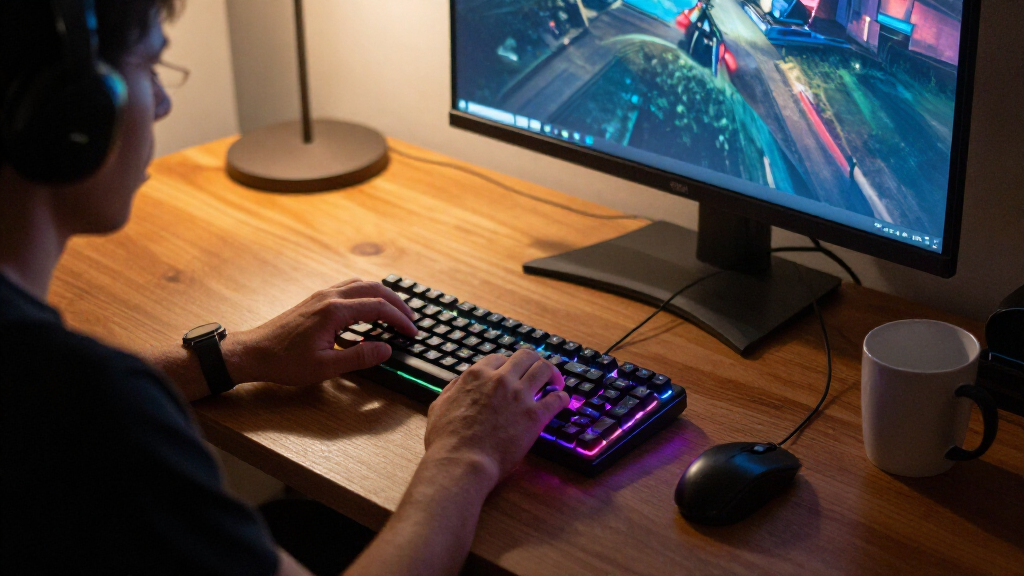
I compared these mechanical gaming keyboards by the factors that change day-to-day use: switch type and feel, layout, wired or wireless connection, gaming controls, customization, and build-oriented features. I gave weight to whether a feature solves a real setup problem—for example, hot-swappable switches can make later changes easier, while a compact layout can free mouse space but remove dedicated keys. I also looked at how approachable each board is for someone who wants a straightforward plug-in gaming keyboard.
The ranking favors balanced gaming utility over the longest feature list. The K70 CORE leads as a broadly capable wired option; specialized layouts and switch formats rank for the players who specifically want them. Boards with distinct controls, wireless use, or hot-swap support can be a better match for particular needs, but those features do not automatically outweigh layout compromises or a simpler alternative. I treated each model’s role as part of the comparison rather than assuming one format suits every buyer.
| mechanical gaming keyboard | Switch type |
|---|---|
| AULA WIN68 HE 68-Key Compact M | Linear Hall Effect magnetic |
| Corsair K70 CORE RGB Full-Size | Linear red mechanical |
| Logitech G413 SE Full-Size Mec | Tactile mechanical |
| Redragon K668 108-Key Hot-Swap | Linear red |
| Logitech G316 X 98 Mechanical | Linear, hot-swappable |
| Redragon K580 VATA Wired RGB M | — |
| Razer BlackWidow V4 X Mechanic | — |
| Redragon K671 Wired Mechanical | — |
| AULA F2088 Wired Mechanical Ke | — |
| AULA F75 Pro 75% Wireless Mech | — |
| SteelSeries Apex 5 Hybrid Mech | Hybrid blue, tactile and clicky |
Factors to Consider When Choosing Mechanical Gaming Keyboards
Before choosing a board, I’d match its layout and switch behavior to how you play, what you type, and how much room your mouse needs. A keyboard can look gaming-focused yet create friction if it removes keys you use or adds controls you never touch. These broader checks help separate useful features from appealing specifications.
Choose a layout around your games and desk
A compact keyboard can give a low-sensitivity mouse more room to travel, which matters in games that use broad arm movements. The tradeoff is that smaller layouts may move navigation, function, or number-pad actions behind key combinations. Before buying, list the keys you use outside gaming too, including shortcuts for work or school. A full-size board is not automatically excessive if you regularly enter numbers or need dedicated navigation keys. A compact model is not automatically better for competitive play if its missing keys slow down your routine. Measure your usable desk space with the mouse in its normal position, not just the keyboard area.
Match switch behavior to both play and typing
Switch labels are only a starting point: linear switches usually have a smooth press, while clicky switches add audible and tactile feedback. That sound can be satisfying in a private room but distracting in shared spaces or voice calls. Consider whether you will type for long stretches, since the same feel you enjoy during a game may be tiring during everyday work. Magnetic-switch boards use a different design from conventional mechanical switches, so check that their specific behavior and features match your expectations rather than treating them as interchangeable. If possible, compare switch samples before committing to a feel. Do not assume a switch marketed for gaming will suit every game or typing preference.
Treat hot-swapping as flexibility, not a guarantee
Hot-swappable sockets can let you replace compatible switches without soldering, which is useful if a switch fails or you later want a different feel. Buyers sometimes assume any switch will fit, but compatibility depends on the keyboard’s socket and the switch design. Check the manufacturer’s compatibility details before planning a custom setup. Hot-swap support also does not change the keyboard’s layout, software, or overall construction, so it should not outweigh those factors. If you are happy with the supplied switches and do not expect to modify them, a board without hot-swap support may be the simpler choice. Think of the feature as future flexibility rather than a performance upgrade on its own.
Pick wired or wireless based on your setup
A wired board avoids battery charging and keeps the connection simple, making it a sensible fit for a stationary gaming desk. Wireless can reduce cable clutter and make it easier to move a keyboard between setups, but it adds charging or battery management to your routine. Check the exact connection options for the model you are considering; the word wireless alone does not tell you which modes are supported. Also account for any receiver, cable routing, or software requirements that affect your desk. For a keyboard that rarely moves, wireless may offer little practical benefit. For a flexible or shared setup, the freedom from a fixed cable may matter more than extra controls.
Pay for controls you will use
Dedicated media keys, a volume control, extra programmable buttons, or a display can make frequent tasks quicker. They can also add complexity, occupy space, or go unused if you already control those functions elsewhere. Before paying for extras, identify a routine they would improve, such as changing audio while gaming or assigning a repeatable command. Check whether the feature works directly on the keyboard or depends on software running in the background. Avoid choosing by the length of the feature list alone. A simpler board can be the better gaming tool when its layout and switch feel fit your needs.
Think about noise, upkeep, and shared spaces
Mechanical keyboards vary in sound, and a switch’s label does not tell the whole story: keycaps, case construction, and the desk surface also affect what you hear. If you share a room or use an open microphone, a loud click may be a bigger drawback than it seems in a product listing. Dust and debris can collect between keys, so consider whether you are comfortable with routine cleaning and whether the key layout leaves room for it. Removable keycaps can make some cleaning tasks easier, but check the maker’s care guidance before removing parts. Keep liquids away from the board unless the manufacturer states otherwise. A little attention to the room and cleaning routine can matter as much as a gaming feature.
Frequently Asked Questions
Is a magnetic-switch keyboard a good substitute for a conventional mechanical gaming keyboard?
It can be, if you specifically want the behavior and features of a magnetic-switch design. The AULA WIN68 HE is the lineup’s magnetic option, while the other boards listed use conventional mechanical or hybrid switch approaches. Do not assume that the term magnetic means the same feel or compatibility as a standard mechanical switch. Check the board’s layout and feature details as carefully as its switch type, since the WIN68 HE has fewer keys than a full-size model. If you prefer a familiar layout or want a broad choice of conventional switch styles, another pick may fit better.
Should I choose a compact keyboard if I play competitive games?
Choose compact only if the space it frees improves your mouse movement and you can work comfortably without the keys it omits. Smaller boards can suit players who rarely use a number pad and are comfortable with key combinations for secondary functions. They may frustrate anyone who relies on dedicated navigation or function keys, or switches often between games and productivity tasks. The WIN68 HE and F75 Pro illustrate different compact approaches, but neither layout is automatically right for every desk. Try to account for your full routine rather than choosing based on gaming alone.
Does hot-swappable mean I can install any mechanical switch?
No. Hot-swappable means the keyboard is designed to let you remove and replace compatible switches without soldering, not that every switch will fit. The K668 and K671 offer this flexibility, but buyers should confirm the socket and switch compatibility before purchasing replacements. Also check whether changing switches affects the keyboard’s intended features or warranty terms. If you do not plan to customize or replace switches, hot-swap support may not deserve priority over layout, feel, and connection type.
When is a full-size keyboard worth choosing over a smaller one?
A full-size board makes sense if you use a number pad, dedicated navigation keys, or a familiar arrangement for work as well as gaming. It can reduce reliance on layered shortcuts, which is helpful when you switch tasks often. The cost is a wider footprint that may leave less room for mouse movement. Consider a near-full-size layout if you want to reclaim some space without giving up as many keys. The right choice depends on which keys you actually use, not on whether a layout is labeled full-size or compact.
Is a hybrid mechanical keyboard the right choice if I want a mechanical feel?
A hybrid model can suit someone who wants a gaming-oriented keyboard with a mechanical-style feel, but the label does not mean it behaves exactly like a conventional mechanical board. The SteelSeries Apex 5 is the lineup’s hybrid option and adds an OLED display, which is a separate feature from switch feel. Compare its switch description with conventional options such as the Logitech G413 SE or Razer BlackWidow V4 X before deciding. If a particular switch response is your priority, confirm the technology and feel details rather than relying on the word mechanical in the product name. Treat the display as a bonus only if you have a use for it.
Conclusion
For most wired gaming setups, I recommend the Corsair K70 CORE RGB as the best overall because it combines a familiar full-size layout with gaming-oriented features and a detachable palm rest. The Redragon K668 is my best value-style pick for buyers who want a full-size board with hot-swap flexibility, while the Logitech G413 SE is the straightforward choice for beginners who prefer a simpler feature set. For a more specialized setup, choose the AULA WIN68 HE if magnetic switches and a compact layout match your priorities, or the AULA F75 Pro if wireless use and a smaller footprint matter more. I’d reserve the Razer BlackWidow V4 X or SteelSeries Apex 5 for buyers who specifically want their extra gaming controls or display features; otherwise, a simpler board may be the better fit.
Black Friday Picks

Bose QuietComfort Headphones (2nd Gen) Wireless Noise-Cancelling Headphones, Black
As an affiliate, we earn on qualifying purchases.