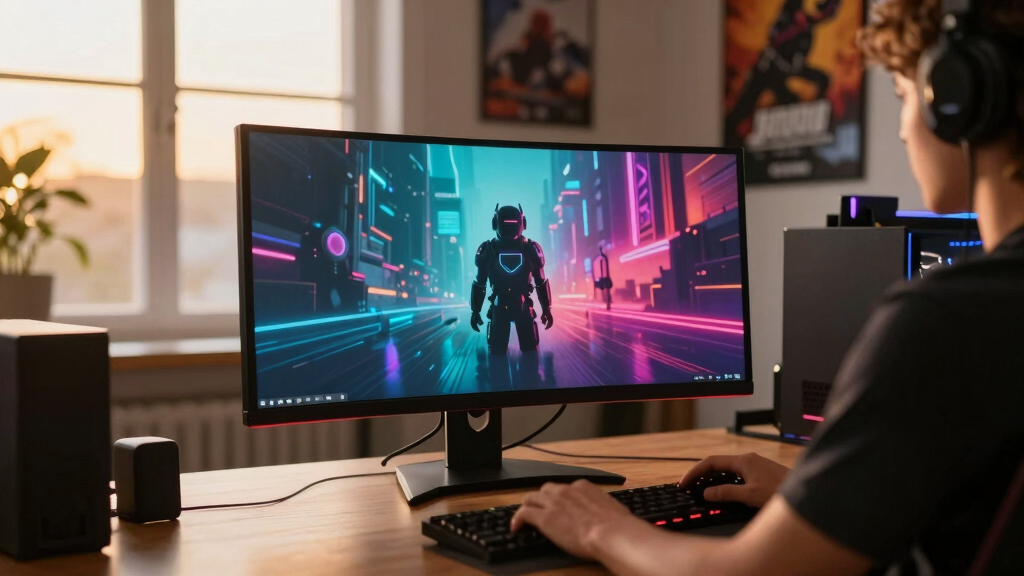

The best gaming monitor overall in this roundup is the LG 27GR83Q-B, pairing QHD resolution and a 240 Hz refresh rate with HDMI 2.1 and broad adaptive-sync support. I rank the Samsung Odyssey OLED G6 as the premium choice for buyers who want OLED contrast and fast competitive performance, while the Acer Nitro 27-inch QHD offers the strongest value balance. The main decision is whether to prioritize refresh rate, image quality, screen size, or connection flexibility. OLED models produce better blacks, but IPS monitors cost less and avoid many static-image concerns, while ultrawides trade desk space and game compatibility for greater immersion. Read on for the full breakdown of all 13 options and the buyer each one suits best.

Get the latest gadgets delivered free with Prime
- Fast, free delivery on millions of items
- Prime Video, Amazon Music and more included
- Member-only deals all year
Complete the kit



Key Takeaways
- LG 27GR83Q-B leads the roundup because its 240 Hz QHD panel, HDMI 2.1, and adjustable stand create the most balanced package for PC and console players.
- Samsung Odyssey OLED G6 is the premium winner, combining QD-OLED contrast with 240 Hz speed; the cheaper OLED G5 keeps the image-quality advantage but drops to 180 Hz.
- ASUS VG27AQM5A is the competitive specialist: its 300 Hz refresh rate beats every other listed model, though its advantages shrink for players whose systems cannot sustain very high frame rates.
- Acer Nitro 27-inch QHD delivers the best value, while the Samsung G53F is the stronger alternative for buyers willing to pay more for 200 Hz rather than 180 Hz.
- Screen format creates the largest practical divide: the Sceptre 34-inch favors affordable ultrawide play, the Samsung 40-inch G7 targets large-scale immersion, and the Samsung Essential S3 is limited to casual 100 Hz FHD gaming.
| ASUS TUF Gaming VG27AQM5A |  | Best Overall | Screen Size: 27 inches | Resolution: 2560 x 1440 (QHD) | Refresh Rate: 300Hz | VIEW LATEST PRICE | See Our Full Breakdown |
| Samsung Odyssey G5 G51F |  | Best Value Pick | Screen Size: 27 inches | Resolution: 2560 x 1440 (QHD) | Refresh Rate: 180Hz | VIEW LATEST PRICE | See Our Full Breakdown |
| Samsung Odyssey G5 G53F |  | Best Midrange Speed | Screen Size: 27 inches | Resolution: 2560 x 1440 (QHD) | Refresh Rate: 200Hz | VIEW LATEST PRICE | See Our Full Breakdown |
| Acer Nitro 27-Inch QHD IPS Gaming Monitor |  | Best for Gaming and Creative Work | Screen Size: 27 inches | Resolution: 2560 x 1440 (QHD) | Refresh Rate: 180Hz | VIEW LATEST PRICE | See Our Full Breakdown |
| Samsung Odyssey G5 G50F 32-Inch |  | Best Large-Screen Pick | Screen Size: 32 inches | Resolution: 2560 x 1440 (QHD) | Refresh Rate: 180Hz | VIEW LATEST PRICE | See Our Full Breakdown |
| Sceptre 34-Inch Curved Ultrawide WQHD Gaming Monitor |  | Best Plug-and-Play Ultrawide | Screen Size: 34 inches | Resolution: 3440 × 1440 WQHD | Refresh Rate: Up to 180Hz | VIEW LATEST PRICE | See Our Full Breakdown |
| Samsung 40-Inch Odyssey G7 G75F WUHD Curved Gaming Monitor |  | Best for Maximum Immersion | Screen Size: 40 inches | Resolution: 3840 × 1600 WUHD | Aspect Ratio: 21:9 | VIEW LATEST PRICE | See Our Full Breakdown |
| LG 27GR83Q-B 27-Inch UltraGear QHD Gaming Monitor |  | Best for PC-and-Console Gaming | Screen Size: 27 inches | Resolution: 2560 × 1440 QHD | Refresh Rate: 240Hz | VIEW LATEST PRICE | See Our Full Breakdown |
| LG 34G630A-B 34-Inch UltraGear WQHD Curved Gaming Monitor |  | Best High-Refresh Ultrawide | Screen Size: 34 inches | Resolution: 3440 × 1440 WQHD | Refresh Rate: 240Hz | VIEW LATEST PRICE | See Our Full Breakdown |
| Samsung 27-Inch Odyssey OLED G5 G50SF QHD Gaming Monitor |  | Best for Cinematic OLED Gaming | Screen Size: 27 inches | Resolution: QHD | Panel Technology: QD-OLED | VIEW LATEST PRICE | See Our Full Breakdown |
| Samsung 32″ Odyssey G55C Series QHD Curved Gaming Monitor |  | Best Value 32-Inch Curved | Screen size: 32 inches | Resolution: QHD (2560 x 1440) | Refresh rate: 165Hz | VIEW LATEST PRICE | See Our Full Breakdown |
| Samsung 27″ Essential S3 (S36GD) Series FHD Curved Computer Monitor |  | Best Budget Curved Pick | Screen size: 27 inches | Resolution: FHD (1920 x 1080) | Refresh rate: 100Hz | VIEW LATEST PRICE | See Our Full Breakdown |
| Samsung 27″ Odyssey OLED G6 (G61SH) Gaming Monitor |  | Best Premium OLED | Display size: 27 inches | Resolution: QHD (1440p) | Refresh rate: 240Hz | VIEW LATEST PRICE | See Our Full Breakdown |
| gaming monitor | Resolution | Refresh Rate | Screen Size | Response Time |
|---|---|---|---|---|
| ASUS TUF Gaming VG27AQM5A | 2560 x 1440 (QHD) | 300Hz | 27 inches | 0.3ms GTG |
| Samsung Odyssey G5 G51F | 2560 x 1440 (QHD) | 180Hz | 27 inches | 1ms |
| Samsung Odyssey G5 G53F | 2560 x 1440 (QHD) | 200Hz | 27 inches | 1ms MPRT |
| Acer Nitro 27-Inch QHD IPS Gam | 2560 x 1440 (QHD) | 180Hz | 27 inches | 0.5ms GTG |
| Samsung Odyssey G5 G50F 32-Inc | 2560 x 1440 (QHD) | 180Hz | 32 inches | 1ms GTG |
| Sceptre 34-Inch Curved Ultrawi | 3440 × 1440 WQHD | Up to 180Hz | 34 inches | 1ms |
| Samsung 40-Inch Odyssey G7 G75 | 3840 × 1600 WUHD | 180Hz | 40 inches | 1ms GtG |
| LG 27GR83Q-B 27-Inch UltraGear | 2560 × 1440 QHD | 240Hz | 27 inches | 1ms GtG |
| LG 34G630A-B 34-Inch UltraGear | 3440 × 1440 WQHD | 240Hz | 34 inches | 1ms GtG |
| Samsung 27-Inch Odyssey OLED G | QHD | 180Hz | 27 inches | 0.03ms GtG |
| Samsung 32" Odyssey G55C Serie | QHD (2560 x 1440) | 165Hz | 32 inches | 1ms MPRT |
| Samsung 27" Essential S3 | FHD (1920 x 1080) | 100Hz | 27 inches | — |
| Samsung 27" Odyssey OLED G6 | QHD (1440p) | 240Hz | — | 0.03ms |
More Details on Our Top Picks
ASUS TUF Gaming VG27AQM5A
I rank the ASUS TUF Gaming VG27AQM5A first because its QHD resolution and 300Hz Fast IPS panel create the strongest blend of clarity, speed, and color in this group. It offers a clear competitive advantage over the 200Hz Samsung Odyssey G5 G53F, especially for esports players whose systems can produce very high frame rates. ELMB Sync and the 0.3ms response specification target sharper motion, while Shadow Boost can reveal opponents in dark areas without simply brightening the whole image. The 95% DCI-P3 coverage also makes it more versatile than a speed-first display with a narrow gamut. My main reservation is value: many players will see little benefit beyond 180Hz or 200Hz, making the lower-priced alternatives more sensible. Its 27-inch size may also feel restrictive beside the 32-inch Odyssey G5 G50F.
Pros:- 300Hz refresh rate provides the highest speed among these five monitors
- 0.3ms response specification and ELMB Sync target clearer fast motion
- 95% DCI-P3 coverage supports vivid, wide-gamut color
- Built-in speakers and a three-year warranty add everyday value
Cons:- Its speed-focused hardware may command a premium over 180Hz and 200Hz alternatives
- A 300Hz ceiling requires a powerful PC and suitably lightweight games to exploit
- The 27-inch screen offers less physical immersion than larger or ultrawide models
Best for: Competitive PC players with powerful GPUs who want QHD sharpness and frame rates approaching 300 fps
Not ideal for: Console players and midrange-PC owners who cannot make practical use of the 300Hz ceiling
- Screen Size:27 inches
- Resolution:2560 x 1440 (QHD)
- Refresh Rate:300Hz
- Response Time:0.3ms GTG
- Panel Type:Fast IPS
- Motion Technology:ELMB Sync
- Color Coverage:95% DCI-P3
- Audio:Built-in speakers
- Warranty:3 years
Our verdict“This is my leading choice for serious QHD esports play, provided the buyer has the hardware and budget to benefit from 300Hz.”
Samsung Odyssey G5 G51F
The Samsung Odyssey G5 G51F is my value pick because it covers the QHD gaming basics without chasing the ASUS TUF model’s costly 300Hz ceiling. Its 180Hz refresh rate and 1ms response are already fast enough for mainstream competitive gaming, and AMD FreeSync helps keep motion smooth when frame rates fluctuate. The adjustable stand is another practical advantage for long sessions, offering height, tilt, and pivot changes that are not documented for the faster Odyssey G5 G53F. HDR10, Black Equalizer, and Virtual Aim Point broaden its gaming toolkit, though HDR10 alone does not promise the brightness or contrast of the Samsung Odyssey G7’s DisplayHDR 600 system. Compared with the Acer Nitro, it also lacks stated wide-gamut coverage. I would choose it for balanced features and ergonomic flexibility, not for class-leading color or maximum speed.
Pros:- 180Hz refresh rate suits both fast multiplayer games and general gaming
- Height, tilt, and pivot adjustments support a more comfortable setup
- AMD FreeSync reduces tearing with compatible hardware
- Black Equalizer and Virtual Aim Point provide useful game-specific controls
Cons:- No wide-gamut color coverage is stated
- HDR10 support comes without a stated brightness certification
- The design may occupy too much space on a shallow desk
Best for: Value-focused PC gamers who want 1440p, high-refresh play and a height-adjustable stand for daily use
Not ideal for: Color-focused creators or HDR enthusiasts who need documented wide-gamut coverage and stronger HDR hardware
- Screen Size:27 inches
- Resolution:2560 x 1440 (QHD)
- Refresh Rate:180Hz
- Response Time:1ms
- Adaptive Sync:AMD FreeSync
- HDR:HDR10
- Stand Adjustments:Height, tilt, and pivot
- Gaming Features:Black Equalizer and Virtual Aim Point
- Source Feature:Auto Source Switch+
Our verdict“This is my practical value choice for buyers who prioritize smooth QHD gaming and stand adjustability over premium display specifications.”
Samsung Odyssey G5 G53F
I place the Samsung Odyssey G5 G53F between mainstream 180Hz monitors and the 300Hz ASUS TUF. Its 200Hz IPS panel gives competitive players extra motion fluidity over the Odyssey G5 G51F without demanding that they chase 300 frames per second. QHD resolution keeps games sharp at 27 inches, while the 178-degree viewing angle helps colors remain consistent when the screen is viewed off-center. FreeSync Premium is the more meaningful gaming addition, reducing tearing and stutter with compatible AMD hardware; HDR10 adds format support, but the listed 300 cd/㎡ brightness and 1000:1 contrast suggest modest HDR impact rather than dramatic highlights. The missing speaker specification and limited stand information weaken its everyday versatility. For my ranking, this is the sensible performance step-up for buyers who value speed more than ergonomics or built-in audio.
Pros:- 200Hz refresh rate offers a useful speed increase over standard 180Hz options
- IPS panel provides wide 178-degree viewing angles
- FreeSync Premium targets both tearing and gameplay stutter
- QHD resolution balances detail with attainable high frame rates
Cons:- The 300 cd/㎡ brightness and 1000:1 contrast limit the likely impact of HDR content
- No built-in speakers are specified
- Stand adjustment details are not provided
Best for: Competitive gamers with midrange or upper-midrange PCs who can exceed 180 fps but do not need a 300Hz display
Not ideal for: Buyers who need documented height adjustment, built-in speakers, or high-impact HDR presentation
- Screen Size:27 inches
- Resolution:2560 x 1440 (QHD)
- Refresh Rate:200Hz
- Response Time:1ms MPRT
- Panel Type:IPS
- Adaptive Sync:AMD FreeSync Premium
- HDR:HDR10
- Brightness:300 cd/㎡
- Contrast Ratio:1000:1
Our verdict“This is my midrange performance pick for players who want more speed than 180Hz without paying for a 300Hz flagship.”
Acer Nitro 27-Inch QHD IPS Gaming Monitor
The Acer Nitro 27-inch QHD monitor earns its place by pairing gaming responsiveness with 95% DCI-P3 coverage. That broader gamut gives players who also edit photos, video, or game assets more flexibility than the Samsung Odyssey G5 G51F, whose color coverage is not stated. Its 180Hz refresh rate and 0.5ms GTG specification still make it a serious gaming display, while AMD FreeSync helps manage tearing when performance varies. It does not match the ASUS TUF VG27AQM5A’s 300Hz ceiling, but that compromise can make more sense for mixed workloads where color range matters alongside motion. HDR10 support adds compatibility rather than proof of high-end HDR output. My larger concerns are the basic listed port selection, absent speaker specification, and lack of documented ergonomic adjustments. This is the most balanced hybrid option, though dedicated esports buyers have faster choices.
Pros:- 95% DCI-P3 coverage supports richer color for games and creative projects
- 180Hz refresh rate delivers smooth high-frame-rate gameplay
- 0.5ms GTG response specification targets reduced ghosting
- AMD FreeSync helps control tearing with compatible graphics hardware
Cons:- DisplayPort 1.2 and two HDMI 2.0 ports form a relatively basic connection set
- No built-in speakers are specified
- No stand adjustment features are listed
Best for: Gamers who also create digital content and want wide-gamut color without giving up a 180Hz refresh rate
Not ideal for: High-level esports players seeking 240Hz or faster performance, or laptop users who need USB-C connectivity
- Screen Size:27 inches
- Resolution:2560 x 1440 (QHD)
- Refresh Rate:180Hz
- Response Time:0.5ms GTG
- Panel Type:IPS
- Adaptive Sync:AMD FreeSync
- Color Coverage:95% DCI-P3
- HDR:HDR10
- Connectivity:DisplayPort 1.2 and two HDMI 2.0 ports
Our verdict“This is my preferred hybrid for buyers splitting their monitor time between fast gaming and color-conscious creative work.”
Samsung Odyssey G5 G50F 32-Inch
I recommend the 32-inch Samsung Odyssey G5 G50F to players who value a larger field of view more than maximum pixel density. It supplies more physical immersion than the 27-inch Odyssey G5 G51F while retaining the same QHD resolution, 180Hz refresh rate, and 1ms response class. The tradeoff is that stretching 2560 x 1440 across 32 inches produces a less tightly packed image than QHD at 27 inches, which can make desktop text and fine details appear softer at close range. Its Fast IPS panel and 178-degree viewing angle suit broad, colorful scenes, while support for both G-Sync compatibility and AMD FreeSync makes it flexible across GPU brands. The pivoting, tilting, and swiveling stand adds welcome positioning freedom. Still, the 40-inch Odyssey G7 offers greater spectacle, and the ASUS TUF is much faster. This pick wins on size without abandoning responsiveness.
Pros:- 32-inch panel creates a larger, more immersive gaming image
- 180Hz refresh rate and 1ms GTG response support responsive play
- Both G-Sync compatibility and AMD FreeSync accommodate different GPU ecosystems
- Pivot, tilt, and swivel adjustments provide flexible positioning
Cons:- QHD appears less pixel-dense at 32 inches than on the 27-inch alternatives
- The larger panel requires more desk space and a comfortable viewing distance
- Its 180Hz ceiling trails the 200Hz and 300Hz options in this group
Best for: Players with deeper desks who want a more immersive 32-inch screen for RPGs, racing games, and mixed-genre play
Not ideal for: Close-range desktop users who prefer the sharper pixel density of 27-inch QHD or esports players targeting 240Hz and above
- Screen Size:32 inches
- Resolution:2560 x 1440 (QHD)
- Refresh Rate:180Hz
- Response Time:1ms GTG
- Panel Type:Fast IPS
- Adaptive Sync:G-Sync Compatible and AMD FreeSync
- HDR:HDR10
- Viewing Angle:178°
- Stand Adjustments:Pivot, tilt, and swivel
Our verdict“This is my large-screen choice for buyers who want stronger immersion than a 27-inch monitor without dropping below 180Hz.”
Sceptre 34-Inch Curved Ultrawide WQHD Gaming Monitor
I place the Sceptre 34-Inch Curved Ultrawide here for buyers who want immersive proportions without adding desktop speakers immediately. Its 3440 × 1440 canvas provides useful peripheral vision in games and ample room for two applications, while 180Hz and a 1ms response time keep motion suitably sharp. Compared with the LG 34G630A-B, it gives up the LG’s faster 240Hz refresh rate, wider DCI-P3 gamut, USB-C connection, and adjustable stand. That makes the Sceptre a convenience-focused choice rather than the strongest competitive option. Two DisplayPort and two HDMI inputs suit multi-system setups, but the 34-inch body needs a deep desk, and 99% sRGB is less appealing for wide-gamut creative work. I see the built-in speakers as handy backups, not a reason to expect room-filling sound.
Pros:- 3440 × 1440 ultrawide resolution expands peripheral game views and workspace
- 180Hz refresh rate and 1ms response time support fluid action
- Four video inputs accommodate several gaming systems
- Built-in speakers reduce the need for extra desktop hardware
Cons:- Slower than the 240Hz LG 34G630A-B
- Large 34-inch format can overwhelm compact desks
- 99% sRGB coverage is less expansive than the DCI-P3 coverage offered by premium rivals
Best for: PC gamers who want a curved ultrawide, several video inputs, and built-in audio in one straightforward setup
Not ideal for: Competitive players seeking 240Hz performance or buyers working from a narrow desk
- Screen Size:34 inches
- Resolution:3440 × 1440 WQHD
- Refresh Rate:Up to 180Hz
- Response Time:1ms
- Color Coverage:99% sRGB
- DisplayPort:2
- HDMI:2
- Audio:Built-in speakers
Our verdict“I recommend this Sceptre to buyers who prioritize ultrawide convenience and connectivity over class-leading speed and color range.”
Samsung 40-Inch Odyssey G7 G75F WUHD Curved Gaming Monitor
I rank the Samsung 40-Inch Odyssey G7 G75F as the immersion specialist because its 40-inch, 21:9 panel wraps a much larger image around the player with a pronounced 1000R curve. Its 3840 × 1600 resolution supplies more workspace and detail than the LG 34G630A-B or Sceptre 34-inch ultrawide, while DisplayHDR 600 is a more capable HDR tier than their DisplayHDR 400 or SDR-focused alternatives. The tradeoff is physical and computational weight: this monitor occupies substantial desk space, and driving its pixel count near 180Hz calls for a powerful graphics card. Compared with the LG 34G630A-B, it favors scale and HDR impact over the LG’s 240Hz speed. FreeSync Premium Pro and a 1ms response time still make it responsive, but I would skip it for close seating positions or compact rooms.
Pros:- Expansive 40-inch 21:9 screen creates the lineup’s largest ultrawide view
- 3840 × 1600 resolution adds detail and productive screen space
- DisplayHDR 600 offers a stronger HDR tier than the HDR400 LG models
- FreeSync Premium Pro, 180Hz, and 1ms response support smooth play
Cons:- Requires substantial desk depth and viewing distance
- High resolution places a heavy load on the graphics card at 180Hz
- Aggressive 1000R curvature may feel excessive for general desktop work
Best for: Enthusiast PC gamers with a powerful graphics card, a deep desk, and a preference for large-format racing, simulation, or cinematic games
Not ideal for: Small-desk users and esports players who would benefit more from a compact 240Hz or 300Hz display
- Screen Size:40 inches
- Resolution:3840 × 1600 WUHD
- Aspect Ratio:21:9
- Curvature:1000R
- Refresh Rate:180Hz
- Response Time:1ms GtG
- HDR:VESA DisplayHDR 600
- Adaptive Sync:AMD FreeSync Premium Pro
Our verdict“I would choose the Odyssey G7 G75F for maximum scale and stronger HDR, provided the desk and gaming PC can support it.”
LG 27GR83Q-B 27-Inch UltraGear QHD Gaming Monitor
The LG 27GR83Q-B earns this role by pairing a manageable 27-inch QHD panel with HDMI 2.1, DisplayPort 1.4, and broad adaptive-sync support. I see its 240Hz refresh rate as the sweet spot for players who want faster PC competition without sacrificing the sharpness and console-friendly connections missing from simpler monitors. The ASUS TUF VG27AQM5A reaches 300Hz, so serious esports buyers still have a faster option; conversely, the Samsung Odyssey OLED G5 G50SF produces richer blacks and quicker pixel response through QD-OLED. The LG answers with lower OLED ownership concerns, a fully adjustable stand, and 95% DCI-P3 coverage. DisplayHDR 400 adds format support but only modest HDR impact, and its gaming menus may take time to learn. I rank it above basic 180Hz QHD models for versatility, not cinematic contrast.
Pros:- 240Hz QHD panel balances image clarity with competitive speed
- HDMI 2.1 and DisplayPort 1.4 support modern PC-and-console setups
- G-Sync compatibility and FreeSync Premium cover either major GPU platform
- Height, tilt, and pivot adjustments improve long-session ergonomics
Cons:- DisplayHDR 400 delivers limited HDR intensity compared with DisplayHDR 600 or OLED
- Slower than the 300Hz ASUS TUF VG27AQM5A
- Numerous gaming settings can make the menus harder to master
Best for: Players sharing one monitor between a high-refresh gaming PC and an HDMI 2.1 console
Not ideal for: Buyers focused on deep OLED blacks or esports competitors who specifically want 300Hz performance
- Screen Size:27 inches
- Resolution:2560 × 1440 QHD
- Refresh Rate:240Hz
- Response Time:1ms GtG
- HDR:VESA DisplayHDR 400
- Color Gamut:95% DCI-P3
- Connectivity:HDMI 2.1 and DisplayPort 1.4
- Stand Adjustments:Tilt, height, and pivot
Our verdict“I recommend the LG 27GR83Q-B as the lineup’s balanced high-refresh choice for buyers moving between PC and console gaming.”
LG 34G630A-B 34-Inch UltraGear WQHD Curved Gaming Monitor
I give the LG 34G630A-B the high-refresh ultrawide slot because it combines a 3440 × 1440 curved canvas with 240Hz and 1ms GtG performance. That refresh ceiling makes it better suited to fast shooters than the 180Hz Sceptre 34-inch model, while USB-C adds a connection that the Sceptre lacks. It also uses 95% DCI-P3 coverage, giving games a wider color range than the Sceptre’s 99% sRGB specification. Against the Samsung Odyssey G7 G75F, however, the LG trades away screen size, resolution, and DisplayHDR 600 for greater speed and a less imposing footprint. DisplayHDR 400 will not provide the same highlight intensity as the Samsung, and reaching 240 frames per second at ultrawide QHD still requires strong graphics hardware. I rank it as the performance-led ultrawide, not the HDR leader.
Pros:- 240Hz refresh rate is unusually fast for a 3440 × 1440 ultrawide
- Curved 34-inch display combines broad game views with useful multitasking space
- 95% DCI-P3 coverage supports a wider color range
- USB-C, HDMI, and DisplayPort provide flexible device connections
Cons:- Ultrawide QHD gaming at 240Hz demands a powerful graphics card
- DisplayHDR 400 has less HDR impact than the Samsung G75F’s DisplayHDR 600
- The 34-inch panel still requires more desk space than a 27-inch monitor
Best for: High-end PC gamers who want ultrawide immersion without dropping from a 240Hz competitive refresh rate
Not ideal for: Budget GPU owners and buyers seeking the stronger HDR presentation of a DisplayHDR 600 or OLED monitor
- Screen Size:34 inches
- Resolution:3440 × 1440 WQHD
- Refresh Rate:240Hz
- Response Time:1ms GtG
- HDR:VESA DisplayHDR 400
- Color Gamut:95% DCI-P3
- Connectivity:USB Type-C, HDMI, and DisplayPort
- Stand Adjustments:Height, tilt, and swivel
Our verdict“I would pick the LG 34G630A-B when 240Hz responsiveness matters more than the Samsung G75F’s larger screen and stronger HDR tier.”
Samsung 27-Inch Odyssey OLED G5 G50SF QHD Gaming Monitor
I reserve this role for the Samsung Odyssey OLED G5 G50SF because its QD-OLED panel combines deep black levels, vivid color, and an exceptionally quick 0.03ms pixel response. Compared with the LG 27GR83Q-B, the Samsung offers stronger contrast and faster pixel response, making dark games and rapid camera movement more visually convincing. The LG counters with 240Hz rather than 180Hz, while the Odyssey OLED G6 G61SH also reaches 240Hz and is the better Samsung option for competitive players. Pantone validation adds appeal for buyers who also care about color accuracy, and support for both G-Sync and FreeSync keeps GPU choice flexible. The compromises are real: OLED burn-in remains a long-term risk, the 27-inch screen lacks ultrawide scale, and the premium panel does not match faster rivals on refresh rate. I favor it for image quality over leaderboard-focused speed.
Pros:- QD-OLED technology delivers deep blacks and vivid color
- 0.03ms GtG response sharply reduces visible pixel smearing
- G-Sync compatibility and FreeSync support major GPU platforms
- Pantone validation benefits gaming and color-sensitive creative work
Cons:- OLED panels carry a risk of permanent burn-in from persistent static content
- 180Hz refresh rate trails the 240Hz Odyssey OLED G6 and LG 27GR83Q-B
- 27-inch 16:9 format is less immersive than the ultrawide models
Best for: Players of atmospheric single-player games who want OLED contrast, accurate color, and fast response in a compact QHD format
Not ideal for: Users displaying static desktop elements for long periods or competitive gamers who need a 240Hz or 300Hz refresh rate
- Screen Size:27 inches
- Resolution:QHD
- Panel Technology:QD-OLED
- Refresh Rate:180Hz
- Response Time:0.03ms GtG
- HDR:HDR10
- Adaptive Sync:G-Sync Compatible and AMD FreeSync
- Color Certification:Pantone Validated
Our verdict“I recommend the Odyssey OLED G5 to buyers who value cinematic contrast and color more than the highest available refresh rate.”
Samsung 32″ Odyssey G55C Series QHD Curved Gaming Monitor
I rank the Samsung Odyssey G55C as the value choice for players who want a large, immersive screen without moving into ultrawide pricing. Its 32-inch QHD panel and steep 1000R curve fill more of my field of view than the smaller Samsung 27″ Odyssey G5, while 165Hz and 1ms MPRT keep fast games fluid enough for most players. It sits below the Samsung 32″ Odyssey G5 G50F because that model reaches 180Hz and lists G-Sync compatibility, but the difference matters more to competitive players than casual ones. FreeSync reduces visible tearing with compatible AMD hardware, and the eye-care functions suit long sessions. The compromises are an aggressive curve that feels awkward for shared viewing, limited HDR information beyond HDR10 support, and no listed speakers.
Pros:- Large 32-inch QHD image provides more workspace and gaming immersion than 27-inch alternatives
- 165Hz refresh rate and 1ms MPRT support smooth, responsive play
- 1000R curve creates a more enveloping view in cockpit and open-world games
- AMD FreeSync and eye-care features support comfortable extended sessions
Cons:- 165Hz trails the 180Hz and 240Hz alternatives in the roundup
- The pronounced 1000R curve is poorly suited to shared viewing or buyers who prefer flat panels
- No built-in speakers are listed
Best for: I recommend it to AMD GPU owners who want an immersive 32-inch QHD display for racing games, RPGs, and general multiplayer gaming.
Not ideal for: I would skip it for esports-focused players seeking 240Hz or higher, and for buyers who prefer a flat screen for mixed gaming and productivity.
- Screen size:32 inches
- Resolution:QHD (2560 x 1440)
- Refresh rate:165Hz
- Response time:1ms MPRT
- Curvature:1000R
- HDR:HDR10
- Adaptive sync:AMD Radeon FreeSync
- Eye care:Blue-light reduction and flicker-free technology
Our verdict“I would choose the G55C for affordable 32-inch immersion, provided its strong curve and 165Hz ceiling fit the setup.”
Samsung 27″ Essential S3 (S36GD) Series FHD Curved Computer Monitor
I place the Samsung Essential S3 here as the entry-level curved option, not as a direct performance rival to the Odyssey models. Its 100Hz refresh rate makes camera movement and everyday desktop use smoother than a basic 60Hz or 75Hz display, while Game Mode offers an accessible starting point for casual play. Compared with the Samsung 27″ Odyssey G5, however, its FHD resolution produces a softer image at 27 inches, and 100Hz leaves less headroom for fast competitive games. The gentler 1800R curve is easier to accommodate than the G55C’s 1000R shape, making this model friendlier for work and entertainment. HDMI plus D-sub helps with modern and older computers, but no listed adaptive sync or speakers limits its gaming credentials and standalone convenience.
Pros:- 100Hz refresh rate is smoother than common entry-level 60Hz and 75Hz displays
- 1800R curve adds gentle immersion without the intensity of a 1000R screen
- HDMI and D-sub connections accommodate newer and legacy computers
- Eye-comfort technology is useful for long mixed-use sessions
Cons:- FHD resolution looks less detailed at 27 inches than the QHD monitors in the lineup
- 100Hz performance falls well behind the 165Hz-to-300Hz gaming options
- No adaptive-sync support or built-in speakers is listed
Best for: I recommend it to budget PC or console players who mainly play slower games and also need support for a computer with an older D-sub output.
Not ideal for: I would skip it for competitive players, QHD shoppers, or anyone who wants adaptive-sync support clearly included in the product data.
- Screen size:27 inches
- Resolution:FHD (1920 x 1080)
- Refresh rate:100Hz
- Curvature:1800R
- Ports:HDMI and D-sub
- Series:S3 (S36GD)
- Model year:2024
Our verdict“I would buy the Essential S3 only when low cost, a mild curve, and legacy connectivity matter more than sharp QHD visuals or high-refresh competition.”
Samsung 27″ Odyssey OLED G6 (G61SH) Gaming Monitor
I rank the Samsung Odyssey OLED G6 as the premium pick for buyers who value image quality and speed equally. Its QD-OLED panel pairs 240Hz motion and a 0.03ms response time with deep blacks and vivid color, giving it a clearer performance advantage over the 180Hz Samsung Odyssey OLED G5. The LG 27GR83Q-B also reaches 240Hz at QHD, but its LCD panel cannot match OLED’s per-pixel contrast; in return, the LG avoids the same burn-in concern and includes HDMI 2.1 in its listed features. Pantone validation makes the G6 more appealing for color-conscious creators who game after work, while the adjustable stand supports better positioning than fixed-stand budget models. Its premium price narrows the audience, and OLED burn-in risk makes static desktop use less carefree.
Pros:- QD-OLED technology delivers deep blacks, vivid color, and strong pixel-level contrast
- 240Hz refresh rate and 0.03ms response time suit demanding competitive play
- Pantone-validated color broadens its appeal for gaming-focused creative work
- Height, tilt, and swivel adjustments support a more comfortable viewing position
Cons:- Premium pricing makes it harder to justify for casual or console-only players
- OLED panels can develop burn-in when static content is displayed repeatedly
- Its 27-inch size offers less physical immersion than the 32-inch and ultrawide alternatives
Best for: I recommend it to high-end PC gamers and gaming-focused creators who want 240Hz responsiveness, OLED contrast, and accurate color in a 27-inch format.
Not ideal for: I would skip it for budget buyers and people who display static applications for many hours each day and do not want to manage OLED burn-in risk.
- Display size:27 inches
- Resolution:QHD (1440p)
- Refresh rate:240Hz
- Response time:0.03ms
- Panel technology:QD-OLED
- HDR:HDR10
- Stand adjustments:Height, tilt, and swivel
- Color certification:Pantone Validated
- Warranty:3 years
Our verdict“I would choose the OLED G6 for a premium blend of 240Hz speed and rich contrast, as long as the price and OLED care demands are acceptable.”
How We Picked
I ranked these monitors by how effectively their specifications translate into gaming benefits, starting with motion clarity, refresh rate, response behavior, and adaptive sync. Resolution and panel type shaped the image-quality score, while screen size and aspect ratio determined whether each display suited competitive play, general gaming, or immersive single-player titles. I also weighed ports, stand adjustment, HDR capability, warranty coverage, and GPU demands, since a fast panel has less value when its ergonomics or connections restrict the setup. Published specifications formed the comparison; I do not present these rankings as hands-on test results.
The highest positions went to monitors with the fewest major compromises rather than the single largest headline number. That logic puts the LG 27GR83Q-B ahead as the balanced overall pick, while the faster ASUS and OLED Samsung models receive more specialized roles. Value rankings reward useful performance per dollar, which favors the Acer Nitro over premium displays whose benefits depend on powerful hardware or a preference for OLED. Large and ultrawide models rank by immersion and format fit because they are less universally practical than 27-inch QHD screens.
| gaming monitor | Adaptive Sync | HDR |
|---|---|---|
| ASUS TUF Gaming VG27AQM5A | — | — |
| Samsung Odyssey G5 G51F | AMD FreeSync | HDR10 |
| Samsung Odyssey G5 G53F | AMD FreeSync Premium | HDR10 |
| Acer Nitro 27-Inch QHD IPS Gam | AMD FreeSync | HDR10 |
| Samsung Odyssey G5 G50F 32-Inc | G-Sync Compatible and AMD FreeSync | HDR10 |
| Sceptre 34-Inch Curved Ultrawi | — | — |
| Samsung 40-Inch Odyssey G7 G75 | AMD FreeSync Premium Pro | VESA DisplayHDR 600 |
| LG 27GR83Q-B 27-Inch UltraGear | — | VESA DisplayHDR 400 |
| LG 34G630A-B 34-Inch UltraGear | — | VESA DisplayHDR 400 |
| Samsung 27-Inch Odyssey OLED G | G-Sync Compatible and AMD FreeSync | HDR10 |
| Samsung 32" Odyssey G55C Serie | AMD Radeon FreeSync | HDR10 |
| Samsung 27" Essential S3 | — | — |
| Samsung 27" Odyssey OLED G6 | — | HDR10 |
Factors to Consider When Choosing Best Gaming Monitors
I would begin by matching the monitor to the games, hardware, and desk it will actually serve. Panel speed, resolution, and screen format affect the experience in different ways, so a larger specification is not automatically a better purchase. The sections below explain where paying more helps and where it may produce little visible benefit.
Match Refresh Rate to Real Frame Rates
A 240 Hz or 300 Hz monitor is most valuable when the PC regularly renders well above 180 frames per second. Competitive games with reduced graphics settings can reach those figures, but demanding single-player releases often cannot. I would choose 240 Hz or higher for esports-focused systems and prioritize resolution or contrast for slower cinematic games. Moving from 100 Hz to 180 Hz produces a more apparent improvement than moving from 180 Hz to 240 Hz for many players. A common mistake is buying the highest refresh rate while overlooking whether the graphics card and CPU can feed it. Adaptive sync remains useful at every tier because variable frame rates are normal even on powerful hardware.
Choose a Panel Type Around Your Gaming Habits
QD-OLED and OLED panels deliver dark blacks, strong perceived contrast, and exceptionally quick pixel changes, making them appealing for both atmospheric games and fast action. Their price is higher, and long sessions with static desktop elements call for sensible OLED-care habits. IPS panels provide a more affordable mix of color consistency, speed, and everyday versatility, which is why they dominate the middle of this roundup. Curved VA-style options may offer stronger contrast than typical IPS displays, but dark motion can look less clean depending on the panel implementation. I would pay for OLED when image depth matters as much as speed, not simply because it occupies the premium tier. Buyers who divide their day between games, documents, and fixed application layouts may prefer the lower ownership concern of Fast IPS.
Balance Resolution, Size, and Viewing Distance
QHD at 27 inches is the most flexible combination here because it looks sharper than FHD without placing the same GPU load as 4K. Expanding QHD to 32 inches creates a larger image, but pixel density falls and text appears less crisp at close range. A 34-inch 3440 × 1440 ultrawide adds horizontal workspace and peripheral vision, though it also asks the graphics card to render more pixels than standard QHD. The 40-inch Samsung G7 goes further with a large WUHD canvas that needs both substantial desk depth and strong hardware. I would reserve FHD at 27 inches for strict budgets or modest systems, since its lower sharpness is easy to notice during desktop use. Measuring the desk before purchase prevents the common mistake of choosing screen size without accounting for viewing distance.
Check Ports Against the Entire Setup
Port labels can hide meaningful differences, especially when a monitor must serve both a gaming PC and a current console. HDMI 2.1 gives the LG 27GR83Q-B an advantage for flexible high-bandwidth connections, while DisplayPort remains the usual route for maximum PC refresh rates. I would verify which resolution and refresh combinations each port supports rather than assuming every input reaches the panel maximum. Multiple HDMI or DisplayPort connections also reduce cable swapping for buyers with several systems. Built-in speakers may handle alerts or temporary audio, but they rarely replace a headset or dedicated speakers. Connection planning should include adaptive-sync support, cable standards, and available GPU outputs, not merely the number of sockets.
Do Not Treat HDR Labels as Equal
HDR10 compatibility only confirms that a monitor can accept HDR content; it does not promise convincing highlights or black levels. Peak brightness, local dimming, contrast, and panel technology shape the result far more than the logo alone. DisplayHDR 400 models may add some brightness and color range, but their HDR impact is usually more restrained than the DisplayHDR 600 class represented by the 40-inch Odyssey G7. OLED achieves strong scene contrast through pixel-level light control even when its full-screen brightness is lower than that of some LCDs. I would pay extra for HDR only when the display has the hardware to make bright and dark areas look distinct. Buyers focused on competitive games can place motion clarity and input performance ahead of HDR, since many esports titles gain little from it.
Value the Stand and Warranty as Daily Features
A monitor can have an excellent panel and still become frustrating if its stand fixes the screen at the wrong height. Height, tilt, and pivot adjustment make it easier to maintain a comfortable position and align multiple displays. A basic stand may be acceptable when a VESA arm is already part of the setup, but that adds cost and installation work. I also give weight to warranty length on high-refresh and OLED models because panel problems can be expensive after purchase. Coverage details matter more than a headline duration, particularly for pixel policies and OLED image retention. I would compare the combined cost of the display, mounting hardware, and any needed audio gear before declaring one model the better value.
Frequently Asked Questions
Is 240 Hz Worth Paying For Over 180 Hz at QHD?
240 Hz is worth the premium for competitive players whose systems regularly exceed 180 frames per second. It shortens the interval between frames and can make rapid tracking feel smoother, but the improvement is subtler than the jump from 60 Hz or 100 Hz to 180 Hz. I would choose the 240 Hz LG 27GR83Q-B or Samsung OLED G6 for mixed or premium competitive play, and the 300 Hz ASUS for a focused esports setup. For graphically demanding games running closer to 100 frames per second, a 180 Hz QHD monitor leaves little practical performance unused. In that case, spending the difference on the graphics card or a better panel type may improve the experience more.
Should I Buy an OLED Gaming Monitor or an IPS Model?
I would choose OLED for contrast, dark-scene detail, and rapid pixel response, especially for gaming in a dim room. The Samsung OLED G6 offers the stronger combination of image quality and 240 Hz speed, while the OLED G5 lowers the refresh rate to 180 Hz. IPS makes more sense for a mixed-use desk, a tighter budget, or long hours with static applications. Models such as the LG 27GR83Q-B and ASUS VG27AQM5A still provide fast motion and broad gaming versatility without the same image-retention concern. The better choice depends on whether OLED picture quality outweighs its higher price and added care requirements.
Is a 34-Inch Ultrawide Better Than a 27-Inch QHD Monitor?
A 34-inch ultrawide is better for racing games, flight titles, open-world games, and multitasking because it expands the horizontal view. A 27-inch QHD screen is easier to place, needs less graphics power, and fits competitive games more naturally. Some games and video sources do not support ultrawide presentation cleanly, which can lead to black bars or interface quirks. I would pick the Sceptre 34-inch when affordable immersion matters most, while the LG or ASUS 27-inch models better suit speed-focused players. Desk width, GPU performance, and game compatibility should decide the format rather than diagonal size alone.
Is 27-Inch FHD Still Good Enough for Gaming?
27-inch FHD remains workable for casual gaming, older hardware, and buyers who sit farther from the screen. Its lower pixel count is easier for modest graphics cards to drive, which can help frame rates. At normal desk distance, however, it looks less sharp than QHD in games, text, and menus. I would treat the Samsung Essential S3 as a beginner or secondary-screen choice, not a direct performance rival to the 180 Hz QHD models. Unless the budget is very tight, 27-inch QHD offers better long-term value and more room for a future GPU upgrade.
Which Size Is Best for Console and PC Gaming on the Same Monitor?
27-inch QHD is the safest shared size for a desk because it offers clear detail without demanding much viewing distance. The LG 27GR83Q-B is especially flexible here due to its HDMI 2.1 input, 240 Hz panel, and adjustable stand. A 32-inch model provides a larger console image, but standard QHD looks softer and may feel oversized when viewed closely. Ultrawide monitors are less convenient for consoles because most console output uses a 16:9 aspect ratio. I would choose 27 inches for close desktop use and move to 32 inches only when the screen sits farther away or console play has priority.
Conclusion
I recommend the LG 27GR83Q-B as the best overall gaming monitor because its 240 Hz QHD panel, HDMI 2.1 connectivity, adaptive-sync support, and adjustable stand suit the widest range of setups. The Acer Nitro 27-inch QHD is my best-value choice, offering 180 Hz IPS performance without charging for features many players will not use. Buyers seeking the best premium picture should choose the Samsung Odyssey OLED G6, while the OLED G5 is the more restrained route into OLED gaming. For beginners and casual players, the Samsung Essential S3 keeps hardware demands low, though I would favor the Samsung G51F when the budget can stretch to QHD and 180 Hz. Competitive players should prioritize the 300 Hz ASUS VG27AQM5A; ultrawide fans get the clearest value case from the Sceptre 34-inch; and buyers wanting a vast HDR-focused display should examine the 40-inch Odyssey G7. The Samsung G53F is a useful middle choice for 200 Hz IPS speed, while the 32-inch G50F and G55C suit players who favor scale over maximum sharpness. My final choice would follow the largest constraint in the setup—frame rate, image quality, desk space, or budget—because each winner solves a different gaming need.
Evergreen bestsellers Picks
bestsellers
As an affiliate, we earn on qualifying purchases.