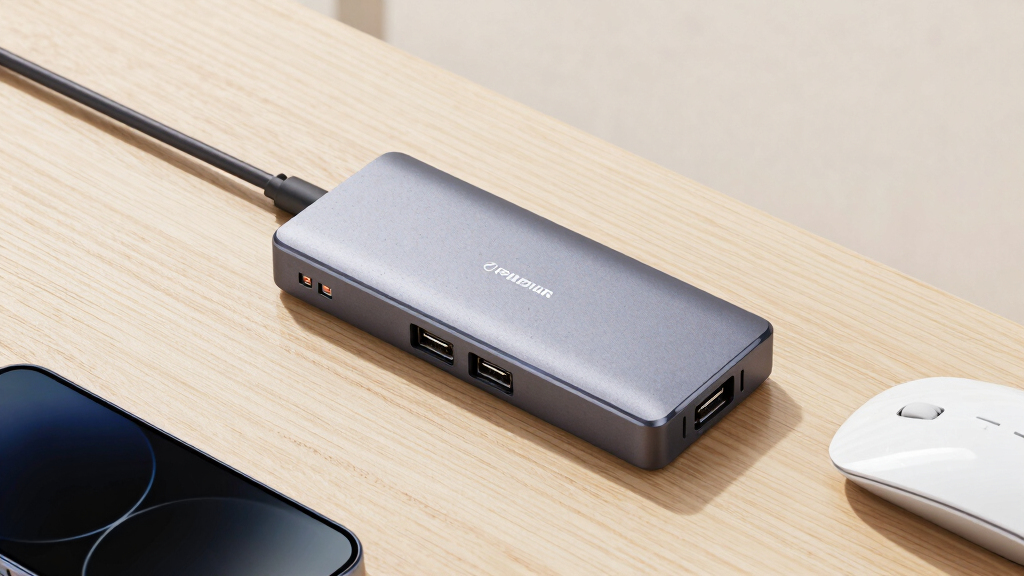

Among the best 7-port USB 3.0 hubs, I rank the StarTech.com Metal-Enclosure Hub first for its sturdy, mountable design and strong fit for permanent workstations. The Atolla Powered 7-Port Hub is my value pick because it combines an external power adapter with a separate charging port, while the Sabrent 36W Hub stands out for individual switches and visible port status. The main choice is between a compact bus-powered extender and a powered desktop hub that can better support several demanding peripherals. Buyers also need to weigh shared bandwidth, cable length, mounting options, charging support, and whether individual port controls justify extra cost. Continue reading for the full breakdown and recommendations matched to different desks, devices, and budgets.

Get the latest gadgets delivered free with Prime
- Fast, free delivery on millions of items
- Prime Video, Amazon Music and more included
- Member-only deals all year
Complete the kit



Key Takeaways
- Metal construction and mounting flexibility pushed the StarTech.com model to the top because a seven-port hub is often used as permanent desktop infrastructure rather than a travel accessory.
- External power separated the stronger desktop choices from basic splitters, especially for buyers connecting portable drives, capture devices, or several accessories at once.
- Individual switches were genuinely useful differentiators on the Sabrent, RSHTECH, and switch-equipped generic models, but their extra lights and controls can create a busier desk.
- The TP-Link model offers seven data connections plus two charging-only ports, making it more versatile for a device-heavy desk without pretending that every socket serves the same purpose.
- The mixed four-USB-A and three-USB-C hub fills a distinct gap, though its USB-C sockets should be treated as 5Gbps data connections rather than assumed to provide video or laptop charging.
| StarTech.com 7 Port USB 3.0 Hub – Metal Enclosure, Desktop or Wall Mountable |  | Best Mountable Hub | Number of ports: 7 | USB interface: USB 3.0 | Maximum transfer speed: Up to 5 Gbps | VIEW LATEST PRICE | See Our Full Breakdown |
| TP-Link Powered USB Hub 3.0 with 7 Data Ports and 2 Smart Charging Ports |  | Best for Charging Multiple Devices | Data ports: 7 | Smart-charging ports: 2 | Maximum transfer speed: Up to 5 Gbps | VIEW LATEST PRICE | See Our Full Breakdown |
| 7-Port USB 3.0 Hub with 3.3ft Cable for Laptop, PC, MacBook, Surface Pro |  | Best for Basic Laptop Expansion | Total USB ports: 7 | Hardware interface: USB 3.0 | Maximum transfer rate: 5 Gbps | VIEW LATEST PRICE | See Our Full Breakdown |
| Sabrent 36W 7-Port USB 3.0 Hub with Power Switches and LEDs |  | Best for Port-by-Port Control | Number of ports: 7 | USB interface: USB 3.0 | Maximum transfer speed: Up to 5 Gbps | VIEW LATEST PRICE | See Our Full Breakdown |
| Powered USB Hub 3.0, Atolla 7-Port USB Data Hub Splitter with Charging Port and Power Adapter |  | Best Value Pick | Data ports: 7 | Dedicated charging ports: 1 | Maximum transfer speed: Up to 5 Gbps | VIEW LATEST PRICE | See Our Full Breakdown |
| j5create 7-Port Powered USB 3.0 Data Hub |  | Best for Data and Device Charging | Number of ports: 7 | USB version: USB 3.0 | Maximum transfer rate: 5 Gbps | VIEW LATEST PRICE | See Our Full Breakdown |
| RSHTECH 7 Port Powered USB 3.0 Hub |  | Best for Individual Port Control | Number of ports: 7 | Maximum transfer rate: 5 Gbps | Power adapter: 5V/2A included | VIEW LATEST PRICE | See Our Full Breakdown |
| StarTech.com 7 Port USB 3.0 Hub |  | Best for Legacy USB Compatibility | Number of ports: 7 | USB version: USB 3.0 | Maximum transfer rate: 5 Gbps | VIEW LATEST PRICE | See Our Full Breakdown |
| PANPEO 7-Port USB 3.0 Data Hub Splitter |  | Best Compact Data-Only Pick | Number of ports: 7 | Maximum transfer rate: 5 Gbps | Cable length: 3 ft | VIEW LATEST PRICE | See Our Full Breakdown |
| 7-Port Powered USB 3.0 Data Hub with Metal Case and 36W AC Adapter |  | Best for Power-Hungry Peripherals | Number of ports: 7 | Maximum transfer rate: 5 Gbps | Power output: 36W | VIEW LATEST PRICE | See Our Full Breakdown |
| 4Ft 7-Port USB Hub 3.0 with 4 USB-A and 3 USB-C Ports |  | Best Mixed-Port Desktop Hub | Total ports: 7 | Port mix: 4 USB-A and 3 USB-C | Hardware interface: USB 3.0 | VIEW LATEST PRICE | See Our Full Breakdown |
| Leinsis 7-Port Powered USB 3.0 Hub with Smart Charging |  | Best for Charging Several Devices | Data ports: 7 | Charging ports: 4 | Maximum data rate: Up to 5Gbps | VIEW LATEST PRICE | See Our Full Breakdown |
| Kingwin 7-Port USB 3.0 Hub with Mountable Aluminum Design |  | Best for Permanent Mounting | Number of ports: 7 | Maximum data rate: 5Gbps | Housing material: Aluminum alloy | VIEW LATEST PRICE | See Our Full Breakdown |
| 4Ft 7-Port USB 3.0 Aluminum Desktop Hub |  | Best for Broad OS Compatibility | Total ports: 7 | Hardware interface: USB 3.0 | Maximum data rate: 5Gbps | VIEW LATEST PRICE | See Our Full Breakdown |
| USB Hub 7 Port with On/Off Switches and Lights | 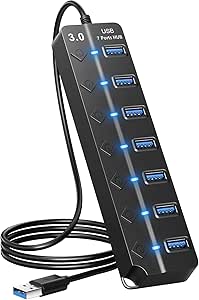 | Best Lightweight Per-Port Control | Total ports: 7 | Interfaces: USB 3.0 and USB 2.0 | Maximum data rate: 5Gbps | VIEW LATEST PRICE | See Our Full Breakdown |
| 7-port USB 3.0 hub | Number of ports | Power adapter | Cable length |
|---|---|---|---|
| StarTech.com 7 Port USB 3.0 Hu | 7 | — | — |
| TP-Link Powered USB Hub 3.0 wi | — | 12V/4A | — |
| 7-Port USB 3.0 Hub with 3.3ft | — | — | 3.3 ft |
| Sabrent 36W 7-Port USB 3.0 Hub | 7 | 12V/3A | — |
| Powered USB Hub 3.0 | — | 5V/4A | — |
| j5create 7-Port Powered USB 3. | 7 | 20W included | 3.3 ft |
| RSHTECH 7 Port Powered USB 3.0 | 7 | 5V/2A included | 3.3 ft |
| StarTech.com 7 Port USB 3.0 Hu | 7 | — | — |
| PANPEO 7-Port USB 3.0 Data Hub | 7 | Not included | 3 ft |
| 7-Port Powered USB 3.0 Data Hu | 7 | 12V/3A included | 3.3 ft |
| 4Ft 7-Port USB Hub 3.0 with 4 | — | — | 4 feet |
| Leinsis 7-Port Powered USB 3.0 | — | 12V/2A included | — |
| Kingwin 7-Port USB 3.0 Hub wit | 7 | — | — |
| 4Ft 7-Port USB 3.0 Aluminum De | — | — | 4 feet |
| USB Hub 7 Port with On/Off Swi | — | — | 3.3 feet |
More Details on Our Top Picks
StarTech.com 7 Port USB 3.0 Hub – Metal Enclosure, Desktop or Wall Mountable
I rank the StarTech.com 7 Port USB 3.0 Hub as the best choice for fixed workstations because its metal enclosure and wall-mounting support suit desks, labs, and equipment cabinets where a loose plastic hub becomes a nuisance. The upright ports also make frequent cable changes easier. Compared with the Atolla 7-Port Hub, this model favors physical durability over individual switches and dedicated charging. It still delivers the expected 5 Gbps USB 3.0 ceiling and accepts older USB devices, so mixed peripheral collections remain useful. The tradeoff is flexibility: an external power source adds another cable, while the absence of port switches means devices must be unplugged to disconnect them fully. I would choose it for a permanent installation, but the lighter 3.3ft Cable Hub makes more sense for simple laptop expansion.
Pros:- Metal enclosure handles fixed workstation use better than lightweight plastic alternatives
- Desktop and wall-mount options help keep cables organized
- Upright port layout provides easier access during frequent device changes
- Backward compatibility supports USB 2.0 and USB 1.x peripherals
Cons:- External power requirement adds cable and outlet clutter
- No individual port switches for disconnecting idle devices
- No dedicated charging port
Best for: IT desks, workshops, and equipment stations that need a durable hub mounted in a fixed position
Not ideal for: Users who want individual port controls or a dedicated phone-charging connection
- Number of ports:7
- USB interface:USB 3.0
- Maximum transfer speed:Up to 5 Gbps
- Enclosure material:Metal
- Mounting options:Desktop or wall-mount
- Backward compatibility:USB 2.0 and USB 1.x
- Port orientation:Upright
Our verdict“I recommend this StarTech.com hub for buyers who value mounting flexibility and a rugged enclosure more than charging or per-port controls.”
TP-Link Powered USB Hub 3.0 with 7 Data Ports and 2 Smart Charging Ports
The TP-Link Powered USB Hub 3.0 earns its place through a useful separation of duties: seven ports handle data while two extra smart-charging ports serve phones and other rechargeable gear. That makes it more capable for a device-heavy home office than the Atolla model, which supplies only one dedicated charging port. Its 12V/4A adapter and electrical protections also fit setups containing several powered peripherals, while hot-swapping reduces interruption when cables change. I rank it below simpler choices for portability because the adapter is part of the package, and its charging connections do not expand the seven-port data count. Like every hub in this group, speeds stop at 5 Gbps rather than newer USB rates. I see the strongest value for buyers who want data expansion and dual-device charging from one desktop unit.
Pros:- Two separate smart-charging ports accommodate more rechargeable devices than the Atolla hub
- 12V/4A adapter supports a busy powered desktop setup
- Overheat, overload, overvoltage, and short-circuit safeguards protect connected equipment
- Hot-swapping and broad operating-system support simplify peripheral changes
Cons:- Charging ports cannot be used as additional data connections
- External adapter reduces portability and occupies an outlet
- Transfer performance is capped at 5 Gbps
Best for: Home-office users connecting seven data peripherals while regularly charging two phones or accessories
Not ideal for: Laptop travelers and buyers who need transfer rates above the 5 Gbps USB 3.0 ceiling
- Data ports:7
- Smart-charging ports:2
- Maximum transfer speed:Up to 5 Gbps
- Power adapter:12V/4A
- Protection features:Overheat, overload, overvoltage, and short-circuit protection
- Operating-system compatibility:Windows, macOS, Chrome OS, and Linux
- Hot-swapping:Supported
- Warranty:2 years
Our verdict“I would pick the TP-Link for a desk where seven data connections and two dedicated charging outlets will all see regular use.”
7-Port USB 3.0 Hub with 3.3ft Cable for Laptop, PC, MacBook, Surface Pro
I place the 7-Port USB 3.0 Hub with 3.3ft Cable in the basic-expansion slot because it focuses on reach, broad compatibility, and plug-and-play data connections. Its 3.3-foot cable is easier to route from a desktop tower or docked laptop than a short lead, while the light plastic body is less burdensome in a computer bag than the metal StarTech.com hub. The compromise is power capability. It does not charge devices through its ports, and high-draw hardware may need an external power source whose details are not supplied in the listed data. That makes keyboards, mice, flash drives, and similar accessories a better match than a collection of portable hard drives. Unlike the Sabrent and Atolla models, it also lacks individual switches. I recommend it when straightforward 5 Gbps connectivity matters more than power management.
Pros:- 3.3-foot cable offers more placement freedom around towers and docked laptops
- Lightweight plastic construction is easier to carry than metal desktop hubs
- Plug-and-play operation works across several major operating systems
- Supports transfer rates up to 5 Gbps
Cons:- USB ports do not support device charging
- High-power devices may require external power, but adapter details are not provided
- No individual port switches
Best for: Laptop and desktop users connecting low-power accessories who need a longer cable for clean placement
Not ideal for: Buyers running several power-hungry drives or anyone expecting the hub to charge phones
- Total USB ports:7
- Hardware interface:USB 3.0
- Maximum transfer rate:5 Gbps
- Cable length:3.3 ft
- Enclosure material:Plastic
- Dimensions:2.87 x 1.97 x 1.97 inches
- Color:Black
- Operating-system compatibility:Windows, macOS, Linux, and Unix
Our verdict“I favor this hub for uncomplicated laptop or desktop expansion with low-power peripherals and a useful 3.3-foot reach.”
Sabrent 36W 7-Port USB 3.0 Hub with Power Switches and LEDs
The defining advantage of the Sabrent 36W 7-Port USB 3.0 Hub is control: each connection gets its own switch and LED, so I can recommend it for desks where peripherals stay plugged in but should not remain active. Compared with the TP-Link hub, Sabrent trades two dedicated charging ports for individual port management. Its included 36W adapter is also better suited to a populated desktop setup than an unpowered basic hub, and the compact body limits its footprint. There are costs to that convenience. The mirrored finish may show fingerprints and visual wear, seven illuminated switches create more desk light, and the power brick makes travel less appealing. Transfer speed remains capped at 5 Gbps. I rank it highly for users managing drives, readers, and accessories that benefit from quick physical isolation without repeated unplugging.
Pros:- Individual switches allow each connected peripheral to be disabled without unplugging it
- Dedicated LEDs make active-port status easy to identify
- Included 36W adapter suits multi-peripheral desktop configurations
- Compact design preserves desk space despite the seven-port capacity
Cons:- Mirrored surface is more prone to visible fingerprints and cosmetic wear
- Seven status lights may be distracting in dark rooms
- External 36W power adapter makes the setup less travel-friendly
Best for: Desktop users who leave several drives and peripherals connected but want to activate each one separately
Not ideal for: Travelers, light-sensitive workspaces, and buyers who need separate high-speed charging outlets
- Number of ports:7
- USB interface:USB 3.0
- Maximum transfer speed:Up to 5 Gbps
- Power output:36W
- Power adapter:12V/3A
- Port switches:Individual switch for each port
- LED indicators:Yes
- Surface design:Mirrored
Our verdict“I recommend the Sabrent when individual switches matter more than dedicated charging ports or travel convenience.”
Powered USB Hub 3.0, Atolla 7-Port USB Data Hub Splitter with Charging Port and Power Adapter
I give the Atolla 7-Port USB Data Hub the value role because it combines seven 5 Gbps data ports, individual switches, and a dedicated charging connection in one practical package. Compared with the Sabrent hub, it adds a separate charging outlet while retaining port-by-port power control; compared with TP-Link, it offers only one charging port rather than two. The 5V/4A adapter supports a fuller peripheral load than a bus-powered hub, and the 100 cm USB cable provides reasonable placement freedom around a desk. Its limitations affect buyers with larger layouts: the supplied cables may still be too short for distant towers or under-desk routing, and the adapter remains necessary for dependable charging. The plastic-focused presentation also lacks the fixed-installation appeal of StarTech.com’s metal enclosure. For a conventional home desk, I think its balanced feature set has broad appeal.
Pros:- Seven individually switched data ports provide strong device control for the feature set
- Dedicated charging port keeps phone charging separate from data connections
- 5V/4A adapter supplies dependable power for a populated desk setup
- Plug-and-play support covers Windows, macOS, and Linux
Cons:- Only one dedicated charging port, compared with two on the TP-Link hub
- External adapter is needed for dependable charging and adds outlet clutter
- Included cable lengths may restrict placement in large or under-desk setups
Best for: Budget-minded home-office users who want switchable data ports plus one convenient charging connection
Not ideal for: Buyers needing two simultaneous charging outlets, a wall-mountable metal case, or unusually long cable runs
- Data ports:7
- Dedicated charging ports:1
- Maximum transfer speed:Up to 5 Gbps
- Power adapter:5V/4A
- USB cable length:100 cm
- Power cord length:120 cm
- Port switches:Individual on/off switch for each data port
- Operating-system compatibility:Windows 10/8.1/8/7/Vista/XP, macOS X 10.x or later, and Linux
Our verdict“I would choose the Atolla for an affordable desktop hub that balances seven switchable ports with one dedicated charging connection.”
j5create 7-Port Powered USB 3.0 Data Hub
I place the j5create 7-Port Powered USB 3.0 Data Hub high in this group because it balances seven 5 Gbps connections with a dedicated fast-charging port. That makes it more useful for mixed desk setups than the PANPEO hub, which cannot charge connected devices. Its 20W adapter also gives portable drives and other demanding peripherals a steadier power source, while bus-powered operation reduces cable clutter during lighter use. The aluminum housing feels better suited to a permanent workstation than a basic plastic splitter. Still, 20W is modest beside the 36W adapter supplied with the metal-case powered hub, so this is not my first choice for several power-hungry drives. The 3.3-foot host cable offers reasonable placement freedom, but large desks may still need an extension.
Pros:- Dedicated fast-charging port supports phones and tablets
- Can operate with bus power or the included 20W adapter
- Transfers compatible data at up to 5 Gbps
- Aluminum housing suits a permanent desk setup
Cons:- Its 20W supply offers less power headroom than the 36W powered model
- High-draw devices require the external adapter
- USB-A connectivity is less convenient for USB-C-only laptops
Best for: Laptop and MacBook users who want one desktop hub for data peripherals and fast phone or tablet charging
Not ideal for: Users running several power-hungry external drives or anyone needing a USB-C host connection
- Number of ports:7
- USB version:USB 3.0
- Maximum transfer rate:5 Gbps
- Cable length:3.3 ft
- Power adapter:20W included
- Power modes:Bus-powered or self-powered
- Charging:Dedicated fast-charging port
- Housing:Aluminum
- Compatibility:Mac, MacBook, Windows, Surface, XPS and PC
Our verdict“This is my pick for buyers who want a polished seven-port data hub that can also handle everyday device charging.”
RSHTECH 7 Port Powered USB 3.0 Hub
The defining advantage of the RSHTECH 7 Port Powered USB 3.0 Hub is its individual on/off switches. I would choose it over the j5create model for a desk holding drives, cameras, and accessories that should remain connected but not continuously active. Switching a port off can reduce unnecessary reconnecting and makes peripheral management easier. Its aluminum-alloy and ABS body is sturdier than a travel-oriented splitter, while the included 5V/2A adapter supports more reliable operation than the adapter-free PANPEO. The compromise is power capacity: a 10W supply leaves less headroom than the 36W metal-case hub when several demanding devices run together. It is also bulkier than simpler hubs, and its listed operating-system support centers on older Windows and Mac versions. The 3.3-foot cable works well on most desks but offers limited reach under furniture.
Pros:- Separate on/off switch for every data port
- Included adapter supports powered desktop use
- Up to 5 Gbps data transfer on compatible devices
- Aluminum-alloy construction adds desk-ready durability
Cons:- The 5V/2A adapter has limited capacity for several high-draw devices
- Bulkier than compact switch-free hubs
- Listed compatibility emphasizes older operating-system versions
Best for: Home-office users who keep several USB accessories connected and want to disable each device without unplugging it
Not ideal for: Multi-drive workstations that need generous power delivery or buyers seeking the smallest travel hub
- Number of ports:7
- Maximum transfer rate:5 Gbps
- Power adapter:5V/2A included
- Port controls:Individual on/off switches
- Cable length:3.3 ft
- Materials:Aluminum alloy and ABS
- Windows compatibility:Windows XP, Vista, 7, 8 and 10
- Other compatibility:Mac OS 10 and Linux
Our verdict“Buy this model when per-port control matters more than maximum power capacity or portability.”
StarTech.com 7 Port USB 3.0 Hub
I see the StarTech.com 7 Port USB 3.0 Hub as the safest fit for mixed-generation peripherals. Its explicit support for USB 3.0, 2.0, and 1.x devices makes it better suited to offices that still rely on older keyboards, scanners, or specialist equipment. Plug-and-play setup and hot swapping also keep deployment simpler than hubs built around extra switches or charging controls. Compared with the RSHTECH model, though, it provides no individual port controls; compared with j5create, it lacks a highlighted fast-charging port. Full operation also calls for external power, adding another adapter to the desk. I rank it behind those feature-rich choices for general home use, but its broad platform support gives it a clearer role in shared or legacy-heavy workspaces. Its 5 Gbps ceiling remains competitive, although older connected devices will run at their own lower speeds.
Pros:- Works with USB 3.0, USB 2.0, and USB 1.x peripherals
- Plug-and-play installation reduces setup work
- Hot-swap support allows devices to be changed while the system is running
- Provides up to 5 Gbps with compatible USB 3.0 hardware
Cons:- Needs external power for full functionality
- No individual port switches
- No dedicated charging feature is specified
Best for: Offices, labs, and shared computers that connect a mixture of modern USB 3.0 hardware and older USB peripherals
Not ideal for: Buyers who want individual port switches, dedicated phone charging, or a clearly travel-focused design
- Number of ports:7
- USB version:USB 3.0
- Maximum transfer rate:5 Gbps
- Backward compatibility:USB 2.0 and USB 1.x
- Installation:Plug-and-play
- Device swapping:Hot-swap compatible
- Power requirement:External power required for full functionality
Our verdict“This StarTech.com hub makes the most sense for buyers prioritizing broad legacy-device support over charging and port controls.”
PANPEO 7-Port USB 3.0 Data Hub Splitter
The PANPEO 7-Port USB 3.0 Data Hub Splitter earns its place through portability rather than power. Its compact body and 3-foot attached reach suit laptop bags, gaming consoles, and temporary workstations where mice, keyboards, flash drives, or printers need extra connections. It offers the same headline 5 Gbps rate as the powered j5create and RSHTECH models, yet it omits their included adapters. That keeps the package lighter, but it also makes PANPEO a weaker choice for multiple portable hard drives. A compatible DC 3.5 x 1.35mm supply must be purchased separately when added power is needed, and the hub does not charge phones or tablets. I rank it as a specialized budget-minded alternative rather than an all-purpose desk hub. Its USB 1.0 through 3.0 compatibility adds flexibility, provided buyers keep its data-only focus in mind.
Pros:- Compact design is easier to carry than metal powered hubs
- Seven ports support numerous low-power peripherals
- Up to 5 Gbps transfers with compatible USB 3.0 devices
- Backward compatible with USB 2.0 and USB 1.0 hardware
Cons:- Compatible power adapter is not included
- Does not support charging connected devices
- Less suitable than powered rivals for multiple high-draw peripherals
Best for: Travelers, console owners, and laptop users connecting low-power data accessories such as keyboards, mice, and flash drives
Not ideal for: Anyone who needs device charging or plans to run several portable hard drives without buying a separate power supply
- Number of ports:7
- Maximum transfer rate:5 Gbps
- Cable length:3 ft
- USB compatibility:USB 1.0, 2.0 and 3.0 devices
- External power connector:DC 3.5 x 1.35mm
- Power adapter:Not included
- Charging support:Not supported
- Compatible hosts:Laptop, PC, Surface Pro, PS4 and PS5
Our verdict“Choose PANPEO for portable, data-only expansion, but skip it if charging or heavy-drive use is part of the plan.”
7-Port Powered USB 3.0 Data Hub with Metal Case and 36W AC Adapter
I would put the 7-Port Powered USB 3.0 Data Hub with 36W AC Adapter first for buyers connecting several devices that draw meaningful power. Its 12V/3A supply and overload protection provide more power headroom than j5create’s 20W adapter or RSHTECH’s 5V/2A unit, making it the stronger workstation choice for portable drives and dense peripheral setups. The metal case also suits permanent desktop placement, while plug-and-play support across Windows, Mac, and Linux keeps setup straightforward. That power comes with a physical cost: this model is bulkier than PANPEO and needs an outlet for full operation, so it is a poor travel companion. Some older operating systems may also present compatibility limits. I rank it below more versatile charging-focused hubs for mixed personal use, but its 5 Gbps data rate and robust power package give it the clearest role for demanding USB-A desks.
Pros:- 36W adapter provides the strongest power capacity in this batch
- Overload protection adds safeguards for connected equipment
- Metal case is suited to permanent workstation use
- Supports 5 Gbps transfers and requires no drivers
Cons:- Bulkier than compact data-only hubs
- Requires an external power supply for full functionality
- Compatibility with some older operating systems may be limited
Best for: Desktop users, creators, and technicians who need to run several powered USB-A peripherals or portable drives together
Not ideal for: Frequent travelers and users who want a slim bus-powered hub without another AC adapter
- Number of ports:7
- Maximum transfer rate:5 Gbps
- Power output:36W
- Power adapter:12V/3A included
- USB protocols:USB 3.0, USB 2.0 and USB 1.1
- Cable length:3.3 ft
- Housing:Metal case
- Safety feature:Overload protection
- Included accessories:Power adapter, USB cable and user manual
Our verdict“This is my choice for a fixed workstation where power capacity and protection outweigh portability.”
4Ft 7-Port USB Hub 3.0 with 4 USB-A and 3 USB-C Ports
I rank this as the best mixed-port desktop hub because its four USB-A and three USB-C connections suit workspaces containing both older accessories and newer cables. The 4-foot host cable also offers more placement freedom than the 3.3-foot cable supplied with the Leinsis 7-Port Powered USB 3.0 Hub. Its aluminum enclosure should handle desk use better than the plastic shell of the USB Hub 7 Port with On/Off Switches. However, this is a data-focused hub, not a substitute for a charging station, and it lacks the individual port controls found on Leinsis. The listed 15W Type-C connection can support higher-demand peripherals, but external power requirements may still apply. I favor it for connection variety and cable reach, rather than power management.
Pros:- Four USB-A and three USB-C ports accommodate mixed cable collections
- Four-foot cable supports under-desk computers and flexible hub placement
- 5Gbps transfer ceiling suits external drives and large file transfers
- Aluminum enclosure offers better durability and heat handling than plastic designs
Cons:- Does not function as a general-purpose device charging station
- No individual switches for disconnecting idle peripherals
- Higher-power devices may need a separate power source
Best for: Desktop users with a mix of USB-A and USB-C storage devices, keyboards, mice, and other data peripherals
Not ideal for: Buyers who need phone charging or individual port switches, since this model is data-focused and offers no per-port controls
- Total ports:7
- Port mix:4 USB-A and 3 USB-C
- Hardware interface:USB 3.0
- Maximum data rate:5Gbps
- Cable length:4 feet
- Enclosure:Aluminum
- Type-C power rating:15W
- System compatibility:Windows, macOS, and Linux
Our verdict“This is my pick for desktop users who value USB-A and USB-C variety more than charging or per-port controls.”
Leinsis 7-Port Powered USB 3.0 Hub with Smart Charging
I place the Leinsis powered hub first for buyers who want data expansion and charging in one desktop unit. Its seven data ports are joined by four dedicated charging ports, each rated up to 2.4A, giving it broader charging capacity than the TP-Link hub with two smart charging ports. Individual switches and LEDs also make connected drives or accessories easier to manage than on the switchless 4Ft mixed-port hub. The included 12V/2A adapter supports more stable multi-device use, while hot swapping reduces everyday friction. That versatility brings extra cables and a larger desk footprint, and the 3.3-foot USB cable offers less reach than either 4-foot model in this batch. I see it as a control-and-charging pick, not the cleanest choice for a travel bag.
Pros:- Seven data ports plus four dedicated smart charging ports
- Individual switches and LED indicators provide direct port control
- Included 12V/2A adapter supports stable multi-device operation
- Aluminum case offers more durability than lightweight plastic hubs
Cons:- Full operation depends on an external power adapter
- Extra charging ports and power cabling require more desk space
- The 3.3-foot USB cable is shorter than the 4-foot alternatives
Best for: Home-office users who regularly connect several data peripherals while charging phones, earbuds, or other USB devices
Not ideal for: Frequent travelers and minimalist desk owners who do not want to carry or place an external power adapter
- Data ports:7
- Charging ports:4
- Maximum data rate:Up to 5Gbps
- Charging output:Up to 2.4A per charging port
- Power adapter:12V/2A included
- USB cable length:3.3 feet
- Power cable length:4 feet
- Controls:Individual switches with LED indicators
Our verdict“This is my choice for a busy workstation that needs seven data connections, four charging outlets, and individual port controls.”
Kingwin 7-Port USB 3.0 Hub with Mountable Aluminum Design
The Kingwin 7-Port USB 3.0 Hub earns my mounting-focused role because it can attach to a wall, desk, or rack rather than sliding around a work surface. That flexibility makes it better suited to servers, workshops, and fixed PC installations than the portable USB Hub 7 Port with On/Off Switches. Like the StarTech.com metal wall-mountable hub, it pairs a rigid aluminum-alloy housing with 5Gbps connectivity, but Kingwin includes an external power adapter for stable operation across several peripherals. The drawback is setup friction: USB cables are not included, so buyers must source the right connections separately. It also lacks the charging bank and switches offered by Leinsis. I rank it for secure, permanent placement; ordinary laptop users can get a simpler and more portable design.
Pros:- Mounts to a wall, desk, or rack for secure placement
- Aluminum-alloy housing suits demanding fixed installations
- Included external adapter supports stable connectivity
- Works with Windows, macOS, and Linux systems
Cons:- Required USB cables are not included
- External adapter adds wiring and occupies a power outlet
- No dedicated charging ports or individual port switches
Best for: IT desks, server racks, workshops, and industrial-style PC installations needing a securely mounted powered hub
Not ideal for: Casual laptop users who want a ready-to-pack hub, since mounting hardware, external power, and separate USB cables complicate mobile use
- Number of ports:7
- Maximum data rate:5Gbps
- Housing material:Aluminum alloy
- Power:External adapter included
- Mounting locations:Wall, desk, or rack
- Windows compatibility:Supported
- macOS compatibility:Supported
- Linux compatibility:Supported
Our verdict“This is my recommendation for buyers building a fixed workstation or rack installation rather than a portable laptop kit.”
4Ft 7-Port USB 3.0 Aluminum Desktop Hub
I give this model the broad compatibility role because its listed support spans Windows, macOS, Linux, Chrome OS, and Unix. That makes it a safer fit for multi-system desks than the similar 4Ft hub B0F8BBBGBM, whose supplied compatibility list is narrower. The slim aluminum body and 4-foot cable also suit desktops positioned below or away from the monitor, while plug-and-play operation keeps setup simple. Its 5Gbps ceiling matches every mainstream USB 3.0 option here, so operating-system range—not raw speed—is the reason to choose it. Unlike Leinsis, it offers no device-charging function or individual switches, and high-power accessories may require external power. I rank it as a flexible data hub for mixed-computer households, though power users should choose a fully powered model.
Pros:- Supports a wider stated range of operating systems than most alternatives
- Four-foot cable works well with towers positioned under a desk
- Aluminum enclosure combines durability with heat dissipation
- Plug-and-play design reduces setup work across shared computers
Cons:- Data transfer only, with no general device-charging capability
- High-power peripherals may require an external power source
- No per-port switches for managing connected equipment
Best for: Households, labs, or shared offices connecting the same USB peripherals across Windows, Mac, Linux, Chrome OS, and Unix computers
Not ideal for: Users running several power-hungry drives or charging mobile devices, since high-demand hardware may need external power and charging is unsupported
- Total ports:7
- Hardware interface:USB 3.0
- Maximum data rate:5Gbps
- Cable length:4 feet
- Enclosure material:Aluminum
- Dimensions:1.2 x 0.66 x 5.3 inches
- Operating systems:Chrome OS, Linux, macOS, Unix, and Windows
- Additional features:Plug and play, portable
Our verdict“This is my compatibility pick for shared desks that need one seven-port data hub to work across several operating systems.”
USB Hub 7 Port with On/Off Switches and Lights
I assign this hub the lightweight control pick because every port has its own switch and indicator light, yet the design remains compact enough for laptop bags. It gives users more control than either 4Ft aluminum hub: a printer, flash drive, or gaming accessory can remain plugged in while electrically disconnected. The 3.3-foot cable is also practical for a laptop stand or nearby desktop tower. Compared with the Leinsis powered hub, however, this model trades away the aluminum case, dedicated charging ports, and clearly included adapter. Its plastic enclosure is less reassuring for permanent or demanding installations, and high-power devices need external power. I rank it below sturdier powered models for multi-drive workloads, but its 5Gbps data rate and simple port-by-port control make sense for lighter peripheral collections.
Pros:- Individual on/off switches let users disable devices without unplugging them
- Indicator lights show which ports are active
- 3.3-foot cable provides useful reach without excessive bulk
- Supports 5Gbps transfers and plug-and-play operation
Cons:- Plastic enclosure is less durable than the aluminum alternatives
- High-power peripherals require an external supply
- Product data does not confirm that a power adapter is included
Best for: Laptop and gaming-console users who want to leave several low-power accessories connected while switching each port independently
Not ideal for: Multi-drive workstations and durability-focused buyers, since the plastic body and unspecified power-adapter inclusion weaken its case for demanding setups
- Total ports:7
- Interfaces:USB 3.0 and USB 2.0
- Maximum data rate:5Gbps
- Cable length:3.3 feet
- Port controls:Individual on/off switches
- Indicators:Port status lights
- Enclosure material:Plastic
- System compatibility:Windows XP, Vista, and 10; Linux; macOS X 10.6
Our verdict“This is my pick for portable, low-power setups where individual switches matter more than charging support or metal construction.”
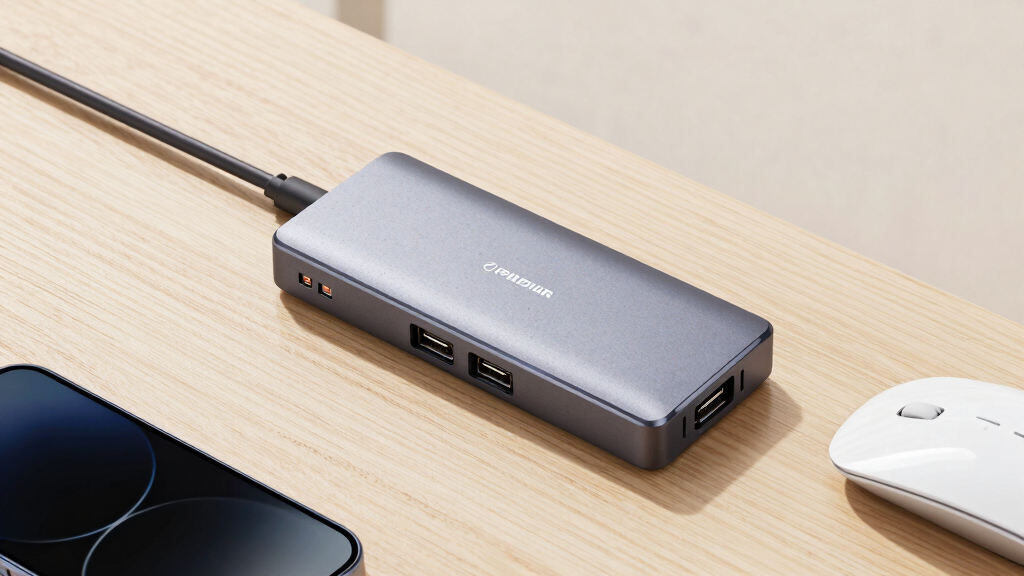
How We Picked
I ranked these hubs by how well they solve the problems created by connecting seven USB 3.0 devices to one computer. My main criteria were power delivery, connection stability, shared-bandwidth management, cable reach, enclosure quality, port spacing, and desk placement. Powered designs received preference for fixed workstations and storage-heavy setups, while simpler models remained competitive when their lower cost or smaller footprint served a clear buyer type.
I also compared the usefulness of individual switches, charging-only sockets, USB-C data ports, mounting hardware, and status lights. Features earned ranking weight only when they changed daily use; extra sockets or LEDs alone did not move a product higher. I treated advertised 5Gbps speed as the hub’s shared upstream ceiling, not a promise that seven attached devices can each sustain that rate. Since the product information does not establish hands-on testing, my order reflects disclosed specifications, design choices, brand positioning, and the tradeoffs visible across this particular lineup.
Factors to Consider When Choosing Best 7-port USB 3.0 Hubs
A seven-port hub can solve cable clutter or simply move the bottleneck to a different place. I would choose based on the devices that will share the hub, how the hub receives power, and whether it will remain on a desk or move between computers. The following factors explain where paying more changes the experience and where a basic model may be enough.
Choose Bus Power or an AC Adapter Based on the Device Mix
A bus-powered hub draws all available power from one computer port, so seven connectors do not mean seven high-power devices will work comfortably at once. I find this design better suited to keyboards, mice, card readers, security keys, and occasional flash drives. An externally powered hub makes more sense when portable hard drives, capture hardware, audio interfaces, or several charging accessories may run together. The adapter does not increase the USB data ceiling, but it reduces competition for electrical power. A common mistake is buying by port count and overlooking the adapter’s output rating. For a fixed desktop, I would usually accept the extra power brick in exchange for more predictable device support.
Treat 5Gbps as Shared Bandwidth
USB 3.0’s advertised 5Gbps link is shared by devices using the hub’s single upstream connection. Seven low-bandwidth accessories can coexist easily, but several fast SSDs cannot each receive a private 5Gbps channel. I would connect the most speed-sensitive drive directly to the computer and reserve the hub for secondary storage and accessories. Video capture, high-resolution webcams, and fast external drives can also compete in ways that are not obvious from the port labels. A powered adapter helps with electricity, not data congestion. Buyers who routinely transfer between multiple drives may gain more from separate computer ports or a higher-bandwidth USB standard than from adding another USB 3.0 hub.
Match Cable Length and Mounting Style to the Desk
Long upstream cables are valuable when a tower sits under a desk, but extra cable can become clutter beside a laptop. I would measure the real route around monitor stands and desk edges rather than relying on straight-line distance. A mountable metal hub can place ports under a desk or beside equipment, reducing strain on short peripheral cables. Lightweight hubs are easier to pack, yet stiff USB cables may pull them across the work surface. Adhesive mounting can work for temporary placement, while screw-ready enclosures suit permanent installations better. The best physical design is the one that keeps ports reachable and connectors unstressed, not simply the smallest enclosure.
Decide Whether Per-Port Switches Help or Add Clutter
Individual power switches let me disconnect a webcam, drive, controller, or security device without removing its cable. That can reduce connector wear and simplify setups where peripherals should remain physically attached but inactive. The drawback is a larger control panel, more indicator lights, and another step when a device appears missing. I would favor switches for labs, gaming desks, shared workstations, and frequently changed device groups. A straightforward always-on hub is easier for beginners and households where anyone may use the computer. If choosing a switched model, I would check whether the controls disable data, power, or both because switch behavior can vary.
Do Not Confuse USB-C Shape With Extra Capability
A hub with USB-C device ports can reduce adapter use for newer accessories, but connector shape does not define every supported feature. A 5Gbps USB-C socket may carry ordinary USB data without video output, high-wattage Power Delivery, or Thunderbolt support. I would buy the mixed USB-A and USB-C model when the goal is connecting modern storage, phones, or cables through familiar USB data links. It is a poor substitute for a laptop dock if the buyer also needs monitor output, Ethernet, or host charging. Charging-only sockets deserve the same scrutiny because their current may differ from the seven data ports. Clear separation between data, charging, and host connections prevents many compatibility disappointments.
Know When a Higher Price Is Justified
I would pay more for a hub that will remain connected daily and support expensive peripherals. A metal enclosure, secure mounting, a suitable power adapter, and a longer warranty can matter more over time than a low initial price. Budget hubs remain sensible for keyboards, flash drives, and occasional expansion where failure would cause inconvenience rather than lost work. Brand support also has more value when the hub will be deployed across several desks or attached to business equipment. Decorative lighting and extra charging claims deserve less weight unless they solve a defined need. My rule is to spend on power and placement first, then decide whether switches, mixed connectors, or premium materials merit the remaining budget.
Frequently Asked Questions
Can a seven-port USB 3.0 hub run multiple external hard drives?
It can, but I would choose an externally powered model rather than relying on power from the computer. Portable hard drives can draw substantial current during startup, and several drives may exceed what one host port can supply. The drives will also share the hub’s 5Gbps upstream connection, so simultaneous transfers may slow each other down. For frequent large transfers, I would place the fastest or most work-sensitive drive on a direct computer port. A powered hub is best viewed as improving electrical headroom, not multiplying bandwidth.
Do all seven ports support the full 5Gbps speed at the same time?
No, the 5Gbps rating applies to the shared upstream USB 3.0 connection. Each port may support USB 3.0 speeds, but active devices divide the available bandwidth. A mouse and keyboard use very little, leaving more capacity for storage or video hardware. Several SSDs transferring at once will expose the shared limit much faster. I would plan the device layout around total workload rather than treating seven ports as seven independent high-speed links.
Is a hub with charging ports better than a standard seven-port model?
It is better only when charging is part of the intended setup. Dedicated charging ports can power phones or accessories without occupying the seven data connections, as seen in the TP-Link design. Those sockets may not communicate with the computer, so they cannot replace a data port for syncing or file transfer. Charging speed also depends on the hub’s adapter and supported charging protocol, not just the presence of a battery symbol. I would choose this layout for a crowded desk, while a data-only hub is cleaner when every connection must reach the computer.
Should I choose individual on/off switches for every port?
Per-port controls are useful when devices stay plugged in but should not remain active all day. I would favor them for external drives, webcams, gaming controllers, and test equipment that I want to disconnect without reaching behind a computer. They are less helpful in a shared or beginner-friendly setup because an accidentally disabled port can resemble a failed device. Indicator lights also add visual clutter, particularly on a bedside or minimalist desk. Choose switches for deliberate device control; choose an always-on model for simpler operation.
Will the mixed USB-A and USB-C hub charge a laptop or connect a monitor?
Not based on connector type alone. The listed mixed-port model advertises 5Gbps data transfer, which does not automatically include USB Power Delivery, DisplayPort Alt Mode, or Thunderbolt. I would treat its three USB-C ports as convenient data connections for compatible peripherals unless the manufacturer explicitly states additional functions. Buyers needing laptop charging and display output should search for a dock with declared wattage and video specifications. This distinction makes the mixed hub useful for cable compatibility, but not a full docking-station replacement.
Conclusion
For most fixed workstations, I would choose the StarTech.com 7 Port USB 3.0 Hub with Metal Enclosure as the best overall option because its sturdy, mountable format addresses placement and durability better than lighter desktop splitters. The Atolla Powered 7-Port Hub is my best-value recommendation for buyers who want external power and an extra charging connection without moving into a more expensive class. For a premium control-focused setup, the Sabrent 36W 7-Port Hub earns the nod through its substantial power supply, individual switches, and clear status indicators. Beginners should start with the TP-Link Powered Hub, whose separated data and charging ports make its purpose easier to understand. For specific needs, I would pick the four-USB-A and three-USB-C model for mixed connector types, the RSHTECH hub for switched aluminum construction, and the Kingwin mountable hub for a permanent desk installation. Buyers connecting mostly low-power accessories can save money with the simpler long-cable models, while storage-heavy desks should stay with a powered choice.
Halloween Picks
halloween
As an affiliate, we earn on qualifying purchases.