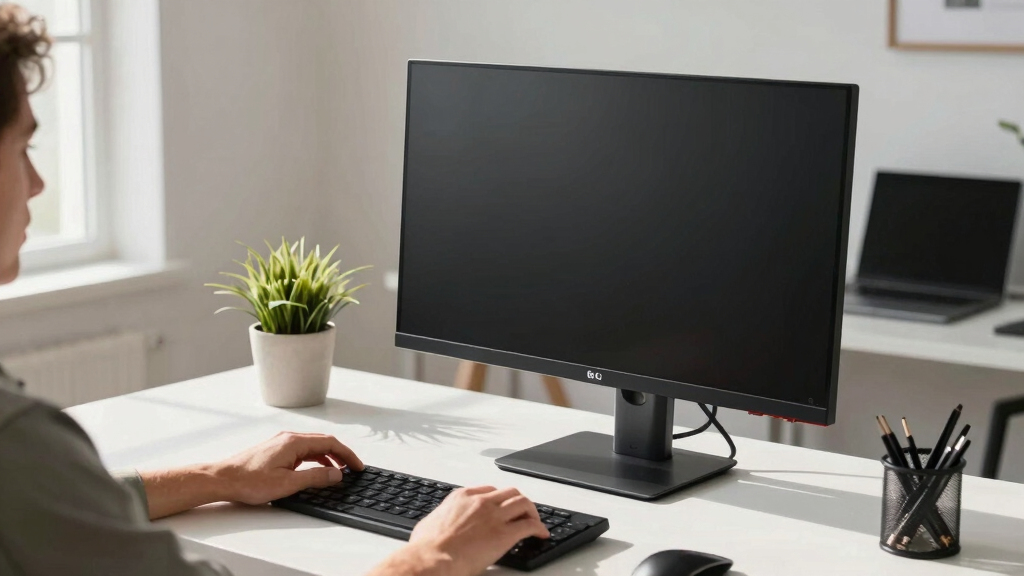

Finding the best LG computer monitor in 2026 is really a question of matching the panel to the job, because LG’s lineup now stretches from budget 1080p screens to 4K OLED gaming flagships. My top pick for most people is the LG 32UP83AK-W, a 32-inch 4K IPS monitor that balances sharpness, USB-C connectivity, and an adjustable stand at a sensible price. If you’re a gamer with a bigger budget, the LG 32GX850A-B delivers 4K OLED image quality that IPS panels simply can’t match, and if money is tight, the LG 27U411A-B covers the basics with a surprisingly smooth 120Hz refresh rate. The main tradeoffs you’ll face are resolution versus screen size, refresh rate versus panel quality, and smart features versus pure display performance. Read on for the full breakdown of all 15 picks, ranked by who they serve best.

Get the latest gadgets delivered free with Prime
- Fast, free delivery on millions of items
- Prime Video, Amazon Music and more included
- Member-only deals all year
Complete the kit



Key Takeaways
- The LG 32UP83AK-W earned the top spot because it pairs a 32-inch 4K IPS panel with USB-C and a height-adjustable stand — the combination most office and hybrid workers actually use daily.
- Resolution-to-size pairing separated winners from also-rans: 32-inch 4K monitors looked sharp in every scenario, while the 32-inch 1080p LG 32MR50C-B only makes sense at its low price because text visibly softens at that pixel density.
- OLED is a gamer-first upgrade, not a general one — the 32GX850A-B and 45GX900A-B cost two to four times more than IPS alternatives, and the premium only pays off if you play fast, HDR-heavy games.
- LG’s webOS smart monitors (37U730SA-W, 27U511SA-W) blur the line between monitor and TV, making them strong picks for dorms and small apartments but poor value for anyone who already sits at a full desk setup.
- USB-C with power delivery turned out to be the quiet differentiator: single-cable models like the 34U650A-B (96W PD) genuinely simplify a laptop desk, while HDMI-only monitors require a dock or extra charger.




| LG computer monitor | Display Size | Resolution | Refresh Rate | HDR |
|---|---|---|---|---|
| LG 32UP83AK-W 32-inch 4K UHD I | 32 inches | 3840 x 2160 (4K UHD) | 60Hz | HDR10 |
| LG 27US500-W Ultrafine 27-Inch | 27 inches | 3840 x 2160 (4K UHD) | — | HDR10 |
| LG 37U730SA-W 37-inch 4K UHD I | 37 inches | 3840 x 2160 (4K UHD) | 60Hz | HDR10 |
| LG 32GX850A-B 32" UltraGear 4K | 32 inches | 3840 x 2160 (4K UHD) | 165Hz / 330Hz (dual mode) | VESA DisplayHDR True Black 400 |
| LG 32MR50C-B 32-Inch Curved Fu | 32 inches, curved | 1920 x 1080 (Full HD) | 100Hz | — |
| LG 32U631A-B 32-inch QHD IPS C | 32 inches | 2560 x 1440 (QHD) | 100Hz | HDR10 |
| LG 27U411A-B 27-inch Full HD I | 27 inches | 1920 x 1080 (Full HD) | 120Hz | HDR10 |
| LG 32UR500K-B 32-inch 4K UHD M | 32 inches | 3840 x 2160 (4K UHD) | — | HDR10 |
| LG 45GX900A-B 45-Inch Ultragea | 45 inches ultrawide | WQHD (3440 x 1440) | 240Hz | DisplayHDR True Black 400 |
| LG 27U511SA-W 27-Inch Smart Fu | 27 inches | 1920 x 1080 (Full HD) | 100Hz | — |
| LG 32GS60QC-B Ultragear 32-inc | 32 inches | QHD 2560 x 1440 | 180Hz | HDR10 |
| LG 27UP850K-W 27-inch 4K UHD I | 27 inches | 4K UHD 3840 x 2160 | 60Hz | DisplayHDR 400 |
| LG 34U650A-B 34-inch UltraWide | 34 inches | WQHD 3440 x 1440 | 100Hz | HDR10 |
| LG 32G620B-B 32-inch Ultragear | 32 inches | QHD 2560 x 1440 | 200Hz | HDR10 |
| LG 34WR55QK-B 34-inch UltraWid | 34 inches | WQHD 3440 x 1440 | 100Hz | HDR10 |
More Details on Our Top Picks
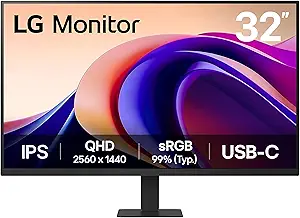
LG 32UP83AK-W 32-inch 4K UHD IPS Computer Monitor with HDR10, USB-C, and Adjustable Stand
If I had to point most buyers toward a single LG monitor, the 32UP83AK-W is where I’d start. Its 32-inch 4K IPS panel delivers sharp text and roomy screen space for documents, timelines, and stacked browser tabs, and the USB-C port with 60W power delivery lets a laptop connect and charge over one cable — something the cheaper LG 27US500-W can’t match. The stand adjusts for height, tilt, and pivot, so it fits more desks and postures than the tilt-only stands elsewhere in this roundup. The tradeoff is speed: at 60Hz with no adaptive sync, it falls well short of the LG 32GX850A-B for serious gaming, and there are no built-in speakers, so budget for desktop audio. For mixed workdays and casual evenings, that balance is easy to live with.
Pros:- Single-cable USB-C connection with 60W laptop charging
- Sharp 32-inch 4K IPS panel with wide viewing angles
- Full ergonomic stand with height, tilt, and pivot
- HDR10 support for better contrast in movies and games
Cons:- 60Hz refresh rate with no G-SYNC or FreeSync limits gaming use
- No built-in speakers, so external audio is a required extra
- HDR10 without local dimming produces only modest HDR impact
Best for: Hybrid workers who dock a laptop all day and want one sharp 4K screen for spreadsheets, editing, and evening streaming
Not ideal for: Competitive gamers — the 60Hz cap and missing adaptive sync will bottleneck a fast GPU
- Display Size:32 inches
- Resolution:3840 x 2160 (4K UHD)
- Panel Type:IPS
- Refresh Rate:60Hz
- HDR:HDR10
- Connectivity:HDMI, DisplayPort, USB-C with 60W PD
- Stand Adjustments:Tilt, Height, Pivot
Our verdict“The most balanced LG monitor here for people who work by day and unwind on the same screen at night.”
LG 27US500-W Ultrafine 27-Inch 4K UHD HDR10 IPS Monitor
The LG 27US500-W is the pick I’d hand to anyone who wants 4K sharpness without paying for extras they’ll never touch. Packing the same 3840 x 2160 resolution as the larger 32UP83AK-W into 27 inches gives it a denser, crisper picture, and the 90% DCI-P3 color coverage with HDR10 suits photo editing and design work better than the budget gaming screens in this lineup. Where it gives ground is flexibility: the stand only tilts, and there’s no USB-C, so laptop users lose the one-cable docking that makes the 32UP83AK-W so easy to recommend. No built-in speakers either. If you can live with a monitor arm and your own audio, this is the most affordable route into a 4K LG panel in the roundup.
Pros:- Dense 4K resolution at 27 inches for very sharp text and images
- 90% DCI-P3 color gamut suited to creative work
- HDR10 support with solid 1000:1 contrast
- Wide IPS viewing angles for shared or off-axis viewing
Cons:- Tilt-only stand with no height or pivot adjustment
- No USB-C, no speakers, and limited port selection
- Stuck at 60Hz, so it won’t flatter a gaming PC
Best for: Photo editors, students, and home-office users who want 4K clarity and wide color on a tight budget
Not ideal for: Laptop minimalists who want single-cable USB-C docking — this panel doesn’t offer it
- Display Size:27 inches
- Resolution:3840 x 2160 (4K UHD)
- Panel Type:IPS
- Contrast Ratio:1000:1
- Color Gamut:90% DCI-P3
- HDR:HDR10
- Stand:Ergonomic, adjustable tilt
Our verdict“The cheapest way to get a sharp, color-rich 4K LG display if you’re willing to supply your own arm and speakers.”
LG 37U730SA-W 37-inch 4K UHD IPS Smart Monitor with webOS, HDR10, USB-C, AirPlay 2, and Built-in Speakers
Calling the LG 37U730SA-W just a monitor undersells it. With webOS built in, it streams Netflix and YouTube without a PC, mirrors an iPhone over AirPlay 2, and includes speakers — none of which the 32UP83AK-W offers, despite a similar 4K IPS foundation. The 37-inch screen is the largest in this batch, and USB-C with 65W power delivery keeps a laptop charged while driving the display. The compromises are real: smart features lean on an internet connection, the sheer width demands a deep desk, and like most of LG’s productivity models it stays at 60Hz, so the 32GX850A-B remains the better call for gaming. For a small apartment or a hybrid office where one screen must do everything, that trade makes sense.
Pros:- webOS platform streams apps and accesses a remote PC without a computer attached
- AirPlay 2, Screen Share, and built-in speakers included
- Largest display in the roundup at 37 inches of 4K
- USB-C with 65W power delivery for one-cable laptop setups
Cons:- Streaming and smart features require a constant internet connection
- 60Hz refresh rate rules it out for high-end gaming
- Huge footprint that overwhelms narrow or shallow desks
Best for: Apartment dwellers and hybrid-office users who want one giant screen for PC work, streaming, and phone mirroring
Not ideal for: Compact desks — 37 inches of width swallows small setups, and the smart features are wasted without Wi-Fi
- Display Size:37 inches
- Resolution:3840 x 2160 (4K UHD)
- Panel Type:IPS
- Refresh Rate:60Hz
- HDR:HDR10
- USB-C Power Delivery:Up to 65W
- Smart Features:webOS, AirPlay 2, Screen Share, built-in speakers
- Stand Adjustments:Tilt, Height, Swivel
Our verdict“Buy it if your monitor doubles as your TV; skip it if all you want is a plain, dumb panel.”
LG 32GX850A-B 32″ UltraGear 4K UHD OLED Gaming Monitor
The LG 32GX850A-B is the screen I’d reserve for players who already own a GPU that can feed it. The 4K OLED panel produces true blacks and a 1.5M:1 contrast ratio that IPS options like the 32UP83AK-W simply can’t reproduce, while dual-mode refresh rates — 165Hz at 4K or 330Hz at lower resolution — plus G-SYNC and FreeSync Premium Pro cover both cinematic and competitive play. Next to the budget-friendly 32MR50C-B, it’s in another league entirely. The catch is cost and care: this is the priciest display in the roundup, the glossy finish reflects bright rooms, and 275 nits runs dimmer than typical IPS panels, so sunlit setups will notice. OLED burn-in risk also makes static desktop taskbars a long-term worry. For serious players, nothing else here comes close.
Pros:- 4K OLED panel with true blacks and 1.5M:1 contrast
- Dual-mode 165Hz or 330Hz refresh rates for different game types
- 0.03ms response time for blur-free fast motion
- Both G-SYNC and FreeSync Premium Pro for tear-free play
Cons:- Most expensive monitor in the roundup by a wide margin
- Glossy finish and 275-nit brightness struggle in bright rooms
- OLED burn-in risk with static taskbars and HUDs over time
Best for: PC gamers with a high-end GPU who want 4K OLED picture quality and esports-level refresh rates in one display
Not ideal for: Bright, sunlit rooms — the glossy finish and 275-nit brightness will fight reflections all day
- Display Size:32 inches
- Resolution:3840 x 2160 (4K UHD)
- Panel Type:OLED
- Refresh Rate:165Hz / 330Hz (dual mode)
- Response Time:0.03ms (GtG)
- Contrast Ratio:1.5M:1
- Brightness:275 nits
- HDR:VESA DisplayHDR True Black 400
- Adaptive Sync:G-SYNC, FreeSync Premium Pro
Our verdict“The definitive choice for committed gamers who can afford the entry price and control their room lighting.”
LG 32MR50C-B 32-Inch Curved Full HD Monitor with 100Hz Refresh Rate and AMD FreeSync
Not every desk needs 4K, and the LG 32MR50C-B is how I’d spend the least money while still getting a big, pleasant screen. The curved 32-inch VA panel with 100Hz and AMD FreeSync runs visibly smoother than the 60Hz 4K models here — the 32UP83AK-W included — which casual gamers will feel immediately in fast scenes. The honest tradeoff is sharpness: 1080p stretched across 32 inches softens text next to the crisp LG 27US500-W, so spreadsheet-heavy work isn’t its strength. There’s no USB-C and no height adjustment either, just tilt, and no speakers. For a first gaming monitor, a dorm room, or a second screen dedicated to chat and video, the low price makes those gaps painless enough to accept.
Pros:- 100Hz refresh rate with AMD FreeSync for smooth casual gaming
- Large curved VA panel with strong native contrast
- Reader Mode and blue light reduction for long sessions
- Lowest-cost entry in the lineup by a wide margin
Cons:- Full HD resolution on 32 inches makes text visibly soft
- Tilt-only stand with no height adjustment, USB-C, or speakers
- VA panel viewing angles are narrower than the IPS options here
Best for: First-time buyers, dorm rooms, and casual gamers who want the biggest curved screen for the least money
Not ideal for: Anyone doing text-heavy work — 1080p at this size looks soft next to any 4K option in the roundup
- Display Size:32 inches, curved
- Resolution:1920 x 1080 (Full HD)
- Panel Type:VA
- Refresh Rate:100Hz
- Adaptive Sync:AMD FreeSync
- Features:Reader Mode, Black Stabilizer, OnScreen Control, Dynamic Action Sync
- Stand:Tilt adjustment
Our verdict“A sensible big-screen budget buy for casual play and media, as long as crisp text isn’t the priority.”
LG 32U631A-B 32-inch QHD IPS Computer Monitor with HDR10, 100Hz, USB Type-C
Of the five LG monitors in this batch, the 32U631A-B is the one I’d hand to the most people without caveats. The 32-inch QHD IPS panel hits the sweet spot the 27U411A-B misses: at 2560 x 1440, text stays crisp at this size, while that 1080p model spreads the same workload across visibly softer pixels. A 100Hz refresh rate keeps scrolling and casual gaming fluid, and USB Type-C with 15W power delivery trims cable clutter for laptop users, something the 32UR500K-B doesn’t offer. The tradeoffs are real: 15W charging is too weak for power-hungry laptops, there are no built-in speakers, and the 5ms response time won’t satisfy serious gamers, who should save for the 45GX900A-B instead. For everyday work, browsing, and streaming, this balance of sharpness, size, and ports is the hardest to argue against.
Pros:- 32-inch QHD IPS panel keeps text and images sharp at a big-screen size
- USB Type-C with 15W power delivery cuts cable clutter for laptop setups
- 100Hz refresh rate makes scrolling and casual gaming smoother than 60Hz displays
- Reader Mode and Flicker Safe ease eye strain over long sessions
Cons:- 15W charging is too weak to power most laptops under load
- No built-in speakers, so desktop audio needs a separate solution
- 5ms response time is slow for serious gaming
Best for: Home-office workers and laptop users who want a big, sharp screen with single-cable USB-C convenience
Not ideal for: Competitive gamers — the 5ms response and 100Hz ceiling lag behind dedicated gaming screens like the 45GX900A-B
- Display Size:32 inches
- Resolution:2560 x 1440 (QHD)
- Panel Type:IPS
- Refresh Rate:100Hz
- Response Time:5ms
- HDR:HDR10
- Color Gamut:up to 99% sRGB
- Connectivity:HDMI, USB Type-C with 15W PD
Our verdict“The 32U631A-B is the LG monitor I’d recommend to most people: sharp, big, and well-connected, with few real weaknesses at this level.”
LG 27U411A-B 27-inch Full HD IPS Computer Monitor, 120Hz, HDR10, Flicker Safe
The 27U411A-B is the cheapest compromise in this batch that still feels like a smart buy rather than a sacrifice. Its headline trick is a 120Hz refresh rate with 1ms Motion Blur Reduction, delivering smoother motion than the pricier 100Hz 32U631A-B, which makes it the natural pick for casual gamers on a tight budget. The IPS panel covers up to 99% sRGB and supports HDR10, so colors stay lively instead of washed out. The catch is sharpness: 1080p spread across 27 inches produces softer text than any QHD or 4K model here, and anyone staring at spreadsheets all day will feel it. The port selection is equally lean, with HDMI only, no USB-C, no speakers, and tilt-only adjustment. If fluid motion matters more than pixel density and money is tight, this is the sensible buy; everyone else should spend up.
Pros:- 120Hz refresh rate with 1ms Motion Blur Reduction for fluid motion at a budget price
- IPS panel with up to 99% sRGB and HDR10 delivers lively color
- Virtually borderless design looks more expensive than it is
- Tilt-adjustable slim stand fits tight desks
Cons:- 1080p stretched over 27 inches softens text and fine detail
- HDMI-only connectivity, with no USB-C, speakers, or height adjustment
Best for: Budget-conscious buyers and casual gamers who value smooth 120Hz motion over pixel density
Not ideal for: Writers, coders, and spreadsheet users — 1080p text on a 27-inch panel looks soft during long work sessions
- Display Size:27 inches
- Resolution:1920 x 1080 (Full HD)
- Panel Type:IPS
- Refresh Rate:120Hz
- Response Time:1ms Motion Blur Reduction
- Color Gamut:up to 99% sRGB
- HDR:HDR10
- Connectivity:HDMI
- Stand:Slim stand, tilt -5° to 20°
Our verdict“For buyers who want smooth motion and honest color at the lowest sensible spend, the 27U411A-B is the pick.”
LG 32UR500K-B 32-inch 4K UHD Monitor with HDR10 and Built-in Speakers
The 32UR500K-B sits one rung below the 32U631A-B in my ranking, trading that monitor’s USB-C port for full 4K UHD resolution and a set of built-in stereo speakers with MaxxAudio. On a 32-inch screen, 3840 x 2160 makes movies, console games, and photo libraries visibly cleaner than the QHD 32U631A-B, and HDR10 with 90% DCI-P3 coverage gives it real entertainment credibility. Because speakers come included, it’s ready for streaming the day it lands on your desk, which neither the 32U631A-B nor the 27U411A-B can claim. The tradeoffs: a standard 60Hz ceiling feels less fluid than the 120Hz budget pick, there’s no USB-C for one-cable laptop setups, and the speakers are serviceable rather than rich. Buy it for movie nights and pixel density; skip it if you want speed or modern connectivity.
Pros:- 32-inch 4K UHD resolution delivers the sharpest non-OLED image in this roundup
- Built-in stereo speakers with MaxxAudio included
- HDR10 and 90% DCI-P3 color for convincing movie playback
- Dual HDMI plus DisplayPort covers multiple sources at once
Cons:- Standard 60Hz refresh feels sluggish next to the 100Hz and 120Hz alternatives here
- No USB-C port for modern one-cable laptop setups
Best for: Movie watchers and console gamers who want 4K sharpness and speakers included out of the box
Not ideal for: Laptop users wanting single-cable USB-C docking, and fast-twitch PC gamers who need high refresh rates
- Display Size:32 inches
- Resolution:3840 x 2160 (4K UHD)
- Color Gamut:90% DCI-P3
- HDR:HDR10
- Speakers:Built-in stereo with MaxxAudio
- Connectivity:HDMI x2, DisplayPort
- Stand:Ergonomic tilt adjustment
Our verdict“If 4K movies and plug-and-play sound matter more than speed or USB-C, the 32UR500K-B earns its place on your desk.”
LG 45GX900A-B 45-Inch Ultragear WQHD OLED Curved Gaming Monitor, 240Hz, 0.03ms
Serious gaming changes the math, and the 45GX900A-B is the proof. Its 45-inch curved OLED panel with an aggressive 800R bend, 240Hz refresh rate, and 0.03ms response time delivers motion clarity the 100Hz 32U631A-B and 120Hz 27U411A-B simply cannot approach, while a 1,500,000:1 contrast ratio and DisplayHDR True Black 400 give dark scenes genuine depth. HDMI 2.1, DisplayPort, and 65W USB-C cover next-gen consoles and gaming laptops alike. The costs go beyond the premium price: this screen needs a deep desk, the steep curve warps spreadsheets and straight-line design work, and OLED burn-in remains a background worry for anyone leaving static taskbars up all day. Ranked fourth only because it’s a specialist, this is the obvious first choice if gaming is the main job.
Pros:- 45-inch 800R curved OLED delivers deep gaming immersion
- 240Hz refresh and 0.03ms response for elite motion clarity
- DisplayHDR True Black 400 with 1,500,000:1 contrast for true blacks
- HDMI 2.1, DisplayPort 1.4, and 65W USB-C cover PCs and consoles
Cons:- Premium pricing far above every other pick in this lineup
- Steep curve and huge footprint demand a large, deep desk
- OLED burn-in risk for users displaying static content all day
Best for: Dedicated PC and console gamers with a large desk and a budget to match, chasing immersion and speed
Not ideal for: Productivity-first users — the steep 800R curve distorts straight lines, and the price is hard to justify for office work
- Display Size:45 inches ultrawide
- Resolution:WQHD (3440 x 1440)
- Panel:OLED, 800R curve
- Refresh Rate:240Hz
- Response Time:0.03ms
- Contrast Ratio:1,500,000:1
- Color Coverage:98.5% DCI-P3
- HDR:DisplayHDR True Black 400
- Connectivity:HDMI 2.1, DisplayPort 1.4, USB-C (65W)
Our verdict“For gamers with the desk space and budget, the 45GX900A-B is the most thrilling screen in this list; everyone else should pick a cheaper all-rounder.”
LG 27U511SA-W 27-Inch Smart Full HD IPS Computer Monitor
The 27U511SA-W is the odd one out in this lineup: half monitor, half streaming TV. webOS with built-in apps, plus AirPlay 2 and HomeKit, lets it play Netflix or mirror an iPhone with no PC attached, something neither the 32U631A-B nor the 27U411A-B can do. Built-in speakers complete the dorm-room and small-apartment appeal. Judged purely as a computer monitor, it trails the pack: 1080p at 27 inches looks soft next to the QHD 32U631A-B, the 100Hz refresh rate is fine rather than fast, there’s no height adjustment, and the Magic Remote costs extra. I’d rank it last for pure desk work but first for hybrid spaces where one screen handles spreadsheets by day and streaming by night. Buyers who already own a streaming stick get more monitor per dollar from the 27U411A-B.
Pros:- webOS with built-in streaming apps works with no PC attached
- AirPlay 2 and HomeKit for wireless casting from Apple devices
- Built-in speakers included
- 100Hz IPS panel with a clean 3-side frameless design
Cons:- 1080p resolution looks soft at 27 inches
- No height adjustment, and the Magic Remote is a separate purchase
Best for: Dorm rooms, small apartments, and kitchens where one screen must double as a monitor and a standalone streaming TV
Not ideal for: Detail-oriented workers — 1080p resolution, no height adjustment, and the extra-cost Magic Remote limit it as a primary work display
- Display Size:27 inches
- Resolution:1920 x 1080 (Full HD)
- Panel Type:IPS
- Refresh Rate:100Hz
- Contrast Ratio:1300:1
- Smart Platform:webOS with AirPlay 2 and HomeKit
- Speakers:Built-in
- Connectivity:2 HDMI, 2 USB
Our verdict“Choose the 27U511SA-W when one screen must serve as both a work monitor and a self-contained streaming TV.”
LG 32GS60QC-B Ultragear 32-inch Curved Gaming Monitor
The 32GS60QC-B earns its spot by pairing a 180Hz refresh rate with an aggressive 1000R curve, a combination that pulls you into fast-paced games in a way flat panels like the LG 32G620B-B simply don’t. I see it as the pick for players who value immersion over raw speed — its 180Hz ceiling trails the 200Hz 32G620B-B by a small margin, but the curved wrap makes racing and open-world titles feel bigger. The QHD resolution keeps frame rates achievable on mid-range GPUs, which matters more than chasing 4K. Tradeoffs are real: 99% sRGB is fine for games but not color-critical work, there’s no USB-C, and the deep curve distorts spreadsheets and straight lines. Compared with the LG 34U650A-B, this is the gaming-first option, not a productivity hybrid.
Pros:- 180Hz and 1ms keep fast action smooth and responsive
- 1000R curve wraps the image around your field of view
- QHD resolution balances sharpness with achievable frame rates
- Useful in-game tools like Black Stabilizer and an FPS counter
Cons:- 99% sRGB is fine for games but short of what color-critical work needs
- No USB-C, so laptop users need extra adapters or cables
- Deep curve distorts straight lines in documents and design apps
Best for: PC gamers who want an immersive curved screen for racing, simulation, and open-world titles without needing a top-tier GPU
Not ideal for: Spreadsheet and design users — the 1000R curve bends straight lines, and there’s no USB-C for single-cable laptop setups
- Display Size:32 inches
- Resolution:QHD 2560 x 1440
- Refresh Rate:180Hz
- Response Time:1ms
- Curvature:1000R
- Color Gamut:99% sRGB
- HDR:HDR10
- Adaptive Sync:AMD FreeSync
- Connectivity:2x HDMI, 1x DisplayPort
Our verdict“The curved gaming monitor to buy if immersion matters more than squeezing out the last 20Hz.”
LG 27UP850K-W 27-inch 4K UHD IPS Monitor
Among the gaming-heavy options in this roundup, the 27UP850K-W is the one I’d hand to someone whose monitor rarely sees a game. Its 4K resolution on a 27-inch IPS panel delivers sharp text that the QHD LG 32GS60QC-B can’t match at normal viewing distances, and 95% DCI-P3 coverage with DisplayHDR 400 gives photo editors real room to work. The standout is the USB-C port with 90W power delivery — one cable charges a laptop and drives the display, something the gaming picks here don’t offer. The catch is the 60Hz refresh rate: perfectly adequate for documents, editing, and streaming, but anyone coming from a high-refresh panel will feel it. Compared with the LG 34U650A-B ultrawide, this trades horizontal workspace for pixel density and sharper detail.
Pros:- Sharp 4K text and detail on a 27-inch IPS panel
- 95% DCI-P3 with DisplayHDR 400 suits photo and video editing
- 90W USB-C charges a laptop over a single cable
- Height, tilt, and pivot adjustments plus built-in speakers
Cons:- 60Hz refresh rate rules it out for serious gaming
- Costs more than LG’s basic 4K options without adding gaming chops
Best for: Remote workers and photo editors who want sharp 4K text, accurate color, and one-cable laptop charging
Not ideal for: Competitive gamers — the 60Hz refresh rate can’t keep up with fast-paced play
- Display Size:27 inches
- Resolution:4K UHD 3840 x 2160
- Panel Type:IPS
- Refresh Rate:60Hz
- Color Gamut:95% DCI-P3
- HDR:DisplayHDR 400
- USB-C Power Delivery:90W
- Speakers:Built-in stereo
- Stand Adjustments:Tilt, height, pivot
Our verdict“The right LG monitor for a clean desk and sharp 4K work, as long as gaming isn’t the priority.”
LG 34U650A-B 34-inch UltraWide WQHD IPS Curved Monitor
The 34U650A-B makes the strongest case here for replacing a dual-monitor setup with a single screen. The 34-inch 21:9 panel fits two full windows side by side, and its 96W USB-C power delivery edges past the 65W on the LG 34WR55QK-B — that gap matters for power-hungry laptops. I also give it points for built-in speakers, which the 34WR55QK-B lacks, making this the cleaner one-cable desk setup. The 100Hz refresh rate feels smoother than the 60Hz LG 27UP850K-W for everyday scrolling, though the 5ms response time keeps it out of serious gaming territory — the LG 32GS60QC-B handles that far better. The tradeoffs: speakers are serviceable rather than rich, and some features need LG’s software installed, which adds setup friction.
Pros:- 34-inch 21:9 canvas replaces a dual-monitor setup
- 96W USB-C handles power-hungry laptops over one cable
- Built-in speakers keep the desk free of extra gear
- 100Hz feels smoother than standard 60Hz office panels
Cons:- 5ms response and 100Hz ceiling limit gaming appeal
- Speakers are functional, not rich — audiophiles will want externals
- Some features require installing LG’s software
Best for: Multitaskers and creators replacing a dual-monitor setup who need 96W laptop charging and built-in speakers
Not ideal for: Esports players — the 5ms response and 100Hz ceiling lag well behind the Ultragear gaming picks
- Display Size:34 inches
- Resolution:WQHD 3440 x 1440
- Panel Type:IPS
- Refresh Rate:100Hz
- Response Time:5ms
- Color Coverage:99% sRGB
- HDR:HDR10
- USB-C Power Delivery:96W
- Speakers:Built-in
Our verdict“The most complete single-cable ultrawide here for productivity-first buyers.”
LG 32G620B-B 32-inch Ultragear QHD Gaming Monitor
If frame rate is the priority, the 32G620B-B is the gaming pick I’d put at the top of this lineup. Its 200Hz refresh rate is the fastest among these five, and 1ms response with both G-Sync Compatible and FreeSync Premium support means tear-free motion whether you run NVIDIA or AMD — flexibility the FreeSync-only LG 32GS60QC-B doesn’t match. The QHD resolution is the right call at this speed; pushing 200fps at 4K demands a far pricier GPU. Compared with the curved 32GS60QC-B, this flat panel suits competitive shooters better, where distortion-free aim matters more than immersion. The misses: no built-in speakers, no USB-C for laptop users, and HDR10 without true HDR brightness is more checkbox than wow factor.
Pros:- 200Hz is the fastest refresh rate in this lineup
- Works with both NVIDIA G-Sync and AMD FreeSync Premium
- Full ergonomic stand: tilt, height, swivel, and pivot
Cons:- No built-in speakers, so budget for external audio
- No USB-C for single-cable laptop setups
- HDR10 label without the brightness for true HDR impact
Best for: Competitive PC gamers chasing the highest frame rates in this lineup, on either NVIDIA or AMD graphics
Not ideal for: Laptop users and media watchers — no USB-C and no speakers mean extra cables and external audio
- Display Size:32 inches
- Resolution:QHD 2560 x 1440
- Refresh Rate:200Hz
- Response Time:1ms (GtG)
- Color Coverage:99% sRGB
- HDR:HDR10
- Adaptive Sync:G-Sync Compatible, FreeSync Premium
- Connectivity:HDMI, DisplayPort
Our verdict“The fastest panel in this roundup, and the one competitive players should shortlist first.”
LG 34WR55QK-B 34-inch UltraWide WQHD Curved Monitor
The 34WR55QK-B covers nearly the same ground as the LG 34U650A-B — same 34-inch WQHD curved canvas, same 100Hz refresh, same 99% sRGB — but typically costs less, which is why it lands as my value pick among the ultrawides. You give up built-in speakers and drop from 96W to 65W USB-C charging, still enough for most ultrabooks but tight for bigger laptops. Like the 34U650A-B, its 5ms response and 100Hz ceiling make it a work-first screen; gamers should look at the LG 32G620B-B instead. The 21:9 aspect ratio remains the draw — two documents side by side beats alt-tabbing all day. Just know the curve takes getting used to for precise design work, and there’s no camera or mic for video calls.
Pros:- Same 34-inch WQHD curved workspace as pricier ultrawides for less
- USB-C with 65W charging still cuts cable clutter
- 100Hz refresh is a step up from 60Hz office screens
Cons:- No built-in speakers
- 65W charging can fall short for larger laptops under load
- Curve takes adjustment for precise straight-line design work
Best for: Budget-conscious multitaskers who want ultrawide screen space without paying for extras like speakers
Not ideal for: Users with power-hungry laptops — 65W USB-C charging can fall short under heavy load
- Display Size:34 inches
- Resolution:WQHD 3440 x 1440
- Refresh Rate:100Hz
- Response Time:5ms
- HDR:HDR10
- Color Gamut:99% sRGB
- Connectivity:2x HDMI, DisplayPort, USB-C, 2x USB
- USB-C Power Delivery:65W
- Stand Adjustments:Height, tilt
Our verdict“The smart way to go ultrawide for less if you can live without speakers and 96W charging.”
How We Picked
I ranked these 15 LG monitors by how well each one serves a specific buyer, not by raw spec sheets. The core criteria were resolution matched to screen size (a 32-inch 1080p panel is a different product from a 32-inch 4K one, even at similar prices), panel technology and what it actually changes for the user, refresh rate relevance for the intended audience, ergonomics, and connectivity — with USB-C power delivery weighted heavily because so many buyers now dock a laptop. Price was judged against what the same money buys elsewhere in the lineup, so a budget pick had to be genuinely good, not just cheap.
The ordering reflects a simple logic: the monitors that satisfy the widest range of buyers with the fewest compromises sit at the top, and the more specialized a monitor gets — competitive gaming, smart TV features, ultrawide productivity — the more its ranking depends on how decisively it wins its niche. Every pick below includes who it’s for and who should skip it, because the right answer changes completely depending on whether you game, code, edit photos, or just answer email.
| LG computer monitor | Panel Type | HDR |
|---|---|---|
| LG 32UP83AK-W 32-inch 4K UHD I | IPS | HDR10 |
| LG 27US500-W Ultrafine 27-Inch | IPS | HDR10 |
| LG 37U730SA-W 37-inch 4K UHD I | IPS | HDR10 |
| LG 32GX850A-B 32" UltraGear 4K | OLED | VESA DisplayHDR True Black 400 |
| LG 32MR50C-B 32-Inch Curved Fu | VA | — |
| LG 32U631A-B 32-inch QHD IPS C | IPS | HDR10 |
| LG 27U411A-B 27-inch Full HD I | IPS | HDR10 |
| LG 32UR500K-B 32-inch 4K UHD M | — | HDR10 |
| LG 45GX900A-B 45-Inch Ultragea | — | DisplayHDR True Black 400 |
| LG 27U511SA-W 27-Inch Smart Fu | IPS | — |
| LG 32GS60QC-B Ultragear 32-inc | — | HDR10 |
| LG 27UP850K-W 27-inch 4K UHD I | IPS | DisplayHDR 400 |
| LG 34U650A-B 34-inch UltraWide | IPS | HDR10 |
| LG 32G620B-B 32-inch Ultragear | — | HDR10 |
| LG 34WR55QK-B 34-inch UltraWid | — | HDR10 |
Factors to Consider When Choosing Best LG Computer Monitors
Specs on a monitor listing tell you what a screen is, but not whether it’s right for your desk. Before matching yourself to one of the picks above, it helps to understand the five decisions that actually determine whether you’ll be happy with an LG monitor six months from now — and the mistakes I see buyers make most often.
Match Resolution to Screen Size First
Pixel density — not the resolution number on the box — is what determines how sharp your text and images look. A 27-inch 4K panel like the LG 27US500-W packs roughly 163 pixels per inch, which makes small fonts crisp enough for all-day reading. Spread those same pixels across 32 inches and it still looks good; spread 1920 x 1080 across 32 inches, as the budget-friendly 32MR50C-B does, and you’ll see soft edges on text from a normal viewing distance. The common mistake is buying on size alone: a big 1080p screen feels impressive in a store and disappointing in a spreadsheet. As a rule, treat 24-27 inches as the ceiling for 1080p, 27-32 inches as the sweet spot for QHD, and 32 inches and up as where 4K stops being optional. If your budget forces a choice between a bigger screen and a sharper one, sharper wins for work and gaming alike.
How Much Refresh Rate Do You Actually Need?
Refresh rate is the most oversold spec in this lineup. For office work, browsing, and streaming, 60-100Hz is plenty — the 100Hz panels in the LG 32U631A-B and 34U650A-B already make scrolling feel smoother than a standard 60Hz office monitor. Casual and single-player gamers are well served by 144-180Hz, which is why the 180Hz LG 32GS60QC-B is such strong value. The 240Hz panel in the 45GX900A-B and the 200Hz LG 32G620B-B only pay off in fast competitive titles where you can genuinely push that many frames, and that requires a graphics card powerful enough to feed them — a pairing cost buyers routinely forget. Paying OLED money for 240Hz and then playing turn-based strategy games is the classic way to overspend. Be honest about your game library and your GPU before letting hertz drive the budget.
IPS vs VA vs OLED: What Panel Type Changes Day to Day
Most of this roundup uses IPS panels, and for good reason: they offer wide viewing angles and accurate color, which matters for photo work, shared screens, and anyone who doesn’t sit dead-center. VA panels, like the curved 32MR50C-B and 32GS60QC-B, deliver deeper blacks and better contrast in exchange for slower pixel response and narrower viewing angles — fine for movies and immersive gaming, less ideal for color-sensitive editing. OLED sits at the top of the image-quality ladder: the LG 32GX850A-B and 45GX900A-B produce true blacks and near-instant response times that no LCD can touch, which is why HDR games look so dramatic on them. The tradeoff is price, lower full-screen brightness for bright rooms, and a theoretical burn-in risk if you leave static taskbars on screen for years. For a mixed work-and-play monitor, IPS remains the safe default; OLED is the deliberate splurge.
USB-C and Power Delivery Matter More Than You Think
If you dock a laptop at your desk, a monitor with USB-C and power delivery replaces your charger, your HDMI cable, and often a USB hub with a single cable. The difference in daily friction is real: plug in one connector and your display, peripherals, and charging all come online. In this lineup, the 34U650A-B pushes 96W — enough for most 14- and 16-inch laptops at full speed — while the 32UP83AK-W and 27UP850K-W cover typical ultrabooks. Watch the wattage, though: some USB-C monitors deliver only enough power for light laptops, and a 15W port won’t charge a MacBook Pro under load. If you’re on a desktop PC with no laptop in the picture, USB-C drops to a nice-to-have and you can redirect that budget toward panel quality. The mistake to avoid is paying the single-cable premium for a feature you’ll never plug into.
Ultrawide vs Dual Monitors vs Smart Monitors
LG’s 34-inch ultrawides — the 34U650A-B and 34WR55QK-B — replace a two-monitor setup with one seamless curved panel, which is better for timelines, wide spreadsheets, and side-by-side documents, and eliminates the bezel gap down the middle. The catch is that a single ultrawide is worse for isolating full-screen tasks, and some older games don’t handle the 21:9 aspect ratio cleanly. Dual monitors remain more flexible if you frequently share one screen on calls while working on the other. Smart monitors like the 37U730SA-W and 27U511SA-W are a different animal entirely: with webOS, built-in speakers, and AirPlay 2, they double as standalone streaming TVs without a PC attached. That’s genuinely useful in a dorm, bedroom, or kitchen-adjacent desk, and a waste of money in an office where the computer is always on. Decide which room the monitor lives in before deciding which category to shop.
Ergonomics and the Hidden Cost of a Fixed Stand
A monitor at the wrong height is a slow-motion neck problem, and this is where budget picks quietly cut corners. Height-adjustable stands on models like the 32UP83AK-W, 27UP850K-W, and 34U650A-B let you set the top of the screen at eye level without stacking books under the base. Cheaper models like the LG 27U411A-B ship with tilt-only stands, which is acceptable if you can compensate with your chair or desk height, but frustrating otherwise. Nearly every monitor here supports a VESA mount, so a monitor arm is a universal fix — just factor that extra cost into the budget models before declaring them a bargain. Also check the stand’s footprint: some wide-base stands crowd shallow desks. Comfort over an eight-hour day is worth more than any single spec bump, and it’s the factor buyers most often regret skipping.
Frequently Asked Questions
Should I buy a 27-inch or 32-inch 4K LG monitor?
Both sizes work well at 4K, so the decision comes down to desk depth and how you use scaling. On a 27-inch 4K panel like the LG 27US500-W or 27UP850K-W, text at 100% scaling is very small, so you’ll likely run 150% scaling in Windows or use macOS’s default scaling, which effectively gives you a sharper 1440p-style workspace. A 32-inch 4K monitor like the 32UP83AK-W is more comfortable at native or lightly scaled settings and gives you more physical room for side-by-side windows. If your desk is shallow — under about 60cm deep — a 32-inch screen can feel overwhelming, and 27 inches is the safer call. If you have the depth and want maximum workspace without juggling windows, 32 inches is the better buy. Price differences within LG’s lineup are small, so let your desk decide rather than your wallet.
Is an OLED LG gaming monitor worth the premium over a high-refresh IPS?
It depends on what you play and how much you notice contrast. The LG 32GX850A-B and 45GX900A-B produce true blacks, instantaneous pixel response, and HDR that makes dark scenes in story-driven games look genuinely different from any LCD — this isn’t a subtle upgrade in those titles. But if your library is mostly competitive shooters at high frame rates, an IPS or VA panel at 180-200Hz, like the 32GS60QC-B or 32G620B-B, gets you most of the motion clarity for a fraction of the price. OLED also makes less sense if you work on the same screen all day, since static interface elements create a long-term burn-in risk that LCD panels don’t carry. My take: buy OLED if gaming is the monitor’s primary job and your budget is comfortable; otherwise, a good QHD high-refresh panel is the rational choice. The money you save buys a GPU upgrade, which you’ll notice more.
Are LG smart monitors with webOS worth buying over a regular monitor?
Only if the screen will regularly run without a computer attached. The 37U730SA-W and 27U511SA-W include webOS, streaming apps, AirPlay 2, and speakers, so they function as small TVs the moment your laptop is unplugged — ideal for a dorm room, a bedroom desk, or a kitchen workspace where one screen has to do everything. In a traditional home office, though, you’re paying extra for a smart TV platform your PC already replaces with a browser, and that money would go further spent on resolution or panel quality. The smart models also tend to compromise elsewhere at a given price: the 27U511SA-W, for instance, is a 1080p panel at a price where dumb monitors offer more pixels or higher refresh rates. If the TV-without-a-PC scenario describes your life, the premium is justified. If it doesn’t, buy a conventional monitor and let your devices handle the streaming.
Is a 100Hz or 120Hz monitor enough for casual gaming?
Yes, and the jump from 60Hz to 100-120Hz is the most noticeable upgrade per dollar in gaming. Models like the LG 32MR50C-B (100Hz) and 27U411A-B (120Hz) with FreeSync support make motion look visibly smoother than a standard office screen, and adaptive sync eliminates the screen tearing that bothers people most. Where casual players overspend is chasing 240Hz without the hardware to match: to actually see 240 frames per second, you need a GPU that renders them, and in many single-player games at 4K even high-end cards can’t. If you play a few hours a week across mixed genres, put your budget into resolution and panel quality instead. If you main competitive shooters and play to climb ranks, then — and only then — does the 180Hz-and-above tier like the 32GS60QC-B or 32G620B-B become the right target. Match the refresh rate to your real frame rates, not the marketing number.
What should I prioritize for a home office LG monitor used 8+ hours a day?
For long workdays, the priority order is different from gaming: text clarity first, ergonomics second, connectivity third. That means at least QHD resolution at 27-32 inches, and 4K if your budget allows, because crisp text reduces eye strain over thousands of hours more than any other single factor. A height-adjustable stand — included on the 32UP83AK-W, 27UP850K-W, and 34U650A-B — matters more than buyers expect, since a screen fixed too low guarantees neck pain by month three. If you use a laptop, USB-C with at least 65W of power delivery eliminates cable clutter and a separate charger. Features like LG’s Flicker Safe and reader modes are genuine quality-of-life additions for late-night sessions, not just checklist items. Refresh rate, HDR, and contrast ratios — the specs that dominate gaming discussions — should sit at the bottom of your list. A monitor that’s comfortable to read on for eight hours straight beats one that wins a spec sheet.
Conclusion
The right LG monitor is the one matched to your dominant use, and this lineup has a clear answer for each buyer. For most people, the LG 32UP83AK-W is the best overall choice: 32 inches of sharp 4K IPS, USB-C, and an adjustable stand cover work, browsing, and entertainment without overspending. Shoppers watching their budget should grab the LG 27U411A-B — its 120Hz refresh rate punches above its price and it gives up nothing a first-time buyer will miss. If you’re buying your first monitor and want zero setup decisions, that same 27U411A-B is also my beginner pick: plug in HDMI, and you’re done. Premium buyers who game should go straight to the LG 32GX850A-B for 4K OLED, or stretch to the 45GX900A-B if an ultrawide cockpit view is the dream. Laptop-docking professionals get the most from the LG 34U650A-B with its 96W USB-C and ultrawide workspace; competitive players should take the 200Hz LG 32G620B-B; and anyone furnishing a dorm or bedroom will get more daily use from the webOS-equipped LG 37U730SA-W than from any conventional screen here. Pick the row that sounds like your day, and you’ll land on the right monitor.
Halloween Picks

JOYIN 5-Foot Halloween Animatronic Drinking Skeleton

Fun Costumes 5.5ft Mary the Unhappily Ever After Bride Animatronic Halloween Decoration

12-Foot Inflatable Pumpkin Halloween Archway with LED Lights
As an affiliate, we earn on qualifying purchases.