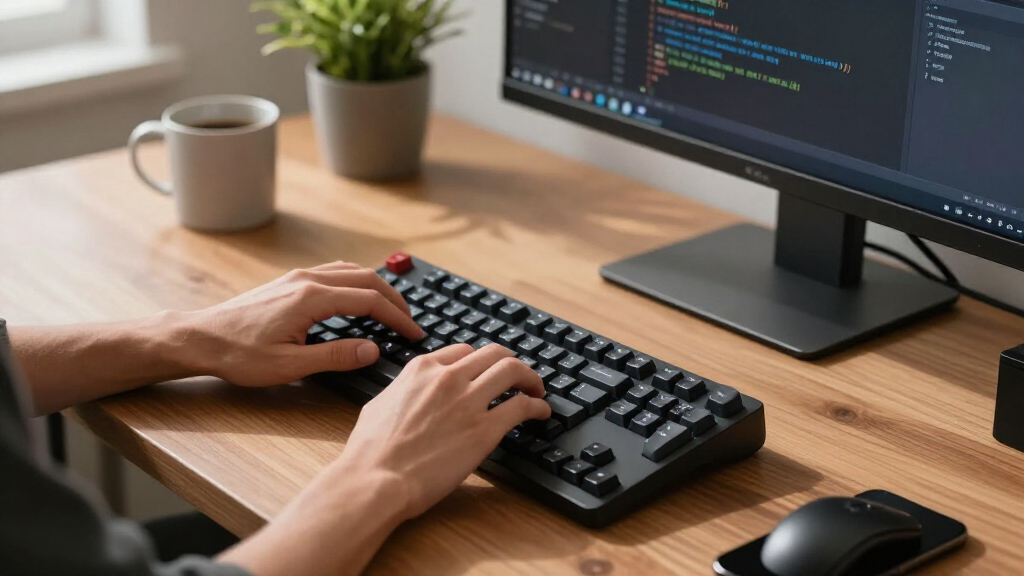

If you’re searching for the best mechanical keyboards, you’re likely balancing performance, build quality, and price. The ASUS ROG Strix Scope II 96 Wireless stands out for its wireless versatility, while the Keychron K3 Version 2 offers a compact, Mac-friendly design at a reasonable price. Many options excel in gaming, but tradeoffs often include higher noise levels or less customization. Conversely, some premium models provide incredible build quality but come with a hefty price tag. Keep reading for a detailed breakdown of the top picks and what makes each one unique.

Get the latest gadgets delivered free with Prime
- Fast, free delivery on millions of items
- Prime Video, Amazon Music and more included
- Member-only deals all year
Complete the kit



Key Takeaways
- Wireless connectivity options vary greatly, with some models offering Bluetooth 5.1 and others requiring wired connections for latency-sensitive tasks.
- Hot-swappable switches are becoming standard in mid-range options, making customization easier without soldering.
- Build quality ranges from plastic chassis to premium aluminum, impacting durability and heft.
- Backlighting styles differ, from simple white LEDs to full RGB, affecting aesthetics and visibility.
- Pricing spans from budget-friendly options to high-end premium keyboards, with tradeoffs in features and build.
| ASUS ROG Strix Scope II 96 Wireless Mechanical Gaming Keyboard |  | Best Overall Wireless for Versatility | Size: 96% full-size with num pad | Connectivity: Bluetooth, 2.4GHz wireless, USB wired | Switches: Hot-swappable ROG NX Snow linear or ROG NX Storm clicky | VIEW LATEST PRICE | See Our Full Breakdown |
| RK Royal Kludge S98 Wireless Mechanical Keyboard with Smart Display & Knob |  | Best for Customization and Smart Features | Connection Modes: BT 5.0, 2.4Ghz, USB-C wired | Display Features: Custom gifs, date, connection mode, battery status | Sound Dampening: Two layers of sound-absorbing foam and silicone dampener | VIEW LATEST PRICE | See Our Full Breakdown |
| ASUS ROG Strix Scope II X Wired Mechanical Gaming Keyboard |  | Best Wired Full-Size for Gaming and Durability | Connectivity: Wired USB-C | Switch Type: Hot-swappable ROG NX Snow V2 Linear or ROG NX Storm Clicky | Keycaps: PBT doubleshot | VIEW LATEST PRICE | See Our Full Breakdown |
| Keychron K3 Version 2 Wireless Mechanical Keyboard, 75% Layout, Bluetooth 5.1, White LED Backlight, Brown Switches, Mac & Windows Compatible |  | Best Compact for Multi-Device Productivity | Layout: 75% | Connectivity: Bluetooth 5.1, USB-C wired | Backlight: White LED | VIEW LATEST PRICE | See Our Full Breakdown |
| AULA F75 Pro Wireless Mechanical Keyboard, 75% Hot Swappable RGB Backlit Gaming Keyboard with Knob and Side Printed PBT Keycaps |  | Best for Gaming and Versatile Use | Connection Modes: Bluetooth 5.0, 2.4GHz, USB wired | Battery Capacity: 4000mAh | Switch Type: Pre-lubed Reaper switches | VIEW LATEST PRICE | See Our Full Breakdown |
| Redragon Mechanical Gaming Keyboard Wired, 11 Programmable Backlit Modes, Hot-Swappable Red Switch, Anti-Ghosting, Double-Shot PBT Keycaps, Light Up Keyboard for PC Mac |  | Best Value for Customizable Gaming | Backlit Modes: 11 | Switch Type: Red, hot-swappable | Keycaps: Double-Shot PBT | VIEW LATEST PRICE | See Our Full Breakdown |
| SteelSeries USB Apex 5 Hybrid Mechanical Gaming Keyboard with RGB and OLED Display |  | Best for High-End Customization and Durability | Switch Type: Hybrid Blue Mechanical | Display: OLED Smart Display | Frame Material: Aircraft Grade Aluminum | VIEW LATEST PRICE | See Our Full Breakdown |
| Razer BlackWidow V4 X Mechanical Gaming Keyboard, Yellow Switches, Black |  | Best for Quiet, Responsive Gaming | Switch Type: Yellow Linear | Actuation Distance: 1.2mm | Force Required: 45g | VIEW LATEST PRICE | See Our Full Breakdown |
| Logitech G413 SE Full-Size Mechanical Gaming Keyboard – Black |  | Best for Reliable Performance and Sleek Design | Switch Type: Mechanical | Backlit: White LED | Material: Aluminum top case | VIEW LATEST PRICE | See Our Full Breakdown |
| Logitech Alto Keys K98M Wireless Mechanical Gasket Keyboard – Graphite |  | Best for Compact Wireless and Versatile Work-Gaming | Switch Type: Marble Switches | Key Layout: 98-key with Numpad | Backlighting: White non-RGB | VIEW LATEST PRICE | See Our Full Breakdown |
| Redragon K580 Wired RGB Mechanical Gaming Keyboard with Macro Keys and Media Controls |  | Best Overall for Gaming with Customization Options | Switch Type: Blue tactile switches | Macro Keys: 5 (G1-G5) | Key Count: 104 | VIEW LATEST PRICE | See Our Full Breakdown |
| AULA F99 Wireless Mechanical Keyboard, Tri-Mode BT5.0/2.4GHz/USB-C, Hot Swappable, RGB Backlit, 96% Layout for Gaming and Office |  | Best for Versatile Connectivity and Compact Design | Connectivity: BT5.0, 2.4GHz, USB-C | Switch Type: Pre-lubed linear switches | Backlit: RGB with 16 effects | VIEW LATEST PRICE | See Our Full Breakdown |
| Redragon K556 Wired RGB Mechanical Gaming Keyboard, 104-Key Aluminum Build, Hot-Swap Tactile Brown Switches |  | Best for Durability and Tactile Feedback | Build Material: Aluminum | Number of Keys: 104 | Switch Type: Hot-swap Tactile Brown | VIEW LATEST PRICE | See Our Full Breakdown |
| Keychron K10 Max QMK Wireless Custom Mechanical Full-Size Keyboard |  | Best for Customization and Multi-Device Use | Keys: 108 | Connectivity: 2.4 GHz, Bluetooth 5.1, Wired | Switch Type: Hot-swappable Apex Red switches | VIEW LATEST PRICE | See Our Full Breakdown |
| Keychron K10 HE Full-Size Hall Effect Wireless Mechanical Keyboard with Magnetic Switches | 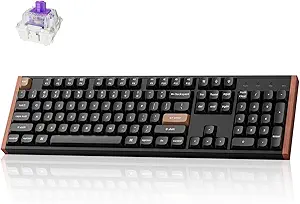 | Best for Durability and Premium Design | Layout: Full-Size | Connectivity: Bluetooth 5.2, 2.4 GHz, USB-C wired | Switch Type: Hall Effect magnetic switches | VIEW LATEST PRICE | See Our Full Breakdown |
| mechanical keyboard | Switch Type |
|---|---|
| ASUS ROG Strix Scope II 96 Wir | — |
| RK Royal Kludge S98 Wireless M | Creamy sound pre-lubed, hot-swappable |
| ASUS ROG Strix Scope II X Wire | Hot-swappable ROG NX Snow V2 Linear or ROG NX Storm Clicky |
| Keychron K3 Version 2 Wireless | Brown |
| AULA F75 Pro Wireless Mechanic | Pre-lubed Reaper switches |
| Redragon Mechanical Gaming Key | Red, hot-swappable |
| SteelSeries USB Apex 5 Hybrid | Hybrid Blue Mechanical |
| Razer BlackWidow V4 X Mechanic | Yellow Linear |
| Logitech G413 SE Full-Size Mec | Mechanical |
| Logitech Alto Keys K98M Wirele | Marble Switches |
| Redragon K580 Wired RGB Mechan | Blue tactile switches |
| AULA F99 Wireless Mechanical K | Pre-lubed linear switches |
| Redragon K556 Wired RGB Mechan | Hot-swap Tactile Brown |
| Keychron K10 Max QMK Wireless | Hot-swappable Apex Red switches |
| Keychron K10 HE Full-Size Hall | Hall Effect magnetic switches |
More Details on Our Top Picks
ASUS ROG Strix Scope II 96 Wireless Mechanical Gaming Keyboard
The ASUS ROG Strix Scope II 96 stands out for its exceptional tri-mode connectivity, allowing seamless switching between Bluetooth, 2.4GHz wireless, and wired USB, making it highly versatile for different setups. Unlike the Razer BlackWidow V4 X, which focuses more on gaming-specific features, this model balances gaming and productivity with a full-size layout that still fits in compact spaces. The hot-swappable switches provide easy customization, though the battery life can fluctuate with heavy use—potentially less appealing for those needing all-day wireless performance. Its customizable RGB lighting enhances aesthetic appeal, but the premium price might deter casual users. Compared to wired options like the Logitech G413 SE, it offers more flexibility at the expense of portability and potentially higher maintenance. This pick makes the most sense for gamers and streamers who want a full-featured wireless keyboard with upgradeability.
Pros:- Supports three connectivity modes for maximum flexibility
- Hot-swappable switches for easy customization and maintenance
- Full-size layout with num pad, ergonomic features, and RGB lighting
Cons:- Battery life can vary significantly based on usage patterns
- Premium pricing might be prohibitive for casual users
- Num pad placement may feel less ergonomic for some users
Best for: Gamers and streamers who need flexible connectivity and customization without sacrificing full-size functionality.
Not ideal for: Budget-conscious users or those who prefer wired setups for simplicity and guaranteed power stability.
- Size:96% full-size with num pad
- Connectivity:Bluetooth, 2.4GHz wireless, USB wired
- Switches:Hot-swappable ROG NX Snow linear or ROG NX Storm clicky
- Battery Life:Up to 1,500 hours in wireless mode
- Lighting:Per-key RGB
- Compatibility:PC and Mac
Our verdict“This keyboard suits users seeking a versatile, wireless full-size gaming and productivity solution with upgrade options.”
RK Royal Kludge S98 Wireless Mechanical Keyboard with Smart Display & Knob
The RK Royal Kludge S98 is designed for users who value customization and smart functionality, with a built-in display and a multifunctional knob. Compared to the Keychron K3 V2, which emphasizes ultra-compact design and multi-device support, the S98 offers more visual feedback through its display, making it ideal for streamers or productivity-focused users. Its sound dampening layers significantly reduce typing noise, a feature that the Keychron lacks, but setup can be complex for beginners, especially when configuring the display or customizing the functions. The hot-swappable switches provide personalized feel, yet the specific switch pre-lubing might not suit everyone’s preferences. The price point isn’t listed, but its feature set suggests a higher-end market. This makes it best suited for tech enthusiasts and content creators who want a distinctive, feature-rich keyboard with advanced customization options.
Pros:- Wireless connection with multiple modes for convenience
- Smart display shows useful info like GIFs, battery, and connection status
- Sound dampening layers improve typing noise and sound quality
- Hot-swappable switches for personalized feel
Cons:- Setup and customization may be challenging for inexperienced users
- Limited key rollover details, which could impact gaming performance
- Price not specified, potentially high for casual buyers
Best for: Tech enthusiasts and content creators who want a customizable, feature-rich wireless keyboard with smart display and sound dampening.
Not ideal for: Users seeking a straightforward, plug-and-play typing experience without the need for complex setup or advanced features.
- Connection Modes:BT 5.0, 2.4Ghz, USB-C wired
- Display Features:Custom gifs, date, connection mode, battery status
- Sound Dampening:Two layers of sound-absorbing foam and silicone dampener
- Switch Type:Creamy sound pre-lubed, hot-swappable
- Keycaps:Double-shot PBT
- Design:Top-mount
Our verdict“Ideal for users who want a highly customizable, smart-featured wireless keyboard with noise reduction and visual feedback.”
ASUS ROG Strix Scope II X Wired Mechanical Gaming Keyboard
The ASUS ROG Strix Scope II X makes a strong case for gamers who prefer wired reliability combined with premium features. Its full-size layout with dedicated media controls and macro keys rivals the Logitech G413 SE, but the inclusion of hot-swappable switches adds a layer of customization that many wired models lack. Compared to wireless options like the Keychron K3 V2, it sacrifices portability for a more traditional, stable connection. The durable PBT keycaps and adjustable angles enhance longevity and comfort, yet the wired connection can feel limiting for users who want a clutter-free setup or need to move the keyboard frequently. The switch options may require additional customization for specific preferences, but overall, it balances durability and performance. Best suited for dedicated gamers or professionals who value stability and extensive customization in a wired form factor.
Pros:- Hot-swappable switches for personalized customization
- Durable PBT keycaps resist wear and enhance feel
- Full-size layout with dedicated media controls and macro keys
- Adjustable angles and detachable wrist rest for ergonomic comfort
Cons:- Wired connection limits portability and desk flexibility
- Full-size layout can be bulky for small spaces
- Switch options may require extra effort for specific preferences
Best for: Gamers and power users who prioritize wired reliability, durability, and full-size layout with customizable switches.
Not ideal for: Users who prefer wireless setups for flexibility or those with limited desk space seeking a more compact keyboard.
- Connectivity:Wired USB-C
- Switch Type:Hot-swappable ROG NX Snow V2 Linear or ROG NX Storm Clicky
- Keycaps:PBT doubleshot
- Backlight:RGB
- Support:PC/Mac
- Dimensions:Full-Size
Our verdict“This keyboard is best for gamers and professionals who need a durable, customizable wired keyboard with comprehensive features.”
Keychron K3 Version 2 Wireless Mechanical Keyboard, 75% Layout, Bluetooth 5.1, White LED Backlight, Brown Switches, Mac & Windows Compatible
The Keychron K3 V2 excels as a slim, space-saving option for users who need multi-device support and a tactile typing experience. Its 75% layout provides a good balance between compactness and functionality, making it a solid choice against the larger AULA F75 Pro, which offers more features but at the cost of size. The open-source QMK firmware adds a layer of customization that appeals to tech-savvy users, although firmware updates are sometimes necessary for full compatibility. Its Bluetooth 5.1 connection enables seamless switching between multiple devices, but reliance on Bluetooth can introduce latency or connection stability issues for some. The Brown switches deliver a quieter, more tactile feel, ideal for office environments or shared spaces. This keyboard is perfect for productivity-focused users who want a compact, versatile wireless model for everyday use.
Pros:- Compact 75% layout saves desk space
- Supports multiple devices via Bluetooth 5.1
- Open-source QMK firmware allows extensive customization
- Mac and Windows compatibility with a sleek design
Cons:- Firmware updates may be required for full functionality
- Limited to Bluetooth wireless, which might cause latency
- Some users may prefer different switch types for feedback
Best for: Productivity users and multi-device users who want a compact, customizable wireless keyboard with a tactile feel.
Not ideal for: Gamers seeking a full-size or more robust gaming-specific keyboard, or users who prefer wired reliability.
- Layout:75%
- Connectivity:Bluetooth 5.1, USB-C wired
- Backlight:White LED
- Switch Type:Brown
- Compatibility:Mac, Windows
- Material:Reinforced aluminum body
Our verdict“Ideal for multi-device users and productivity enthusiasts craving a space-efficient, highly customizable wireless keyboard.”
AULA F75 Pro Wireless Mechanical Keyboard, 75% Hot Swappable RGB Backlit Gaming Keyboard with Knob and Side Printed PBT Keycaps
The AULA F75 Pro is tailored for gamers who need a compact yet feature-rich keyboard. Its 75% layout offers essential keys in a smaller footprint, similar to the Keychron K3 but with added gaming features like RGB effects and a multifunction knob. The hot-swappable Reaper switches and side-printed PBT keycaps make customization and durability straightforward. Unlike the more straightforward Keychron, the F75 Pro adds a dedicated knob for volume and control, which can streamline gaming and streaming workflows. However, its complex setup process, requiring driver installation for full customization, may frustrate less tech-savvy users. The 16.8 million RGB colors and preset effects provide visual flair, but some might find the extra features unnecessary if they prefer a simpler typing experience. This makes it a strong candidate for gamers who want a versatile, visually striking wireless keyboard with customization options.
Pros:- Supports multiple connection modes (Bluetooth, 2.4GHz, wired)
- Hot-swappable switches for easy customization
- RGB backlighting with 16 preset effects
- Includes multifunction knob for volume and control
Cons:- Complex driver setup required for full customization
- Some users may find the multifunction knob unnecessary
- Limited to 81 keys, which might not suit users needing full-size keyboards
Best for: Gamers and streamers seeking a compact, customizable wireless keyboard with advanced lighting and control features.
Not ideal for: Office workers or users who prefer plug-and-play simplicity over customizable gaming features.
- Connection Modes:Bluetooth 5.0, 2.4GHz, USB wired
- Battery Capacity:4000mAh
- Switch Type:Pre-lubed Reaper switches
- Key Layout:75%
- Backlight:RGB, 16 million colors
- Additional Features:Knob, side-printed PBT keycaps
Our verdict“Best suited for gamers and streamers wanting a compact wireless keyboard with extensive lighting and control options.”
Redragon Mechanical Gaming Keyboard Wired, 11 Programmable Backlit Modes, Hot-Swappable Red Switch, Anti-Ghosting, Double-Shot PBT Keycaps, Light Up Keyboard for PC Mac
The Redragon K671 stands out for offering extensive customization with 11 backlit modes, though the lighting is fixed in color, which may limit aesthetic flexibility compared to RGB options like the Razer BlackWidow V4 X. Its hot-swappable red switches make it easy to tailor the feel or replace switches without soldering, a clear advantage over non-swap models. Anti-ghosting ensures reliable simultaneous key presses during intense gaming, and the durable double-shot PBT keycaps resist wear. However, the backlight cannot change color, and the macro software may be somewhat limited, which could frustrate users seeking advanced lighting effects. This keyboard is ideal for gamers or professionals seeking a customizable, reliable keyboard without a premium price tag.
Pros:- Customizable backlit modes for personalized lighting
- Hot-swappable switches for easy upgrades and repairs
- Anti-ghosting for reliable multi-key presses
- Includes spare switches and keycaps for customization
Cons:- Backlight color cannot be changed beyond preset modes
- Limited software for backlight and macro customization
Best for: Gamers and enthusiasts who want switch customization and macro support at an affordable price
Not ideal for: Users looking for full RGB lighting or advanced software customization in a gaming keyboard
- Backlit Modes:11
- Switch Type:Red, hot-swappable
- Keycaps:Double-Shot PBT
- Anti-Ghosting:Yes
- Macro Support:Yes
- Warranty:24 months
Our verdict“This pick is best for gamers wanting flexible switches and macro support without high cost.”
SteelSeries USB Apex 5 Hybrid Mechanical Gaming Keyboard with RGB and OLED Display
The SteelSeries Apex 5 excels in durability with its aircraft-grade aluminum frame, making it a step up from the more plastic-heavy Razer BlackWidow V4 X, which focuses on responsiveness and quieter switches. Its hybrid blue switches blend tactile feedback with smooth keypresses, appealing to those who want a tactile feel without the noise of traditional blue switches. The OLED display adds a layer of customization, showing notifications or animations, which is absent in most gaming keyboards. However, its large size and premium price may deter those with limited desk space or budget constraints. This model is best suited for gamers and streamers who value durability, high customization, and a premium build for long-term use.
Pros:- Aircraft-grade aluminum frame for long-lasting durability
- OLED display for notifications and custom graphics
- Per-key RGB lighting with reactive effects
- Magnetic wrist rest for comfort
Cons:- Large footprint may not fit small desks
- Price might be prohibitive for casual users
- Hybrid switches may not satisfy purists preferring traditional mechanical switches
Best for: Gamers or streamers seeking a durable, customizable keyboard with a smart display
Not ideal for: Users with small desks or those on a tight budget who prefer simpler setups
- Switch Type:Hybrid Blue Mechanical
- Display:OLED Smart Display
- Frame Material:Aircraft Grade Aluminum
- Dimensions:900 x 300 x 4 mm
Our verdict“This keyboard suits those wanting a sturdy, highly customizable setup with a premium feel and extra display features.”
Razer BlackWidow V4 X Mechanical Gaming Keyboard, Yellow Switches, Black
The Razer BlackWidow V4 X offers a quieter, faster linear switch experience thanks to its yellow switches, which are a good choice over tactile switches like the SteelSeries Apex 5 if you prefer a smooth, rapid keystroke. Its sound dampening features make it more suitable for shared spaces, though it may still be too loud for ultra-quiet environments. The inclusion of six macro keys, media controls, and a multi-function roller makes it a versatile option for gamers who want quick access to commands. The vibrant Chroma RGB lighting surpasses the fixed backlighting of the Logitech G413 SE and adds aesthetic flair. Its premium price might be a barrier, especially for casual users. This keyboard makes the most sense for gamers needing quick, quiet responses and extensive customization options.
Pros:- Quiet, fast linear switches for rapid response
- Dynamic RGB lighting with extensive customization
- Durable, wear-resistant keycaps
- Macro keys and media controls for convenience
Cons:- May still be too loud for very quiet settings despite dampening
- Premium price point may be high for some users
- Full software customization required for advanced features
Best for: Competitive gamers who prioritize speed, quiet operation, and extensive customization
Not ideal for: Office users in very quiet environments or budget-conscious buyers
- Switch Type:Yellow Linear
- Actuation Distance:1.2mm
- Force Required:45g
- Lighting:Chroma RGB
- Macro Keys:6
Our verdict“Ideal for competitive gamers seeking a quiet, responsive, and highly customizable keyboard experience.”
Logitech G413 SE Full-Size Mechanical Gaming Keyboard – Black
The Logitech G413 SE offers a solid, no-frills mechanical experience with its durable aluminum top case and reliable tactile switches, making it a practical choice compared to more feature-heavy options like the SteelSeries Apex 5. Its white LED backlit keys provide clear illumination, though they lack RGB customization, which might be a downside for users wanting more visual flair. The tenkeyless layout saves space but can reduce functionality for those needing full-size keys. Its simple, sleek design makes it suitable for both gaming and office environments, but it does not include wireless connectivity or extensive macro options. This model appeals to users who want a dependable, straightforward mechanical keyboard for daily use without extra bells and whistles.
Pros:- Sturdy aluminum construction for durability
- Reliable tactile switches for consistent performance
- Clean, minimalist design with white LED illumination
- Includes media controls for quick access
Cons:- No wireless or Bluetooth options available
- Limited customization without RGB lighting
- Bulkier compared to tenkeyless or compact models
Best for: Office workers or gamers who prioritize durability and simplicity over RGB lighting and extra features
Not ideal for: Gamers seeking extensive lighting effects or those with limited desk space
- Switch Type:Mechanical
- Backlit:White LED
- Material:Aluminum top case
- Layout:Full-size
- Anti-Ghosting:6-Key rollover
Our verdict“This keyboard is best for users who want a durable, straightforward mechanical keyboard for everyday use.”
Logitech Alto Keys K98M Wireless Mechanical Gasket Keyboard – Graphite
The Logitech Alto Keys K98M delivers a compact, wireless mechanical experience with its gasket mount design, making it attractive over larger wired models like the Logitech G413 SE. Its vibration-absorbing gasket mount creates a satisfying keystroke feel, ideal for users who type or game for extended periods. The long battery life—up to 12 months—adds convenience, especially for those who dislike frequent charging. While it lacks RGB backlighting, its white backlit keys provide sufficient illumination for most environments. The inclusion of customizable action keys enhances productivity, and multi-device Bluetooth connectivity makes switching between work and gaming devices seamless. However, the absence of RGB lighting and the limited key count (98 keys) may not satisfy power users or those needing full keyboard layouts. This pick makes sense for users seeking a quiet, portable, wireless solution for versatile use.
Pros:- Vibration-absorbing gasket mount provides a satisfying keystroke
- Long battery life up to 12 months
- Multi-device Bluetooth connectivity for versatility
- Customizable action keys for productivity
Cons:- No RGB backlighting limits aesthetic options
- Limited to 98 keys, lacking some function keys
- No wired option for ultra-low latency needs
Best for: Productivity-focused users or gamers who need a compact, wireless, and satisfying typing experience
Not ideal for: Users who want extensive macro keys or RGB lighting for gaming or aesthetic purposes
- Switch Type:Marble Switches
- Key Layout:98-key with Numpad
- Backlighting:White non-RGB
- Connectivity:Bluetooth, Logi Bolt USB
- Battery Life:Up to 12 months
Our verdict“This wireless gasket keyboard suits users who value portability, long battery life, and a satisfying typing feel for work and casual gaming.”
Redragon K580 Wired RGB Mechanical Gaming Keyboard with Macro Keys and Media Controls
The Redragon K580 stands out as the best overall gaming keyboard thanks to its durable build, extensive customization, and versatile features. Its blue tactile switches deliver satisfying feedback, making it ideal for gamers who prefer a clicky feel, but the loud switch noise might be disruptive in quiet settings. Compared to the Redragon K556, it offers macro keys and hot-swappability, which enhances gaming flexibility, though it requires optional software for advanced RGB effects. Its 50 million keystroke lifespan ensures longevity. This model is perfect for gamers who want a reliable, feature-rich experience without sacrificing durability, but it’s less suited for quiet or office environments due to noise.
Pros:- Long lifespan of 50 million keystrokes ensures durability
- Customizable RGB lighting and macro keys enhance gaming experience
- Switch hot-swappable for easy switch customization
Cons:- Blue switches produce loud noise, unsuitable for quiet environments
- Advanced RGB customization requires optional software
Best for: Gamers seeking a durable, customizable keyboard with macro support and tactile feedback.
Not ideal for: Office workers needing a quiet, minimalist keyboard, as the blue switches are loud and the software is optional for some features.
- Switch Type:Blue tactile switches
- Macro Keys:5 (G1-G5)
- Key Count:104
- Key Lifespan:50 million keystrokes
- Features:Full anti-ghosting, customizable RGB lighting, dedicated media controls, switch hot-swappable
Our verdict“This keyboard offers a robust mix of durability, customization, and gaming features, making it ideal for serious gamers who don’t mind noise.”
AULA F99 Wireless Mechanical Keyboard, Tri-Mode BT5.0/2.4GHz/USB-C, Hot Swappable, RGB Backlit, 96% Layout for Gaming and Office
The AULA F99 appeals to users who need a highly flexible wireless setup combined with a compact, 96% layout. Its tri-mode connectivity supports Bluetooth 5.0, 2.4GHz, and wired USB-C, surpassing many wired-only options like the Redragon K556 in versatility. The pre-lubed linear switches offer smooth typing, but some may prefer tactile feedback for gaming or typing; switch replacement offers customization, yet the compact design may cause ergonomic challenges for extended use. Its large 8000mAh battery ensures long sessions without frequent charging. This pick makes the most sense for users who want a portable, multi-device keyboard, though it’s less ideal for those who prefer a full-size layout or require extensive RGB customization without software.
Pros:- Multiple connection modes for flexible device pairing
- Hot-swappable switches for easy customization
- Long battery life with an 8000mAh capacity
Cons:- Compact layout may reduce ergonomic comfort
- Advanced lighting customization might require drivers
Best for: Professionals and gamers who need a portable, multi-device wireless keyboard with a compact footprint.
Not ideal for: Users seeking a full-sized, ergonomic setup or those who prioritize advanced RGB effects without driver dependency.
- Connectivity:BT5.0, 2.4GHz, USB-C
- Switch Type:Pre-lubed linear switches
- Backlit:RGB with 16 effects
- Layout:96% compact
- Battery:8000mAh rechargeable
- Keycaps:Double shot PBT
Our verdict“Ideal for on-the-go users needing seamless multi-device connectivity in a compact design, with some tradeoffs in ergonomics and lighting customization.”
Redragon K556 Wired RGB Mechanical Gaming Keyboard, 104-Key Aluminum Build, Hot-Swap Tactile Brown Switches
The Redragon K556 combines a sturdy aluminum frame with tactile brown switches, making it a solid choice for gamers and typists who value durability and a tactile feel. Its aluminum construction provides stability, but it’s limited to wired use, unlike wireless contenders like the Keychron K10 Max. The RGB lighting with 20 preset modes adds visual flair, though some may find it distracting during work. The hot-swappable tactile brown switches enable customization without soldering, a big advantage over non-swap options. Full anti-ghosting ensures accuracy during fast-paced gaming. This keyboard is best for users who prioritize a durable, tactile experience, but it’s less portable due to its wired design and the RGB lighting could be overkill for some.
Pros:- Sturdy aluminum construction for durability
- Hot-swappable tactile brown switches for customization
- Vibrant RGB with multiple preset modes
Cons:- Limited to wired connection, reducing portability
- RGB lighting might be distracting in quiet or professional settings
Best for: Gamers and typists who want a durable, stable keyboard with tactile feedback and customization options.
Not ideal for: Users who need wireless or highly portable keyboards, as this model is wired and less flexible in mobility.
- Build Material:Aluminum
- Number of Keys:104
- Switch Type:Hot-swap Tactile Brown
- Backlit:RGB with 20 preset modes
- Compatibility:Windows and Mac
- Anti-Ghosting:Full
Our verdict“A high-quality, durable keyboard suited for gaming and typing enthusiasts who appreciate tactile feedback and RGB flair, with some portability tradeoffs.”
Keychron K10 Max QMK Wireless Custom Mechanical Full-Size Keyboard
The Keychron K10 Max offers extensive customization potential with QMK support and a full 108-key layout, making it ideal for users who want control over keymapping and setup. Its wireless connectivity via Bluetooth 5.1 and 2.4 GHz, along with wired options, surpasses many standard models like the AULA F99 in flexibility. The durable PBT keycaps and steel plate contribute to a premium feel, while the inclusion of acoustic foam helps with sound dampening. However, the full-size layout can be bulky for smaller desks, and the need for software setup may challenge less tech-savvy users. Battery life isn’t specified, which could be a concern for some. This keyboard makes the most sense for power users who value customization and multi-platform support, but it’s less suited for those seeking a compact or plug-and-play solution.
Pros:- Wireless support for multiple devices and wired connectivity
- Hot-swappable switches for easy customization
- Supports QMK and web app customization for advanced users
Cons:- Full-size layout may be bulky for small desks
- Lack of explicit battery life details may concern portability
Best for: Tech-savvy users seeking a highly customizable, full-size wireless keyboard for work and gaming across multiple devices.
Not ideal for: Users with limited space or those preferring a plug-and-play setup without software configuration.
- Keys:108
- Connectivity:2.4 GHz, Bluetooth 5.1, Wired
- Switch Type:Hot-swappable Apex Red switches
- Keycaps:OSA profile, double-shot PBT
- Backlight:RGB
- Material:Steel plate, acoustic foam
Our verdict“A feature-rich, customizable wireless keyboard best suited for enthusiasts who want control over their setup and multi-device compatibility, with size considerations in mind.”
Keychron K10 HE Full-Size Hall Effect Wireless Mechanical Keyboard with Magnetic Switches
The Keychron K10 HE introduces magnetic Hall Effect switches, emphasizing unmatched durability and responsiveness. Its sleek design with rosewood accents elevates its aesthetic, making it appealing for users who want a premium look. The tri-mode connectivity supports Bluetooth 5.2, 2.4 GHz, and wired use, providing seamless device switching—far more versatile than standard wired models like the Redragon K556. The magnetic switches can be customized for actuation, offering a unique tactile experience, though the setup process is more complex and may require troubleshooting, such as clearing cache. The battery life isn’t specified, but the advanced features come with a higher price point. This keyboard suits those who prioritize durability, innovative technology, and elegant design, though it’s less ideal for users on a budget or those seeking straightforward setup.
Pros:- Magnetic Hall Effect switches for exceptional durability
- Tri-mode connectivity for versatile device pairing
- Elegant design with natural wood accents
Cons:- Complex setup process may require technical troubleshooting
- Higher cost compared to standard mechanical keyboards
Best for: Enthusiasts and professionals needing a highly durable, premium-looking keyboard with advanced magnetic switches and device flexibility.
Not ideal for: Casual users or budget-conscious buyers, due to its complex setup and higher price point.
- Layout:Full-Size
- Connectivity:Bluetooth 5.2, 2.4 GHz, USB-C wired
- Switch Type:Hall Effect magnetic switches
- Keycaps:Double-shot PBT
- Additional Features:Magnetic sensors, customizable actuation, wood sidings
- Compatibility:macOS, Windows, Linux
Our verdict“A premium, highly durable keyboard designed for users who want long-lasting performance and elegant aesthetics, accepting a more involved setup process and higher price.”
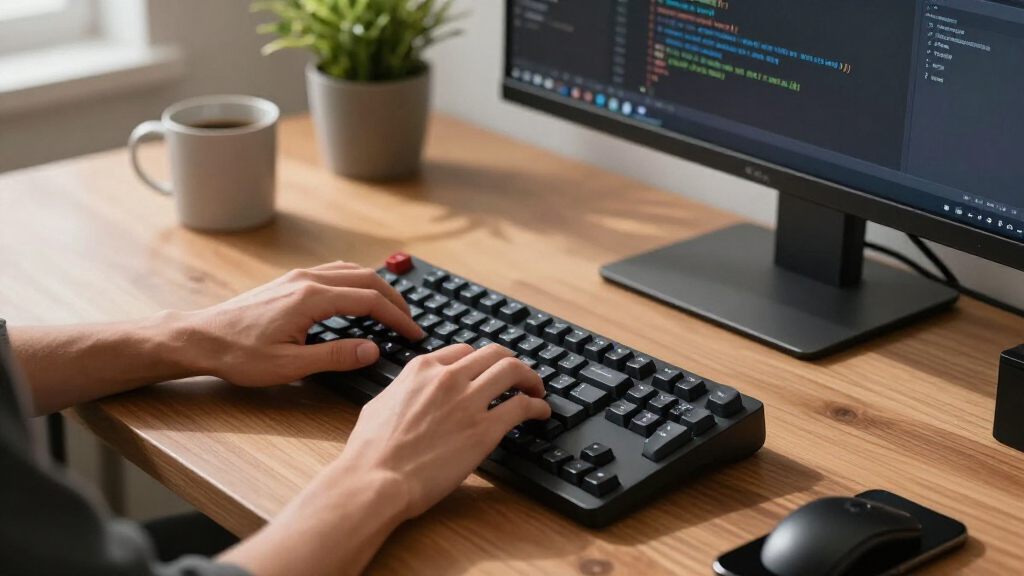
How We Picked
In selecting the best mechanical keyboards, I prioritized performance, build quality, and versatility. I examined switch options, typing feel, and customization features, especially for gaming versus office use. Durability and ease of maintenance also played key roles, along with value for the price. The ranking reflects a balance between these factors, aiming to match different user needs, from casual gamers to professionals seeking premium builds. I avoided products with poor reviews on reliability or inconsistent manufacturing quality to ensure only dependable options appeared here.Factors to Consider When Choosing Best Mechanical Keyboards
Choosing the right mechanical keyboard depends on understanding several key factors that impact your experience. Beyond just switch type, consider how the build quality, connectivity, and features align with your specific needs. Making the right choice involves balancing these elements, especially since higher performance often comes with increased cost or complexity. Keep in mind that personal preferences for typing feel and aesthetics can significantly influence satisfaction, so understanding your priorities is essential.Switch Type and Feel
The switch type greatly influences the typing experience. Mechanical switches come in tactile, linear, and clicky variants, each offering different feedback levels. Tactile switches are preferred for typing accuracy, while linear switches are favored in gaming for smoothness. Clicky switches provide audible feedback but can be disruptive in shared spaces. Choosing the right switch involves testing or researching how each feels, especially since some users develop preferences based on sound and actuation force.
Build Quality and Durability
Durability depends on materials like aluminum or plastic, affecting both feel and longevity. An aluminum top plate offers a premium heft and rigidity, ideal for heavy use, while plastic options are lighter and more affordable. Consider the keyboard’s construction if you plan on frequent use or travel, as a sturdy build reduces flex and potential damage. Also, look at keycap quality—PBT keycaps usually resist shine and wear better than ABS, contributing to a longer-lasting aesthetic.
Connectivity and Layout
Wireless options provide convenience but may introduce latency or connectivity issues, especially in competitive gaming. Bluetooth is common, but some prefer wired for zero lag. Layout choices range from compact 60% models to full-size boards with dedicated numpads, affecting desk space and functionality. Think about your typical use: if you need macro keys or media controls, opt for larger layouts; if desk space is limited, consider a more compact design.
Backlighting and Aesthetics
Backlit keyboards enhance visibility in low-light environments and add style. RGB backlighting offers customization, but can be distracting or unappealing if overdone. Single-color backlighting simplifies design and often costs less. Aesthetic preferences vary—some users prefer minimal, clean looks, while others enjoy vibrant, animated lighting. Also, consider whether the backlight affects battery life in wireless models or adds to the overall weight.
Price and Value
Mechanical keyboards span a wide price range, with premium models offering exceptional build and features, but at a higher cost. Budget options can deliver decent performance but may lack durability or customization. Focus on what features matter most for your use—gaming, typing, or productivity—and find a balance. Sometimes, investing more upfront results in a keyboard that lasts longer and provides a better experience, reducing the need for frequent replacements.
Frequently Asked Questions
Are mechanical keyboards worth the extra cost?
Mechanical keyboards often deliver a superior typing experience, greater durability, and better customization options compared to membrane keyboards. While they tend to be pricier, many users find the tactile feedback and build quality justify the investment, especially for long-term use. If you type frequently or enjoy gaming, a mechanical keyboard can significantly improve comfort and responsiveness, making the higher cost worthwhile.
Should I choose tactile, linear, or clicky switches?
The choice depends on your preferences and primary use. Tactile switches provide a noticeable bump, helping with typing accuracy and feedback. Linear switches are smooth and quiet, favored by gamers for rapid key presses. Clicky switches offer audible feedback, which some find satisfying but can be disruptive in shared environments. Trying different types, if possible, can help determine which feel suits your style best.
Is wireless mechanical gaming keyboard reliable enough for competitive play?
Wireless mechanical keyboards have improved significantly, with many now offering low latency and stable Bluetooth or proprietary connections. However, wired keyboards still hold an edge in responsiveness, especially in fast-paced gaming. If latency is your priority, a wired model may be preferable, but for casual gaming or office work, a quality wireless keyboard provides excellent convenience without sacrificing much performance.
What should I look for in a keyboard if I want it for both gaming and typing?
Look for a keyboard with switches that suit both needs, such as tactile or linear switches depending on your preference. Features like anti-ghosting, N-key rollover, and adjustable backlighting enhance gaming performance and usability. A sturdy build and comfortable key layout will also support long typing sessions. Many models now combine these features, making them versatile for multiple tasks.
How important are keycap materials and printing methods?
Keycap materials impact durability and feel; PBT keycaps are more resistant to shine and wear, while ABS keycaps are softer but may develop a shiny layer over time. Printing methods, like double-shot or dye-sublimated legends, influence longevity and readability. Choosing high-quality keycaps can extend the lifespan of your keyboard and maintain a clean look, especially if you customize or frequently use specific keys.
Conclusion
The best overall pick for most users is the ASUS ROG Strix Scope II 96 Wireless, offering a balanced mix of performance, wireless convenience, and build quality. Budget-conscious buyers should consider the Logitech G413 SE for solid typing at a lower price, while enthusiasts looking for premium craftsmanship might favor the Keychron K10 HE with its Hall Effect switches. Beginners or casual users will appreciate the Keychron K3 Version 2 for its compact size and Mac compatibility. For gamers seeking high customization, models like the Redragon K556 stand out. Your choice depends on your priorities—whether it’s gaming, typing comfort, or budget—so weigh these factors carefully before purchasing.
As an affiliate, we earn on qualifying purchases.Columbus Day / Indigenous Peoples' Day Picks
long weekend sales