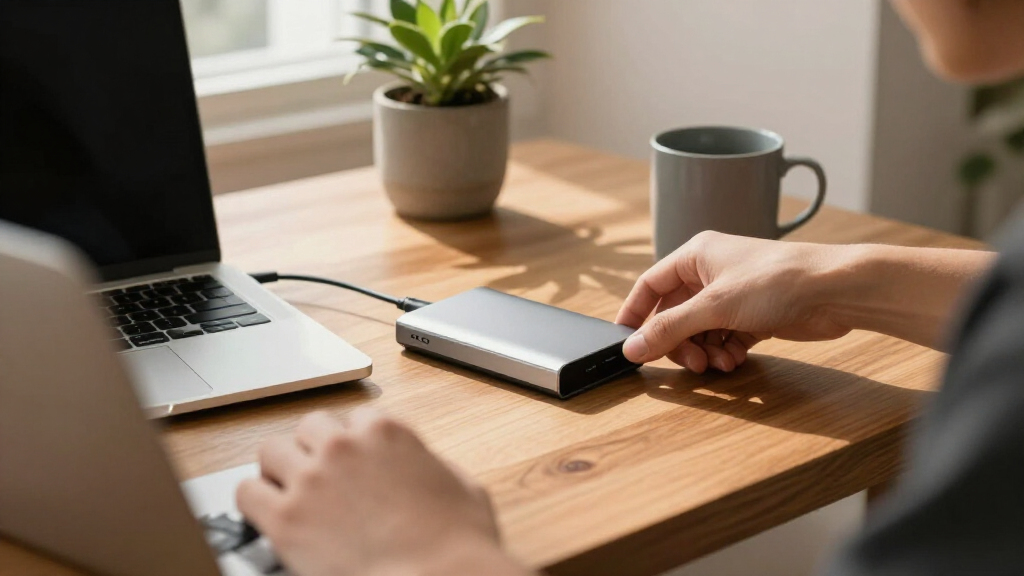

Portable external hard drives remain the cheapest way to carry large libraries of games, photos, backups, and video projects between devices, but the market splits sharply between spinning-disk value and solid-state speed. The Seagate Portable 5TB stands out as the best overall pick for sheer capacity-per-dollar and plug-and-play compatibility with PC, Mac, PS4, and Xbox, while the WD 2TB My Passport adds password protection and ransomware defense that the budget drives skip. If speed matters more than capacity, the SanDisk 2TB Extreme Portable SSD is dramatically faster than every hard drive here but costs far more per terabyte. The main tradeoffs you will face are price per TB versus speed, physical durability, bundled software, and whether a small 500GB drive even makes sense when 4TB costs only slightly more. Read on for the full breakdown of all 15 drives and who each one actually suits.

Get the latest gadgets delivered free with Prime
- Fast, free delivery on millions of items
- Prime Video, Amazon Music and more included
- Member-only deals all year
Complete the kit



Key Takeaways
- Price per terabyte collapses as capacity grows: the 500GB drives in this lineup cost nearly as much per TB as the 4TB–6TB models, making the small-capacity picks hard to justify unless portability at any price is the goal.
- The WD My Passport is the only drive here with hardware-level password protection and ransomware defense, which is why it outranks the cheaper WD Elements 2TB despite similar raw specs.
- The SanDisk Extreme SSD is the lone solid-state option and outclasses every hard drive on speed by a wide margin — but at roughly three times the price per TB, it only makes sense for people who move huge files regularly.
- The UnionSine and Maxone ultra-slim drives trade shock resilience and warranty length for a thinner chassis; they fill a niche the big-brand drives ignore rather than competing head-on.
- Console gamers get the best value from the Seagate Portable 5TB and WD Elements line because both are formatted and recognized by PS4/PS5 and Xbox with no repartitioning needed out of the box.





| portable external hard drife | Capacity | Interface | Compatibility | Rotational Speed |
|---|---|---|---|---|
| Seagate Portable 4TB External | 4 TB | USB 3.0 | — | 7200 RPM |
| Western Digital 2TB Elements P | 2 TB | USB 2.0/3.0 (USB 3.2 Gen 1) | — | 5400 RPM |
| 500 GB External Hard Drive | 500 GB | USB 3.0 | Windows, Mac, PS4, Xbox One, Xbox 360, Linux | — |
| UnionSine 1TB Ultra Slim Porta | 1 TB | USB 3.0 | — | 5400 RPM |
| Seagate Portable 5TB External | 5 TB | USB 3.0 Type A | — | 7200 RPM |
| UnionSine 500GB Ultra Slim Por | 500 GB | USB 3.0 | Desktop, Laptop, Gaming Console, TV | 5400 RPM |
| Western Digital 5TB Elements P | 5 TB | USB 2.0/3.0 (USB 3.2 Gen 1) | Windows, Mac, Desktop, Laptop, Tablet | — |
| WD 2TB My Passport Portable Ex | 2 TB | USB 3.1/3.0 (backwards compatible) | Windows, Mac, Desktop, Laptop, Tablet | — |
| 500GB External Hard Drive | 500 GB | USB 3.0 (SATA-600 internal) | PC, Mac, Linux, Console, TV, Android (OTG) | 5400 RPM |
| WD 4TB Elements Portable Exter | 4 TB | USB 3.2 Gen 1 / USB 3.0 | PC, Mac, PS5, Xbox Series X, Nintendo Switch | — |
| 500GB External Hard Drive USB | 500 GB | USB 3.0/2.0, USB-C | Laptop, Desktop, Gaming Console, Television | 7200 rpm |
| Seagate 2TB Portable Hard Driv | 2 TB | USB 3.0 | Laptop, PC, Mac | 7200 RPM |
| Maxone 500GB Ultra Slim Portab | 500 GB | USB 3.0 | — | — |
| WD 6TB Elements Portable Exter | 6 TB | USB 3.2 Gen 1 / USB 3.0 | Windows, Mac (reformat), Desktop, Laptop, Tablet | — |
| SanDisk 2TB Extreme Portable S | 2 TB | — | — | — |
More Details on Our Top Picks
Seagate Portable 4TB External Hard Drive HDD – USB 3.0 for PC, Mac, Xbox, & PlayStation
This Seagate model earns the top spot because it nails the balance most buyers actually need: serious capacity, broad console and computer compatibility, and zero-setup simplicity. Compared with the WD Elements 2TB, it doubles the storage for not much more money, which matters when a single modern game install can eat 150GB. The 7200 RPM spindle also gives it a slight responsiveness edge over 5400 RPM budget rivals like the UnionSine 1TB. The tradeoff is plainness — no encryption software, no bundled backup tools, and a plastic shell that won’t survive rough travel the way a ruggedized SSD would. But for the price of a premium 2TB drive, this option makes the most sense as a do-everything workhorse for desks and backpacks alike.
Pros:- 4TB of storage handles large game libraries and full photo archives
- Works immediately with Windows, Mac, Xbox, and PlayStation
- 7200 RPM spin speed feels snappier than budget 5400 RPM drives
- Bus-powered USB 3.0 means no external power brick
Cons:- No included backup or encryption software
- Plastic enclosure offers little drop protection
- 4TB ceiling may feel tight for serious media hoarders
Best for: Students and families who want maximum plug-and-play storage across a PC, Mac, and game consoles without thinking about software
Not ideal for: Anyone carrying sensitive work files — there’s no password protection or hardware encryption to speak of
- Capacity:4 TB
- Interface:USB 3.0
- Rotational Speed:7200 RPM
- Read Speed:120 MB/s
- Compatible Devices:PC, Mac, Laptop, PS4, Xbox
- Weight:260 g
- Warranty:1 year
Our verdict“The safest default pick in this roundup: big, fast enough, compatible with nearly everything, and priced sensibly.”
Western Digital 2TB Elements Portable External Hard Drive
WD’s Elements line is the price-per-gigabyte champion among name-brand drives, and the 2TB model is where the value curve peaks. Where the Seagate Portable 4TB wins on raw capacity, this drive undercuts it on cost while keeping the same plug-and-play simplicity and USB 3.2 Gen 1 speeds that make large file moves painless. It also benefits from WD’s longer track record for reliability compared with no-name budget brands like the 500GB slim HDD entries in this guide. The compromises are real, though: a 5400 RPM spindle means slower sustained writes, the plastic case feels every bit as cheap as it is, and there’s no security software — buyers wanting password protection should step up to the WD My Passport instead. For straightforward extra storage, this pick makes the most sense for the money.
Pros:- Excellent cost per gigabyte from a major brand
- USB 3.2 Gen 1 delivers up to 5 Gbps interface speeds
- Compact and light for easy transport
- Plug-and-play with Windows and reformatting for Mac
Cons:- 5400 RPM spindle limits sustained transfer performance
- Bare-bones feature set with no backup or encryption tools
- Plastic enclosure feels fragile compared with aluminum-clad rivals
Best for: Budget-conscious buyers adding dependable secondary storage to a desktop, laptop, or console
Not ideal for: Speed-sensitive users like video editors — the 5400 RPM drive lags noticeably behind 7200 RPM and SSD alternatives
- Capacity:2 TB
- Interface:USB 2.0/3.0 (USB 3.2 Gen 1)
- Rotational Speed:5400 RPM
- Data Transfer Rate:5 Gbps
- Compatible Devices:Desktop, Laptop, Gaming Console
- Enclosure:Plastic
Our verdict“The smart spend for buyers who trust brand reliability and want cheap, competent storage without frills.”
500 GB External Hard Drive, Portable USB 3.0 Slim HDD for Windows, Mac, PS4, Xbox
Not everyone needs terabytes, and this 500GB slim drive is built for exactly that buyer — someone offloading documents, photo libraries, or a handful of older games. Its calling card is genuine portability: at 0.35 lbs and a slim profile, it slips into a laptop sleeve more easily than the chunkier Seagate Portable 5TB, and its 133MB/s peak transfer rate actually edges out both Seagate drives on paper. Compatibility runs surprisingly deep, reaching back to Xbox 360 and Linux. The catches are predictable at this price: 500GB fills up fast, Mac users must reformat first, and it can’t run current-generation games directly. Compared with the Maxone 500GB, it offers similar fundamentals with broader legacy console support — making this the better starter drive or gift for a non-technical recipient.
Pros:- Ultra-light 0.35 lb design travels easily
- 133MB/s transfer speed matches or beats larger drives here
- Broad compatibility including Linux, Xbox 360, and PS4
- Plug-and-play with cable and quick start guide included
Cons:- 500GB capacity is small by today’s standards
- Requires reformatting for Mac use
- Cannot run current-gen console games from the drive
Best for: Casual users, students, or older relatives who need modest, inexpensive storage for documents and photos
Not ideal for: Gamers with modern consoles — 500GB holds only a few titles and can’t run PS5/Series X games directly
- Capacity:500 GB
- Interface:USB 3.0
- Transfer Speed:Up to 133 MB/s
- Weight:0.35 lbs
- Compatibility:Windows, Mac, PS4, Xbox One, Xbox 360, Linux
Our verdict“A low-risk entry point for light storage needs — just don’t expect it to hold a game library.”
UnionSine 1TB Ultra Slim Portable External Hard Drive HDD-USB 3.0
The 1TB sweet spot is where budget brands shine, and UnionSine’s entry stands out for thoughtful touches its generic rivals skip: an aluminum enclosure with heat dissipation strips that keeps the 5400 RPM drive cooler during long transfers, and quiet, near-silent operation that suits living-room TV playback. Compared with the 500GB slim HDD earlier in this list, doubling capacity for a modest price bump makes this the smarter buy for anyone with a growing media library. Against the WD Elements 2TB, you give up brand-name pedigree and half the space but gain a slimmer chassis and a three-year warranty — unusually generous for this price tier. Realistically, the 5400 RPM speed and spotty compatibility with older devices keep it out of premium territory, and buyers with irreplaceable data should still lean on a name-brand backup.
Pros:- Aluminum build with heat dissipation strips runs cooler than plastic rivals
- Three-year warranty beats the Seagate drives’ one-year coverage
- 1TB capacity doubles the budget 500GB options for modest extra cost
- Silent operation works well next to a TV or in shared spaces
Cons:- 5400 RPM spindle caps sustained write speeds around 103 MB/s
- No encryption or security features of any kind
- Compatibility can be hit-or-miss with older hardware
Best for: Price-sensitive buyers wanting 1TB of cool-running, quiet storage for laptops, TVs, or consoles
Not ideal for: Professionals storing critical data — a lesser-known brand carries more long-term reliability uncertainty than WD or Seagate
- Capacity:1 TB
- Interface:USB 3.0
- Rotational Speed:5400 RPM
- Read / Write Speed:120 / 103 MB/s
- Enclosure:Aluminum with heat dissipation strips
- Compatible Devices:Desktop, Laptop, Gaming Console, Television
- Warranty:3 years
Our verdict“A well-designed budget middle ground for media storage, best treated as secondary rather than sole backup.”
Seagate Portable 5TB External Hard Drive HDD – USB 3.0 for PC, Mac, PS4, & Xbox
When 4TB isn’t enough, this 5TB Seagate is the ceiling for pocket-sized spinning drives before you jump to SSD pricing. It shares the plug-and-play DNA of the Seagate Portable 4TB but adds a terabyte for archiving entire game libraries, 4K video projects, or multi-year photo collections — and unlike most drives here, it lists hardware encryption among its features. Console gamers get the widest compatibility net in this batch, spanning Xbox 360 through Series X plus PS4. The tradeoffs mirror its sibling: an 18-inch USB cable forces the drive to sit awkwardly close to your machine, initial setup requires a software recognition step rather than true instant mounting, and the same plastic build won’t tolerate abuse. If the WD 6TB Elements offers more space for less toughness elsewhere in this guide, this pick makes the most sense for gamers wanting portability and capacity together.
Pros:- 5TB is the largest truly pocketable capacity in this lineup
- Widest console support, from Xbox 360 to Series X and PS4
- Hardware encryption included, unlike the 4TB and 2TB budget drives
- 7200 RPM performance matches the smaller Seagate Portable
Cons:- Short 18-inch USB cable limits placement flexibility
- Initial setup requires a software recognition step
- Encryption features exist but no robust software bundle is included
Best for: Gamers and content creators with large libraries who need maximum capacity in a drive that still travels
Not ideal for: Frequent travelers and drone photographers — a SanDisk Extreme SSD survives drops and delivers far faster speeds for the money per GB protected
- Capacity:5 TB
- Interface:USB 3.0 Type A
- Rotational Speed:7200 RPM
- Read Speed:120 MB/s
- Additional Features:Hardware encryption
- Compatible Devices:PC, Mac, Xbox 360/One/Series S/X, PS4
- Weight:260 g
Our verdict“The capacity king for portable spinning drives — buy it when gigabytes matter more than speed or ruggedness.”
UnionSine 500GB Ultra Slim Portable External Hard Drive HDD-USB 3.0
At the low end of this roundup’s price range, the UnionSine 500GB delivers where budget drives usually stumble: real transfer speed. Its 125MB/s read rate over USB 3.0 actually beats the WD Elements line’s typical 50-100MB/s ceiling, which matters if you regularly move photo libraries or game installs rather than just documents. The heat dissipation stripes aren’t marketing fluff either — slim 2.5-inch drives running 5400 RPM can throttle under sustained writes, and this design helps avoid that.
The tradeoff is capacity and security. Half a terabyte fills up fast, and unlike the WD My Passport, there’s no hardware encryption or bundled backup software, so your files are unprotected if the drive is lost. Compared with the Maxone 500GB, it trades a little polish for speed, making this pick the better choice for students and commuters on a strict budget who prioritize quick file moves over long-term archival storage.
Pros:- 125MB/s read speed outpaces most budget drives in this class
- Ultra-slim chassis with heat dissipation stripes that help under sustained transfers
- True plug-and-play with no software installation required
- Three-year warranty, longer than most budget competitors
Cons:- 500GB capacity is limiting for media-heavy users
- No hardware encryption or password protection
- 5400 RPM spindle speed caps write performance on large jobs
Best for: Students and commuters who need fast, affordable storage for active files rather than large archives
Not ideal for: Anyone backing up a full photo or video library — 500GB fills quickly and there’s no encryption if the drive is lost
- Capacity:500 GB
- Interface:USB 3.0
- Form Factor:2.5 inches
- Read Speed:125 MB/s
- Write Speed:103 MB/s
- Rotational Speed:5400 RPM
- Compatibility:Desktop, Laptop, Gaming Console, TV
- Warranty:3 years
Our verdict“Buy this if you want the fastest file transfers per dollar at 500GB; skip it if you need容量 or security features.”
Western Digital 5TB Elements Portable External Hard Drive
When cost per terabyte is the deciding factor, the WD Elements 5TB is hard to beat in this lineup. It undercuts the similarly sized Seagate Portable 5TB on price while matching it on core functionality, and it offers two and a half times the capacity of the WD My Passport 2TB for buyers who don’t need encryption. For someone consolidating years of photos, videos, and system backups onto a single drive, that capacity difference is the whole story.
The compromises are predictable. This is WD’s value tier, so there’s no backup software, no password protection, and no hardware encryption — everything the My Passport includes. Real-world speeds hover closer to 50-100MB/s, so large initial backups take patience compared with an SSD like the SanDisk Extreme 2TB. But if you’re buying a drive to sit in a drawer as a backup target or travel occasionally in a padded case, this model makes the most sense.
Pros:- Excellent cost per terabyte versus smaller drives in the lineup
- 5TB handles full photo/video libraries and multiple device backups
- Works with Windows and Mac after simple reformatting
- Lightweight 2.5-inch design needs no external power
Cons:- Transfer speeds trail faster budget drives and any SSD
- No security features or included software
- Basic enclosure offers less drop protection than premium models
Best for: Budget-conscious buyers who want maximum terabytes per dollar for whole-system backups and media archives
Not ideal for: Users carrying sensitive files — there’s no encryption, password protection, or bundled backup software
- Capacity:5 TB
- Interface:USB 2.0/3.0 (USB 3.2 Gen 1)
- Form Factor:2.5 inches
- Read Speed:Up to ~50-100 MB/s
- Compatibility:Windows, Mac, Desktop, Laptop, Tablet
- Color:Black
Our verdict“The smart buy when raw capacity matters more than speed or security features.”
WD 2TB My Passport Portable External Hard Drive
This is the only drive in this batch that treats data protection as a feature rather than an afterthought. The WD My Passport 2TB pairs 256-bit hardware encryption with password protection and ransomware defense through WD’s bundled backup software — none of which appears on the Elements line, the UnionSine, or any of the generic 500GB drives here. If you carry client documents, tax records, or work files through airports, that difference justifies the price premium over the WD Elements 5TB, which offers more than double the storage at a similar cost.
The capacity tradeoff is real, though: 2TB disappears fast if you back up a photo library alongside a system image. Transfer speeds are also mid-pack — fine for incremental backups, sluggish when compared with the UnionSine 500GB’s quoted 125MB/s on big single files. The backup software requires download and setup, so this model is better suited to deliberate, configured backup routines than quick drag-and-drop transfers.
Pros:- Hardware encryption and password protection are unique in this lineup
- Includes backup software with ransomware defense
- Compact aluminum-clad chassis is genuinely pocketable
- 3-year limited warranty backs the security promise
Cons:- 2TB is tight for media-heavy backups at this price
- Backup software requires download and configuration
- Transfer speeds lag behind faster drives in the roundup
Best for: Professionals and students carrying sensitive files who need encryption and ransomware protection on the road
Not ideal for: Capacity-first buyers — the cheaper Elements 5TB offers far more storage if security features aren’t needed
- Capacity:2 TB
- Interface:USB 3.1/3.0 (backwards compatible)
- Hardware Encryption:Yes
- Form Factor:2.5 inches
- Enclosure:Aluminum
- Compatibility:Windows, Mac, Desktop, Laptop, Tablet
- Warranty:3-year limited
Our verdict“The pick for anyone whose priority is protecting files, not just storing them.”
500GB External Hard Drive, Portable HDD Expansion Storage
Most drives in this roundup quietly assume you’ll live in the Windows world. This 500GB portable HDD takes a broader approach, working with PCs, Macs, Linux machines, gaming consoles, TVs, tablets, and Android phones via OTG — a compatibility footprint none of the WD or UnionSine entries match. The aluminum alloy shell also feels a step above the plastic housings common at this price, and the LED activity light is a small but useful touch when you’re juggling multiple transfers.
The catches come at the edges of that flexibility. It ships pre-formatted in NTFS, which means read-only on macOS until you reformat — so cross-platform users face setup friction right out of the box. And despite advertising Android support, no OTG cable is included. Compared with the 500GB USB-C mobile HDD elsewhere in this roundup, it also lacks a modern USB-C connector. Still, for a household that shuttles one drive between a PS5, a laptop, and a smart TV, this option covers more ground than most.
Pros:- Broadest device compatibility in this batch, including consoles, TVs, and OTG-capable phones
- Durable aluminum alloy housing with LED activity indicator
- Plug-and-play on Windows with solid 110MB/s read speed
- Featherlight at 0.36 lbs for genuine everyday carry
Cons:- NTFS pre-formatting limits Mac users to read-only until reformatted
- No OTG cable included despite advertised Android support
- Micro-USB-era connectivity instead of modern USB-C
Best for: Multi-device households sharing one drive across consoles, computers, TVs, and Android phones
Not ideal for: Mac-first users who want zero setup friction — NTFS formatting requires reformatting before full macOS use
- Capacity:500 GB
- Interface:USB 3.0 (SATA-600 internal)
- Form Factor:2.5 inches
- Read Speed:110 MB/s
- Rotational Speed:5400 RPM
- Dimensions:4.65 x 2.99 x 0.51 inches
- Weight:0.36 lbs
- Compatibility:PC, Mac, Linux, Console, TV, Android (OTG)
Our verdict“Best for Device Hoppers — Broadest device compatibility in this batch, including consoles, TVs, and OTG-capable phones”
WD 4TB Elements Portable External Hard Drive
The WD Elements 4TB earns its spot as the gaming pick because of officially broad console support — PlayStation 5, Xbox Series X, and Nintendo Switch are all listed alongside PC and Mac, and 4TB is the practical sweet spot for a modern game library. Compared with the Seagate Portable 4TB, the other console staple in this roundup, it’s essentially a coin flip on performance; the deciding factors here are the typically lower street price and WD’s consistency across its Elements range.
What you give up mirrors the rest of the Elements family: no encryption, no bundled software, no extras whatsoever — it’s a bare storage slab. PS5 owners should also note that like all mechanical drives, it can store and play PS4 games but only archive PS5 titles, so anyone wanting native PS5 speeds needs an SSD like the SanDisk Extreme 2TB instead. For expanding an Xbox or building a PS4-era backlog library, though, this capacity-to-price ratio is tough to beat.
Pros:- 4TB sweet-spot capacity for large game libraries
- Confirmed compatibility with PS5, Xbox Series X, and Switch
- Lower typical street price than comparable Seagate 4TB
- Compact, bus-powered design with no external adapter needed
Cons:- No hardware encryption or backup software of any kind
- Mechanical speeds can’t run PS5-native games directly
- 4TB ceiling may feel tight for very large combined media and game backups
Best for: Console gamers expanding an Xbox or PS4-compatible library without paying SSD prices
Not ideal for: PS5 players wanting to run current-gen games directly — mechanical speed limits it to archive duty
- Capacity:4 TB
- Interface:USB 3.2 Gen 1 / USB 3.0
- Form Factor:2.5 inches
- Compatibility:PC, Mac, PS5, Xbox Series X, Nintendo Switch
- Cache:4 MB (class-typical 64 MB)
- Color:Black
Our verdict“The console storage expander of choice when capacity per dollar beats raw speed.”
500GB External Hard Drive USB 3.0 and USB-C Storage Expansion Mobile HDD
Most budget portable drives cut corners on protection, but this one leans the other way: a reinforced silicone casing wraps the 2.5-inch chassis, giving it noticeably more impact resistance than the plastic-shelled Seagate 2TB Portable. The tradeoff is capacity — at 500GB, it holds a fraction of what the WD 6TB Elements does, so it makes the most sense as a work-horse drive for toss-in-a-bag use rather than a primary archive. Dual USB 3.0 and USB-C support also gives it a flexibility edge over the USB-A-only Maxone below. Console owners should note one real limit: it can store PS5 and Xbox Series X|S games but cannot run them directly, so it’s better positioned for PS4-era libraries and media. No bundled software or encryption, either.
Pros:- Silicone-reinforced casing offers real impact protection for a budget drive
- Dual USB 3.0 and USB-C connectivity covers older and newer laptops
- Works across laptops, desktops, consoles, and TVs
- Lightweight, pocket-friendly 2.5-inch form factor
Cons:- 500GB fills up fast if you back up photos or videos regularly
- Cannot run PS5/Xbox Series X|S games directly from the drive
- No included backup software or encryption
Best for: Students and commuters who want a shock-protected drive for documents and media that survives backpack life
Not ideal for: Console gamers on PS5 or Xbox Series X|S who need to play games directly from the drive — this only archives them
- Capacity:500 GB
- Interface:USB 3.0/2.0, USB-C
- Form Factor:2.5 inches
- Read Speed:120 MB/sec
- Rotational Speed:7200 rpm
- Enclosure:Plastic with silicone reinforcement
- Compatibility:Laptop, Desktop, Gaming Console, Television
Our verdict“Buy this if your priority is surviving drops and bumps on a tight budget rather than storing a large media library.”
Seagate 2TB Portable Hard Drive USB 3.0
This is the drive for buyers who want storage to be boring in the best way. Plug it into a Windows PC or Mac, and it just works — no drivers, no formatting gymnastics, no software to install. Compared with the generic 500GB options in this roundup, the 2TB capacity is the real argument: enough for a full photo library plus a system backup, at a price per gigabyte that undercuts most small-capacity drives. It transfers at up to 120 MB/s over USB 3.0, which is standard spinning-drive speed — fine for backups, sluggish next to the SanDisk Extreme SSD. The bare-plastic shell is also its weakest point; unlike the silicone-wrapped 500GB drive above, this one deserves a case if it travels. No encryption or backup software is bundled.
Pros:- True plug-and-play on both Windows and Mac with no reformatting needed
- 2TB capacity hits the sweet spot of price per gigabyte
- Compact, proven design from a major drive brand
- Up to 120 MB/s transfer over USB 3.0
Cons:- Plastic enclosure offers little drop protection compared with rugged models
- No included software or hardware encryption
- 2TB ceiling may feel tight for large video or photo archives
Best for: First-time buyers and non-technical users who want a dependable 2TB drive that works immediately on any computer
Not ideal for: Anyone moving huge video files regularly — 120 MB/s feels slow once you’ve experienced SSD speeds
- Capacity:2 TB
- Interface:USB 3.0
- Read Speed:120 MB/s
- Rotational Speed:7200 RPM
- Compatibility:Laptop, PC, Mac
- Installation:Plug and play
Our verdict“The safest default choice in this lineup if you want reliable extra storage with zero setup friction.”
Maxone 500GB Ultra Slim Portable External Hard Drive HDD USB 3.0 – Charcoal Grey
Where most budget drives are wrapped in plastic, the Maxone uses an aluminum enclosure that dissipates heat better and feels more rigid than the Seagate 2TB Portable’s shell — a meaningful difference if the drive runs for hours during backups. It’s also one of the thinnest drives in this batch, sliding into a laptop sleeve almost unnoticed. The standout extra is the 3-year warranty, unusual at this price and triple the coverage of most generic 500GB competitors. The obvious sacrifice is storage: like the rugged 500GB drive earlier in this list, capacity is the constraint, and the drive wants a USB 3.0 port to hit its stride. This model suits a student or office worker expanding a thin laptop, not someone consolidating years of media — for that, the WD 6TB Elements is the better spend.
Pros:- Aluminum construction stays cool and feels sturdier than plastic rivals
- 3-year warranty far exceeds typical budget-drive coverage
- Ultra-slim body fits easily in a sleeve or pocket
- Plug-and-play USB 3.0 setup on Windows PCs
Cons:- Only 500GB of storage for the money
- Needs a USB 3.0 port for full performance — older ports bottleneck it
- No external power option for devices with weak USB output
Best for: Laptop owners who want a slim, cool-running expansion drive backed by unusually long warranty coverage
Not ideal for: Media hoarders — 500GB disappears quickly under photo and video collections
- Capacity:500 GB
- Interface:USB 3.0
- Form Factor:2.5 inches
- Enclosure:Aluminum
- Data Transfer Rate:5 Gbit/s
- Color:Charcoal Grey
- Warranty:3 years
Our verdict“Pick this over plastic budget drives if build quality and warranty matter more to you than raw capacity.”
WD 6TB Elements Portable External Hard Drive for Windows, USB 3.2 Gen 1/USB 3.0
At 6TB, this WD Elements is the capacity champion of this roundup, holding roughly three times what the Seagate 2TB Portable does at a much better cost per terabyte. That makes it the clear pick for whole-system backups, video libraries, or consolidating several smaller drives into one. USB 3.2 Gen 1 keeps transfers moving at typical hard-drive speeds, and it works plug-and-play on Windows with reformatting available for Mac. The compromises are predictable: a 2.5-inch spinning drive at this density runs warmer and heavier than its smaller siblings, the plastic shell offers no ruggedization like the silicone-wrapped 500GB model, and WD includes no backup software — you’ll want to bring your own. If your priority is fitting everything in one place rather than speed, this is where value concentrates.
Pros:- 6TB capacity at one of the best price-per-terabyte ratios in the lineup
- USB 3.2 Gen 1 support for solid hard-drive-class transfer speeds
- Plug-and-play on Windows, reformattable for Mac
- Fits a full multi-device backup strategy in one drive
Cons:- Plastic enclosure with no drop protection or water resistance
- Real-world speeds are hard-drive level, far below SSD rivals like the SanDisk Extreme
- No bundled backup or encryption software
Best for: Photographers, video editors, and families who need to back up large libraries in one place without paying SSD prices
Not ideal for: Frequent travelers and clumsy handlers — the plastic enclosure and spinning platters don’t tolerate knocks
- Capacity:6 TB
- Interface:USB 3.2 Gen 1 / USB 3.0
- Form Factor:2.5 inches
- Media Speed:50–150 MB/s
- Enclosure:Plastic
- Compatibility:Windows, Mac (reformat), Desktop, Laptop, Tablet
- Color:Black
Our verdict“The most sensible buy when sheer storage volume per dollar is the deciding factor.”
SanDisk 2TB Extreme Portable SSD
Every other drive here is a spinning disk; the SanDisk Extreme is the one that changes how storage feels. With NVMe speeds up to 1050 MB/s read and 1000 MB/s write, it moves 4K video and large project files in a fraction of the time the WD 6TB Elements or Seagate 2TB need — often eight times faster in practice. It’s also built for the field: 3-meter drop protection, IP65 water and dust resistance, a carabiner loop, and 256-bit AES hardware encryption that none of the hard drives in this roundup offer. The tradeoffs are price per terabyte — well above any HDD here — and the fine print that you need a USB 3.2 Gen 2 port to reach full speed; on older laptops it runs no faster than a good hard drive. You’re paying for speed and toughness, not capacity.
Pros:- NVMe speeds up to 1050 MB/s read, 1000 MB/s write — dramatically faster than any HDD here
- IP65 water/dust resistance and 3-meter drop protection
- 256-bit AES hardware encryption protects sensitive files
- Carabiner loop and pocket-size body for genuine field portability
Cons:- Premium price per terabyte compared with hard drives like the WD 6TB Elements
- Needs a USB 3.2 Gen 2 port to hit advertised speeds; older ports cap performance
- Formatted capacity is lower than the stated 2TB
Best for: Content creators and field professionals who move large files daily and need weatherproof, encrypted storage that travels
Not ideal for: Budget buyers prioritizing capacity — the same money buys 4–6TB on a spinning drive elsewhere in this guide
- Capacity:2 TB
- Read Speed:up to 1050 MB/s
- Write Speed:up to 1000 MB/s
- Drop Protection:up to 3 meters
- Water & Dust Resistance:IP65
- Encryption:256-bit AES hardware encryption
- Operating Temperature:-20°C to 85°C
Our verdict“Worth the premium only if speed, ruggedness, and encryption genuinely matter to your workflow — otherwise a hard drive wins on value.”

How We Picked
I ranked these 15 drives around four criteria that actually change what it feels like to own one: price per terabyte, real-world transfer performance over USB 3.0/3.2 Gen 1, build quality and warranty backing, and platform compatibility across Windows, macOS, PS4/PS5, and Xbox. Because every hard drive here tops out around the same 120–140 MB/s sequential ceiling, capacity value and reliability track record became the main differentiators among the spinning-disk options, while the single SSD was judged on a different axis entirely — speed per dollar.
The ranking logic follows buyer intent rather than raw specs. Drives that combine a major brand warranty with broad console support land higher; ultra-slim budget drives rank lower despite fine everyday performance because their shorter warranties and lighter enclosures carry more long-term risk. Small-capacity 500GB models sit at the bottom of the value stack, since in every case a larger drive from the same or a competing brand costs only a little more for several times the storage.
Factors to Consider When Choosing Portable External Hard Drives
Before picking a specific drive, it helps to understand the forces shaping this entire category — because a few structural realities mean the difference between a smart purchase and an expensive regret.HDD vs. SSD: The Core Tradeoff
Every portable hard drive in this roundup except the SanDisk Extreme uses a spinning platter, which caps real-world transfer speeds around 120–140 MB/s regardless of what the USB spec promises. A portable SSD can run five to ten times faster, which matters when you are moving 100GB video projects or game libraries weekly rather than monthly. But SSDs currently cost roughly three times more per terabyte, and for backup duty — where the drive sits copying files overnight — the speed difference barely registers. A common mistake buyers make is paying SSD prices for a drive that will sit in a drawer 360 days a year. If your drive lives mostly stationary and holds archives, an HDD wins on pure economics; if it travels with you daily and you wait on its transfers, the SSD premium pays itself back in time saved.
The 500GB Trap
Half the drives in this comparison are 500GB models, and the pricing math is rarely in their favor. Across this lineup, a 500GB drive typically costs 60–70% of what its 4TB counterpart costs, meaning you pay nearly the same per gigabyte for eight times less space. Modern realities make that pinch quickly: a single AAA game can consume 100GB or more, and one raw photo library can fill 500GB on its own. Small drives only make sense in narrow cases — a dedicated Time Machine target for a small laptop, a scratch disk for documents, or an ultra-slim carry-along where physical size trumps everything. Unless one of those describes you, stepping up to 2TB or 4TB is almost always the smarter spend.
Capacity Creep and Future-Proofing
Storage needs grow faster than most buyers expect, and a drive that feels roomy today is often 90% full within 18 months. The practical sweet spot in this lineup sits at 4TB to 5TB, where price per terabyte bottoms out before the larger 6TB models introduce diminishing returns and physically heavier enclosures. A useful planning rule: buy roughly double what you currently need, because backups, version histories, and unplanned video projects expand into whatever headroom exists. Buyers who buy exactly to their current usage end up buying twice. The one exception is people who need a drive for a single defined purpose — an extra PS4 drive, a dedicated media player library — where matching capacity to the task saves money without waste.
Ruggedness and Warranty Length
Portable drives get dropped, and the differences in shock tolerance between models are real but rarely advertised clearly. The major brands — Seagate and WD — back their drives with multi-year warranties and established RMA processes, while the ultra-slim budget lines from smaller brands typically carry one-year coverage and thinner plastic shells. That difference matters more than it seems: a warranty does not protect your data, only the hardware, so fragile drives holding irreplaceable files are a gamble regardless of replacement policies. If a drive will ride in a backpack daily, favor shorter, denser enclosures from brands with long warranties, or step up to an SSD with no moving parts. If it lives on a desk, durability matters far less and the budget options become perfectly reasonable.
Software, Encryption, and Console Compatibility
The bundled software is where otherwise identical drives diverge. The WD My Passport line includes hardware encryption and ransomware defense that the cheaper WD Elements line omits — same platters, different security posture. For anyone carrying client files, tax documents, or work data, that feature alone justifies the modest price gap. Console buyers face a different question: PS4, PS5, and Xbox all recognize standard drives formatted appropriately, but some drives ship Windows-formatted and need a quick reformat, and PlayStation restricts certain game storage to specific drive types. Checking console formatting requirements before buying saves an evening of troubleshooting that no spec sheet warns you about.
Cables, Ports, and Hidden Costs
USB 3.0, USB 3.1, and USB 3.2 Gen 1 are marketing names for the same 5Gbps connection, so do not pay extra for a newer label on a hard drive that cannot exceed it anyway. What does matter is connector shape: several drives in this class ship with only USB-A cables, which forces adapters on modern laptops that carry only USB-C ports, while a few of the newer budget models include both. Replacement cables for portable drives are a known weak point — the miniature proprietary connectors on some older designs are disappearing, while standard USB-C and Micro-B connections remain easy to replace. Factor a $10 cable or adapter into the real price of any drive that does not match your laptop’s ports out of the box.
Frequently Asked Questions
Will a 5TB portable hard drive work with PS5 and Xbox Series X?
Yes for storage and older games, with one caveat. Both consoles recognize these drives for storing PS4 and Xbox One titles, media, and saved files, and you can move games between internal and external storage freely. The limitation is that PS5 and Xbox Series X native titles must run from internal storage or a fast SSD, so you can archive them externally but not play them directly from a spinning drive. For a library heavy on last-gen games plus media, a 4TB–5TB drive like the Seagate Portable 5TB is an excellent console companion. If your library is mostly current-gen titles you actively play, an SSD is the better console investment.
Do I need to reformat these drives for Mac or PlayStation?
Most drives ship formatted as NTFS for Windows, which macOS can read but not write to without third-party software, and consoles typically require their own format before storing games. Reformatting takes only a few minutes through Disk Utility on Mac or the console’s storage settings, but it erases everything on the drive, so do it before loading any data. One thing to check: the exFAT format works across Windows and Mac simultaneously, making it the best choice if you shuttle between both systems. Drives used for console game storage must be formatted by the console itself, which locks them to that ecosystem until reformatted again.
Are the budget brands like UnionSine and Maxone reliable enough for backups?
They generally use the same classes of 2.5-inch hard disks as the major brands, so everyday reliability is closer than brand loyalists admit — the real gaps are warranty length, enclosure durability, and support when something fails. A one-year warranty on a drive holding your only copy of important files is a risk regardless of the disk inside it. If you use these drives for secondary copies, media libraries you can re-download, or transport between machines, they represent genuine value. For irreplaceable data, the rule that matters more than brand is redundancy: no single drive of any price should be your only copy. Pair a budget drive with cloud storage or a second physical backup and the warranty question becomes far less pressing.
Is the SanDisk Extreme SSD worth the extra money over a hard drive?
It depends entirely on how often you wait on your drive. At roughly three times the price per terabyte, the SSD only pays off when transfer time is a recurring cost — daily video editing, frequent large game moves, or working directly off the drive. Hard drives around 130 MB/s are genuinely fine for overnight backups, media libraries, and archival storage, where an extra hour of copy time costs you nothing. The SSD also wins on durability, since it has no moving parts to damage in a drop, and it is noticeably smaller and lighter. If your usage pattern is ‘copy and forget,’ skip the premium; if it is ‘copy and wait, repeatedly,’ the SSD earns its price.
How long do portable hard drives actually last?
A gently used portable hard drive typically lasts four to six years, with failure risk rising noticeably after year three — though drives that travel in backpacks or get bumped during operation can fail far sooner. Spinning drives are most vulnerable while running, since a drop during active read/write is the most common killer, so waiting for the drive to fully park before moving it extends life considerably. Heat is the second enemy: drives left running in enclosed, warm spaces degrade faster than ones used in short bursts. The practical takeaway is to treat any drive over three years old as living on borrowed time and refresh your backups onto newer media before retirement. Planning a replacement cycle beats planning a rescue.
Conclusion
For most buyers, the Seagate Portable 5TB is the best overall choice: it hits the capacity sweet spot, works across PC, Mac, and both console families out of the box, and carries the strongest price-per-terabyte ratio in the lineup. The WD 4TB Elements takes the best value slot for anyone who wants similar capacity for a little less, accepting the omission of the My Passport’s security software. That WD 2TB My Passport is my pick for anyone carrying sensitive files, since its hardware encryption and ransomware defense are unique in this group. For the premium buyer who needs speed, the SanDisk 2TB Extreme SSD is in a different performance class entirely and worth every premium dollar for video editors and frequent travelers. Beginners and casual users are best served by the Seagate 2TB Portable — simple, cheap, and forgiving — while console gamers should go straight to the Seagate Portable 5TB or the WD Elements line for plug-and-play compatibility. The ultra-slim UnionSine and Maxone models suit one narrow buyer: someone who values pocketability above warranty length and capacity value. Match the drive to how you will actually use it, and every pick here will serve you well.
Halloween Picks
halloween
As an affiliate, we earn on qualifying purchases.