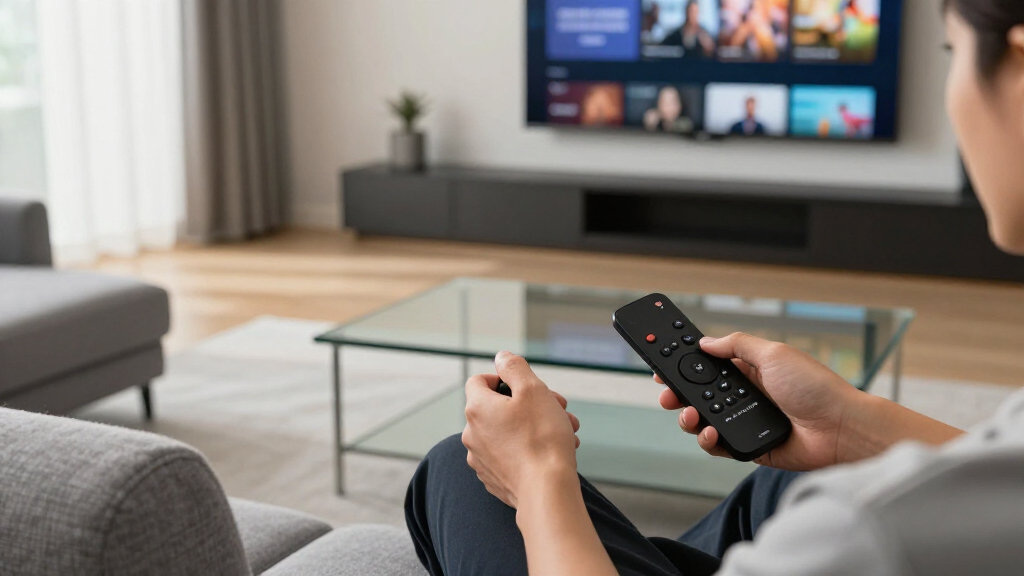

The Roku Ultra with Wi-Fi 6 and its backlit rechargeable remote is my best overall streaming device because it pairs broad format support with a straightforward interface and useful everyday hardware. For buyers spending less, the Roku Streaming Stick 4K preserves Dolby Vision and portable stick-size convenience, while the NVIDIA Shield TV Pro remains the premium choice for Plex, local media, and advanced audio setups. The main tradeoffs are interface simplicity versus ecosystem promotion, compact design versus connectivity, and low initial cost versus longer useful life. HD-only Fire TV models make sense for older televisions, but their savings shrink if a 4K upgrade is likely. Renewed Roku Ultra models offer strong hardware for less, though warranty coverage and accessory condition introduce more uncertainty. Continue reading for the full breakdown of which device fits each buyer and why the rankings differ.

Get the latest gadgets delivered free with Prime
- Fast, free delivery on millions of items
- Prime Video, Amazon Music and more included
- Member-only deals all year
Complete the kit


Key Takeaways
- The current amazon.com/dp/B0BP9SNVH9?tag=spectralore.com-20&ascsubtag=dc-368925″ target=”_blank” rel=”nofollow sponsored noopener”>amazon.com/dp/B09BZZ3MM7?tag=spectralore.com-20&ascsubtag=dc-368925″ target=”_blank” rel=”nofollow sponsored noopener”>amazon.com/dp/B0DJGDC3BD?tag=spectralore.com-20&ascsubtag=dc-368925″ target=”_blank” rel=”nofollow sponsored noopener”>amazon.com/dp/B0CQMRKRV5?tag=spectralore.com-20&ascsubtag=dc-368925″ target=”_blank” rel=”nofollow sponsored noopener”>amazon.com/dp/B0C6W3D4RM?tag=spectralore.com-20&ascsubtag=dc-368925″ target=”_blank” rel=”nofollow sponsored noopener”>amazon.com/dp/B0DF44RTTP?tag=spectralore.com-20&ascsubtag=dc-368925″ target=”_blank” rel=”nofollow sponsored noopener”>Roku Ultra takes first place through balance rather than raw processing power: it combines Dolby Vision, Dolby Atmos, Wi-Fi 6, Bluetooth, Ethernet, and a better remote without demanding enthusiast-level setup.
- The NVIDIA Shield TV Pro is the specialist premium pick, beating the simpler streamers for Plex, local files, audio passthrough, and expansion but offering poor value for buyers who only open major subscription apps.
- The Roku Streaming Stick 4K offers the strongest value for most 4K televisions, while the cheaper Fire TV Stick HD models are sensible only when the connected display is limited to 1080p.
- The Fire TV Cube has the clearest smart-home role because hands-free Alexa control and stronger home-theater integration separate it from the many similar Fire TV sticks.
- Older and renewed Roku models rank lower for purchase confidence, not because they cannot produce a good picture; shorter support horizons, variable condition, and overlapping sale prices weaken their case.
| NVIDIA Shield Android TV Pro 4K HDR Streaming Media Player |  | Best for Media Servers | Model: 945-12897-2500-101 | Processor: NVIDIA Tegra X1+ | Memory: 3GB RAM | VIEW LATEST PRICE | See Our Full Breakdown |
| Roku Ultra Streaming Player – 4K, HDR10+, Dolby Vision & Atmos, Bluetooth, Wi-Fi 6, Rechargeable Voice Remote with Backlit Buttons |  | Best Overall | Resolution: 4K | HDR Formats: HDR10+ and Dolby Vision | Audio: Dolby Atmos | VIEW LATEST PRICE | See Our Full Breakdown |
| Amazon Fire TV Stick 4K Select (Newest Model) |  | Best for Alexa and Cloud Gaming | Model: Fire TV Stick 4K Select | Resolution: 4K Ultra HD | HDR Format: HDR10+ | VIEW LATEST PRICE | See Our Full Breakdown |
| Amazon Fire TV Stick HD with Alexa Voice Remote and Smart Home Controls |  | Best Budget Pick for 1080p TVs | Resolution: Full HD | Connection: HDMI | Remote: Alexa Voice Remote | VIEW LATEST PRICE | See Our Full Breakdown |
| Roku Ultra Streaming Device HD/4K/HDR/Dolby Vision with Dolby Atmos and Voice Remote |  | Best for Wired Private Listening | Video Resolution: HD and 4K | HDR Support: HDR and Dolby Vision | Audio: Dolby Atmos | VIEW LATEST PRICE | See Our Full Breakdown |
| Amazon Fire TV Stick HD (newest model) with Alexa Voice Remote |  | Best Budget HD Pick | Resolution: Full HD | Wireless connectivity: Wi-Fi 6 | Video connection: HDMI | VIEW LATEST PRICE | See Our Full Breakdown |
| Roku Premiere+ 4K HDR Streaming Player |  | Best Straightforward 4K Pick | Supported resolutions: HD and 4K | HDR support: HDR | Remote: Voice remote | VIEW LATEST PRICE | See Our Full Breakdown |
| Roku Ultra Streaming Device with Voice Remote Pro (Renewed) | 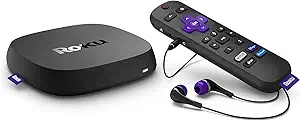 | Best Renewed Premium Pick | Resolution: 4K | HDR format: HDR10+ | Network connections: Wi-Fi and Ethernet | VIEW LATEST PRICE | See Our Full Breakdown |
| Roku Ultra LT Streaming Device 4K HDR Dolby Vision with Voice Remote and HDMI Cable |  | Best for Multi-Assistant Homes | Resolution: 4K | HDR formats: Dolby Vision and HDR10+ | Wireless connectivity: Dual-band Wi-Fi | VIEW LATEST PRICE | See Our Full Breakdown |
| Amazon Fire TV Cube with Alexa and Wi-Fi 6E, 4K Ultra HD Streaming Device |  | Best Premium Smart-Home Pick | Processor: Octa-core | Resolution: 4K Ultra HD | HDR support: Dolby Vision and HDR | VIEW LATEST PRICE | See Our Full Breakdown |
| Roku Streaming Stick 4K with Voice Remote |  | Best Simple 4K Stick | Maximum resolution: 4K | Dolby Vision: Supported | HDR10+: Supported | VIEW LATEST PRICE | See Our Full Breakdown |
| Amazon Fire TV Stick 4K Max (2026 model) |  | Best for Streaming and Cloud Gaming | Maximum resolution: 4K Ultra HD | Storage: 16 GB | HDR formats: Dolby Vision and HDR10+ | VIEW LATEST PRICE | See Our Full Breakdown |
| Google TV Streamer 4K with Voice Remote |  | Best for Casting and Smart Homes | Maximum resolution: Up to 4K HDR | HDR format: Dolby Vision | Storage: 32 GB | VIEW LATEST PRICE | See Our Full Breakdown |
| Amazon Fire TV Stick 4K Plus (Newest Model) with Alexa+ and Wi-Fi 6 |  | Best Midrange Fire TV Stick | Maximum resolution: 2160p at up to 60 fps | Processor: Quad-core 1.7 GHz | GPU: 650 MHz | VIEW LATEST PRICE | See Our Full Breakdown |
| Roku Ultra 2024 (Renewed) |  | Best Renewed Premium Player | Maximum resolution: 4K | HDR10+: Supported | Dolby Vision: Supported | VIEW LATEST PRICE | See Our Full Breakdown |
| streaming device | Remote |
|---|---|
| NVIDIA Shield Android TV Pro 4 | — |
| Roku Ultra Streaming Player | Rechargeable Voice Remote Pro |
| Amazon Fire TV Stick 4K Select | — |
| Amazon Fire TV Stick HD with A | Alexa Voice Remote |
| Roku Ultra Streaming Device HD | — |
| Amazon Fire TV Stick HD | Alexa Voice Remote with dedicated buttons |
| Roku Premiere+ 4K HDR Streamin | Voice remote |
| Roku Ultra Streaming Device wi | Rechargeable Roku Voice Remote Pro |
| Roku Ultra LT Streaming Device | Roku Voice Remote |
| Amazon Fire TV Cube with Alexa | — |
| Roku Streaming Stick 4K with V | Voice Remote |
| Amazon Fire TV Stick 4K Max | — |
| Google TV Streamer 4K with Voi | — |
| Amazon Fire TV Stick 4K Plus | — |
| Roku Ultra 2024 | Rechargeable Voice Remote Pro with backlit buttons |
More Details on Our Top Picks
NVIDIA Shield Android TV Pro 4K HDR Streaming Media Player
I rank the NVIDIA Shield Android TV Pro as the specialist choice for buyers whose media collection extends beyond streaming apps. Its Tegra X1+ processor, dual USB 3.0 ports, Gigabit Ethernet, and built-in Plex Media Server make it far more capable for managing local media than the Roku Ultra Streaming Player or Amazon Fire TV Stick 4K Select. Dolby Vision and Dolby Atmos also suit a serious home-theater setup, while controller support adds gaming flexibility. That extra power comes with real costs: 16GB of internal storage fills quickly, controllers are sold separately, and the premium price is excessive for casual viewing. I place it below simpler mainstream picks because most buyers will not use its server features, but it remains the strongest option here for enthusiasts who will.
Pros:- Built-in Plex Media Server supports advanced local-media setups
- Dual USB 3.0 ports accommodate external storage and accessories
- Dolby Vision and Dolby Atmos support high-end home theaters
- Gigabit Ethernet provides dependable bandwidth for large 4K files
Cons:- Premium price is difficult to justify for basic app streaming
- 16GB of internal storage is restrictive for games and large app libraries
- Gaming requires a separately purchased compatible controller
Best for: Home-theater enthusiasts who run a Plex library, connect external storage, or want streaming and gaming from one device
Not ideal for: Casual viewers who mainly open a few major streaming apps and would not benefit from USB expansion or Plex hosting
- Model:945-12897-2500-101
- Processor:NVIDIA Tegra X1+
- Memory:3GB RAM
- Storage:16GB
- Video:4K HDR and Dolby Vision
- Audio:Dolby Atmos and Dolby Digital Plus
- Connectivity:Gigabit Ethernet, dual-band AC Wi-Fi, Bluetooth 5.0, and Chromecast 4K
- USB Ports:2 USB 3.0 ports
Our verdict“I recommend the Shield TV Pro to media-library and home-theater enthusiasts, while ordinary streaming households can spend less.”
Roku Ultra Streaming Player – 4K, HDR10+, Dolby Vision & Atmos, Bluetooth, Wi-Fi 6, Rechargeable Voice Remote with Backlit Buttons
I give the Roku Ultra Streaming Player the top position because it combines broad picture-format support, fast app access, and a polished remote without the complexity of the NVIDIA Shield TV Pro. Wi-Fi 6 is better suited to busy wireless households, while HDR10+, Dolby Vision, and Dolby Atmos cover the formats many newer home theaters need. The rechargeable backlit remote is also easier to locate and operate after dark than the basic Alexa remote supplied with the Amazon Fire TV Stick HD. Roku’s straightforward interface makes this the safest all-around recommendation, though buyers must remember to charge the remote. It also costs more than a streaming stick and lacks the Shield’s USB expansion and Plex server. I rank it first for balancing speed, usability, and format support, not for having every enthusiast feature.
Pros:- Supports 4K, HDR10+, Dolby Vision, and Dolby Atmos
- Wi-Fi 6 suits networks with many connected devices
- Rechargeable Voice Remote Pro has backlit buttons and voice control
- Remote finder reduces the frustration of a misplaced controller
Cons:- Costs more than compact Roku and Fire TV sticks
- Rechargeable remote can become unusable until charged
- No listed USB expansion or built-in media-server capability
Best for: Households with a modern 4K television that want fast, approachable streaming and a well-equipped remote
Not ideal for: Media-server enthusiasts who need USB storage, Plex hosting, or the broader hardware flexibility of the NVIDIA Shield TV Pro
- Resolution:4K
- HDR Formats:HDR10+ and Dolby Vision
- Audio:Dolby Atmos
- Wireless:Wi-Fi 6 and Bluetooth
- Remote:Rechargeable Voice Remote Pro
- Remote Lighting:Backlit buttons
- Remote Features:Voice controls and remote finder
Our verdict“I see this Roku Ultra as the best fit for most 4K households that value speed and ease of use over enthusiast expansion.”
Amazon Fire TV Stick 4K Select (Newest Model)
I place the Amazon Fire TV Stick 4K Select ahead of the Fire TV Stick HD for buyers who own a 4K television and already rely on Alexa. HDR10+ provides better highlight and color handling on compatible displays, while personalized recommendations reduce the effort needed to find something across supported services. Its distinctive advantage is Xbox cloud-gaming support, which gives Game Pass subscribers a route into gaming without buying a console. Compared with the Roku Ultra Streaming Player, however, this model lacks listed Dolby Vision, Dolby Atmos, Wi-Fi 6, and advanced remote features. Amazon’s recommendation-heavy interface may also feel busy to viewers who prefer Roku’s simpler layout. A controller and Game Pass subscription add to the gaming cost, but I still favor it as the most versatile Alexa-centered stick in this group.
Pros:- Streams in 4K Ultra HD with HDR10+
- Alexa voice control integrates with compatible smart-home devices
- Supports a broad selection of major streaming services
- Xbox cloud gaming adds value for Game Pass subscribers
Cons:- Cloud gaming requires both a compatible controller and paid subscription
- No Dolby Vision or Dolby Atmos support is listed in the supplied data
- Smart-home control is limited to compatible devices
Best for: Alexa households with a 4K HDR10+ television and Game Pass subscribers interested in console-free cloud gaming
Not ideal for: Home-theater buyers seeking listed Dolby Vision and Dolby Atmos support or viewers who prefer a less recommendation-driven interface
- Model:Fire TV Stick 4K Select
- Resolution:4K Ultra HD
- HDR Format:HDR10+
- Connectivity:Wi-Fi
- Voice Assistant:Alexa
- Gaming:Xbox cloud gaming support
- Gaming Requirements:Xbox Game Pass subscription and compatible controller
Our verdict“I recommend this Fire TV Stick to Alexa users who want 4K streaming and optional cloud gaming in a compact package.”
Amazon Fire TV Stick HD with Alexa Voice Remote and Smart Home Controls
I choose the Amazon Fire TV Stick HD for buyers who want an inexpensive way to modernize an older 1080p television. The Alexa Voice Remote handles searches, playback, live TV access, and compatible smart-home devices, making it more flexible than its basic streaming specifications suggest. Compared with the Amazon Fire TV Stick 4K Select, this model gives up 4K and HDR10+, so it makes little sense for a newer Ultra HD display. It also lacks the Roku Ultra Streaming Player’s Dolby Vision, Dolby Atmos, Wi-Fi 6, and rechargeable backlit remote. Those omissions explain its lower ranking, yet they may not matter on a bedroom or guest-room TV. I view the Full HD ceiling as a deliberate budget tradeoff: buyers pay for simple Alexa-driven streaming, not advanced home-theater performance.
Pros:- Full HD output matches older 1080p televisions without paying for unused 4K features
- Alexa Voice Remote supports voice search and playback control
- Provides access to free, live, and subscription-based content
- Can control compatible smart-home devices
Cons:- Resolution is limited to Full HD with no listed HDR support
- Offers fewer home-theater features than the 4K Fire TV and Roku Ultra models
- Some content requires separate paid subscriptions
Best for: Budget shoppers adding streaming and Alexa controls to a bedroom, guest-room, or older 1080p television
Not ideal for: Owners of 4K televisions who would lose access to their display’s higher resolution and HDR capabilities
- Resolution:Full HD
- Connection:HDMI
- Remote:Alexa Voice Remote
- Voice Features:Voice search and playback control
- Smart Home:Controls compatible smart-home devices
- Content Features:Streaming apps, music, and live TV access
Our verdict“I would buy this model for an older secondary TV, but I would choose a 4K device for any Ultra HD screen.”
Roku Ultra Streaming Device HD/4K/HDR/Dolby Vision with Dolby Atmos and Voice Remote
I rank this Roku Ultra Streaming Device as the better choice for buyers who need Ethernet and private listening through a remote. Its headphone jack lets one person watch without sending television audio across the room, while personal shortcut buttons reduce repeated menu searches. That combination gives it a clearer niche than the Amazon Fire TV Stick HD, and Dolby Vision plus Dolby Atmos makes it suitable for a far better home-theater setup. Against the newer Roku Ultra Streaming Player with Wi-Fi 6, though, this version has older wireless hardware and a less advanced remote; the supplied data lists neither rechargeable power nor backlit buttons. Ethernet can offset wireless limitations when the router is nearby. I place it below the newer Ultra overall, but its headphone jack and wired networking can make it the smarter purchase for specific rooms.
Pros:- Supports HD, 4K, HDR, and Dolby Vision video
- Dolby Atmos serves compatible surround-sound systems
- Ethernet offers a stable alternative to Wi-Fi
- Remote headphone jack and personal shortcuts improve shared-room viewing
Cons:- Lacks the newer Roku Ultra’s listed Wi-Fi 6 and Bluetooth connectivity
- Remote is not listed as rechargeable or backlit
- Headphone listening depends on keeping wired headphones connected to the remote
Best for: Viewers who want Ethernet for stable 4K playback and remote-based headphone listening in a shared or quiet room
Not ideal for: Wireless-only households that want Wi-Fi 6, Bluetooth, and a rechargeable backlit remote
- Video Resolution:HD and 4K
- HDR Support:HDR and Dolby Vision
- Audio:Dolby Atmos
- Connectivity:Wi-Fi and Ethernet
- Remote Control:Voice remote
- Remote Features:Headphone jack and personal shortcuts
- Included Accessory:Premium HDMI cable
Our verdict“I favor this older Roku Ultra for buyers who value Ethernet and private listening more than the newer model’s wireless and remote upgrades.”
Amazon Fire TV Stick HD (newest model) with Alexa Voice Remote
I rank the Amazon Fire TV Stick HD as my best budget HD pick because it covers the basics without making a 4K television part of the purchase. Full HD output suits bedroom sets, older TVs, and travel setups, while Wi-Fi 6 can provide steadier playback on a compatible network. Compared with the Roku Premiere+ 4K HDR Streaming Player, this stick is more portable and adds deeper Alexa smart-home control, but it cannot match that player’s 4K HDR picture. The voice remote also controls compatible TVs and audio equipment, cutting down on remote clutter. Its largest compromise is the 1080p resolution ceiling; buyers planning a near-term 4K upgrade will get more longevity from the Roku Premiere+ or Fire TV Cube.
Pros:- Full HD playback fits older and secondary televisions
- Wi-Fi 6 supports stable streaming on compatible networks
- Alexa remote controls content and compatible home devices
- Bluetooth headphone support enables private listening
Cons:- No 4K or HDR output
- TV-powered setup requires compatible HDMI and USB-C connections
- Paid streaming subscriptions remain separate
Best for: I recommend it for bedroom-TV owners, travelers, and budget buyers who stream on a 1080p display.
Not ideal for: I would skip it for 4K TV owners because its Full HD limit leaves their display’s extra resolution unused.
- Resolution:Full HD
- Wireless connectivity:Wi-Fi 6
- Video connection:HDMI
- Power:Powered by TV via USB-C cable
- Remote:Alexa Voice Remote with dedicated buttons
- Equipment control:Compatible TV, soundbar, and receiver
- Private audio:Bluetooth headphone support
Our verdict“I would choose this for an inexpensive 1080p setup, but not for a television upgrade centered on 4K.”
Roku Premiere+ 4K HDR Streaming Player
I place the Roku Premiere+ 4K HDR in the straightforward 4K slot because it pairs broad streaming access with a remote that handles television power and volume. Unlike the Amazon Fire TV Stick HD, it can take advantage of a 4K HDR television, making fine detail and expanded contrast available without moving to a feature-heavy box. The included high-speed HDMI cable and separate power adapter also create a more self-contained setup. Compared with the Roku Ultra LT, however, the Premiere+ lacks specified Dolby Vision support and offers fewer advanced voice and private-listening features. It also needs an HDCP 2.2-compatible input for full 4K HDR playback. I see it as the simpler choice, while the Ultra LT better serves buyers with a newer premium display.
Pros:- Supports HD, 4K, and HDR televisions
- Voice remote includes TV power and volume controls
- High-speed HDMI cable is supplied
- Roku platform provides access to a wide streaming selection
Cons:- No specified Dolby Vision support
- Full 4K HDR output requires an HDCP 2.2-compatible television input
- Streaming depends on a reliable internet connection
Best for: I recommend it for buyers upgrading an HD television setup to basic 4K HDR without wanting advanced remote features.
Not ideal for: I would skip it for Dolby Vision TV owners who want their device to support that specific HDR format.
- Supported resolutions:HD and 4K
- HDR support:HDR
- Remote:Voice remote
- TV controls:Power and volume
- Included video cable:High-speed HDMI cable
- Power source:Power adapter
- 4K compatibility requirement:HDCP 2.2-compatible port
Our verdict“I would pick the Premiere+ for uncomplicated 4K HDR streaming, while Dolby Vision buyers should move to the Roku Ultra LT.”
Roku Ultra Streaming Device with Voice Remote Pro (Renewed)
I give the renewed Roku Ultra the premium-value role because it combines 4K HDR10+ playback, Ethernet connectivity, and a rechargeable Voice Remote Pro. Compared with the Roku Premiere+, its wired-network option is better suited to crowded wireless environments, while shortcut buttons and hands-free commands reduce time spent moving through menus. Private listening also makes it friendlier for shared rooms. The Roku Ultra LT is a stronger fit for Dolby Vision buyers, since that format is not specified here, but this model counters with Ethernet and the more capable remote. The tradeoff is buying renewed hardware, which may carry more condition uncertainty than a new device. Its remote needs periodic charging, and the broader control set can make initial setup less approachable than the Premiere+.
Pros:- 4K and HDR10+ support provide high-resolution playback
- Ethernet offers a wired alternative to Wi-Fi
- Rechargeable remote supports hands-free commands and shortcuts
- Private listening suits late-night or shared-room viewing
Cons:- Renewed condition can introduce cosmetic or battery-life variability
- Remote requires periodic charging
- Setup may feel complex to buyers who only need basic streaming
Best for: I recommend it for Roku fans who want Ethernet, private listening, and a premium rechargeable remote while accepting renewed hardware.
Not ideal for: I would skip it for buyers who require a factory-new device or specifically need confirmed Dolby Vision playback.
- Resolution:4K
- HDR format:HDR10+
- Network connections:Wi-Fi and Ethernet
- Remote:Rechargeable Roku Voice Remote Pro
- Voice mode:Hands-free voice control
- Remote shortcuts:Dedicated shortcut buttons
- Private listening:Supported
- Equipment control:Multiple-device control
Our verdict“I would buy this for premium Roku controls and Ethernet at renewed-device terms, not for guaranteed new condition or confirmed Dolby Vision.”
Roku Ultra LT Streaming Device 4K HDR Dolby Vision with Voice Remote and HDMI Cable
I rank the Roku Ultra LT as the best fit for households split between voice ecosystems. Its remote works with Siri and Google Assistant, while the Fire TV Cube centers its hands-free experience on Alexa. Picture support is another advantage: 4K, HDR10+, and Dolby Vision give owners of compatible televisions more format coverage than the Roku Premiere+. Quick channel launches keep daily use direct, and the included HDMI cable and USB extension cord remove common setup purchases. Its dual-band Wi-Fi is less advanced than the Cube’s Wi-Fi 6E, though, and no Ethernet connection is listed for rooms with weak wireless reception. This is also a focused streaming player rather than a gaming or storage device, so buyers seeking expandable entertainment hardware should choose a more versatile platform.
Pros:- Supports 4K, Dolby Vision, and HDR10+ video
- Works with Siri and Google Assistant
- Fast interface supports quick channel launching
- HDMI cable and USB extension cord are included
Cons:- Full picture quality requires a compatible 4K HDR television
- No Ethernet connection is listed
- No built-in storage expansion or gaming focus
Best for: I recommend it for 4K TV owners who use Siri or Google Assistant and want Dolby Vision without an Alexa-centered interface.
Not ideal for: I would skip it for gamers, local-media collectors, and rooms that need a listed Ethernet connection.
- Resolution:4K
- HDR formats:Dolby Vision and HDR10+
- Wireless connectivity:Dual-band Wi-Fi
- Remote:Roku Voice Remote
- Voice assistant compatibility:Siri and Google Assistant
- Included video cable:HDMI cable
- Included setup accessory:USB extension cord
- Private listening:Supported
Our verdict“I would choose the Ultra LT for broad HDR and assistant compatibility, provided dual-band Wi-Fi is sufficient for the room.”
Amazon Fire TV Cube with Alexa and Wi-Fi 6E, 4K Ultra HD Streaming Device
I assign the Amazon Fire TV Cube the premium smart-home role because its octa-core processor, hands-free Alexa control, and Wi-Fi 6E go beyond ordinary app playback. Compared with the Fire TV Stick HD, it delivers 4K Ultra HD, Dolby Vision, and Dolby Atmos while responding to voice commands without requiring the remote. It also manages compatible smart-home equipment, giving Alexa households a central living-room controller. The Roku Ultra LT supports Siri and Google Assistant, making that model more flexible for mixed-platform homes, while the Cube is the stronger Alexa-first choice. Its larger cube format is less portable than a stick, and buyers must manage privacy controls manually if an always-listening device feels uncomfortable. Its power and smart-home features may also be excessive for viewers seeking only basic streaming.
Pros:- Octa-core processor supports fast app launches
- 4K, Dolby Vision, and Dolby Atmos suit premium home theaters
- Hands-free Alexa controls entertainment and smart-home devices
- Wi-Fi 6E supports modern high-bandwidth wireless networks
Cons:- Larger and less portable than a streaming stick
- Privacy settings require active management
- Smart-home capabilities may be excessive for basic viewing
Best for: I recommend it for Alexa-based smart homes with a 4K Dolby Vision television and a Wi-Fi 6E network.
Not ideal for: I would skip it for privacy-sensitive buyers, frequent travelers, and viewers who only need a compact streaming stick.
- Processor:Octa-core
- Resolution:4K Ultra HD
- HDR support:Dolby Vision and HDR
- Audio format:Dolby Atmos
- Wireless connectivity:Wi-Fi 6E
- Voice control:Hands-free Alexa
- Smart-home control:Supported
- Privacy controls:User-managed controls
Our verdict“I would choose the Fire TV Cube for an Alexa-centered home theater, but simpler viewers can save space with a stick or Roku player.”
Roku Streaming Stick 4K with Voice Remote
I rank the Roku Streaming Stick 4K as the best choice for buyers who want straightforward 4K streaming without a bulky box or a heavily branded home screen. Its Dolby Vision and HDR10+ support produces a more capable picture than basic players such as the Fire TV Stick HD, while long-range Wi-Fi makes it better suited to TVs located far from a router. Compared with the Google TV Streamer 4K, this stick is easier to hide and more convenient for travel, but it lacks that model’s 32 GB storage and broader casting features. Roku’s wide app selection and free live channels add everyday value, though app availability remains tied to its platform. I place it below premium players because the simple voice remote and wireless-only setup offer fewer advanced conveniences.
Pros:- Dolby Vision and HDR10+ support delivers strong picture compatibility
- Compact body stays hidden and avoids crowding nearby HDMI ports
- Long-range Wi-Fi suits rooms located farther from the router
- Roku provides broad access to streaming apps, free channels, and live TV
Cons:- Performance depends heavily on a stable wireless connection
- Apps and services are limited to those supported by the Roku platform
- Remote and connectivity options are less advanced than those of premium players
Best for: Viewers who want an unobtrusive 4K stick with a simple interface for a bedroom, guest room, or travel TV
Not ideal for: Power users who need generous app storage, advanced smart-home controls, or the broader connectivity of a full-size player
- Maximum resolution:4K
- Dolby Vision:Supported
- HDR10+:Supported
- Remote:Voice Remote
- Wireless connection:Long-range Wi-Fi
- Design:Compact streaming stick
Our verdict“I recommend this Roku to buyers who value simplicity and portability more than storage, gaming, or smart-home depth.”
Amazon Fire TV Stick 4K Max (2026 model)
The Fire TV Stick 4K Max earns my gaming-focused spot because its fast navigation, Wi-Fi 6E, and support for Xbox Game Pass and Amazon Luna extend it beyond ordinary video playback. Its 16 GB of storage also gives apps more breathing room than the 8 GB Fire TV Stick 4K Plus, while Dolby Vision, HDR10+, and Dolby Atmos cover the formats expected from a high-end 4K stick. Alexa+ adds voice search, recommendations, and smart-home control, making this a better fit for an Amazon-centered household than the Roku Streaming Stick 4K. The tradeoff is a greater dependence on paid services: cloud gaming needs subscriptions and a compatible controller, while several entertainment features carry separate fees. I rank it behind full-size premium boxes for local gaming and connectivity, but its compact performance is unusually versatile.
Pros:- Wi-Fi 6E and a powerful processor support responsive navigation and demanding streams
- 16 GB storage provides more app capacity than the Fire TV Stick 4K Plus
- Dolby Vision, HDR10+, and Dolby Atmos cover major premium formats
- Xbox Game Pass and Amazon Luna support add cloud-gaming flexibility
Cons:- Gaming requires a compatible controller and may require paid memberships
- Many content and gaming services carry recurring fees
- Amazon-focused recommendations can feel less neutral than Roku’s interface
Best for: Amazon households that want fast 4K streaming, Alexa controls, and subscription-based cloud gaming from one compact device
Not ideal for: Buyers avoiding recurring subscriptions or anyone expecting console-style gaming without purchasing a compatible controller
- Maximum resolution:4K Ultra HD
- Storage:16 GB
- HDR formats:Dolby Vision and HDR10+
- Audio:Dolby Atmos
- Wi-Fi:Wi-Fi 6E
- Voice assistant:Alexa+
- Remote controls:Voice control, recents button, and dedicated channel buttons
- Cloud gaming:Xbox Game Pass and Amazon Luna support
Our verdict“I favor this model for buyers who want one compact Fire TV device to handle premium streaming, Alexa, and cloud gaming.”
Google TV Streamer 4K with Voice Remote
I give the Google TV Streamer 4K the smart-home role because it combines streaming, device controls, and casting from Android and iOS in a single home-screen experience. Its 32 GB capacity is double that of the Fire TV Stick 4K Max and four times the Fire TV Stick 4K Plus, so buyers can keep more apps installed with less storage management. A 22% faster processor than the prior generation supports quick switching, while Dolby Vision and Dolby Atmos make the hardware suitable for a capable theater setup. Compared with the Roku Streaming Stick 4K, Google’s player offers deeper casting and a customizable remote button, including a useful remote-finding function. It is less discreet than a stick, however, and the HDMI 2.1 cable costs extra. Smart-home value also falls away for households without compatible connected devices.
Pros:- 32 GB storage accommodates a larger app library than either Fire TV stick in this batch
- Casting works with supported Android and iOS devices
- Remote includes voice search, a customizable button, and a finder feature
- Dolby Vision and Dolby Atmos support suit modern home-theater systems
Cons:- HDMI 2.1 cable is sold separately
- Smart-home controls provide limited value without compatible devices
- Set-top form is less portable and discreet than a streaming stick
Best for: Google-centric households that frequently cast from phones and want TV-based controls for compatible smart-home devices
Not ideal for: Buyers seeking a hidden stick or a complete package that includes the required HDMI 2.1 cable
- Maximum resolution:Up to 4K HDR
- HDR format:Dolby Vision
- Storage:32 GB
- Processor:22% faster than the previous generation
- Audio:Dolby Atmos support
- Video connection:HDMI 2.1; cable sold separately
- Remote features:Voice search, customizable button, and remote finder
- Casting:Supported from Android and iOS devices
- Smart-home control:Supported with compatible devices
Our verdict“I recommend this player to buyers who prioritize casting, app capacity, and connected-home control over a stick-sized design.”
Amazon Fire TV Stick 4K Plus (Newest Model) with Alexa+ and Wi-Fi 6
The Fire TV Stick 4K Plus is my midrange Fire TV choice for buyers who want premium video formats without paying for the 4K Max’s stronger wireless and storage package. Dolby Vision, HDR10+, AV1, and Dolby Atmos translate into broad compatibility with current 4K televisions and sound systems, while Wi-Fi 6 can keep playback steady on a busy compatible network. Compared with the Roku Streaming Stick 4K, Alexa+ provides deeper smart-home control; compared with the Fire TV Stick 4K Max, however, this model drops to 8 GB of storage and Wi-Fi 6 rather than Wi-Fi 6E. That smaller capacity can force frequent app removal, making the Plus less attractive to buyers with large libraries. Its quad-core processor and compact housing suit everyday streaming well, but I would choose the Max for gaming. The Plus makes more sense for focused viewing.
Pros:- Dolby Vision, HDR10+, HLG, and AV1 provide broad video-format support
- Wi-Fi 6 helps manage high-resolution streams on compatible busy networks
- Alexa Voice Remote supports content search, TV operation, and smart-home commands
- Compact 43.5-gram body fits neatly behind a television
Cons:- 8 GB storage can become restrictive with a growing app library
- Wi-Fi 6 is less capable than the 4K Max model’s Wi-Fi 6E connection
- Full picture benefits require a compatible 4K HDR television and supported regional content
Best for: Fire TV buyers with a Wi-Fi 6 router who mainly use a modest selection of 4K streaming apps
Not ideal for: App collectors and cloud-gaming enthusiasts who will benefit from the 4K Max’s larger storage and faster Wi-Fi standard
- Maximum resolution:2160p at up to 60 fps
- Processor:Quad-core 1.7 GHz
- GPU:650 MHz
- Storage:8 GB
- Wi-Fi:Dual-band Wi-Fi 6
- Bluetooth:Bluetooth 5.2 + BLE
- Video formats:Dolby Vision, HDR10+, HLG, H.265, H.264, VP9, and AV1
- Audio support:Dolby Atmos, 7.1 surround, and HDMI pass-through
- Dimensions and weight:108 x 30 x 14 mm including connector; 43.5 g
Our verdict“I recommend the 4K Plus to focused Fire TV viewers who want strong format support but do not need the Max model’s storage or gaming emphasis.”
Roku Ultra 2024 (Renewed)
I reserve the renewed-value position for the Roku Ultra 2024, which packages premium playback and a polished remote in a potentially less costly refurbished unit. Its 4K output, Dolby Vision, HDR10+, and Dolby Atmos place it above the Roku Streaming Stick 4K for home-theater use, while Wi-Fi 6 and Bluetooth add connection flexibility. The rechargeable Voice Remote Pro is the clearest upgrade: backlit buttons help in dark rooms, and the remote finder addresses a common living-room annoyance. Roku also claims a 30% quicker interface, making this a stronger choice for frequent browsing than older Roku players. The renewed status is the deciding compromise. Warranty coverage and cosmetic condition may differ from a new Roku Ultra, so I would not rank it above the new version when prices are close. Its value depends on the discount.
Pros:- Dolby Vision, HDR10+, and Dolby Atmos support a premium theater setup
- Rechargeable remote includes backlit buttons, voice control, and a finder
- Wi-Fi 6 and Bluetooth offer more flexibility than the Roku Streaming Stick 4K
- Interface is rated 30% quicker for faster browsing
Cons:- Renewed condition may involve shorter warranty coverage or cosmetic wear
- Value weakens sharply when its price approaches that of a new Roku Ultra
- Wireless streaming still relies on a stable Wi-Fi network
Best for: Home-theater buyers comfortable with renewed electronics who want Roku’s premium remote and major HDR formats at a worthwhile discount
Not ideal for: Risk-averse buyers who want full new-product warranty coverage or anyone finding it priced close to a new Roku Ultra
- Maximum resolution:4K
- HDR10+:Supported
- Dolby Vision:Supported
- Audio:Dolby Atmos
- Wi-Fi:Wi-Fi 6
- Bluetooth:Supported
- Remote:Rechargeable Voice Remote Pro with backlit buttons
- Remote features:Voice control and remote finder
- Interface performance:30% quicker
Our verdict“I would choose this renewed Roku only when its discount is large enough to offset the warranty and condition uncertainty.”
How We Picked
I ranked these devices by how well they handle the work buyers notice every day: fast app loading, stable 4K playback, reliable wireless performance, clear menus, and a remote that does not create friction. I gave extra credit for Dolby Vision and Dolby Atmos support, Ethernet or strong Wi-Fi, useful voice control, and broad app availability. Features earned weight only when they changed the viewing experience, so a long specification sheet could not outweigh sluggish software or an awkward interface. That approach puts the well-balanced Roku Ultra ahead of the more powerful but specialized NVIDIA Shield TV Pro.
Price was judged against capability and likely service life rather than treated as a shortcut to a higher rank. I marked down HD-only hardware for buyers with 4K televisions, older models with narrower format support, and renewed units whose condition or warranty can vary. I also separated products with overlapping names by examining their remotes, wireless hardware, ports, and purchase status instead of assuming every Roku Ultra or Fire TV Stick offers the same package. The final order favors broad buyer appeal near the top, followed by strong value picks, ecosystem-specific choices, specialist hardware, and models that make sense only at a steep discount.
Factors to Consider When Choosing Best Streaming Devices
The best choice depends less on maximum specifications than on the television, apps, and audio equipment already in the room. I suggest matching video formats, interface style, and connection needs before comparing sale prices. That sequence prevents a cheap device from becoming an early replacement or an expensive box from supplying features that never get used.
Match the Device to the Television
I would buy an HD-only streamer only for a television that will remain limited to 1080p. A 4K device can still work with an HD screen, and the extra cost often buys faster hardware plus a longer support window. For a 4K HDR television, the labels need closer attention because HDR10, HDR10+, and Dolby Vision are different formats. A device lacking the format favored by the television may still play the program, but it can fall back to a less capable HDR version. Owners of older sets should also check for an available HDMI port and dependable USB power, since some televisions cannot supply enough power for a stick. I see display compatibility as the first filter, not a feature to check after choosing a platform.
Choose an Interface, Not Just a Hardware Brand
The home screen shapes every viewing session, so I place it alongside picture quality rather than treating it as decoration. Roku favors a simple app grid, which suits households that want services presented on fairly equal footing. Fire TV leans more heavily into Amazon content and Alexa, while Google TV organizes recommendations across supported services. Those recommendation systems can save time, but they may also make the screen feel busy or promote subscriptions the household does not own. Buyers already invested in Alexa or Google Home may accept that clutter in exchange for better ecosystem control. For shared televisions and less technical users, I would prioritize predictable menus and an uncomplicated remote over ambitious discovery features.
Know When Faster Hardware Pays Off
Processor speed rarely changes the quality of a finished 4K image, but it affects how quickly apps open, menus respond, and streams recover after switching services. I find premium hardware most persuasive in a busy living room where the device is used daily and expected to last several years. Extra memory and storage also help buyers who install many apps or games, though storage adds little value to a household using only three major services. The NVIDIA Shield TV Pro and Fire TV Cube justify their higher prices through specialist capabilities and stronger performance, not merely sharper streaming. A basic stick remains enough for a secondary bedroom television with light use. Paying more makes sense when speed, local media, or home-theater control will be used regularly.
Check Wi-Fi, Ethernet, and Placement
Many buffering complaints blamed on a streaming device begin with weak wireless coverage behind the television. Wi-Fi 6 or Wi-Fi 6E can improve performance on a compatible router, but a newer wireless label cannot repair a poor signal through several walls. Compact sticks hide neatly, yet their position behind a metal-backed screen may work against reception. A box with wired Ethernet is the safer choice for high-bitrate local video, crowded apartment networks, or a television near the router. Buyers choosing a stick should check whether an HDMI extender is included or available, since moving the device a short distance can help signal quality. I would favor stable connectivity over a smaller footprint when the home network is already troublesome.
Treat Remotes, Ads, and Renewed Condition as Part of the Price
A low device price can hide compromises that appear every day, including no television controls, no backlighting, disposable batteries, or prominent home-screen promotions. I give more value to volume and power controls than to novelty buttons because they can replace a second remote. Rechargeable batteries and a remote-finder feature are helpful in a main living room, though they do not justify a large premium on their own. Renewed models can cut the cost of premium hardware, but buyers should verify warranty length, return rights, and included accessories. An older renewed Roku Ultra loses its appeal when a new Streaming Stick 4K or discounted current Ultra costs only slightly more. I would compare the complete ownership package, including replacement remotes and adapters, before treating the lowest listing as the best deal.
Frequently Asked Questions
Is a Roku Ultra worth paying more for than a Roku Streaming Stick 4K?
I would pay more for the Roku Ultra when Ethernet, Bluetooth, stronger wireless hardware, faster responses, and the upgraded rechargeable remote will receive regular use. The Streaming Stick 4K delivers similar core picture formats, so casual viewers may see little difference once a movie begins. The Ultra is better suited to a main television, a busy household, or a network where wired connectivity prevents buffering. The stick makes more sense for a secondary screen, travel, or a buyer focused on price and compactness. The image alone rarely justifies the upgrade; convenience and connectivity do.
Should I buy a 4K streaming device for a 1080p television?
In many cases, I would choose the 4K model even for a 1080p screen if the price gap is modest. Newer 4K streamers often include quicker processors, stronger Wi-Fi, and longer software support, even though the television displays only HD. An HD stick remains reasonable for a rarely used older set that is unlikely to be replaced. Buyers planning a television upgrade would otherwise need to purchase another streamer to gain HDR and 4K output. The deciding factor is how long the current television will stay, not its resolution alone.
Is the NVIDIA Shield TV Pro still worth its premium price for streaming?
The NVIDIA Shield TV Pro earns its price for buyers running Plex, playing local media, using advanced audio passthrough, or connecting storage and accessories. For Netflix, Disney+, Prime Video, and other mainstream apps, the Roku Ultra and higher-end Fire TV models cover the basic job for less. The Shield also asks more of the owner because its flexibility brings extra settings and a less appliance-like feel. I would skip it for a household seeking only an easy home screen and remote. Its value rests on media-server and home-theater flexibility, not ordinary subscription streaming.
Which platform is easiest for someone who dislikes complicated menus?
I would steer that buyer toward Roku, especially the Roku Streaming Stick 4K or current Roku Ultra. Roku’s app-grid layout is easier to learn than interfaces built around layers of recommendations and ecosystem content. Fire TV can be convenient for an Alexa household, but its promotional layout may require more searching before opening a preferred service. Google TV offers helpful cross-service discovery, though that benefit comes with a denser home screen. For a beginner, simple menus and clear remote buttons usually matter more than broad voice-assistant features.
Are renewed Roku Ultra models a good alternative to buying new?
A renewed Roku Ultra can be a strong buy when it has a meaningful discount and clear return coverage. I would verify the exact generation because similar product names can hide differences in Wi-Fi, HDR support, Bluetooth, and remote features. The listing should include the correct power supply, HDMI cable, and Voice Remote Pro if those items are promised. Cosmetic wear matters less than battery condition, port reliability, and warranty length. If the renewed price approaches that of the current model, I would buy new hardware for the longer support window and lower purchase risk.
Conclusion
For most buyers, I recommend the current Roku Ultra as the best overall choice because its speed, format support, connectivity, and polished remote create the fewest compromises. The Roku Streaming Stick 4K is my best value and beginner pick, pairing an approachable interface with the video features most 4K television owners need. Buyers who run Plex, maintain a local media library, or need advanced audio handling should choose the NVIDIA Shield TV Pro as the premium option. The Fire TV Cube makes the most sense for hands-free Alexa control and deeper home-theater integration, while the Google TV Streamer 4K suits Google Home users who prefer recommendation-led discovery. An inexpensive Fire TV Stick HD fits an older 1080p secondary screen, but I would choose a 4K model when a television upgrade is likely. Renewed Roku Ultra versions are price-driven alternatives rather than default recommendations, so I would buy one only when the discount clearly offsets the shorter warranty and variable condition.
Halloween Picks

Haunted Hill Farm 4.6-Foot Spinning Beatrix Halloween Animatronic

MGparty 14.5FT Halloween Inflatable Walk-in Pumpkin House with LED Lights

Govee Outdoor Halloween Projector Light with 3D Effects
As an affiliate, we earn on qualifying purchases.