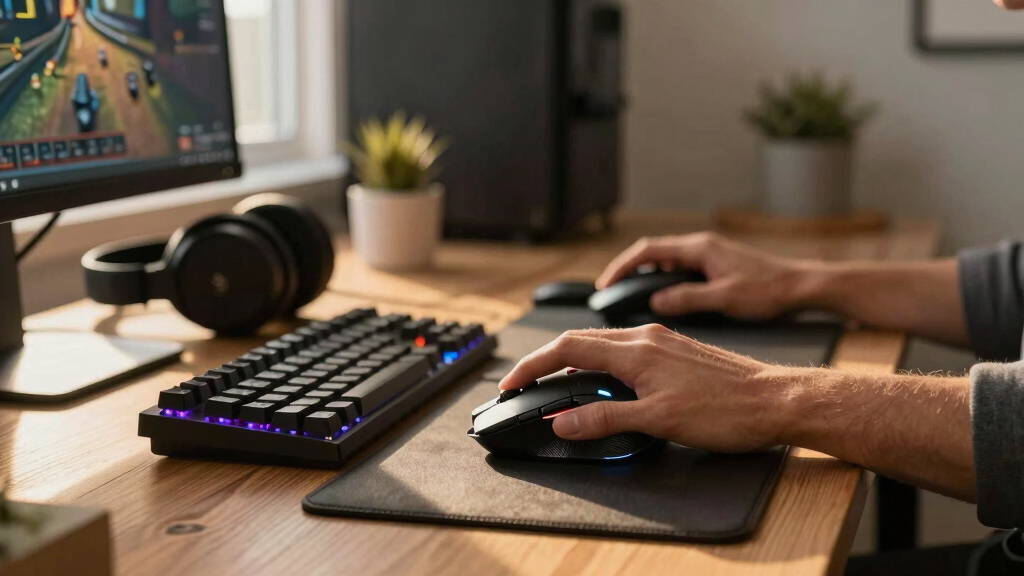

The best gaming accessory is the one that improves how I play, not merely how my setup looks. I rank the Logitech G305 Lightspeed first because its accurate sensor, responsive wireless link, and long battery life strengthen the most basic interaction in PC gaming: pointing and clicking. The Razer Tartarus V2 follows as my specialist pick for players who want programmable commands and dedicated thumb control, while the Gimars RGB Gaming Mouse Pad combines a larger mousing surface with convenient phone charging.

Get the latest gadgets delivered free with Prime
- Fast, free delivery on millions of items
- Prime Video, Amazon Music and more included
- Member-only deals all year
These products solve very different problems. The G305 is a complete input device, the Tartarus reshapes keyboard control, the Gimars improves desk organization, and the KontrolFreek Precision Rings alter controller-stick resistance at a low price. My ranking reflects breadth of benefit, gaming impact, adaptability, and compromises. Most PC players should start with the G305; macro-heavy players gain more from the Tartarus; desk-focused buyers should choose the Gimars; and controller players seeking finer aim can try the rings without replacing a gamepad.
Complete the kit



Key Takeaways
- I rank the Logitech G305 first because accurate tracking and responsive wireless input benefit more PC games than the specialized functions of the other picks.
- The Razer Tartarus V2 offers the deepest control customization here, but its separate keypad format requires desk space and a new command layout.
- The Gimars pad is the strongest desk upgrade, pairing a full-width surface with RGB lighting and 15W Qi charging, although fast charging needs a suitable adapter.
- KontrolFreek Precision Rings are the least expensive route to altered aiming resistance, but they demand an adjustment period and will not suit every controller player.
- None of these accessories is universal: platform, game genre, available desk room, and willingness to relearn controls should drive the final choice.
| Logitech G305 Lightspeed Wireless Gaming Mouse |  | Best Overall | Sensor: HERO sensor | Maximum DPI: 12,000 | Wireless Technology: Lightspeed | VIEW LATEST PRICE | See Our Full Breakdown |
| Razer Tartarus V2 Gaming Keypad with 32 Programmable Keys and Chroma RGB Lighting |  | Best for PC Macro Control | Switch Type: Mecha-membrane | Number of Keys: 32 | Programmable Keys: Yes | VIEW LATEST PRICE | See Our Full Breakdown |
| Gimars RGB Gaming Mouse Pad with Wireless Charging |  | Best All-in-One Desk Upgrade | Size: 31.5 x 11.8 inches | Thickness: 4mm | Wireless Charging: Up to 15W Qi | VIEW LATEST PRICE | See Our Full Breakdown |
| KontrolFreek Precision Rings |  | Best Low-Cost Controller Aim Upgrade | Material: Flexible moisture-wicking material | Quantity: 6 rings | Resistance Levels: Soft, medium, and hard | VIEW LATEST PRICE | See Our Full Breakdown |
More Details on Our Top Picks
Logitech G305 Lightspeed Wireless Gaming Mouse
I place the Logitech G305 Lightspeed at number one because it improves a core control used throughout PC gaming. Its HERO sensor and 12,000 DPI ceiling provide ample tracking range, while the advertised 1ms Lightspeed connection is aimed at players who want wireless freedom without accepting sluggish input. Compared with the Gimars pad, which supports mouse movement indirectly, the G305 controls the cursor itself and can make a more immediate difference.
The other major advantage is up to 250 hours of battery life from one AA cell. That makes the mouse better suited to travel and low-maintenance setups than a rechargeable model that returns to a cable frequently. At 3.4 ounces, it is portable without chasing the ultralight construction found in more specialized competitive mice. Its six programmable buttons also cover common shortcuts, though the Tartarus V2 offers far more command capacity.
The G305 is not the automatic choice for every genre. Six buttons are restrictive for MMO players, and the replaceable battery creates ongoing cost while adding weight relative to some rechargeable alternatives. Its conventional shape also lacks the dramatic RGB presence of the Gimars or Razer picks. I still rank it highest because its benefits cross genres and its drawbacks affect narrower groups.
Pros:- HERO sensor offers precise tracking up to 12,000 DPI
- Lightspeed wireless connection provides a claimed 1ms response
- Battery lasts up to 250 hours from one AA cell
- Light 3.4-ounce body travels easily
Cons:- Six programmable buttons may feel limited in command-heavy games
- AA power creates replacement cost and extra battery weight
- Feature set is restrained for buyers seeking RGB or premium extras
Best for: PC and Mac players who want a responsive, portable wireless mouse with long battery life
Not ideal for: MMO players needing many side buttons or buyers who prefer built-in rechargeable power
- Sensor:HERO sensor
- Maximum DPI:12,000
- Wireless Technology:Lightspeed
- Wireless Response:1ms
- Battery Life:Up to 250 hours
- Battery Type:One AA battery
- Weight:3.4 oz
- Programmable Buttons:6
- Compatibility:PC and Mac
Our verdict“I recommend the G305 as the most broadly useful pick because it balances responsive control, portability, and low-maintenance wireless power.”
Razer Tartarus V2 Gaming Keypad with 32 Programmable Keys and Chroma RGB Lighting
The Razer Tartarus V2 earns second place by offering the most extensive input customization in the lineup. Its 32 programmable mecha-membrane keys can consolidate abilities, shortcuts, or creative commands into a compact left-hand station. That gives it a clear advantage over the G305 when a game requires many mapped actions, while the eight-way thumbpad can move directional or menu functions away from the main keys.
This pick makes the most sense for MMO, strategy, simulation, and workflow users prepared to build custom layouts. The mecha-membrane design aims to combine a cushioned membrane action with more pronounced tactile feedback. Players who enjoy that middle ground may prefer it to a standard keyboard section. Chroma RGB customization adds visual coordination, but I view the programmable controls and ergonomic thumb access as the reasons to buy it.
Its specialization also keeps it below the G305. A keypad does not replace a complete keyboard for typing, and relearning key positions takes time. Mechanical-switch fans may find the mecha-membrane action less crisp than expected. It also occupies more desk space than the tiny KontrolFreek rings and can overlap the Gimars pad’s available surface. I recommend it when command density matters more than universal appeal, not as a casual cosmetic add-on.
Pros:- Thirty-two programmable keys support dense custom layouts
- Eight-way thumbpad separates movement or menu commands
- Mecha-membrane keys provide pronounced tactile feedback
- Chroma RGB allows coordinated lighting personalization
Cons:- Dedicated layout requires time to learn and configure
- Mecha-membrane action may disappoint mechanical-switch enthusiasts
- It cannot replace a full keyboard for general typing
Best for: PC players using command-heavy games, macros, or repeatable creative shortcuts
Not ideal for: Casual players satisfied with a standard keyboard or mechanical-switch purists
- Switch Type:Mecha-membrane
- Number of Keys:32
- Programmable Keys:Yes
- Macro Support:Fully programmable
- Thumbpad:Eight-way directional
- Backlighting:Razer Chroma RGB
- Primary Use:Gaming and creative workflows
- Control Position:Left-hand keypad
Our verdict“I would choose the Tartarus V2 for specialized PC control, provided the buyer will invest time in mappings and muscle memory.”
Gimars RGB Gaming Mouse Pad with Wireless Charging
The Gimars RGB Gaming Mouse Pad ranks third as the lineup’s most practical desk-wide upgrade. Its 31.5-by-11.8-inch surface supports both keyboard and mouse, creating a consistent fabric layer while protecting a broad section of the desk. Compared with the G305 or Tartarus, it will not change button response or command access, but it gives those devices a stable shared foundation.
Its strongest differentiator is the built-in 15W Qi wireless charging area. A compatible phone can remain powered near the playing area without another loose charging pad, although 15W performance requires an appropriate adapter that is not included. Ten lighting modes add RGB atmosphere, while the waterproof micro-textured fabric is better suited to routine spills than an untreated cloth surface. The anti-slip rubber base matters more during play because it helps keep the large pad from shifting.
I rank it below the two input devices because convenience outweighs competitive impact. Shipping curls may require time and adjustment before the pad lies flat, and its footprint can overwhelm narrow desks. Wireless charging also loses value for buyers without Qi devices. Against the KontrolFreek rings, the Gimars offers broader everyday utility, but the rings target aiming behavior more directly. Choose this model for desk organization, surface coverage, and integrated charging.
Pros:- Large surface accommodates a keyboard and mouse together
- Built-in Qi area supports up to 15W wireless charging
- Waterproof micro-textured fabric simplifies spill cleanup
- Ten RGB modes and an anti-slip base combine style with stability
Cons:- Required adapter for maximum charging speed is not included
- Pad may arrive curled and need time to flatten
- Large dimensions are poorly suited to narrow desks
Best for: PC players wanting a full-width mouse surface, coordinated RGB, and Qi phone charging in one accessory
Not ideal for: Players with compact desks, non-Qi phones, or no suitable fast-charging adapter
- Size:31.5 x 11.8 inches
- Thickness:4mm
- Wireless Charging:Up to 15W Qi
- Lighting Modes:10
- Surface:Waterproof micro-textured fabric
- Interface:USB Type-C
- Base:Anti-slip rubber
- Coverage:Keyboard and mouse
Our verdict“I recommend the Gimars pad to buyers who value a tidier, brighter desk and integrated phone charging more than a direct control upgrade.”
KontrolFreek Precision Rings
KontrolFreek Precision Rings take fourth place, but they are the only pick designed specifically to change controller-stick resistance. Each ring fits around a compatible thumbstick and compresses during movement, encouraging smaller, more deliberate inputs. Compared with buying the G305 or Tartarus, this is a lower-cost way to modify control feel without replacing the device already in hand.
The pack contains six rings across soft, medium, and hard strengths, which lets a player compare resistance rather than commit to one setting. Softer rings can make the adjustment less abrupt, while firmer options suit aim training that emphasizes controlled stick travel. Moisture-wicking material resists oils and also dampens contact sound. Compatibility covers PS4, PS5, Xbox One, Xbox Series X|S, Switch Pro, and Scuf controllers, giving this pick the widest console reach here.
Added resistance is not an automatic accuracy upgrade. It can initially make turning feel slower, and players who favor loose sticks may never enjoy the pressure. Results also depend on sensitivity settings, game mechanics, and adaptation, making the rings less predictable than the G305’s conventional mouse upgrade. I place them fourth because their benefit is personal and training-dependent, yet they remain a sensible experiment for controller players who want finer aim control.
Pros:- Added resistance can encourage smaller aiming adjustments
- Soft, medium, and hard rings support graduated practice
- Six-piece pack works with several major controller families
- Moisture-wicking material resists oils and dampens sound
Cons:- Extra resistance may feel slow or tiring at first
- Improvement depends heavily on player preference and adaptation
- Players who like minimal stick resistance may dislike every strength
Best for: Controller players who want adjustable thumbstick resistance for aim practice and finer movements
Not ideal for: Players who prefer light stick movement or do not want an adaptation period
- Material:Flexible moisture-wicking material
- Quantity:6 rings
- Resistance Levels:Soft, medium, and hard
- Strength Count:3
- Controller Fit:Thumbstick surrounds
- PlayStation Compatibility:PS4 and PS5
- Xbox Compatibility:Xbox One and Xbox Series X|S
- Other Compatibility:Switch Pro and Scuf controllers
- Primary Purpose:Aim control and resistance training
Our verdict“I see the Precision Rings as a budget-friendly aiming experiment for controller players, not a guaranteed substitute for practice or better sensitivity settings.”

How We Picked
I treated gaming value as the main filter. I favored accessories that can produce a clear player benefit, such as more accurate input, easier command access, steadier stick movement, or less desk friction. Cosmetic features earned less weight unless they were paired with a practical function.
I also compared each option by range of use and learning cost. The G305 works across many PC genres with little adaptation, which puts it ahead of the Tartarus and Precision Rings. Those two can offer more specialized control, but players must retrain muscle memory. The Gimars pad asks for almost no behavioral change, yet its effect on play is less direct.
My ordering also accounts for compatibility, power requirements, physical footprint, and upgrade value. I used the supplied specifications and feature information rather than claiming hands-on testing. Because these accessories occupy different categories, I judged them by the gaming problem each solves and how easily a buyer can feel that benefit.
Factors to Consider When Choosing Best Gaming Accessories
I would begin with the part of a setup that currently causes the most friction. These four accessories address separate needs, so price alone does not reveal which one will produce the largest improvement.Choose a Direct Input Upgrade or a Supporting Accessory
I separate input devices from supporting equipment. The G305 and Tartarus directly carry player commands, so they have greater potential to alter control. KontrolFreek rings modify an existing input, while the Gimars pad supports the devices around it. If a mouse tracks poorly or a keyboard layout feels crowded, I would solve that before spending on lighting or charging convenience.
Match the Accessory to the Game Genre
For shooters and broad PC use, I favor the G305’s precise sensor and fast wireless link. MMO, strategy, and simulation players can gain more from the Tartarus and its many mappings. The Precision Rings suit controller shooters where controlled stick travel matters. The Gimars pad is genre-neutral, making it useful when surface space is the problem rather than command access.
Account for Learning Time
I expect the G305 and Gimars pad to require relatively little adaptation. The Tartarus needs custom mapping and new muscle memory, while Precision Rings deliberately change how thumbsticks move. A highly configurable accessory has limited value if I am unlikely to configure it. Buyers seeking immediate simplicity should favor the first- or third-ranked picks.
Check Space, Power, and Compatibility
I would measure the desk before choosing the 31.5-inch Gimars pad or adding the Tartarus beside a keyboard. The Gimars also needs Type-C power and a suitable adapter for its fastest Qi rate. Console buyers should confirm controller fit for the rings, while the G305 is intended for PC and Mac. These checks prevent an appealing feature from becoming unused hardware.
Frequently Asked Questions
Which gaming accessory should I buy first?
I would start with the Logitech G305 if an aging or unreliable mouse is limiting PC play. It affects nearly every mouse-driven genre and requires less setup than the Tartarus. If current input devices already perform well, the Gimars pad offers broader desk convenience, while controller players should treat the Precision Rings as an inexpensive, preference-based experiment.
Is the Razer Tartarus V2 better than a gaming keyboard?
The Tartarus V2 is better for concentrated left-hand commands, not for replacing a full keyboard. Its programmable keys and thumbpad can create efficient game-specific layouts, but typing still requires a standard keyboard. I would choose it for command-heavy play and repeated workflows; I would skip it when ordinary WASD controls already feel natural.
Do KontrolFreek Precision Rings improve aim immediately?
I would not expect an immediate or universal improvement. The rings add physical resistance to thumbstick movement, which may support finer adjustments after practice, but they can initially slow turning and disrupt familiar timing. Starting with the soft strength and adjusting in-game sensitivity can make the change easier than jumping directly to a hard ring.
Does the Gimars mouse pad include everything needed for 15W charging?
The pad includes its wireless charging function, but the supplied details state that a specific fast-charging adapter is required and not included. I would verify that the phone supports Qi charging and pair the pad with a compatible power source. Without the right adapter, charging may operate below the advertised 15W maximum.
Is wireless or wired better for gaming mice?
A modern low-latency wireless mouse can suit gaming when its connection and power management are designed for the job. The G305 uses Lightspeed wireless with a claimed 1ms response, removing cable drag while retaining a performance-focused link. Wired models avoid battery replacement, but I favor the G305 here for portability and its long stated battery life.
Conclusion
For the widest gaming benefit, I would buy the Logitech G305 Lightspeed. Players who need more commands under one hand should move to the Razer Tartarus V2, accepting the setup and learning time. I recommend the Gimars RGB pad for buyers focused on desk coverage, lighting, and phone charging. Controller players seeking a low-cost way to experiment with steadier stick movement are the right audience for the KontrolFreek Precision Rings. The ranking favors broad impact, but the best personal choice is the accessory aimed at the setup’s clearest weakness.