

The best presentation software in this roundup is Microsoft 365 Personal because it combines the current PowerPoint experience with cloud storage, ongoing updates, and stronger collaboration than the one-time-purchase suites. Microsoft Office Home 2024 is my preferred alternative for beginners who want familiar desktop apps without a subscription, while Corel WordPerfect Office Home & Student 2021 offers appealing value for Windows households willing to work outside the PowerPoint ecosystem. The main choice is between subscription convenience and perpetual ownership, followed by file-sharing needs, operating-system support, and commercial-use rights. Buyers focused only on presentation work should also avoid paying for bundled applications they will rarely open. Continue reading for the full breakdown of which package fits each buyer type and where every option falls short.

Get the latest gadgets delivered free with Prime
- Fast, free delivery on millions of items
- Prime Video, Amazon Music and more included
- Member-only deals all year
Complete the kit



Key Takeaways
- Microsoft 365 Personal ranks first because it offers the strongest mix of PowerPoint compatibility, cloud access, collaboration, and ongoing feature support, though its recurring fee makes it less attractive for occasional users.
- Office Home 2024 is the easiest perpetual-license choice for personal users, while the more expensive Home & Business 2024 earns its premium position through Outlook and commercial-use rights rather than better core presentation tools.
- Among the Corel packages, WordPerfect Office Home & Student 2021 provides the clearest value; Standard suits established Corel users, Professional serves specialized Windows workflows, and Education makes sense only when its licensing matches the buyer.
- Office Suite 2026 Special Edition ranks last despite its fonts, clipart, and legacy Windows claims because presentation-file fidelity, publisher support, and long-term security carry more weight than a large extras bundle.
- Platform support separates the lineup sharply: the Microsoft options accommodate current Windows or Mac buyers, while the Corel and Special Edition packages are better suited to Windows-centered setups.
| Corel WordPerfect Office Education 2021 |  | Best for Education | Academic Eligibility: Accredited schools, faculties, students, and nonprofit organizations | Supported Operating Systems: Windows 10 version 20H2 or later; Windows 11 | Processor: 1 GHz or faster x86 or AMD64 | VIEW LATEST PRICE | See Our Full Breakdown |
| Corel WordPerfect Office Home & Student 2021 |  | Best One-Time Creative Bundle | Platform: Windows PC | Included Applications: WordPerfect, Quattro Pro, Presentations, and WordPerfect Lightning | File Compatibility: More than 60 formats, including DOC, XLS, and PPT | VIEW LATEST PRICE | See Our Full Breakdown |
| Microsoft 365 Personal | 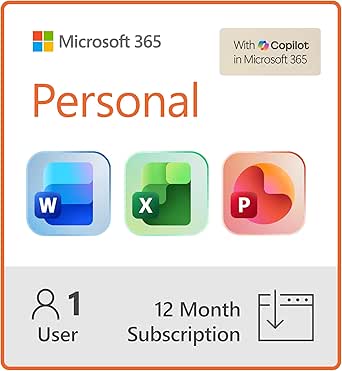 | Best Overall | Subscription Duration: 12 months | Licensed Users: 1 person | Included Applications: Word, Excel, PowerPoint, and Outlook | VIEW LATEST PRICE | See Our Full Breakdown |
| Office Suite 2026 Special Edition |  | Best for Legacy Windows PCs | Operating System Compatibility: Windows 11, 10, 8, 7, Vista, and XP | System Architecture: 32-bit and 64-bit Windows | Productivity Tools: Word processing, spreadsheets, presentations, and additional utilities | VIEW LATEST PRICE | See Our Full Breakdown |
| Corel WordPerfect Office Professional 2021 |  | Best for Business and Legal Work | Platform: Windows 10 and Windows 11 | Processor: 1 GHz or faster | RAM: 1 GB for x86; 2 GB for AMD64 | VIEW LATEST PRICE | See Our Full Breakdown |
| Microsoft Office Home & Business 2024 |  | Best One-Time Buy for Business | Included apps: Word, Excel, PowerPoint, Outlook, OneNote | Presentation app: Microsoft PowerPoint | Email app: Microsoft Outlook | VIEW LATEST PRICE | See Our Full Breakdown |
| Microsoft Office Home 2024 |  | Best Value for Home and School | Included apps: Word, Excel, PowerPoint, OneNote | Presentation app: Microsoft PowerPoint | Platform: Windows or Mac | VIEW LATEST PRICE | See Our Full Breakdown |
| Corel WordPerfect Office Standard 2021 Office Suite for PC |  | Best for Format Compatibility | Edition: WordPerfect Office Standard 2021 | Platform: PC | Supported formats: 60+ | VIEW LATEST PRICE | See Our Full Breakdown |
| presentation software | Platform | File Compatibility |
|---|---|---|
| Corel WordPerfect Office Educa | — | More than 60 formats |
| Corel WordPerfect Office Home | Windows PC | More than 60 formats, including DOC, XLS, and PPT |
| Microsoft 365 Personal | — | — |
| Office Suite 2026 Special Edit | — | Microsoft Office formats |
| Corel WordPerfect Office Profe | Windows 10 and Windows 11 | More than 60 formats, including Microsoft Office files |
| Microsoft Office Home & Busine | PC or Mac | — |
| Microsoft Office Home 2024 | Windows or Mac | — |
| Corel WordPerfect Office Stand | PC | — |
More Details on Our Top Picks
Corel WordPerfect Office Education 2021
I rank Corel WordPerfect Office Education 2021 as the strongest academic pick because one package covers slides, documents, spreadsheets, and notes without an annual fee. Its support for more than 60 file formats helps students and faculty exchange coursework created in other office suites. Compared with Microsoft 365 Personal, it sacrifices cloud storage, mobile apps, and automatic feature updates, but its broader desktop toolkit suits computer labs and Windows-based classrooms. It also offers more academic flexibility than WordPerfect Home & Student 2021 through eligibility for accredited institutions and nonprofit organizations. The tradeoff is strict license eligibility, while DVD installation and an Internet Explorer 11 dependency feel dated. I would choose it for institution-managed PCs, not collaborative teams working across several device types.
Pros:- Combines presentation, word-processing, spreadsheet, and note-taking tools
- Supports more than 60 file formats for easier document exchange
- Academic and nonprofit eligibility covers several education settings
- Includes reference tools such as the Oxford Dictionary
Cons:- License cannot be used for ordinary commercial purposes
- DVD drive requirement may complicate installation on newer PCs
- Windows-only support excludes Mac, Chromebook, and mobile users
Best for: Students, faculty members, accredited schools, and nonprofit organizations needing a Windows presentation suite without recurring subscription fees
Not ideal for: Commercial teams or mixed-device classrooms, since eligibility is restricted and the software lacks the cross-platform cloud workflow of Microsoft 365
- Academic Eligibility:Accredited schools, faculties, students, and nonprofit organizations
- Supported Operating Systems:Windows 10 version 20H2 or later; Windows 11
- Processor:1 GHz or faster x86 or AMD64
- RAM:1 GB for x86; 2 GB for AMD64
- Hard Disk Space:2.75 GB
- Screen Resolution:1024 x 768
- File Compatibility:More than 60 formats
- Additional Requirements:DVD drive and Microsoft Internet Explorer 11 or higher
Our verdict“My education pick suits eligible Windows-based schools that value a one-time desktop suite more than cloud collaboration.”
Corel WordPerfect Office Home & Student 2021
Corel WordPerfect Office Home & Student 2021 earns my creative-bundle slot by pairing its presentation program with 900-plus fonts, 10,000-plus clip-art images, and over 300 templates. Those extras give home users and students more material for posters, class slides, and family projects than Microsoft Office Home 2024 supplies out of the box. Its one-time purchase also avoids the yearly cost of Microsoft 365 Personal. Compatibility with PPT and dozens of other formats makes exchanging basic files practical, although elaborate PowerPoint layouts may still need checking after conversion. Compared with WordPerfect Office Education 2021, this edition has simpler household eligibility but lacks an institution-focused license. I place it below Microsoft 365 because it is Windows-only, has no subscription-based upgrades, and offers a weaker cloud collaboration story.
Pros:- Large collection of fonts, clip art, templates, and digital photos
- One-time purchase avoids annual subscription charges
- Reads more than 60 formats, including PPT, DOC, and XLS
- Includes presentation, writing, spreadsheet, and note-taking applications
Cons:- Available only for Windows PCs
- No subscription-based feature updates
- Interface and workflow may feel unfamiliar to PowerPoint users
Best for: Windows households and students who create visually decorated presentations and prefer paying once for desktop software
Not ideal for: Teams needing live coauthoring, frequent feature updates, or dependable workflows across Mac and mobile devices
- Platform:Windows PC
- Included Applications:WordPerfect, Quattro Pro, Presentations, and WordPerfect Lightning
- File Compatibility:More than 60 formats, including DOC, XLS, and PPT
- Fonts:900+ TrueType fonts
- Clip Art:10,000+ images
- Templates:300+
- Digital Photos:175+
Our verdict“I recommend this edition to Windows-based home creators who want abundant design assets and a perpetual license.”
Microsoft 365 Personal
I give Microsoft 365 Personal the top position because PowerPoint remains the safest choice for sharing presentations across workplaces, schools, and outside organizations. The subscription covers Windows, Mac, and mobile devices, while 1 TB of cloud storage makes it easier to retrieve and share decks away from a primary computer. Compared with WordPerfect Office Home & Student 2021, it offers a more connected multi-device workflow and automatic updates, though it lacks that product’s large bundled clip-art library and perpetual license. Microsoft Office Home 2024 may be cheaper over several years for one computer, but Microsoft 365 is better suited to people who move between devices. The drawbacks are recurring annual cost, internet-dependent activation and updates, and a single-user license. For most individual presenters, its compatibility and portability outweigh those limits.
Pros:- Includes the premium PowerPoint application alongside Word, Excel, and Outlook
- Works across Windows, Mac, iPhone, iPad, and Android devices
- Provides 1 TB of cloud storage for file access and sharing
- Receives automatic software updates during the subscription
Cons:- Annual subscription can cost more than a perpetual license over time
- Auto-renewal may create an unwanted charge if left enabled
- License covers only one person
Best for: Solo professionals, students, and frequent presenters who need PowerPoint files available across computers, tablets, and phones
Not ideal for: Households with several users or buyers who want permanent desktop ownership without an auto-renewing payment
- Subscription Duration:12 months
- Licensed Users:1 person
- Included Applications:Word, Excel, PowerPoint, and Outlook
- Cloud Storage:1 TB
- Desktop Platforms:Windows and Mac
- Apple Mobile Compatibility:iPhone and iPad
- Android Compatibility:Android phones and tablets
- Update Model:Automatic updates during the subscription
Our verdict“My best overall choice is for one person who values broad PowerPoint compatibility, cloud access, and multi-device support.”
Office Suite 2026 Special Edition
Office Suite 2026 Special Edition fills a rare role in my ranking: presentation software advertised for Windows versions stretching from XP through Windows 11. That broad legacy compatibility may keep an older classroom, community center, or offline home PC useful when Microsoft 365 Personal is no longer a practical match. The included 1,000 fonts and 20,000 clip-art images also provide far more ready-made visual material than Microsoft Office Home 2024. Yet the package comes with larger uncertainties than every Corel option here. Product information gives little detail about cloud features, update policies, or ongoing support, and installation relies on CD/DVD media. Compatibility with Microsoft Office formats is helpful, but buyers exchanging complex PowerPoint decks should expect to verify formatting. I reserve this pick for offline and older Windows setups, not business-critical presentations.
Pros:- Supports Windows versions from XP through Windows 11
- Includes 20,000 clip-art images and 1,000 fonts
- Provides presentation, spreadsheet, and word-processing tools
- Offers compatibility with Microsoft Office file formats
Cons:- Update policy and ongoing technical support are unclear
- No stated cloud storage or collaboration features
- Physical installation media requires a CD or DVD drive
Best for: Owners of older Windows PCs who need offline presentation tools and a large library of fonts and clip art
Not ideal for: Businesses and collaborative teams that need documented support, cloud sharing, modern security updates, or predictable PowerPoint fidelity
- Operating System Compatibility:Windows 11, 10, 8, 7, Vista, and XP
- System Architecture:32-bit and 64-bit Windows
- Productivity Tools:Word processing, spreadsheets, presentations, and additional utilities
- Fonts:1,000
- Clip-Art Images:20,000
- Installation Media:CD/DVD
- File Compatibility:Microsoft Office formats
Our verdict“I would reserve this suite for legacy or offline Windows PCs where broad OS support matters more than cloud tools and vendor transparency.”
Corel WordPerfect Office Professional 2021
I assign Corel WordPerfect Office Professional 2021 to business and legal users whose presentation work sits beside document production, PDF handling, eBook publishing, and database management. Compared with WordPerfect Office Home & Student 2021, the Professional edition adds specialized business tools that can keep records and formal documents within one desktop package. Microsoft 365 Personal remains the better presentation-first choice for cloud sharing, mobile access, and familiar PowerPoint collaboration, which keeps this Corel edition below it in my ranking. Support for more than 60 formats helps with outside files, but converted layouts may demand review. The download format is more convenient than the Education edition’s DVD requirement, although Windows 10 or 11 is mandatory. Its extra complexity also offers little value to buyers who only need polished slides and basic office apps.
Pros:- Combines presentations with database management, PDF tools, and eBook publishing
- Supports more than 60 formats, including Microsoft Office files
- Includes tools suited to legal and formal business documents
- Download delivery avoids reliance on physical installation media
Cons:- Runs only on current Windows 10 and Windows 11 systems
- Lacks the broad cloud and mobile workflow of Microsoft 365
- Specialized tools add complexity for buyers focused only on presentations
Best for: Windows-based legal practices and small businesses that need presentation software alongside PDF, database, and formal-document tools
Not ideal for: Presentation-only users and cross-platform teams, since the added business tools increase complexity without providing Microsoft 365-style cloud collaboration
- Platform:Windows 10 and Windows 11
- Processor:1 GHz or faster
- RAM:1 GB for x86; 2 GB for AMD64
- Hard Disk Space:2.75 GB
- Screen Resolution:1024 x 768
- File Compatibility:More than 60 formats, including Microsoft Office files
- Professional Tools:PDF support, legal document creation, eBook publishing, and database management
- Additional Software:Microsoft Internet Explorer 11 or higher
Our verdict“My professional-suite pick fits Windows businesses that need slides as one part of a broader legal, document, and database workflow.”
Microsoft Office Home & Business 2024
I rank Microsoft Office Home & Business 2024 as the best one-time purchase for business users because it pairs PowerPoint with Outlook, Word, Excel, and OneNote on one PC or Mac. That makes it more practical for a solo consultant who builds decks and handles client email than Microsoft Office Home 2024, which omits Outlook. The familiar PowerPoint desktop workflow also suits buyers exchanging editable files with Microsoft-based teams. The tradeoff is a single-device, desktop-only license: there are no browser or mobile apps, bundled cloud storage, or the ongoing feature additions offered by Microsoft 365 Personal. I place it above the Home edition for commercial work, but below Microsoft 365 for people who present across several devices. Its higher value rests on ownership without recurring fees, not mobility or cloud collaboration.
Pros:- Permanent license avoids recurring subscription charges
- Includes PowerPoint and Outlook for presentation and client-email workflows
- Familiar Microsoft file formats simplify sharing with business teams
- Available for either PC or Mac
Cons:- License is limited to one computer
- No browser or mobile versions for presenting across devices
- No bundled cloud storage or ongoing feature releases
Best for: I recommend it to solo consultants and small-business owners who create PowerPoint decks, manage client email in Outlook, and work from one primary computer.
Not ideal for: I would skip it for presenters who move between computers, tablets, and phones because the license covers one desktop installation and includes no online apps.
- Included apps:Word, Excel, PowerPoint, Outlook, OneNote
- Presentation app:Microsoft PowerPoint
- Email app:Microsoft Outlook
- Platform:PC or Mac
- License:One-time purchase
- Device limit:One computer
- Installation:Desktop only
- Cloud storage:Not included
- Customer support:Chat or phone
Our verdict“My verdict is that this is the strongest subscription-free choice for a one-computer business workflow that needs both PowerPoint and Outlook.”
Microsoft Office Home 2024
I rate Microsoft Office Home 2024 as the best subscription-free value for home and school because it gives one Windows or Mac computer the desktop version of PowerPoint alongside Word, Excel, and OneNote. Compared with Microsoft Office Home & Business 2024, it drops Outlook but keeps the same core deck-making tool, so paying more only makes sense if email management belongs inside the suite. Against Microsoft 365 Personal, the one-time license avoids annual charges, yet the savings come with a single-device limit, no cloud storage, and no steady stream of premium features. I rank it as the smarter buy for a student or household member who creates presentations mainly at one desk. Anyone who switches between a laptop, tablet, and phone will get more practical flexibility from Microsoft 365, while business users may miss Outlook.
Pros:- One-time purchase costs less over time than an ongoing subscription
- Includes the full desktop version of PowerPoint
- Provides Word, Excel, and OneNote for school and household work
- Supports both Windows and Mac
Cons:- Restricted to a single device
- Omits Outlook and the premium features included with Microsoft 365
- No cloud storage or browser-based presentation workflow
Best for: I recommend it to students, teachers, and home users who need familiar PowerPoint creation on one Windows or Mac computer without an annual bill.
Not ideal for: I would skip it for multi-device households and mobile presenters because it lacks cloud storage, online apps, and support for several installations.
- Included apps:Word, Excel, PowerPoint, OneNote
- Presentation app:Microsoft PowerPoint
- Platform:Windows or Mac
- License:One-time purchase
- Device limit:Single device
- Installation type:Desktop applications
- Intended use:Home or school
- Cloud storage:Not included
- Ongoing premium updates:Not included
Our verdict“My verdict is that this is the sensible value pick for one-computer home or school users who want PowerPoint without subscription fees.”
Corel WordPerfect Office Standard 2021 Office Suite for PC
I give Corel WordPerfect Office Standard 2021 the format-compatibility role because its presentation tools sit inside a PC suite that reads more than 60 file formats, including Microsoft PowerPoint files. That breadth is useful for offices rebuilding older decks or combining material from mixed software, while 300-plus templates, 900-plus fonts, and 10,000-plus clip-art images provide a large starting library. Compared with Microsoft Office Home 2024, this pick adds fillable-PDF and eBook tools, but it gives up PowerPoint’s familiar interface, Mac compatibility, and the smoother fit with Microsoft-centered teams. I rank it behind Microsoft Office for routine collaboration and ahead of Office Suite 2026 Special Edition when broad documented format support matters more than headline asset counts. The learning curve, aging 2021 release, and uncertain support for newer operating systems make it a specialist choice rather than the default recommendation.
Pros:- Supports more than 60 formats, including Microsoft Office files
- Large collection of fonts, templates, clip art, and digital photos
- Includes tools for creating fillable PDFs
- Supports eBook publishing alongside standard office tasks
Cons:- Less familiar interface than PowerPoint for many presentation teams
- PC-only availability excludes Mac users
- Newer operating-system compatibility is not clearly documented
Best for: I recommend it to Windows-based offices that regularly open legacy documents, exchange files across several office formats, and want a large built-in design library.
Not ideal for: I would skip it for Mac users and teams centered on native PowerPoint collaboration because the PC-only suite has a less familiar workflow and may require compatibility checks.
- Edition:WordPerfect Office Standard 2021
- Platform:PC
- Supported formats:60+
- Microsoft format support:Word, Excel, PowerPoint
- TrueType fonts:900+
- Clip-art images:10,000+
- Templates:300+
- Digital photos:175+
- PDF tools:Fillable PDF creation
Our verdict“My verdict is that this is a specialist PC pick for format-heavy offices that value broad file support and bundled assets more than PowerPoint familiarity.”

How We Picked
I ranked these packages by how well they help a buyer create, present, revise, and share slides, rather than by the total number of applications or decorative assets in the box. My highest-weighted criteria were PowerPoint file compatibility, presentation-specific capability, usability, collaboration, current operating-system support, and the likelihood of receiving useful updates. I also compared offline access, cloud integration, template quality, export options, licensing restrictions, and the learning cost of moving away from familiar software.
The order reflects both capability and purchase fit. Microsoft 365 leads because it addresses the widest range of modern presentation workflows, while Office Home 2024 and Home & Business 2024 rank highly for buyers who prefer a fixed purchase. Corel Home & Student receives the strongest value position among the alternatives, but the other Corel editions move down the list when their added applications or licensing serve narrower audiences. I placed older or less clearly supported packages lower because a low purchase price loses appeal when file exchange, security, or future compatibility becomes uncertain.
| presentation software | File Compatibility | Platform |
|---|---|---|
| Corel WordPerfect Office Educa | More than 60 formats | — |
| Corel WordPerfect Office Home | More than 60 formats, including DOC, XLS, and PPT | Windows PC |
| Microsoft 365 Personal | — | — |
| Office Suite 2026 Special Edit | Microsoft Office formats | — |
| Corel WordPerfect Office Profe | More than 60 formats, including Microsoft Office files | Windows 10 and Windows 11 |
| Microsoft Office Home & Busine | — | PC or Mac |
| Microsoft Office Home 2024 | — | Windows or Mac |
| Corel WordPerfect Office Stand | — | PC |
Factors to Consider When Choosing Best Presentation Software
Choosing presentation software is less about finding the package with the longest feature list and more about matching the software to how slides move between people. I recommend starting with file-sharing requirements, then deciding whether collaboration, offline ownership, or bundled business applications matter most. That order helps prevent a cheap suite from becoming expensive through compatibility work or an oversized subscription from charging for tools that sit unused.
Choose Around the Files Other People Use
File compatibility should lead the decision when decks regularly move between coworkers, clients, teachers, or event organizers. A program may open a PPTX file yet alter fonts, animations, charts, embedded media, or spacing during editing and export. I would favor PowerPoint-based packages for buyers who exchange complex decks with Microsoft Office users, since fewer conversion steps mean fewer last-minute layout repairs. Corel can make sense for self-contained work, PDFs, or teams that already use its formats, but mixed-software workflows deserve a trial with representative files. A common mistake is checking only whether a format opens rather than whether it survives a full edit-and-export cycle. For high-stakes presentations, I also recommend carrying a PDF copy and checking the deck on the actual presentation computer.
Match Collaboration Tools to the Workflow
Real-time collaboration matters most when several people edit the same deck or feedback arrives close to a deadline. Cloud-linked software can reduce duplicate files, conflicting revisions, and email attachments named final-final, but it also creates dependence on accounts, permissions, and internet access. I would pay for those capabilities when slide production is frequent and shared; a solo presenter working offline gains far less from them. One-time desktop suites fit buyers who prefer local control and rarely coauthor, though comments and version tracking may require more manual handling. Buyers often overestimate how much collaboration they need while underestimating simple cross-device access. The right choice depends on whether the deck is a private document, a shared working file, or a deliverable passed between organizations.
Compare Subscription Cost With Software Lifespan
A subscription spreads cost over time and usually includes updates, storage, and connected services, while a one-time license offers predictable ownership of a fixed release. I recommend calculating cost across three to five years rather than comparing the first checkout totals. The perpetual option may win for infrequent slide creation, yet it can become less economical if a new computer, operating-system change, or missing collaboration feature prompts an early replacement. Subscription software fits active users better when ongoing compatibility and cloud services prevent paid workarounds. Another common mistake is treating a perpetual license as lifetime support; the application may remain usable after updates and compatibility fixes end. Buyers should also check whether the license covers one device, multiple devices, household use, or only a single named user.
Check Platform and License Rights Before Paying
Operating-system support can remove half the lineup before feature comparisons begin. Mac buyers should focus on packages that explicitly include a Mac version, while Windows users need to verify compatibility with their exact release rather than trusting broad PC wording. I also separate personal, educational, and commercial rights because similar-looking editions may permit different uses. A student price is poor value if the buyer is ineligible, and a home license can be the wrong fit for paid client work. Home & Business-style editions cost more partly because the license and bundled communication tools support a professional setting, not because every slide gains new visual capabilities. I recommend confirming activation rules, transfer rights, and seller legitimacy before buying older download editions or unusually inexpensive license keys.
Pay for Presentation Value, Not Bundle Size
Extra applications add value only when they replace another purchase. A database tool, email client, font library, or clipart collection may sound generous, but none automatically improves slide structure, visual hierarchy, or delivery. I would pay more for better templates, dependable media handling, presenter tools, accessibility checks, and clean export before paying for hundreds of decorative assets. Large font bundles can even create sharing problems when recipients do not have the same fonts installed. Buyers who need word processing and spreadsheets alongside presentations can justify an office suite, while dedicated presenters should judge how much of that bundle will go unused. The better package is the one with fewer workflow gaps, not the one with the largest item count.
Frequently Asked Questions
Should I Buy Microsoft 365 Personal or Office Home 2024 for Presentations?
I recommend Microsoft 365 Personal for frequent presenters who want current PowerPoint features, cloud storage, cross-device access, and easier collaboration. Office Home 2024 makes more sense for a personal computer where offline desktop use and a one-time payment matter more than ongoing additions. Both provide familiar PowerPoint file handling, so the deciding factor is usually the service model rather than basic slide creation. Buyers who replace computers regularly or share files across devices may gain more from the subscription. Occasional users who can accept a fixed feature set are more likely to save with Office Home 2024.
Is Office Home & Business 2024 Worth More Than Office Home 2024?
Home & Business 2024 earns its higher price when the software will support paid work or when Outlook is part of the required desktop setup. Its presentation advantage over Office Home 2024 is limited because both center on the classic PowerPoint application. I would not pay the premium solely to make better-looking slides. For personal school projects, household documents, and occasional presentations, Office Home 2024 is the leaner purchase. Business buyers should compare license rights and the value of Outlook against the price gap.
Can Corel WordPerfect Office Replace PowerPoint?
Corel Presentations can replace PowerPoint for many self-contained Windows workflows, particularly when the final output is presented locally or exported to PDF. The risk rises when files must move back and forth as editable PPTX decks with advanced animations, custom fonts, charts, or embedded media. I recommend testing several real files before adopting Corel across a team. Corel Home & Student offers the most approachable value in this group, while Standard and Professional make sense when their broader Windows tools are also needed. Buyers who collaborate mainly with PowerPoint users should favor native PowerPoint compatibility over the lower one-time cost.
Which Package Makes the Most Sense for a Mac User?
I would narrow the choice to Microsoft 365 Personal, Office Home 2024, or Office Home & Business 2024 because their listed licenses support Windows or Mac. Microsoft 365 is the better fit for multiple devices and cloud-led work, while Office Home 2024 suits a single-user desktop setup with a one-time purchase. Home & Business is justified when commercial rights and Outlook matter. The Corel WordPerfect editions in this roundup target PCs, making them poor matches for a Mac-first workflow. Mac buyers should still confirm the supported macOS version before purchasing a fixed release.
Is Older Presentation Software a Sensible Budget Buy in 2026?
Older software can be economical when it runs on the buyer’s current computer, activates through a legitimate seller, and handles the files that matter. I would avoid choosing by sticker price alone because missing security fixes, dated format support, and uncertain activation can erase the savings. Legacy Windows compatibility may help a disconnected or specialized computer, but it should not justify keeping an internet-connected machine on an unsafe operating system. Fonts and clipart are easy to source elsewhere, so they should carry less weight than dependable exports and ongoing support. For regular client or classroom sharing, a current Microsoft release is the safer purchase.
Conclusion
For most buyers, my best overall recommendation is Microsoft 365 Personal because it pairs PowerPoint with the strongest collaboration, cloud, and update model in this lineup. Corel WordPerfect Office Home & Student 2021 is my value pick for a Windows household that wants a one-time suite and can accept weaker alignment with PowerPoint-centered teams. Beginners who prefer familiar desktop software without recurring fees should choose Office Home 2024, while Office Home & Business 2024 is the premium choice for commercial users who also need Outlook. Education buyers can examine WordPerfect Office Education, established Corel users are better served by Standard, and specialized Windows professionals may justify the Professional edition. I would reserve Office Suite 2026 Special Edition for a narrow legacy-PC need after verifying the publisher, license, format support, and security status. The final choice comes down to Microsoft compatibility for shared work or lower-cost perpetual ownership for self-contained work.