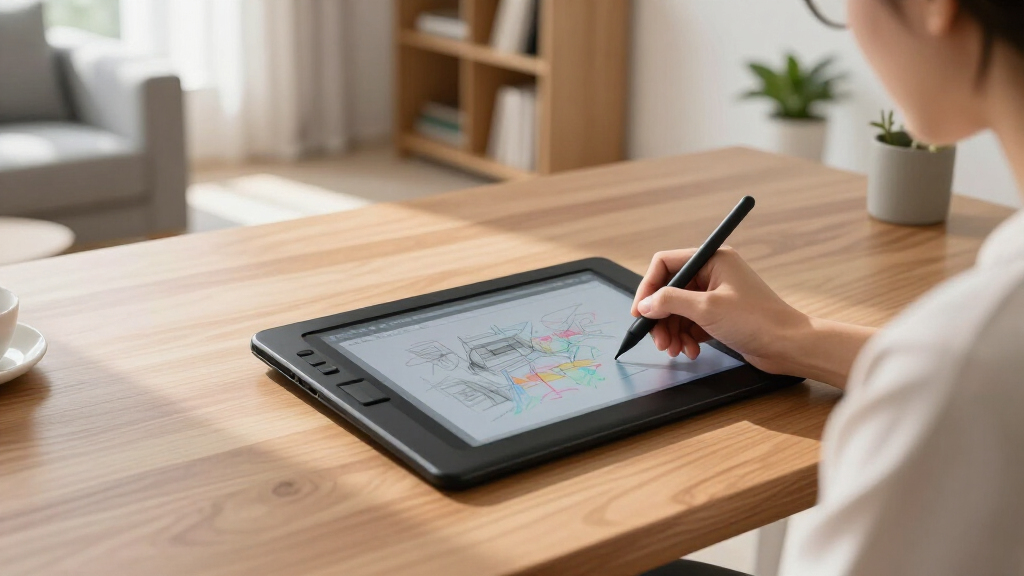

Searching for the best digital writing tablets in 2026? The top pick is the reMarkable Paper Pure for its exceptional paper-like feel and minimal distractions. The Wacom MovinkPad 11 stands out for versatile drawing capabilities, while the Amazon Kindle Scribe offers a reading-focused experience with added note-taking. These devices balance performance, usability, and price, but each has tradeoffs—like limited app support or higher costs. Keep reading for a detailed breakdown to find the perfect match for your needs.

Get the latest gadgets delivered free — and shop member deals
- Fast, free delivery on millions of items
- Access to Prime Big Deal Days deals on October 6–7
- Prime Video, Amazon Music and more included
Complete the kit



Key Takeaways
- The best digital writing tablets vary significantly in focus, from reading to drawing to note-taking.
- Paper-like displays are crucial for those seeking a natural writing experience, but they often come at a higher price.
- Device versatility is limited in some models, making them ideal for specific tasks but less so for multitasking.
- Stylus quality and pressure sensitivity are key features that differentiate premium options from budget picks.
- Battery life and storage capacity remain important factors, especially for prolonged or mobile use.
| reMarkable Paper Pure with Marker 10.3-inch Digital Notebook |  | Best Overall for Focused Digital Note-Taking | Display Size: 10.3 inches | Display Type: E Ink | Color: Black and white | VIEW LATEST PRICE | See Our Full Breakdown |
| reMarkable Paper Pure with Marker Plus and Mist Green Sleeve Folio – 10.3” Digital Paper Tablet |  | Best for Versatile Note-Taking and Sketching | Display Size: 10.3 inches | Display Type: E Ink | Color: Black and white | VIEW LATEST PRICE | See Our Full Breakdown |
| Wacom MovinkPad 11 Android Drawing Tablet with Pro Pen 3 |  | Best for Portable Drawing and Note-Taking on Android | Display: 11.45 inches | Operating System: Android 14 | Memory: 8 GB RAM | VIEW LATEST PRICE | See Our Full Breakdown |
| XPPen 3-in-1 Color Digital Notebook 10.95” Paper Note Taking Tablet with 16384 Pressure Levels, Battery-Free X3 Pro Pencil, 6+128GB Storage |  | Best for Advanced Note Management and Color Options | Display Size: 10.95 inches | Color Modes: Monochrome, Light, Nature | Pressure Levels: 16K | VIEW LATEST PRICE | See Our Full Breakdown |
| TCL NXTPAPER 11 Gen 2 Android Tablet, 11-inch 2K Display, 8GB RAM, 128GB Storage, Stylus & Case Included |  | Best for All-in-One Study and Creativity | Display: 11-inch 2K | Processor: MediaTek Helio G80 | RAM: 8GB | VIEW LATEST PRICE | See Our Full Breakdown |
| reMarkable 2 with Marker Plus | 10.3” Paper Tablet with E Ink Display |  | Best Overall for Focused Note-Taking and Reading | Display: 10.3-inch black and white E Ink | Thickness: 4.7 mm | Battery Life: Up to 2 weeks | VIEW LATEST PRICE | See Our Full Breakdown |
| Amazon Kindle Scribe (16GB) with Premium Pen |  | Best for Reading and Light Note-Taking with AI Tools | Storage: 16GB | Display: 10.2-inch glare-free, 300 ppi front-lit | Included: Premium Pen | VIEW LATEST PRICE | See Our Full Breakdown |
| reMarkable Paper Pro with Marker Plus and Black Leather Book Folio |  | Best for Color Reading and Versatile Use in a Premium Package | Display: 11.8-inch color e-ink | Included Items: Marker Plus, 6 spare tips, Book Folio, USB-C cable | Features: Color display, adjustable reading light, low-glare screen | VIEW LATEST PRICE | See Our Full Breakdown |
| XPPen 10.95-Inch Standalone Drawing Tablet with Color Display and Pressure Sensitivity |  | Best for Artists and Creators Who Need Color and Precision | Display Size: 10.95 inches | Color Display: Yes, 16.7 million colors | Pressure Sensitivity: 16,384 levels | VIEW LATEST PRICE | See Our Full Breakdown |
| digital writing tablet | Display |
|---|---|
| reMarkable Paper Pure with Mar | — |
| reMarkable Paper Pure with Mar | — |
| Wacom MovinkPad 11 Android Dra | 11.45 inches |
| XPPen 3-in-1 Color Digital Not | — |
| TCL NXTPAPER 11 Gen 2 Android | 11-inch 2K |
| reMarkable 2 with Marker Plus | 10.3-inch black and white E Ink |
| Amazon Kindle Scribe | 10.2-inch glare-free, 300 ppi front-lit |
| reMarkable Paper Pro with Mark | 11.8-inch color e-ink |
| XPPen 10.95-Inch Standalone Dr | — |
More Details on Our Top Picks
reMarkable Paper Pure with Marker 10.3-inch Digital Notebook
The reMarkable Paper Pure stands out for its high-contrast, fast-rendering e-ink display that mimics paper, making it ideal for writers who prioritize a distraction-free environment. Compared with the reMarkable 2, it offers a slightly more streamlined experience with seamless cloud integration, but it lacks the color capabilities of more advanced tablets like the XPPen or TCL models. This device is perfect for those who need a dedicated digital notebook for reading and handwriting without multimedia distractions. The main tradeoff is its black-and-white display, which limits multimedia use and color annotation. It also requires a stylus and a steady hand for best results, as there’s no touchscreen or color support. Overall, this is best for traditional note-takers and document reviewers who want a dedicated, distraction-free device.
Pros:- High-contrast, fast-response e-ink display that mimics paper
- Supports handwriting, note-taking, and document markup
- Organizational tools like tags and folders for easy management
Cons:- Limited to black-and-white display, restricting multimedia use
- Requires stylus for optimal handwriting experience
Best for: Professionals and students seeking a paper-like experience for reading and handwriting without multimedia distractions.
Not ideal for: Multimedia enthusiasts or artists who need vibrant colors and detailed graphics, as it cannot display color or support complex sketches.
- Display Size:10.3 inches
- Display Type:E Ink
- Color:Black and white
- Response Time:21 ms
- Compatibility:Google Drive, Dropbox, Microsoft Word
Our verdict“This device is ideal for users who prioritize focused, paper-like note-taking over multimedia features.”
reMarkable Paper Pure with Marker Plus and Mist Green Sleeve Folio – 10.3” Digital Paper Tablet
This reMarkable Paper Pure bundle offers a comprehensive note-taking experience with the included Marker Plus and stylish Mist Green Sleeve Folio, making it a strong choice for digital artists and writers alike. Compared to the simpler reMarkable 2, the addition of the Marker Plus enhances note conversion and sketching capabilities, though it still retains the black-and-white display. If you’re accustomed to traditional notebooks but want the benefits of digital organization, this model provides smooth handwriting and easy document management via tags and folders. However, it shares the same limitation of no color support and requires regular charging and updates, which might be a learning curve for some users. This pick is best suited for those who want a premium, all-in-one digital notebook for writing, sketching, and document review.
Pros:- High-contrast, fast-response e-ink display ideal for reading and sketching
- Supports handwriting, sketching, and note conversion to text
- Includes accessories like Marker Plus and stylish folio for enhanced usability
Cons:- Limited to black-and-white display, not suitable for color content
- Requires charging and occasional software updates
Best for: Creative professionals and students who need a versatile device for handwriting, sketching, and document management.
Not ideal for: Color artists or multimedia creators who require vibrant displays and full-color support, which this device does not provide.
- Display Size:10.3 inches
- Display Type:E Ink
- Color:Black and white
- Response Time:21 ms
- Included Accessories:Marker Plus, Mist Green Sleeve Folio
Our verdict“This device is perfect for users seeking a premium, versatile digital notebook for writing and sketching in black and white.”
Wacom MovinkPad 11 Android Drawing Tablet with Pro Pen 3
The Wacom MovinkPad 11 is designed for digital artists and note-takers who want a portable device with a natural drawing feel. Its 11.45-inch anti-glare matte screen reduces reflections, making it ideal for outdoor use, and the Pro Pen 3 offers 8,192 pressure levels for nuanced strokes. Compared with the XPPen, the MovinkPad emphasizes a familiar Android environment, supporting a variety of drawing apps on-the-go. However, it’s limited to Android, which could restrict compatibility with some desktop or advanced software. Its lightweight build makes it easy to carry, but battery life isn’t clearly specified, which could be a concern during extended use. This tablet makes the most sense for mobile artists and note-takers who want a seamless, paper-like experience without carrying a laptop.
Pros:- High-precision Pro Pen 3 with customizable buttons
- Anti-glare matte screen reduces reflections and fingerprints
- Lightweight and portable for on-the-go use
Cons:- Limited to Android platform, limiting desktop software compatibility
- Battery life details are not specified, which might affect long sessions
Best for: Mobile artists and students needing a portable, Android-based drawing and note device.
Not ideal for: Professional illustrators seeking desktop-level software compatibility or longer battery life, as these are not detailed for this model.
- Display:11.45 inches
- Operating System:Android 14
- Memory:8 GB RAM
- Storage:128 GB
- Pen:Pro Pen 3, 8,192 pressure levels
Our verdict“This tablet is best for users who need a portable, natural drawing experience within the Android ecosystem.”
XPPen 3-in-1 Color Digital Notebook 10.95” Paper Note Taking Tablet with 16384 Pressure Levels, Battery-Free X3 Pro Pencil, 6+128GB Storage
The XPPen 3-in-1 Color Digital Notebook offers a larger 10.95-inch display with multiple color modes and high-pressure sensitivity, making it suitable for detailed annotations and vibrant sketches. Its AG nano-etched LCD reduces glare and eye strain, providing a comfortable experience for long sessions. Compared to the Wacom MovinkPad, it includes more color modes and a higher stylus pressure sensitivity of 16K levels, appealing to users who want more control over their notes and sketches. The device’s ability to support remote meetings with a camera and microphone adds to its versatility. However, the narrower viewing angles and the need for system upgrades for advanced AI features could limit its immediate usability. It’s best for professionals and students who need a color-capable, high-performance note device with multimedia capabilities.
Pros:- High-quality, glare-reducing LCD with multiple color modes
- High-pressure sensitivity with 16K levels for detailed notes and sketches
- Supports remote meetings with built-in camera and mic
Cons:- Narrow viewing angles may limit visibility from certain positions
- Requires system upgrades for some AI note features
Best for: Advanced note-takers, students, and professionals who want a color-capable device with extensive note management features.
Not ideal for: Casual users or those primarily interested in black-and-white e-ink devices, as this model emphasizes color and multimedia features over simplicity.
- Display Size:10.95 inches
- Color Modes:Monochrome, Light, Nature
- Pressure Levels:16K
- Battery:8000mAh
- Connectivity:Wi-Fi, Bluetooth
Our verdict“This device is best for users seeking a high-color, high-sensitivity tablet with extensive note and multimedia capabilities.”
TCL NXTPAPER 11 Gen 2 Android Tablet, 11-inch 2K Display, 8GB RAM, 128GB Storage, Stylus & Case Included
The TCL NXTPAPER 11 Gen 2 combines a vibrant 11-inch 2K display with eye-care technology, making it a versatile choice for reading, drawing, and multimedia. Its powerful MediaTek Helio G80 processor and 8GB RAM support multitasking, while the included 4096-pressure-level stylus offers precise control for creative work. Compared with the XPPen, it provides a more comprehensive Android experience and better performance for everyday tasks, plus a long-lasting battery that supports fast and reverse charging. The device’s portability and durable design make it suitable for students and casual artists who want an all-in-one device. Some may find the internal storage of 128GB limiting if they don’t use expandable storage, but overall, it balances performance and versatility well.
Pros:- Vivid 11-inch 2K display with eye-care technology
- Powerful performance with 8GB RAM and MediaTek Helio G80
- Long battery life with fast and reverse charging
Cons:- Internal storage limited to 128GB, though expandable
- Stylus pressure sensitivity may not meet professional artist standards
Best for: Students and casual creators looking for a portable, multi-purpose Android tablet for study, drawing, and media consumption.
Not ideal for: Professional artists requiring extensive storage or specialized drawing features beyond basic stylus support.
- Display:11-inch 2K
- Processor:MediaTek Helio G80
- RAM:8GB
- Storage:128GB (expandable up to 1TB)
- Stylus:4096-pressure-level T-PEN
Our verdict“This tablet fits users seeking a versatile, high-resolution device for studying, drawing, and entertainment in a portable form.”
reMarkable 2 with Marker Plus | 10.3” Paper Tablet with E Ink Display
The reMarkable 2 stands out for its paper-like writing experience, making it ideal for those who want distraction-free note-taking and reading. Its 10.3-inch E Ink display offers a highly realistic paper feel, unlike the color screens of the Paper Pro, but this also limits its use to reading and annotating documents. Compared to the XPPen, which offers vibrant color and drawing capabilities, the reMarkable is more specialized for writing and reviewing. Its long battery life of up to two weeks means fewer charging interruptions, though it requires a subscription for cloud storage, adding ongoing costs. This pick makes the most sense for professionals or students who prefer a dedicated digital paper device without the distractions of apps or notifications.
Pros:- Feels like writing on paper with a realistic texture
- Long battery life of up to 2 weeks
- No distractions from apps or notifications
- Supports organizing, annotating, and converting notes
Cons:- Limited to note-taking and reading, no app store
- Requires subscription for cloud storage and syncing
- Black-and-white display may not suit color-dependent tasks
Best for: Users who prioritize focused writing, reading, and annotation with a paper-like feel.
Not ideal for: Artists or designers who need color-rich visuals or multimedia features.
- Display:10.3-inch black and white E Ink
- Thickness:4.7 mm
- Battery Life:Up to 2 weeks
- Included:reMarkable 2 tablet, Marker Plus with built-in eraser, 9 spare Marker tips, USB-A to C cable
- Connectivity:Wi-Fi, cloud storage integration
Our verdict“This device is best for users seeking a distraction-free, paper-like writing experience and long battery life.”
Amazon Kindle Scribe (16GB) with Premium Pen
The Kindle Scribe offers a 10.2-inch glare-free, 300 ppi display, making it a strong choice for readers who also want to jot down notes. Its AI tools for note summarization and handwriting conversion provide convenient digital management, setting it apart from the more basic reMarkable 2. However, with only 16GB of storage, it can fill up quickly if used for extensive files, unlike the more expandable options like the XPPen. The device’s long battery life ensures it can handle prolonged reading and writing sessions, but it requires regular charging for the stylus and device itself. This model is ideal for avid readers who want a versatile device for reading and light note-taking, blending digital paper with smart features.
Pros:- High-quality glare-free display suitable for reading
- Includes AI tools for note management and conversion
- Long battery life supports extended use
- Compact and lightweight for portability
Cons:- Limited storage capacity may be restrictive
- No waterproof or rugged features
- Requires charging for the pen and device
Best for: Readers and students who want a combined reading and note-taking device with AI-assisted tools.
Not ideal for: Heavy digital artists or designers needing color or advanced drawing features.
- Storage:16GB
- Display:10.2-inch glare-free, 300 ppi front-lit
- Included:Premium Pen
- Features:AI notebook tools, import/export documents, adjustable margins
- Battery Life:Long-lasting
Our verdict“This device suits those who prioritize reading and note-taking with smart AI features in a compact form.”
reMarkable Paper Pro with Marker Plus and Black Leather Book Folio
The reMarkable Paper Pro expands on the original with an 11.8-inch color e-ink display, making it suitable for reading and drawing in color. Its larger size and adjustable reading light provide a more flexible reading experience compared to the Paper Tablet, especially outdoors or in varied lighting. The stylus with eraser and included leather folio add a premium touch, but the device’s limited color palette and e-ink technology mean it cannot match LCD tablets for vivid visuals. It’s more expensive, reflecting its specialized features, but for those who want a color e-ink device for reading, sketching, and note-taking, it offers a compelling mix of paper-like feel and color versatility.
Pros:- Large color e-ink display for versatile use
- Paper-like writing experience with stylus
- Low-glare screen suitable for outdoor reading
- Includes protective leather folio
Cons:- Limited to e-ink technology, not full color like LCDs
- Higher price due to specialized features
- Requires compatible stylus for full functionality
Best for: Creative professionals or avid readers who need a large, color e-ink device for versatile use.
Not ideal for: Users seeking full-color LCD tablets for multimedia or high-res color work.
- Display:11.8-inch color e-ink
- Included Items:Marker Plus, 6 spare tips, Book Folio, USB-C cable
- Features:Color display, adjustable reading light, low-glare screen
Our verdict“Best suited for color reading and sketching in a paper-like format, especially outdoors or in bright light.”
XPPen 10.95-Inch Standalone Drawing Tablet with Color Display and Pressure Sensitivity
The XPPen Magic Note Pad offers a vibrant 10.95-inch color display with a paper-like surface, making it an excellent choice for artists and creative users. Its support for 16,384 pressure levels and tilt provides precise control for digital drawing and note-taking, rivaling dedicated art tablets. Compared to the reMarkable Paper Pro, which is more suited for reading and basic sketching, the XPPen leans heavily into creative work with full-color visuals and advanced stylus features. Its Android 14 operating system allows access to a range of apps, but this also means it may lack the stability and simplicity of more focused devices. This tablet is ideal for those who want a portable device for detailed drawing and note-taking with vibrant colors.
Pros:- Paper-like texture with AG nano-etching technology
- Supports 16,384 pressure levels and tilt
- Vibrant 16.7 million color display
- Lightweight and portable for on-the-go use
Cons:- Limited to Android 14, app support may vary
- No built-in storage or expandable options
- Requires compatible apps for full functionality
Best for: Artists and creators seeking a portable, color-rich drawing and note device with pressure sensitivity.
Not ideal for: Users who prefer a dedicated e-ink experience or need a device with extensive app support beyond drawing.
- Display Size:10.95 inches
- Color Display:Yes, 16.7 million colors
- Pressure Sensitivity:16,384 levels
- Refresh Rate:90Hz
- Weight:495g
- Operating System:Android 14
Our verdict“This device is ideal for artists and designers who want a portable, color-rich tablet with precise control for creative work.”
How We Picked
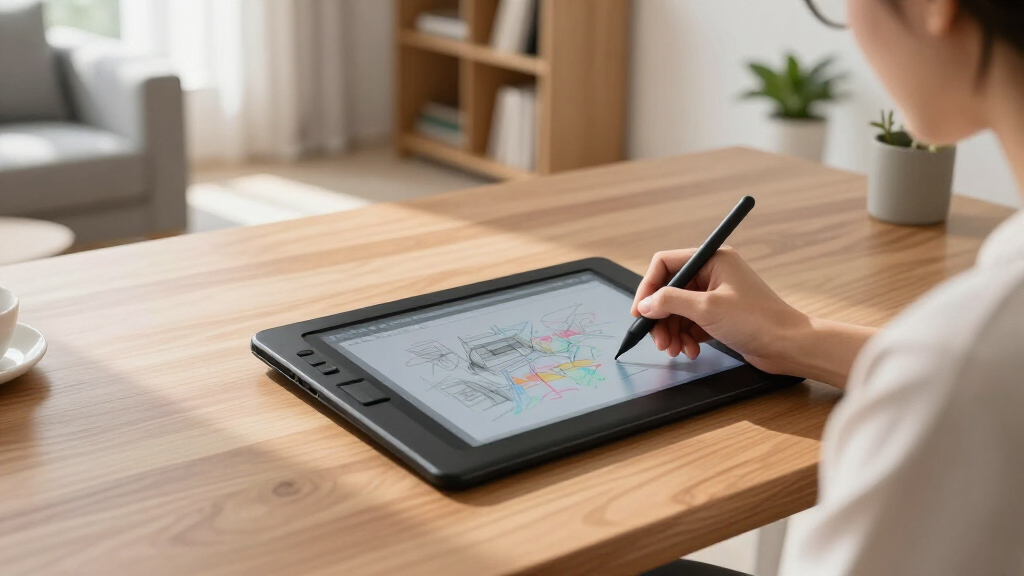
These products were selected based on a combination of performance, usability, build quality, and value. We prioritized devices that excel in writing or drawing experiences, with a focus on display quality, stylus responsiveness, and overall durability. Ease of use and feature set were also key considerations, alongside price and user feedback. The ranking reflects how well each device balances these factors for different types of users, from casual note-takers to professional artists. Our goal was to identify options that deliver reliable performance for their intended purpose.Factors to Consider When Choosing Best Digital Writing Tablets
Choosing the right digital writing tablet involves several considerations. Beyond basic features, understanding how display quality, stylus performance, and device versatility impact your experience can help you make a smarter purchase. It’s also important to consider how much you’re willing to spend, as higher-end models tend to offer more natural writing experiences and durability. Keep in mind that some devices prioritize reading or drawing, so matching your primary use with the device’s strengths is essential.Display Quality and Paper-Like Feel
The quality of the display is paramount for a natural writing or drawing experience. E Ink screens are favored for their paper-like feel and glare-free readability, making them ideal for long writing sessions. Conversely, LCD or OLED screens offer color and multimedia support but may not mimic paper as closely. Consider whether you want a device primarily for reading, sketching, or note-taking, and choose a display that aligns with those needs.
Stylus Responsiveness and Pressure Sensitivity
The stylus is your primary tool on a digital writing tablet, so responsiveness and pressure sensitivity are critical. Higher pressure levels (e.g., 2048 or more) enable more precise control for detailed artwork or calligraphy. A lag-free stylus enhances writing fluency, especially for fast note-taking. Some models come with tilt sensitivity or customizable buttons, adding to their versatility. Investing in a quality stylus can significantly improve your overall experience.
Device Versatility and Ecosystem
Some tablets are dedicated e-ink readers, while others double as full-featured tablets with app support. If you want a device that can handle multiple tasks—note-taking, drawing, reading, and browsing—look for models with open operating systems or Android/iOS compatibility. Keep in mind that more versatile devices tend to be more expensive and may compromise on the simplicity or focus of a dedicated e-ink device. Choose based on whether you prefer a single-purpose device or a multifunctional tablet.
Battery Life and Storage
Long battery life ensures your device can last through extensive work sessions without frequent charging. E Ink devices typically excel here, often lasting weeks on a single charge, while LCD-based tablets may need daily charging. Storage capacity matters if you plan to store large documents, artwork, or multimedia files. Consider your typical usage patterns—if portability and minimal maintenance matter most, prioritize devices with longer battery life and sufficient storage.
Price and Value
Digital writing tablets range from budget-friendly options to premium devices with advanced features. Higher prices often correlate with better display technology, stylus quality, and build durability. However, a more expensive device isn’t always necessary for casual use. Focus on finding a model that matches your primary tasks and offers a good balance of features and affordability. Reading reviews and comparing warranties can also help determine overall value.
Frequently Asked Questions
Can I use a digital writing tablet for professional artwork?
Yes, many tablets support professional-grade drawing with high pressure sensitivity and tilt support, essential for detailed artwork. Devices like the Wacom MovinkPad or XPPen models are designed with artists in mind, offering responsive styluses and color displays. However, dedicated drawing tablets often provide better color accuracy, larger screens, and more customizable options—so if your focus is professional art, investing in a higher-end model makes sense.
Are e-ink tablets suitable for note-taking or reading?
Absolutely, e-ink tablets excel for reading and note-taking thanks to their glare-free screens that mimic paper. They consume less power, resulting in longer battery life, which is ideal for extended use. The tradeoff is that they typically lack color and are less responsive for fast drawing or multimedia. If your primary needs are reading e-books and jotting down notes, an e-ink device like the reMarkable or Kindle Scribe is a smart choice.
Is it worth paying more for a dedicated digital note-taking device?
Investing in a premium device often provides a more natural writing experience, better build quality, and longer durability. Higher-end models usually feature more responsive styluses, higher-resolution displays, and longer battery life. If you rely on your device daily for critical tasks or professional work, the extra cost can translate into increased comfort and efficiency. However, if your use is casual, a more affordable model may meet your needs sufficiently.
Do I need a stylus with pressure sensitivity?
Pressure sensitivity enhances control, allowing for varied line thickness and shading—especially important for artists or detailed note-takers. While some basic models come with styluses lacking pressure sensitivity, they might feel less natural or precise. If you plan to do any drawing or calligraphy, choosing a stylus with at least 2048 levels of pressure sensitivity improves the overall experience and output quality.
Can I use my iPad or Android tablet as a digital writing tablet?
Yes, many mainstream tablets support stylus input and can function as digital writing devices with the right apps. However, dedicated e-ink or specialized tablets often better replicate paper and provide a distraction-free environment. Regular tablets may have more features but can also introduce notifications and multitasking distractions. If focused writing or drawing is your priority, a dedicated device might offer a more consistent experience, but for casual use, popular tablets can suffice.
Conclusion
For general note-taking and reading, the Kindle Scribe offers excellent value and simplicity. The reMarkable Paper Pure remains the best choice for those seeking a paper-like experience, especially if you mainly write or sketch. The Wacom MovinkPad 11 is ideal for artists and professionals needing versatile drawing features, while budget buyers can turn to the XPPen 10.95-Inch for a capable yet affordable option. Those new to digital tablets should prioritize ease of use, while artists and professionals should consider more advanced stylus and display options. Ultimately, the best device depends on your specific needs and budget.
Fall Picks
fall essentials
As an affiliate, we earn on qualifying purchases.



![Rails World 2026 Opening Keynote [Video]](https://spectralore.com/wp-content/uploads/2026/09/rails-world-2026-opening-keynote-video-featured-260x140.jpg)