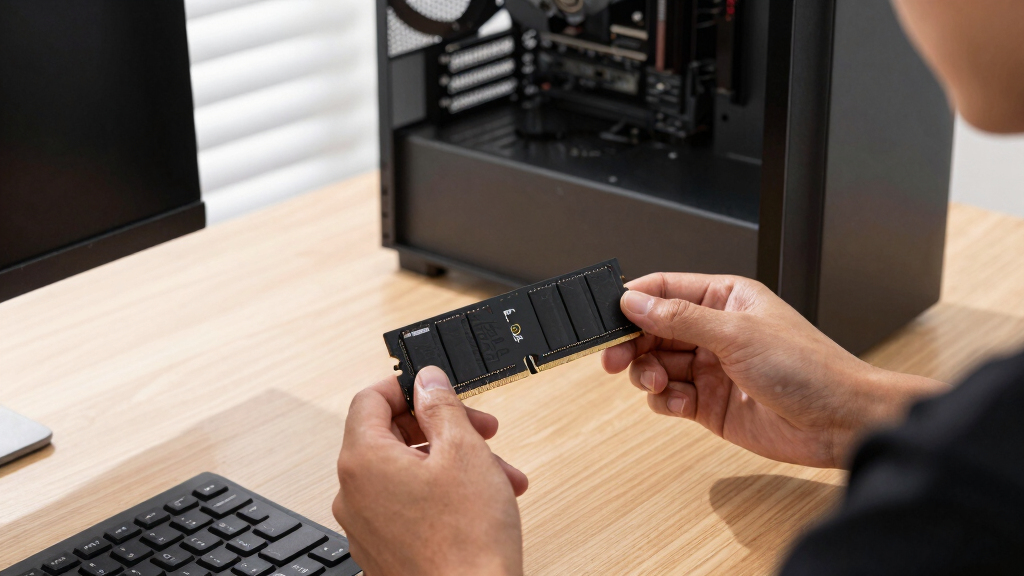

The Kingston DDR5 32GB PC5600 CL46 ServerPremier ECC Hynix is my best overall pick for buyers seeking balanced speed, dependable error correction, and a practical single-module capacity. I rank the Kingston Fury Renegade Pro EXPO 128GB 4x32GB kit as the premium performance choice, while the Samsung 64GB DDR5-5600 ECC RDIMM stands out for dense server configurations. The main tradeoffs are registered versus unbuffered memory, total capacity versus module count, and JEDEC stability versus aggressive EXPO speeds. The Corsair Vengeance and Lexar Thor kits sit lower because their listed specifications do not confirm system-visible ECC protection. Continue reading for the full breakdown of the best ECC DDR5 memory choices and the compatibility checks that should guide the final purchase.
Complete the kit



Key Takeaways
- Platform compatibility decided the ranking before speed: ECC RDIMMs, ECC UDIMMs, and consumer DDR5 cannot be treated as interchangeable modules.
- The Kingston PC5600 CL46 ServerPremier ECC Hynix earned the overall position by balancing a practical 32GB capacity with a conservative DDR5-5600 operating profile.
- Among the 128GB kits, the 4x32GB Kingston Fury Renegade Pro offers a cleaner capacity layout than the 8x16GB version, while the latter better suits systems designed around eight populated channels.
- The Samsung 64GB DDR5-5600 RDIMM is the stronger density-focused server choice, but the generic Kingston 64GB listing requires closer part-number verification before purchase.
- The Corsair Vengeance and Lexar Thor Z RGB kits are mainstream consumer alternatives rather than confirmed system-level ECC choices, despite DDR5 having internal on-die error correction.


| ECC DDR5 memory | Capacity | Memory generation | Memory type | Voltage |
|---|---|---|---|---|
| Kingston ServerPremier 32GB DD | 32GB | DDR5 | SDRAM | — |
| CORSAIR Vengeance DDR5 RAM 32G | — | DDR5 | — | 1.35V |
| Kingston DDR5 32GB PC5600 CL46 | 32GB | DDR5 | — | — |
| Kingston Fury Renegade Pro Exp | — | DDR5 | — | — |
| Lexar Thor Z Series RGB DDR5 R | — | DDR5 | — | 1.35V |
| Kingston 64GB DDR5 SDRAM Memor | 64 GB | — | DDR5 SDRAM | 1.10 V |
| Kingston FURY Renegade Pro EXP | 32 GB | — | DDR5 | — |
| Kingston Fury Renegade Pro EXP | — | — | DDR5 | 1.4 V |
| Samsung 64GB DDR5 5600MHz ECC | 64 GB | — | DDR5 | 1.1 V |
More Details on Our Top Picks
Kingston ServerPremier 32GB DDR5 SDRAM Memory Module
I rank the Kingston ServerPremier 32GB as the sensible starting point for a server that needs one reasonably dense module without enthusiast extras. Its x72 organization and on-die ECC favor data integrity, while 72 internal banks help DDR5 handle concurrent memory activity efficiently. Compared with the Kingston DDR5 32GB PC5600 CL46 Server Premier ECC Hynix, however, this listing omits the operating speed, latency, and buffer type, making compatibility harder to confirm. It also provides far less capacity than the Kingston Fury Renegade Pro Expo 128GB kit. I would choose it for a conservative replacement or expansion only after checking the server vendor’s memory list. The compact 31.25mm PCB is useful in dense systems, but limited platform detail keeps it below the more clearly specified server options.
Pros:- 32GB capacity suits moderate server workloads
- x72 organization supports an ECC-oriented server configuration
- On-die ECC corrects errors within individual DDR5 chips
- Low 31.25mm module height works well in dense chassis
Cons:- Operating speed and CAS latency are not supplied
- Registered versus unbuffered design is not identified
- Compatibility details are too limited for a blind server upgrade
Best for: Server administrators replacing or adding a single 32GB x72 DDR5 module in a system with verified Kingston ServerPremier support
Not ideal for: Buyers who need a published speed, buffer type, or validated platform list before ordering
- Capacity:32GB
- Memory generation:DDR5
- Memory type:SDRAM
- ECC specification:On-die ECC
- Module organization:x72
- Bank structure:72 banks
- Package height:1.23 inches (31.25mm)
- Target application:Servers
Our verdict“I recommend this module for a verified ServerPremier-compatible system, but not when the server’s required speed and buffer type remain unknown.”
CORSAIR Vengeance DDR5 RAM 32GB (2x16GB) 6000MHz
I include the CORSAIR Vengeance 32GB kit only as a reference point for buyers who value desktop speed more than system-level error correction. Its 6000MHz profile and AMD EXPO plus Intel XMP 3.0 support make tuning easier than with the Kingston ServerPremier 32GB module, whose listed specifications do not disclose speed. Yet this is not registered ECC server memory: standard DDR5 on-die correction, if present at chip level, does not provide the platform-visible protection expected from an ECC DIMM. The two-module layout also occupies more slots than either single 32GB Kingston server option. I would pick it for a gaming or creator desktop that happens to appear in an ECC search, not for a reliability-led workstation. Reaching 6000MHz depends on compatible hardware and an enabled memory profile, so default operation may be slower.
Pros:- 6000MHz rated speed offers strong desktop bandwidth
- AMD EXPO and Intel XMP 3.0 simplify profile-based tuning
- Two matched 16GB modules support dual-channel desktop configurations
- Compact DIMM design avoids oversized heat-spreader clearance problems
Cons:- Not a registered ECC server-memory kit
- Rated speed requires BIOS profile setup and compatible hardware
- Two modules consume twice as many slots as a single 32GB DIMM
Best for: Desktop builders who want a fast 32GB dual-channel kit and do not require platform-visible ECC protection
Not ideal for: Server and workstation buyers who specifically need ECC or registered DIMMs for error reporting and correction
- Total capacity:32GB
- Kit configuration:2x16GB
- Memory generation:DDR5
- Rated speed:Up to 6000MHz
- Primary timing:CL36-44-44-96
- Voltage:1.35V
- Profile support:AMD EXPO and Intel XMP 3.0
- Form factor:DIMM
Our verdict“I would buy this for a fast mainstream desktop, while ECC-focused systems should use one of the Kingston server modules instead.”
Kingston DDR5 32GB PC5600 CL46 Server Premier ECC Hynix
The Kingston PC5600 Server Premier ECC earns my single-module upgrade role because its listing states the details missing from the other 32GB ServerPremier option: 5600MHz operation, CL46 latency, and Hynix chips. That makes matching it to a supported server configuration less speculative. Compared with the Kingston Fury Renegade Pro Expo 128GB kit, it costs capacity and peak bandwidth but requires only one slot and avoids buying four modules at once. Its server focus is also a better fit for reliability-led systems than the non-ECC CORSAIR Vengeance kit. The main limitation is scope: 32GB can disappear quickly under virtual machines, large databases, or scientific workloads. I would also verify whether the host expects registered or unbuffered ECC because the supplied data does not say. This is a practical targeted upgrade, not a universal DDR5 DIMM.
Pros:- 5600MHz rating is clearly specified
- ECC support fits reliability-focused server workloads
- Single 32GB module preserves remaining memory slots
- Hynix memory chips are identified in the product data
Cons:- 32GB capacity is modest for dense virtualized workloads
- Registered or unbuffered status is not specified
- Server orientation limits compatibility with consumer motherboards
Best for: Server owners seeking one 32GB ECC module with a clearly stated 5600MHz speed and CL46 timing
Not ideal for: High-density virtualization hosts needing 64GB or more per module, or buyers who cannot verify the required buffer type
- Capacity:32GB
- Memory generation:DDR5
- Speed:5600MHz
- Speed class:PC5600
- CAS latency:CL46
- ECC support:Yes
- Memory chips:Hynix
- Application:Server
Our verdict“I favor this model for a verified 5600MHz server upgrade where one 32GB ECC DIMM is enough.”
Kingston Fury Renegade Pro Expo 128GB DDR5 ECC Registered DIMM Kit (4x32GB) 6400MT/s
I place the Kingston Fury Renegade Pro Expo 128GB kit first because it combines the lineup’s strongest buyer outcomes: high capacity, registered ECC protection, and 6400MT/s rated speed. Four matched 32GB DIMMs make more sense for rendering, engineering, and large data workloads than assembling separate Kingston PC5600 Server Premier modules, while the faster rating gives a supported workstation more bandwidth. Compared with the 8x16GB version elsewhere in the roundup, this four-module kit reaches the same total capacity while consuming half as many slots. The tradeoff is a narrow compatibility target. Registered DIMMs will not work in ordinary consumer DDR5 boards, and 6400MT/s depends on a platform that supports the kit and its EXPO or XMP profile. It is expensive and excessive for light work, but I see its capacity-per-slot advantage as the best-balanced ECC choice here.
Pros:- 128GB capacity handles memory-heavy professional workloads
- Four 32GB modules deliver strong capacity per occupied slot
- Registered ECC design targets compatible workstation platforms
- 6400MT/s rating pairs high bandwidth with profile-based tuning
Cons:- Registered DIMMs are incompatible with standard consumer DDR5 motherboards
- Premium capacity and speed carry a high purchase cost
- Reaching 6400MT/s requires a supported CPU, board, and memory profile
Best for: Threadripper-class and other compatible workstation owners running rendering, simulation, engineering, or large dataset workloads
Not ideal for: Mainstream desktop owners whose motherboards reject registered DIMMs, or light users who will not use 128GB
- Total capacity:128GB
- Kit configuration:4x32GB
- Memory generation:DDR5
- Rated data rate:6400MT/s
- ECC support:Yes
- Buffer type:Registered DIMM
- Overclocking support:Yes
- Profile certification:Intel XMP 3.0 and AMD EXPO
Our verdict“I rank this kit highest for compatible professional workstations that need 128GB, ECC protection, and strong bandwidth without filling eight slots.”
Lexar Thor Z Series RGB DDR5 RAM 32GB Kit (2x16GB) 6000MHz
The Lexar Thor Z Series RGB 32GB kit is my visual-performance pick, but it sits outside the core server-ECC group. Its 6000MHz rating, aluminum heat spreaders, and customizable RGB lighting target showcase gaming and creator PCs. The listed on-die ECC corrects faults inside each DDR5 chip; it is not a substitute for the platform-visible ECC and registered design of the Kingston Fury Renegade Pro Expo 128GB kit. Against the CORSAIR Vengeance 32GB kit, Lexar adds lighting and explicitly listed PMIC and on-die correction, while matching the same capacity, speed, voltage, and broad profile support. Those extras may raise the price without improving reliability at the system level, and lighting can add software setup. I would choose it when appearance matters alongside speed. Buyers building a server or professional ECC workstation should skip the RGB premium and select a validated ECC DIMM.
Pros:- 6000MHz rated speed supports bandwidth-heavy desktop workloads
- RGB lighting suits display-focused PC builds
- Aluminum heat spreaders aid thermal management
- Intel XMP 3.0 and AMD EXPO cover both major desktop platforms
Cons:- On-die ECC does not replace system-level ECC memory
- RGB features may add cost and software configuration
- Rated speed still depends on motherboard and CPU support
Best for: Gaming and creator-PC builders who want 6000MHz memory with synchronized RGB lighting and do not require system-level ECC
Not ideal for: Reliability-focused server or workstation operators who need registered, platform-visible ECC memory
- Total capacity:32GB
- Kit configuration:2x16GB
- Memory generation:DDR5
- Rated speed:6000MHz
- Voltage:1.35V
- Profile support:Intel XMP 3.0 and AMD EXPO
- Error-correction feature:On-die ECC
- Additional features:PMIC, RGB lighting, aluminum heat spreader
Our verdict“I recommend this kit for an RGB desktop where speed and appearance outrank the system-level fault protection promised by true ECC memory.”
Kingston 64GB DDR5 SDRAM Memory Module
The Kingston 64GB DDR5 SDRAM Memory Module earns its place by balancing 64GB capacity, DDR5-5600 speed, and registered ECC protection in a single server-focused DIMM. Its larger per-module capacity supports dense virtual machines, databases, and technical workloads without filling slots as quickly as the 32GB Kingston FURY Renegade Pro EXPO. Compared with the Samsung 64GB RDIMM, this Kingston option offers nearly identical headline speed and capacity, making platform validation and pricing the likely deciding factors. The tradeoff is specialization: registered memory will not work in standard consumer DDR5 boards, and CL46 latency favors reliability over responsiveness. It also lacks the 6400MT/s speed and tuning profiles of the FURY models. I rank it as the balanced choice for buyers who need dependable capacity more than aggressive memory tuning.
Pros:- 64GB on one DIMM preserves slots for later capacity expansion
- Registered ECC supports error correction and stable server operation
- DDR5-5600 provides strong bandwidth for virtualized and data-heavy workloads
- Low 1.10V operating voltage suits always-on systems
Cons:- Incompatible with most consumer desktop motherboards
- CL46 latency is slower than the CL32 rating of the 128GB FURY kit
- No advertised XMP or EXPO tuning profiles
Best for: Server and workstation owners who need a single 64GB DDR5-5600 registered ECC module for memory-dense professional workloads
Not ideal for: Consumer desktop builders or latency-focused users, because ordinary DDR5 motherboards generally do not support registered DIMMs and CL46 is relatively loose
- Capacity:64 GB
- Memory Type:DDR5 SDRAM
- Speed:5600 MHz
- CAS Latency:CL46
- Voltage:1.10 V
- ECC:Yes
- Registration:Registered
- Form Factor:288-pin DIMM
Our verdict“Choose this module when you want a straightforward 64GB registered ECC server upgrade and value slot efficiency over overclocking.”
Kingston FURY Renegade Pro EXPO 32GB DDR5 6400MT/s ECC Registered DIMM Memory
The Kingston FURY Renegade Pro EXPO 32GB takes the speed-focused position because its 6400MT/s rating and XMP 3.0/AMD EXPO support allow compatible workstation platforms to pursue more bandwidth with simplified profile setup. It is quicker on paper than both 5600MHz 64GB modules from Kingston and Samsung, while its single-DIMM format lets buyers add capacity in measured steps. That flexibility comes with limits: 32GB is modest for heavy virtualization, and registered ECC compatibility remains far narrower than ordinary desktop DDR5. Compared with the 128GB eight-module FURY kit, this pick has a lower entry cost and fewer installation demands, but it cannot match that kit’s capacity or known CL32 specification. I place it here for performance-minded workstation builders who have already confirmed motherboard and processor support for overclockable RDIMMs.
Pros:- 6400MT/s rating offers more bandwidth than the 5600MHz alternatives
- Registered ECC combines error correction with a performance-oriented design
- Intel XMP 3.0 and AMD EXPO profiles simplify supported tuning
- Single-module format supports incremental capacity planning
Cons:- Requires explicit motherboard and processor support for registered ECC memory
- 32GB capacity is limited beside the 64GB modules and 128GB kits
- Overclocked 6400MT/s operation is platform-dependent rather than guaranteed everywhere
Best for: Workstation builders with a validated RDIMM platform who want 6400MT/s registered ECC memory without buying a large multi-module kit
Not ideal for: Buyers running mainstream gaming motherboards or memory-heavy virtual machines, since compatibility is narrow and 32GB may be insufficient
- Capacity:32 GB
- Memory Type:DDR5
- Rated Speed:6400 MT/s
- ECC Type:Registered ECC
- Overclockable:Yes
- Intel Profile:XMP 3.0
- AMD Profile:EXPO
Our verdict“Pick this module for a compatible high-performance workstation where memory speed matters more than maximizing capacity immediately.”
Kingston Fury Renegade Pro EXPO 128GB DDR5 6400MT/s ECC Registered DIMM Kit (8x16GB)
The Kingston Fury Renegade Pro EXPO 128GB kit is the most specialized performance pick here: eight matched 16GB registered ECC DIMMs can populate an eight-channel workstation platform in one purchase. Its 6400MT/s rating and CL32 latency are far more aggressive than the Kingston and Samsung 64GB DDR5-5600 CL46-class choices, which can benefit bandwidth-sensitive rendering, simulation, and compilation workloads. Against the four-module 128GB Fury kit elsewhere in the roundup, this version spreads the same capacity across twice as many slots; that suits wide-channel systems but leaves less room for future expansion. The eight-DIMM layout may also make the advertised speed harder for a platform to sustain, even with XMP 3.0 or EXPO profiles. I reserve this ranking for buyers who can verify RDIMM support, channel layout, and 1.4V profile compatibility before ordering.
Pros:- Eight matched DIMMs suit wide-channel workstation configurations
- 128GB total capacity supports demanding professional applications
- 6400MT/s and CL32 provide the strongest stated speed and latency combination in this batch
- XMP 3.0 and AMD EXPO profiles support tuning on compatible platforms
Cons:- Eight-module configuration requires a specialized motherboard with enough compatible slots
- Populating many channels can limit achievable overclocked speed
- Sixteen-gigabyte modules reduce future capacity headroom compared with 32GB or 64GB DIMMs
Best for: Owners of validated eight-channel workstations who need 128GB of matched ECC RDIMM capacity for bandwidth-heavy rendering, simulation, or engineering work
Not ideal for: Four-slot systems and buyers planning major capacity growth, because the eight-module kit demands many DIMM slots and uses 16GB modules
- Total Capacity:128 GB
- Kit Configuration:8 x 16 GB
- Memory Type:DDR5
- Rated Speed:6400 MT/s
- CAS Latency:CL32
- Voltage:1.4 V
- ECC and Registration:ECC, registered
- Form Factor:288-pin DIMM
- Profile Support:Intel XMP 3.0 and AMD EXPO
Our verdict“Buy this kit for a verified eight-channel RDIMM workstation, but choose a four-module or higher-density configuration if expansion space matters.”
Samsung 64GB DDR5 5600MHz ECC Registered RDIMM Server RAM Module
The Samsung 64GB DDR5-5600 ECC RDIMM is my compatibility-led pick for administrators sourcing a specific server module rather than chasing tuning headroom. Its published M321R8GA0PB0-CWM part number and 2Rx4 organization give buyers concrete identifiers to match against a server’s approved memory list. Capacity and speed mirror the Kingston 64GB DDR5-5600 module, but Samsung’s explicit configuration data makes this model easier to evaluate when an exact replacement matters. It falls behind the Kingston FURY Renegade Pro options in rated speed and offers no advertised XMP or EXPO overclocking path. Compatibility is also strict: it is not desktop memory, and mixing unlike ECC modules can cause unsupported layouts or reduced operation. I rank it for controlled server maintenance and matched expansion, where known module geometry carries more weight than flexible tuning or broad platform reach.
Pros:- Specific part number supports precise compatibility matching
- 64GB capacity adds substantial memory without consuming multiple slots
- Registered ECC protects data integrity in supported server workloads
- 2Rx4 organization is clearly identified for configuration planning
Cons:- Compatible only with select server platforms
- Cannot be treated as interchangeable with unmatched ECC module types or layouts
- 5600MHz rating trails the 6400MT/s FURY alternatives
Best for: Server administrators replacing or expanding memory in systems that explicitly support Samsung part M321R8GA0PB0-CWM and 2Rx4 RDIMMs
Not ideal for: Desktop owners or administrators mixing miscellaneous ECC modules, because this registered server DIMM needs a validated and consistent memory configuration
- Capacity:64 GB
- Memory Type:DDR5
- Speed:5600 MHz
- ECC Type:Registered ECC
- Voltage:1.1 V
- Module Configuration:2Rx4
- Form Factor:288-pin DIMM
- Part Number:M321R8GA0PB0-CWM
Our verdict“Choose this Samsung module when exact server compatibility and matched expansion matter more than overclocking or desktop flexibility.”
How We Picked
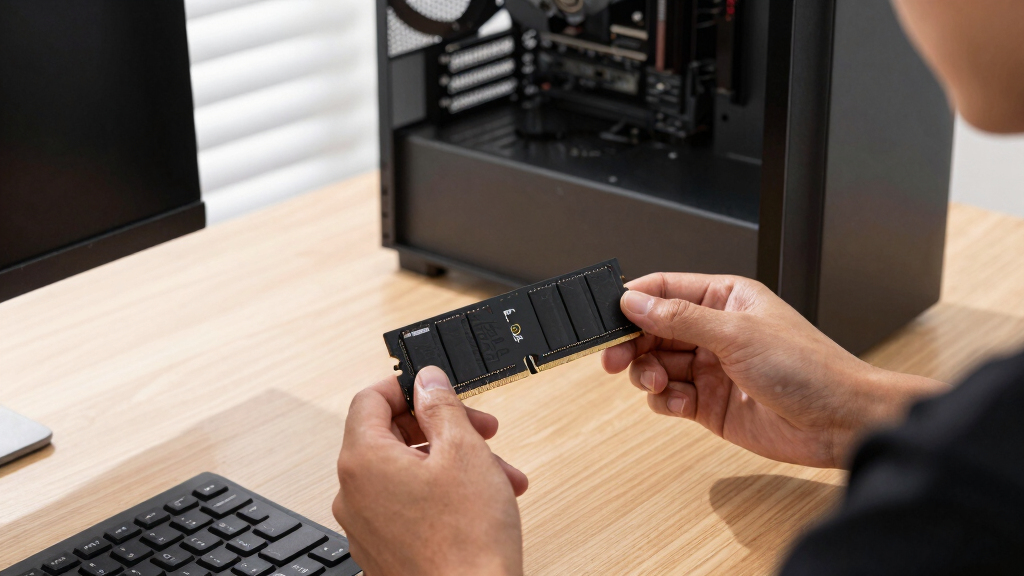
I ranked these products first by electrical and platform compatibility, since an impressive frequency is useless when a motherboard or processor cannot operate the module type. I then compared system-visible ECC support, registered or unbuffered design, capacity per module, rated transfer speed, latency, voltage, and kit topology. Clear manufacturer specifications and identifiable module configurations received more weight than vague product titles. Within compatible groups, I favored configurations that balance stability, capacity, and manageable channel loading over raw headline speed.
The Kingston PC5600 ServerPremier module leads because it offers the most balanced specification set for a conventional ECC build. The 4x32GB Renegade Pro kit ranks as the premium choice because it combines 128GB with fewer modules than the 8x16GB kit, though its 6400MT/s profile demands a specialized platform. Samsung’s 64GB DDR5-5600 RDIMM scores well for server density, while Kingston’s less specific 64GB listing loses ground because buyers need the exact part number to confirm its organization and rank structure. I placed the Corsair and Lexar kits near the bottom because on-die ECC is not a substitute for system-managed ECC memory.
Factors to Consider When Choosing Best ECC DDR5 Memory
I treat ECC DDR5 shopping as a platform-matching exercise rather than a race toward the highest advertised speed. The processor, motherboard, firmware, and module must support the same memory architecture before capacity or latency can influence the decision.
Match RDIMM or UDIMM to the Platform
My first filter is RDIMM versus UDIMM support. ECC RDIMMs add a register that reduces electrical load and supports large memory configurations, but mainstream desktop boards generally cannot use them. ECC UDIMMs lack that register and may work with selected workstation or server platforms, yet they are not substitutes for RDIMMs. I would check the processor memory controller, motherboard manual, BIOS notes, and qualified vendor list rather than relying on the shared 288-pin form factor. Physical fit does not establish electrical compatibility, and mixing registered and unbuffered modules will not work. When a listing omits the module class, the manufacturer part number is the safest route to a firm answer.
Choose Capacity and Module Count Together
A capacity target should be planned alongside memory-channel population. Four 32GB modules can leave more slots open and place less load on the platform than eight 16GB modules, which makes the 4x32GB Renegade Pro kit the more flexible 128GB configuration here. An eight-module kit can still make sense when a workstation has eight channels and the workload benefits from feeding every channel. Larger 64GB RDIMMs are attractive for virtualization, databases, and future expansion, but they can carry a higher cost per module. I would also check whether the board applies lower speed limits when every slot is filled. Buying the fewest modules is not always the right answer; the goal is a balanced channel layout that preserves both bandwidth and upgrade room.
Separate Rated Speed From Attainable Speed
The difference between DDR5-5600 and DDR5-6400 matters only when the processor and motherboard can sustain the faster setting with the chosen module count. High-capacity RDIMM systems may reduce memory speed as more channels or slots are populated. EXPO profiles simplify configuration on supported AMD workstation platforms, but they still represent an overclocked memory profile rather than a universal baseline. For servers that prioritize uptime, I generally favor JEDEC-rated operation and validated firmware support over a small bandwidth gain. Latency figures also need context because CL36 at one transfer rate cannot be compared directly with CL46 at another without calculating actual access time. Buyers running bandwidth-heavy rendering or simulation workloads have more reason to pay for 6400MT/s than buyers running storage, backup, or lightly loaded services.
Confirm That ECC Errors Reach the System
All DDR5 chips include on-die error correction that helps manage faults within each memory chip, but that feature does not provide the same protection as a system-level ECC module. True ECC memory carries extra data bits so the memory controller can detect and correct supported errors across the data path. The processor, motherboard traces, firmware, and operating system must all cooperate for useful error reporting and logging. This distinction is why the Corsair Vengeance and Lexar Thor kits should not be bought for a machine that explicitly requires ECC protection. I would verify BIOS reporting and operating-system logs after installation rather than assuming that a successful boot proves ECC is active. A product page that merely mentions DDR5 error correction without naming ECC UDIMM or ECC RDIMM deserves extra scrutiny.
Price Reliability Across the Whole Build
I compare value using the total platform cost, not memory price alone. A fast RDIMM kit may require a workstation processor and board that cost far more than a mainstream desktop platform. ServerPremier and Samsung modules trade gaming-style heat spreaders and lighting for conservative specifications, broad service use, and simpler physical layouts. Premium heat spreaders and EXPO profiles make more sense in a performance workstation where sustained bandwidth matters. For a long-lived server, I place more weight on part-number consistency, warranty coverage, replacement availability, and firmware validation. Paying more is justified when a larger module preserves open slots or when a validated kit reduces configuration risk, but cosmetic features provide little value in a rack system.
Frequently Asked Questions
Can I Install an ECC RDIMM in a Regular DDR5 Desktop Motherboard?
Usually not, even though both modules may use a 288-pin DDR5 connector. Registered memory requires support from the processor’s memory controller, motherboard wiring, and firmware, which most consumer desktop platforms lack. An incompatible system may refuse to boot rather than operating the module without ECC. I would confirm that the board documentation explicitly lists DDR5 ECC RDIMM support and then check the module against its qualified vendor list.
Are the Corsair Vengeance and Lexar Thor Z Kits True ECC Memory?
The supplied product names describe mainstream consumer DDR5 kits and do not identify them as ECC UDIMMs or ECC RDIMMs. Their DDR5 chips still use internal on-die correction, but that does not give the processor the same system-level correction and reporting provided by an ECC module. I would treat both as non-ECC choices unless an exact manufacturer part number states otherwise. Buyers building a server or workstation that requires error correction should choose a clearly labeled ECC module instead.
Is DDR5 On-Die ECC the Same as Server ECC?
No. On-die ECC operates inside each DDR5 memory chip and mainly supports chip-level data integrity during normal operation. Server-grade ECC adds check bits across the memory channel so the memory controller can correct supported single-bit errors and report faults to the system. On-die correction does not protect every transfer between the module and processor. For workloads where silent data corruption is a concern, I would require system-visible ECC support from the full platform.
Should I Choose a 4x32GB or 8x16GB 128GB Kit?
The 4x32GB kit is my default choice because it uses fewer slots, leaves more room for expansion, and may be easier for the memory controller to drive at high speed. The 8x16GB kit fits systems where populating eight memory channels provides the bandwidth pattern the workload needs. Both layouts require a board designed for ECC RDIMMs and enough matching channels or slots. I would choose based on channel architecture and future capacity plans, not the identical 128GB total alone.
Is DDR5-6400 Worth Paying More for Than DDR5-5600 ECC?
DDR5-6400 is most valuable for bandwidth-sensitive rendering, simulation, compilation, and technical workloads on a platform validated for that speed. Many server workloads benefit more from capacity, stable JEDEC operation, and lower platform complexity than from the extra transfer rate. Populating additional slots may also force a 6400MT/s kit to run below its advertised profile. For a general server or conservative workstation, I would favor DDR5-5600 ECC; for a compatible high-end workstation, the faster Renegade Pro modules can justify their price.
Conclusion
For the strongest balance of compatibility-minded specifications, capacity, and speed, my best overall choice is the Kingston DDR5 32GB PC5600 CL46 ServerPremier ECC Hynix. Buyers new to ECC builds should start with the Kingston ServerPremier 32GB module, provided its exact part number matches the motherboard list. My value pick for a compatible high-speed RDIMM workstation is the single 32GB Kingston FURY Renegade Pro EXPO, since it allows capacity to be added in stages.
For a no-compromise workstation, I would choose the 4x32GB Renegade Pro 128GB kit over the 8x16GB version because it preserves more expansion flexibility. The Samsung 64GB DDR5-5600 RDIMM is my capacity-focused server pick, while the 8x16GB Renegade Pro kit suits a specific eight-channel layout; the generic Kingston 64GB module is worth buying only after its full specification is verified. I would skip the Corsair Vengeance and Lexar Thor Z RGB kits whenever true system-level ECC is a requirement, since their listed features place them in the consumer-memory category.