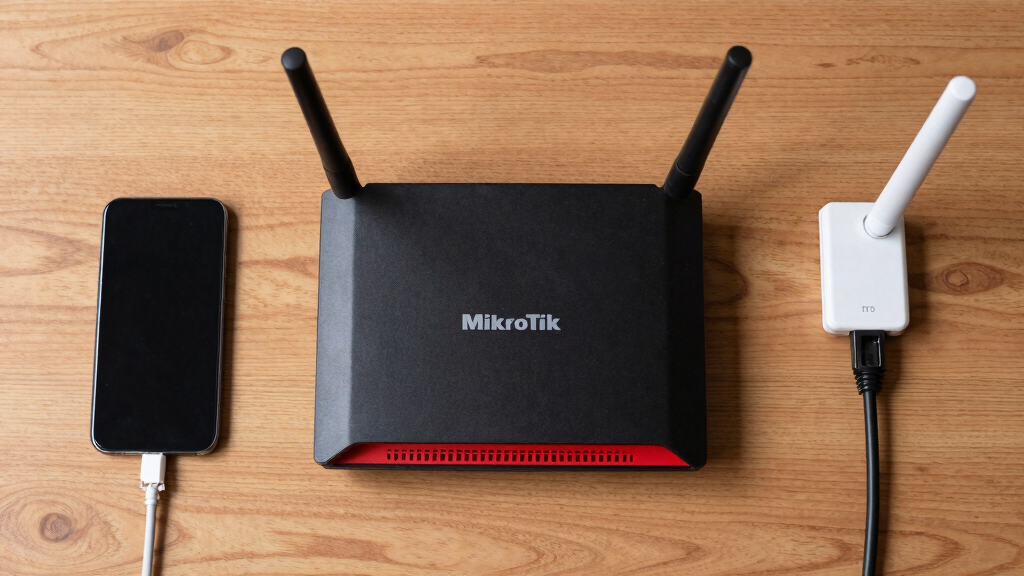

The best MikroTik router overall is the RouterBOARD 5009UG+S+ because its multi-gig port, 10G SFP+ cage, and capable hardware leave room for demanding routing and future upgrades. The hEX E50UG is my value pick for buyers who need an affordable wired router without paying for wireless hardware. For an easier all-in-one setup, I favor the hAP ax2, which combines Wi-Fi 6 with five Gigabit Ethernet ports in a compact unit. The main tradeoffs are wired versus wireless operation, current bandwidth needs versus upgrade capacity, and simple installation versus advanced RouterOS control. Continue reading for the full breakdown of all 13 models and the buyer profiles each one serves best.

Get the latest gadgets delivered free with Prime
- Fast, free delivery on millions of items
- Prime Video, Amazon Music and more included
- Member-only deals all year
Complete the kit



Key Takeaways
- The RouterBOARD 5009UG+S+ leads the ranking because it offers a more useful balance of multi-gig connectivity, processing headroom, and price than either the cheaper hEX models or the business-focused CCR2004.
- The hEX E50UG is the strongest value choice for an ordinary Gigabit wired network, while the hEX S E60iUGS earns its higher place only when an SFP cage or PoE output will actually be used.
- The hAP ax2 is the best starting point for beginners because it combines routing, Wi-Fi 6, and five Ethernet ports; the older hAP ac2 and hAP ac3 make sense mainly at a steep discount.
- The CCR2004-16G-2S+ is the premium specialist, pairing 16 Gigabit ports with two 10G SFP+ cages, but its cost, power, and configuration scope make it excessive for most homes.
- Specialized connectivity reshuffles the middle of the list: the hEX PoE suits powered access points and cameras, the L009UiGS-RM fits compact racks, and the RB4011 remains appealing when discounted below the newer RB5009.
| MikroTik RouterBOARD 5009UG+S+ |  | Best Overall Wired Router | Model: RB5009UG+S+ | Processor: Marvell Armada ARMv8 | CPU cores: 4 | VIEW LATEST PRICE | See Our Full Breakdown |
| MikroTik RB4011iGS+5HacQ2HnD-IN Router |  | Best Wired-Wireless Hybrid | Processor: Quad-core Cortex-A15 | Memory: 1GB | Gigabit Ethernet ports: 10 | VIEW LATEST PRICE | See Our Full Breakdown |
| Mikrotik hEX 5 Port Gigabit Router (E50UG) |  | Best Value Wired Router | Model: E50UG | Product family: MikroTik hEX | Processor architecture: ARM | VIEW LATEST PRICE | See Our Full Breakdown |
| MikroTik IPQ-6010 Dual-Band Wireless Router (W127080453) |  | Best for Wi-Fi 6 Apartments | Processor platform: IPQ-6010 | Wireless standard: Wi-Fi 6 (802.11ax) | Frequency bands: 2.4GHz and 5GHz | VIEW LATEST PRICE | See Our Full Breakdown |
| MikroTik L009UiGS-RM |  | Best for Small Network Racks | Model: L009UiGS-RM | Device type: Network router and management device | Installation format: Rack-oriented | VIEW LATEST PRICE | See Our Full Breakdown |
| MikroTik hAP ax2 US Version |  | Best Wi-Fi 6 Home Router | Model: C52iG-5HaxD2HaxD-TC-US | Wi-Fi standard: Wi-Fi 6 | Wireless bands: Dual-band | VIEW LATEST PRICE | See Our Full Breakdown |
| MikroTik hEX S (2025) E60iUGS Wired Router |  | Best Wired Router for 2.5G Uplinks | Ethernet ports: 5 | Ethernet speed: Gigabit | SFP port speed: 2.5G | VIEW LATEST PRICE | See Our Full Breakdown |
| MikroTik hAP ac2 RBD52G-5HacD2HnD-TC |  | Best Wi-Fi 5 All-Rounder | Wi-Fi standards: 802.11a/b/g/n/ac | Wireless bands: 2.4GHz and 5GHz simultaneous | Ethernet ports: 5 Gigabit Ethernet | VIEW LATEST PRICE | See Our Full Breakdown |
| MikroTik Routerboard hEX PoE RB960PGS |  | Best for PoE Device Deployments | Ethernet ports: 5 | Ethernet speed: Gigabit | PoE output: 802.3at | VIEW LATEST PRICE | See Our Full Breakdown |
| MikroTik hEX RB750Gr3 |  | Best Budget VPN Router | Ethernet ports: 5 | Ethernet speed: Gigabit | CPU: Dual-core 880MHz | VIEW LATEST PRICE | See Our Full Breakdown |
| MikroTik hAP ac3 US Version |  | Best Wi-Fi 5 Home Pick | Wireless bands: Dual-band 2.4 GHz and 5 GHz | Wireless standards: 802.11b/g/n and 802.11a/n/ac | Ethernet ports: 5 Gigabit Ethernet | VIEW LATEST PRICE | See Our Full Breakdown |
| MikroTik hAP ax S Wi-Fi 6 Wireless Router |  | Best Wi-Fi 6 Upgrade | Model: W129280721 | Device type: Wireless router | Wi-Fi generation: Wi-Fi 6 | VIEW LATEST PRICE | See Our Full Breakdown |
| Mikrotik CCR2004-16G-2S+ Router |  | Best High-Port-Density Router | Gigabit Ethernet ports: 16 | 10G interfaces: 2 SFP+ cages | CPU architecture: 64-bit ARM | VIEW LATEST PRICE | See Our Full Breakdown |
More Details on Our Top Picks
MikroTik RouterBOARD 5009UG+S+
I rank the MikroTik RouterBOARD 5009UG+S+ first among these wired choices because its four-core, 1.4GHz ARMv8 processor and DDR4 memory provide a strong foundation for advanced routing, firewall rules, and multiple network segments. The modern processing platform gives it more performance headroom than the affordable hEX E50UG, making it the better centerpiece for a busy home lab or growing office. It also avoids charging for built-in wireless hardware that wired-network buyers may never use. The tradeoff is specialization: unlike the RB4011iGS+5HacQ2HnD-IN, it does not provide an integrated dual-band wireless network. Its 1GB of RAM can also become restrictive in unusually demanding deployments. I place it above the other wired models because it offers the best balance of power and flexibility without moving into CCR2004 territory.
Pros:- Quad-core ARMv8 processor provides ample headroom for advanced RouterOS configurations
- DDR4 memory offers a modern platform for responsive network management
- Multiple Ethernet connections support varied wired-network layouts
- Stronger performance foundation than entry-level hEX models
Cons:- No integrated wireless connectivity
- 1GB RAM may constrain very high-traffic or memory-intensive deployments
- Provided port details do not identify the exact connection mix
Best for: Home-lab builders and small-business administrators who want a powerful wired RouterOS core for segmented networks and demanding routing rules
Not ideal for: Buyers who need built-in Wi-Fi or administrators running unusually memory-heavy routing and monitoring workloads
- Model:RB5009UG+S+
- Processor:Marvell Armada ARMv8
- CPU cores:4
- CPU clock:1.4GHz per core
- Memory:1GB
- Memory type:DDR4
- Ethernet connectivity:Multiple ports
Our verdict“I recommend the RB5009UG+S+ as the strongest all-around choice for buyers building a capable wired MikroTik network.”
MikroTik RB4011iGS+5HacQ2HnD-IN Router
The MikroTik RB4011iGS+5HacQ2HnD-IN earns its place by combining ten Gigabit ports, a 10Gbps SFP+ interface, and dual-band Wi-Fi in one metal enclosure. Compared with the wired-only RB5009UG+S+, this model is more convenient for a buyer who wants routing, switching, and wireless coverage from one device. Its four-chain 5GHz radio reaches a stated 1733Mbps, while PoE output on port 10 can power a compatible downstream device and reduce cable clutter. That convenience comes with compromises: Wi-Fi 5 trails the IPQ-6010 model’s Wi-Fi 6 standard, and some passive DAC or SFP modules are unsupported. RouterOS setup also asks more of the administrator than a typical consumer router. I rank it as the hybrid pick because its ten-port wired capacity remains unusual among routers with integrated Wi-Fi.
Pros:- Ten Gigabit ports accommodate a device-heavy wired network
- 10Gbps SFP+ interface supports a fast backbone or server connection
- Four-chain 5GHz Wi-Fi delivers up to a stated 1733Mbps
- PoE output on port 10 can power a compatible network device
Cons:- Wi-Fi 5 is a generation behind newer Wi-Fi 6 options
- Does not support certain passive DAC and SFP modules
- RouterOS configuration can be demanding for inexperienced users
Best for: Technically confident home-office or small-business buyers who need many wired connections, dual-band Wi-Fi, and a 10Gbps uplink in one enclosure
Not ideal for: Beginners seeking guided setup or buyers who require Wi-Fi 6 and broad passive DAC or SFP module compatibility
- Processor:Quad-core Cortex-A15
- Memory:1GB
- Gigabit Ethernet ports:10
- SFP+ interface:10Gbps
- Wireless standard:Wi-Fi 5 (802.11ac)
- 5GHz data rate:Up to 1733Mbps
- Wireless configuration:Dual-band, four chains, six antennas
- PoE output:Port 10
- Enclosure:Matte-black metal
Our verdict“I would choose the RB4011 when one box must handle extensive wired connectivity and capable Wi-Fi 5 without requiring a separate access point.”
Mikrotik hEX 5 Port Gigabit Router (E50UG)
I chose the Mikrotik hEX E50UG as the value pick because it pairs five Gigabit Ethernet ports with a modern ARM processor and 512MB of memory, covering the needs of many homes and very small offices without the cost of higher-tier hardware. Against the RB5009UG+S+, it gives up processing and memory headroom, but its lower-complexity hardware footprint makes more financial sense for ordinary routing, firewall, and wired-device duties. It is also a cleaner fit than the RB4011 when built-in wireless and ten Ethernet ports would go unused. Buyers must supply a separate access point if Wi-Fi is required, and the limited published processor detail makes precise performance comparisons difficult. I would keep it away from large, heavily segmented networks, yet for a modest wired installation its price-to-performance balance is the main attraction.
Pros:- Modern ARM processor improves its performance foundation over older entry-level designs
- Five Gigabit Ethernet ports suit compact wired networks
- 512MB RAM is practical for basic home and small-office routing
- Affordable positioning leaves room in the budget for a separate access point
Cons:- No built-in Wi-Fi is identified
- 512MB RAM provides less workload headroom than the 1GB models
- Sparse processor specifications make advanced-use performance harder to judge
Best for: Budget-conscious home users and micro-offices that need five Gigabit wired connections and already own a wireless access point
Not ideal for: Large or wireless-first households that need integrated Wi-Fi, extensive port capacity, or ample resources for heavy RouterOS workloads
- Model:E50UG
- Product family:MikroTik hEX
- Processor architecture:ARM
- Memory:512MB
- Ethernet ports:5
- Ethernet speed:Gigabit
- Intended environment:Home or small office
Our verdict“I recommend the hEX E50UG when low cost matters more than wireless integration or high-end routing capacity.”
MikroTik IPQ-6010 Dual-Band Wireless Router (W127080453)
The MikroTik IPQ-6010 Dual-Band Wireless Router is my apartment-focused choice because Wi-Fi 6, WPA3, four internal antennas, and a stated 1200Mbps rate address current wireless devices more directly than the Wi-Fi 5-equipped RB4011. Its seven-port design also gives wired equipment more connection options than the five-port hEX E50UG, while 1GB of RAM supports a broader RouterOS configuration. This model makes the most sense when one router must serve phones, laptops, streaming devices, and Ethernet hardware across an apartment. It is not a modem, so buyers with cable or DSL service may need separate provider equipment. Setup can be technical, and demanding administrators may eventually outgrow the available memory. I rank it below the RB5009 as a routing platform, but its newer wireless standard makes it the better self-contained household option.
Pros:- Wi-Fi 6 supports newer wireless clients and more efficient shared airtime
- Dual-band operation serves both 2.4GHz and 5GHz devices
- WPA3 provides a current wireless security option
- Seven ports offer broader wired connectivity than typical five-port home routers
Cons:- Cannot replace a cable or DSL modem
- RouterOS setup may overwhelm buyers accustomed to simple consumer-router apps
- 1GB RAM can limit intensive routing or monitoring workloads
Best for: Apartment residents with Wi-Fi 6 phones and laptops who want one RouterOS device for wireless coverage and several wired connections
Not ideal for: Buyers needing an integrated cable or DSL modem, or network administrators planning memory-intensive enterprise-style configurations
- Processor platform:IPQ-6010
- Wireless standard:Wi-Fi 6 (802.11ax)
- Frequency bands:2.4GHz and 5GHz
- Data transfer rate:Up to 1200Mbps
- Ports:7
- Antennas:4 internal
- Memory:1GB
- Security protocol:WPA3
- Operating system:RouterOS v7.16.1
Our verdict“I favor the IPQ-6010 for apartment buyers who value Wi-Fi 6 and wired flexibility more than beginner-friendly setup.”
MikroTik L009UiGS-RM
I assign the MikroTik L009UiGS-RM the rack-oriented role because its RM designation and small-to-medium-network positioning point toward structured installations rather than a casual wireless setup. Compared with the hEX E50UG, it is framed for broader network management and multiple connections, making it a more natural choice for a small office, equipment cabinet, or organized home lab. It also differs from the IPQ-6010 by focusing on wired routing instead of apartment Wi-Fi coverage. The weak point is purchasing certainty: the supplied data does not state port counts, interface speeds, processor details, memory, or wireless capability. That makes it difficult to measure against the RB5009UG+S+ on performance or expansion. I include it for buyers who specifically want a rack-mountable MikroTik platform, but I would verify the full hardware sheet before ordering.
Pros:- Rack-oriented format suits structured network installations
- Advanced routing capabilities support managed small-to-medium networks
- Multiple ports allow several wired network connections
- Wired focus pairs naturally with separate access points
Cons:- Provided data omits the exact port count and interface speeds
- No processor or memory specifications are supplied
- Wireless capability is not identified
Best for: Small-office administrators and home-lab builders organizing a wired MikroTik network inside a rack or equipment cabinet
Not ideal for: Buyers who need confirmed performance figures, built-in wireless details, or a fully documented port configuration before purchasing
- Model:L009UiGS-RM
- Device type:Network router and management device
- Installation format:Rack-oriented
- Port configuration:Multiple ports
- Routing capability:Advanced routing
- Intended network size:Small to medium
Our verdict“I would shortlist the L009UiGS-RM for a compact network rack only after confirming that its full port and performance specifications match the planned workload.”
MikroTik hAP ax2 US Version
I place the MikroTik hAP ax2 highest among these five for households that want one device handling routing and modern wireless coverage. Its dual-band Wi-Fi 6 radios offer better capacity for busy networks than the Wi-Fi 5 hardware in the hAP ac2, while 1GB of RAM gives RouterOS far more breathing room for queues, firewall rules, and monitoring. The quad-core processor also makes this a stronger primary router than older entry-level models. That capability brings a steeper setup curve than a typical consumer mesh unit, and an initial software update adds another task before deployment. The supplied data also leaves its wired expansion options unclear. I rank it as the best home-focused choice, but buyers prioritizing fiber uplinks or PoE should choose the hEX S or hEX PoE instead.
Pros:- Dual-band Wi-Fi 6 improves capacity for homes with many wireless devices
- Quad-core processor supports demanding RouterOS configurations
- 1GB of RAM provides ample headroom compared with the hAP ac2
- Combines wireless access and routing in one home-focused unit
Cons:- RouterOS presents a steeper learning curve than mainstream consumer-router software
- A software update is required during initial setup
- The supplied product data does not establish its wired expansion features
Best for: Tech-comfortable households upgrading to Wi-Fi 6 while retaining RouterOS routing, firewall, and traffic-management controls
Not ideal for: Buyers seeking plug-and-play mesh networking or clearly documented multi-gigabit and PoE connectivity
- Model:C52iG-5HaxD2HaxD-TC-US
- Wi-Fi standard:Wi-Fi 6
- Wireless bands:Dual-band
- Wireless configuration:Dual-chain 4-4
- Processor:Quad-core IPQ-6010
- Processor speed:864MHz
- RAM:1GB
- RouterOS license:Level 4
Our verdict“I recommend the hAP ax2 to home users who want Wi-Fi 6 and deep network control in the same router.”
MikroTik hEX S (2025) E60iUGS Wired Router
The MikroTik hEX S (2025) earns this role because its 2.5G SFP connection removes the one-gigabit uplink ceiling found on the older hEX PoE RB960PGS. I see it as the smarter wired foundation for a small office, homelab, or fiber-connected home where separate access points already handle Wi-Fi. Five Gigabit Ethernet ports cover everyday clients, while PoE output and USB reduce the need for extra injectors or adapters. Compared with the RB750Gr3, it offers a faster uplink and more deployment flexibility. The tradeoff is that its client-facing Ethernet ports remain Gigabit, so the 2.5G link does not make every device multi-gigabit. It also has no integrated wireless service. I rank it above the older wired hEX models for new installations, though its dual-core CPU is not aimed at CCR-class workloads.
Pros:- 2.5G SFP port provides a faster uplink than older hEX models
- Five Gigabit Ethernet ports suit compact wired networks
- PoE output can power a compatible downstream device
- USB adds useful peripheral or storage flexibility
Cons:- No integrated Wi-Fi for wireless clients
- Copper Ethernet connections are limited to Gigabit speeds
- Dual-core processing is less suitable for very heavy routing workloads
Best for: Small offices, homelabs, and fiber-connected homes using separate wireless access points and needing a 2.5G uplink
Not ideal for: Homes wanting an all-in-one wireless router or networks requiring multi-gigabit speeds on every copper port
- Ethernet ports:5
- Ethernet speed:Gigabit
- SFP port speed:2.5G
- PoE output:Yes
- USB:Yes
- Processor:Dual-core CPU
- Wireless connectivity:None
- Operating system:RouterOS
Our verdict“I would choose the hEX S for a modern wired network that needs a faster fiber uplink without moving to a larger rack router.”
MikroTik hAP ac2 RBD52G-5HacD2HnD-TC
I include the MikroTik hAP ac2 as the practical Wi-Fi 5 all-rounder because it combines simultaneous 2.4GHz and 5GHz coverage with five Gigabit Ethernet ports. That mix suits a home where several fixed devices benefit from cables but phones and laptops still need wireless access. Unlike the RB750Gr3, it does not require a separate access point, and its USB support for storage or an LTE modem adds useful backup or sharing options. It falls behind the hAP ax2 on wireless efficiency, however, because it lacks Wi-Fi 6 and carries only 128MB of RAM. That memory ceiling can constrain elaborate RouterOS configurations despite the four-core CPU. Passive PoE also demands closer attention to voltage compatibility than standard PoE equipment. I rank it as the best fit for established Wi-Fi 5 networks, not the strongest long-term wireless upgrade.
Pros:- Simultaneous 2.4GHz and 5GHz Wi-Fi serves mixed wireless devices
- Five Gigabit Ethernet ports reduce dependence on a separate switch
- USB supports external storage or an LTE modem
- Four-core processor includes hardware acceleration for IPsec
Cons:- Wi-Fi 5 is less capable on crowded networks than the hAP ax2’s Wi-Fi 6
- 128MB of RAM restricts demanding RouterOS configurations
- Passive PoE requires compatible voltage and equipment
Best for: Budget-conscious homes and small offices needing dual-band Wi-Fi plus several wired connections in one RouterOS device
Not ideal for: Buyers building a new device-heavy wireless network who would benefit from the hAP ax2 and Wi-Fi 6
- Wi-Fi standards:802.11a/b/g/n/ac
- Wireless bands:2.4GHz and 5GHz simultaneous
- Ethernet ports:5 Gigabit Ethernet
- CPU:4-core
- RAM:128MB
- USB:External storage or LTE modem support
- PoE:Passive PoE, 18–28V
- Placement:Desktop or tower
Our verdict“I favor the hAP ac2 for buyers who need affordable Wi-Fi and five wired ports but do not need the capacity gains of Wi-Fi 6.”
MikroTik Routerboard hEX PoE RB960PGS
The MikroTik hEX PoE RB960PGS has the clearest specialist role here: it can route traffic and deliver 802.3at PoE to compatible access points, cameras, or other network devices. That makes it more useful than the RB750Gr3 when a compact installation needs to avoid separate injectors. Its shielded Gigabit ports suit electrically demanding placements, while USB and SFP connectivity support peripheral and fiber options. The newer hEX S (2025) is a better choice when uplink speed matters because its SFP port reaches 2.5G; this older model is centered on device powering instead. The 800MHz CPU and 128MB of memory also leave less room for intensive VPN, filtering, or queue workloads. With no wireless radio and a PoE budget tied to power conditions, I rank it as a purpose-built infrastructure router rather than a general home favorite.
Pros:- 802.3at PoE output can power compatible network devices
- Five shielded Gigabit ports suit infrastructure deployments
- SFP connection supports fiber networking
- USB 2.0 expands peripheral options
Cons:- No integrated wireless connectivity
- 800MHz CPU and 128MB of memory limit demanding configurations
- SFP connectivity is slower than the 2.5G port on the 2025 hEX S
Best for: Installers powering compatible access points or cameras from a compact five-port RouterOS router
Not ideal for: Wireless-first households or high-throughput networks that need 2.5G uplinks and greater processing headroom
- Ethernet ports:5
- Ethernet speed:Gigabit
- PoE output:802.3at
- Maximum power per port:1A
- CPU:800MHz
- Memory:128MB
- USB:USB 2.0
- Fiber interface:SFP
- Port shielding:Yes
Our verdict“I recommend the hEX PoE when powering downstream devices matters more than modern multi-gigabit uplink speed.”
MikroTik hEX RB750Gr3
I assign the MikroTik hEX RB750Gr3 the budget VPN role because its hardware-accelerated IPsec and dual-core 880MHz processor bring secure tunneling to a small, inexpensive wired router. Its 256MB of RAM doubles the capacity listed for the hEX PoE RB960PGS, which helps when RouterOS is managing firewall rules, queues, or several VPN connections. A microSD slot also gives logging and storage tasks more flexibility than the limited onboard capacity alone. Cost savings come with clear compromises: there is no Wi-Fi, no SFP connection, and no PoE output. The 2025 hEX S is a stronger foundation for a new fiber-connected network, while the RB960PGS better serves powered-device installations. I rank this model as the most economical secure-routing pick for users who already own an access point or need only Ethernet.
Pros:- Hardware IPsec acceleration supports efficient secure tunnels
- Dual-core 880MHz CPU is capable for an entry-level wired router
- 256MB of RAM offers more configuration headroom than the hEX PoE
- microSD slot supports expanded logging or file storage
Cons:- No integrated Wi-Fi
- No SFP port for direct fiber connectivity
- Passive PoE input cannot power downstream devices
Best for: Home-lab users and small offices needing an inexpensive wired RouterOS gateway for IPsec VPNs and firewall rules
Not ideal for: Buyers needing built-in Wi-Fi, fiber connectivity, multi-gigabit uplinks, or PoE-powered downstream devices
- Ethernet ports:5
- Ethernet speed:Gigabit
- CPU:Dual-core 880MHz
- RAM:256MB
- Onboard storage:16MB
- Storage expansion:microSD slot
- Dimensions:113 × 89 × 28mm
- Power input:Passive PoE
- VPN acceleration:Hardware IPsec encryption
Our verdict“I would buy the RB750Gr3 for low-cost VPN and firewall duties when wireless, fiber, and PoE output are unnecessary.”
MikroTik hAP ac3 US Version
I rank the MikroTik hAP ac3 as the Best Wi-Fi 5 Home Pick because it balances dual-band wireless, five Gigabit Ethernet ports, and an all-in-one format. Against the hAP ac2, it offers a more substantial ac-series platform and external antennas, making it better suited to a home office where coverage flexibility and several wired devices matter. The hAP ax S is the better choice for Wi-Fi 6 clients, so I place the ac3 lower for buyers building a network for the next several years. Its Gigabit-only ports also limit faster local transfers, and RouterOS asks more of the owner than a basic consumer-router interface. This pick earns its place through versatile connectivity and mature controls, but I would choose it for a balanced Wi-Fi 5 setup rather than maximum wireless longevity.
Pros:- Dual-band Wi-Fi covers both compatibility-focused and higher-throughput devices
- Five Gigabit Ethernet ports support several wired clients without a separate switch
- External antenna design offers more placement flexibility than compact internal-antenna models
- RouterOS provides extensive routing, firewall, and network-management controls
Cons:- Wi-Fi 5 is less future-facing than the hAP ax S and hAP ax2
- Gigabit Ethernet creates a ceiling for faster local-network transfers
- RouterOS has a steeper setup curve than mainstream home-router software
Best for: I recommend it for home-office owners who need dual-band Wi-Fi, several wired connections, and granular network controls.
Not ideal for: I would skip it for households buying mostly Wi-Fi 6 devices or anyone needing wired speeds above 1 Gbps.
- Wireless bands:Dual-band 2.4 GHz and 5 GHz
- Wireless standards:802.11b/g/n and 802.11a/n/ac
- Ethernet ports:5 Gigabit Ethernet
- CPU:IPQ-4019, 4 cores at 716 MHz
- RAM:256 MB
- Storage:128 MB NAND
- USB:1 USB 2.0 Type-A port
- Regional version:US
Our verdict“I would choose the hAP ac3 for a configurable Wi-Fi 5 home office, but not for a new network centered on Wi-Fi 6.”
MikroTik hAP ax S Wi-Fi 6 Wireless Router
I assign the MikroTik hAP ax S the Best Wi-Fi 6 Upgrade role because its stated 802.11ax support targets homes and small offices adding newer phones, laptops, and smart devices. Compared with the hAP ac3, Wi-Fi 6 can manage concurrent client traffic more efficiently and offers a longer-lived wireless baseline. The hAP ax2 is the harder comparison: it is another Wi-Fi 6 option in this roundup, while the ax S listing supplies too little hardware detail to prove a clear wired-network advantage. That thin specification record is the main tradeoff; port count, Ethernet speeds, processor, memory, and radio-band details are not established here. Buyers also need compatible clients to capture the wireless gains, and MikroTik’s management depth may feel heavy for plug-and-play shoppers. I rank this above Wi-Fi 5 models for a new wireless build, but below better-documented choices when wired capacity drives the purchase.
Pros:- Wi-Fi 6 support improves capacity for networks with several compatible clients
- Modern 802.11ax baseline offers more longevity than Wi-Fi 5 models
- Home and small-office positioning suits modest wireless deployments
Cons:- Available product data does not establish its Ethernet layout or speeds
- Processor, memory, and radio-band specifications are not supplied
- Wi-Fi 6 benefits depend on compatible client hardware
Best for: I recommend it for small households or offices upgrading Wi-Fi 6 client devices and placing wireless performance ahead of documented wired expansion.
Not ideal for: I would skip it for buyers who need confirmed Ethernet speeds, port counts, processing capacity, or radio-band details before purchasing.
- Model:W129280721
- Device type:Wireless router
- Wi-Fi generation:Wi-Fi 6
- IEEE standard:802.11ax
- Deployment profile:Home or small office
- Ethernet configuration:Not specified in supplied product data
- Radio-band configuration:Not specified in supplied product data
Our verdict“I would pick the hAP ax S for a wireless-first Wi-Fi 6 upgrade only when its limited published hardware detail is acceptable.”
Mikrotik CCR2004-16G-2S+ Router
I give the Mikrotik CCR2004-16G-2S+ the Best High-Port-Density Router role because no other model in this batch combines 16 Gigabit Ethernet ports with two 10G SFP+ cages. Compared with the RouterBOARD 5009UG+S+, it provides far more copper ports, reducing the need for a separate access switch in a rack or network cabinet. The four-core 1.7 GHz ARM processor and 4 GB of RAM also suit demanding routing rules, VPN workloads, and many active connections better than a compact hEX model. That capacity comes with clear costs: this is a wired router with no built-in Wi-Fi, its 48 W power figure exceeds that of simpler MikroTik options, and RouterOS configuration demands networking knowledge. I rank it first for professional port density, but well behind the hAP ax S for a self-contained home wireless network.
Pros:- Sixteen Gigabit Ethernet ports reduce dependence on an additional copper switch
- Two 10G SFP+ cages support fast uplinks, servers, or network storage
- Four-core ARM processor and 4 GB RAM suit demanding routing workloads
- Rack-width chassis fits professional network installations
Cons:- No built-in wireless access point
- RouterOS setup requires substantial networking knowledge
- 48 W power consumption is high compared with compact home and small-office models
Best for: I recommend it for network administrators, labs, and small businesses needing many copper connections plus dual 10G uplinks in a rack.
Not ideal for: I would skip it for home users seeking built-in Wi-Fi, quiet desktop simplicity, or a guided plug-and-play setup.
- Gigabit Ethernet ports:16
- 10G interfaces:2 SFP+ cages
- CPU architecture:64-bit ARM
- CPU configuration:4 cores at 1700 MHz
- RAM:4 GB
- Storage:128 MB NAND
- Power consumption:48 W
- Dimensions:443 x 210 x 44 mm
Our verdict“I would choose the CCR2004-16G-2S+ for a wired rack deployment that values port density and 10G uplinks over wireless convenience.”
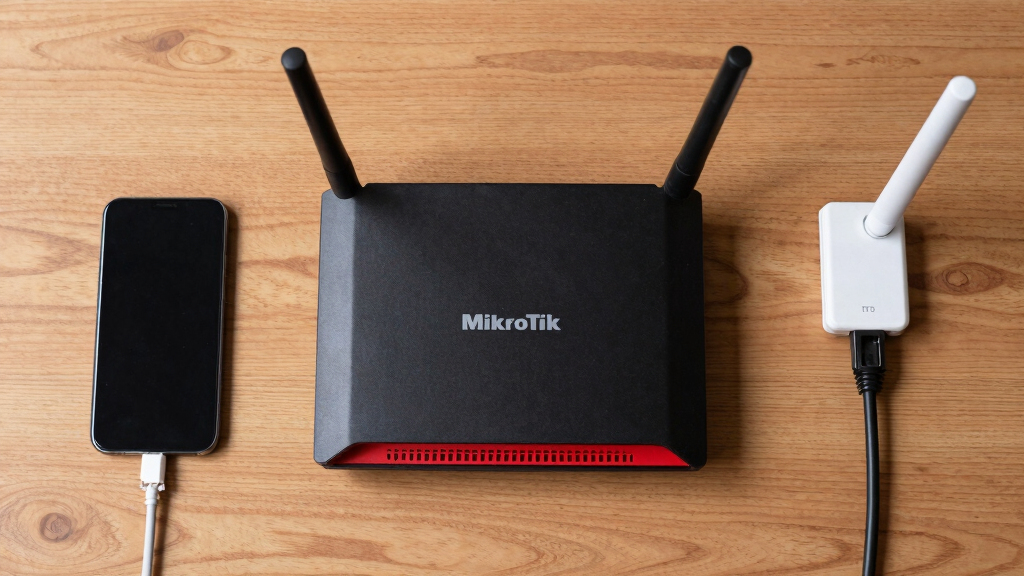
How We Picked
I ranked these routers by usable routing capacity, port selection, wireless generation, hardware headroom, deployment flexibility, and price. Raw processor specifications received less weight than the outcomes buyers can use, such as handling faster internet service, running firewall rules, supporting VPN traffic, or linking to a switch above 1Gbps. I also separated wired routers from all-in-one wireless models, since paying for Wi-Fi adds little value when dedicated access points are already planned. RouterOS flexibility counted in every model’s favor, but I reduced the score when older hardware, limited upgrade paths, or a narrow use case weakened the purchase.
The order reflects how broadly each model fits real networks. The RB5009 takes first place because it bridges home, lab, and small-business roles without reaching CCR-level cost or complexity. Value models rank highly when they cover common Gigabit needs at a lower price, while specialized products move up only for buyers who need their particular mix of PoE, SFP, rack mounting, or integrated Wi-Fi. I also accounted for setup burden, physical size, cooling, and the expense of any separate access points, switches, or transceivers needed to complete the network.
Factors to Consider When Choosing Best MikroTik Routers
Choosing among the best MikroTik routers starts with the network design rather than the longest specification sheet. I would map the internet connection, wired devices, wireless coverage, and likely upgrades before choosing a model. A cheaper router can be the smarter purchase when it matches those requirements, while an inexpensive unit becomes poor value if it immediately needs extra switches or access points. The factors below explain where spending more produces a meaningful buyer benefit.
Choose Between a Wired Router and an All-in-One Model
A wired MikroTik router makes the most sense when Wi-Fi is handled by ceiling access points, a mesh system in access-point mode, or another dedicated platform. This arrangement lets me place the router near the modem while positioning wireless hardware where coverage is strongest. An all-in-one hAP model reduces cost and cable clutter in an apartment or modest home, but one centrally placed radio may struggle across several floors. Buyers often overpay for powerful routing hardware and then place it in a cabinet that blocks its wireless signal. I would choose the hAP ax2 or hAP ax S for a compact single-device network and a hEX, RB5009, or CCR model when separate access points are part of the plan. That distinction matters more than small differences in processor speed.
Match Processing Headroom to the RouterOS Workload
Internet speed alone does not describe the router’s workload. Firewall filtering, queue management, traffic inspection, VPN encryption, and inter-VLAN routing can consume far more processing capacity than basic address translation. A low-cost hEX model is well matched to straightforward Gigabit service, yet it may leave less room for a growing list of rules or several encrypted tunnels. The RB5009 provides broader performance headroom without the scale and expense of the CCR2004. I would reserve the CCR2004 for sustained business workloads, many routed segments, or networks that can use its port density. Buying it for a quiet home connection usually directs money toward capacity that will remain idle.
Plan Ports Around the Next Network Upgrade
Five Gigabit ports are enough for many homes, but the layout becomes restrictive once separate access points, servers, cameras, and managed switches are added. A switch can expand device count, though the router-to-switch link may become a shared bottleneck. The RB5009’s 2.5GbE and 10G SFP+ options create a cleaner path to multi-gig internet, fast storage, or a high-capacity switch. SFP and SFP+ cages are most valuable when I already know the required cable type, distance, and compatible module. Otherwise, they can add expense without solving an immediate problem. I would favor the CCR2004’s 16 copper ports only when consolidating router and switch connections offers a clear operational benefit.
Treat PoE as a Power Budget, Not a Checkbox
PoE output can remove power adapters from access points, cameras, or small switches, which makes the hEX PoE attractive for compact installations. The port label alone is not enough, because voltage mode, supported PoE standard, per-port output, and total power budget must match every powered device. A common mistake is assuming that any PoE router can power any access point. The selected power supply can also change how much output the router can deliver. I would list each device’s voltage and maximum draw before choosing between the hEX PoE, hEX S, L009, or a separate PoE switch. A dedicated PoE switch scales better when several high-draw devices or future additions are planned.
Account for RouterOS Setup and Ongoing Maintenance
RouterOS offers unusually detailed control, but that freedom gives the owner more responsibility than a typical consumer router. Quick Set can establish a basic connection, while VLANs, firewall policies, VPNs, and multiple WAN links require a sound configuration plan. I would not select a more powerful model on the assumption that it will automatically be easier to manage. Beginners should favor a simple network design and current hardware, which makes the hAP ax2 a more approachable starting point than a CCR rack router. Configuration backups, software updates, documented port assignments, and recovery access all belong in the ownership plan. For a business network, the cost of skilled administration may matter more than the difference between two router prices.
Pay for Newer Wireless Hardware Only Where It Helps
Wi-Fi 6 models such as the hAP ax2 and hAP ax S are better aligned with current phones, laptops, and crowded wireless environments than the older hAP ac2 and hAP ac3. That does not make every Wi-Fi 5 model a bad purchase. An older unit can still serve a light-duty network, backup location, or wired routing role when its price is much lower. Paying near-current-model pricing for older wireless hardware offers weak value and shortens the useful upgrade window. Coverage also depends on placement and building materials, so a stronger single router may still lose to two well-positioned access points. I would spend extra on multiple access-point coverage before chasing small peak-speed gains from one poorly located radio.
Frequently Asked Questions
Is the RB5009 worth paying more for than a MikroTik hEX?
I would pay more for the RB5009 when the network includes multi-gig internet, a fast managed switch, extensive firewall rules, VPN traffic, or planned growth. Its 2.5GbE interface and 10G SFP+ cage avoid the all-Gigabit ceiling found on basic hEX models. For a simple connection below 1Gbps with a few wired clients, the hEX E50UG offers better value and may deliver every capability the buyer will use. The RB5009 purchase becomes easier to justify when replacing the router later would cost more than buying extra headroom now. Buyers with no upgrade plan can safely keep the savings.
Should I choose the hAP ax2 or the hAP ax S for Wi-Fi 6?
The hAP ax2 is my default recommendation for a compact home or small office that needs Wi-Fi 6 and several Gigabit Ethernet connections. The hAP ax S is better suited to buyers whose network can use its more advanced uplink and expansion capabilities rather than basic wireless service alone. I would compare the complete port layout, local pricing, mounting needs, and expected wired backbone before paying the difference. Neither model fixes poor placement or heavy signal loss through dense walls. If coverage is the main problem, a wired router with multiple access points is usually the stronger design.
Is the CCR2004-16G-2S+ too powerful for a home network?
For most homes, the CCR2004 is more router than the network needs. Its 16 Gigabit ports, dual 10G SFP+ cages, and business-oriented capacity suit dense labs, hosted services, many VLANs, or demanding inter-network traffic. A home buyer may get a quieter, smaller, and less expensive setup from the RB5009 paired with a suitable switch. I would choose the CCR2004 only when its port density or sustained workload capacity replaces other hardware or serves a defined project. Buying it solely for a fast internet plan rarely makes financial sense.
Can one MikroTik router replace a whole-home mesh system?
A single hAP router can replace mesh in a small, centrally served home with limited wall interference. It is less likely to cover a long floor plan, several levels, or rooms separated by masonry. Router performance and wireless coverage are separate problems, so buying a faster router does not automatically improve distant signal. For larger spaces, I would use a wired MikroTik router with multiple access points or retain an existing mesh system in access-point mode. That approach provides better placement and roaming coverage while keeping RouterOS in charge of routing and firewall policy.
When should I choose a MikroTik router with SFP+ or PoE?
I would choose SFP+ when connecting to a 10Gbps switch, server, fiber run, or supported provider handoff. Regular SFP is useful for Gigabit fiber but does not deliver the same upgrade path, which separates models such as the hEX S and L009 from the RB5009 and CCR2004. PoE output earns its cost when it can directly power compatible access points, cameras, or another small network device. Module compatibility, cable type, voltage, and power budget must be checked before purchase. If those uses are not already part of the network plan, standard copper ports usually offer the simpler and cheaper choice.
Conclusion
I recommend the MikroTik RouterBOARD 5009UG+S+ as the best overall choice because it balances multi-gig expansion, capable hardware, and a manageable footprint. The hEX E50UG is my best-value pick for straightforward wired Gigabit networks, while the hAP ax2 is the best starting point for beginners who want routing and Wi-Fi 6 in one box. Buyers seeking the highest port density and business-class capacity should choose the CCR2004-16G-2S+, provided they can use its scale. For specific needs, the hEX PoE suits powered edge devices, the L009UiGS-RM fits compact rack installations, and the hAP ax S serves more ambitious wireless deployments. The hEX S E60iUGS is the smarter middle ground when SFP or limited PoE matters but RB5009-level expansion does not. I would buy the older RB4011, hAP ac2, or hAP ac3 only when pricing makes their compromises clearly worthwhile.
Halloween Picks
halloween
As an affiliate, we earn on qualifying purchases.