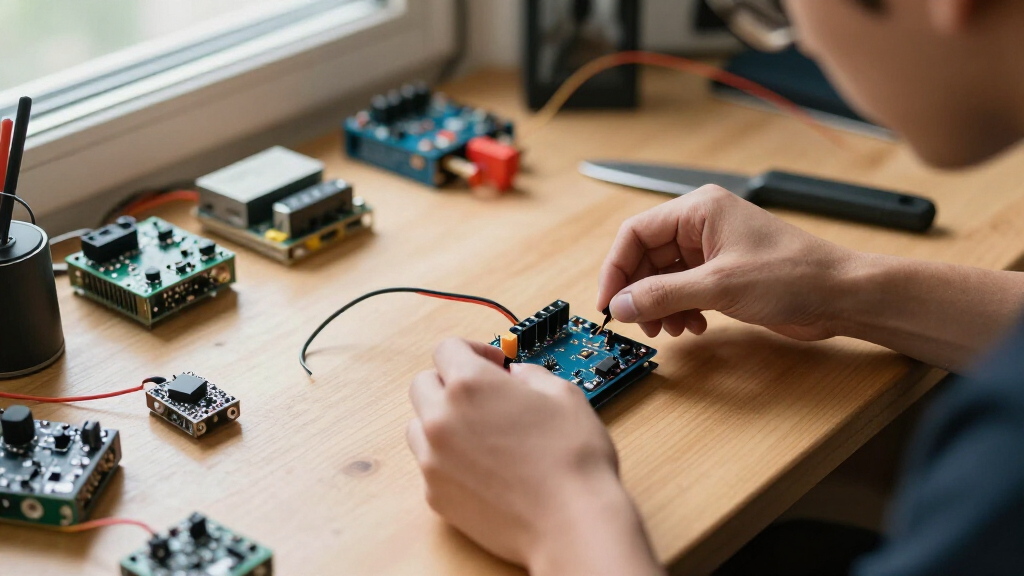
The best Arduino sensor modules balance useful hardware, clear learning materials, dependable compatibility, and a price that matches the buyer’s project plans. My best overall pick is the KEYESTUDIO 48 Sensors Modules Starter Kit because its broad mix supports more experiments than the smaller assortments while including output devices that help turn readings into complete projects. The HiLetgo 37 Sensor Assortment Kit is the stronger value choice for inexpensive exploration, while the Arduino Sensor Kit – Base offers a more guided starting point for beginners who prefer simplicity over maximum variety. The main choice is between a large assortment with uneven module usefulness, a polished ecosystem with fewer parts, or a focused sensor that performs one job better. Continue reading for my full breakdown of which kit or module fits each type of Arduino project.
Key Takeaways
- KEYESTUDIO’s 48-module kit earns the top position because its combination of sensors, displays, motion hardware, and output components supports more complete builds than the many 37- and 38-piece assortments.
- Module count alone did not determine rank: documentation, connector consistency, cross-platform support, and the usefulness of the included parts separated the stronger kits from generic assortments.
- HiLetgo’s 37-piece assortment is my value pick, but buyers who need guided lessons or a neater beginner workflow have better reasons to choose the Arduino Sensor Kit – Base.
- Dedicated modules beat large kits for defined projects: the VEML7700 suits ambient-light measurement, the Modulino Distance targets refined proximity builds, and ELEGOO‘s five HC-SR04 units suit repeated distance experiments.
- The middle of this lineup is crowded with similar 37- and 38-piece kits, so tutorial quality, exact box contents, connector style, and replacement needs matter more than a one-module difference.
| KEYESTUDIO 48 Sensors Modules Starter Kit for Arduino with LCD, Relay, Sound, LED, Servo, Motion, Pressure, Gas Sensors |  | Best Overall | Number of sensors and modules: 48 | Arduino compatibility: Mega 2560, R3, Pro Micro, Leonardo | Single-board computer compatibility: Raspberry Pi | VIEW LATEST PRICE | See Our Full Breakdown |
| SunFounder Universal Maker Sensor Kit for Arduino, Raspberry Pi, ESP32, and More |  | Best Multi-Platform Kit | Sensor and module count: Over 25 | Supported platforms: Arduino, Raspberry Pi, Pico W, ESP32 | Connectivity technology: Wi-Fi | VIEW LATEST PRICE | See Our Full Breakdown |
| 16-in-1 Smart Home Sensor Modules Kit for Arduino and Raspberry Pi |  | Best for Smart-Home Projects | Number of sensors: 16 | Arduino compatibility: UNO R3, Mega2560, Mega328, Nano | Single-board computer compatibility: Raspberry Pi | VIEW LATEST PRICE | See Our Full Breakdown |
| KEYESTUDIO 37 in 1 Sensor Kit for Arduino with Tutorial, Sensors Modules Compatible with Arduino and Raspberry Pi |  | Best Organized Kit | Number of sensors and modules: 37 | Platform compatibility: Arduino and Raspberry Pi | Audio module: Active buzzer | VIEW LATEST PRICE | See Our Full Breakdown |
| KEYESTUDIO 37-in-1 Sensor Kit for Arduino and Raspberry Pi |  | Best for Guided Learning | Number of sensors and modules: 37 | Arduino Mega compatibility: Mega R3 and Mega 2560 | Compact Arduino compatibility: Nano | VIEW LATEST PRICE | See Our Full Breakdown |
| 16 in 1 Project Super Starter Kits Sensor Modules Kit for Arduino and Raspberry Pi |  | Best Focused Starter Assortment | Number of sensors: 16 | Arduino compatibility: UNO R3, Mega2560, Mega328, and Nano | Raspberry Pi compatibility: Raspberry Pi 3 and 2 Model B | VIEW LATEST PRICE | See Our Full Breakdown |
| HiLetgo 37 Sensor Assortment Kit for Arduino & Raspberry Pi |  | Best for Low-Cost Module Variety | Module count: 37 sensors and modules | Compatible platforms: Arduino and Raspberry Pi | Example sensor types: Temperature, infrared, vibration, and obstacle avoidance | VIEW LATEST PRICE | See Our Full Breakdown |
| Lonely Binary TinkerBlock 46-in-1 Sensor Kit for Arduino and ESP32 |  | Best Plug-and-Play Expansion Kit | Module count: 46 sensor and interface modules | Display: 1.8-inch TFT LCD | LED matrix: 8×8 RGB | VIEW LATEST PRICE | See Our Full Breakdown |
| 2 Pcs 16-bit I2C Interface VEML7700 Ambient Light Sensor Module for Arduino |  | Best for Precise Light Measurement | Sensor: VEML7700 | Quantity: 2 modules | Interface: I2C | VIEW LATEST PRICE | See Our Full Breakdown |
| Arduino Sensor Kit – Base [TPX00031] – Essential Sensors for Beginners | – Essential Sensors for Beginners” image=”https://m.media-amazon.com/images/I/51Vx+S-VgBL._AC_SY300_SX300_QL70_FMwebp_.jpg” link=”0″] | Best for Guided Beginners | Number of sensors: More than 10 | Core sensors: Temperature, light, motion, and humidity | Intended audience: Beginners, educators, and hobbyists | VIEW LATEST PRICE | See Our Full Breakdown |
| Arduino Modulino Distance – Time-of-Flight Proximity Sensor for Arduino Projects |  | Best Plug-and-Play Distance Sensor | Sensor Type: Time-of-flight proximity sensor | Output Type: Analog | Connectivity: Qwiic-compatible | VIEW LATEST PRICE | See Our Full Breakdown |
| ELEGOO 5PCS HC-SR04 Ultrasonic Distance Sensor Module for Arduino |  | Best Value Distance Multipack | Sensor Type: HC-SR04 ultrasonic distance sensor | Quantity: 5 modules | Power Supply: 5V DC | VIEW LATEST PRICE | See Our Full Breakdown |
| 38-in-1 Sensor Module Kit for Arduino and Raspberry Pi Projects |  | Best Cross-Platform Variety Kit | Number of Sensor Modules: 38 | Included Display: OLED | Display Size: 0.96 inches | VIEW LATEST PRICE | See Our Full Breakdown |
| ELEGOO 37-in-1 Sensor Modules Kit for Arduino with Tutorial |  | Best Guided Arduino Kit | Number of Components: 37 | Compatible Arduino Boards: UNO R3, MEGA R3, and NANO | Additional Compatibility: STM32 | VIEW LATEST PRICE | See Our Full Breakdown |
More Details on Our Top Picks
KEYESTUDIO 48 Sensors Modules Starter Kit for Arduino with LCD, Relay, Sound, LED, Servo, Motion, Pressure, Gas Sensors
I rank the KEYESTUDIO 48 Sensors Modules Starter Kit first because its unusually broad mix supports experiments ranging from environmental sensing to robotics and simple automation. The LCD, relay, servo, motion, pressure, and gas hardware gives an Arduino learner more room to progress than the 16-in-1 Smart Home Sensor Modules Kit. Compared with the KEYESTUDIO 37 in 1 Sensor Kit, its 48-module selection offers greater project variety, while the tutorials and wiring diagrams make that larger inventory easier to approach. The tradeoff is a higher setup burden: no controller board is included, some programming knowledge is still needed, and Raspberry Pi users receive less direct guidance than Arduino users. I see it as the strongest all-round choice, but buyers seeking a tightly focused first project may find a smaller kit easier to manage.
Pros:- Its 48 modules cover a wider range of experiments than the smaller kits in this batch
- Detailed tutorials, example code, and wiring diagrams support structured learning
- LCD, relay, servo, gas, pressure, and motion hardware enable varied project types
- Compatibility spans several Arduino boards and Raspberry Pi
Cons:- The required Arduino or Raspberry Pi controller must be purchased separately
- The large module count can create a steep starting point for new learners
- Raspberry Pi projects may require guidance beyond the supplied Arduino material
Best for: I recommend it to Arduino hobbyists and STEM learners who want one broad kit for robotics, automation, and environmental experiments.
Not ideal for: I would skip it for buyers who need an included controller or Raspberry Pi-specific project guidance from the outset.
- Number of sensors and modules:48
- Arduino compatibility:Mega 2560, R3, Pro Micro, Leonardo
- Single-board computer compatibility:Raspberry Pi
- Display module:LCD
- Switching module:5V relay
- Actuator hardware:Servo motor and LED modules
- Environmental sensors:Pressure and gas sensors
- Detection modules:Sound and motion sensors
Our verdict“I would choose this kit for the widest Arduino project range, provided the buyer already owns a controller and accepts a busier learning curve.”
SunFounder Universal Maker Sensor Kit for Arduino, Raspberry Pi, ESP32, and More
I give the SunFounder Universal Maker Sensor Kit the multi-platform spot because it reaches beyond standard Arduino boards to Raspberry Pi, Pico W, and ESP32 projects. That flexibility makes it better suited to learners who expect to change development platforms than the KEYESTUDIO 48 Sensors Modules Starter Kit, whose Raspberry Pi guidance is less developed. Its 25-plus modules can support smart-home, environmental, robotics, and controller builds, while tutorials spanning different skill levels reduce the friction of moving between ecosystems. It does not lead on sheer quantity, however: both KEYESTUDIO 37-module kits provide more listed modules, and the product data does not identify every included sensor. That unclear module inventory, paired with limited warranty and support information, makes this a less predictable purchase for anyone planning around a specific component list.
Pros:- Its platform support extends across Arduino, Raspberry Pi, Pico W, and ESP32
- More than 25 modules cover several project categories
- Tutorials serve both new learners and more experienced makers
- Wi-Fi and Bluetooth compatibility fit connected-device projects
Cons:- The supplied data does not identify the full sensor assortment
- It includes fewer modules than the 37- and 48-piece alternatives
- Warranty and technical-support details are limited
Best for: I recommend it to makers who want to learn across Arduino, Raspberry Pi, Pico W, and ESP32 rather than remain tied to one platform.
Not ideal for: I would skip it for buyers who need a verified sensor-by-sensor inventory or clear warranty details before ordering.
- Sensor and module count:Over 25
- Supported platforms:Arduino, Raspberry Pi, Pico W, ESP32
- Connectivity technology:Wi-Fi
- Wireless compatibility:Bluetooth
- Operating system:Linux
- Compatible device type:Single-board computer
- Processor count:1
- Total USB ports:1
- Listed project areas:Environmental monitoring, smart-home automation, robotics, gaming controllers
Our verdict“I would pick this kit for cross-platform learning, but not when an exact sensor inventory matters more than ecosystem flexibility.”
16-in-1 Smart Home Sensor Modules Kit for Arduino and Raspberry Pi
I chose the 16-in-1 Smart Home Sensor Modules Kit for buyers who want a focused route into household monitoring rather than a box filled with loosely related parts. Temperature, humidity, light, motion, flame, vibration, touch, and air-pressure sensing map naturally to alarms, room monitors, and basic automation exercises. Compared with the KEYESTUDIO 48 Sensors Modules Starter Kit, its smaller, more coherent assortment is easier to plan around, though it leaves less room for robotics or display-based builds. Detailed tutorials also make it more approachable than assembling the same sensor mix individually. The limitations appear when a project moves beyond sensing: no integrated control unit is supplied, and relays, networking hardware, actuators, or other supporting components may be needed for a working smart-home system. Experienced builders may also outgrow these basic modules quickly.
Pros:- Its sensor selection is closely aligned with practical smart-home experiments
- Sixteen modules provide variety without the clutter of a much larger assortment
- Tutorials help beginners connect and program the included sensors
- It supports several Arduino boards as well as Raspberry Pi
Cons:- Additional relays, actuators, networking hardware, and a controller may be needed for full automation
- The basic modules offer limited headroom for experienced developers
- Its narrower scope is less suitable for robotics and display-driven projects
Best for: I recommend it to beginners building Arduino room monitors, safety alerts, or introductory home-automation prototypes.
Not ideal for: I would skip it for experienced robotics builders or anyone expecting a complete connected-home system with controllers and actuators included.
- Number of sensors:16
- Arduino compatibility:UNO R3, Mega2560, Mega328, Nano
- Single-board computer compatibility:Raspberry Pi
- Climate sensing:Temperature and humidity
- Environmental sensing:Light and air pressure
- Safety sensing:Flame detection
- Movement sensing:Infrared, motion, and vibration
- Interaction sensing:Sound and digital touch
Our verdict“I would buy this kit for focused home-monitoring lessons, not as an all-in-one smart-home or robotics package.”
KEYESTUDIO 37 in 1 Sensor Kit for Arduino with Tutorial, Sensors Modules Compatible with Arduino and Raspberry Pi
I place the KEYESTUDIO 37 in 1 Sensor Kit ahead of similarly sized assortments for buyers who care about keeping components identifiable and ready for lessons. Its case and component identification card solve a practical problem that becomes more pronounced once dozens of small boards are mixed together. Compared with the other KEYESTUDIO 37-in-1 kit in this batch, this version has a clearer organization advantage; compared with the 48-module model, it sacrifices some breadth for a more manageable inventory. The active buzzer, 5V relay, and temperature-and-humidity module provide useful starting points for alarms and automation, while online tutorials add project structure. My main reservation is the incomplete supporting hardware: neither a controller nor wires are included. Beginners must budget for those parts, and even 37 modules can feel excessive without a specific lesson plan.
Pros:- The case and identification card make 37 small modules easier to manage
- Its module range supports lessons, prototyping, alarms, and automation
- Online tutorials provide step-by-step project guidance
- Arduino and Raspberry Pi compatibility gives educators platform flexibility
Cons:- A controller board is not included
- Connection wires must also be sourced separately
- The module count may overwhelm learners without a planned course or project
Best for: I recommend it to educators, classroom groups, and makers who need a labeled, reusable sensor assortment for repeated Arduino exercises.
Not ideal for: I would skip it for first-time buyers seeking a ready-to-build package with a controller, wiring, and a tightly defined project path.
- Number of sensors and modules:37
- Platform compatibility:Arduino and Raspberry Pi
- Audio module:Active buzzer
- Switching module:5V relay
- Climate module:Temperature and humidity
- Storage:Organized case
- Identification aid:Component identification card
- Learning material:Online tutorials
- Controller and wires included:No
Our verdict“I favor this version for classrooms and organized workbenches, as long as the missing controller and wiring are already covered.”
KEYESTUDIO 37-in-1 Sensor Kit for Arduino and Raspberry Pi
I selected the KEYESTUDIO 37-in-1 Sensor Kit for learners who value guided projects more than specialized hardware. Its tutorials and step-by-step exercises turn a large component assortment into a learning sequence, giving beginners a path from basic connections toward simple programmed interactions. It matches the newer KEYESTUDIO 37 in 1 Sensor Kit on listed module count, but that alternative explicitly adds an organized case and identification card; this version is a better fit when instructional material carries more weight than storage details. It also offers less project breadth than the 48-module KEYESTUDIO kit, though 37 modules remain ample for an introductory course. The biggest cost hidden outside the box is the missing main controller, and the beginner-led material may provide limited value to experienced makers seeking advanced sensors or tightly documented electrical specifications.
Pros:- Thirty-seven modules provide broad coverage for electronics and programming lessons
- Step-by-step projects give beginners a structured learning path
- Tutorials reduce the work of finding separate exercises for each module
- Compatibility covers multiple Arduino boards and Raspberry Pi
Cons:- The main controller must be purchased separately
- Its beginner focus offers less value to experienced developers
- The listed package lacks the explicit storage and identification aids of the newer 37-module version
Best for: I recommend it to self-directed beginners who already own an Arduino or Raspberry Pi and want many tutorial-led electronics exercises.
Not ideal for: I would skip it for advanced makers seeking specialized sensors or newcomers who need a controller included in one purchase.
- Number of sensors and modules:37
- Arduino Mega compatibility:Mega R3 and Mega 2560
- Compact Arduino compatibility:Nano
- Single-board computer compatibility:Raspberry Pi
- Tutorials included:Yes
- Project guidance:Detailed step-by-step projects
- Main controller included:No
Our verdict“I would choose this kit for tutorial-led self-study when a compatible controller is already available.”
16 in 1 Project Super Starter Kits Sensor Modules Kit for Arduino and Raspberry Pi
I rank the 16 in 1 Project Super Starter Kit as the best focused starter assortment because its modules cover the categories most beginners want to explore: climate, sound, distance, touch, flame, and motion. Compared with the HiLetgo 37 Sensor Assortment Kit, it supplies far fewer parts, but that smaller scope can make choosing a first project less scattered. It also stretches beyond the Arduino Sensor Kit – Base with ultrasonic, flame, vibration, and air-pressure options. I would choose it for varied early experiments across Arduino and Raspberry Pi, especially when a giant assortment feels wasteful. The tradeoff is uncertain module quality: the product data gives little detail about durability, documentation, or exact component models, so buyers may need to locate libraries and wiring references independently.
Pros:- Sixteen modules provide useful variety without an overwhelming parts count
- Supports several Arduino boards and Raspberry Pi models
- Covers environmental, proximity, sound, touch, and safety-related experiments
- Includes less-common starter options such as flame, vibration, and air-pressure sensing
Cons:- Module quality and long-term durability are not documented
- Available product data does not describe tutorials or library support
- Smaller selection than the 37- and 46-module kits
Best for: First-time Arduino or Raspberry Pi builders who want several sensor categories without managing a 37- or 46-module assortment
Not ideal for: Buyers who need documented component models, verified durability, or guided projects for every module
- Number of sensors:16
- Arduino compatibility:UNO R3, Mega2560, Mega328, and Nano
- Raspberry Pi compatibility:Raspberry Pi 3 and 2 Model B
- Environmental sensing:Temperature, humidity, and air pressure
- Proximity sensing:Ultrasonic, obstacle avoidance, and infrared
- Event detection:Sound, flame, and vibration
- User input:Digital touch sensor
Our verdict“I recommend this kit to beginners who value a manageable spread of sensor types more than maximum module count.”
HiLetgo 37 Sensor Assortment Kit for Arduino & Raspberry Pi
I place the HiLetgo 37 Sensor Assortment Kit in the variety-focused slot because its large selection supports many small experiments without tying the buyer to one project theme. It offers more than twice the module count of the 16 in 1 Project Super Starter Kit, making it better for classrooms, robotics clubs, and hobbyists who like to improvise. Against the Lonely Binary TinkerBlock 46-in-1 Kit, however, HiLetgo feels less guided and less polished: there are no included project instructions, and some modules may need extra parts or independent code research. I see this as a kit for resourceful learners rather than absolute newcomers. Its breadth is the main attraction, while uneven setup requirements and limited component-level detail make the learning curve harder to predict.
Pros:- Thirty-seven modules support a broad range of experiments
- Works with both Arduino and Raspberry Pi platforms
- Includes useful robotics sensors such as infrared, vibration, and obstacle detection
- Large assortment suits classrooms and open-ended tinkering
Cons:- No instructions or project guide are included
- Some modules may need extra components before they can be used
- Independent library research and programming knowledge may be required
Best for: Budget-minded hobbyists, coding clubs, and educators comfortable finding Arduino libraries and wiring examples online
Not ideal for: Young or unsupported beginners who need step-by-step projects and clearly documented setup for every sensor
- Module count:37 sensors and modules
- Compatible platforms:Arduino and Raspberry Pi
- Example sensor types:Temperature, infrared, vibration, and obstacle avoidance
- Listed connectivity:USB
- Listed operating system:Linux
- Listed processor brand:Atmel
- Wireless compatibility:Infrared
- Listed USB ports:4
Our verdict“I favor the HiLetgo kit for self-directed buyers who want quantity and variety without paying for a more structured learning system.”
Lonely Binary TinkerBlock 46-in-1 Sensor Kit for Arduino and ESP32
I give the Lonely Binary TinkerBlock 46-in-1 Kit the plug-and-play title because it combines a large module library with labeled boards, tutorials, wiring diagrams, and an organized case. Compared with the HiLetgo 37 Sensor Assortment Kit, it provides better setup support and adds richer output hardware, including a 1.8-inch TFT display and an 8×8 RGB matrix. Support for Arduino, ESP32, and Raspberry Pi Pico also makes it the more flexible choice for learners moving beyond one board family. Yet this is not a shortcut around coding: users still need basic electronics knowledge, and the package does not list a power supply or batteries. I would also skip it for a narrowly defined project, since many of its 46 modules could remain unused. Its value lies in long-term experimentation, not simplicity or minimalism.
Pros:- Forty-six modules include sensors, controls, memory, and visual outputs
- Labeled plug-and-play boards reduce wiring friction
- Tutorials and wiring diagrams provide more guidance than the HiLetgo kit
- Supports both 3.3V and 5V microcontroller families
Cons:- Still requires coding and basic electronics knowledge
- No power supply or batteries are specified
- The large assortment is excessive for narrowly scoped projects
Best for: STEM learners and active makers who want one organized module system for Arduino, ESP32, and Raspberry Pi Pico projects
Not ideal for: Buyers building one simple sensor project or anyone expecting a powered, standalone electronics kit
- Module count:46 sensor and interface modules
- Display:1.8-inch TFT LCD
- LED matrix:8×8 RGB
- Additional modules:7-segment clock, joystick, IR sender and receiver, Hall sensor, microphone, and EEPROM
- Compatibility:Arduino UNO R3, ESP32, ESP32-S3, Raspberry Pi Pico, and other 3.3V/5V microcontrollers
- Interfaces:Digital, analog, I2C, SPI, PWM, and IR
- PCB finish:ENIG gold-plated contacts
- Assembly:No soldering required
- Package:Labeled storage case
Our verdict“I recommend TinkerBlock to committed learners who will benefit from its broad hardware range, organized storage, and stronger setup guidance.”
2 Pcs 16-bit I2C Interface VEML7700 Ambient Light Sensor Module for Arduino
I include the VEML7700 Ambient Light Sensor two-pack for buyers who need dependable light-level data rather than a box of loosely related modules. Its 16-bit output, 0-to-120,000-lux range, and I2C connection make it better suited to daylight monitoring, adaptive lighting, and display-brightness projects than the basic light sensor in the Arduino Sensor Kit – Base. It is also a more focused purchase than the Lonely Binary TinkerBlock 46-in-1 Kit when illumination is the only measurement that matters. That specialization brings restrictions: headers require soldering, and the fixed 0x10 address complicates using multiple VEML7700 boards on one I2C bus. I would choose it for a defined lighting project, but not as anyone’s first general Arduino kit. The two-board package is useful for separate builds or keeping a spare.
Pros:- Sixteen-bit output supports fine-grained light readings
- Wide 0-to-120,000-lux measurement range
- I2C requires few microcontroller pins
- Two modules support separate builds or provide a spare
Cons:- Included connectors require soldering
- Fixed 0x10 address makes multi-sensor I2C setups harder
- Single-purpose modules offer little value for broad introductory experimentation
Best for: Arduino builders creating daylight monitors, automatic lighting controls, or brightness-responsive displays
Not ideal for: Soldering-averse beginners or projects that need several identical light sensors on one I2C bus
- Sensor:VEML7700
- Quantity:2 modules
- Interface:I2C
- Power supply:3.3V or 5V DC
- I2C address:0x10
- Measurement range:0 to 120,000 lux
- Resolution:16-bit
Our verdict“I recommend this two-pack when accurate ambient-light measurement matters more than the versatility of a multi-sensor starter kit.”
Arduino Sensor Kit – Base [TPX00031] – Essential Sensors for Beginners
– Essential Sensors for Beginners” image=”https://m.media-amazon.com/images/I/51Vx+S-VgBL._AC_SY300_SX300_QL70_FMwebp_.jpg” link=”0″]Best for Guided Beginners
View Latest PriceI rank the Arduino Sensor Kit – Base as the guided-beginner pick because it concentrates on approachable temperature, light, motion, and humidity projects backed by easy-to-follow resources. Compared with the 16 in 1 Project Super Starter Kit, its sensor selection is narrower, but the learning path is clearer and better aligned with first lessons in environmental monitoring, home automation, robotics, and IoT. The official Arduino focus also makes more sense for educators who value a structured starting point over maximum parts per box. Advanced experimenters will reach its limits sooner than they would with the Lonely Binary TinkerBlock 46-in-1 Kit, which adds displays, controls, memory, and more interfaces. I would select this for confidence-building fundamentals, while buyers already comfortable with wiring and libraries should choose a broader assortment.
Pros:- Beginner-oriented instructions lower the initial learning barrier
- Covers temperature, light, motion, and humidity fundamentals
- Supports practical weather, automation, robotics, and IoT lessons
- Smaller sensor selection keeps early projects focused
Cons:- Basic sensor range limits advanced experimentation
- Additional components may be needed for more ambitious projects
- Offers fewer module types than the 16-, 37-, and 46-piece kits
Best for: Teachers, parents, and first-time Arduino learners who want guided projects built around common environmental and motion sensors
Not ideal for: Experienced makers who need specialized sensors, displays, or a large pool of modules for open-ended prototyping
- Number of sensors:More than 10
- Core sensors:Temperature, light, motion, and humidity
- Intended audience:Beginners, educators, and hobbyists
- Learning support:Easy-to-follow instructions and resources
- Environmental applications:Weather and environmental monitoring
- Automation applications:Home automation
- Robotics applications:Interactive robotics projects
- Connected applications:Internet of Things projects
Our verdict“I recommend the Arduino Sensor Kit – Base to newcomers who prefer a clear learning path over the largest possible assortment.”
Arduino Modulino Distance – Time-of-Flight Proximity Sensor for Arduino Projects
I rank the Arduino Modulino Distance as the strongest choice for makers who value fast, tidy integration over the lowest possible cost. Its Qwiic-compatible connection reduces wiring work, while the time-of-flight design suits robotics, automation, and object-detection builds that need focused proximity readings. Compared with the ELEGOO HC-SR04 multipack, this module offers a cleaner setup and supports chaining several modules, but ELEGOO publishes a far clearer 3–450cm operating range and supplies five sensors. The Modulino’s plug-and-play approach also carries an ecosystem dependency: buyers get the smoothest workflow with compatible Arduino hardware. I would choose it for a polished prototype, but the undisclosed measurement range makes it harder to specify for projects with strict distance requirements.
Pros:- Qwiic-compatible interface reduces wiring complexity
- Time-of-flight sensing is well suited to focused proximity detection
- Plug-and-play design speeds up robotics and automation prototyping
- Multiple Modulino units can be connected in series
Cons:- Published product data does not provide a detailed measurement range
- Full convenience depends on compatible Arduino ecosystem hardware
- A single module offers less quantity value than the five-piece ELEGOO HC-SR04 pack
Best for: Arduino robotics builders who want a compact, chainable proximity sensor with minimal wiring and setup work
Not ideal for: Engineers specifying a fixed detection range, since the available product data does not state detailed minimum and maximum distances
- Sensor Type:Time-of-flight proximity sensor
- Output Type:Analog
- Connectivity:Qwiic-compatible
- Connection Capability:Supports multiple modules in series
- Style:Distance Measurements
- Item Dimensions:9.65 x 6.3 x 1.61 inches
- Item Weight:0.2 ounces
Our verdict“I recommend this module for Arduino-focused builders who will pay more for streamlined connectivity and do not need a published long-range specification.”
ELEGOO 5PCS HC-SR04 Ultrasonic Distance Sensor Module for Arduino
The ELEGOO five-piece HC-SR04 pack earns my value pick because it provides enough sensors for several robots, classroom stations, or replacement parts. Its stated 3–450cm range is far more informative than the unspecified range of the Arduino Modulino Distance, and 0.3cm resolution supports practical obstacle detection and measuring experiments. The tradeoff is convenience: each HC-SR04 needs conventional trigger-and-echo wiring, a 5V supply, and a mounting solution, while the Modulino offers simpler Qwiic-compatible integration. I also see the less-than-15-degree detection angle as a mixed benefit. It helps target objects more narrowly, yet alignment becomes less forgiving on a moving robot. With no brackets in the package, this set makes the most sense when low unit cost matters more than polished assembly.
Pros:- Five sensors provide strong per-project value
- Published distance range reaches from 3cm to 450cm
- 0.3cm resolution supports useful measurement experiments
- Quiescent current below 2mA keeps idle power demand low
Cons:- Requires a 5V DC supply, which complicates use with some 3.3V boards
- Narrow detection angle demands careful sensor alignment
- No mounting brackets or accessories are included
Best for: Teachers, robotics clubs, and makers building several 5V obstacle-detection projects on a limited component budget
Not ideal for: Builders using 3.3V-only controllers or compact finished enclosures that require supplied mounts and simplified cabling
- Sensor Type:HC-SR04 ultrasonic distance sensor
- Quantity:5 modules
- Power Supply:5V DC
- Quiescent Current:Less than 2mA
- Distance Range:3cm to 450cm
- Resolution:0.3cm
- Effectual Angle:Less than 15 degrees
Our verdict“I would buy this pack for multiple budget robotics builds where 5V wiring and custom mounting are acceptable.”
38-in-1 Sensor Module Kit for Arduino and Raspberry Pi Projects
I place the 38-in-1 Sensor Module Kit ahead of narrower assortments for experimenters who divide their time among Arduino, Raspberry Pi, and STM32 projects. Its 38-module selection plus 0.96-inch OLED creates more room for mixed sensing-and-display builds than a single-purpose distance module such as the Arduino Modulino Distance. Against the ELEGOO 37-in-1 kit, it adds one more module and broader named platform support, but ELEGOO is the friendlier learning package because it includes detailed tutorials, a CD, and a component listing. Here, tutorials are available online rather than supplied as detailed printed guidance. That puts more responsibility on the buyer to identify modules, locate examples, and check wiring. I see the broad compatibility as the main reason to choose it, while the steeper learning curve keeps it from being my beginner pick.
Pros:- Thirty-eight sensor modules support a wide range of experiments
- Included 0.96-inch OLED enables projects with local visual output
- Works across Arduino, Raspberry Pi, and STM32 platforms
- Online tutorials provide a starting point for supported projects
Cons:- Detailed instructions are not included in the package
- The large assortment can overwhelm buyers still learning basic wiring
- Effective use requires prior electronics knowledge or independent research
Best for: Hobbyists with basic electronics knowledge who want one assortment for Arduino UNO, MEGA, Raspberry Pi, and STM32 experiments
Not ideal for: First-time makers who need guided, component-by-component lessons inside the package
- Number of Sensor Modules:38
- Included Display:OLED
- Display Size:0.96 inches
- Arduino UNO Compatibility:UNO R3
- Arduino MEGA Compatibility:MEGA 2560
- Single-Board Computer Compatibility:Raspberry Pi
- Additional Platform Compatibility:STM32
- Tutorial Availability:Available online
Our verdict“I recommend this kit to self-directed makers who value cross-platform variety more than a highly guided course.”
ELEGOO 37-in-1 Sensor Modules Kit for Arduino with Tutorial
The ELEGOO 37-in-1 Sensor Modules Kit is my choice for buyers who want variety without being left to decode every component alone. Its included tutorial, CD, and listing paper give it a clearer learning path than the 38-in-1 Sensor Module Kit, whose guidance must be found online. The assortment also extends beyond basic sensors to accelerometers, LCD screens, and real-time clock modules, letting learners explore motion, visual interfaces, and timed projects from one box. ELEGOO supports UNO R3, MEGA R3, and NANO boards, but the board itself is not included, so newcomers still need a controller and basic electronic knowledge. Compared with the 38-in-1 kit, its platform list is more Arduino-centered despite stated STM32 compatibility. I rank it as the better structured starting point, not the widest cross-platform collection.
Pros:- Thirty-seven components cover sensing, display, motion, and time-based projects
- Detailed tutorials reduce the work of finding compatible example projects
- Supports three widely used Arduino board formats
- Includes reference materials on CD and listing paper
Cons:- No Arduino controller board is included
- Some basic electronics knowledge is still required
- Less explicitly oriented toward Raspberry Pi users than the 38-in-1 kit
Best for: Arduino learners who already own an UNO R3, MEGA R3, or NANO and want structured lessons across many module types
Not ideal for: Buyers seeking an all-in-one starter bundle with a controller board included or primary Raspberry Pi support
- Number of Components:37
- Compatible Arduino Boards:UNO R3, MEGA R3, and NANO
- Additional Compatibility:STM32
- Software Compatibility:Arduino IDE
- Notable Module Types:Accelerometers, LCD screens, and real-time clock modules
- Learning Material:Detailed tutorial
- Included Media:CD
- Included Reference:Listing paper
Our verdict“I would choose this kit for guided Arduino learning when a compatible controller board is already on hand.”
How We Picked
I ranked these products by project usefulness, setup clarity, hardware variety, platform support, and value rather than simply counting modules. A large assortment scored well when it could support connected projects involving input, processing, and output, not merely a long sequence of isolated demonstrations. I also gave weight to tutorials, wiring guidance, libraries, connector consistency, and compatibility with common Arduino boards. For dedicated sensors, I focused on whether their narrower purpose delivered a clearer advantage in measurement quality, size, wiring convenience, or multi-unit value.
The ordering reflects how broadly each option can serve its intended buyer. The KEYESTUDIO 48 Sensors Modules Starter Kit leads because it offers the widest practical learning path, while the SunFounder Universal Maker Sensor Kit ranks highly for buyers working across Arduino, Raspberry Pi, and ESP32. Smaller themed kits earn credit when their parts form a coherent project path, but generic assortments fall lower when similar modules, uncertain documentation, or limited differentiation weaken their value. Focused products are ranked by role rather than raw variety, since a VEML7700 light sensor and a 46-in-1 kit solve very different buying problems.
Factors to Consider When Choosing Best Arduino Sensor Modules
I would begin by deciding whether the purchase is meant for open-ended learning, a classroom, or one defined build. That decision quickly narrows the field between large assortments, guided ecosystems, themed kits, and dedicated sensors. The right choice is rarely the box with the largest number printed on it. I place more value on modules that match the buyer’s board, available pins, coding ability, and next several projects.
Choose Between Breadth and Specialization
I treat assortment kits and dedicated modules as separate tools rather than direct substitutes. A 37- to 48-piece kit is better for experimentation because it exposes a learner to digital switches, analog signals, environmental sensing, light, sound, and motion. A focused module makes more sense when the project already has a defined measurement task and repeatable results matter more than variety. Buying a large kit for one distance-sensing build often leaves most of the box unused, while buying single modules too early can limit creative practice. A common mistake is assuming every item in a large assortment will become equally useful; several may be minor variations on switches, LEDs, or simple threshold sensors. I recommend paying for breadth when exploration is the goal and paying for specialization when the final build already has clear requirements.
Check Documentation, Libraries, and Voltage Support
I rank clear pin maps and working examples almost as highly as the hardware because vague instructions can turn an inexpensive kit into a slow project. Buyers should check whether tutorials identify power, ground, analog, digital, and communication pins consistently. Library availability also matters for sensors using I2C or other digital protocols, since a maintained library can remove hours of register-level coding. Voltage deserves special attention when moving between a 5-volt Arduino board and 3.3-volt hardware such as many ESP32 or Raspberry Pi setups. A Raspberry Pi may also need extra hardware for analog modules because it lacks the built-in analog inputs found on many Arduino boards. I would pay more for a well-documented ecosystem when the buyer is new, teaching a group, or switching among several board families.
Plan Around Pins, Buses, and Connectors
I recommend sketching the full project before ordering sensors because pin availability can become a limit sooner than expected. Simple analog and digital modules often claim one pin each, while displays, relays, servos, and multiple sensors can consume a board’s connections quickly. I2C devices are attractive because several can share the same bus, but modules with identical fixed addresses may still conflict. Connector systems can speed assembly, yet a proprietary cable format may make later expansion less flexible than ordinary header pins. Large kits also vary in whether cables, adapter boards, or base shields are included, which changes the real setup cost. For a permanent build, I favor stable connectors and clear labeling over the fastest possible breadboard demonstration.
Match the Sensor Method to the Environment
I separate detection modules from sensors intended for meaningful measurement. A basic threshold board may report that light, sound, moisture, or gas crossed an adjustable level without delivering calibrated data. That behavior is fine for alarms and demonstrations but less suitable for logging, comparison, or automation that depends on repeatable values. Distance sensing has similar tradeoffs: ultrasonic modules are inexpensive and familiar, while a time-of-flight sensor may offer a tidier fit for compact projects or surfaces that challenge reflected sound. Ambient-light projects benefit from a dedicated digital sensor when relative brightness from a basic photoresistor is not enough. I would choose the sensing method only after checking target distance, surface type, lighting, moisture, temperature, and enclosure placement.
Judge Value by Useful Modules, Not Box Count
I calculate value from the number of modules likely to support real projects, not the number listed on the package. Two kits labeled 37-in-1 can contain different sensor mixes, accessory counts, connector boards, or repeated component types. Some listings may also represent closely related kit revisions, which makes checking the current contents more useful than relying on an older tutorial or image. A lower-priced assortment can be excellent for casual discovery, but missing cables, weak lessons, or several unwanted modules reduce its practical savings. Multi-packs such as the five ELEGOO HC-SR04 sensors offer a different kind of value for classrooms, robots, replacements, or repeated builds. I would pay more when the added cost buys stronger documentation, cleaner integration, or a sensor capability the project will use repeatedly.
Frequently Asked Questions
Should I Buy a Large Sensor Kit or Individual Arduino Modules?
I recommend a large sensor kit for learners who want to experiment, compare signal types, or build several small projects without ordering parts repeatedly. Individual modules are the better purchase when the buyer already knows the required measurement, operating range, and interface. A kit spreads the budget across variety, while a dedicated sensor directs more of that money toward one capability. For example, the KEYESTUDIO 48-piece set suits broad discovery, but the VEML7700 module is a more purposeful choice for ambient-light data. If fewer than four or five items in an assortment match planned projects, I would buy those sensors separately.
Are Arduino Sensor Kits Automatically Compatible With ESP32 and Raspberry Pi?
No, and I would not treat a broad compatibility claim as proof that every module works identically on every board. Logic voltage, analog input support, libraries, and pin assignments differ across Arduino, ESP32, and Raspberry Pi platforms. A module that connects directly to a 5-volt Arduino may need level shifting or a different power arrangement with 3.3-volt hardware. Raspberry Pi users may also need an external analog-to-digital converter for analog-output sensors. Kits such as the SunFounder Universal Maker Sensor Kit are more appealing for mixed-platform buyers when their instructions provide board-specific wiring and code.
Is a 48-in-1 Kit Always Better Than a 37-in-1 Kit?
No, because module quality and usefulness matter more than the headline count. Larger kits may add LEDs, switches, output devices, or closely related sensor variations rather than eleven major new capabilities. I would compare the exact contents against a short project list and mark which items will see real use. Documentation, cables, mounting options, and example code can make a smaller kit easier to learn from. The KEYESTUDIO 48 Sensors Modules Starter Kit leads this roundup because its extra breadth supports fuller projects, not because 48 is automatically the winning number.
Is the Official Arduino Sensor Kit Worth Paying More for?
The Arduino Sensor Kit – Base makes sense for beginners who value a structured setup, a tidy hardware arrangement, and fewer wiring decisions. Its appeal is not maximum sensor variety; several generic kits provide many more components for the money. I would favor it for guided learning, workshops, or buyers who find loose jumper-wire assemblies frustrating. A curious maker who wants to sample dozens of sensor types will get more range from KEYESTUDIO, HiLetgo, or ELEGOO assortments. The price premium is easier to justify when setup simplicity and a guided path matter more than cost per module.
Should I Choose an HC-SR04 or a Time-of-Flight Distance Sensor?
I favor the HC-SR04 for low-cost robotics lessons, obstacle detection, and projects where several replaceable sensors are useful. It measures distance through reflected sound, so target angle, material, and nearby objects can affect readings. A time-of-flight module such as Arduino Modulino Distance uses light-based ranging and fits buyers seeking a more integrated, compact distance solution. Its higher cost can make less sense for a classroom needing many basic units or a robot where rough obstacle distance is enough. I would choose based on the target surface, physical space, desired wiring workflow, and whether the project values quantity or refinement.
Conclusion
For the widest practical mix, my best overall recommendation is the KEYESTUDIO 48 Sensors Modules Starter Kit; it gives learners room to move from basic readings into projects involving displays, motion, relays, and other outputs. The HiLetgo 37 Sensor Assortment Kit is my best value choice for buyers who accept a less guided experience, while the SunFounder Universal Maker Sensor Kit is the premium pick for makers who want broader board support and a more developed learning ecosystem. Beginners who prefer a controlled setup should choose the Arduino Sensor Kit – Base, and smart-home learners should favor the themed 16-in-1 kit over a random assortment. For specific needs, I would pick the VEML7700 for ambient-light measurement, Arduino Modulino Distance for a refined proximity build, or ELEGOO’s five-pack of HC-SR04 modules for inexpensive multi-sensor work. Buyers still focused on variety can compare the KEYESTUDIO, ELEGOO, Lonely Binary, and generic 37- or 38-piece kits by exact contents and tutorial quality, but I would not let a one-piece count difference decide the purchase.