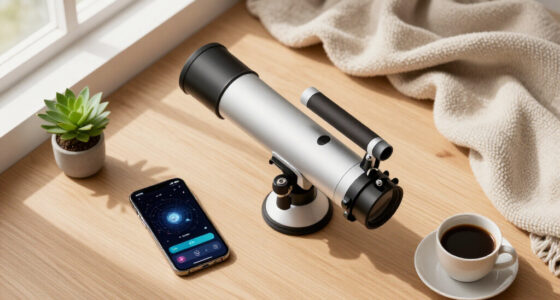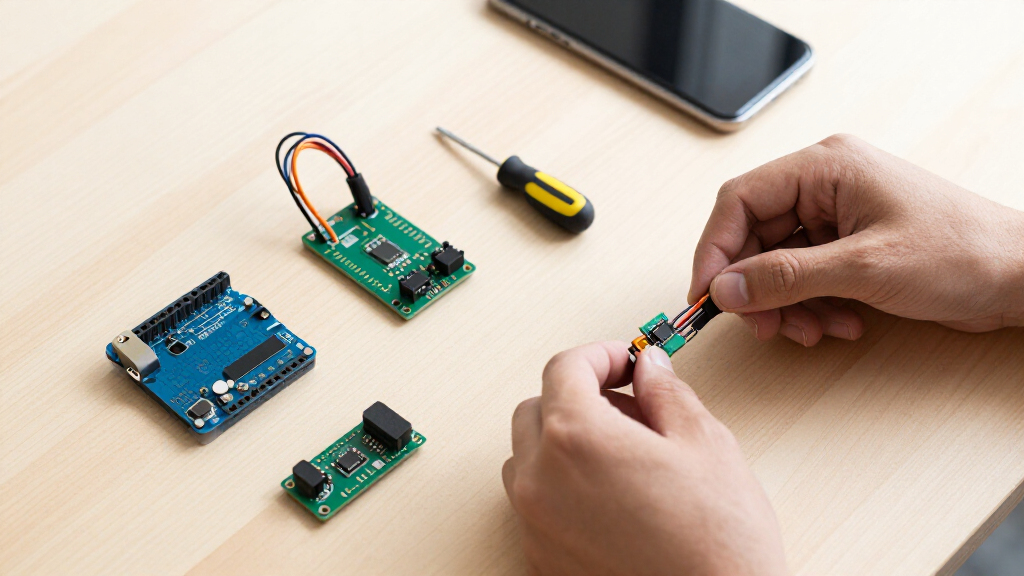

The best Arduino sensor modules give a project reliable inputs without creating unnecessary wiring, coding, or compatibility problems. I rank the KEYESTUDIO 48 Sensors Modules Starter Kit as the best overall because its wide assortment supports more experiments than the smaller kits while retaining useful output components. The Arduino Sensor Kit Base is my beginner pick for its more guided learning path, while the Arduino Modulino Distance stands out for focused proximity projects. The main choice is between a broad assortment with mixed module quality and a narrower, better-documented setup designed for a particular task. Continue reading for the full breakdown of which option fits each buyer and where the compromises appear.

Get the latest gadgets delivered free with Prime
- Fast, free delivery on millions of items
- Prime Video, Amazon Music and more included
- Member-only deals all year
Key Takeaways
- KEYESTUDIO’s 48-module kit ranks first because its combination of sensors, displays, motion parts, and output devices supports a wider project range than the 37- and 38-piece assortments.
- The Arduino Sensor Kit Base is the strongest beginner choice, but buyers pay more for a guided ecosystem and cleaner setup rather than the highest module count.
- ELEGOO’s 37-in-1 kit offers the best value balance because it pairs a useful assortment with tutorial support, making it less of a gamble than many generic collections.
- Single-purpose modules beat large kits for defined projects: the Modulino Distance suits modern proximity builds, the VEML7700 pair targets accurate light measurement, and the HC-SR04 pack supports repeated ultrasonic builds.
- Module count does not equal practical variety; several large assortments include LEDs, buzzers, switches, and closely related sensors that inflate the headline number without adding equally distinct capabilities.
| Arduino Modulino Distance |  | Best Plug-and-Play Distance Sensor | Sensor Type: Time-of-flight proximity sensor | Output Type: Analog | Connection: Qwiic-compatible | VIEW LATEST PRICE | See Our Full Breakdown |
| KEYESTUDIO 48 Sensors Modules Starter Kit |  | Best Overall Sensor Kit | Number of Sensors and Modules: 48 | Arduino Compatibility: Mega 2560, R3, Pro Micro, and Leonardo | Other Platform Compatibility: Raspberry Pi | VIEW LATEST PRICE | See Our Full Breakdown |
| 38-in-1 Sensor Module Kit for Arduino and Raspberry Pi Projects |  | Best Kit with an OLED Display | Number of Sensor Modules: 38 | Display Type: OLED | Display Size: 0.96 inch | VIEW LATEST PRICE | See Our Full Breakdown |
| 2 Pcs VEML7700 Ambient Light Sensor Modules |  | Best for Ambient Light Measurement | Quantity: 2 modules | Sensor: VEML7700 | Measurement Type: Ambient light | VIEW LATEST PRICE | See Our Full Breakdown |
| SunFounder Universal Maker Sensor Kit |  | Best Cross-Platform Kit | Sensor and Module Count: More than 25 | Supported Platforms: Arduino, Raspberry Pi, Pico W, and ESP32 | Connectivity Technology: Wi-Fi | VIEW LATEST PRICE | See Our Full Breakdown |
| ELEGOO 5PCS HC-SR04 Ultrasonic Distance Sensor Module for Arduino |  | Best Distance-Sensing Value | Power Supply: 5V DC | Quiescent Current: Less than 2mA | Effectual Angle: Less than 15 degrees | VIEW LATEST PRICE | See Our Full Breakdown |
| KEYESTUDIO 37 in 1 Sensor Kit for Arduino with Tutorial, Sensors Modules Compatible with Arduino and Raspberry Pi |  | Best Broad Starter Assortment | Number of Sensors and Modules: 37 | Controller Compatibility: Arduino and Raspberry Pi | Sound Output: Active buzzer module | VIEW LATEST PRICE | See Our Full Breakdown |
| Arduino Sensor Kit – Base [TPX00031] – Essential Sensors for Beginners | – Essential Sensors for Beginners” image=”https://m.media-amazon.com/images/I/51Vx+S-VgBL._AC_SY300_SX300_QL70_FMwebp_.jpg” link=”0″] | Best Guided Beginner Kit | Number of Sensors: More than 10 | Temperature Sensing: Included | Light Sensing: Included | VIEW LATEST PRICE | See Our Full Breakdown |
| 16-in-1 Smart Home Sensor Modules Kit for Arduino and Raspberry Pi |  | Best for Smart-Home Experiments | Number of Sensors: 16 | Arduino Compatibility: UNO R3, Mega2560, Mega328, and Nano | Single-Board Computer Compatibility: Raspberry Pi | VIEW LATEST PRICE | See Our Full Breakdown |
| Lonely Binary TinkerBlock 46-in-1 Sensor Kit for Arduino and ESP32 |  | Best Premium Plug-and-Play Kit | Modules Included: 46 | Display: 1.8-inch TFT LCD | LED Matrix: 8×8 RGB | VIEW LATEST PRICE | See Our Full Breakdown |
| HiLetgo 37 Sensor Assortment Kit for Arduino & Raspberry Pi |  | Best for Independent Experimenters | Module count: 37 | Compatible platforms: Arduino and Raspberry Pi | Connectivity technology: USB | VIEW LATEST PRICE | See Our Full Breakdown |
| KEYESTUDIO 37-in-1 Sensor Kit for Arduino and Raspberry Pi |  | Best for Guided Learning | Sensor and module count: 37 | Arduino compatibility: Mega R3, Mega 2560, and Nano | Raspberry Pi compatibility: Yes | VIEW LATEST PRICE | See Our Full Breakdown |
| ELEGOO 37-in-1 Sensor Modules Kit for Arduino with Tutorial |  | Best Arduino-Focused Assortment | Component count: 37 | Compatible Arduino boards: UNO R3, MEGA R3, and NANO | Development software: Arduino IDE | VIEW LATEST PRICE | See Our Full Breakdown |
| 16 in 1 Project Super Starter Kits Sensor Modules Kit for Arduino and Raspberry Pi |  | Best Compact Starter Selection | Sensor count: 16 | Arduino UNO compatibility: UNO R3 | Arduino Mega compatibility: Mega2560 and Mega328 | VIEW LATEST PRICE | See Our Full Breakdown |
More Details on Our Top Picks
Arduino Modulino Distance
I rank the Arduino Modulino Distance highest for builders who want quick, precise proximity sensing without assembling a large component kit. Its Qwiic-compatible connection reduces wiring work, while support for chained modules suits robots or automation systems that need several sensing points. Compared with the ELEGOO HC-SR04, this time-of-flight module is the cleaner choice when compact integration matters more than buying several low-cost ultrasonic sensors. It is also far more focused than the KEYESTUDIO 48 Sensors Modules Starter Kit, which offers greater experimentation but adds setup complexity. The missing published measurement range makes performance harder to judge before purchase, and its strongest convenience benefits depend on compatible Arduino hardware. I would choose it for a targeted distance project, but not as a first all-purpose electronics collection.
Pros:- Qwiic-compatible connection reduces wiring and setup time
- Time-of-flight sensing is well suited to precise object detection
- Compact plug-and-play format fits robotics and automation builds
- Multiple modules can be connected in series
Cons:- Published product data does not state the measurement range
- Full plug-and-play convenience depends on compatible Arduino ecosystem hardware
- Single-purpose design offers less experimentation than a sensor kit
Best for: I recommend it for Arduino robotics builders who want a compact distance sensor with minimal wiring and support for chained modules.
Not ideal for: I would skip it for buyers who need a documented measurement range or a broad assortment of sensors for experimentation.
- Sensor Type:Time-of-flight proximity sensor
- Output Type:Analog
- Connection:Qwiic-compatible
- Module Chaining:Supported
- Style:Distance Measurements
- Item Dimensions:9.65 x 6.3 x 1.61 inches
- Item Weight:0.2 ounces
Our verdict“I would buy this for a focused Arduino proximity project where clean integration matters more than sensor variety.”
KEYESTUDIO 48 Sensors Modules Starter Kit
I place the KEYESTUDIO 48 Sensors Modules Starter Kit at the front of the general-purpose kits because its 48 included sensors and modules cover more project categories than the 38-in-1 Sensor Module Kit. The LCD, relay, servo, motion, pressure, gas, sound, and LED hardware can carry a learner from simple input exercises into automation and robotics. Detailed tutorials, wiring diagrams, and example code also give it a clearer learning path than the 38-in-1 kit, whose guidance is primarily online. That breadth comes with clutter and a steeper workload: beginners still need to assemble circuits and understand code, while Raspberry Pi users may need outside guidance. Unlike the Arduino Sensor Kit – Base, it does not include a controller board. I rank it highly for range and teaching support, not for instant out-of-box projects.
Pros:- 48 modules provide broader project coverage than smaller assortments
- Tutorials, wiring diagrams, and example code support guided learning
- Includes output hardware such as an LCD, relay, LEDs, and servo
- Works with several Arduino boards and Raspberry Pi
Cons:- Arduino controller board is not included
- The large component set still requires circuit-building and programming knowledge
- Raspberry Pi users may need extra guidance beyond the Arduino-oriented instructions
Best for: I recommend it for Arduino learners and hobbyists who want one large kit for structured experiments across sensing, displays, motion, and control.
Not ideal for: I would skip it for buyers expecting an included Arduino board or Raspberry Pi owners who want platform-specific projects supplied in the package.
- Number of Sensors and Modules:48
- Arduino Compatibility:Mega 2560, R3, Pro Micro, and Leonardo
- Other Platform Compatibility:Raspberry Pi
- Display Included:LCD
- Control Components:5V relay and servo motor
- Detection Components:Motion, pressure, gas, and sound sensors
- Output Components:LED modules
- Learning Materials:Tutorials, wiring diagrams, and example code
Our verdict“I see this as the strongest all-round choice for buyers who want maximum Arduino project variety and guided lessons in one kit.”
38-in-1 Sensor Module Kit for Arduino and Raspberry Pi Projects
The 38-in-1 Sensor Module Kit earns its place by pairing a broad component assortment with an included 0.96-inch OLED. That display lets builders show readings locally without purchasing another module, making the set appealing for compact monitors and status panels. The KEYESTUDIO 48 Sensors Modules Starter Kit offers ten more modules and stronger instructional support, but this kit adds STM32 compatibility and a ready-made display advantage. It also spans Arduino UNO R3, MEGA 2560, and Raspberry Pi, so I see more room for moving projects between boards. The tradeoff is accessibility: tutorials are available online rather than supplied as detailed in-box instructions, and users need basic electronics knowledge to identify, wire, and program the parts. Compared with the SunFounder Universal Maker Sensor Kit, its platform support is narrower and its learning path less polished.
Pros:- Included OLED supports projects that display readings without extra hardware
- 38 modules cover a wide range of experiments
- Works with Arduino, Raspberry Pi, and STM32 platforms
- Online tutorials provide a starting point for supported projects
Cons:- Detailed instructions are not included in the package
- Basic wiring and programming knowledge is needed
- The assortment can be difficult for a new user to organize and identify
Best for: I recommend it for makers with basic electronics knowledge who want varied sensors plus an OLED for self-contained readings and status displays.
Not ideal for: I would skip it for complete beginners who need printed, step-by-step guidance or buyers who want the largest available module count.
- Number of Sensor Modules:38
- Display Type:OLED
- Display Size:0.96 inch
- Arduino UNO Compatibility:UNO R3
- Arduino Mega Compatibility:MEGA 2560
- Other Supported Boards:Raspberry Pi and STM32
- Tutorial Availability:Available online
Our verdict“I would choose this kit when an included OLED and STM32 support matter more than having the largest assortment or the strongest beginner guidance.”
2 Pcs VEML7700 Ambient Light Sensor Modules
I select the VEML7700 Ambient Light Sensor Module for projects that need a dedicated, numerical light reading rather than the mixed capabilities of a starter kit. Its 16-bit sensing range of 0 to 120,000 lux suits daylight monitors, adaptive lighting, and environmental logging, while 3.3V and 5V support broadens board compatibility. Compared with the basic light components commonly bundled in the KEYESTUDIO 48 Sensors Modules Starter Kit, this two-pack is the more focused choice for measuring illumination across a wide range. It is less convenient than the Arduino Modulino Distance, however, because the included connectors require soldering. The fixed 0x10 I2C address also prevents placing two identical modules on one bus without extra switching hardware. I rank it as a specialist value, not a beginner-friendly general sensor purchase.
Pros:- 16-bit sensor provides detailed ambient light readings
- Wide 0 to 120,000 lux range covers dim and bright environments
- Supports both 3.3V and 5V power supplies
- Two modules are included for separate builds or a spare
Cons:- Included connectors require soldering
- Fixed 0x10 address complicates using both modules on one I2C bus
- Single-purpose modules do not provide the variety of a starter assortment
Best for: I recommend it for makers building lux meters, daylight monitors, or automatic lighting systems who can solder headers and manage I2C devices.
Not ideal for: I would skip it for solder-free beginners or projects that need multiple VEML7700 modules on the same unmodified I2C bus.
- Quantity:2 modules
- Sensor:VEML7700
- Measurement Type:Ambient light
- Resolution:16 bit
- Measuring Range:0 to 120,000 lux
- Interface:I2C
- I2C Address:0x10 fixed
- Power Supply:3.3V or 5V DC
Our verdict“I would pick this two-pack for precise ambient-light projects, provided soldering and the fixed I2C address fit the design.”
SunFounder Universal Maker Sensor Kit
The SunFounder Universal Maker Sensor Kit is my cross-platform pick because its 25-plus sensors and modules support Arduino, Raspberry Pi, Pico W, and ESP32 projects. That flexibility makes more sense for a buyer who expects to change boards than the KEYESTUDIO 48 Sensors Modules Starter Kit, which provides more components but centers its supplied guidance on Arduino. Step-by-step tutorials across skill levels also make SunFounder more approachable than the 38-in-1 Sensor Module Kit, where detailed instructions are not included in the box. The smaller stated module count limits experimentation beside the KEYESTUDIO kit, and the product data does not identify every sensor, so buyers cannot verify the exact assortment from the summary alone. Details about warranty and technical support are also sparse. I favor it for platform flexibility and guided learning, not maximum component quantity.
Pros:- Supports Arduino, Raspberry Pi, Pico W, and ESP32
- More than 25 modules cover environmental, automation, robotics, and controller projects
- Step-by-step tutorials serve both newer and more advanced makers
- Wi-Fi and Bluetooth compatibility suit connected builds
Cons:- The supplied data does not identify every included sensor and quantity
- It offers fewer stated modules than the KEYESTUDIO 48-piece kit
- Warranty and technical-support details are limited
Best for: I recommend it for learners, classrooms, and makers who plan to build across Arduino, Raspberry Pi, Pico W, and ESP32 rather than stay with one board family.
Not ideal for: I would skip it for buyers who want a fully itemized sensor list, the highest module count, or clearly documented warranty support before ordering.
- Sensor and Module Count:More than 25
- Supported Platforms:Arduino, Raspberry Pi, Pico W, and ESP32
- Connectivity Technology:Wi-Fi
- Wireless Compatibility:Bluetooth
- Operating System:Linux
- Compatible Device Type:Single-board computer
- Processor Count:1
- Total USB Ports:1
- Suggested Project Areas:Environmental monitoring, smart homes, robotics, and gaming controllers
Our verdict“I would buy this kit for guided projects across several board families, while Arduino-only buyers seeking maximum variety should favor the KEYESTUDIO 48-module set.”
ELEGOO 5PCS HC-SR04 Ultrasonic Distance Sensor Module for Arduino
I rank the ELEGOO HC-SR04 five-pack highly for builders who need repeatable obstacle detection across several robots or installations. Compared with the Arduino Modulino Distance, its five-sensor value favors quantity and easy replacement over a more refined proximity module. The 3cm-to-450cm range provides a long measurement span, while 0.3cm resolution supports projects such as parking indicators and autonomous vehicles. It is also more focused than the KEYESTUDIO 37-in-1 Sensor Kit: every module serves the same job, so none sit unused. That focus limits experimentation, though. Each board needs 5V power, the narrow detection angle demands careful alignment, and mounting hardware is absent. I see this as a practical robotics pick, not an all-purpose learning kit.
Pros:- Five identical modules provide strong value for multi-robot builds and replacements
- Measures across a broad 3cm-to-450cm distance range
- 0.3cm resolution supports more precise distance-based responses
- Quiescent current below 2mA keeps idle power demand low
Cons:- Requires a 5V DC supply, complicating some 3.3V controller setups
- Detection angle below 15 degrees demands accurate positioning
- No brackets, screws, or other mounting accessories are included
Best for: Robotics clubs and makers building several Arduino obstacle-detection or distance-measurement projects
Not ideal for: Buyers using only 3.3V logic or needing a single compact proximity sensor with mounting hardware
- Power Supply:5V DC
- Quiescent Current:Less than 2mA
- Effectual Angle:Less than 15 degrees
- Distance Range:3cm to 450cm
- Resolution:0.3cm
- Package Quantity:5 HC-SR04 modules
Our verdict“I recommend this five-pack for builders who need several affordable distance sensors and can handle 5V wiring and custom mounting.”
KEYESTUDIO 37 in 1 Sensor Kit for Arduino with Tutorial, Sensors Modules Compatible with Arduino and Raspberry Pi
I place the KEYESTUDIO 37-in-1 Sensor Kit above smaller learning sets when project variety matters most. Its temperature, humidity, motion, buzzer, and relay modules support a wider curriculum than the Arduino Sensor Kit – Base, making the 37-module selection better for classrooms and makers who have not chosen a specialty. The identified storage case also reduces time spent matching unfamiliar boards to lessons. Compared with the Lonely Binary TinkerBlock 46-in-1 kit, however, this package lacks that model’s displays, broader interface mix, and solder-free emphasis. Buyers must also supply a controller and wires, so the kit is not ready by itself. The online tutorials soften the learning curve, but the volume of choices can still distract a new learner. I view it as the best balance of breadth and guided experimentation.
Pros:- Thirty-seven modules cover environmental sensing, motion, sound, and output control
- Supports both Arduino and Raspberry Pi project paths
- Online tutorials provide step-by-step project guidance
- Labeled storage case makes the assortment easier to manage
Cons:- Controller board and connecting wires are not included
- Large assortment may feel unfocused to learners without a project plan
- Offers fewer modules and display options than the Lonely Binary 46-in-1 kit
Best for: Teachers, makerspaces, and curious beginners who already own a controller and want many guided project options
Not ideal for: First-time buyers expecting a self-contained package with an Arduino board, jumper wires, and a tightly sequenced course
- Number of Sensors and Modules:37
- Controller Compatibility:Arduino and Raspberry Pi
- Sound Output:Active buzzer module
- Switching Module:5V relay
- Environmental Module:Temperature and humidity sensor
- Learning Resources:Online tutorials
- Organization:Storage case with component identification card
Our verdict“I favor this kit for buyers who already have basic hardware and want a well-organized assortment that can support many lessons.”
Arduino Sensor Kit – Base [TPX00031] – Essential Sensors for Beginners
– Essential Sensors for Beginners” image=”https://m.media-amazon.com/images/I/51Vx+S-VgBL._AC_SY300_SX300_QL70_FMwebp_.jpg” link=”0″]Best Guided Beginner Kit
View Latest PriceI would choose the Arduino Sensor Kit – Base for a learner who values a manageable starting point more than maximum module count. Its selection of over 10 temperature, light, motion, and humidity sensors covers the foundations behind weather stations, simple automation, and introductory IoT systems. Against the KEYESTUDIO 37-in-1 Sensor Kit, the smaller sensor set offers less room for open-ended experimentation but creates fewer distractions during early lessons. Easy-to-follow resources strengthen its role as a structured learning choice for students and educators. The limitation becomes clear once a buyer moves into specialized sensing, displays, relays, or more ambitious robotics; extra parts may be needed sooner than with larger assortments. I rank it for clarity over quantity, especially when a crowded component case would slow the learning process.
Pros:- Focused selection avoids the clutter of a much larger assortment
- Covers core temperature, light, motion, and humidity measurements
- Beginner-oriented instructions support structured learning
- Useful across introductory home automation, robotics, and IoT lessons
Cons:- Far fewer modules than the 37-in-1 and 46-in-1 alternatives
- Basic sensor selection leaves limited scope for specialized projects
- Advanced builds may require additional modules and other components
Best for: Students, educators, and new hobbyists who want a focused introduction to common environmental and motion sensors
Not ideal for: Experienced makers seeking specialized modules, displays, control hardware, or enough variety for advanced prototyping
- Number of Sensors:More than 10
- Temperature Sensing:Included
- Light Sensing:Included
- Motion Sensing:Included
- Humidity Sensing:Included
- Intended Audience:Beginners, educators, and hobbyists
- Project Applications:Environmental monitoring, home automation, robotics, and IoT
Our verdict“I recommend this kit to beginners who prefer clear lessons and core sensor types over the broader but busier experience of a large assortment.”
16-in-1 Smart Home Sensor Modules Kit for Arduino and Raspberry Pi
I rank the 16-in-1 Smart Home Sensor Kit as the focused choice for learners interested in household monitoring and automation. Its motion, flame, vibration, sound, light, air-pressure, temperature, and humidity modules map directly to alarms, room monitors, and environmental dashboards. Compared with the KEYESTUDIO 37-in-1 Sensor Kit, this package offers fewer distractions and a clearer smart-home theme, though it sacrifices the larger kit’s project breadth. Support for Arduino boards and Raspberry Pi gives buyers room to move from simple sensor readings to networked projects. Still, these are basic individual modules, not a finished automation system: controllers, control units, and other supporting parts remain necessary. Experienced developers may also outgrow their capabilities. For the right learner, I think the purposeful 16-sensor mix is more useful than a bigger but less targeted collection.
Pros:- Sensor mix is closely aligned with monitoring, safety, and automation projects
- Supports Arduino UNO R3, Mega2560, Mega328, Nano, and Raspberry Pi
- Includes air-pressure and flame sensing alongside common environmental modules
- Tutorials provide guidance for multiple beginner projects
Cons:- Sixteen-module selection is narrower than the 37-in-1 alternatives
- No integrated controller or automation hub is included
- Basic modules may offer limited growth for experienced developers
Best for: Beginners building Arduino or Raspberry Pi alarms, room monitors, and introductory home-automation prototypes
Not ideal for: Experienced developers who need integrated control units, advanced sensors, or a ready-to-install smart-home system
- Number of Sensors:16
- Arduino Compatibility:UNO R3, Mega2560, Mega328, and Nano
- Single-Board Computer Compatibility:Raspberry Pi
- Environmental Sensors:Temperature, humidity, light, and air pressure
- Safety Sensors:Flame and motion
- Interaction Sensors:Sound and digital touch
- Movement Detection:Infrared and vibration modules
- Learning Resources:Detailed tutorials and instructions
Our verdict“I recommend this kit when smart-home learning is the goal and the buyer is prepared to add a controller and supporting hardware.”
Lonely Binary TinkerBlock 46-in-1 Sensor Kit for Arduino and ESP32
I give the Lonely Binary TinkerBlock 46-in-1 the premium role because it extends beyond basic sensing into visual output, memory, and interaction. The 1.8-inch TFT, RGB matrix, clock display, joystick, infrared pair, microphone, and EEPROM support richer prototype interfaces than the KEYESTUDIO 37-in-1 Sensor Kit. Compatibility with Arduino, ESP32, Raspberry Pi Pico, and both 3.3V and 5V controllers also makes it better suited to a growing workbench. Labeled plug-and-play boards, ENIG contacts, and no soldering requirement reduce setup friction. That breadth brings a steeper coding workload than the Arduino Sensor Kit – Base, and buyers still need a microcontroller and power source. Some learners may pay for modules they rarely touch. I rank it highest for project range and build quality, but not for absolute beginners seeking simplicity.
Pros:- Forty-six modules support sensing, displays, controls, communication, and memory projects
- Works with Arduino, ESP32, ESP32-S3, Raspberry Pi Pico, and other 3.3V or 5V controllers
- No-soldering design and labeled boards simplify physical setup
- TFT display and RGB matrix enable richer interfaces than most sensor assortments
Cons:- Requires outside microcontroller, power, and basic coding knowledge
- Large module count can overwhelm learners seeking a linear course
- Some buyers may not use enough of the specialized modules to justify the premium positioning
Best for: STEM programs and active makers who want sensors, displays, controls, and broad microcontroller support in one organized kit
Not ideal for: Young or first-time learners who want a small lesson set, or buyers expecting an included controller and power supply
- Modules Included:46
- Display:1.8-inch TFT LCD
- LED Matrix:8×8 RGB
- Additional Modules:7-segment clock, joystick, IR sender and receiver, hall sensor, microphone, and EEPROM
- Controller Compatibility:Arduino UNO R3, ESP32, ESP32-S3, Raspberry Pi Pico, and other 3.3V/5V microcontrollers
- Supported Interfaces:Digital, analog, I2C, SPI, PWM, and IR
- PCB Finish:ENIG gold-plated contacts
- Assembly:No soldering required
- Package and Age Range:Labeled storage case; ages 12 and older
Our verdict“I recommend TinkerBlock to ambitious learners and prototypers who will use its displays and wide interface support, not merely its basic sensors.”
HiLetgo 37 Sensor Assortment Kit for Arduino & Raspberry Pi
I rank the HiLetgo 37 Sensor Assortment Kit as the best choice for self-directed makers who want breadth without a prescribed course. Its temperature, infrared, vibration, and obstacle-detection modules support more varied experiments than the 16 in 1 Project Super Starter Kit. The tradeoff is guidance: unlike the KEYESTUDIO 37-in-1 Sensor Kit, this package lacks included tutorials and project instructions. That makes its 37-module variety more useful to buyers who already know how to identify pins, locate libraries, and troubleshoot code. Some projects may also need resistors, wiring, or other supporting parts. I place it below the guided kits for beginners, but its cross-platform compatibility gives confident hobbyists plenty of room to build Arduino robots and Raspberry Pi experiments without buying sensors individually.
Pros:- Thirty-seven modules cover sensing, detection, and robotics experiments
- Works with both Arduino and Raspberry Pi project setups
- Broader project range than smaller 16-module collections
- Good fit for makers who prefer choosing their own projects
Cons:- No included instructions or guided projects
- Some modules may require extra components and independent library research
- The large assortment can be difficult for a novice to identify and organize
Best for: Self-directed Arduino or Raspberry Pi hobbyists who can source wiring diagrams and write or adapt their own code
Not ideal for: First-time electronics students who need structured lessons, wiring instructions, and complete project guidance
- Module count:37
- Compatible platforms:Arduino and Raspberry Pi
- Connectivity technology:USB
- Listed operating system:Linux
- Processor brand:Atmel
- Wireless compatibility:Infrared
- RAM technology:LPDDR4
- Listed USB ports:4
Our verdict“I recommend this kit to capable tinkerers who value module variety more than step-by-step teaching.”
KEYESTUDIO 37-in-1 Sensor Kit for Arduino and Raspberry Pi
The KEYESTUDIO 37-in-1 Sensor Kit earns my guided-learning role because it pairs a broad module selection with tutorials and step-by-step projects. That teaching material gives it a clear advantage over the HiLetgo 37 Sensor Assortment Kit, which asks buyers to find their own instructions. Its beginner-friendly project structure helps learners connect wiring, code, and sensor behavior instead of merely collecting parts. Compatibility with Arduino Mega, Nano, and Raspberry Pi also leaves room to change platforms later. The main controller is not supplied, so the real startup cost includes a separate board; buyers seeking a single-box first project may find that frustrating. Compared with the ELEGOO 37-in-1 Kit, KEYESTUDIO is more clearly centered on early instruction, while ELEGOO offers a more Arduino-focused mix for makers ready to tackle modules such as an LCD and real-time clock.
Pros:- Tutorials and step-by-step projects reduce the learning barrier
- Thirty-seven modules support a wide range of early experiments
- Compatible with several Arduino boards and Raspberry Pi
- Guided format connects programming lessons with physical sensor behavior
Cons:- A main controller must be purchased separately
- Beginner-oriented projects may offer limited depth for experienced makers
- Working across different platforms may still require code or wiring changes
Best for: Students and first-time makers who already own a compatible controller and want structured sensor lessons
Not ideal for: Buyers expecting an included Arduino board or experienced developers seeking specialized, higher-end sensors
- Sensor and module count:37
- Arduino compatibility:Mega R3, Mega 2560, and Nano
- Raspberry Pi compatibility:Yes
- Tutorials included:Yes
- Step-by-step projects:Included
- Main controller included:No
- Connection approach:Easy-connect components
Our verdict“I would choose this kit for a structured first sensor course when a compatible board is already available.”
ELEGOO 37-in-1 Sensor Modules Kit for Arduino with Tutorial
I give the ELEGOO 37-in-1 Sensor Modules Kit the Arduino-focused spot because its selection extends beyond basic detectors to an accelerometer, LCD, and real-time clock module. Those parts support interface, motion, and time-based builds that can feel more substantial than the introductory experiments emphasized by the KEYESTUDIO 37-in-1 Sensor Kit. Tutorials soften the learning curve, while UNO R3, MEGA R3, and NANO support lets Arduino owners reuse the kit across common board formats. ELEGOO also lists Arduino IDE and STM32 compatibility, giving more adventurous makers another development route. Still, the board is absent, and basic electronics knowledge is expected; this is not the easiest zero-background package. I rank KEYESTUDIO higher for tightly guided learning, but ELEGOO makes more sense when module variety and Arduino project growth matter more than hand-holding.
Pros:- Includes an accelerometer, LCD, real-time clock, and other varied modules
- Supports three widely used Arduino board formats
- Tutorial materials provide a starting point for each component
- Arduino IDE and STM32 compatibility offer room for later experimentation
Cons:- No Arduino board is included
- Some projects require prior electronics and coding knowledge
- Physical CD materials may be inconvenient on computers without an optical drive
Best for: Arduino owners who want to progress from simple sensors into display, motion, and time-based projects
Not ideal for: Absolute beginners without a controller board or basic knowledge of breadboarding, wiring, and Arduino code
- Component count:37
- Compatible Arduino boards:UNO R3, MEGA R3, and NANO
- Development software:Arduino IDE
- Additional platform support:STM32
- Tutorial included:Yes
- Physical media:CD
- Component listing:Listing paper included
- Controller board included:No
Our verdict“I favor this kit for Arduino owners who want a broader project path than a purely beginner-led sensor course provides.”
16 in 1 Project Super Starter Kits Sensor Modules Kit for Arduino and Raspberry Pi
The 16 in 1 Project Super Starter Kit is my compact pick for buyers who want a manageable set of practical sensors rather than a 37-piece assortment. Sound, temperature, humidity, flame, vibration, infrared, and ultrasonic sensing cover many familiar home-monitoring and small-robot projects. With fewer modules than the HiLetgo kit, it is easier to organize and less likely to leave beginners with a pile of unused parts. Its Arduino and Raspberry Pi compatibility is unusually broad for a smaller collection, spanning UNO, Mega, Nano, and two Raspberry Pi generations. The compromise is limited expansion: it lacks the LCD, clock, and accelerometer variety found in the ELEGOO 37-in-1 kit. Product information also gives little evidence about module durability or consistency, so I would treat it as a learning set rather than a dependable source for permanent builds.
Pros:- Focused 16-module selection is easier for beginners to manage
- Covers environmental, sound, touch, flame, and distance sensing
- Supports several Arduino boards and Raspberry Pi models
- Ultrasonic and obstacle sensors suit entry-level robotics projects
Cons:- Much less module variety than the 37-piece kits
- No clear information about sensor build quality or durability
- Included project guidance and supporting accessories are not specified
Best for: Beginners building a small set of environmental, detection, and obstacle-sensing projects across Arduino or Raspberry Pi
Not ideal for: Frequent prototypers who need displays, clocks, motion measurement, or a large library of specialized modules
- Sensor count:16
- Arduino UNO compatibility:UNO R3
- Arduino Mega compatibility:Mega2560 and Mega328
- Arduino Nano compatibility:Yes
- Raspberry Pi compatibility:Raspberry Pi 3 and 2 Model B
- Environmental sensors:Temperature, humidity, and air pressure
- Detection sensors:Sound, obstacle, infrared, flame, and vibration
- Additional sensors:Ultrasonic and digital touch
Our verdict“I recommend this smaller set for beginners who prefer a focused sensor collection and do not need the expansion range of a 37-module kit.”
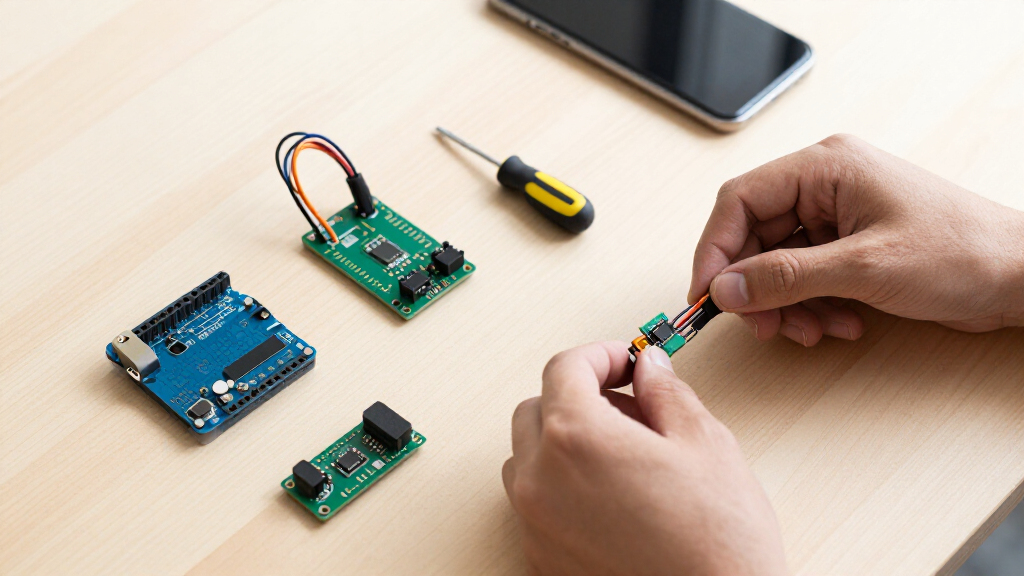
How We Picked
I ranked these options by useful sensing range, setup difficulty, documentation, electrical compatibility, and the number of genuinely different projects each package can support. I gave more weight to modules that help buyers move from a basic sketch to a working build without hunting for missing cables, libraries, or sample code. For assortment kits, I separated meaningful variety from headline piece counts and examined whether the package mixed environmental, motion, light, sound, distance, and control components in a productive way.
I also compared focused performance against broad experimentation. A dedicated distance or light module cannot match a 48-piece kit for variety, but it may be the better purchase when measurement quality, repeatability, or compact wiring matters more. Documentation and platform coverage shaped close rankings, while unclear duplication and limited learning support moved generic kits lower. My final order favors buyer value rather than raw quantity, with distinct recommendations for learners, classrooms, multi-platform makers, and task-specific builds.
Factors to Consider When Choosing Best Arduino Sensor Modules
Choosing among the best Arduino sensor modules starts with the project you want to finish, not the largest number printed on a box. I would narrow the field by deciding whether you need broad experimentation, structured instruction, repeated copies for a group, or one measurement type performed well. The factors below help separate useful capability from assortment-kit padding.
Choose a Broad Kit or a Focused Module
A large assortment makes sense when the goal is learning through varied experiments or discovering which sensor types deserve a permanent place in a later project. Focused modules are better when the build already has a defined input, such as distance or ambient light. I would not buy 37 sensors solely to obtain one ultrasonic module, since the unused parts weaken the apparent bargain. A dedicated board may also provide cleaner wiring and more predictable code than a low-cost assortment component. Broad kits remain useful for clubs, workshops, and prototype benches where the next project is unknown. The best choice depends on whether you value option breadth or task-specific confidence.
Check Voltage, Logic, and Board Compatibility
An Arduino-compatible label does not mean every module works identically with every Arduino, ESP32, or Raspberry Pi board. Many classic Arduino modules assume 5-volt power or logic, while ESP32 and Raspberry Pi GPIO pins commonly operate at 3.3 volts. I would check the module’s input limits before connecting it, especially when a kit promotes several platforms without explaining the required level shifting. Digital modules are often easier to move between boards than analog sensors whose readings depend on reference voltage and ADC behavior. Connector systems can also limit flexibility if the package needs a proprietary shield or cable format. Buyers mixing platforms should favor clear pinout documentation and modules with stated voltage ranges over vague compatibility claims.
Judge Real Variety, Not the Printed Piece Count
Numbers such as 37-in-1, 46-in-1, and 48-in-1 are useful only after checking what the seller counts as a module. Some assortments include several LED boards, switches, buzzers, or near-duplicate sensors, so 48 pieces rarely means 48 sensing methods. I would group the contents by function: environmental sensing, movement, distance, light, sound, touch, and outputs. A kit covering more of those groups has greater learning value than one with many small variations inside two groups. Relays, displays, and servos are not sensors, but they can add project-building value by letting sensor readings trigger visible or mechanical responses. Buyers should compare functional categories and duplicate parts before treating a larger kit as the better deal.
Value Documentation as Part of the Hardware
A module is far easier to use when its tutorial identifies the pins, required library, expected readings, and a working example sketch. Weak instructions turn a cheap assortment into a time-consuming troubleshooting exercise, particularly when boards arrive with abbreviated labels. I place greater value on kits with organized lessons and current code than on packages offering a few extra undocumented modules. Beginners benefit most, but experienced builders also save time when sample code reveals calibration steps or inverted output logic. Library age matters because older examples may not compile cleanly with current board packages. Paying slightly more for usable documentation and labeled components can produce better value than maximizing the piece count.
Match Sensor Technology to the Measurement
Different sensors can report the same physical condition while behaving very differently in a finished project. For distance work, time-of-flight sensing can suit compact, precise proximity builds, while ultrasonic modules provide low-cost range detection but need clear acoustic paths. Ambient-light boards with digital output are easier to compare across systems than basic photoresistor modules, which depend heavily on circuit values and calibration. Motion detectors may identify presence without reporting distance, making them better for alarms than robotics. Gas, sound, and pressure modules often need warm-up, calibration, or threshold tuning before their readings become useful. I would select the sensing principle around range, accuracy, response time, and operating environment, not around the most familiar module name.
Decide When Paying More Makes Sense
A premium kit earns its price when it reduces setup friction, supports several board families, or provides a structured path beyond isolated demonstrations. It makes less sense for buyers who already own breadboards, jumper wires, and a well-stocked parts drawer. I would pay more for better learning materials, dependable connectors, and reusable organization, especially for a classroom or shared workspace. For a one-off hobby project, a lower-cost dedicated module usually leaves more budget for the enclosure, power supply, and actuators. Multipacks can be economical when several learners need the same sensor or when a module may be damaged during prototyping. The right value calculation includes time, supporting parts, and likely reuse, not merely the purchase price.
Frequently Asked Questions
Should I Buy a Sensor Kit or Individual Arduino Modules?
I recommend a sensor kit for exploration, coursework, or a first electronics bench because it allows several input types to be compared without separate orders. Individual modules make more sense when the project requirements are already fixed. A dedicated purchase can provide better documentation, more suitable connectors, or multiple copies of the exact sensor needed. Large kits also create unused inventory if only one or two modules reach the final build. Choose the kit for breadth and experimentation, and choose individual boards for focused performance or repeatable deployment.
Are 37-in-1 and 48-in-1 Kits Meaningfully Different?
The larger number can indicate broader coverage, but it does not automatically provide eleven additional sensing capabilities. I would compare the actual contents because some kits count LEDs, relays, buzzers, and buttons alongside sensors. A 37-piece package with strong tutorials may teach more effectively than a 48-piece package with unclear examples. The larger kit wins when its extra parts add new project categories, such as displays, motion control, or environmental measurement. Focus on functional variety and documentation rather than the number in the product name.
Can These Arduino Sensor Modules Work With an ESP32 or Raspberry Pi?
Many can, but compatibility depends on voltage, interface, libraries, and the way the module exposes its signal. I2C and simple digital modules are often portable, provided their logic levels are safe for the target board. Analog modules may produce different results because Arduino, ESP32, and Raspberry Pi systems handle analog input differently, with Raspberry Pi boards needing an external ADC. Tutorials written for Arduino may also require code changes on another platform. I would verify power requirements, pin voltage, and software support for every module before connecting it.
Is the Arduino Sensor Kit Base Worth Paying More for as a Beginner?
It can be, especially when the buyer values a guided starting point more than the largest assortment. Its appeal lies in reducing wiring and lesson-planning friction, which helps a beginner focus on how sensor data affects code. Less expensive 37-in-1 kits offer more component variety, but they can demand extra breadboarding and troubleshooting. Buyers who enjoy working from loose modules may outgrow the guided format or prefer the wider KEYESTUDIO and ELEGOO selections. I would choose the Arduino kit for structured learning and a broad assortment for self-directed experimentation.
Should I Choose Time-of-Flight or Ultrasonic Distance Sensors?
I would choose time-of-flight for compact proximity projects where a narrow sensing area and tidy digital integration matter. Ultrasonic modules such as the HC-SR04 are attractive for inexpensive robotics, classroom exercises, and projects needing several replaceable units. Their readings can be affected by target angle, soft materials, and nearby ultrasonic sensors. Time-of-flight boards may cost more and can also have limits with reflective surfaces or strong ambient conditions. The choice comes down to measurement environment, budget, and required repeatability, not distance range alone.
Conclusion
For the broadest mix of experiments, my best overall pick is the KEYESTUDIO 48 Sensors Modules Starter Kit because it offers more project paths than the smaller assortments. The ELEGOO 37-in-1 Sensor Modules Kit is my best-value choice for buyers who want a useful range backed by tutorial support. Beginners who prefer a more organized learning path should choose the Arduino Sensor Kit Base, even though it offers fewer loose modules for the money.
For a premium multi-platform setup, I would choose the SunFounder Universal Maker Sensor Kit, particularly for makers who expect to move between Arduino, Raspberry Pi, and ESP32 projects. Buyers building a dedicated proximity device should select the Arduino Modulino Distance, while the VEML7700 pair is the stronger fit for digital ambient-light measurement. The ELEGOO HC-SR04 multipack makes more sense for classrooms, repeated robot builds, or low-cost ultrasonic experiments. My final choice would follow the project’s real measurement need, since a focused sensor often beats a large assortment once the build has a defined purpose.