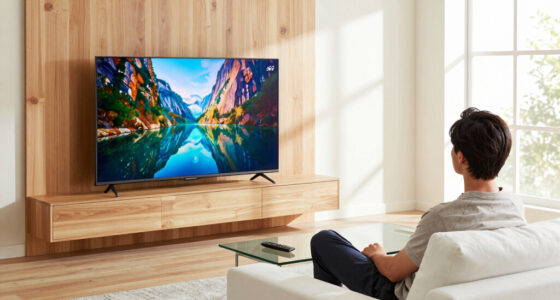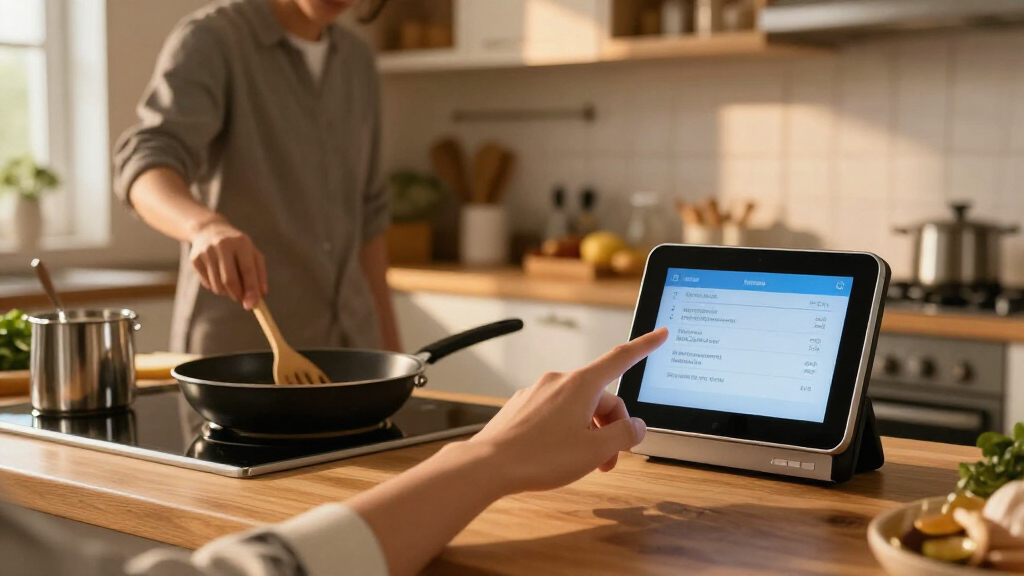

For hands-free recipe following, I would start with the Echo Show 8: its mid-size screen is easier to place near a prep area than the giant wall displays, while still giving recipes room to breathe. The Echo Show 15 is my pick for a shared household command center, and the Echo Show 5 suits cooks who need a small screen for simple prompts rather than a full-page recipe view. These options make different compromises: screen size versus counter space, cooking guidance versus household dashboards, and useful kitchen audio versus a display built to dominate a wall.

Get the latest gadgets delivered free with Prime
- Fast, free delivery on millions of items
- Prime Video, Amazon Music and more included
- Member-only deals all year
This ranking focuses on how each model fits recipe use: legibility from a work surface, placement, voice and touch interaction, and whether its extra features help in a kitchen. I also weigh practical drawbacks, including the Echo Show 5’s cramped recipe area and the 15- and 21-inch models’ substantial footprint. The newer Echo Show 16 adds an Alexa+ angle, but some of its appeal depends on an assistant feature that requires a Prime membership.
Complete the kit


Key Takeaways
- Best balance for everyday cooking: Echo Show 8 pairs an 8.7-inch touchscreen with a speaker system and smart-home hub without taking over the kitchen.
- Best for a household recipe wall: Echo Show 15 combines a 15.6-inch Full HD screen with widgets, portrait or landscape mounting, and Fire TV.
- Best for tight spaces: Echo Show 5 is the smallest option, but its 5.5-inch screen is better for short instructions and timers than reading a long recipe.
- Best for a very large shared display: Echo Show 21 offers the most screen area here, at the cost of a major wall or counter commitment.
- Best for Alexa+ households: Echo Show 16 adds a 16-inch screen and night-vision camera, though full Alexa+ features require a Prime membership.
| Amazon Echo Show 8 Smart Display, 8.7-Inch HD Touchscreen, Spatial Audio, Glacier White |  | Best Overall | Display: 8.7-inch HD touchscreen, 800 × 1340 | Dimensions: 8.2 × 5 × 5.9 inches | Weight: 37 oz | VIEW LATEST PRICE | See Our Full Breakdown |
| Amazon Echo Show 15 (2nd Gen) 15.6-Inch Full HD Smart Display with Fire TV |  | Best for Family Recipe Boards | Display: 15.6-inch Full HD, 1920 × 1080 | Dimensions: 16.1 × 10.1 × 1.4 inches | Weight: 4.96 lb | VIEW LATEST PRICE | See Our Full Breakdown |
| Amazon Echo Show 5 Smart Display with Alexa, Charcoal |  | Best Compact Option | Display: 5.5-inch touchscreen | Camera: 2 MP with built-in shutter | Speaker: 1.75-inch full-range built-in speaker | VIEW LATEST PRICE | See Our Full Breakdown |
| Echo Show 21 Smart Display Bundle with Decorative Light Brown Frame |  | Best for a Large Kitchen Wall | Display: 21-inch Full HD, 1080p | Smart assistant: Alexa | Streaming platform: Fire TV | VIEW LATEST PRICE | See Our Full Breakdown |
| Amazon Echo Show 16 (Newest Model) |  | Best for Alexa+ Recipe and Home Monitoring | Display: 16 inches | Assistant: Designed for Alexa+ | Camera: Night vision and wide field of view | VIEW LATEST PRICE | See Our Full Breakdown |
| smart displays for kitchen recipe | Display | Camera | Dimensions | Weight |
|---|---|---|---|---|
| Amazon Echo Show 8 Smart Displ | 8.7-inch HD touchscreen, 800 × 1340 | 13 MP with auto framing | 8.2 × 5 × 5.9 inches | 37 oz |
| Amazon Echo Show 15 | 15.6-inch Full HD, 1920 × 1080 | 13 MP with auto-framing and privacy shutter | 16.1 × 10.1 × 1.4 inches | 4.96 lb |
| Amazon Echo Show 5 Smart Displ | 5.5-inch touchscreen | 2 MP with built-in shutter | 5.8 × 3.6 × 3.2 inches | 16.1 oz |
| Echo Show 21 Smart Display Bun | 21-inch Full HD, 1080p | — | — | — |
| Amazon Echo Show 16 | 16 inches | Night vision and wide field of view | — | — |
More Details on Our Top Picks
Amazon Echo Show 8 Smart Display, 8.7-Inch HD Touchscreen, Spatial Audio, Glacier White
The Echo Show 8 is my leading kitchen pick because it occupies a useful middle ground: an 8.7-inch HD screen is more workable for reading recipe steps than the Echo Show 5’s 5.5-inch panel, yet the unit is much less imposing than the Echo Show 15 or 21. Its 800 × 1340 resolution and compact upright dimensions suit a counter or shelf where a cook can glance over without giving up a whole wall. For recipes that move between ingredient lists and directions, that extra screen area makes the Show 8 the more comfortable choice over the smallest model.
Cooking often means asking for a timer or adjusting a connected light while hands are occupied. Alexa and the built-in Zigbee, Matter, and Thread hub give this model a broader household role than the Echo Show 5, which is useful if the kitchen is also where smart-home routines begin. The woofer and two full-range drivers also give it a stronger audio setup than the small Show 5 speaker, so spoken prompts, calls, or kitchen music have more room to come through. That does not make audio the deciding recipe feature, but it gives the display a practical second job.
The 13 MP auto-framing camera is more suited to video calls than the Show 5’s 2 MP camera, and camera and microphone controls provide a way to limit access when the display is not in use. Still, cooks who want a screen visible across a large kitchen may find the 8.7-inch panel modest; the Echo Show 15 is better for a shared wall dashboard, and the Show 21 is more legible at a distance. I would skip this model if the priority is a full-page recipe view for multiple people rather than a flexible display near one prep station. Bluetooth speakers requiring PIN codes are not supported, and hands-free control of connected Mac OS X devices is unavailable.
Pros:- 8.7-inch HD touchscreen gives recipes more room than the Echo Show 5.
- Spatial audio system with a woofer and two full-range drivers.
- Built-in hub supports Zigbee, Matter, and Thread devices.
- 13 MP auto-framing camera with physical camera and microphone controls.
Cons:- Screen is smaller than the Echo Show 15, 16, and 21 for shared viewing.
- Does not support Bluetooth speakers that require PIN codes.
- Hands-free voice control of connected Mac OS X devices is not supported.
Best for: Cooks who want a readable recipe screen with capable audio and smart-home control, but do not have room for a large wall display.
Not ideal for: Households that need large recipe text visible from across the room, or buyers who want to use a Bluetooth speaker that requires a PIN.
- Display:8.7-inch HD touchscreen, 800 × 1340
- Dimensions:8.2 × 5 × 5.9 inches
- Weight:37 oz
- Camera:13 MP with auto framing
- Audio:1 × 2.8-inch woofer and 2 full-range drivers
- Wi-Fi:Wi-Fi 6E
- Smart-home hub:Zigbee, Matter, and Thread Border Router
- Privacy:Camera and microphone disable controls; in-app camera controls
Our verdict“I recommend the Echo Show 8 for cooks who want the most balanced mix of recipe visibility, kitchen-friendly scale, and household controls.”
Amazon Echo Show 15 (2nd Gen) 15.6-Inch Full HD Smart Display with Fire TV
If the kitchen display needs to serve several people, the Echo Show 15 makes more sense than the Show 8. Its 15.6-inch Full HD screen gives a recipe, household calendar, and to-do list more space, and it can be set up in landscape or portrait orientation. That flexibility helps a family decide whether to prioritize a broad recipe layout or a tall collection of widgets. Compared with the Echo Show 21, it is still a large display, but it asks for less wall area and is easier to justify in a kitchen where a very wide screen would overwhelm the room.
The built-in Fire TV makes the Show 15 a household entertainment screen as well as a recipe station. A cook can switch from meal instructions to streaming when the kitchen is not in use, while the 13 MP auto-framing camera supports video calls. Its Zigbee, Matter, and Thread hub also means smart-home controls sit alongside the display’s family organization tools. Those capabilities give it more shared-use range than the Echo Show 8, though the Show 8 remains the simpler fit for a single cook who wants a counter display rather than a mounted family board.
The scale is its central drawback. At 16.1 inches wide and nearly five pounds, the Show 15 asks for a deliberate mounting or placement plan; it is not a small screen to tuck beside a mixer. Its 1920 × 1080 resolution gives recipe text room, but the supplied setup information requires Wi-Fi, and some skills or services may involve separate fees. I would choose it over the Show 21 if the 21-inch screen seems excessive, but skip both large models if the kitchen has limited wall space or you mainly need a timer and one instruction at a time.
Pros:- 15.6-inch Full HD screen gives recipes and household widgets room to share space.
- Works in landscape or portrait orientation.
- Built-in Fire TV adds an entertainment role beyond cooking.
- Smart-home hub supports Zigbee, Matter, and Thread.
Cons:- Large, nearly five-pound body needs a planned mounting or placement location.
- Setup requires Wi-Fi and ad-hoc Wi-Fi networks are not supported.
- Some skills and services may require a subscription or other fees.
Best for: Families who want a shared kitchen display for recipes, calendars, lists, streaming, and compatible smart-home controls.
Not ideal for: Cooks with limited wall or counter space, or anyone who wants a small, low-commitment screen focused mainly on recipes.
- Display:15.6-inch Full HD, 1920 × 1080
- Dimensions:16.1 × 10.1 × 1.4 inches
- Weight:4.96 lb
- Camera:13 MP with auto-framing and privacy shutter
- Audio:Two 2-inch woofers and two 0.6-inch tweeters
- Wi-Fi:Wi-Fi 6E, tri-band, dual-antenna MIMO
- Smart-home hub:Zigbee, Matter, and Thread Border Router
- Orientation:Landscape or portrait
- Included accessories:Voice remote, power adapter, wall mount, mounting hardware, and template
Our verdict“I would choose the Echo Show 15 for a family that wants a recipe-friendly wall dashboard without moving up to the much larger Show 21.”
Amazon Echo Show 5 Smart Display with Alexa, Charcoal
The Echo Show 5 is the one I would pick when counter space matters more than recipe readability. Its 5.5-inch touchscreen and 5.8-inch-wide body are easier to fit beside a kettle or on a narrow shelf than any other display here. It can show a quick instruction, timer, or glanceable information, and supports video calls and streaming. But compared with the Echo Show 8, the screen gives a cook less room to read a multi-step recipe without frequent interaction. That is the tradeoff behind its compact role, not a flaw that disappears because it has Alexa.
For a smaller kitchen or a secondary prep area, the Show 5 can be useful as a voice-first recipe companion: ask for a timer or short prompt, then use the screen when a visual cue helps. Its 1.75-inch full-range speaker is a basic built-in option, while the Show 8’s spatial audio setup is better suited to filling a room with clearer sound. The Show 5’s 2 MP camera is also a step down from the 13 MP cameras on the larger models, so I would not choose it for frequent kitchen video calls. It makes more sense as a small utility device than a main family recipe board.
Privacy is a strength for its size: there is a physical camera shutter plus a microphone/camera-off button, so access can be limited without relying only on software settings. The device also uses recycled materials in its fabric and aluminum and comes with recyclable packaging. Its limits include no ad-hoc or peer-to-peer Wi-Fi support, and some skills and services may require a subscription or other fees. If a recipe display will be the main screen used while cooking, I would spend the space on the Echo Show 8 instead; if a tiny footprint is the priority, the Show 5 is the clear fit.
Pros:- Small 5.5-inch touchscreen fits narrow counters and shelves.
- Camera shutter and microphone/camera-off button provide physical privacy controls.
- Supports video calls, streaming, and compatible smart-home controls.
- Uses recycled materials in specified components and recyclable packaging.
Cons:- Small screen is less comfortable for following multi-step recipes than the Echo Show 8.
- 2 MP camera and compact speaker are more basic than those on larger models.
- Does not support ad-hoc or peer-to-peer Wi-Fi networks.
Best for: Cooks with very little counter space who mainly want timers, short recipe prompts, and occasional visual information.
Not ideal for: Anyone who plans to read full recipes from the display, share instructions across a kitchen, or make frequent video calls.
- Display:5.5-inch touchscreen
- Camera:2 MP with built-in shutter
- Speaker:1.75-inch full-range built-in speaker
- Dimensions:5.8 × 3.6 × 3.2 inches
- Weight:16.1 oz
- Wi-Fi:Dual-band 802.11a/b/g/n/ac
- Bluetooth:A2DP and AVRCP support
- Privacy:Built-in camera shutter and microphone/camera-off button
- Materials:Recycled polyester yarn and recycled aluminum; recyclable packaging
Our verdict“I recommend the Echo Show 5 only when a small footprint is the priority and recipe reading will be brief rather than continuous.”
Echo Show 21 Smart Display Bundle with Decorative Light Brown Frame
The Echo Show 21 is for cooks who want recipe instructions visible from across a broad kitchen, or who expect the display to function as a permanent household screen. Its 21-inch Full HD panel is the largest in this group, so it can make directions and household information easier to share than the Echo Show 15’s 15.6-inch screen. Built-in Fire TV and Alexa give the display life beyond meal preparation, and the supplied remote makes entertainment control less dependent on voice commands. For a roomy kitchen with a suitable wall, that combination may justify the scale.
That extra screen area is not automatically an advantage for every recipe routine. A cook who stands close to one counter may get more practical value from the Echo Show 8, which takes up less visual and physical space. The Show 21 is better viewed as a kitchen or household hub than a small countertop helper: it can handle smart-home controls and live camera feeds, while its wide display is suited to shared viewing. Its video calling feature includes 3.3x zoom and a wide field of view, adding another use for a central wall location.
The supplied product details do not list an exact mounting footprint or the same smart-home hub protocols specified for the Show 8 and Show 15, so I would avoid choosing it on assumptions about either. The included light brown plastic frame snaps on without tools, giving it a more finished appearance, though buyers who dislike plastic trim may not want that bundle. Some streaming services may require subscriptions. I would skip this option for a small kitchen, a rental where mounting is awkward, or anyone who would rather put the display close to the prep surface than make it a room-wide focal point.
Pros:- 21-inch Full HD display offers the largest recipe viewing area in this comparison.
- Built-in Fire TV and Alexa provide household uses beyond recipes.
- Video calling includes 3.3x zoom and a wide field of view.
- Light brown decorative frame snaps on without tools.
Cons:- Large screen needs a prominent, suitable wall or display location.
- Included decorative frame is plastic.
- Some streaming services may require a subscription.
Best for: Households with a large kitchen wall who want a shared recipe, entertainment, and smart-home display.
Not ideal for: Small kitchens, cooks who only need a near-counter recipe screen, or buyers who do not want a large display with a plastic frame.
- Display:21-inch Full HD, 1080p
- Smart assistant:Alexa
- Streaming platform:Fire TV
- Video calling:3.3x zoom and wide field of view
- Included accessories:Fire TV remote and light brown decorative plastic frame
- Frame installation:Snaps on without tools
- Smart-home use:Compatible device controls and live camera feeds
- Release:2024
Our verdict“I would choose the Echo Show 21 when distance and shared viewing matter more than conserving wall space.”
Amazon Echo Show 16 (Newest Model)
The Echo Show 16 occupies an unusual spot in this lineup: it is large enough to serve as a household screen, but its pitch centers on Alexa+ and home monitoring as much as on recipe viewing. Its 16-inch display is bigger than the Echo Show 8 and Echo Show 5, offering more space for hands-free recipe use, calendars, and smart-home controls. It is smaller than the 21-inch Show 21, so it may be easier to place where the largest model would dominate the room. A wall mount and voice remote are included, supporting a fixed kitchen setup as well as entertainment use.
The night-vision camera, described as having the widest field of view, gives the Show 16 a distinct security angle compared with the recipe-focused balance of the Show 8. That may matter to a household that wants to check a room or connected home devices while using the kitchen display. It also includes Fire TV, making it more than a dedicated cooking screen. Compared with the Echo Show 15, the Show 16’s supplied details emphasize Alexa+ and camera monitoring, while the Show 15 has explicit landscape and portrait orientation and a specified 1920 × 1080 resolution. I would choose between them based on those priorities rather than screen size alone.
The main qualification is that full Alexa+ features require a Prime membership. Buyers should not treat every advertised assistant capability as available without that membership. Its 16-inch format is also still a substantial presence; the Echo Show 8 is easier to accommodate and has a clearly specified smart-home hub with Zigbee, Matter, and Thread, protocols not listed in the supplied Show 16 information. The Show 16 is therefore a better fit for people already interested in Alexa+ and monitoring than for someone who simply wants the most straightforward recipe screen. If space is tight or the membership requirement is unwelcome, I would favor the Show 8.
Pros:- 16-inch screen gives recipes and household information more room than compact models.
- Built-in Fire TV and included voice remote add an entertainment role.
- Night-vision camera has a wide field of view for home monitoring.
- Includes a wall mount and camera and microphone disable controls.
Cons:- Full Alexa+ features require a Prime membership.
- Large form factor may not fit smaller kitchens.
- Supplied specifications do not list the smart-home hub protocols given for the Show 8 and Show 15.
Best for: Alexa+ households wanting a large recipe and household dashboard with night-vision home monitoring.
Not ideal for: Buyers who do not want a large display, do not plan to use Alexa+, or need confirmed Zigbee, Matter, and Thread hub support.
- Display:16 inches
- Assistant:Designed for Alexa+
- Camera:Night vision and wide field of view
- Entertainment:Fire TV built in
- Included accessories:Wall mount and Alexa voice remote
- Smart-home control:Controls compatible lights, locks, thermostats, and blinds
- Privacy:Microphone and camera disable button; dedicated camera controls
- Alexa+ access:Full Alexa+ features require a Prime membership
Our verdict“I recommend the Echo Show 16 for buyers who specifically want Alexa+ and night-vision monitoring in a large kitchen display.”
How We Picked
I ranked these displays by how well they can support real kitchen recipe routines, not by screen size or feature count alone. A recipe display needs to show instructions legibly from a counter, respond to hands-free requests, and fit somewhere that does not interfere with chopping, cooking, or cleanup. I gave weight to screen dimensions, resolution where provided, camera and privacy controls, audio, mounting or placement flexibility, and smart-home features that could help a cook manage lights or check connected cameras.
I also separated recipe usefulness from general household utility. A large screen can make a full recipe easier to scan, but it may be wasteful if a kitchen has limited wall space. A small display can handle timers and quick prompts, yet it is less suitable for following several steps at once. Features such as Fire TV, video calling, and smart-home hubs add value for some households, but they do not compensate for an awkward fit at the cooking station.
The order reflects those tradeoffs. I put the Echo Show 8 first because it has the strongest balance of usable screen, audio, and a relatively manageable footprint. I rank the Echo Show 15 next for cooks who want a large, shared dashboard. The Echo Show 5 earns a place for compact kitchens, not because it is the easiest screen for detailed recipes. The Echo Show 21 and Echo Show 16 target buyers who can dedicate a prominent spot to a large display; the latter’s Alexa+ emphasis makes it a more conditional choice. Product descriptions and supplied specifications form the basis of this comparison, and I do not assume hands-on testing or claim that any device supports a particular recipe service unless that is stated in its information.
| smart displays for kitchen recipe | Wi-Fi | Privacy | Included accessories |
|---|---|---|---|
| Amazon Echo Show 8 Smart Displ | Wi-Fi 6E | Camera and microphone disable controls; in-app camera controls | — |
| Amazon Echo Show 15 | Wi-Fi 6E, tri-band, dual-antenna MIMO | — | Voice remote, power adapter, wall mount, mounting hardware, and template |
| Amazon Echo Show 5 Smart Displ | Dual-band 802.11a/b/g/n/ac | Built-in camera shutter and microphone/camera-off button | — |
| Echo Show 21 Smart Display Bun | — | — | Fire TV remote and light brown decorative plastic frame |
| Amazon Echo Show 16 | — | Microphone and camera disable button; dedicated camera controls | Wall mount and Alexa voice remote |
Factors to Consider When Choosing Smart Displays For Kitchen Recipes
I would choose a kitchen display by starting with where it will sit and how far away I need to read it. That simple check separates the small Echo Show 5 from the more practical recipe screens, and it keeps a large model from becoming an expensive-looking fixture with no convenient place to go.
Choose the screen for your cooking distance
For a cook standing close to a counter, an 8.7-inch screen like the Echo Show 8 offers a useful balance. It gives more room for instructions than the Show 5 without demanding a dedicated wall. If family members need to read a recipe from farther away or several people gather around the kitchen, the Echo Show 15, 16, or 21 becomes easier to justify. The largest screen is not always the best match: a display that sits awkwardly far from the prep station can be less useful than a smaller one placed within an easy glance.
I would treat the Show 5 as a compact prompt and timer screen rather than a full recipe reader. Its size can work for a short list of steps, but long ingredient lists and directions are naturally more confined. The Show 15’s Full HD resolution is specified, while the Show 21 is also described as Full HD; the supplied information for the Show 16 gives its size but not a resolution. If sharpness details matter, compare stated specifications rather than assuming all large screens are identical.
Check the mounting and counter plan first
A kitchen can have plenty of open counter space and still be a poor home for a large display: heat, splashes, cords, and where people work all matter. The Echo Show 8 and 5 are easier to place on a shelf or counter, while the Show 15 and 16 are oriented toward a more deliberate mounted setup. The Show 15 includes a wall mount and mounting hardware, and the Show 16 includes a wall mount. The Show 21 bundle includes a decorative snap-on frame and remote, but the provided details do not specify its mounting accessories.
Before choosing a 15-, 16-, or 21-inch screen, measure the available wall and think about whether the recipe will be visible from the actual prep surface. A large panel can be a strong family hub, but it can also crowd a small room visually. For renters or anyone reluctant to mount a heavy display, the Echo Show 8 is the safer middle ground; the 37-ounce device still needs a stable surface, but its placement commitment is much smaller than that of the large models.
Separate recipe value from extras
Fire TV, video calls, cameras, and smart-home controls can make a kitchen display more useful after cooking, but they should not obscure the main question: will the screen help you follow a recipe? The Show 15 and Show 21 include Fire TV, and the Show 16 does too. If the display will double as an entertainment screen, those models have a stronger case. If the kitchen device mainly needs to show directions, timers, and occasional prompts, I would favor the easier-to-place Show 8 rather than paying in space for a wall-sized screen.
For connected-home routines, the Show 8 and Show 15 list Zigbee, Matter, and Thread support. The supplied descriptions for the Show 21 and Show 16 do not list those same hub protocols, so I would verify device compatibility rather than infer it from a general smart-home control feature. The Show 5 can control compatible devices, but its compact screen and more basic camera and speaker make it a simpler smart display than the larger hub-oriented choices.
Think about audio, voice control, and privacy
Hands-free voice requests are useful when a cook has flour or oil on their hands, but a touchscreen still matters when reviewing directions or correcting a selection. For spoken recipe prompts and background sound, the Show 8’s woofer and two full-range drivers give it a more substantial listed audio system than the Show 5’s single 1.75-inch full-range speaker. Larger models list multiple drivers on the Show 15, while the provided Show 21 and Show 16 details focus less on audio specifications. If music and calls matter, compare the stated speaker hardware as well as the screen.
Camera features should match your comfort level. The Show 5 has a physical shutter and a microphone/camera-off button; the Show 8 provides camera and microphone disable controls and in-app camera settings. The Show 15 includes a privacy shutter, and the Show 16 has camera and microphone disable controls. The Show 21’s listed details emphasize video calling but do not specify a shutter. I would check the exact privacy controls you want before making a camera-equipped display a permanent fixture in a shared kitchen.
Account for memberships and service requirements
Some skills and services may require a subscription or other fees, as noted for the Echo Show 5 and Show 15, and some streaming services on the Show 21 may also require subscriptions. Those costs are separate from whether the device can display recipe information. The Show 16 has a more direct condition: full Alexa+ features require a Prime membership. If Alexa+ is the reason you are considering that model, decide whether the membership requirement fits your household before choosing it.
Network requirements can matter in kitchens with unusual Wi-Fi arrangements. The Echo Show 15 requires Wi-Fi for setup, and the Show 5 does not support ad-hoc or peer-to-peer networks; the Show 15 and Show 21 descriptions also note that ad-hoc networks are unsupported. If the intended location has weak coverage, solve the network issue before buying a display that depends on connected services for its main functions.
Frequently Asked Questions
Which smart display in this comparison is best for following recipes?
I would choose the Echo Show 8 for most cooks because its 8.7-inch screen is substantially more workable for recipe steps than the Show 5, while remaining easier to place than the 15-, 16-, and 21-inch models. If several people need to read instructions from across the kitchen, the Echo Show 15 is a stronger large-screen alternative. The right pick depends on the viewing distance and available space, not screen size alone.
Is the Echo Show 5 large enough to display kitchen recipes?
It can show recipe information, but its 5.5-inch screen is best suited to short prompts, timers, and quick glances rather than reading a long set of instructions continuously. The Echo Show 8 provides more room for the same kind of kitchen use. I would choose the Show 5 when the counter is very tight and the display is a secondary helper, not the main screen for cooking.
Should I choose the Echo Show 15 or Echo Show 21 for a kitchen?
The Echo Show 15 is the more restrained choice for a shared recipe and household dashboard, with a 15.6-inch Full HD screen and landscape or portrait orientation. The Echo Show 21 is better for a large kitchen where a display needs to be visible across the room and its 21-inch panel will not overwhelm the wall. I would measure the mounting area and view it from the prep surface before deciding; a larger screen is not helpful if it cannot be placed well.
Which models include smart-home hub support?
The supplied specifications list a built-in hub with Zigbee, Matter, and Thread Border Router support for the Echo Show 8 and Echo Show 15. The Show 5 supports control of compatible smart-home devices, but those specific hub protocols are not listed for it. The Show 16 and Show 21 descriptions mention smart-home controls without listing the same protocols, so I would check compatibility with your devices rather than assume the hub features match.
What should I check before mounting a large kitchen display?
Measure the wall or shelf, check that the display will be readable from the place where you prepare food, and plan for power and reliable Wi-Fi. Consider whether the screen will be exposed to splashes or heat and whether the size will interfere with cabinets or normal kitchen movement. The Echo Show 15 and 16 include wall mounts, while the supplied Show 21 bundle information lists a snap-on decorative frame and remote but does not specify mounting hardware.
Conclusion
For a single cook who wants a display near the prep area, I would start with the Echo Show 8: it balances recipe visibility, audio, and smart-home features without the commitment of a giant screen. Choose the Echo Show 15 if you want a shared family board with calendars, recipes, and entertainment. The Echo Show 5 makes sense for a narrow counter and quick prompts, but I would not make it my primary recipe reader.
If a large kitchen wall is available, the Echo Show 21 is the room-wide choice; the Echo Show 16 is the more specific fit for households interested in Alexa+ and night-vision monitoring. I would favor the Show 15 over either large alternative when a household dashboard is the goal but a 21-inch panel feels excessive. My final recommendation is to choose the smallest screen that remains easy to read from your usual cooking position, then pay for extra size only when shared viewing or broader household use will make it worthwhile.