🔍 Read the full analysis: Meet The Dashboard For Llama.cpp Benchmarks On AMD Hardware on ThorstenMeyerAI.com

Get the latest gadgets delivered free with Prime
- Fast, free delivery on millions of items
- Prime Video, Amazon Music and more included
- Member-only deals all year
TL;DR
Hugging Face has made a public dashboard available for llama.cpp inference benchmarks on two AMD devices: Radeon 8060S and Radeon AI Pro R9700S. It displays prompt-processing and text-generation results across selected models, quantizations and builds, with weekly runs and underlying data open for inspection. The published announcement does not provide performance figures or establish which configuration is fastest.
Hugging Face has published a public llama.cpp benchmark dashboard for inference results on two selected AMD devices, giving developers a way to compare prompt processing and text generation across models, quantizations and recorded software builds, as detailed in the original analysis. The dashboard includes weekly benchmark workflows and links to public result files, but the announcement does not give performance figures or identify a fastest device or configuration.
The dashboard currently lists the Radeon 8060S (gfx1151) and Radeon AI Pro R9700S (gfx1201). Users can select hardware, a model and a llama.cpp build in a configuration sidebar. Its Overview tab compares quantizations for that selection, while a Build history view tracks results across recorded builds. A separate context-scaling view charts generation throughput as the existing context grows.
The Overview reports two workloads in tokens per second. PP512 processes 512 input tokens without generating output; TG128 generates 128 tokens with no pre-existing context. Both begin at context depth zero, and the chart labels mean throughput as avg_ts. Hugging Face says the benchmark workflows use llama-bench, run 10 repetitions per configuration, and test Flash Attention both enabled and disabled.
The model selection currently includes Inkling 2 Mini, Qwen, Gemma, gpt-oss and LFM models. Available GGUF formats range from Q4_K_M and Q8_0 to BF16 and F16. Hugging Face says the tests use prebuilt binaries distributed through llama-install.sh, the build and installation project behind llama.app. The workflows for gfx1151 and gfx1201 are scheduled to run weekly.
AMD llama.cpp benchmarks open for inspection
Hugging Face’s public dashboard compares inference results across selected AMD hardware, models, quantizations and builds.
Hardware in the dashboard
The current options cover two AMD devices.
Radeon 8060S
Listed as gfx1151.
Radeon AI Pro R9700S
Listed as gfx1201.
Two reference workloads
Both report mean throughput in tokens per second at context depth zero.
- Processes 512 input tokens
- Generates no output
- Generates 128 tokens
- Starts without existing context
Explore and compare
Choose hardware, model and build in the configuration sidebar.
The Overview tab compares formats for the selected configuration.
See results across recorded builds and inspect the public data files.
Explore generation throughput as existing context grows.
Coverage and caveats
The evolving model set includes Inkling 2 Mini, Qwen, Gemma, gpt-oss and LFM models, with formats from Q4_K_M and Q8_0 to BF16 and F16.
How the Dashboard Helps AMD Developers
The dashboard gives developers a shared place to inspect how models, quantizations and recorded builds perform on the listed AMD hardware. Local inference results can shift as software builds change or model support develops; a history view can help users compare recorded results over time rather than relying on one measurement. Weekly workflows could add a continuing record, subject to the runs being completed and published.
Public data also lets users check the underlying results, create their own charts or compare a dashboard result with a local run. That can help teams choose configurations to test and investigate changes. The data does not, by itself, establish how a model will perform in every application: users may have different hardware, settings, context lengths and workloads from those in the benchmark.
Products Worth Considering

Apple Watch SE 3 GPS 40mm Smartwatch

Samsung Galaxy Tab A11+ Tablet, 6GB RAM, 128GB Storage, Expandable Storage, Gray
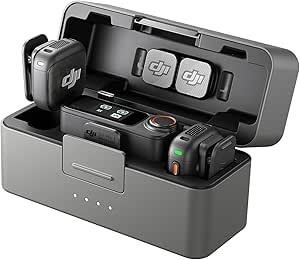
DJI Mic 3 Wireless Microphone Kit (2 Transmitters, 1 Receiver, Charging Case)
As an affiliate, we earn on qualifying purchases.
What the Benchmark Measures
Hugging Face describes the dashboard as an explorer for results stored in the public ggml-org/install.sh-benches-data Storage Bucket on Hugging Face. A data-source link beside a chart title opens the folder for the selected build, hardware and model. Standard result files follow a build, hardware, model and quantization path and use a .jsonl filename; workload sweeps use a corresponding -tg.jsonl filename.
The dashboard’s two headline workloads capture different parts of inference: PP512 measures prompt processing, while TG128 measures generation without an existing context. The context-scaling view adds results for generation as context grows. These are defined reference tests, not a complete measure of performance across all local-inference use cases. The model list is described as evolving, and the listed formats include both lower-bit quantizations and higher-precision options.
“The benchmark workflow and underlying results are public, so you can also inspect how we benchmark inference performance.”
— Hugging Face
Limits of the Published Results
The announcement does not state how many builds are already recorded, when the first benchmark results were collected, or whether every model and quantization has results for both devices. It also gives no performance figures, so a reader would need to inspect the dashboard data to compare particular configurations. The source describes weekly schedules, but does not report the completion status of individual runs.
It is also not specified how missing runs or changes to the model set are represented in long-term comparisons. The dashboard covers two listed AMD devices and defined workloads; the published description does not show how closely those tests predict performance in a reader’s own applications or configurations. No specific additions to the hardware, model or workload coverage have been announced.
Weekly Runs and Coverage Changes
The gfx1151 and gfx1201 workflows are scheduled to run weekly, adding results to the build-history view as they are recorded. Developers can follow the dashboard’s data-source links to inspect result files and compare selected runs with their own measurements. Hugging Face has invited suggestions for additional models and workloads, though it has not named planned additions or given a timetable.
The next useful milestones for readers will be the publication of further runs and any stated changes to coverage. Until more results and history are visible, the dashboard is best treated as a public reference for the listed tests, not a definitive ranking of AMD hardware or a guarantee of performance in a particular application.
Key Questions
Which AMD devices are currently listed?
The dashboard lists the Radeon 8060S (gfx1151) and Radeon AI Pro R9700S (gfx1201).
What do PP512 and TG128 measure?
PP512 processes 512 input tokens without generating output. TG128 generates 128 tokens without a pre-existing context. Both start at context depth zero, and the Overview reports mean throughput in tokens per second.
How often are benchmark runs scheduled?
Hugging Face says the workflows for gfx1151 and gfx1201 are scheduled weekly. The announcement does not give the completion status of individual runs.
Can the benchmark results be inspected?
Yes. Hugging Face says the workflow and underlying results are public. Data-source links beside chart titles open the folder for the selected build, hardware and model.
Does the announcement say which device is fastest?
No. The announcement provides no performance figures or fastest-device finding. Users must inspect the dashboard results for comparisons, which apply to the listed configurations and workloads.
Primary source: Hugging Face · via ThorstenMeyerAI.com