
Understanding color gamuts like sRGB, Adobe RGB, and Rec. 2020 helps you see how different devices display colors. sRGB is common on most screens but has a limited range, while Adobe RGB offers a broader spectrum for more vibrant images. Rec. 2020 covers nearly the full visible color range, mainly for ultra-high-definition content. Knowing these differences can improve your color accuracy; keep exploring to learn how these gamuts impact your digital experiences.
Key Takeaways
- sRGB is the most common, narrow gamut suitable for general use and consistent display across devices.
- Adobe RGB provides a wider color range, especially in greens and cyans, ideal for professional imaging.
- Rec. 2020 encompasses nearly the entire visible spectrum, designed for ultra-high-definition video content.
- Devices vary in their support for these gamuts, affecting color accuracy and reproduction.
- Understanding these differences helps optimize color fidelity in photography, design, and media production.
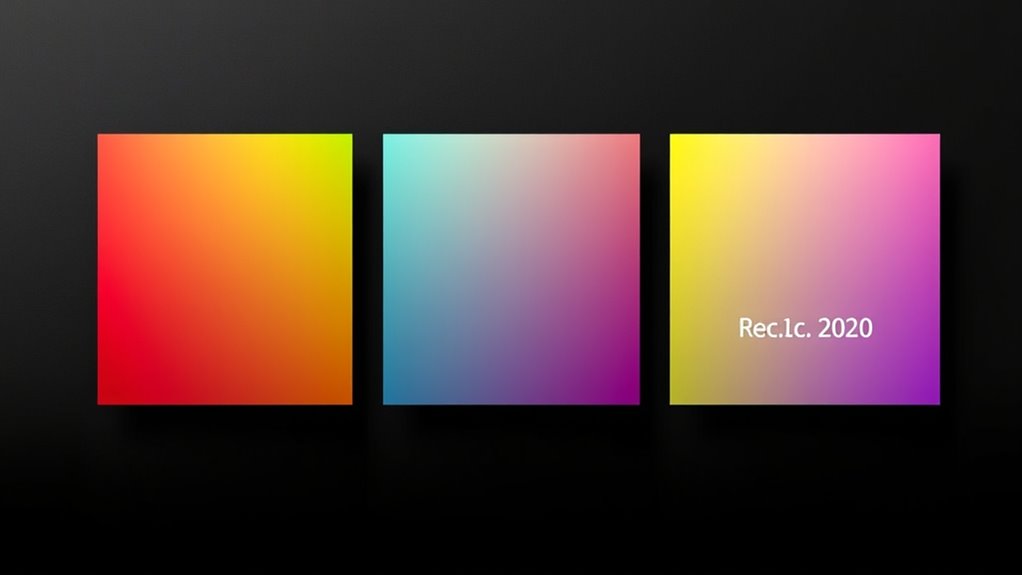
Have you ever wondered why colors look different depending on the device or medium? It all comes down to the concept of color gamuts, which define the range of colors a device can display or reproduce. When you view an image on your monitor, print, or phone, the colors you see are limited by the device’s color gamut. Understanding a gamut comparison can help you grasp why some colors appear more vibrant or accurate on one device than another. This is especially important if you’re working in photography, design, or video production, where color accuracy is essential. Different devices are built with varying capabilities, and their color gamuts reflect those capabilities.
For instance, sRGB is the most common color space used across the internet and consumer devices. It covers a relatively small portion of the visible color spectrum, meaning it has a narrower gamut. This limitation helps guarantee consistent color display across most screens but restricts the range of colors you can work with. Adobe RGB, on the other hand, offers a wider gamut, allowing for a broader spectrum of greens and cyans, which is especially useful in professional photography and printing. When you compare sRGB and Adobe RGB, you see how the latter provides more vibrant and precise colors, particularly in the green and cyan regions. This improvement in color precision makes Adobe RGB preferable for tasks where true-to-life color reproduction is vital.
Then there’s Rec. 2020, also known as BT.2020, which is a newer standard designed for ultra-high-definition content like 4K and 8K videos. Its gamut comparison shows it covers nearly the entire visible spectrum, making it the most extensive color space currently standardized. While it offers incredible color richness, most consumer devices still don’t support the full Rec. 2020 gamut, which means the colors you see in Rec. 2020 content may be approximated on your screen. This disparity highlights the challenge of achieving perfect color accuracy across different devices and media. It’s why professional display calibration and color management are vital when precise color reproduction is needed.
Additionally, color gamuts influence how accurately digital images are represented across various devices, emphasizing the importance of understanding these differences for optimal visual experiences.

ASUS ProArt Display 27” 4K HDR Professional Monitor (PA279CRV) – IPS, UHD (3840 x 2160), 99% DCI-P3/Adobe RGB, ΔE < 2, Calman Verified, USB-C PD 96W, DisplayPort, Daisy-Chain, Ergonomic, 3yr Warranty
27-inch 4K (3840 x 2160) LED backlight HDR display with 178° wide-view IPS panel
As an affiliate, we earn on qualifying purchases.
As an affiliate, we earn on qualifying purchases.
Frequently Asked Questions
How Do I Choose the Best Color Gamut for My Project?
You should choose a color gamut based on your project’s needs for color accuracy and consistency. If you’re working on digital images for web, sRGB is ideal for broad compatibility. For print or professional photography, Adobe RGB offers richer colors. If your project involves high-end video or cinematic content, Rec. 2020 provides the widest range. Matching your color gamut to your target medium guarantees accurate, consistent colors throughout your project.
Can My Monitor Display All Color Gamuts Accurately?
Your monitor can’t display all color gamuts accurately without proper calibration. To guarantee color accuracy, you need to calibrate your monitor regularly with a quality calibration device. This process adjusts your display to match the intended color standards, minimizing color shifts. Keep in mind that some monitors have limited color gamuts, so understanding your monitor’s capabilities helps you choose the right settings for your project.
What Devices Support Rec. 2020 Color Space?
Surprisingly, many devices support Rec. 2020, but don’t expect stunning visuals everywhere. HDR displays like high-end TVs and monitors, along with flagship smartphones, embrace this wide color space to produce vibrant, lifelike images. You might think your device will showcase the full Rec. 2020 spectrum, but in reality, limited hardware and processing often restrict its true potential. Still, these devices give you a glimpse of the future of immersive color.
How Do Color Gamuts Impact Digital Photography Editing?
When you edit digital photos, choosing a wider color gamut improves color accuracy and editing flexibility, allowing you to capture more vivid and true-to-life hues. A broader gamut like Adobe RGB or Rec. 2020 lets you work with richer colors, especially in print or high-quality displays. This reduces color clipping and guarantees your edits stay consistent across different devices, giving you more control and confidence in your final images.
Is Adobe RGB Suitable for Professional Print Work?
Adobe RGB is definitely suitable for professional print work, giving you a broader print color range that captures more vibrant hues. To guarantee your prints match your on-screen edits, you need proper monitor calibration. Think of it as aligning your tools for the ultimate masterpiece. With Adobe RGB, you can confidently produce high-quality prints that truly pop, making your work stand out like a star in the night sky.

datacolor Spyder – Monitor Calibrator for Graphic Designers, Photographers, and Content Creators, Shows You True Colors, Works on OLED Monitors & LED Screens, Easy-to-Use Color Calibration Tool
Color “Surprises” Are a Thing of the Past: Datacolor’s exclusive DevicePreview TM Beta feature simulates what your photos…
As an affiliate, we earn on qualifying purchases.
As an affiliate, we earn on qualifying purchases.
Conclusion
Understanding color gamuts like sRGB, Adobe RGB, and Rec. 2020 open up a world of vibrant possibilities for your visuals. When you choose the right gamut, you’re wielding a palette so vast it can paint entire galaxies of color. Don’t settle for dull, lifeless images—embrace the spectrum that makes your work pop with brilliance and depth. Mastering these will elevate your creations from ordinary to breathtaking masterpieces that captivate every viewer.

HP Envy 6155e Wireless All-in-One Color Inkjet Printer, Portobello, Print, scan, copy, Duplex printing Best-for-home, 3 month Instant Ink trial included, AI-enabled (714L5A)
The Envy 6155e is perfect for homes printing everyday quality color documents like homework and borderless photos. Print…
As an affiliate, we earn on qualifying purchases.
As an affiliate, we earn on qualifying purchases.

Calibrite ColorChecker Studio Spectrophotometer for Complete Color Management for Display, Projector, Printer and Scanner Profiling Software, w/ColorChecker Classic Mini for Custom Camera Profiling
SPECIFICATIONS: All in one spectrophotometer for camera to print color control, supports monitor display and projector profiling plus…
As an affiliate, we earn on qualifying purchases.
As an affiliate, we earn on qualifying purchases.