
TL;DR
Prebuilt AI workstations can now match or beat custom builds on price, with the added benefits of validated thermals, support, and quick deployment. Building offers tailored optimization and control, but often at higher effort and risk. Your decision depends on your workload, timeline, and expertise.
Imagine this: you’re ready to dive into AI, but you’re stuck wondering if you should build your own workstation or buy a prebuilt. The game has changed. In 2026, the cost gap between DIY and prebuilt systems has narrowed or even flipped, thanks to supply chain issues and bulk discounts. That’s not the only factor now—speed, support, and thermal tuning matter just as much.
Whether you’re a researcher, developer, or hobbyist, understanding the real tradeoffs can save you time, money, and headaches. This guide cuts through the hype, giving you a clear picture of when to build, when to buy, and why.
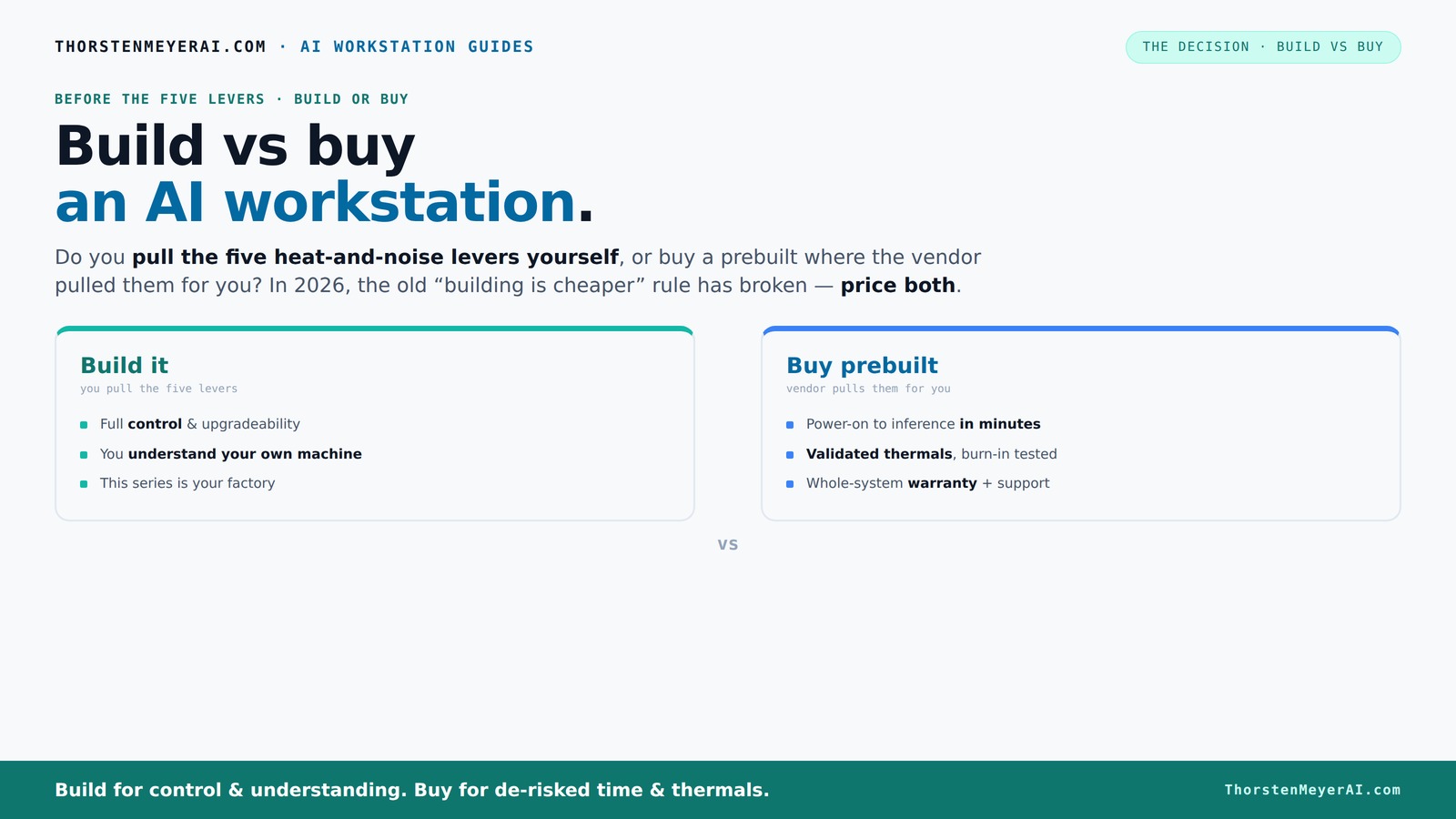
Build vs buy
an AI workstation.
The real question behind this whole series: do you pull the five heat-and-noise levers yourself, or buy a prebuilt where the vendor pulled them for you? And in 2026, the old “building is cheaper” rule has broken. Match your situation in Part 3.
Why the old rule — building is always cheaper — no longer holds
In the past, building your own AI workstation was the surefire way to save money. Prices for parts like GPUs and DDR4 RAM used to drop consistently, making DIY the clear choice for budget-conscious builders.
But 2026 flipped that script. Component shortages, inflation, and bulk purchasing by big vendors have pushed prices up. A DIY system that used to cost $1,000 now easily surpasses $1,250 just for parts, not counting your time or troubleshooting.
For example, Nvidia’s latest GPUs — a must for AI — now cost 15% more than last year, partly due to high demand and limited supply. Meanwhile, prebuilt vendors like Lambda or BIZON buy in bulk, often passing on savings that make their systems just as affordable or even cheaper.
According to Dell, large prebuilt systems are now often priced competitively because they buy components early and in volume, reducing costs. This change is significant because it means that the traditional assumption — that DIY is always cheaper — no longer applies. For many users, the time, effort, and risk involved in sourcing and assembling parts can outweigh the cost savings, especially when market conditions inflate component prices. This shift encourages a reevaluation of the build-versus-buy decision, emphasizing the importance of considering total value, including support and reliability, rather than just initial component costs.
As an affiliate, we earn on qualifying purchases.
What does it really mean to build or buy an AI workstation?
Building your own AI workstation is like crafting a custom suit. You pick every fabric, every stitch, and tailor it to your measurements. It’s all about control — choosing your CPU, GPU, cooling, case, and even the power supply.
Buying prebuilt is more like buying a tailored suit off the rack — ready to wear, tested for fit, and supported if something goes wrong. Vendors like Puget or Lambda run quality checks, tune for heat and noise, and include support plans. They often do extensive burn-in testing to prevent thermal throttling under heavy loads.
For example, a prebuilt might include a GPU that’s been undervolted and cooled with water, all tested to run quietly during multi-day training runs. When you build yourself, you do that tuning — and risk making mistakes or ending up with a noisy, thermally throttling machine.
This isn’t just about price — it’s about the effort you’re willing to invest in optimization and the risks you accept. A well-tuned system can significantly improve performance stability, reduce overheating, and extend hardware lifespan. For more on tuning and optimization, see this guide on building vs buying. Conversely, a DIY setup might save money initially but could lead to thermal issues, noise, or instability if not properly configured. These factors directly impact your productivity; a system that overheats or throttles can delay training and increase costs over time. On the other hand, a prebuilt system that’s been thoroughly tested and optimized minimizes these risks, ensuring consistent performance and saving troubleshooting time. The tradeoff is the additional effort and expertise needed for DIY versus the convenience and reliability of a preconfigured system.
As an affiliate, we earn on qualifying purchases.
Which workloads scream for a prebuilt system? Here’s when speed, support, and reliability matter most
If you need to deploy fast, prebuilt systems are your best bet. Imagine launching a new AI model and having everything ready — OS, CUDA, TensorFlow, Docker. Just power on and start training.
Prebuilts are also ideal when you’re running multi-GPU setups or high-end hardware. They come with validated cooling, power delivery, and thermal management, reducing the chance of bottlenecks or crashes mid-training.
For instance, a research lab running daily AI inference jobs benefits from vendor support—if a GPU fails, they get quick repairs or replacements. Prebuilts like BIZON even include warranties for parts and labor, making downtime less costly.
Choosing a prebuilt in these scenarios ensures that your hardware is tested for stability and compatibility, which minimizes unexpected failures that can halt your progress. It also means you have access to support teams familiar with your system, which is crucial when troubleshooting complex AI workloads. This support can be the difference between a smooth project and repeated troubleshooting delays, especially when time-sensitive results are needed. Overall, the reliability and support offered by prebuilt systems can lead to more predictable project timelines, fewer surprises, and faster iteration cycles, which are essential for professional or high-stakes environments.
As an affiliate, we earn on qualifying purchases.
When does building your own AI workstation make the most sense?
Building your own system is best when you want precise hardware control — like choosing a specific GPU model or customizing cooling for quiet operation. It’s also ideal if you enjoy the process or want to learn about PC tuning. Learn more about building your own AI workstation.
Suppose you’re a developer with a tight budget but a knack for hardware. By sourcing parts like a quiet GPU, undervolting it, and tuning your fans, you can create a machine tailored for your workload. Check out this comparison of build vs buy for more insights.
For example, someone might pick a case with sound-dampening panels, install a custom water cooler, and fine-tune fan curves to keep noise under 30 decibels—even during heavy training. They gain full control, but must accept the time investment and troubleshooting risk.
This approach is especially advantageous if you plan to upgrade components over time or want to experiment with different hardware configurations. Building allows you to select parts that match your specific needs, whether that’s optimizing for silent operation, maximizing thermal performance, or experimenting with different cooling solutions. For detailed guidance, see this guide on building your own AI workstation. However, it also means you’re responsible for ensuring compatibility, performing maintenance, and troubleshooting issues, which can be time-consuming and sometimes frustrating. The tradeoff lies in the ability to customize every aspect versus the effort required. For users who enjoy tinkering or want a system that precisely fits their preferences, DIY can be rewarding—if they’re prepared for the potential challenges and time commitment involved.
As an affiliate, we earn on qualifying purchases.
A side-by-side comparison: build vs buy — which fits your needs?
| Feature | Build Your Own | Buy Prebuilt |
|---|---|---|
| Cost in 2026 | Often higher due to supply chain issues and component prices | Often comparable or lower thanks to bulk buying and discounts |
| Speed to deployment | Slow — sourcing parts, assembly, testing | Fast — ready to run upon delivery |
| Control over hardware | Full control — pick every component | Limited — depends on vendor offerings |
| Thermal tuning and noise | You tune; risk of mistakes | Vendor tunes and validates; lower noise, better thermals |
| Support and warranty | Component warranties, but complex to manage | Single support, comprehensive warranty |
| Upgradeability | Highly flexible | Often limited, proprietary parts |
| Learning curve & effort | High — requires technical skills | Low — plug and play |
Key takeaways for choosing your AI workstation in 2026
- Component prices aren’t what they used to be. Bulk buying and shortages mean prebuilt systems often cost the same or less than DIY, especially for high-end hardware.
- Speed and support matter more than ever. Prebuilts deliver ready-to-run systems with validated thermals, support, and warranties—saving you time and headaches.
- Building offers customization and control. If you want a tailored setup, silent operation, or plan to upgrade, building still makes sense.
- Evaluate your workload and expertise. For quick deployment or non-technical users, prebuilts shine. For experimentation and learning, DIY wins.
- Always price both options. Don’t assume DIY costs less—check current prices for your exact specs.
Frequently Asked Questions
Is buying a prebuilt AI workstation more expensive than building?
Not necessarily. With component shortages and bulk discounts, prebuilt systems can cost the same or even less than sourcing parts yourself, especially for high-performance hardware. Always compare prices for your specific configuration.Will a prebuilt AI workstation perform worse than a custom build?
Not always. Many prebuilt systems are carefully tuned with validated thermals and cooling, often matching or exceeding DIY performance for AI workloads. But if you need exact hardware choices or specialized cooling, building might be better.What parts matter most for AI workstations?
GPU, RAM, storage speed, cooling, and power supply are key. These directly impact training speed, inference, and multitasking. Focus on balanced, high-quality components for best results.Is prebuilt better for beginners or non-technical users?
Yes. Prebuilt systems reduce assembly, setup, and troubleshooting hassle, making them ideal for users who want to get started quickly without technical headaches.Can I upgrade a prebuilt AI workstation later?
Sometimes, but it varies. Many prebuilt systems have proprietary parts or limited upgrade paths. Check with the vendor about future expansion options before buying.Conclusion
In 2026, the choice isn’t clear-cut. The deciding factor is how much control and optimization you want versus how fast and supported you need your AI system to be. For most, a well-chosen prebuilt can hit the sweet spot, especially when time and support are critical.
If you enjoy tinkering or need a custom setup, building remains rewarding. But remember—cost, support, and deployment speed have flipped the old script. Your best move? Price both options today, and pick the one that aligns with your goals.