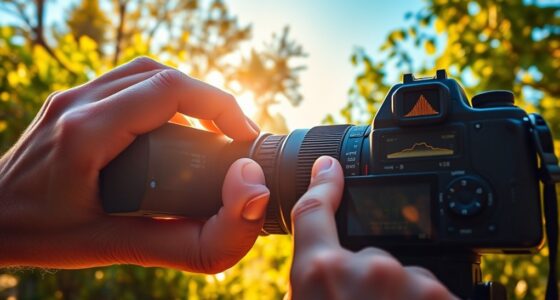
Choosing between RAW and JPEG depends on your needs. RAW files capture all sensor data, offering higher quality, greater editing flexibility, and better detail recovery, ideal for professional or challenging lighting situations. JPEGs are processed in-camera, smaller, and ready to use instantly, perfect for quick shots and casual use. If you want maximum control and quality, opt for RAW; for convenience and speed, JPEG suits you better. Learning more will help you make the best choice for your style.
Key Takeaways
- RAW files offer maximum image quality and editing flexibility, ideal for professional or detailed photography.
- JPEGs are processed in-camera, smaller in size, and suitable for quick sharing and casual use.
- Choose RAW for extensive post-processing, recovering shadows/highlights, and precise color adjustments.
- Opt for JPEG when speed, convenience, and minimal editing are priorities.
- Consider storage capacity and workflow needs when selecting between RAW’s larger files and JPEG’s simplicity.
Have you ever wondered whether to shoot in RAW or JPEG? It’s a common dilemma among photographers, and the choice dramatically impacts your editing flexibility and final image quality. When you shoot in RAW, you’re capturing all the data your camera’s sensor collects, including sensor sensitivity and color depth. Sensor sensitivity determines how well your camera picks up light in different conditions, and a higher sensitivity often results in more noise but better low-light performance. RAW files preserve this information, giving you the ability to adjust exposure and noise reduction with minimal quality loss. Meanwhile, color depth refers to the number of colors the image can display; RAW files typically hold more color information, enabling smoother gradients and more nuanced color adjustments during post-processing. Additionally, RAW files retain more sensor data, providing greater latitude for adjustments without degrading image quality.
Choosing RAW offers greater control over exposure, noise, and color in post-processing compared to JPEG.
On the other hand, JPEG files are processed directly in-camera. When you take a shot, your camera applies its internal algorithms to optimize the image—adjusting contrast, sharpness, saturation, and noise reduction based on your settings. This process reduces file size considerably and makes JPEGs ready to share or print without much editing. However, because the camera compresses and processes the image, some sensor sensitivity data is lost, and color depth is limited compared to RAW. This means your JPEGs have fewer tonal and color gradations, which can result in banding or posterization if you attempt heavy editing later on.
Choosing between RAW and JPEG depends on your workflow and end goals. If you prioritize maximum image quality and plan to do extensive editing, shooting in RAW is your best option. The higher sensor sensitivity and greater color depth give you more control, especially in challenging lighting conditions. You can recover details in shadows and highlights, adjust colors with precision, and produce a professional-grade result. But keep in mind, RAW files are larger and require more storage and processing power, and they need to be converted or processed before sharing.
Conversely, if speed, convenience, and storage are your priorities—say, for quick event coverage or casual shooting—JPEG might serve you better. Its smaller file size allows for faster transfer and easier management. Plus, the in-camera processing saves time, giving you images that are ready to use straight out of the camera. However, you sacrifice some flexibility, especially in situations with tricky lighting or when subtle color gradations matter.
Ultimately, the decision hinges on your shooting style and how much control you want over your images. Understanding the implications of sensor sensitivity and color depth helps you make an informed choice that aligns with your needs and expectations.
![Corel PaintShop Pro 2023 | Powerful Photo Editing & Graphic Design Software [PC Key Card]](https://m.media-amazon.com/images/I/51-iC-GpdFL._SL500_.jpg)
Corel PaintShop Pro 2023 | Powerful Photo Editing & Graphic Design Software [PC Key Card]
Subscription-free photo editing and design software for all skill levels to edit and correct photography, enhance images with…
As an affiliate, we earn on qualifying purchases.
As an affiliate, we earn on qualifying purchases.
Frequently Asked Questions
How Does File Size Differ Between RAW and JPEG Images?
You’ll find that JPEG images are much smaller than RAW files because of their higher compression efficiency, which reduces file size considerably. This makes JPEGs ideal for quick sharing and storage when space is limited. RAW files, however, take up more storage due to minimal compression, offering higher quality and more detail. Consider your storage needs carefully, as choosing between the two impacts how much space you’ll need for your images.
Can I Convert RAW Files to JPEG Later Without Quality Loss?
Yes, you can convert raw files to JPEG later without sacrificing quality if you perform a proper raw conversion first. When you process your raw images, you can optimize settings for the best JPEG quality. Keep in mind, though, that repeated conversions may degrade quality, so always start with a good raw conversion. This ensures your JPEGs retain high quality while allowing flexible editing options.
Which Format Is Better for Professional Printing?
Think of your photos like a masterpiece painting—you want every detail and color to shine. For professional printing, RAW format is better because it offers superior color accuracy and detail preservation. I once printed a landscape shot, and the vibrant colors and fine details truly impressed clients, thanks to RAW’s flexibility. So, if quality matters, choose RAW for your professional prints.
Do RAW Files Require Special Software to View?
Raw files do require special software to view because they aren’t compatible with standard image viewers. You’ll need software like Adobe Lightroom, Photoshop, or dedicated Raw converters to meet viewing requirements. Without this software, you can’t see the full image data or edits. So, if you plan to work with Raw files regularly, make certain your software supports the specific camera’s Raw format for smooth viewing and editing.
How Does Editing Flexibility Compare Between RAW and JPEG?
When you edit raw files, you get much greater flexibility for color grading and noise reduction compared to JPEGs. Raw images retain all original data, allowing you to fine-tune exposure, contrast, and color without degrading quality. JPEGs, on the other hand, are compressed and have less data, limiting your ability to make extensive adjustments. So, if you want maximum editing control, raw files are the better choice.
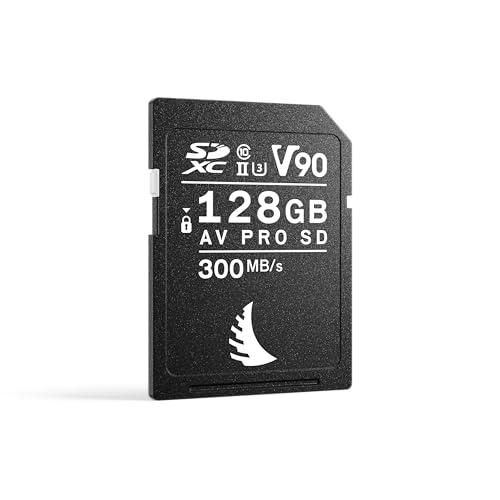
Angelbird AV PRO SD V90 128 GB – SDXC UHS-II Memory Card – up to 6K RAW – High-Speed – for Burst Photography and High-Bitrate Video Production
HIGHEST SUSTAINED SPEED SDXC MEDIA FOR ADVANCED CREATIVE PRODUCTION – ideal for high-bitrate video production, burst photography, and…
As an affiliate, we earn on qualifying purchases.
As an affiliate, we earn on qualifying purchases.
Conclusion
Choosing between RAW and JPEG depends on your photography goals. RAW files give you maximum editing flexibility, but they take up more space. JPEGs are convenient for quick sharing and storage. Did you know that over 80% of professional photographers prefer RAW for its superior quality? If you want control and quality, go RAW; if convenience matters more, JPEG works fine. Make your choice based on what fits your workflow and needs best.
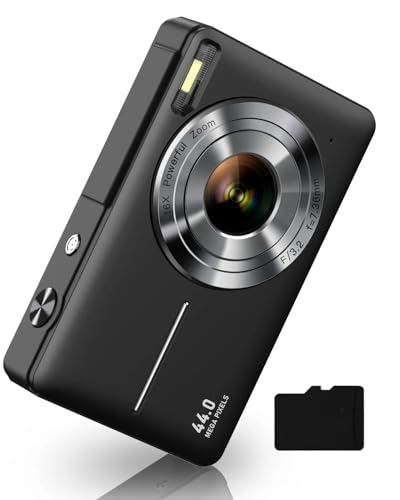
Digital Camera, FHD 1080P Digital Point and Shoot Camera with 16X Zoom Anti Shake, 32GB Card, Compact Small Camera for Boys Girls Kids, Black
SHOOT DECENT IMAGES WITH EASE – The digital camera captures high-clarity FHD 1080P videos and 44MP photos with…
As an affiliate, we earn on qualifying purchases.
As an affiliate, we earn on qualifying purchases.
![Corel AfterShot Pro 3 | RAW Photo Editing Software [PC/Mac Key Card]](https://m.media-amazon.com/images/I/51cHkSe5ByL._SL500_.jpg)
Corel AfterShot Pro 3 | RAW Photo Editing Software [PC/Mac Key Card]
Non-destructive photo editing: Manage and edit your RAW photos with this powerful and ultra-fast photo editor
As an affiliate, we earn on qualifying purchases.
As an affiliate, we earn on qualifying purchases.