TL;DR

Get the latest gadgets delivered free with Prime
- Fast, free delivery on millions of items
- Prime Video, Amazon Music and more included
- Member-only deals all year
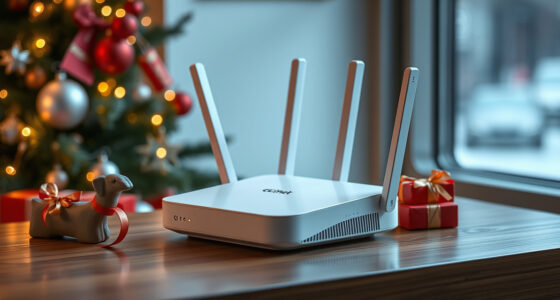
A buying guide from Thorsten Meyer AI compares 10 mesh Wi-Fi systems, from Wi-Fi 5 and Wi-Fi 6 models to newer Wi-Fi 7 options. It highlights the Deco XE75 as a value-oriented Wi-Fi 6E choice, while noting that household size, internet plan, backhaul needs and smart-home compatibility should shape a purchase.
Thorsten Meyer AI has published a guide to 10 mesh Wi-Fi systems for readers comparing whole-home wireless coverage, including Wi-Fi 7, Wi-Fi 6E, Wi-Fi 6 and Wi-Fi 5 models. It names the TP-Link Deco XE75 its overall value pick and points to higher-end Wi-Fi 7 systems for buyers seeking newer wireless standards, while stressing that the right choice depends on home size, internet service and connected devices.
The list spans products from TP-Link, NETGEAR and Amazon eero. Its featured options include the Deco 7 Pro, a tri-band Wi-Fi 7 system advertised with 10 Gbps in combined theoretical speeds; the NETGEAR Orbi 770, whose three-pack is listed as covering up to 8,000 square feet; and the eero Pro 7, which includes Thread, Zigbee and Matter smart-home hubs, according to the guide.
Less expensive or older-standard alternatives include the Deco XE75, a tri-band Wi-Fi 6E system with a 6 GHz band; the dual-band Wi-Fi 7 Deco 7 BE5000; the Wi-Fi 6 Deco X55 and eero 6+; and the Wi-Fi 5 Deco S4. The guide lists manufacturer-stated coverage figures of up to 6,500 square feet for the Deco X55, 5,500 for the Deco S4 and 4,500 for the eero 6+. Those figures are product specifications reproduced in the guide, not independent coverage measurements.
The comparison frames the main decision as a tradeoff between more wireless bandwidth and backhaul capacity and lower cost. It says dual-band systems can suit smaller homes with moderate device loads, while tri-band models add a band that can help manage traffic between mesh nodes. The article also flags possible subscription costs: it says NETGEAR Armor requires a paid plan after a 30-day trial and that some TP-Link HomeShield security and parental-control features require HomeShield Pro.
Choosing Mesh Around Home Needs
The guide matters to shoppers because a mesh kit’s headline speed or coverage number does not by itself predict the experience in a particular home. Layout, walls, node placement and the internet plan all affect real-world performance. A system advertised with multi-gigabit combined speeds may offer little practical benefit to a household with a sub-gigabit connection, as the guide itself cautions.
Compatibility and recurring costs also influence value. Buyers with smart-home devices may prefer the eero Pro 7’s listed Thread, Zigbee and Matter support, while users who want advanced security or parental controls should check which features require subscriptions. For many homes, a less expensive Wi-Fi 6 or dual-band system may meet everyday needs; the supplied material does not establish that newer Wi-Fi 7 products are necessary for every household.
Products Worth Considering

Apple AirPods Pro 3 Wireless Earbuds with Active Noise Cancellation
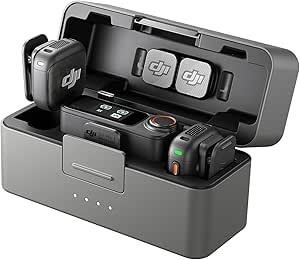
DJI Mic 3 Wireless Microphone System (2 Transmitters, 1 Receiver, Charging Case)

Amazon Kindle Scribe (64GB) with Premium Pen, Metallic Jade
As an affiliate, we earn on qualifying purchases.
From Wi-Fi 5 to Wi-Fi 7
The 10 products cover several generations of home Wi-Fi. Wi-Fi 7 appears in the Deco 7 Pro, Deco 7 BE5000, Orbi 770 and 370 series, and eero Pro 7 and eero 7. The Deco XE75 uses Wi-Fi 6E, which adds access to the 6 GHz band; the Deco X55 and eero 6+ use Wi-Fi 6, while the Deco S4 uses Wi-Fi 5.
The source guide describes the 6 GHz band as useful for less congested connections and says newer Wi-Fi 7 products can provide greater backhaul capacity. It also cautions that a household needs compatible networking equipment and an internet plan capable of supporting higher speeds to benefit fully. The rankings and “best for” labels are the guide’s editorial judgments, not a report of standardized independent testing.
“The TP-Link Deco XE75 stands out as the best overall pick for balancing Wi-Fi 6E performance with reasonable cost.”
— Thorsten Meyer AI guide
Testing and Availability Details Missing
The supplied material does not give a publication date, a testing methodology, current prices or a clear basis for comparing the products’ stated speeds and coverage. Some specification fields are blank, and the guide’s product descriptions include manufacturer-style claims such as maximum coverage and combined speed. Actual performance will vary with building materials, placement, interference, connected devices and internet service.
The headline refers to 2027, but the source does not establish whether all listed products and prices were checked for that year. It also does not explain how the “best” categories were assigned or whether the systems were tested side by side. Readers should verify current product specifications, firmware support, subscription terms and availability before buying.
Check Specifications Before Buying
The supplied guide does not announce a forthcoming test, product launch or update schedule. For now, shoppers can use its list as a starting point and compare current pricing, included node count, wired ports and coverage terms with their own home requirements. They should also confirm that their modem, router and internet plan can make use of the speeds being advertised.
Any later revision would need to clarify the guide’s testing date and methods, update prices and subscription details, and identify which coverage figures come from manufacturers rather than independent measurement. Until that information is available, the rankings are best read as editorial recommendations, not guarantees of performance.
Key Questions
Which mesh system does the guide recommend as its overall value pick?
The guide names the TP-Link Deco XE75, a tri-band Wi-Fi 6E system, as its overall pick for balancing performance and cost. That is the guide’s judgment, and the supplied material does not describe comparative lab testing.
Do I need Wi-Fi 7 for whole-home coverage?
Not necessarily. The guide says Wi-Fi 6 and dual-band options may suit smaller homes with moderate device counts. Whether Wi-Fi 7 is useful depends on compatible devices, network equipment, internet speed and how much local network traffic the household has.
What is the main difference between dual-band and tri-band systems?
Tri-band systems add a third wireless band, which can provide more capacity for connections between mesh nodes or for device traffic. Dual-band systems may cost less, but they do not include a dedicated third band. Actual results depend on the system and home setup.
Are the listed coverage figures guaranteed?
No. The figures in the guide are stated maximums, not guarantees of coverage in every building. Walls, floors, interference, node placement and the number of connected devices can change performance.
Does the guide confirm current 2027 prices or testing results?
No. The supplied material includes no publication or testing date, current price comparison or stated test methodology. Readers should check retailer listings and manufacturer terms before making a purchase.
Source: Thorsten Meyer AI