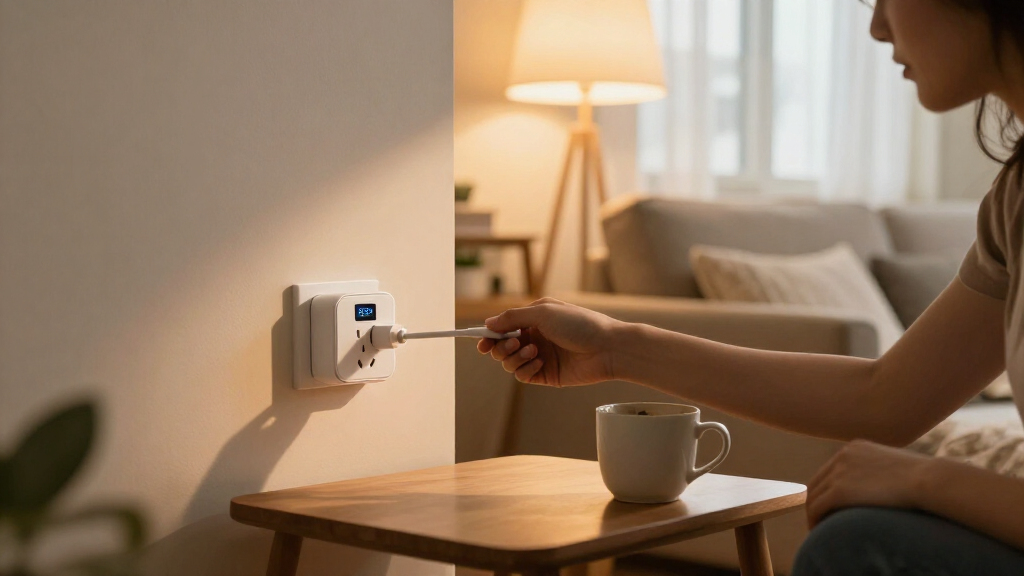
Smart plugs with energy monitoring let you check how much electricity a connected device uses while adding remote control and scheduling. I name the Emporia Energy Monitoring Smart Plug 4-Pack my best overall pick for its 15A rating, app scheduling, and Alexa and Google Home support. The Kasa Matter KP125MP4 stands out for Matter compatibility, while the THIRDREALITY Gen3 is a strong fit for Zigbee households and Home Assistant users. The main tradeoffs are ecosystem compatibility, the number of plugs per pack, and whether you need Wi-Fi, Matter, or Zigbee. Read on for the full comparison and help matching a plug to your setup.

Get the latest gadgets delivered free with Prime
- Fast, free delivery on millions of items
- Prime Video, Amazon Music and more included
- Member-only deals all year
Complete the kit



Key Takeaways
- Emporia leads as the all-around pick in this group because its four-pack combines 15A capacity, energy monitoring, scheduling, and Alexa and Google Home support.
- Matter choices are not interchangeable with every setup. Kasa’s KP125M models and Tapo’s P110M suit buyers prioritizing Matter, but buyers should check controller and platform compatibility before choosing.
- Zigbee serves a different kind of smart home. THIRDREALITY’s four-pack adds a Zigbee repeater and fits Home Assistant and SmartThings users, but it is less suitable for someone seeking a straightforward Wi-Fi-only setup.
- Pack size changes the value equation. Four-packs from Emporia, Tapo, Govee, and others suit several appliances, while the two-plug Kasa and Tapo options can be a better match for a small trial or limited need.
- Energy monitoring is only useful when it answers a question. Compare app and platform fit, device load, and whether you need ongoing usage tracking—not just remote on/off control—before paying for this feature.
| Emporia Energy Monitoring Smart Plug, WiFi Smart Outlet (4 Pack) |  | Best for Straightforward Energy Tracking | Operating voltage: 120 V | Continuous load: 10 A | Peak load: 15 A, up to 1 hour per day | VIEW LATEST PRICE | See Our Full Breakdown |
| Tapo Smart Plug Wi-Fi Energy Monitoring P115 (4-Pack) 15A |  | Best for Usage and Cost Insights | Operating voltage: 110 V AC | Maximum wattage: 1800 W | Connectivity: 2.4 GHz Wi-Fi | VIEW LATEST PRICE | See Our Full Breakdown |
| Govee Smart Plug with Energy Monitoring, WiFi Bluetooth Outlet, 4 Pack |  | Best for Flexible Setup | Model: H5086 | Operating voltage: 120 V | Wattage: 1800 W | VIEW LATEST PRICE | See Our Full Breakdown |
| Kasa Matter Smart Plug with Energy Monitoring (4-Pack, KP125MP4) |  | Best for Cross-Platform Smart Homes | Model: KP125MP4 | Pack quantity: 4 plugs | Operating voltage: 120 V | VIEW LATEST PRICE | See Our Full Breakdown |
| THIRDREALITY Smart Plug Gen3 4-Pack |  | Best for Zigbee Metering Precision | Connectivity protocol: Zigbee 3.0 | Operating voltage: 110 V | Maximum current: 15 A | VIEW LATEST PRICE | See Our Full Breakdown |
| Kasa Matter Smart Plug with Energy Monitoring, 15A/1800W, 2-Pack |  | Best for Local Matter Control | Model: KP125MP2 | Pack size: 2 | Maximum current: 15 A | VIEW LATEST PRICE | See Our Full Breakdown |
| AiSeek Smart Plugs with Energy Monitoring, 15A, 4-Pack |  | Best for App-Based Multi-Room Coverage | Pack size: 4 | Maximum power: 1800 W | Operating voltage: 120 V | VIEW LATEST PRICE | See Our Full Breakdown |
| Kasa Smart Plug Mini with Energy Monitoring, KP115 |  | Best for Simple Kasa Setup | Model: KP115 | Connectivity: 2.4 GHz Wi-Fi | Voice assistants: Amazon Alexa, Google Assistant | VIEW LATEST PRICE | See Our Full Breakdown |
| Tapo P115 Smart Wi-Fi Plug with Energy Monitoring, 2-Pack, 15A |  | Best for Usage and Cost Insights | Model: P115 | Quantity: 2 | Operating voltage: 125 V | VIEW LATEST PRICE | See Our Full Breakdown |
| Tapo P110M Matter Smart Plugs with Energy Monitoring, 4-Pack, 15A |  | Best Four-Pack for Matter Homes | Model: P110M | Pack size: 4 | Maximum wattage: 1800 W | VIEW LATEST PRICE | See Our Full Breakdown |
| smart plugs with energy monitoring | Operating voltage | Connectivity | Model | Control |
|---|---|---|---|---|
| Emporia Energy Monitoring Smar | 120 V | 2.4 GHz Wi-Fi only | — | App, remote, touch, and voice |
| Tapo Smart Plug Wi-Fi Energy M | 110 V AC | 2.4 GHz Wi-Fi | — | App |
| Govee Smart Plug with Energy M | 120 V | Wi-Fi and Bluetooth | H5086 | App, touch, and voice |
| Kasa Matter Smart Plug with En | 120 V | Matter and 2.4 GHz Wi-Fi | KP125MP4 | App, voice, and local LAN |
| THIRDREALITY Smart Plug Gen3 4 | 110 V | — | — | — |
| Kasa Matter Smart Plug with En | 120 V | Matter, Wi-Fi, SmartThings | KP125MP2 | — |
| AiSeek Smart Plugs with Energy | 120 V | 2.4 GHz Wi-Fi, Bluetooth | — | — |
| Kasa Smart Plug Mini with Ener | 120 V AC | 2.4 GHz Wi-Fi | KP115 | — |
| Tapo P115 Smart Wi-Fi Plug wit | 125 V | 2.4 GHz Wi-Fi | P115 | Tapo app, remote, voice |
| Tapo P110M Matter Smart Plugs | — | Matter, 2.4 GHz Wi-Fi | P110M | — |
More Details on Our Top Picks
Emporia Energy Monitoring Smart Plug, WiFi Smart Outlet (4 Pack)
The Emporia four-pack suits buyers who want energy readings and everyday scheduling without building a broader smart-home system. Its app provides real-time usage data, while Alexa and Google Assistant add voice control; timers and remote switching make it easier to cut power to appliances left on standby. Compared with the Tapo P115, Emporia’s supplied details are less focused on cost estimates and smart-charging safeguards, but its controls cover the core monitoring-and-automation routine. The main limitation is capacity: despite a 15 A peak rating, the stated continuous load is capped at 10 A, so it is a less suitable choice for demanding appliances. It also requires 2.4 GHz Wi-Fi, which rules it out for buyers relying on a 5 GHz-only network.
Pros:- Real-time energy data helps identify appliances that draw power when not in use.
- Works with Alexa and Google Assistant for voice control.
- Scheduling, timers, and remote app control support routine power management.
- Four-plug pack can cover several appliances at once.
Cons:- Continuous load is limited to 10 A, even though peak capacity is listed as 15 A.
- Works with 2.4 GHz Wi-Fi only.
- The supplied details do not specify detailed cost charts or estimates.
Best for: Households that want app-based energy readings and schedules for lamps, fans, humidifiers, and other moderate-load 120 V appliances.
Not ideal for: Buyers monitoring high-draw appliances on continuous loads above 10 A, or anyone whose available Wi-Fi is 5 GHz only.
- Operating voltage:120 V
- Continuous load:10 A
- Peak load:15 A, up to 1 hour per day
- Wattage:1200 W
- Connectivity:2.4 GHz Wi-Fi only
- Control:App, remote, touch, and voice
- Compatible assistants:Alexa and Google Assistant
- Pack quantity:4 plugs
- Dimensions:1.97 × 3.31 × 1.5 in
Our verdict“Choose Emporia for a four-plug set focused on basic usage tracking and scheduling, but skip it for continuous high-load appliances.”
Tapo Smart Plug Wi-Fi Energy Monitoring P115 (4-Pack) 15A
The Tapo P115 four-pack is a strong fit for buyers who want energy monitoring to lead to practical changes, not just a live power reading. Its usage charts and bill estimates give householders a clearer way to spot expensive routines, while auto shutoff and smart charging add safeguards when managing connected devices. Compared with the Emporia four-pack, Tapo offers more explicit cost-oriented reporting and a stated 1800 W maximum, rather than Emporia’s 1200 W rating and 10 A continuous-load limit. The tradeoff is an extra app layer: full functionality relies on the Tapo app, so this is less appealing to someone trying to keep setup inside an existing platform. It also uses 2.4 GHz Wi-Fi, with no Zigbee option listed.
Pros:- Charts and cost estimates make energy data easier to interpret.
- Supports Alexa, Google Assistant, and SmartThings integration.
- Auto shutoff and smart charging add control beyond basic scheduling.
- Compact design is specified to avoid blocking adjacent outlets.
Cons:- Full functionality requires the Tapo app, adding a setup and management step.
- Connectivity is limited to 2.4 GHz Wi-Fi, with no Zigbee option listed.
- The provided specs do not state a separate continuous-current rating.
Best for: People tracking appliance costs across several rooms who want usage charts, bill estimates, and automatic shutoff in one app.
Not ideal for: Smart-home users who want Zigbee connectivity or prefer to manage every device without a separate Tapo app.
- Operating voltage:110 V AC
- Maximum wattage:1800 W
- Connectivity:2.4 GHz Wi-Fi
- Control:App
- Compatible platforms:Alexa, Google Assistant, and SmartThings
- Monitoring features:Real-time statistics and bill estimates
- Pack quantity:4 plugs
- Mounting:Plug-in
Our verdict“Pick the Tapo P115 if cost estimates and charging safeguards matter more than app simplicity or Zigbee support.”
Govee Smart Plug with Energy Monitoring, WiFi Bluetooth Outlet, 4 Pack
The Govee four-pack stands out for pairing energy monitoring with both Wi-Fi and Bluetooth, giving setup more than one connection path. Once running through the Govee Home app, it provides real-time usage tracking, schedules, group control, and Alexa or Google Assistant voice operation. Its 1800 W rating also exceeds the Emporia plug’s listed 1200 W, which makes Govee the more capable option on the supplied wattage figures. By contrast, the Kasa Matter KP125MP4 is the clearer pick for households prioritizing broad platform interoperability and local LAN control. Govee’s ecosystem reach is narrower, with no Matter support listed, and setup and management depend on its own app. Despite Bluetooth support, it does not support 5 GHz Wi-Fi.
Pros:- Wi-Fi and Bluetooth connectivity provide two connection options.
- Real-time monitoring, schedules, and group control support routine energy management.
- Rated for 1800 W at 120 V.
- ETL and FCC certified, with fire-resistant materials specified.
Cons:- Requires the Govee Home app for setup and control.
- Listed voice compatibility centers on Alexa and Google Assistant, not broader ecosystems such as Matter.
- Wi-Fi operation is limited to 2.4 GHz.
Best for: Alexa or Google Assistant households that want a four-plug monitoring set with Bluetooth as an additional connection option.
Not ideal for: Buyers seeking Matter compatibility, broad smart-home platform support, or a plug that works on 5 GHz Wi-Fi.
- Model:H5086
- Operating voltage:120 V
- Wattage:1800 W
- Connectivity:Wi-Fi and Bluetooth
- Control:App, touch, and voice
- Compatible assistants:Alexa and Google Assistant
- Certifications:ETL and FCC
- Pack quantity:4 plugs
- Dimensions:2.68 × 2.4 × 1.5 in
Our verdict“Choose Govee for Bluetooth-plus-Wi-Fi flexibility and 1800 W capacity, but look to Kasa Matter for wider smart-home interoperability.”
Kasa Matter Smart Plug with Energy Monitoring (4-Pack, KP125MP4)
The Kasa Matter KP125MP4 earns its place for buyers who want energy monitoring without committing to a single assistant ecosystem. Matter support spans Apple Home, Alexa, Google Home, and SmartThings, while local LAN control can keep operation available when internet access drops. That makes it a more adaptable network choice than the Govee four-pack, whose listed assistant support is narrower. The plugs also provide 15 A and 1800 W capacity in a compact design intended not to block adjacent outlets. The tradeoff is setup complexity: Matter features can depend on having a compatible controller or hub, and the plugs still require 2.4 GHz Wi-Fi. Compared with the THIRDREALITY Gen3, Kasa avoids requiring a Zigbee hub, but lacks THIRDREALITY’s stated ±1% monitoring accuracy.
Pros:- Matter compatibility covers Apple Home, Alexa, Google Home, and SmartThings.
- Local LAN control can preserve operation without an internet connection.
- 15 A and 1800 W ratings suit a wider range of appliances than the Emporia plug’s stated 1200 W rating.
- Compact, UL-certified flame-retardant design is specified not to block adjacent outlets.
Cons:- Requires 2.4 GHz Wi-Fi for setup and operation.
- Full Matter features may depend on compatible hub or controller configuration.
- No specific energy-monitoring accuracy figure is provided.
Best for: Households using multiple smart-home platforms that want energy monitoring, local control, and a four-plug Matter set.
Not ideal for: Buyers without a compatible Matter controller who want a simple standalone setup, or those who specifically need the stated ±1% metering accuracy offered by THIRDREALITY.
- Model:KP125MP4
- Pack quantity:4 plugs
- Operating voltage:120 V
- Maximum current:15 A
- Maximum wattage:1800 W
- Connectivity:Matter and 2.4 GHz Wi-Fi
- Compatible platforms:Apple Home, Alexa, Google Home, and SmartThings
- Control:App, voice, and local LAN
- Warranty:2-year limited
Our verdict“Choose Kasa Matter for cross-platform flexibility and local control, provided your home has the controller setup its Matter features may require.”
THIRDREALITY Smart Plug Gen3 4-Pack
For buyers already running Zigbee, the THIRDREALITY Gen3 brings a useful combination of real-time power monitoring rated at ±1% accuracy and mesh-network repeating. That accuracy figure gives energy-conscious users a concrete point of comparison that the Kasa Matter and Govee listings do not provide. Its repeater role may also help extend Zigbee coverage beyond the outlet itself. The price of that capability is a required hub: unlike the Wi-Fi-based Emporia four-pack, THIRDREALITY cannot operate as a standalone Wi-Fi plug, and voice control depends on pairing with a compatible hub or Echo device. Its 110 V rating may also limit suitability outside regions using that voltage. This is a specialist pick for established Zigbee setups, not the easiest entry point to energy monitoring.
Pros:- Real-time power monitoring is specified at ±1% accuracy.
- Acts as a Zigbee repeater to extend mesh coverage.
- Compatible with a range of listed hubs, including Home Assistant, SmartThings, Hubitat, and supported Echo devices.
- OTA updates and customizable power-on restoration add ongoing control options.
Cons:- Requires a compatible Zigbee hub and has no built-in Wi-Fi.
- Voice control depends on pairing with a compatible hub or Echo device.
- The stated operating voltage is 110 V, limiting suitability in other voltage regions.
Best for: Home Assistant, SmartThings, Hubitat, or compatible Echo users who want a Zigbee energy meter with a stated accuracy figure and mesh-repeater function.
Not ideal for: Buyers without a Zigbee hub, shoppers seeking direct Wi-Fi setup, or users in regions that do not use 110 V.
- Connectivity protocol:Zigbee 3.0
- Operating voltage:110 V
- Maximum current:15 A
- Monitoring accuracy:±1%
- Pack quantity:4 plugs
- Compatible systems:Home Assistant, SmartThings, Hubitat, and supported Echo devices
- Mesh function:Zigbee repeater
- Firmware updates:OTA updates
- Warranty:1 year
Our verdict“Choose THIRDREALITY for precise stated metering and Zigbee mesh support if you already own a compatible hub; skip it for a standalone Wi-Fi setup.”
Kasa Matter Smart Plug with Energy Monitoring, 15A/1800W, 2-Pack
The Kasa KP125MP2 is a strong fit for households that want energy monitoring without tying everyday control to one smart-home brand. Matter support spans Apple Home, Alexa, Google Home, and SmartThings, while local network control can keep working when the internet is down. That gives it an advantage over the Kasa KP115, which supports Alexa and Google Assistant but does not list Matter compatibility. Its 15A/1800W rating covers many common appliances, and the compact, flame-retardant design adds practical reassurance. The main tradeoff is the two-plug pack: buyers outfitting several rooms may prefer Tapo’s four-pack options. It also needs a 2.4 GHz Wi-Fi network, so it may not suit homes without that band available.
Pros:- Matter compatibility covers four major smart-home platforms
- Energy monitoring is available through the Kasa app
- Local network control can continue when internet access is unavailable
- Compact, UL-certified flame-retardant design
Cons:- Includes two plugs, fewer than the four-pack alternatives in this lineup
- Requires a 2.4 GHz Wi-Fi network
Best for: Smart-home households using Apple Home, Alexa, Google Home, or SmartThings that want energy tracking and local control in a two-outlet starter set
Not ideal for: Buyers who need four plugs at once or whose Wi-Fi network does not support 2.4 GHz
- Model:KP125MP2
- Pack size:2
- Maximum current:15 A
- Maximum power:1800 W
- Operating voltage:120 V
- Connectivity:Matter, Wi-Fi, SmartThings
- Wi-Fi band:2.4 GHz
- Compatible platforms:Apple Home, Amazon Alexa, Google Home, Samsung SmartThings
- Warranty:2-year limited
Our verdict“Choose this Kasa two-pack if cross-platform Matter control and offline local operation matter more than getting the most plugs in one set.”
AiSeek Smart Plugs with Energy Monitoring, 15A, 4-Pack
For buyers who want to add energy tracking in several rooms at once, the AiSeek four-pack puts real-time power and energy readings alongside schedules, timers, and group control in the SmartLife app. Its 15A/1800W capacity matches the listed rating of the Kasa and Tapo plugs here, while short-circuit and overload protection add safeguards. Unlike the Tapo P110M, AiSeek does not offer Matter or Apple Home support; voice control is listed for Alexa and Google Assistant, and both must be linked after setup in the app. That app-first process is a real hurdle for anyone seeking a quick, platform-wide setup. The tradeoff may suit buyers already using SmartLife or Tuya, but those who prioritize broad ecosystem flexibility should choose a Matter model instead.
Pros:- Four-plug set supports coverage across multiple rooms
- Tracks real-time power and energy use
- Schedules, timers, and group control are available in SmartLife
- Short-circuit and overload protection are listed
Cons:- No Matter or Apple Home compatibility is listed
- Requires 2.4 GHz Wi-Fi
- Voice assistant linking requires prior setup in the SmartLife app
Best for: People setting up several outlets across a home who already use SmartLife or Tuya and want schedules, group control, and energy readings
Not ideal for: Apple Home or Matter users, and buyers who want to connect voice assistants without first setting up the SmartLife app
- Pack size:4
- Maximum power:1800 W
- Operating voltage:120 V
- Connectivity:2.4 GHz Wi-Fi, Bluetooth
- App compatibility:SmartLife, Tuya
- Voice assistants:Amazon Alexa, Google Assistant
- Hub required:No
- Dimensions:1.4 × 2.8 × 2 inches
- Warranty:2 years
Our verdict“Pick AiSeek for app-managed energy monitoring across several rooms if SmartLife or Tuya suits your setup better than Matter compatibility.”
Kasa Smart Plug Mini with Energy Monitoring, KP115
The Kasa KP115 keeps the energy-monitoring feature set straightforward: check usage, control an appliance remotely, or schedule it in the Kasa app, with Alexa and Google Assistant support. Its overheating protection, fire-resistant shell, and sliding child safety cover make the safety details more explicit than the AiSeek listing, which specifies short-circuit and overload protection instead. The KP115 is a better fit for buyers who want a familiar Kasa app than for households building around multiple platforms: unlike the Kasa KP125MP2, it does not list Matter or local offline control. It is rated up to 1800W, but the provided information gives no pack size, so it is harder to compare its per-set coverage with the two- and four-plug options. It also requires 2.4 GHz Wi-Fi.
Pros:- Energy monitoring and scheduling through the Kasa app
- Remote control and compatibility with Alexa and Google Assistant
- Overheating protection and a fire-resistant shell
- Sliding child safety cover
Cons:- Does not list Matter compatibility or local offline control
- Requires 2.4 GHz Wi-Fi
- Pack size is not provided in the product data
Best for: Kasa app users who want energy monitoring, schedules, and safety features for an individual appliance
Not ideal for: Buyers seeking Matter integration, local offline control, or a clearly specified multi-plug pack
- Model:KP115
- Connectivity:2.4 GHz Wi-Fi
- Voice assistants:Amazon Alexa, Google Assistant
- Operating voltage:120 V AC
- Maximum wattage:1800 W
- Dimensions:2.62 × 1.57 × 1.5 inches
- Safety certification:UL
- Safety features:Overheating protection, fire-resistant shell, sliding child safety cover
Our verdict“Choose the KP115 for simple Kasa-based monitoring and safety features, but select the KP125MP2 if Matter and local control are priorities.”
Tapo P115 Smart Wi-Fi Plug with Energy Monitoring, 2-Pack, 15A
The Tapo P115 makes energy data more useful for everyday decisions: its app provides consumption statistics and charts, plus estimated electricity costs. That gives it a more explicit cost-tracking focus than the Kasa KP115, whose supplied details mention monitoring but not cost estimates. The P115 also offers schedules, charging limits, and overload shutoff, so buyers can pair usage visibility with automatic control. Its two-plug pack is a smaller starting set than the four-plug Tapo P110M, and it lacks that model’s listed Matter support and broader platform compatibility. For households on Alexa or Google Assistant, those omissions may matter less than the app’s energy and cost views. It still depends on 2.4 GHz Wi-Fi, and its listed voice support is limited to those two assistants.
Pros:- App provides energy statistics, charts, and estimated electricity costs
- Schedules, charging limits, and overload shutoff add control options
- Supports app, remote, and voice control
- Compact design leaves neighboring outlets accessible
Cons:- Works only with 2.4 GHz Wi-Fi
- Voice assistant compatibility is limited to Alexa and Google Assistant
- Two-plug set offers less coverage than the four-pack Tapo P110M
Best for: Alexa or Google Assistant users who want appliance consumption charts and estimated electricity costs from a two-plug set
Not ideal for: Matter-based smart homes or buyers who need a four-plug set and wider platform support
- Model:P115
- Quantity:2
- Operating voltage:125 V
- Maximum wattage:1800 W
- Connectivity:2.4 GHz Wi-Fi
- Control:Tapo app, remote, voice
- Voice assistants:Amazon Alexa, Google Assistant
- Certifications:ETL, FCC, RoHS
Our verdict“Choose the Tapo P115 if cost estimates and detailed usage views matter more than Matter support or a larger plug bundle.”
Tapo P110M Matter Smart Plugs with Energy Monitoring, 4-Pack, 15A
The Tapo P110M combines a four-plug bundle with Matter support, making it the clearest choice here for expanding energy monitoring across several rooms without committing to a single assistant. It works with Alexa, Apple Home, Google Home, and SmartThings, whereas the two-pack Tapo P115 lists only Alexa and Google Assistant. The P110M also tracks consumption, estimates bills, and offers customizable power thresholds that can help limit overcharging. That broader platform reach comes with a familiar constraint: it still needs 2.4 GHz Wi-Fi. Buyers focused on detailed charts and cost estimates may prefer the P115, whose description specifically mentions statistics and charts; the P110M’s appeal is its combination of Matter and four-plug coverage. Its listed maximum is 1800 watts, so check appliance requirements before connecting higher-draw equipment.
Pros:- Four-pack extends monitoring to several outlets
- Matter compatibility spans four major smart-home platforms
- Tracks energy use and helps estimate electricity bills
- Customizable power thresholds and scheduling support added control
Cons:- Supports 2.4 GHz Wi-Fi only
- Maximum listed wattage is 1800 W, which may not suit every high-draw appliance
- The product description does not specify the same statistics-and-chart detail as the Tapo P115
Best for: Matter households that want energy monitoring in several rooms and use Apple Home, Alexa, Google Home, or SmartThings
Not ideal for: Buyers who need 5 GHz-only Wi-Fi or want the explicitly described statistics and charts of the Tapo P115
- Model:P110M
- Pack size:4
- Maximum wattage:1800 W
- Connectivity:Matter, 2.4 GHz Wi-Fi
- Compatible platforms:Amazon Alexa, Apple Home, Google Home, Samsung SmartThings
- Control methods:App, voice, scheduling
- Energy features:Energy tracking, electricity cost estimates, customizable power thresholds
- Certification:UL
Our verdict“Choose the P110M for multi-room energy monitoring with Matter flexibility; choose the P115 if detailed usage charts are your main priority.”
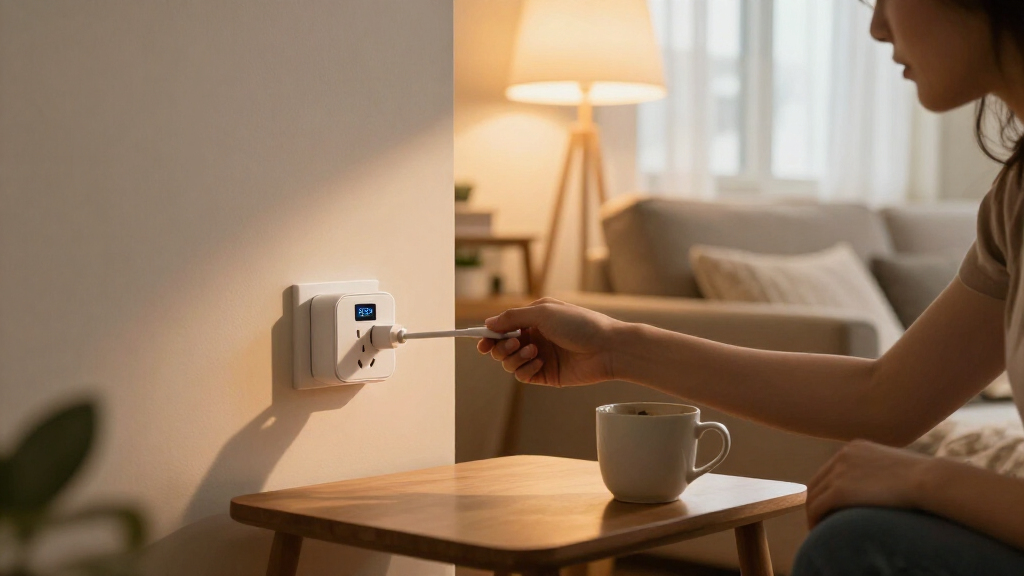
How We Picked
I compared these 10 smart plugs with energy monitoring on the factors that shape everyday usefulness: supported smart-home platforms and connection types, stated electrical capacity, monitoring and scheduling features, pack size, and setup demands. I gave weight to whether a plug can fit an existing system, since a capable monitor is less useful if it needs a hub or controller the buyer does not own. I also considered how well each option serves a distinct need, from a simple Wi-Fi setup to Matter interoperability or a Zigbee network.
The ranking favors useful monitoring paired with broad, practical compatibility, not the longest feature list. Emporia ranks first as a balanced four-pack; Kasa Matter and THIRDREALITY rank highly for buyers with specific platform priorities. Pack size and connection type distinguish several otherwise similar choices, so lower-ranked models can still be the better fit for a smaller household, a Matter-first system, or a budget-conscious purchase. I did not treat energy data as a substitute for checking the plug’s load limits or your home’s network requirements.
| smart plugs with energy monitoring | Control | Model |
|---|---|---|
| Emporia Energy Monitoring Smar | App, remote, touch, and voice | — |
| Tapo Smart Plug Wi-Fi Energy M | App | — |
| Govee Smart Plug with Energy M | App, touch, and voice | H5086 |
| Kasa Matter Smart Plug with En | App, voice, and local LAN | KP125MP4 |
| THIRDREALITY Smart Plug Gen3 4 | — | — |
| Kasa Matter Smart Plug with En | — | KP125MP2 |
| AiSeek Smart Plugs with Energy | — | — |
| Kasa Smart Plug Mini with Ener | — | KP115 |
| Tapo P115 Smart Wi-Fi Plug wit | Tapo app, remote, voice | P115 |
| Tapo P110M Matter Smart Plugs | — | P110M |
Factors to Consider When Choosing Smart Plugs With Energy Monitoring
Before choosing a plug, I would work backward from the appliance and smart-home system you want to monitor. The best fit depends as much on how you will use the energy data and what your network supports as on the plug’s feature list.
Decide What You Want the Energy Data to Tell You
Energy monitoring can help you compare appliance use, spot devices that draw power while idle, or track whether a schedule changes consumption. Those goals are different, so decide what you need to see before choosing an app or platform. A plug’s readings can describe the device connected to that outlet, but they do not automatically explain your whole home’s electricity use. Check whether the accompanying app presents the kind of history or live information you plan to use. If you only want scheduled switching, monitoring may add little value; if you are comparing appliances, consistent access to readings matters more than a long feature list.
Match the Connection Type to Your Smart-Home Setup
Wi-Fi, Matter, and Zigbee solve different compatibility problems, and the labels are not interchangeable. A Wi-Fi plug may be easiest when you want a direct connection and already use a supported app, while a Matter model can suit homes built around compatible Matter controllers. Zigbee plugs generally make more sense when you already have a suitable hub or coordinator, as with a Home Assistant or SmartThings setup. Before buying, confirm the exact model works with your controller and the features you expect; basic on/off support does not always mean energy readings appear in every platform. Avoid buying a protocol-based plug first and checking your hub afterward.
Check the Appliance Load and Outlet Fit
Start with the appliance’s electrical requirements rather than assuming every plug can handle every device. Several options here state a 15A rating, but buyers should still compare the plug’s published limits with the appliance label and follow the manufacturer’s instructions. A smart plug is generally a poor choice for equipment that draws more power than its rating or requires specialized control. Also check whether the plug’s size leaves the neighboring outlet usable, especially on a crowded power strip or duplex outlet. Monitoring features do not make an undersized or awkwardly fitted plug safer.
Choose Pack Size Around the Job
A four-pack can make sense when you plan to monitor several appliances at once, but unused plugs do not improve the value of a purchase. A two-pack is a more measured starting point if you are testing whether energy data will change how you use a device. Think about whether all the outlets will sit within the same smart-home ecosystem and whether you want consistent reporting in one app. Mixing models may be workable, but it can split schedules and usage data across apps or platforms. Buy for the number of devices you can name today, then expand once the monitoring proves useful.
Treat Monitoring as a Tool, Not a Savings Promise
A plug can show usage information, but it cannot guarantee lower electricity bills by itself. The practical benefit comes from acting on the readings: changing schedules, replacing an inefficient appliance, or turning off a device that needlessly stays on. Check how the app presents data and whether you can access it without relying on a feature you may stop using. Also distinguish energy monitoring from whole-home measurement; a single outlet only covers the connected load. If you need a full-house picture or billing-grade measurement, a smart plug may not answer the question you have.
Plan for Setup, Network, and Privacy
Wi-Fi smart plugs commonly depend on a compatible wireless network, while Matter and Zigbee options can add controller or hub requirements. Verify the setup instructions for the exact model and make sure your home network meets them before ordering several plugs. Consider where you want schedules and energy records to live: a manufacturer app may be simple, while a home-automation platform may offer more control but take more setup. Check app permissions and account requirements if you prefer to limit cloud services or accounts. A plug that matches your privacy and maintenance preferences can be a better long-term choice than one with features you will not use.
Frequently Asked Questions
Will an energy-monitoring plug show readings inside every Matter or smart-home app?
No; compatibility with a smart-home system does not always mean every feature is exposed in its app. A platform may support switching while energy readings remain available only in the plug maker’s app, depending on the model and controller. Before buying, check the specific plug’s compatibility details for energy monitoring, not just basic Matter or voice-assistant support. This is especially relevant if you want all your usage data in one dashboard. If that information is central to your choice, confirm the monitoring path before committing to a multi-pack.
Should I buy a four-pack or start with a two-pack?
Choose a four-pack if you already have several suitable appliances and want to compare them under one setup. A two-pack is a sensible trial when you are unsure whether you will use the readings or want to verify app behavior in your home first. Think about whether the plugs will share an ecosystem, since multiple apps can make schedules and energy history harder to follow. Also check that each planned appliance is within the plug’s stated capacity. The right pack is the one that matches your actual monitoring plan, rather than the largest bundle available.
Can I use an energy-monitoring smart plug with a high-wattage appliance?
Only if the appliance’s electrical requirements fall within the exact plug’s published limits and the manufacturer permits that use. A 15A rating appears across several picks here, but that does not mean every appliance or operating condition is suitable. Read the appliance label and plug specifications, and do not use a plug as a workaround for equipment that needs dedicated wiring or specialized control. Energy monitoring does not increase the plug’s capacity. When the load or compatibility is unclear, choose a safer control method rather than guessing.
Do I need a hub for Matter or Zigbee energy-monitoring plugs?
Requirements vary by connection type and model. Zigbee plugs such as the THIRDREALITY option generally need a compatible Zigbee hub or coordinator to join a smart-home system. Matter models need a compatible controller and network setup, though the exact requirements depend on the ecosystem and device. Wi-Fi models may connect directly through a supported app, but they still rely on compatible network conditions. Check what hardware you already own before choosing; a hub requirement can change which option is easiest to install.
Can a smart plug tell me how much my whole home uses?
No; a smart plug measures the load connected to that plug, not every circuit or appliance in the home. It can help answer focused questions about a particular device or compare several plugged-in loads. Whole-home monitoring calls for a different kind of measurement system, so do not buy several plugs expecting a single complete household reading. You may be able to review multiple plugs in an app, but that still only covers the devices connected to them. Match the tool to whether you want appliance-level insight or a home-wide energy picture.
Conclusion
I recommend the Emporia four-pack as the best overall for buyers who want monitoring, scheduling, and broad voice-assistant support in one Wi-Fi package. For best value, I would compare the four-pack options against how many outlets you will actually use rather than choosing by bundle size alone; the AiSeek and Govee four-packs are worth a look if their platform fit and app features meet your needs. My best premium pick for a connected setup is THIRDREALITY Gen3 for buyers who can use its Zigbee repeater and Home Assistant or SmartThings compatibility. For beginners, the two-pack Tapo P115 or Kasa KP115 offers a smaller way to start monitoring before outfitting more outlets. For Matter-first homes, choose between Kasa’s KP125M models and Tapo P110M only after confirming the controller and energy-data support you need; the best plug is the one that shows useful readings in the system you already use.
Fall Picks
fall essentials
As an affiliate, we earn on qualifying purchases.