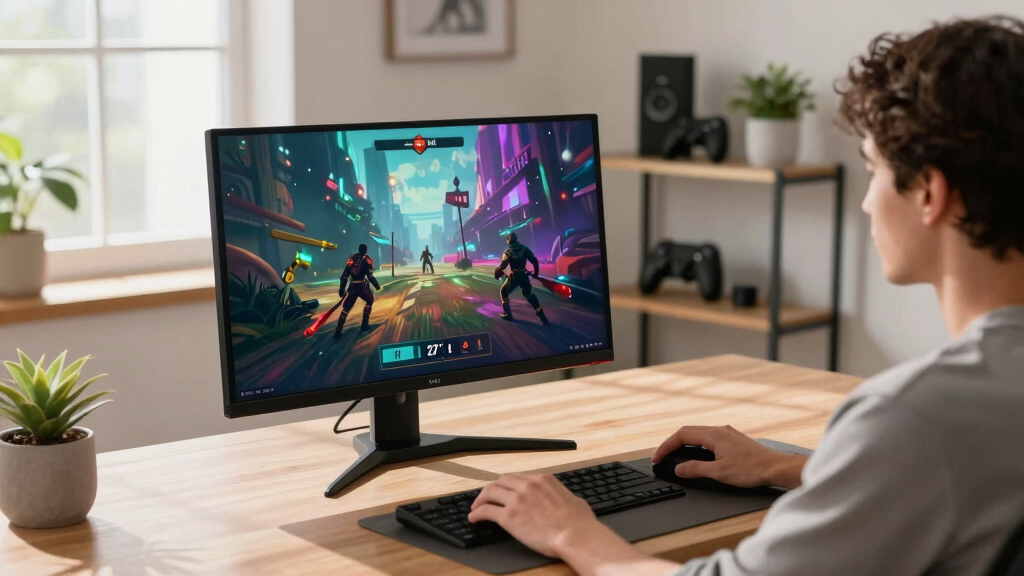

The best 4K gaming monitors pair sharp 3840 x 2160 resolution with enough refresh speed, adaptive sync, and connection bandwidth for modern PCs and consoles. My best overall pick is the ASUS TUF Gaming VG27UQ1A because its 160Hz panel and broad sync support offer the strongest balance for most players. The Acer Nitro 4K 160Hz is the better value choice, while the ASUS ROG Swift PG32UCDMR is my premium OLED recommendation. The main tradeoffs are OLED contrast versus long-term panel care, 27-inch sharpness versus larger-screen immersion, and high refresh rates versus the GPU power needed to reach them at 4K. Continue reading for the full breakdown, including three listed models that do not actually meet the 4K requirement.

Get the latest gadgets delivered free with Prime
- Fast, free delivery on millions of items
- Prime Video, Amazon Music and more included
- Member-only deals all year
Complete the kit



Key Takeaways
- ASUS TUF Gaming VG27UQ1A takes the overall spot because 4K, 160Hz, G-SYNC compatibility, and FreeSync Premium form the most balanced package in this group.
- Acer Nitro 4K 160Hz is the value leader; its speed makes the 72Hz Acer Nitro difficult to justify for gaming unless the slower model is much cheaper.
- ASUS ROG Swift PG32UCDMR is the premium choice for buyers prioritizing OLED contrast and high-end image quality over price and panel-care concerns.
- LG 27G810A-B has the clearest specialist role because its dual-mode design favors players who alternate between detailed 4K games and very fast competitive play.
- Three candidates are not 4K: the SANSUI 240Hz model is FHD, while the Samsung Odyssey G5 G51F and 32-inch G55C are QHD, so I would not buy them for a 4K setup.
| Dell 27 Plus 4K USB-C Monitor S2725QC |  | Best Work-and-Play Pick | Display size: 27 inches | Resolution: 3840 x 2160 (4K) | Refresh rate: 120Hz | VIEW LATEST PRICE | See Our Full Breakdown |
| SANSUI 27-Inch Curved 240Hz Gaming Monitor |  | Best for Competitive 1080p Gaming | Display size: 27 inches | Resolution: 1920 x 1080 (FHD) | Refresh rate: 240Hz | VIEW LATEST PRICE | See Our Full Breakdown |
| Samsung 27-Inch Odyssey G5 G51F |  | Best QHD Middle Ground | Screen size: 27 inches | Resolution: 2560 x 1440 (QHD) | Refresh rate: 180Hz | VIEW LATEST PRICE | See Our Full Breakdown |
| ASUS ROG Swift PG32UCDMR |  | Best Premium 4K OLED | Display size: 32 inches | Resolution: 3840 x 2160 (4K) | Panel type: QD-OLED | VIEW LATEST PRICE | See Our Full Breakdown |
| Acer Nitro VG270K 27-Inch 4K Gaming Monitor |  | Best Entry-Level 4K Pick | Screen size: 27 inches | Resolution: 3840 x 2160 (4K UHD) | Panel type: IPS | VIEW LATEST PRICE | See Our Full Breakdown |
| CRUA 27-inch 4K UHD 144Hz IPS Vertical Gaming Monitor |  | Best for Ergonomic Setups | Display size: 27 inches | Resolution: 3840 x 2160 | Refresh rate: 144Hz | VIEW LATEST PRICE | See Our Full Breakdown |
| ASUS ROG Strix 27-inch 4K HDR USB-C Gaming Monitor (XG27UCG) |  | Best Hybrid for Gaming and Creative Work | Display size: 27 inches | Resolution: 3840 x 2160 | Refresh rate: 160Hz at 4K; 320Hz at FHD | VIEW LATEST PRICE | See Our Full Breakdown |
| Dell 27 Plus 4K Monitor (S2725QS) |  | Best for Casual and Everyday Gaming | Display size: 27 inches | Resolution: 3840 x 2160 | Refresh rate: 120Hz | VIEW LATEST PRICE | See Our Full Breakdown |
| LG 27G810A-B 27-inch UltraGear 4K UHD Dual-Mode Gaming Monitor |  | Best Performance | Display size: 27 inches | Resolution: 3840 x 2160 | Refresh rate: 180Hz at 4K; 360Hz at FHD | VIEW LATEST PRICE | See Our Full Breakdown |
| Acer Nitro VG270K 27-inch 4K UHD Gaming IPS Monitor |  | Best Dual-Mode Value | Display size: 27 inches | Resolution: 3840 x 2160 | Refresh rate: 160Hz at 4K; 320Hz at 1080p | VIEW LATEST PRICE | See Our Full Breakdown |
| Samsung 32-Inch Odyssey G55C Series QHD Curved Gaming Monitor |  | Best QHD Alternative | Screen Size: 32 inches | Resolution: 2560 x 1440 (QHD) | Refresh Rate: 165Hz | VIEW LATEST PRICE | See Our Full Breakdown |
| Samsung 37” Odyssey G7 (G75F) 4K UHD Curved Gaming Monitor |  | Best Big-Screen Experience | Screen Size: 37 inches | Resolution: 4K UHD | Refresh Rate: 165Hz | VIEW LATEST PRICE | See Our Full Breakdown |
| CRUA 32-inch 4K UHD Curved Gaming Monitor, 160Hz, AMD FreeSync, White |  | Best White Curved Pick | Screen Size: 32 inches | Resolution: 3840 x 2160 (4K UHD) | Refresh Rate: 160Hz | VIEW LATEST PRICE | See Our Full Breakdown |
| ASUS TUF Gaming 27” 4K HDR Monitor (VG27UQ1A) |  | Best Compact Performance Pick | Screen Size: 27 inches | Resolution: 3840 x 2160 (4K) | Refresh Rate: 160Hz | VIEW LATEST PRICE | See Our Full Breakdown |
| 4K gaming monitor | Resolution | Refresh rate | Response time | Display size |
|---|---|---|---|---|
| Dell 27 Plus 4K USB-C Monitor | 3840 x 2160 (4K) | 120Hz | 0.03ms | 27 inches |
| SANSUI 27-Inch Curved 240Hz Ga | 1920 x 1080 (FHD) | 240Hz | 1ms MPRT | 27 inches |
| Samsung 27-Inch Odyssey G5 G51 | 2560 x 1440 (QHD) | 180Hz | 1ms | — |
| ASUS ROG Swift PG32UCDMR | 3840 x 2160 (4K) | 240Hz | 0.03ms GTG | 32 inches |
| Acer Nitro VG270K 27-Inch 4K G | 3840 x 2160 (4K UHD) | Up to 72Hz at 4K; 144Hz at 1080p | Up to 0.5ms GTG | — |
| CRUA 27-inch 4K UHD 144Hz IPS | 3840 x 2160 | 144Hz | — | 27 inches |
| ASUS ROG Strix 27-inch 4K HDR | 3840 x 2160 | 160Hz at 4K; 320Hz at FHD | 1ms | 27 inches |
| Dell 27 Plus 4K Monitor | 3840 x 2160 | 120Hz | — | 27 inches |
| LG 27G810A-B 27-inch UltraGear | 3840 x 2160 | 180Hz at 4K; 360Hz at FHD | 1ms GtG | 27 inches |
| Acer Nitro VG270K 27-inch 4K U | 3840 x 2160 | 160Hz at 4K; 320Hz at 1080p | 1ms GtG; up to 0.5ms | 27 inches |
| Samsung 32-Inch Odyssey G55C S | 2560 x 1440 (QHD) | 165Hz | 1ms MPRT | — |
| Samsung 37” Odyssey G7 | 4K UHD | 165Hz | 1ms GtG | — |
| CRUA 32-inch 4K UHD Curved Gam | 3840 x 2160 (4K UHD) | 160Hz | — | — |
| ASUS TUF Gaming 27” 4K HDR Mon | 3840 x 2160 (4K) | 160Hz | 1ms | — |
More Details on Our Top Picks
Dell 27 Plus 4K USB-C Monitor S2725QC
I rank the Dell S2725QC as the strongest hybrid for buyers splitting one desk between PC gaming and laptop work. Its 4K resolution at 120Hz gives games sharper detail and smoother motion than the 72Hz Acer Nitro VG270K, while 99% sRGB coverage suits everyday creative work. USB-C carries video and up to 65W of charging through one cable, a convenience the Acer lacks. Compared with the ASUS ROG Swift PG32UCDMR, the Dell sacrifices OLED blacks, 240Hz speed, and wider DCI-P3 color, but offers a more restrained 27-inch format. I would choose it for versatility rather than competitive performance. The main compromises are modest 65W charging, limited HDR information, and no supplied details confirming a fully adjustable stand.
Pros:- 120Hz delivers smoother 4K motion than entry-level 60Hz and 72Hz displays
- USB-C combines display input and up to 65W laptop charging
- 99% sRGB coverage supports consistent everyday color
- FreeSync Premium reduces tearing during variable-frame-rate gaming
Cons:- 65W USB-C output may be insufficient for performance laptops
- HDR capability is listed without a brightness or certification level
- Stand adjustment details are not provided
Best for: I recommend this to PC and laptop owners who want one sharp 27-inch display for 4K gaming, productivity, and single-cable USB-C connectivity.
Not ideal for: I would skip it for 240Hz competitive gaming or high-powered workstation laptops that need more than 65W charging.
- Display size:27 inches
- Resolution:3840 x 2160 (4K)
- Refresh rate:120Hz
- Response time:0.03ms
- Adaptive sync:AMD FreeSync Premium
- Color coverage:99% sRGB
- Contrast ratio:1500:1
- USB-C power delivery:Up to 65W
Our verdict“My pick for buyers who need a tidy USB-C workspace and credible 4K gaming performance from the same 27-inch monitor.”
SANSUI 27-Inch Curved 240Hz Gaming Monitor
I include the SANSUI 27-inch curved monitor as a specialist alternative for players who value frame rate over the roundup’s headline resolution. It does not deliver 4K: its 240Hz 1080p panel trades fine image detail for lower GPU demands and quicker motion. That makes it better suited to esports than the 120Hz Dell S2725QC or 72Hz Acer Nitro VG270K. The 1500R curve and 4000:1 contrast can make games feel more enveloping, while FreeSync and 1ms MPRT address tearing and blur. I would not choose it for close-range reading, detailed open-world scenery, or current-console 4K output because 1080p looks relatively coarse across 27 inches. Its limited stand adjustment and lack of speakers also add setup costs.
Pros:- 240Hz refresh rate suits fast competitive games
- 1080p places a lighter rendering load on the graphics card than 4K
- 1500R curvature and 4000:1 contrast support an immersive image
- FreeSync and 1ms MPRT help control tearing and motion blur
Cons:- 1080p resolution falls outside the native 4K focus of this roundup
- 27-inch screen can reveal the lower pixel density at desk distance
- Stand offers tilt only, with no height or swivel adjustment
Best for: I recommend this to budget-minded esports players whose graphics cards can produce very high frame rates at 1080p.
Not ideal for: I would skip it for buyers seeking native 4K detail, sharp desktop text, built-in audio, or flexible stand positioning.
- Display size:27 inches
- Resolution:1920 x 1080 (FHD)
- Refresh rate:240Hz
- Response time:1ms MPRT
- Curve radius:1500R
- Color gamut:130% sRGB; 95% DCI-P3
- Contrast ratio:4000:1
- Ports:HDMI, DisplayPort 1.4, audio jack
Our verdict“My choice here only for esports-focused buyers willing to exchange 4K sharpness for 240Hz speed.”
Samsung 27-Inch Odyssey G5 G51F
I see the Samsung Odyssey G5 G51F as the middle ground between affordable 1080p speed and demanding 4K clarity. Its QHD resolution and 180Hz refresh rate suit buyers whose graphics cards cannot sustain high frame rates at 4K but who find the SANSUI’s 1080p image too soft. Samsung also supplies height, tilt, and pivot adjustments, giving it a comfort advantage over the tilt-only SANSUI and Acer Nitro VG270K. Black Equalizer and Virtual Aim Point target competitive play, while HDR10 adds content compatibility. Still, I would not present this as a true 4K recommendation: it renders fewer pixels than the Dell S2725QC, and its HDR specification lacks brightness and local-dimming details. The absence of listed speakers means external audio may be needed.
Pros:- 180Hz refresh rate provides strong motion clarity for competitive play
- QHD is easier for midrange graphics cards to drive than native 4K
- Height, tilt, and pivot adjustments support better desk ergonomics
- Black Equalizer can improve enemy visibility in dark scenes
Cons:- QHD resolution does not meet the roundup’s native 4K standard
- HDR10 support is listed without brightness or local-dimming specifications
- No built-in speakers are specified
Best for: I recommend this to midrange-PC gamers seeking sharper-than-1080p visuals, 180Hz responsiveness, and a properly adjustable stand.
Not ideal for: I would skip it for native 4K gaming, built-in audio, or buyers seeking documented high-impact HDR performance.
- Screen size:27 inches
- Resolution:2560 x 1440 (QHD)
- Refresh rate:180Hz
- Response time:1ms
- Adaptive sync:AMD FreeSync
- HDR:HDR10
- Stand adjustments:Height, tilt, pivot
- Gaming features:Black Equalizer, Virtual Aim Point, Auto Source Switch+
Our verdict“My preferred compromise for gamers who want more detail than 1080p without the GPU burden of 4K.”
ASUS ROG Swift PG32UCDMR
I rank the ASUS ROG Swift PG32UCDMR highest for buyers who want the most ambitious 4K gaming specification in this group. Its QD-OLED panel, 240Hz refresh rate, and 0.03ms response combine precise contrast with far greater motion headroom than the Dell S2725QC or Acer Nitro VG270K. A 32-inch screen also makes 4K detail easier to appreciate, while DisplayPort 2.1, HDMI 2.1, and 90W USB-C support powerful PCs, consoles, and laptops. That capability comes with serious compromises: this is the premium-priced choice, OLED carries burn-in risk, and a 32-inch display needs more desk depth than the 27-inch alternatives. I would favor it for gaming and media rather than static office work. The three-year warranty adds reassurance but does not remove OLED-care duties.
Pros:- QD-OLED panel produces deep blacks and high perceived contrast
- 240Hz at 4K provides substantial motion headroom for powerful gaming systems
- DisplayPort 2.1 and HDMI 2.1 support current high-bandwidth sources
- USB-C supplies up to 90W for compatible laptops
Cons:- Premium positioning places it beyond many gaming budgets
- OLED panels retain a burn-in risk with prolonged static content
- 32-inch size may overwhelm compact or shallow desks
Best for: I recommend this to high-end PC and console gamers seeking 4K at up to 240Hz, OLED contrast, and modern multi-device connectivity.
Not ideal for: I would skip it for tight budgets, shallow desks, or workdays dominated by static applications that can increase OLED burn-in exposure.
- Display size:32 inches
- Resolution:3840 x 2160 (4K)
- Panel type:QD-OLED
- Refresh rate:240Hz
- Response time:0.03ms GTG
- HDR:DisplayHDR 400 True Black
- Color gamut:99% DCI-P3
- Connectivity:DisplayPort 2.1, HDMI 2.1, USB-C with 90W power delivery
- Warranty:3 years
Our verdict“My premium recommendation for buyers equipped to exploit 4K at 240Hz and willing to manage OLED’s cost and care requirements.”
Acer Nitro VG270K 27-Inch 4K Gaming Monitor
I choose the Acer Nitro VG270K for buyers who prioritize native 4K detail over high-refresh performance. Its IPS panel, 95% DCI-P3 gamut, and zero-frame design make it well suited to scenic games, media, and multi-monitor desks. At up to 72Hz in 4K, however, it sits well below the Dell S2725QC’s 120Hz and the ASUS ROG Swift PG32UCDMR’s 240Hz. Dynamic Frequency and Resolution can reach 144Hz by dropping to 1080p, but that defeats the main reason I would buy this model. FreeSync and a quoted 0.5ms response help responsiveness within its refresh ceiling. Other compromises include HDMI 2.0 rather than HDMI 2.1, a tilt-only stand, and no listed speakers. Its best fit is slower-paced 4K gaming, not competitive play.
Pros:- Native 4K IPS panel delivers sharp detail from a 27-inch screen
- 95% DCI-P3 coverage supports broad, vivid color reproduction
- FreeSync helps reduce tearing within the available refresh range
- Zero-frame design and VESA support suit multi-monitor installations
Cons:- 4K refresh rate tops out at 72Hz
- 144Hz mode requires dropping the resolution to 1080p
- HDMI 2.0 and a tilt-only stand limit console bandwidth and ergonomics
Best for: I recommend this to entry-level 4K gamers who favor image detail, rich color, and multi-monitor compatibility over triple-digit 4K refresh rates.
Not ideal for: I would skip it for competitive players, HDMI 2.1 console setups, or anyone expecting 120Hz or faster gameplay at native 4K.
- Screen size:27 inches
- Resolution:3840 x 2160 (4K UHD)
- Panel type:IPS
- Refresh rate:Up to 72Hz at 4K; 144Hz at 1080p
- Response time:Up to 0.5ms GTG
- Color gamut:95% DCI-P3
- HDR:HDR10
- Ports:1 x DisplayPort 1.4; 2 x HDMI 2.0
- Mounting and tilt:100 x 100mm VESA; -5° to 25° tilt
Our verdict“My value-oriented 4K choice for detail-focused players who can accept a 72Hz ceiling at native resolution.”
CRUA 27-inch 4K UHD 144Hz IPS Vertical Gaming Monitor
I rank the CRUA 27-inch 4K monitor as the ergonomic pick because its height, pivot, tilt, and rotation adjustments provide more positioning freedom than the tilt-only Acer Nitro VG270K. The portrait orientation also suits buyers who divide their time between gaming, coding, and content work. Its 144Hz 4K IPS panel offers smoother motion than the 120Hz Dell S2725QS, while HDMI 2.1 and DisplayPort 1.4 accommodate modern gaming hardware. Yet it trails the LG 27G810A-B and ASUS XG27UCG for maximum refresh rate, adaptive-sync support is not listed, and the 1000:1 contrast ratio limits dark-scene depth. I see this as a flexible workstation-gaming hybrid, rather than the strongest choice for competitive play or cinematic HDR.
Pros:- Full height, pivot, tilt, and rotation adjustment
- 144Hz refresh rate delivers smooth 4K gaming
- 120% sRGB gamut supports vivid creative and gaming visuals
- HDMI 2.1 and DisplayPort 1.4 suit current gaming hardware
Cons:- No adaptive-sync support is specified
- 1000:1 contrast produces limited black depth
- Built-in speaker performance is not detailed
Best for: PC gamers and creators who need a fully adjustable 27-inch display that can rotate into portrait orientation
Not ideal for: Competitive players who want refresh rates above 144Hz or confirmed G-SYNC and FreeSync support
- Display size:27 inches
- Resolution:3840 x 2160
- Refresh rate:144Hz
- Panel type:IPS
- Color gamut:120% sRGB
- Brightness:350 cd/m²
- Connectivity:HDMI 2.1 and DisplayPort 1.4
- Stand adjustments:Height, pivot, tilt, and rotation
Our verdict“Choose the CRUA if ergonomic flexibility and a white finish matter more than class-leading refresh speed or verified adaptive sync.”
ASUS ROG Strix 27-inch 4K HDR USB-C Gaming Monitor (XG27UCG)
The ASUS ROG Strix XG27UCG earns its hybrid role by pairing 95% DCI-P3 coverage and USB-C connectivity with two genuinely useful gaming modes. I would choose 4K at 160Hz for detailed single-player games, then switch to FHD at 320Hz when frame rate and motion clarity take priority. The Acer Nitro VG270K offers the same basic resolution-switching concept, but the ASUS adds G-SYNC compatibility and ELMB Sync for broader motion-control options. The LG 27G810A-B remains faster in both modes at 180Hz and 360Hz, which keeps the ASUS below the performance leader. Its other compromise is cost: buyers focused only on 4K gaming may pay for creative-friendly color and USB-C features they rarely use.
Pros:- Switches between 4K at 160Hz and FHD at 320Hz
- Fast IPS panel combines speed with 95% DCI-P3 coverage
- G-SYNC compatibility and ELMB Sync address tearing and motion blur
- USB-C adds flexibility for laptops and mixed-use desks
Cons:- Likely costs more than simpler 4K IPS alternatives
- LG 27G810A-B provides higher refresh rates in both display modes
- Dropping to FHD reduces image sharpness on the 27-inch panel
Best for: Gamers who alternate between visually rich 4K titles, high-frame-rate esports, and color-sensitive creative work
Not ideal for: Buyers seeking the fastest available dual-mode panel or a low-cost display used only for gaming
- Display size:27 inches
- Resolution:3840 x 2160
- Refresh rate:160Hz at 4K; 320Hz at FHD
- Response time:1ms
- Panel type:Fast IPS
- Color gamut:95% DCI-P3
- Adaptive sync:G-SYNC Compatible
- Additional features:ELMB Sync, USB-C, and DisplayWidget Center
Our verdict“The XG27UCG is my pick for buyers who want one polished monitor for 4K gaming, esports, and creative applications.”
Dell 27 Plus 4K Monitor (S2725QS)
I place the Dell S2725QS in the everyday-gaming slot because its 120Hz refresh rate is a meaningful step above basic 60Hz or 72Hz 4K monitors without chasing esports-grade numbers. FreeSync Premium helps smooth fluctuating frame rates, which is useful when a midrange graphics card cannot hold triple-digit performance at 4K. Compared with the CRUA 27-inch model, the Dell gives up 24Hz and extensive stand adjustments are not specified, but it offers a higher 1500:1 contrast ratio and ComfortView Plus for long work-and-play sessions. It falls much farther behind the LG 27G810A-B in speed, and HDR readiness should not be mistaken for DisplayHDR certification. Still, the integrated speakers and 99% sRGB coverage make it a tidy multipurpose choice.
Pros:- 120Hz refresh rate is smooth enough for casual gaming
- FreeSync Premium helps reduce tearing and stutter
- 1500:1 contrast exceeds the typical 1000:1 IPS figure
- ComfortView Plus and integrated speakers support everyday desk use
Cons:- Much slower than the 160Hz to 180Hz gaming-focused alternatives
- HDR readiness does not equal strong HDR performance
- Stand adjustment details are not provided
Best for: Casual PC or console players who want a sharp 4K work monitor with smoother-than-standard gaming performance
Not ideal for: Esports players who need 160Hz or faster motion, or buyers seeking clearly documented HDR capability and stand ergonomics
- Display size:27 inches
- Resolution:3840 x 2160
- Refresh rate:120Hz
- Panel type:IPS
- Color coverage:99% sRGB
- Contrast ratio:1500:1
- Adaptive sync:AMD FreeSync Premium
- Features:ComfortView Plus, HDR readiness, and integrated speakers
Our verdict“Pick the S2725QS when workday comfort and approachable 4K gaming matter more than competitive refresh rates.”
LG 27G810A-B 27-inch UltraGear 4K UHD Dual-Mode Gaming Monitor
The LG 27G810A-B leads this group on gaming performance: 4K at 180Hz beats the ASUS XG27UCG and Acer Nitro VG270K by 20Hz, while its FHD mode reaches 360Hz rather than 320Hz. That flexibility makes the monitor equally suited to detailed adventures and reaction-driven competitive games. Support for both G-SYNC compatibility and FreeSync Premium also gives it broader GPU appeal than models listing only one adaptive-sync standard. DisplayHDR 400 and 95% DCI-P3 add color range, though IPS contrast and entry-level HDR certification cannot deliver OLED-like blacks or high-impact highlights. I rank it above the ASUS for raw speed, but not necessarily for mixed-device desks because USB-C is not listed. The premium pricing and layered gaming menus may also discourage less demanding players.
Pros:- Class-leading dual mode offers 4K at 180Hz or FHD at 360Hz
- Supports both G-SYNC compatibility and FreeSync Premium
- 1ms GtG response supports clear, responsive motion
- DisplayHDR 400 and 95% DCI-P3 improve color presentation
Cons:- High refresh rates demand a powerful graphics card
- DisplayHDR 400 delivers limited HDR impact compared with higher-tier displays
- USB-C connectivity is not listed
Best for: Enthusiast gamers with powerful PCs who switch between high-detail 4K games and 360Hz competitive play
Not ideal for: Casual players with midrange hardware or laptop users who need a single-cable USB-C desk setup
- Display size:27 inches
- Resolution:3840 x 2160
- Refresh rate:180Hz at 4K; 360Hz at FHD
- Response time:1ms GtG
- Panel type:IPS
- HDR:DisplayHDR 400
- Color coverage:95% DCI-P3
- Adaptive sync:G-SYNC Compatible and FreeSync Premium
- Connectivity:HDMI 2.1 and 4-pole audio jack
Our verdict“The LG 27G810A-B is the strongest choice here for buyers who prioritize maximum speed at both 4K and FHD.”
Acer Nitro VG270K 27-inch 4K UHD Gaming IPS Monitor
I assign the Acer Nitro VG270K the dual-mode value role because it covers the core speed targets—4K at 160Hz and 1080p at 320Hz—without leaning on the broader feature set of the ASUS XG27UCG. Its HDMI 2.1 ports suit current consoles, while DisplayPort 1.4 and FreeSync Premium support a responsive PC setup. Compared with the LG 27G810A-B, it sacrifices 20Hz in 4K mode, 40Hz in FHD mode, wider 95% DCI-P3 coverage, and G-SYNC compatibility. Ergonomics are another cutback: the stand only lists tilt adjustment, so buyers may need the 100mm VESA mount. The 90% DCI-P3 IPS panel and HDR10 support remain appealing for the category, but HDR10 compatibility alone does not promise bright, high-contrast HDR.
Pros:- Dual mode supports 4K at 160Hz and 1080p at 320Hz
- Two HDMI 2.1 ports accommodate modern consoles and PCs
- FreeSync Premium supports smoother variable-frame-rate gaming
- Up to 0.5ms response and a zero-frame design suit fast games
Cons:- Stand adjustment is limited to tilt
- No built-in speakers
- HDR10 support lacks a stated brightness or DisplayHDR rating
Best for: Value-focused PC and console gamers who want both fast 4K play and a 320Hz esports mode
Not ideal for: Buyers who need height adjustment, built-in speakers, verified G-SYNC support, or strong HDR presentation
- Display size:27 inches
- Resolution:3840 x 2160
- Refresh rate:160Hz at 4K; 320Hz at 1080p
- Response time:1ms GtG; up to 0.5ms
- Panel type:IPS
- Color gamut:90% DCI-P3
- HDR:HDR10
- Ports:1 x DisplayPort 1.4 and 2 x HDMI 2.1
- VESA mount:100 x 100mm
Our verdict“Choose the Acer Nitro VG270K for high-refresh dual-mode gaming at a likely lower feature burden than the ASUS or LG alternatives.”
Samsung 32-Inch Odyssey G55C Series QHD Curved Gaming Monitor
I place the Samsung Odyssey G55C behind every true 4K option here because its 2560×1440 resolution cannot deliver the same fine detail. Its appeal is easier high-frame-rate gaming: driving 165Hz at QHD places less strain on a graphics card than feeding the Samsung Odyssey G7’s 4K panel. The tight 1000R curve also fills more of my field of view than the flatter 1500R CRUA, while the 1ms MPRT rating and FreeSync target fluid action. The tradeoff is decisive for this roundup: buyers seeking 4K sharpness should skip it. HDR10 support also lacks the defined brightness standard of the G7’s DisplayHDR 600 certification. I see this as a performance-focused fallback, not a direct 4K recommendation.
Pros:- The 165Hz refresh rate supports fluid competitive and action gaming
- The tight 1000R curvature creates a more enveloping view
- A 1ms MPRT rating helps limit visible motion smearing
- AMD FreeSync reduces tearing with compatible graphics hardware
Cons:- QHD resolution does not satisfy the core 4K requirement
- The 32-inch screen needs more desk space than a 27-inch model
- HDR10 support comes without a stated brightness certification
Best for: I recommend it to PC gamers with midrange graphics cards who value 165Hz performance and an enveloping curve more than native 4K detail.
Not ideal for: I would skip it for buyers specifically upgrading to 4K, since its QHD panel has far fewer pixels than the other three monitors.
- Screen Size:32 inches
- Resolution:2560 x 1440 (QHD)
- Refresh Rate:165Hz
- Response Time:1ms MPRT
- Curvature:1000R
- HDR:HDR10
- Adaptive Sync:AMD Radeon FreeSync
- Eye Care:Supported
Our verdict“I would choose the G55C only when smoother QHD frame rates matter more than the sharper image promised by a 4K monitor.”
Samsung 37” Odyssey G7 (G75F) 4K UHD Curved Gaming Monitor
The Samsung Odyssey G7 earns my big-screen pick by combining a 37-inch 4K canvas with a tight 1000R curve. Compared with the 32-inch CRUA, it provides a larger, more enveloping view and pairs its 165Hz refresh rate with FreeSync Premium Pro. Its clearest advantage is DisplayHDR 600, which gives buyers a defined HDR performance tier rather than the unspecified HDR support of the ASUS TUF VG27UQ1A. That makes it the stronger choice for cinematic games and players who want bright highlights alongside deep contrast. Size is also its main liability: a 37-inch curved screen can dominate a shallow desk, while the 27-inch ASUS is easier to position. Running modern games at 4K and 165Hz also calls for powerful hardware, raising the total cost beyond the monitor.
Pros:- The 37-inch 4K panel provides a spacious, highly detailed gaming image
- A 165Hz refresh rate and 1ms GtG response target fast, clear motion
- DisplayHDR 600 offers a defined level of HDR brightness and contrast
- FreeSync Premium Pro combines adaptive sync with HDR gaming support
Cons:- The large 1000R curved panel can overwhelm compact or shallow desks
- Reaching high frame rates at 4K requires an expensive graphics setup
- Its premium display specification is likely excessive for casual players
Best for: I recommend it to high-end PC or console players with a deep desk who want a large, curved 4K screen for immersive single-player and racing games.
Not ideal for: I would skip it for small desks, modest graphics cards, or buyers who prefer a compact screen for close-range competitive play.
- Screen Size:37 inches
- Resolution:4K UHD
- Refresh Rate:165Hz
- Response Time:1ms GtG
- Curvature:1000R
- HDR:VESA DisplayHDR 600
- Adaptive Sync:AMD FreeSync Premium Pro
- VESA Compatibility:Yes
Our verdict“I would pick the Odyssey G7 for a room-filling 4K gaming experience when desk space and graphics power are already covered.”
CRUA 32-inch 4K UHD Curved Gaming Monitor, 160Hz, AMD FreeSync, White
The CRUA 32-inch 4K monitor fills a distinct niche for buyers who want fast gaming hardware in a white setup. Its 160Hz refresh rate trails the Samsung Odyssey G7 by only 5Hz, while its gentler 1500R curve may feel less enclosing during editing and everyday work. The VA panel’s 3000:1 contrast ratio should help dark scenes retain depth, and 120% sRGB coverage favors vivid color. HDMI 2.1 and DisplayPort 1.4 also make it more flexible for current gaming sources, while built-in speakers reduce desktop clutter. I rank it below the G7 because no formal HDR rating is supplied and the stand’s adjustment range is unclear. Compared with the ASUS TUF VG27UQ1A, it offers more screen area but lacks stated G-SYNC compatibility, motion-blur technology, and variable overdrive.
Pros:- The 4K resolution and 160Hz refresh rate balance sharp detail with fluid motion
- The white finish suits color-coordinated gaming spaces
- HDMI 2.1 and DisplayPort 1.4 support versatile source connections
- A 3000:1 contrast ratio and wide stated sRGB gamut favor punchy VA-panel images
Cons:- No formal HDR capability or brightness rating is provided
- The stand’s height and swivel adjustments are not specified
- No G-SYNC compatibility or response-time figure is stated
Best for: I recommend it to style-conscious PC or console gamers who want a white 32-inch curved display, vivid color, HDMI 2.1, and built-in audio.
Not ideal for: I would skip it for buyers needing verified HDR performance, broad stand adjustment, or stated G-SYNC support for an Nvidia-based setup.
- Screen Size:32 inches
- Resolution:3840 x 2160 (4K UHD)
- Refresh Rate:160Hz
- Curvature:1500R
- Panel Type:VA
- Color Gamut:120% sRGB
- Contrast Ratio:3000:1
- Connectivity:HDMI 2.1 and DisplayPort 1.4
- Wall Mount:75 x 75mm
Our verdict“I would choose the CRUA for a white, curved 4K setup when screen size and connectivity outweigh certified HDR and documented ergonomics.”
ASUS TUF Gaming 27” 4K HDR Monitor (VG27UQ1A)
I rank the ASUS TUF Gaming VG27UQ1A as the strongest compact choice because it fits 4K and 160Hz into a desk-friendly 27-inch screen. Compared with the 37-inch Samsung Odyssey G7, its higher pixel density produces a very crisp close-range image without demanding nearly as much physical space. Support for both G-SYNC Compatible and FreeSync Premium also makes it a safer match across Nvidia and AMD graphics cards than the FreeSync-focused CRUA. Competitive players gain ELMB Sync and variable overdrive, features aimed at controlling blur and maintaining response behavior as frame rates change. The smaller panel is less cinematic than either curved alternative, however, and its HDR support has no stated DisplayHDR tier. Buyers also get no listed built-in speakers, so a headset or separate audio system may be needed.
Pros:- The 27-inch 4K panel delivers high pixel density for crisp close-range detail
- G-SYNC Compatible and FreeSync Premium support suit either major GPU brand
- ELMB Sync and variable overdrive target clearer motion across changing frame rates
- The 95% DCI-P3 gamut supports broad, vivid color reproduction
Cons:- The 27-inch screen feels less immersive than the 32-inch and 37-inch alternatives
- HDR support lacks a stated DisplayHDR certification or brightness level
- No built-in speakers are listed
Best for: I recommend it to competitive PC gamers who sit close to the screen and want sharp 4K detail, 160Hz motion, and adaptive-sync flexibility in limited desk space.
Not ideal for: I would skip it for buyers seeking a large curved image, certified high-brightness HDR, or an all-in-one display with stated built-in speakers.
- Screen Size:27 inches
- Resolution:3840 x 2160 (4K)
- Refresh Rate:160Hz
- Response Time:1ms
- Color Gamut:95% DCI-P3
- HDR:Supported
- G-SYNC:Compatible
- FreeSync:Premium
- Motion Technology:ELMB Sync and Variable Overdrive
Our verdict“I would buy the ASUS TUF VG27UQ1A for fast 4K gaming at a desk where compact dimensions and GPU flexibility matter most.”
How We Picked
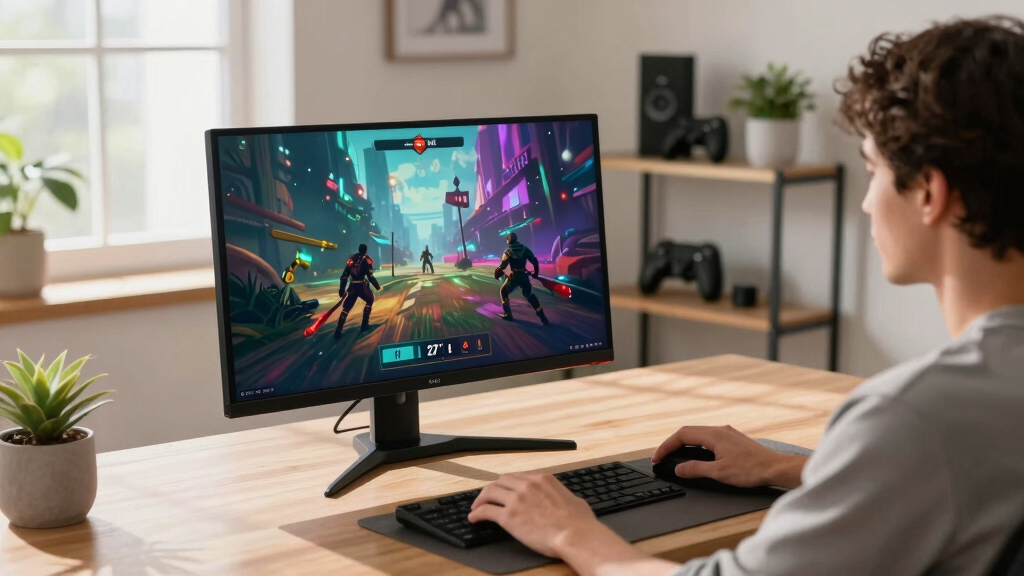
I treated native 3840 x 2160 resolution as the entry requirement, then compared refresh rate, response claims, adaptive-sync support, panel type, HDR capability, and screen size. Gaming performance carried more weight than office features, although USB-C, stand adjustment, and usable ports helped separate closely matched models. I placed the ASUS TUF ahead because it delivers a balanced 160Hz 4K package without forcing buyers into the premium OLED tier.
Value was judged by what each monitor contributes to actual play, not by the length of its specification list. A jump from 72Hz to 120Hz or 160Hz changes motion clarity more than modest HDR branding on a basic panel, while OLED earns its premium through contrast and pixel response. I also gave specialized models a defined role: LG leads for dual-mode flexibility, Dell suits mixed work and gaming, and the larger Samsung and CRUA displays favor immersion. The FHD and QHD entries rank behind every genuine 4K option, regardless of their refresh rates, because they cannot satisfy the roundup’s core promise.
| 4K gaming monitor | Adaptive sync | HDR | Panel type |
|---|---|---|---|
| Dell 27 Plus 4K USB-C Monitor | AMD FreeSync Premium | — | — |
| SANSUI 27-Inch Curved 240Hz Ga | — | — | — |
| Samsung 27-Inch Odyssey G5 G51 | AMD FreeSync | HDR10 | — |
| ASUS ROG Swift PG32UCDMR | — | DisplayHDR 400 True Black | QD-OLED |
| Acer Nitro VG270K 27-Inch 4K G | — | HDR10 | IPS |
| CRUA 27-inch 4K UHD 144Hz IPS | — | — | IPS |
| ASUS ROG Strix 27-inch 4K HDR | G-SYNC Compatible | — | Fast IPS |
| Dell 27 Plus 4K Monitor | AMD FreeSync Premium | — | IPS |
| LG 27G810A-B 27-inch UltraGear | G-SYNC Compatible and FreeSync Premium | DisplayHDR 400 | IPS |
| Acer Nitro VG270K 27-inch 4K U | — | HDR10 | IPS |
| Samsung 32-Inch Odyssey G55C S | AMD Radeon FreeSync | HDR10 | — |
| Samsung 37” Odyssey G7 | AMD FreeSync Premium Pro | VESA DisplayHDR 600 | — |
| CRUA 32-inch 4K UHD Curved Gam | — | — | VA |
| ASUS TUF Gaming 27” 4K HDR Mon | — | Supported | — |
Factors to Consider When Choosing 4K Gaming Monitors
I would choose a 4K gaming monitor by matching the display to the games, hardware, and viewing distance it will actually serve. A bigger refresh-rate number is not automatically better when the graphics card cannot feed it, and HDR labels vary widely in real value. The sections below explain how I separate useful performance from specification-sheet appeal and when a higher price makes sense.
Confirm Native Resolution Before Comparing Speed
4K means a native resolution of 3840 x 2160, not simply the ability to accept a 4K signal. I would check this before comparing refresh rate because an FHD 240Hz or QHD 180Hz monitor cannot reproduce the same detail. At 27 inches, 4K creates very fine text and crisp game imagery, though desktop scaling is usually needed. A 32-inch screen makes interface elements easier to read while preserving strong pixel density. Larger 37-inch displays trade some close-range sharpness for a more enveloping view. This distinction removes the SANSUI FHD and Samsung QHD models from serious contention for a true 4K purchase.
Match Refresh Rate to the Games You Play
120Hz is a sensible baseline for smooth 4K play, especially for console games and visually rich single-player releases. Moving to 144Hz or 160Hz gives PC players more headroom and makes rapid camera movement cleaner, which explains why the ASUS TUF and faster Acer Nitro rank well. A 72Hz display can still suit slower games, but it offers little performance margin over a standard 60Hz screen. Refresh rates above 160Hz are most useful when the monitor has a lower-resolution mode that the GPU can drive at very high frame rates. That makes the LG dual-mode model more purposeful than a high-refresh display locked to one demanding resolution. I would pay extra for dual-mode flexibility only if competitive games share time with 4K titles.
Budget for the GPU, Not Just the Monitor
High-refresh 4K gaming demands substantial graphics power, and the monitor cannot compensate for a GPU that regularly falls short. I would check typical frame rates in the games I play rather than relying on a card’s ability to output a 4K desktop. Upscaling and frame generation can make a 144Hz or 160Hz screen useful, but support and image quality vary by game. Adaptive sync matters when performance moves through a wide range because it reduces tearing without fixing frame rate to a rigid cap. A 120Hz Dell can be a better match for a midrange system than a costlier 160Hz model whose upper range remains unused. The best purchase pairs realistic frame-rate targets with a wide variable-refresh window.
Choose Between IPS Practicality and OLED Contrast
IPS panels are the safer all-purpose choice for buyers mixing games, work, web browsing, and static desktop applications. They commonly provide sharp text, steady color, and fewer concerns about leaving interface elements on screen for long periods. OLED produces deeper blacks, faster pixel-level response, and far stronger contrast in dark games, which is why the ROG Swift occupies the premium position. Its drawbacks include higher cost, possible text-fringing concerns, and the need for sensible panel-care habits. HDR branding on an entry-level IPS display does not create OLED-like blacks or the same highlight control. I would pay for OLED image quality when cinematic presentation is the priority, but choose IPS for lower-maintenance versatility.
Check Ports, Console Support, and Physical Fit
Connection bandwidth determines which resolution and refresh combinations are available. For current consoles, I would look for HDMI support capable of carrying 4K at 120Hz alongside variable refresh rate; a basic HDMI input may impose a lower ceiling. PC buyers should match the monitor’s DisplayPort or HDMI capabilities to the graphics card rather than assuming every port delivers the advertised maximum. USB-C can simplify a work-and-play desk, but charging power and video bandwidth differ between models. Stand height, tilt, pivot, VESA support, and desk depth also affect daily comfort, particularly with 32-inch and 37-inch screens. The Dell S2725QC gains appeal through single-cable desk convenience, while the larger Samsung and CRUA models demand more viewing distance and desk space.
Frequently Asked Questions
Is 4K at 160Hz worth paying for over 4K at 120Hz?
I would pay for 4K at 160Hz when a capable gaming PC regularly exceeds 120 frames per second or when input responsiveness is a high priority. The difference is subtler than the jump from 60Hz to 120Hz, so many console players will gain little from the added ceiling. A 120Hz monitor can also leave more budget for a stronger GPU, which often improves the experience more. The ASUS TUF and Acer Nitro 160Hz make sense for PC longevity, while the Dell 120Hz models suit mixed use and console-oriented setups. My choice would follow achievable game performance, not the largest number on the box.
Can a midrange graphics card make good use of a 4K gaming monitor?
Yes, but I would expect to adjust settings or use modern upscaling in demanding games. Competitive titles and older releases may run at high frame rates, while new graphically intensive games can fall well below 120fps at native 4K. Adaptive sync keeps those changing frame rates smoother, making FreeSync or G-SYNC support valuable even when the refresh-rate ceiling is rarely reached. A dual-mode monitor can add another route by switching to a lower resolution for speed-focused play. For a midrange GPU, I would favor variable-refresh performance and sensible image settings over chasing native 4K at maximum quality.
What should I check before buying a 4K monitor for PS5 or Xbox Series X?
I would verify that the relevant HDMI ports support 4K at 120Hz, variable refresh rate, and the console’s HDR formats. An advertised 144Hz or 160Hz rate may be available only through DisplayPort, which consoles do not use. Input selection also matters if both a console and PC will remain connected, since limited high-bandwidth ports can force cable swapping. Built-in speakers are convenient but rarely replace a headset or dedicated audio system. For console use, a dependable 120Hz HDMI path matters more than a PC-only refresh rate above 120Hz.
Is OLED burn-in a reason to avoid the ASUS ROG Swift PG32UCDMR?
I would not dismiss OLED automatically, but static-content habits should influence the choice. Long sessions with fixed desktop toolbars, editing interfaces, or the same game HUD create more concern than varied gaming and video use. Panel-care features can reduce risk, though they do not make permanent image retention impossible. Buyers who want minimal upkeep may be happier with the IPS-based ASUS TUF, Acer Nitro, or LG alternatives. The ROG Swift makes sense when black levels, HDR impact, and fast pixel response outweigh cost and maintenance preferences.
Should I choose a 27-inch, 32-inch, or 37-inch 4K gaming monitor?
I prefer 27 inches for close-range desks, where 4K looks exceptionally sharp and the whole screen stays easy to scan. A 32-inch model offers a stronger sense of scale without demanding the viewing distance of a television, making it a versatile choice for cinematic and competitive games. The 37-inch Samsung Odyssey G7 is better suited to a deep desk or cockpit-style setup where immersion carries more weight than compactness. Large curved panels can fill peripheral vision, but they take more space and may be less comfortable for document work. I would choose by viewing distance and desk depth before panel size alone.
Conclusion
For most PC players, my best overall recommendation is the ASUS TUF Gaming VG27UQ1A because its 4K resolution, 160Hz refresh rate, and support for both major adaptive-sync ecosystems cover the widest range of games. The Acer Nitro 4K 160Hz is my best value pick, while the Dell S2725QC is the easier beginner choice for a tidy mixed-use setup with 120Hz gaming. Buyers seeking the richest contrast should choose the ASUS ROG Swift PG32UCDMR as the premium option; competitive players who also want detailed single-player games should favor the LG 27G810A-B and its dual-mode design. For a large, immersive screen, I would look to the Samsung 37-inch Odyssey G7, while compact-desk buyers are better served by one of the 27-inch models. I would skip the SANSUI FHD and Samsung G5 QHD entries for any specifically 4K purchase, no matter how attractive their refresh rates appear.
Halloween Picks

Haunted Hill Farm 4.6-Foot Spinning Beatrix Halloween Animatronic

12.2 ft Halloween Inflatable Outdoor Decoration – Giant Pumpkin

JOYIN 5-Foot Halloween Animatronic Drinking Skeleton
As an affiliate, we earn on qualifying purchases.