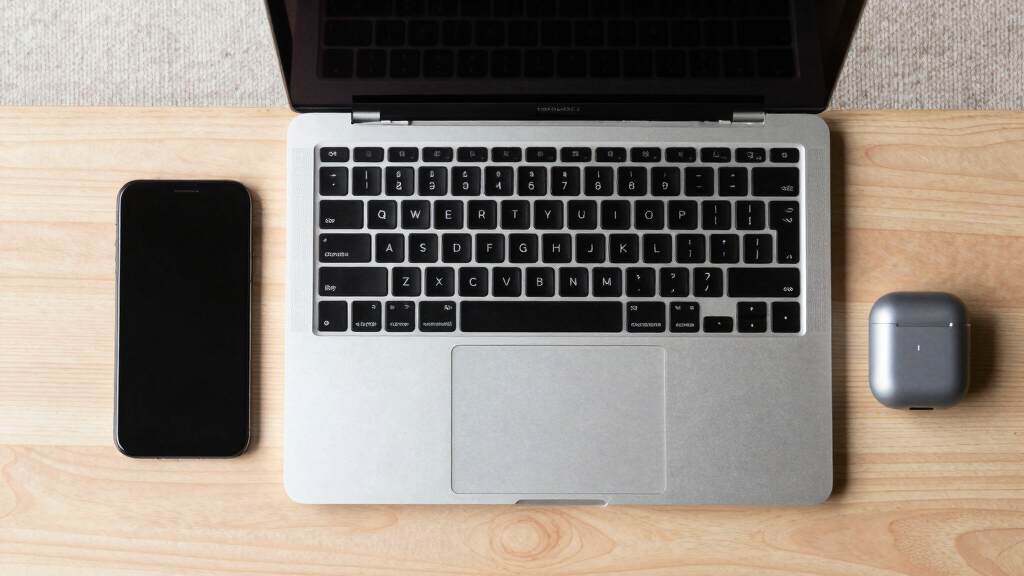

The best MacBook for most people is the 2026 13-inch MacBook Air with M5, which pairs a portable design with current-generation performance and 512GB of storage. The 15-inch MacBook Air with M5 suits buyers who want more screen space, while the 14-inch MacBook Pro with M5 is a better fit for sustained creative workloads and its XDR display. Across these options, the choice comes down to portability, screen size, memory, storage, and whether you need Pro-level performance. The lineup also includes lower-cost MacBook Neo models and renewed M4 Airs, each with compromises to weigh. Read on for how the picks differ and which one fits your work.

Get the latest gadgets delivered free — and shop member deals
- Fast, free delivery on millions of items
- Access to Prime Big Deal Days deals on October 6–7
- Prime Video, Amazon Music and more included
Complete the kit



Key Takeaways
- The 13-inch M5 Air is the strongest everyday choice: it combines a compact size with 16GB of memory and 512GB of storage, avoiding the tight capacity of several 256GB configurations.
- The 15-inch M5 Air prioritizes workspace while keeping the Air design; choose it for a larger built-in screen rather than the sustained performance and display features of a Pro.
- Pro models serve distinct workload levels: the 14-inch M5 is a more measured step up, while M5 Pro and M5 Max configurations target heavier creative work and larger memory needs.
- MacBook Neo is the entry-level path, but its 8GB of memory and 256GB SSD leave less room for demanding applications and long-term multitasking than the Air picks.
- Renewed M4 Airs vary more by configuration than color: 24GB memory or 512GB storage can matter more to daily use than choosing between 13- and 15-inch models with 16GB and 256GB.





| MacBook | Display | Memory | Storage | Battery life |
|---|---|---|---|---|
| Apple 2025 MacBook Air with M4 | 15.3-inch Liquid Retina | 16GB unified memory | 256GB SSD | Up to 18 hours |
| Apple MacBook Pro 16.2-inch La | 16.2-inch Liquid Retina XDR | 128GB unified memory | 2TB SSD | — |
| Apple 2025 MacBook Air with M4 | 15.3-inch Liquid Retina LED, 2880 × 1864 | 16GB unified memory | 512GB SSD | Up to 18 hours |
| Apple 2026 MacBook Air 13-inch | 13.6-inch Liquid Retina | 16GB unified memory | 512GB SSD | Up to 18 hours |
| Apple 2025 MacBook Pro 14-inch | 14.2-inch Liquid Retina XDR | 16GB unified memory | 1TB SSD | — |
| Apple 2026 MacBook Neo 13-inch | 13-inch Liquid Retina | 8GB unified memory | 256GB SSD | Up to 16 hours |
| Apple 2025 MacBook Air 15-inch | 15.3-inch Liquid Retina | 16GB unified memory | 256GB SSD | Up to 18 hours |
| Apple 2026 MacBook Pro 16.2-in | 16.2-inch Liquid Retina XDR | 24GB unified memory | 1TB SSD | — |
| Apple 14-inch MacBook Pro with | Liquid Retina XDR with Nano-Texture Glass | 48GB unified memory | 1TB SSD | — |
| Apple 2025 MacBook Air with M4 | 13.6-inch Liquid Retina, 2560 x 1664 | 24GB unified memory | 512GB SSD | Up to 18 hours |
| Apple 2025 MacBook Air with M4 | 13.6-inch Liquid Retina | 16GB unified memory | 256GB SSD | Up to 18 hours |
| Apple 2026 MacBook Neo 13-inch | Liquid Retina, 1 billion colors | 8GB unified memory | 256GB SSD | Up to 16 hours |
| Apple 2026 MacBook Air 15-inch | 15.3-inch Liquid Retina, 1 billion colors | 16GB unified memory | 512GB SSD | Up to 18 hours |
| Apple 2025 MacBook Air with M4 | 15.3-inch Liquid Retina, 2880 x 1864 | 16GB | 256GB | Up to 18 hours |
| Apple 2025 MacBook Pro Laptop | 14.2-inch Liquid Retina XDR | 24GB unified memory | 1TB SSD | All-day |
More Details on Our Top Picks
Apple 2025 MacBook Air with M4 Chip, 15-inch, 16GB RAM, 256GB SSD, Sky Blue (Renewed)
The 15.3-inch Liquid Retina display gives this Air room for side-by-side documents, video, and spreadsheets while keeping the laptop lighter and simpler than the 16.2-inch MacBook Pro with M5 Max. Its M4 chip and 16GB of unified memory suit everyday multitasking and many creative projects, and the stated battery life of up to 18 hours helps reduce time near an outlet. The tradeoff is the 256GB SSD, which leaves less room for large photo libraries or downloaded media than the 512GB Air models in this roundup. This is also a renewed device, so its condition and warranty terms deserve attention. I’d choose it for a roomy screen and portable Air design, but skip it if storage headroom or a new-device warranty matters more.
Pros:- 15.3-inch display gives documents and apps more working room than the 13-inch Air.
- M4 chip and 16GB unified memory support responsive everyday multitasking.
- Up to 18 hours of stated battery life suits long workdays away from a charger.
- Air design is lighter and less bulky than the 16.2-inch MacBook Pro.
Cons:- 256GB SSD can fill quickly with large media libraries and creative project files.
- Renewed condition may come with limited warranty coverage.
- Does not offer the Pro model’s XDR display or extensive port selection.
Best for: Students and mobile professionals who want a spacious screen for multitasking and can keep most files in cloud storage.
Not ideal for: Photographers, video editors, or buyers who want ample built-in storage and the assurance of a new device.
- Processor:Apple M4 chip
- Display:15.3-inch Liquid Retina
- Memory:16GB unified memory
- Storage:256GB SSD
- Battery life:Up to 18 hours
- Color:Sky Blue
Our verdict“Choose this renewed 15-inch Air if screen space and portability matter more to you than storage capacity or a new-device warranty.”
Apple MacBook Pro 16.2-inch Laptop with M5 Max Chip, 128GB RAM, 2TB SSD, Space Black
This is the lineup’s specialist for workloads that can use substantial compute and memory: its M5 Max chip, 128GB unified memory, and 2TB SSD provide far more headroom than the 16GB MacBook Air models. The 16.2-inch Liquid Retina XDR display and ports including Thunderbolt 5, HDMI, and SDXC also make it better suited to a demanding desk setup with external displays and media gear. That capability comes with a clear cost in everyday convenience: the large Pro chassis is less appealing to carry than the 13-inch MacBook Air with M5, and this much memory and storage is unnecessary for routine office work. I’d rank it for creators and technical professionals whose projects need the extra capacity, not for buyers seeking a general-purpose MacBook.
Pros:- M5 Max with an 18-core CPU and 40-core GPU targets demanding compute and graphics workloads.
- 128GB unified memory provides extensive headroom for large projects and concurrent applications.
- 2TB SSD offers more built-in space than the 1TB Pro configurations in the lineup.
- Thunderbolt 5, HDMI, and SDXC simplify connections to displays and media equipment.
Cons:- 16.2-inch chassis is larger and heavier to carry than the MacBook Air models.
- Its high-end processing and memory capacity are excessive for common browsing and office work.
- The substantial configuration is a poor fit for buyers who prioritize a compact everyday laptop.
Best for: Video, 3D, and AI professionals whose large projects can make use of extensive memory, storage, and GPU resources.
Not ideal for: Students, office users, and frequent commuters who would carry more laptop than their everyday tasks require.
- Processor:M5 Max with 18-core CPU and 40-core GPU
- Display:16.2-inch Liquid Retina XDR
- Memory:128GB unified memory
- Storage:2TB SSD
- Ports:Three Thunderbolt 5, MagSafe 3, SDXC, HDMI, headphone jack
- Camera:12MP Center Stage
- Audio:Six speakers with Spatial Audio and Dolby Atmos
- Color:Space Black
Our verdict“Pick this MacBook Pro when your professional workload can use its large memory pool and M5 Max graphics, and skip it for routine portable computing.”
Apple 2025 MacBook Air with M4 Chip, 15-inch, 16GB RAM, 512GB SSD, Midnight (Renewed)
Among the renewed Airs here, this 15.3-inch M4 model with a 512GB SSD gives me a more useful balance of screen area and file capacity than the 256GB Sky Blue configuration. Its 16GB unified memory and up to 18 hours of stated battery life suit a portable work machine for multitasking, study, and light creative work. The larger screen is easier to share between windows than the 13.6-inch MacBook Air with M5, while that newer, smaller Air makes more sense for buyers who prize compactness and new-device status. Since this listing is renewed, warranty and condition remain part of the buying decision. I’d choose this version when I want a spacious display and extra SSD capacity without moving up to the bulkier Pro range.
Pros:- 512GB SSD doubles the capacity of the 256GB renewed 15-inch Air.
- 15.3-inch display gives more room for split-screen work than the 13-inch Air.
- M4 chip and 16GB unified memory suit everyday multitasking and common creative tasks.
- Up to 18 hours of stated battery life supports extended use away from power.
Cons:- Renewed condition may mean limited warranty coverage.
- Larger screen makes it less compact than the 13.6-inch MacBook Air with M5.
- Air lacks the XDR display and expanded ports of the MacBook Pro models.
Best for: Remote workers and students who want a large screen, room for local files, and are comfortable buying a renewed MacBook.
Not ideal for: Buyers who need a compact laptop, the latest listed Air generation, or a new-device warranty.
- Model year:2025
- Processor:Apple M4 chip
- Display:15.3-inch Liquid Retina LED, 2880 × 1864
- Memory:16GB unified memory
- Storage:512GB SSD
- Weight:1.51 kg
- Battery life:Up to 18 hours
- Color:Midnight
Our verdict“Choose this renewed 15-inch Air if you want more local storage and screen space than the 256GB Air while accepting the renewed-device tradeoff.”
Apple 2026 MacBook Air 13-inch Laptop with M5 chip (16GB RAM, 512GB SSD, Midnight)
The 13.6-inch M5 MacBook Air is the easy carry in this group: at 2.71 pounds, it is far more suited to a daily commute than the 16.2-inch MacBook Pro with M5 Max. Its 16GB of unified memory and 512GB SSD make it a more balanced everyday configuration than the 256GB Air listings, while the stated battery life reaches up to 18 hours. Wi-Fi 7, two Thunderbolt 4 ports, MagSafe, and support for two external displays add useful flexibility for home and office setups. The smaller screen is the main compromise against the 15-inch M4 Air, and two Thunderbolt ports mean fewer direct connections than on the Pros. I’d pick it for portability and current-generation Air features, provided a compact display suits my work.
Pros:- 2.71-pound design is easier to carry daily than the larger MacBook Pro models.
- M5 chip, 16GB memory, and 512GB SSD make a capable everyday configuration.
- Up to 18 hours of stated battery life supports long stretches away from an outlet.
- Wi-Fi 7 and support for up to two external displays suit modern desk setups.
Cons:- 13.6-inch display offers less workspace than the 15-inch MacBook Air models.
- Two Thunderbolt 4 ports can require adapters when several wired devices are connected.
- 512GB storage may be limiting for extensive local media or project libraries.
Best for: Commuters, students, and hybrid workers who want a light laptop with enough storage for everyday files and apps.
Not ideal for: People who regularly work across several windows on the laptop screen or need the Pro models’ broader port selection.
- Chip:Apple M5
- Display:13.6-inch Liquid Retina
- Memory:16GB unified memory
- Storage:512GB SSD
- Camera:12MP Center Stage
- Battery life:Up to 18 hours
- Connectivity:Wi-Fi 7, Bluetooth 6, two Thunderbolt 4, MagSafe, headphone jack
- Weight:2.71 pounds
Our verdict“Choose this Air if you prioritize an easy-to-carry MacBook with current connectivity and skip it if your daily work needs a larger built-in display.”
Apple 2025 MacBook Pro 14-inch Laptop with M5 Chip (10-Core CPU, 10-Core GPU), 16GB Unified Memory, 1TB SSD – Space Black
This 14-inch Pro is the step up for buyers who need a more capable display and connections than the Air provides but do not want the 16.2-inch M5 Max model. Its 14.2-inch Liquid Retina XDR display reaches 1600 nits peak brightness, and HDMI, SDXC, MagSafe 3, and three Thunderbolt 4 ports make it easier to connect screens and camera cards without a hub. The M5 chip and 16GB memory are suited to demanding general work and many creative tasks, while the 1TB SSD gives more local room than the 512GB Airs. By comparison, the 13.6-inch M5 Air is lighter and more portable; this Pro earns its added bulk through the display, ports, and all-day battery claim. Heavy workloads may still benefit from a higher-memory Pro configuration.
Pros:- XDR display offers high peak brightness and strong contrast for detailed visual work.
- HDMI, SDXC, and three Thunderbolt 4 ports cover many external display and media workflows.
- 1TB SSD provides more local storage than the 512GB Air configurations.
- 14-inch format is more compact than the 16.2-inch MacBook Pro with M5 Max.
Cons:- 16GB unified memory may constrain demanding workloads with large assets or many concurrent applications.
- Pro chassis is less portable than the 13-inch MacBook Air with M5.
- Apple Intelligence availability varies by region and language.
Best for: Photographers, developers, and creative professionals who want an XDR screen, built-in media ports, and a more manageable size than the 16-inch Pro.
Not ideal for: Buyers focused on minimum weight or those running memory-intensive professional projects that need more than 16GB.
- Chip:Apple M5
- CPU and GPU:10-core CPU, 10-core GPU with per-core Neural Accelerators
- Display:14.2-inch Liquid Retina XDR
- Peak brightness:Up to 1600 nits
- Memory:16GB unified memory
- Storage:1TB SSD
- Ports:Three Thunderbolt 4, MagSafe 3, HDMI, SDXC card slot, headphone jack
- External displays:Up to two
- Battery:All-day battery life
Our verdict“Pick this 14-inch Pro for its XDR display and built-in ports, while choosing the M5 Air if low carry weight matters more.”
Apple 2026 MacBook Neo 13-inch Laptop with A18 Pro Chip, Liquid Retina Display, 8GB RAM, 256GB SSD, FaceTime HD Camera, Silver
The 13-inch MacBook Neo suits buyers whose work centers on browsing, documents, video calls, and Apple’s on-device AI features. Its A18 Pro chip and Liquid Retina display give everyday tasks a capable, portable home, while the stated battery life of up to 16 hours can cover a long day away from an outlet. Compared with the 13-inch MacBook Air with M4, this model has less memory and storage, which leaves less room for heavy multitasking or large local libraries. The 8GB unified memory and 256GB SSD are its clearest limits; they make this a better fit for lighter workloads than demanding creative projects. I’d choose it for a simple Apple laptop, but step up to an Air for more headroom.
Pros:- A18 Pro chip is suited to everyday work and AI tasks
- 13-inch Liquid Retina display in a portable aluminum design
- Up to 16 hours of stated battery life
- Works seamlessly with other Apple devices
Cons:- 8GB unified memory limits demanding multitasking
- 256GB SSD can fill quickly with large files
- Fewer performance and storage reserves than the M4 MacBook Air options
Best for: Apple users who mainly browse, write, stream, and make video calls, and want a compact laptop for everyday tasks.
Not ideal for: People who keep large photo or video libraries locally or run several demanding apps at once; 8GB memory and 256GB storage leave limited room.
- Display:13-inch Liquid Retina
- Processor:A18 Pro chip
- Memory:8GB unified memory
- Storage:256GB SSD
- Battery life:Up to 16 hours
- Camera:1080p FaceTime HD
- Weight:2.71 pounds
- Color:Silver
Our verdict“Choose the MacBook Neo for everyday Apple use in a compact package, but pick an M4 MacBook Air if you need more memory or storage.”
Apple 2025 MacBook Air 15-inch Laptop with M4 Chip, 16GB RAM, 256GB SSD, Liquid Retina Display, Midnight
The 15.3-inch MacBook Air gives people who spend hours with documents, spreadsheets, or split-screen apps more room without moving up to a MacBook Pro. Its M4 chip and 16GB unified memory offer more breathing room for multitasking than the MacBook Neo, and the stated battery life reaches up to 18 hours. That larger display does make it less compact than the 13-inch MacBook Air with M4, so frequent travelers may prefer the smaller model. Storage is the main compromise: 256GB can constrain a user with a substantial offline media or project library. Two Thunderbolt 4 ports, MagSafe, and a headphone jack cover common connections, though multiple wired accessories may call for a hub. I’d pick it for screen space; choose a Pro for heavier sustained creative workloads.
Pros:- 15.3-inch Liquid Retina display gives documents and side-by-side apps more space
- M4 chip and 16GB unified memory suit everyday multitasking
- Up to 18 hours of stated battery life
- MagSafe, two Thunderbolt 4 ports, and a headphone jack
Cons:- 256GB SSD may be restrictive for large local libraries
- Larger footprint is less convenient than the 13-inch MacBook Air
- Two Thunderbolt 4 ports may require a hub for several wired accessories
Best for: Remote workers and students who want a roomy screen for split-screen work and value a thin laptop over a Pro’s extra capabilities.
Not ideal for: Frequent travelers seeking the smallest Air, or users who need ample built-in storage for large local projects.
- Display:15.3-inch Liquid Retina
- Processor:M4 chip
- Memory:16GB unified memory
- Storage:256GB SSD
- Camera:12MP Center Stage
- Battery life:Up to 18 hours
- Ports:Two Thunderbolt 4, MagSafe, headphone jack
- Wireless:Wi-Fi 6E, Bluetooth 5.3
Our verdict“Choose this Air if screen space matters more than compact size, and look to a Pro for sustained demanding creative work.”
Apple 2026 MacBook Pro 16.2-inch Laptop with M5 Pro chip, 24GB Unified Memory, 1TB SSD, Space Black
This 16.2-inch MacBook Pro is aimed at people whose work can use sustained CPU and GPU performance, a high-contrast screen, and direct connections for creative gear. The M5 Pro chip, 24GB unified memory, and 1TB SSD provide more capacity for demanding projects than the 15-inch M4 MacBook Air, while the Liquid Retina XDR display offers high peak brightness and a stated 1,000,000:1 contrast ratio. Its Thunderbolt 5, HDMI, and SDXC connections reduce the need for adapters compared with the Air’s slimmer port selection. That capability comes with a larger 16.2-inch chassis; buyers prioritizing portability may find the 14-inch M5 Pro MacBook Pro a better match. This configuration is also more than everyday browsing and office work require. I’d choose it for intensive creative workloads that benefit from its screen and connections.
Pros:- M5 Pro chip with 18-core CPU and 20-core GPU for demanding work
- 16.2-inch Liquid Retina XDR display with high brightness and contrast
- 24GB unified memory and 1TB SSD
- Thunderbolt 5, HDMI, and SDXC connections, plus support for up to three external displays
Cons:- Large 16.2-inch size is less convenient for frequent travel
- More capability than everyday browsing and office workloads typically need
- The 14-inch M5 Pro model is a more compact alternative for similar Pro-class work
Best for: Video editors, developers, and other creative professionals who need a large high-contrast display, substantial memory, and multiple direct connections.
Not ideal for: Students or office users focused on portability and everyday tasks; the 16.2-inch Pro’s performance and size may be unnecessary for that workload.
- Chip:Apple M5 Pro, 18-core CPU, 20-core GPU
- Display:16.2-inch Liquid Retina XDR
- Display brightness and contrast:Up to 1600 nits peak, 1000 nits sustained, 1,000,000:1 contrast
- Memory:24GB unified memory
- Storage:1TB SSD
- Ports:3x Thunderbolt 5, MagSafe 3, SDXC, HDMI, headphone jack
- External displays:Up to 3
- Wireless:Wi-Fi 7, Bluetooth 6
Our verdict“Pick this MacBook Pro for demanding creative work that benefits from its large XDR screen and broad connectivity.”
Apple 14-inch MacBook Pro with M5 Pro, 18-Core CPU, 20-Core GPU, 48GB RAM, 1TB SSD, Space Black, Nano-Texture Glass
For buyers who need substantial memory in a more compact Pro, this 14-inch MacBook Pro pairs an M5 Pro chip with 48GB of unified memory and a 1TB SSD. That memory capacity can help with large creative projects and complex workloads that exceed what the 24GB, 16-inch M5 Pro configuration in this roundup provides. Its smaller display gives up workspace compared with that larger Pro, but it is easier to fit into a travel routine. Nano-texture glass is intended to reduce glare, a useful feature for bright working environments. The product data does not specify its ports, battery life, or display brightness, so I’d compare those details before choosing it over the 16-inch model. This is a focused pick for memory-intensive work, not a reason for casual users to move beyond an Air.
Pros:- 48GB unified memory for memory-intensive workflows
- M5 Pro chip with an 18-core CPU and 20-core GPU
- 1TB SSD provides substantial built-in storage
- Nano-texture glass is designed to reduce glare
Cons:- Smaller display offers less workspace than the 16-inch MacBook Pro
- 48GB memory and Pro-level performance exceed the needs of many everyday users
- Product details do not specify ports, battery life, or display brightness
Best for: Mobile video editors, 3D artists, and developers whose projects benefit from 48GB of memory in a 14-inch Pro.
Not ideal for: Everyday users or people who want the largest built-in workspace; the 15-inch M4 MacBook Air offers a bigger screen for lighter workloads.
- Screen size:14 inches
- Chip:Apple M5 Pro
- CPU:18-core
- GPU:20-core
- Memory:48GB unified memory
- Storage:1TB SSD
- Display:Liquid Retina XDR with Nano-Texture Glass
- Color:Space Black
Our verdict“Choose this 14-inch Pro when your demanding work needs 48GB of memory and a more compact chassis.”
Apple 2025 MacBook Air with M4 Chip, 13-inch, 24GB RAM, 512GB SSD, Midnight (Renewed)
This renewed 13-inch MacBook Air stands out for pairing the M4 chip with 24GB unified memory and a 512GB SSD, giving it more multitasking and file capacity than the 256GB, 16GB 15-inch M4 Air. Its 13.6-inch Liquid Retina display and 1.24 kg weight make it a portable choice for work on the move, and the stated battery life reaches up to 18 hours. The renewed condition is the key tradeoff: warranty coverage may be more limited than with a new MacBook, so buyers should check the seller’s terms and device condition. Compared with the MacBook Neo, this configuration offers more memory and storage for heavier everyday use. I’d favor it for portability and headroom, provided the renewed purchase terms suit you.
Pros:- M4 chip with 24GB unified memory supports substantial multitasking
- 512GB SSD provides more room than 256GB Air configurations
- 13.6-inch Liquid Retina display in a lightweight 1.24 kg design
- Up to 18 hours of stated battery life
Cons:- Renewed condition may come with limited warranty coverage
- 13.6-inch screen provides less workspace than the 15-inch MacBook Air
- Memory and storage are fixed configurations
Best for: A buyer seeking a portable M4 Air with extra memory and storage for multitasking, who is comfortable purchasing a renewed laptop.
Not ideal for: Anyone who requires a new device with clearly stated full manufacturer warranty coverage, or who needs a larger screen for side-by-side work.
- Model year:2025
- Processor:Apple M4 chip
- Display:13.6-inch Liquid Retina, 2560 x 1664
- Memory:24GB unified memory
- Storage:512GB SSD
- Weight:1.24 kg
- Battery life:Up to 18 hours
- Operating system:macOS
Our verdict“Choose this renewed Air for portable M4 performance with extra memory and storage if its condition and warranty terms work for you.”
Apple 2025 MacBook Air with M4 Chip, 13-inch, 16GB RAM, 256GB SSD, Sky Blue (Renewed)
The 13.6-inch MacBook Air with M4 combines a capable chip and 16GB of memory in a lighter, more compact format than the 15-inch Air models in this roundup. That makes it a better fit for commuters and students who carry a laptop daily, while still offering enough performance for typical work, browsing, and entertainment. Its up to 18-hour battery life and Liquid Retina display also suit long days away from an outlet. The tradeoffs are the 256GB SSD, which can fill quickly if you keep large files locally, and its renewed condition, which may come with a more limited warranty. Compared with the MacBook Neo, it has twice the listed memory and an M-series chip, making it the stronger pick for heavier multitasking; buyers who want a larger screen should look to the 15-inch Air instead.
Pros:- M4 chip and 16GB unified memory suit demanding everyday multitasking.
- Compact 13.6-inch design is easier to carry than the 15-inch Air.
- Up to 18 hours of stated battery life supports long days away from a charger.
- Liquid Retina display provides a sharp, colorful workspace.
Cons:- 256GB SSD may require external storage or frequent file management.
- Renewed condition may mean cosmetic wear or a more limited warranty.
Best for: Commuters and students who want a compact MacBook for everyday work and prefer 16GB of memory.
Not ideal for: Buyers who need generous built-in storage, a new-product warranty, or a large screen for side-by-side work.
- Chip:Apple M4
- Display:13.6-inch Liquid Retina
- Memory:16GB unified memory
- Storage:256GB SSD
- Battery life:Up to 18 hours
- Color:Sky Blue
- Condition:Renewed
Our verdict“Choose this renewed 13-inch Air if portability and 16GB of memory matter more than extra storage or a larger display.”
Apple 2026 MacBook Neo 13-inch Laptop with A18 Pro Chip, 8GB Memory, 256GB SSD – Blush
The 13-inch MacBook Neo is the roundup’s straightforward choice for schoolwork, web browsing, video calls, and other everyday tasks. Its A18 Pro chip, Liquid Retina display, and 1080p FaceTime HD camera cover the needs of a student or household laptop, while the recycled aluminum enclosure keeps the design practical for regular carry. Compared with the M4 MacBook Air models, its 8GB of unified memory leaves less room for heavy multitasking or demanding creative apps; the Air is a better fit for those workloads. The Neo’s listed battery life of up to 16 hours is also shorter than the Air’s stated 18 hours. With 256GB of storage, large media libraries may need external or cloud storage. Pick it for familiar macOS and iPhone integration in a basic portable package; skip it if you expect your workload to grow substantially.
Pros:- Portable 13-inch design with a recycled aluminum enclosure.
- Liquid Retina display supports 1 billion colors.
- 1080p camera is suited to clear video calls.
- Up to 16 hours of stated battery life for mobile use.
Cons:- 8GB unified memory gives less headroom for demanding apps than the M4 Air models.
- 256GB SSD may be restrictive for large projects or media libraries.
- Listed battery life is shorter than the up to 18 hours stated for the MacBook Air.
Best for: Students and casual users who mainly need a portable Mac for documents, browsing, streaming, and video calls.
Not ideal for: Creative professionals or heavy multitaskers who need more than 8GB of memory or substantial local storage.
- Chip:A18 Pro
- Screen size:13 inches
- Display:Liquid Retina, 1 billion colors
- Memory:8GB unified memory
- Storage:256GB SSD
- Camera:1080p FaceTime HD
- Battery life:Up to 16 hours
- Enclosure:Recycled aluminum, 60% recycled content by weight
Our verdict“Choose the Neo for school and everyday macOS tasks if its 8GB memory and 256GB storage match your needs.”
Apple 2026 MacBook Air 15-inch Laptop with M5 chip (16GB RAM, 512GB SSD, Midnight)
The 15.3-inch MacBook Air with M5 gives buyers a spacious display and more built-in storage than the 256GB Air configurations elsewhere in this roundup. Its 16GB of memory and M5 chip are suited to multitasking, while the larger screen makes documents, timelines, and split-screen work easier to manage. The 512GB SSD also leaves more room for active projects before you need external storage. Compared with the compact 13-inch M4 Air, this model is less convenient to carry, though its listed 3.32-pound weight remains relatively manageable for a large-screen laptop. The thin design comes with only two Thunderbolt 4 ports, so users with several wired accessories may need a hub. This is the better Air for screen space and newer connectivity; buyers who want a more capable port selection and XDR display should consider the MacBook Pro.
Pros:- 15.3-inch display provides more room for documents and split-screen work.
- M5 chip and 16GB unified memory support demanding everyday multitasking.
- 512GB SSD offers more working space than the 256GB configurations.
- Wi-Fi 7, Bluetooth 6, and MagSafe charging are included.
Cons:- Larger body is less convenient to carry than the 13-inch Air.
- Two Thunderbolt 4 ports may require a hub for multiple wired devices.
- 512GB may still be limiting for large local media or project libraries.
Best for: Mobile professionals and students who want a large screen for multitasking without moving to a MacBook Pro.
Not ideal for: Frequent travelers who prioritize the smallest carry, or users who need many built-in ports and a Pro-class display.
- Chip:Apple M5
- Display:15.3-inch Liquid Retina, 1 billion colors
- Memory:16GB unified memory
- Storage:512GB SSD
- Camera:12MP Center Stage
- Battery life:Up to 18 hours
- Ports:2x Thunderbolt 4, MagSafe, headphone jack
- Wireless:Wi-Fi 7, Bluetooth 6
- Weight:3.32 pounds
Our verdict“Choose this 15-inch Air if screen space and 512GB storage matter more than compact size or the Pro’s expanded ports.”
Apple 2025 MacBook Air with M4 Chip (15-inch, 16GB, 256GB SSD) – Midnight (Renewed)
This 15.3-inch M4 MacBook Air offers a roomy display and 16GB of memory in a renewed configuration, making it a practical choice for people who want a large screen for work or entertainment. Its listed dimensions and 1.51-kilogram weight make it relatively slim for a 15-inch laptop, while the M4 chip and stated up to 18-hour battery life suit mobile productivity. The key compromise is 256GB of storage: the newer 15-inch M5 Air in this roundup doubles that capacity and adds Wi-Fi 7, so it is the better fit for buyers keeping a growing collection of files. This renewed model may also have cosmetic wear or a more limited warranty. Compared with the renewed 13-inch M4 Air, it trades easier portability for more screen space. Choose it when display size matters more than storage headroom.
Pros:- 15.3-inch Liquid Retina display gives more room for multitasking.
- M4 chip and 16GB graphics memory are listed for capable everyday performance.
- Up to 18 hours of stated battery life supports mobile use.
- Slim 0.45-inch profile for a large-screen laptop.
Cons:- 256GB storage can constrain large projects and media collections.
- Renewed condition may include cosmetic imperfections or a limited warranty.
- Larger chassis is less compact than the renewed 13-inch M4 Air.
Best for: Buyers who want a spacious 15-inch MacBook Air for documents, streaming, and everyday work in a renewed model.
Not ideal for: People who need ample built-in storage, a new-product warranty, or a compact laptop for frequent travel.
- Chip:Apple M4
- Display:15.3-inch Liquid Retina, 2880 x 1864
- Memory:16GB
- Storage:256GB
- Battery life:Up to 18 hours
- Operating system:macOS
- Weight:1.51 kilograms
- Dimensions:9.35 x 13.4 x 0.45 inches
- Condition:Renewed
Our verdict“Choose this renewed 15-inch Air if a large display matters more than storage capacity and renewed-product coverage.”
Apple 2025 MacBook Pro Laptop with M5 Chip, 14.2-inch Liquid Retina XDR Display, 24GB Memory, 1TB SSD, Space Black
The 14.2-inch MacBook Pro with M5 is the work-focused choice here, pairing a Liquid Retina XDR display with 24GB of unified memory and a 1TB SSD. That combination gives creative professionals more room for demanding applications and active project files than the MacBook Air models, whose listed configurations have less memory and storage. Its port selection also reduces dependence on adapters: alongside three Thunderbolt 4 ports, it includes HDMI and SDXC. The tradeoff is that this Pro’s 14.2-inch screen is smaller than the 15.3-inch Air’s, so it offers less workspace for wide timelines or side-by-side documents. Its professional features may also be unnecessary for buyers whose work is limited to browsing, school tasks, and office documents; the M4 Air is a lighter-duty alternative in this lineup. Choose this model when memory, storage, display contrast, and connectivity take priority.
Pros:- 24GB unified memory gives more capacity for demanding creative workflows than the listed Air models.
- 1TB SSD provides room for active projects and local files.
- Liquid Retina XDR display is suited to work that benefits from high brightness and contrast.
- Thunderbolt 4, MagSafe 3, SDXC, and HDMI support varied peripherals.
Cons:- 14.2-inch screen offers less workspace than the 15.3-inch MacBook Air.
- Professional hardware may be unnecessary for everyday school and office tasks.
Best for: Video editors, photographers, and other creative professionals who need 24GB memory, 1TB storage, and built-in ports.
Not ideal for: Students and everyday users who mainly browse, stream, and write, and would not benefit from the Pro display or port selection.
- Processor:Apple M5 chip with 10-core CPU and GPU
- Display:14.2-inch Liquid Retina XDR
- Memory:24GB unified memory
- Storage:1TB SSD
- Battery life:All-day
- Ports:Three Thunderbolt 4, MagSafe 3, SDXC, HDMI, headphone jack
- Camera:12MP Center Stage
- Audio:Six speakers with Spatial Audio and Dolby Atmos
- Color:Space Black
Our verdict“Choose this MacBook Pro for creative work that benefits from its larger memory, 1TB storage, XDR screen, and built-in ports.”

How We Picked
I ranked these MacBooks by how well their performance, memory, storage, display, and size match common buyer needs. For everyday work and school, I favored balanced configurations that have enough memory for multitasking and enough storage to avoid frequent file cleanup. For demanding creative work, I gave more weight to Pro chips, larger memory options, and the MacBook Pro display. I also weighed portability against screen space, since a larger Air may be a better fit for desk work while a 13-inch model is easier to carry.
The order reflects the breadth of each model’s appeal, then its fit for a more specific buyer. Current M5 Airs rank ahead of renewed M4 Airs for buyers seeking a current-generation everyday laptop, while renewed models remain relevant when their memory or storage configuration fits better. Pro models rank higher for demanding workloads, but their specialized strengths do not make them the best choice for every reader. The Neo models have a clear place for basic use, though their 8GB memory and 256GB storage limit their flexibility compared with the Air lineup.
| MacBook | Battery life | Chip |
|---|---|---|
| Apple 2025 MacBook Air with M4 | Up to 18 hours | — |
| Apple MacBook Pro 16.2-inch La | — | — |
| Apple 2025 MacBook Air with M4 | Up to 18 hours | — |
| Apple 2026 MacBook Air 13-inch | Up to 18 hours | Apple M5 |
| Apple 2025 MacBook Pro 14-inch | — | Apple M5 |
| Apple 2026 MacBook Neo 13-inch | Up to 16 hours | — |
| Apple 2025 MacBook Air 15-inch | Up to 18 hours | — |
| Apple 2026 MacBook Pro 16.2-in | — | Apple M5 Pro, 18-core CPU, 20-core GPU |
| Apple 14-inch MacBook Pro with | — | Apple M5 Pro |
| Apple 2025 MacBook Air with M4 | Up to 18 hours | — |
| Apple 2025 MacBook Air with M4 | Up to 18 hours | Apple M4 |
| Apple 2026 MacBook Neo 13-inch | Up to 16 hours | A18 Pro |
| Apple 2026 MacBook Air 15-inch | Up to 18 hours | Apple M5 |
| Apple 2025 MacBook Air with M4 | Up to 18 hours | Apple M4 |
| Apple 2025 MacBook Pro Laptop | All-day | — |
Factors to Consider When Choosing Best MacBooks
I’d start by matching the MacBook to the work you actually do, then check whether the configuration can keep up with it over time. These broader choices often matter more than small differences between neighboring models.
Choose memory for the apps you keep open
Memory affects how comfortably a Mac handles several active apps, large projects, and browser tabs at once. Eight gigabytes can suit light browsing, streaming, and document work, but leaves less headroom as applications grow more demanding. Sixteen gigabytes is a more flexible baseline for general use, while 24GB or more can benefit large creative projects and heavier multitasking. A common mistake is focusing on chip labels while overlooking memory, even though the two address different needs. If you keep a laptop for years, think about the applications you expect to run later, not only the ones you use today.
Estimate storage before settling on a configuration
Storage fills with more than documents: photo libraries, video projects, downloaded media, and application files all add up. A 256GB SSD can work if you rely on cloud storage and keep a small local library, but it gives you less room to work offline or retain large projects. Moving to 512GB can reduce file juggling; 1TB or more is easier to justify when large media files are part of regular work. External drives can expand capacity, though they add something to carry and connect. Check how much of your current computer’s storage you use before choosing a configuration.
Match screen size to where you work
A 13-inch MacBook is easier to carry and fits better on crowded desks, but more side-by-side content may feel cramped. A 15-inch Air offers more room for split-screen work without moving to a MacBook Pro. Screen size matters most if you spend long stretches reading, editing, or comparing documents away from an external monitor. Buyers who usually work at a desk may get more value from an external display than from carrying a larger laptop every day. Consider your usual workspace and travel routine together, rather than choosing by screen size alone.
Pay for Pro capabilities when your workload uses them
MacBook Pro models make the strongest case for people who regularly handle demanding creative or technical work. Their XDR display can suit workflows where display quality matters, and higher-tier chips and memory target more intensive workloads. For everyday browsing, writing, video calls, and school tasks, an Air may already provide the performance and portability you need. A powerful configuration has less practical value if your usual apps rarely strain a mainstream laptop. Before paying for a Pro, identify the tasks that take too long on your current computer or depend on a more capable display.
Treat renewed models as a configuration choice
A renewed MacBook can be appealing when its exact combination of memory, storage, and screen size suits your routine. Its condition and included support may vary by seller, so read the renewal terms and inspect what is included before committing. Compare the full configuration with a current model instead of assuming that a newer chip automatically makes it the better fit. For example, more memory or storage may help a particular workload more than a generational chip change. Check battery condition information and return terms where available, since those affect ownership more directly than the color or finish.
Set realistic expectations for entry-level models
An entry-level laptop can be a sensible match for web-based schoolwork, email, streaming, and basic documents. The key is to distinguish those tasks from workflows that keep many applications open or depend on large local files. Limited memory and storage can create friction before the processor itself becomes the problem. Buyers often overestimate what they need for simple use, or underestimate how quickly a small SSD fills with media and project files. List your everyday apps and storage habits first, then decide whether an entry-level configuration leaves enough room for them.
Frequently Asked Questions
Is 8GB of memory enough for a MacBook I plan to keep for several years?
It can be enough for light use such as web browsing, streaming, and straightforward document editing. The smaller memory allowance leaves less room for demanding apps and heavy multitasking, so it may feel limiting sooner if your work changes. Think about the number and type of applications you routinely keep open, not just the processor name. For a laptop intended to handle a wider range of work over time, 16GB is a more flexible starting point.
Should I choose a 15-inch MacBook Air or a 14-inch MacBook Pro?
Choose the 15-inch Air if you value a larger screen in a portable everyday laptop and your workload does not call for Pro-level performance. The 14-inch Pro is the better direction if you need its XDR display or expect to run demanding creative applications regularly. Screen size alone does not settle the choice: the Pro’s display and performance profile matter more than its slightly smaller panel. If you mostly work at a desk, an external monitor can also change how much you value the laptop’s built-in screen.
Will a 256GB MacBook be practical without constant file cleanup?
That depends on how much you keep stored locally. It can work for cloud-first use, light documents, and a modest collection of apps, but large photo libraries, video, and offline media consume capacity quickly. External storage helps with archives and project files, though it is another item to carry and manage. Review your current storage use and leave room for future files before choosing a smaller SSD.
Does a renewed M4 MacBook Air make sense beside a current M5 Air?
It can, particularly if the renewed configuration offers memory or storage that better fits your workload. The current M5 Air is the cleaner fit for someone prioritizing a current-generation model, while a renewed M4 Air may suit buyers who find its specific configuration more useful. Check the renewal condition, support, and return details before deciding, since those terms can differ by seller. Compare the complete specifications and included coverage rather than choosing on chip generation alone.
When is a MacBook Pro worth choosing over an Air?
A Pro makes more sense when its display and higher-performance configurations support work you do regularly, such as sustained creative projects or other demanding tasks. The Air is a better match for many everyday users who value lower weight and straightforward portability. Occasional intensive work may not justify stepping up if it does not affect your usual pace. Identify the specific task that needs the Pro’s capabilities, then weigh that benefit against the Air’s simpler fit for everyday use.
Conclusion
For the best overall fit, I’d choose the 13-inch MacBook Air with M5 for its portable size and balanced memory and storage. The best value direction is a renewed M4 Air whose configuration and renewal terms suit your needs; compare its storage and memory carefully. Beginners with basic tasks can start with a MacBook Neo, while accepting its tighter memory and storage limits. For premium creative work, look to the MacBook Pro lineup: the 14-inch M5 is the measured step up, and M5 Pro or M5 Max models fit heavier demands. If screen space is your priority in an everyday laptop, the 15-inch M5 Air is the specific pick; choose the model that matches your workload, not just its place in the lineup.
Halloween Picks
halloween
As an affiliate, we earn on qualifying purchases.