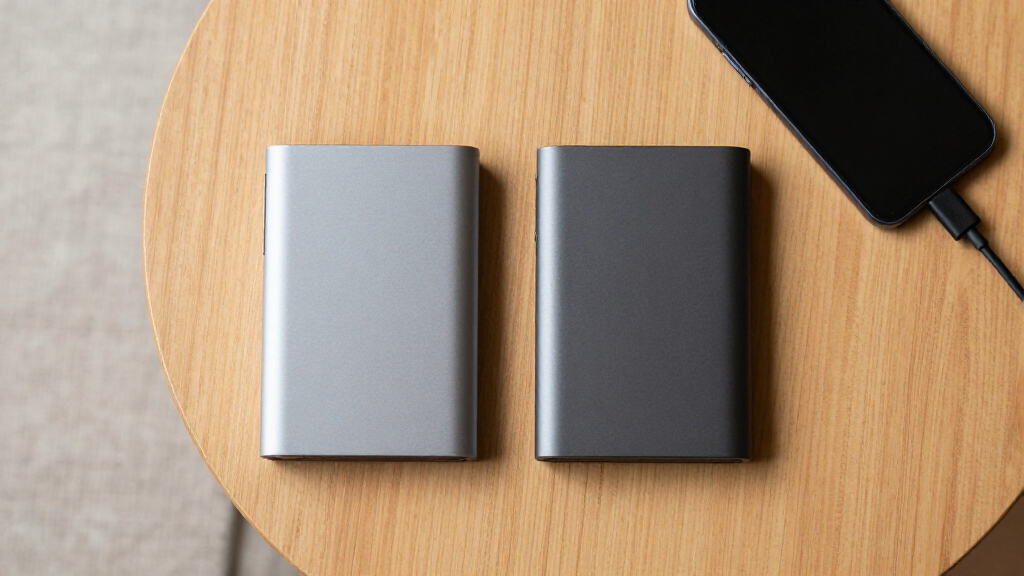
Portable external hard drives offer affordable space for backups, media libraries, console games, and files that need to travel. I rank the WD 2TB Elements Portable as the best overall pick because its useful capacity, broad familiarity, and manageable size suit the widest range of buyers. The Seagate Portable 1TB is the stronger value choice for lighter storage needs, while the WD 6TB My Passport stands out as the premium option for buyers who want maximum capacity plus added software and security features. The main tradeoffs are capacity versus portability, USB-C convenience versus basic USB-A connectivity, and low pricing versus stronger brand support. Continue reading for the full breakdown and recommendations matched to different buyer types.
Complete the kit



Key Takeaways
- The WD 2TB Elements offers the strongest balance: it provides more breathing room than the 500GB and 1TB models without the bulk, cost, or concentrated risk of a 5TB or 6TB drive.
- Capacity separates this lineup more than raw speed because these are mechanical hard drives, and most will not take full advantage of the bandwidth advertised by newer USB standards.
- The Seagate Portable 1TB is the clearest value pick for documents, photos, and occasional backups, but the 2TB version is easier to live with if a media or game library will grow.
- USB-C models from YOTUO add connector flexibility, yet the newer plug does not automatically make them faster than established USB-A models from WD or Seagate.
- The 6TB drives serve different buyers: WD Elements favors straightforward high-capacity storage, while WD My Passport justifies its premium positioning through added security and software features.
| YOTUO 1TB External Hard Drive |  | Best for Multi-Device Flexibility | Storage capacity: 1TB | Primary interface: USB 3.0 | Additional connection: USB-C | VIEW LATEST PRICE | See Our Full Breakdown |
| Seagate Portable 1TB External Hard Drive |  | Best for Simple Computer Backups | Storage capacity: 1TB | Interface: USB 3.0 | Form factor: Portable | VIEW LATEST PRICE | See Our Full Breakdown |
| Aiolo Innovation 500GB External Hard Drive |  | Best Compact Budget Pick | Storage capacity: 500GB | Interface: USB 3.0 | Maximum read speed: Up to 133 MB/s | VIEW LATEST PRICE | See Our Full Breakdown |
| Seagate Portable 5TB External Hard Drive | | Best High-Capacity Pick | Storage capacity: 5TB | Interface: USB 3.0 | Drive type: External HDD | VIEW LATEST PRICE | See Our Full Breakdown |
| YOTUO 500GB External Hard Drive | | Best for Protected Everyday Carry | Storage capacity: 500GB | Primary interface: USB 3.0 | Additional connection: USB-C | VIEW LATEST PRICE | See Our Full Breakdown |
| Seagate 4TB Portable Hard Drive USB 3.0 | | Best Overall | Storage Capacity: 4TB | Connection: USB 3.0 | Windows Compatibility: Yes | VIEW LATEST PRICE | See Our Full Breakdown |
| WD 2TB Elements Portable External Hard Drive |  | Best Everyday Carry | Storage Capacity: 2TB | Connection: USB 3.2 Gen 1 / USB 3.0 | Windows Compatibility: Yes | VIEW LATEST PRICE | See Our Full Breakdown |
| Seagate Portable 2TB External Hard Drive HDD | | Best for Console and Computer Sharing | Storage Capacity: 2TB | Connection: USB 3.0 | Computer Compatibility: Windows and macOS | VIEW LATEST PRICE | See Our Full Breakdown |
| Western Digital 5TB Elements Portable External Hard Drive |  | Best High-Capacity Pick | Storage Capacity: 5TB | Connection: USB 3.2 Gen 1 / USB 3.0 | Transfer Standard: SuperSpeed USB | VIEW LATEST PRICE | See Our Full Breakdown |
| UnionSine 1TB Ultra Slim Portable External Hard Drive |  | Best Ultra-Slim Pick | Storage Capacity: 1TB | Interface: USB 3.0 | Transfer Speed: Up to 125MB/s | VIEW LATEST PRICE | See Our Full Breakdown |
| WD 6TB My Passport Portable External Hard Drive |  | Best Overall High-Capacity Pick | Drive Type: Portable external hard drive | Capacity: 6TB | Interface: USB 3.1 / USB 3.0 | VIEW LATEST PRICE | See Our Full Breakdown |
| Ultra Slim Portable External Hard Drive USB 3.0 320GB |  | Best for Light-Duty Device Sharing | Drive Type: Portable external hard drive | Capacity: 320GB | Interface: USB 3.0 / Micro-USB 3.0 | VIEW LATEST PRICE | See Our Full Breakdown |
| UnionSine 500GB Ultra Slim Portable External Hard Drive HDD | | Best Warranty Pick | Drive Type: Portable external HDD | Capacity: 500GB | Interface: USB 3.0 | VIEW LATEST PRICE | See Our Full Breakdown |
| WD 6TB Elements Portable External Hard Drive |  | Best Simple High-Capacity Pick | Drive Type: Portable external hard drive | Capacity: 6TB | Primary Interface: USB 3.2 Gen 1 | VIEW LATEST PRICE | See Our Full Breakdown |
| 500GB Portable Ultra Slim External Hard Drive |  | Best for Legacy Consoles | Capacity: 500GB | Interface: USB 3.0 | Form Factor: 2.5 inches | VIEW LATEST PRICE | See Our Full Breakdown |
| portable external hard drife | Storage capacity | Interface |
|---|---|---|
| YOTUO 1TB External Hard Drive | 1TB | — |
| Seagate Portable 1TB External | 1TB | USB 3.0 |
| Aiolo Innovation 500GB Externa | 500GB | USB 3.0 |
| Seagate Portable 5TB External | 5TB | USB 3.0 |
| YOTUO 500GB External Hard Driv | 500GB | — |
| Seagate 4TB Portable Hard Driv | 4TB | — |
| WD 2TB Elements Portable Exter | 2TB | — |
| Seagate Portable 2TB External | 2TB | — |
| Western Digital 5TB Elements P | 5TB | — |
| UnionSine 1TB Ultra Slim Porta | 1TB | USB 3.0 |
| WD 6TB My Passport Portable Ex | — | USB 3.1 / USB 3.0 |
| Ultra Slim Portable External H | — | USB 3.0 / Micro-USB 3.0 |
| UnionSine 500GB Ultra Slim Por | — | USB 3.0 |
| WD 6TB Elements Portable Exter | — | — |
| 500GB Portable Ultra Slim Exte | — | USB 3.0 |
More Details on Our Top Picks
YOTUO 1TB External Hard Drive
I rank the YOTUO 1TB External Hard Drive as the most flexible option here because its USB 3.0 and USB-C connections suit computers, consoles, and compatible mobile devices without tying the buyer to one port type. Its silicone sleeve adds impact protection that the Seagate Portable 1TB does not advertise, making the YOTUO better suited to frequent travel. The 1TB capacity also provides twice the space of the Aiolo Innovation 500GB while remaining light at 0.16 kg. Its weakness is next-generation console support: although it connects to PS5 and Xbox Series X/S systems, it cannot serve as direct storage for running their native games. I would also choose the Seagate Portable 5TB instead for a large media archive. This is a balanced portable choice, but capacity-focused buyers will find it restrictive.
Pros:- USB 3.0 and USB-C connectivity supports varied device setups
- Silicone sleeve adds protection against everyday bumps
- 1TB capacity balances portability with useful working space
- Lightweight 0.16 kg design is easy to carry
Cons:- Cannot run or store native PS5 or Xbox Series X/S games directly
- 1TB may fill quickly with large game libraries or video projects
- Mechanical HDD construction is slower and more vulnerable to movement than an SSD
Best for: Traveling students, hybrid workers, and console owners who regularly move one drive between USB-A and USB-C devices
Not ideal for: PS5 or Xbox Series X/S players seeking direct storage and playback for native current-generation games
- Storage capacity:1TB
- Primary interface:USB 3.0
- Additional connection:USB-C
- Maximum interface speed:Up to 5Gbps
- Computer compatibility:PC, Mac, Linux
- PlayStation compatibility:PS4, PS5
- Xbox compatibility:Xbox One, Xbox Series X/S
- Weight:0.16 kg
Our verdict“I recommend this model for buyers who value broad connectivity and added physical protection more than maximum capacity.”
Seagate Portable 1TB External Hard Drive
The Seagate Portable 1TB earns its place through a straightforward drag-and-drop workflow rather than extra protection or unusual connections. I see it as a sensible fit for buyers who want a familiar USB 3.0 drive for periodic laptop backups, with a listed read speed of 120 MB/s and a body compact enough for a work bag. Compared with the YOTUO 1TB, it lacks USB-C connectivity and a shock-absorbing sleeve, so it is less adaptable on the road. It does, however, offer twice the capacity of the Aiolo Innovation 500GB without moving into the thicker, heavier territory associated with many high-capacity drives. Mac owners may need to reformat it, and there is no bundled backup software. I rank it below the YOTUO because its port selection is narrower, despite its easy setup.
Pros:- Simple plug-and-play operation requires no mandatory utility
- Compact dimensions fit easily into a laptop bag
- 120 MB/s listed read speed is adequate for routine file transfers
- Works with computers and major gaming-console families
Cons:- Mac use may require reformatting
- No included backup software for scheduled or automated copies
- USB-only connection is less convenient for USB-C-first devices
Best for: Windows laptop and desktop owners who want uncomplicated 1TB drag-and-drop backups over USB 3.0
Not ideal for: USB-C-only laptop users or Mac owners who want a drive ready for their preferred file system without reformatting
- Storage capacity:1TB
- Interface:USB 3.0
- Form factor:Portable
- Compatible devices:Desktop, laptop, gaming console
- Listed rotational speed:7200 RPM
- Listed read speed:120 MB/s
- Weight:190 g
- Dimensions:4.61 x 3.15 x 0.58 inches
Our verdict“I would choose this drive for basic 1TB backups when simple operation matters more than USB-C support or protective extras.”
Aiolo Innovation 500GB External Hard Drive
I place the Aiolo Innovation 500GB in the compact budget slot because it pairs an ultra-slim body with listed read and write speeds of 133 MB/s and 103 MB/s. Those figures make it a practical shuttle drive for documents, photos, and a modest game collection, while compatibility with PC, Mac, Linux, Android, PS4, and several Xbox generations broadens its usefulness. Compared with the YOTUO 500GB, it lacks USB-C and a protective silicone sleeve, but its three-year warranty is a stronger stated coverage period than the Seagate Portable 5TB’s one year. The central compromise is space: 500GB offers half the capacity of both 1TB models and only one-tenth of the Seagate 5TB. There is also no bundled encryption or backup software. I favor it for light, portable storage, not a primary archive.
Pros:- Ultra-slim, lightweight design favors daily portability
- Listed speeds reach 133 MB/s read and 103 MB/s write
- Broad compatibility includes computers, Android, and older consoles
- Three-year warranty provides longer stated coverage than the Seagate 5TB
Cons:- 500GB capacity is too small for large media or game collections
- No included encryption or backup software
- USB 3.0 is required to reach the listed performance
Best for: Students and casual users carrying documents, photos, or a small console library between several USB-equipped devices
Not ideal for: Video editors, game collectors, or security-conscious buyers who need high capacity or built-in encryption tools
- Storage capacity:500GB
- Interface:USB 3.0
- Maximum read speed:Up to 133 MB/s
- Maximum write speed:Up to 103 MB/s
- Computer compatibility:PC, Mac, Linux
- Mobile compatibility:Android
- Console compatibility:PS4, Xbox One, Xbox 360
- Warranty:3 years
Our verdict“I favor this drive for light-duty buyers who want a slim 500GB HDD with broad compatibility and longer warranty coverage.”
Seagate Portable 5TB External Hard Drive
The Seagate Portable 5TB ranks highest for buyers who want one portable HDD to hold a substantial photo, video, backup, or older-console library. It provides five times the capacity of the Seagate Portable 1TB and ten times that of the Aiolo Innovation 500GB, cutting down on drive swapping and scattered archives. USB 3.0 and drag-and-drop operation keep routine transfers approachable across PC, Mac, PS4, and Xbox systems. Capacity is the reason to buy it, yet it also creates the biggest risk: losing or damaging one drive could affect far more data, so I would not treat it as the only copy. The product information also mentions setup software, which weakens the otherwise simple plug-and-play pitch, and the one-year warranty trails Aiolo’s three-year coverage. Buyers prioritizing minimal bulk may prefer a smaller-capacity model.
Pros:- 5TB capacity accommodates large media, backup, and game libraries
- Reduces the need to carry or manage multiple low-capacity drives
- USB 3.0 supports convenient bus-powered portable use
- Compatible with PC, Mac, PS4, and Xbox
Cons:- One-year warranty is shorter than the Aiolo Innovation 500GB coverage
- Setup software may be required despite the plug-and-play positioning
- Concentrating 5TB on one mechanical drive increases the impact of loss or failure
Best for: Photographers, media collectors, and console players who want a large portable archive without managing several smaller drives
Not ideal for: Minimalist travelers or buyers who need long warranty coverage and a second redundant copy of irreplaceable files
- Storage capacity:5TB
- Interface:USB 3.0
- Drive type:External HDD
- Computer compatibility:PC, Mac
- PlayStation compatibility:PS4
- Xbox compatibility:Xbox
- Backup method:Drag and drop
- Warranty:1 year
Our verdict“I recommend this model when portable capacity outranks compactness, extended warranty coverage, and USB-C connectivity.”
YOTUO 500GB External Hard Drive
I assign the YOTUO 500GB External Hard Drive the everyday-carry role because its shock-absorbing silicone sleeve addresses the bumps a portable mechanical drive can face in a backpack. USB 3.0 and USB-C connectivity make it more convenient for mixed-port setups than the Aiolo Innovation 500GB, and its 0.16 kg weight keeps the package manageable. The tradeoff is value per gigabyte: it holds half as much as the YOTUO 1TB while sharing the same listed speed ceiling and device support. Its compatibility list includes PS5 and Xbox Series X/S, but buyers cannot run or store native games for those systems directly on the drive. That makes it better for files, media, older-console libraries, or transfers than current-generation expansion. I would pick it for added travel protection; buyers building a large archive should choose the Seagate Portable 5TB.
Pros:- Silicone sleeve adds useful protection for frequent transport
- USB 3.0 and USB-C accommodate mixed-port device collections
- Lightweight 0.16 kg construction suits everyday carry
- Broad compatibility covers computers and several console generations
Cons:- 500GB capacity offers limited room for modern games and video
- Cannot run or store native PS5 or Xbox Series X/S games directly
- Provides half the storage of the otherwise similar YOTUO 1TB
Best for: Commuters and students who carry a modest file library and need both USB-A and USB-C connections plus added bump protection
Not ideal for: Current-generation console owners seeking direct game expansion or creators storing large video and photo libraries
- Storage capacity:500GB
- Primary interface:USB 3.0
- Additional connection:USB-C
- Maximum interface speed:Up to 5Gbps
- Computer compatibility:PC, Mac, Linux
- PlayStation compatibility:PS4, PS5
- Xbox compatibility:Xbox One, Xbox Series X/S
- Weight:0.16 kg
Our verdict“I would buy this model for protected, light-capacity travel storage across USB-A and USB-C devices, not for a large archive.”
Seagate 4TB Portable Hard Drive USB 3.0
I rank the Seagate 4TB Portable Hard Drive first because its capacity strikes the strongest balance between carrying convenience and room for large photo, video, or backup libraries. It holds twice as much as the WD 2TB Elements, reducing the need to manage files or add another drive, while remaining a more moderate choice than the Western Digital 5TB Elements. Plug-and-play operation also keeps setup simple across Windows and macOS. The compromises are a USB 3.0 performance ceiling, no bundled encryption, and only a one-year warranty. Buyers with especially large archives may prefer a 5TB or 6TB model, but I see this as the lineup’s most broadly useful capacity for everyday portable storage.
Pros:- 4TB provides substantial room for backups and media libraries
- Plug-and-play setup requires no additional software
- Works with both Windows and macOS
- Offers more capacity than the 2TB models in the lineup
Cons:- No included encryption or security tools
- One-year warranty is shorter than the UnionSine 1TB model’s coverage
- Transfer performance is limited by the USB 3.0 connection
Best for: Photographers, students, and home-office users who want one portable drive for sizable backups without moving to the largest capacity tier
Not ideal for: Security-focused professionals or owners of archives larger than 4TB, since encryption is not included and capacity cannot be expanded
- Storage Capacity:4TB
- Connection:USB 3.0
- Windows Compatibility:Yes
- macOS Compatibility:Yes
- Setup:Plug and play
- Required Software:None
- Warranty:1 year
Our verdict“This is my best all-around pick for buyers who want generous portable capacity without stepping up to a bulkier storage commitment.”
WD 2TB Elements Portable External Hard Drive
The WD 2TB Elements Portable earns its place through a lighter storage commitment and a compact design suited to bags, desks, and frequent travel. Its 2TB capacity is more practical for mixed documents, photos, and occasional video than the UnionSine 1TB, yet it costs the buyer half the storage headroom of the Seagate 4TB. I favor it for people who value easy portability over maximum capacity. USB 3.2 Gen 1 compatibility supports straightforward transfers, and bus power means there is no separate adapter to pack. Still, this remains a mechanical drive with no bundled backup or encryption tools, and its speed depends on the connected USB port. Buyers building a long-term media archive will likely outgrow it sooner than the 4TB and 5TB picks.
Pros:- Compact, lightweight body is easy to carry
- 2TB balances useful capacity with portability
- Plug-and-play operation keeps setup uncomplicated
- USB 3.2 Gen 1 maintains compatibility with USB 3.0 connections
Cons:- Offers half the capacity of the Seagate 4TB model
- No backup software or hardware encryption is included
- Draws power from the host USB port
Best for: Commuters and students carrying documents, photos, and moderate media collections between Windows or Mac computers
Not ideal for: Video editors and long-term media archivists who are likely to fill 2TB quickly and need more storage headroom
- Storage Capacity:2TB
- Connection:USB 3.2 Gen 1 / USB 3.0
- Windows Compatibility:Yes
- Mac Compatibility:Yes
- Design:Portable and lightweight
- Setup:Plug and play
- Power Source:USB bus powered
Our verdict“I recommend this model for buyers who prioritize a compact everyday drive and do not need more than 2TB.”
Seagate Portable 2TB External Hard Drive HDD
I give the Seagate Portable 2TB the multi-device role because its listed support spans Windows, macOS, PlayStation, and Xbox. That wider device range makes it a clearer fit for a mixed gaming-and-computer household than the WD 2TB Elements, whose description focuses on computer storage. Simple drag-and-drop transfers and plug-and-play setup also lower the setup burden. Capacity is the dividing line: 2TB can hold a useful game rotation or personal backup, but the Seagate 4TB provides twice the room for a modest increase in storage commitment. This model also lacks an expansion path and stays within USB 3.0 speed limits. Its one-year Rescue Data Recovery Services coverage adds reassurance, though buyers wanting long warranty protection should compare it with the three-year UnionSine 1TB.
Pros:- Supports PC, Mac, PlayStation, and Xbox devices
- Plug-and-play setup suits less technical buyers
- Drag-and-drop operation simplifies routine file transfers
- Includes one year of Rescue Data Recovery Services coverage
Cons:- Fixed 2TB capacity offers no expansion path
- USB 3.0 cannot match newer high-speed storage interfaces
- Provides less storage headroom than the Seagate 4TB and WD 5TB models
Best for: Console players who also want a portable 2TB drive for moving files or backups between household computers
Not ideal for: Players with very large game libraries or creators storing extensive video collections, since the fixed 2TB capacity may fill quickly
- Storage Capacity:2TB
- Connection:USB 3.0
- Computer Compatibility:Windows and macOS
- Console Compatibility:PlayStation and Xbox
- Setup:Plug and play
- File Transfer Method:Drag and drop
- Service Coverage:1-year Rescue Data Recovery Services
Our verdict“This is my pick for buyers who want one straightforward 2TB drive shared across computers and gaming consoles.”
Western Digital 5TB Elements Portable External Hard Drive
The Western Digital 5TB Elements is the strongest choice here for buyers who want fewer capacity compromises. It supplies an extra terabyte over the Seagate 4TB, which can mean substantially more room for raw photos, project files, or recurring computer backups. I place it below the 6TB options in the wider roundup for sheer storage, but its 5TB capacity still gives it a clear advantage over every 1TB and 2TB model in this batch. Setup is direct on Windows and Mac, while USB 3.2 Gen 1 provides broad USB 3.0 compatibility. The tradeoff is that buyers receive storage rather than added software: backup tools and encryption are not included. Its interface also trails newer USB standards, so speed-focused creators may prefer an external SSD despite the higher cost per terabyte.
Pros:- 5TB capacity accommodates large backup and media collections
- Provides more storage than the Seagate 4TB and all 2TB picks
- USB 3.2 Gen 1 supports fast transfers within the portable HDD category
- Plug-and-play operation reduces setup work
Cons:- USB 3.2 Gen 1 is slower than newer interfaces and external SSDs
- No bundled backup software
- No included encryption features
Best for: Photographers, media collectors, and households that need a large portable repository for recurring computer backups
Not ideal for: Speed-focused editors or security-sensitive users who need SSD-class transfers, bundled backup management, or built-in encryption
- Storage Capacity:5TB
- Connection:USB 3.2 Gen 1 / USB 3.0
- Transfer Standard:SuperSpeed USB
- Compatibility:Windows and Mac
- Setup:Plug and play
- Backup Software:Not included
- Encryption:Not included
Our verdict“I would choose this drive for high-capacity portable backups when storage volume matters more than software extras or SSD-level speed.”
UnionSine 1TB Ultra Slim Portable External Hard Drive
I assign the portability-focused slot to the UnionSine 1TB Ultra Slim. Its thin design, quiet operation, and heat-dissipation strips make it better suited to cramped laptop bags and mobile workstations than the higher-capacity WD 5TB Elements. The advertised speed of up to 125MB/s is appropriate for routine copies and game storage, while compatibility covers PC, Mac, PS4, Xbox One, and Xbox 360. Its strongest advantage over the Seagate 2TB is the three-year warranty, but the capacity tradeoff is substantial: it provides only half as much space. There is also no wireless connection, so every transfer requires a cable and available USB port. I rank it as a specialist choice for easy carrying, not as the best drive for growing archives or large modern game libraries.
Pros:- Ultra-slim design is tailored to frequent travel
- Advertised transfer rate reaches up to 125MB/s
- Heat-dissipation strips support stable operation
- Three-year warranty exceeds the Seagate models’ one-year coverage
Cons:- 1TB capacity is restrictive for large media or game libraries
- Wired USB connection provides no wireless access
- Offers half the storage of the Seagate 2TB model
Best for: Laptop users and console players who carry a modest file or game collection and value a slim body plus longer warranty coverage
Not ideal for: Video creators and buyers building large game libraries, because 1TB offers far less headroom than the 2TB, 4TB, and 5TB alternatives
- Storage Capacity:1TB
- Interface:USB 3.0
- Transfer Speed:Up to 125MB/s
- Computer Compatibility:PC, Mac, and laptop
- Console Compatibility:PS4, Xbox One, and Xbox 360
- Design:Ultra slim and portable
- Thermal Design:Heat-dissipation strips
- Setup:Plug and play
- Warranty:3 years
Our verdict“I recommend this drive to portability-first buyers who can accept limited capacity in exchange for a slim design and three-year warranty.”
WD 6TB My Passport Portable External Hard Drive
I rank the WD 6TB My Passport first among these five because it combines travel-friendly capacity with security features that the others lack. Its 6TB capacity can hold far larger photo, video, and backup libraries than either 500GB model, while password protection and hardware encryption make it better suited to carrying sensitive files. Compared with the WD 6TB Elements, My Passport adds a stronger security layer and ransomware-aware backup tools, making it the more rounded choice rather than merely a storage container. That extra software may be unnecessary for buyers who only want drag-and-drop storage, and the available information gives few details about impact resistance. I also would not mistake its USB interface for SSD-class performance. Still, its mix of high capacity, compact dimensions, and file protection earns the leading role.
Pros:- 6TB provides ample room for large media libraries and full-computer backups
- Hardware encryption and password protection add security while traveling
- Backup tools include ransomware protection
- Slim design offers much more capacity than the 320GB and 500GB alternatives
Cons:- Mechanical storage cannot match a portable SSD for speed or shock resistance
- Durability claims lack a stated drop or water-resistance rating
- Backup software capabilities and platform support are not fully detailed
Best for: I recommend it to photographers, mobile professionals, and home users carrying large libraries or sensitive backups between locations.
Not ideal for: I would skip it for buyers seeking SSD-level speed or documented protection against drops, water, and rough field use.
- Drive Type:Portable external hard drive
- Capacity:6TB
- Interface:USB 3.1 / USB 3.0
- Password Protection:Yes
- Encryption:Hardware encryption
- Backup Protection:Ransomware protection
- Design:Slim, durable portable enclosure
- Color:Black
Our verdict“I would choose the WD My Passport for the strongest balance of portable capacity, security, and backup support in this group.”
Ultra Slim Portable External Hard Drive USB 3.0 320GB
The Ultra Slim 320GB Portable Hard Drive occupies a narrow but useful spot: I see it as a small transfer drive for buyers moving modest collections among computers, Chromebooks, Android devices, and consoles. Its broad compatibility is the main advantage over the WD 6TB Elements, while the 0.6-inch body and plug-and-play setup keep device swapping simple. The advertised 5Gbps figure describes the USB 3.0 connection ceiling, not a promised mechanical-drive speed, so buyers should not expect SSD-like transfers. Capacity is the bigger compromise. It holds 180GB less than the UnionSine 500GB and only a fraction of either 6TB WD model, limiting its usefulness for growing backups or game libraries. With no bundled backup or encryption tools, this pick makes sense chiefly when portability and cross-device support matter more than storage headroom.
Pros:- Wide stated support covers computers, Android devices, Chromebooks, and several consoles
- 0.6-inch enclosure is easy to carry
- Plug-and-play design reduces setup work
- USB 3.0 interface remains backward-compatible with many existing devices
Cons:- 320GB is the smallest capacity in this five-product group
- Advertised 5Gbps USB bandwidth does not represent guaranteed drive performance
- No backup software, password protection, or encryption is listed
Best for: I recommend it to students and casual users who need a slim drive for documents, photos, and occasional transfers across several device types.
Not ideal for: I would skip it for video editors, game collectors, and anyone building a long-term backup library because 320GB fills quickly.
- Drive Type:Portable external hard drive
- Capacity:320GB
- Interface:USB 3.0 / Micro-USB 3.0
- Interface Bandwidth:Up to 5Gbps
- Thickness:0.6 inch
- Computer Compatibility:Windows, Mac OS 10.6.5+, Linux, and Chromebook
- Console Compatibility:Xbox One, PS4, and PS5
- Mobile Compatibility:Android
Our verdict“I would buy this model only for light, multi-device file transport where its slim shape matters more than capacity.”
UnionSine 500GB Ultra Slim Portable External Hard Drive HDD
I give the UnionSine 500GB Ultra Slim the warranty-focused role because its three-year coverage offers more reassurance than the one-year warranty listed for the other 500GB generic drive. The quoted transfer speed of up to 125MB/s is suitable for routine backups, media storage, and console game archiving, while its lightweight, heat-dissipating enclosure supports frequent travel. Compared with the Ultra Slim 320GB model, it adds 180GB of space without abandoning the compact format. Yet it remains far behind the 1TB UnionSine elsewhere in the roundup and both 6TB WD drives, so its capacity-to-cable ratio is hard to defend for large collections. It also lacks password protection and encryption. I see this as a sensible middle-ground pick for buyers who favor longer warranty coverage and straightforward setup over maximum storage.
Pros:- Three-year warranty exceeds the coverage listed for the other 500GB generic model
- Up to 125MB/s quoted transfer speed suits ordinary file copies and backups
- Ultra-slim, lightweight enclosure travels easily
- Heat-dissipating design helps manage warmth during sustained transfers
Cons:- 500GB offers limited room for large media and game collections
- No password protection or hardware encryption is listed
- USB 3.0 connection lacks the newer USB-C plug found on some roundup alternatives
Best for: I recommend it to students, console owners, and everyday laptop users who want a compact 500GB drive backed by a three-year warranty.
Not ideal for: I would skip it for professionals carrying confidential files or buyers with multi-terabyte photo, video, or game libraries.
- Drive Type:Portable external HDD
- Capacity:500GB
- Interface:USB 3.0
- Transfer Speed:Up to 125MB/s
- Design:Ultra slim and lightweight
- Compatibility:PC, Mac, and gaming consoles
- Warranty:3 years
- Color:Black
Our verdict“I favor this UnionSine for buyers who want modest portable storage with longer warranty coverage and no complicated setup.”
WD 6TB Elements Portable External Hard Drive
The WD 6TB Elements is my choice for buyers who want lots of portable storage without a security suite shaping the experience. It matches the WD 6TB My Passport on capacity and supports USB 3.2 Gen 1, making it a practical repository for photos, videos, documents, and computer backups. Its plug-and-play approach is simpler than My Passport’s security-centered package, but that simplicity creates the main tradeoff: there is no listed encryption, password protection, or ransomware defense. Windows and Mac support gives it broader computer appeal than older Windows-oriented Elements variants, though formatting requirements are not specified in the supplied data. A 6TB mechanical drive also concentrates many files in one portable enclosure, so I would keep another backup elsewhere. For straightforward storage, this model’s large capacity and uncluttered setup justify its place just behind the better-protected My Passport.
Pros:- 6TB capacity accommodates large backup and media collections
- Plug-and-play design favors simple file storage
- USB 3.2 Gen 1 supports fast transfers within mechanical-drive limits
- Listed compatibility includes both Windows and Mac
Cons:- No password protection or hardware encryption is listed
- Lacks the ransomware protection offered by the 6TB My Passport
- Mechanical construction is less shock-resistant than solid-state storage
Best for: I recommend it to photographers, households, and media collectors who need 6TB of uncomplicated portable storage for Windows or Mac computers.
Not ideal for: I would skip it for travelers carrying confidential work or anyone who wants built-in encryption and ransomware-aware backup tools.
- Drive Type:Portable external hard drive
- Capacity:6TB
- Primary Interface:USB 3.2 Gen 1
- USB Compatibility:USB 3.0
- Windows Compatibility:Yes
- Mac Compatibility:Yes
- Setup:Plug and play
Our verdict“I would choose WD Elements when 6TB and a simple setup matter more than integrated security features.”
500GB Portable Ultra Slim External Hard Drive
I position this 500GB Portable Ultra Slim Hard Drive as the legacy-console pick because its stated support spans PS4, Xbox One, and Xbox 360 as well as PCs and Macs. Its 100MB/s read and 103MB/s write ratings give buyers clearer performance expectations than the Ultra Slim 320GB model’s USB-bandwidth claim, and the 2.5-inch body is easy to move between systems. Against the UnionSine 500GB, however, it has only a one-year warranty rather than three years, and Mac users may need to reformat it. The drive can store current-generation games but cannot run them directly, which weakens its appeal for PS5 or Xbox Series owners. The plastic enclosure also offers no stated rugged protection. I recommend it for older-console storage and routine file carrying, not as the foundation of a large or security-sensitive backup plan.
Pros:- Explicit compatibility with PS4, Xbox One, and Xbox 360 suits older gaming setups
- Published read and write figures provide useful performance expectations
- Compact 2.5-inch format is easy to carry between consoles and computers
- Plug-and-play operation requires no software installation on supported systems
Cons:- Current-generation games cannot run directly from the drive
- Mac use may require reformatting
- One-year warranty is much shorter than UnionSine’s three-year coverage
Best for: I recommend it to PS4, Xbox One, and Xbox 360 owners who want a portable 500GB library drive that can also connect to a computer.
Not ideal for: I would skip it for current-generation console owners, Mac users wanting zero setup, and buyers who need multi-terabyte backups.
- Capacity:500GB
- Interface:USB 3.0
- Form Factor:2.5 inches
- Rotational Speed:5400 rpm
- Read Speed:100MB/s
- Write Speed:103MB/s
- Compatibility:PC, Mac, PS4, Xbox One, and Xbox 360
- Enclosure:Black plastic
- Warranty:1 year
Our verdict“I would pick this drive for an older console library, while current-generation gamers and heavy backup users should choose another option.”
How We Picked
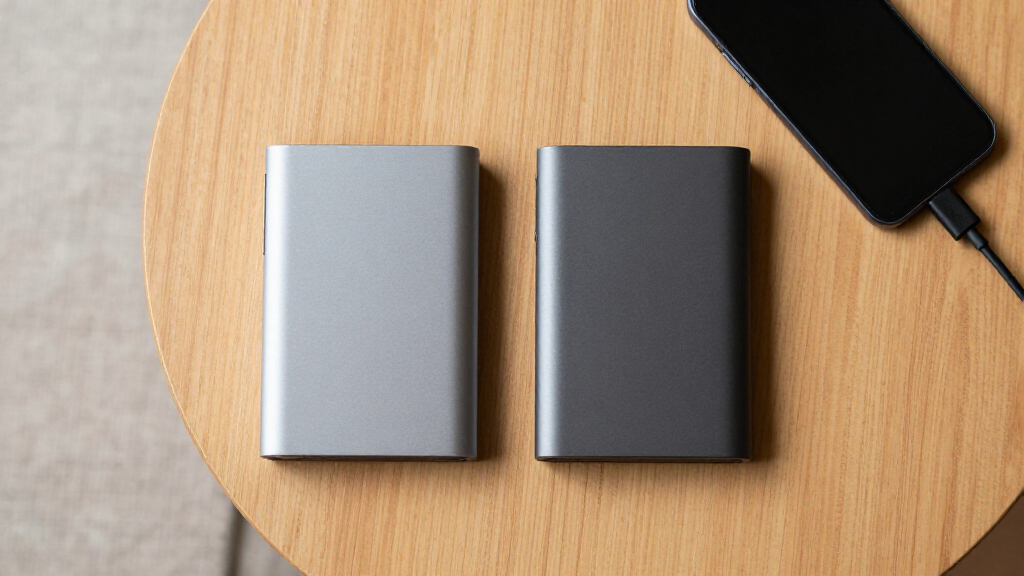
I ranked these drives around real buyer decisions rather than treating capacity as the only measure of quality. My comparison weighted usable capacity, connection options, device compatibility, physical portability, and the simplicity of moving between computers or consoles. I also looked at whether each capacity tier made sense for its likely workload: 320GB and 500GB for light transfers, 1TB and 2TB for everyday ownership, and 4TB to 6TB for large libraries. Products moved higher when their mix of space, convenience, and brand support suited a broader audience.
Value affected the order, but I did not assume that the smallest drive was automatically the cheapest choice over time. I gave extra weight to models that leave enough room for future files without making buyers carry more capacity than they need. Connector labels were judged by their practical benefit, since USB-C improves convenience but rarely changes mechanical-drive performance by itself. I also accounted for tradeoffs such as moving parts, thicker high-capacity housings, formatting requirements, and the weaker support that can accompany lesser-known brands.
| portable external hard drife | Interface |
|---|---|
| YOTUO 1TB External Hard Drive | — |
| Seagate Portable 1TB External | USB 3.0 |
| Aiolo Innovation 500GB Externa | USB 3.0 |
| Seagate Portable 5TB External | USB 3.0 |
| YOTUO 500GB External Hard Driv | — |
| Seagate 4TB Portable Hard Driv | — |
| WD 2TB Elements Portable Exter | — |
| Seagate Portable 2TB External | — |
| Western Digital 5TB Elements P | — |
| UnionSine 1TB Ultra Slim Porta | USB 3.0 |
| WD 6TB My Passport Portable Ex | USB 3.1 / USB 3.0 |
| Ultra Slim Portable External H | USB 3.0 / Micro-USB 3.0 |
| UnionSine 500GB Ultra Slim Por | USB 3.0 |
| WD 6TB Elements Portable Exter | — |
| 500GB Portable Ultra Slim Exte | USB 3.0 |
Factors to Consider When Choosing Portable External Hard Drives
I would choose a portable hard drive by working backward from the files, devices, and locations involved. A drive for weekly laptop backups has different demands from one that will remain attached to a console or travel with a photographer. Capacity and connector type are easy to compare, but filesystem compatibility, power requirements, durability, and replacement risk often have a larger effect on ownership. The sections below explain where paying more helps and where a cheaper model can do the same job.
Choose Capacity for the Next Few Years
I see 1TB as a sensible entry point for documents, photos, and periodic computer backups, while 500GB models fit narrower transfer or console needs. A 2TB drive offers the broadest flexibility because it can absorb growing photo, video, and game collections without becoming expensive or bulky. Buyers managing raw video, system images, or large game libraries may benefit from 4TB to 6TB, but buying the largest drive can create a false sense of safety. One high-capacity drive is still a single point of failure, so I would not treat 6TB in one enclosure as a complete backup plan. Advertised capacity also exceeds the space displayed by an operating system because manufacturers and computers calculate storage units differently. I would leave 15% to 20% free space for easier file management rather than filling a drive to its limit.
Separate the Connector From the Actual Speed
USB-C describes the plug, not a guaranteed performance level, which makes some product listings easy to misread. A portable HDD is usually limited by its internal mechanical speed long before it reaches the ceiling of USB 3.0 or USB 3.2 Gen 1. For that reason, I would choose USB-C for cable convenience and modern laptop compatibility, not for an expected leap in transfer speed. A USB-A drive remains practical if most of your computers and consoles have full-size ports, and an inexpensive adapter can cover occasional USB-C use. Smartphone support requires more care because some phones cannot supply enough power to start a mechanical drive. I would verify the included cable, host-device power, and USB OTG support before buying a drive mainly for mobile use.
Match Portability to How the Drive Will Travel
An ultra-slim enclosure saves bag space, but slim does not mean rugged. Every HDD in this roundup contains moving parts, making drops and vibration more hazardous than they would be for a portable SSD. If a drive will travel daily, I would favor a manageable size, a short replaceable cable, and a case that prevents pressure from other objects in the bag. A soft sleeve helps with scratches, though it offers little protection from a hard fall. Buyers who edit files while commuting or work in rough locations may be better served by an SSD despite its higher cost per gigabyte. For desk-to-desk backups, capacity and value matter more than shaving a few millimeters from the enclosure.
Plan for Computers, Consoles, and Phones
Device compatibility often depends on formatting rather than the logo printed on the box. Windows commonly favors NTFS, while exFAT is a practical choice when files must move between current Windows and macOS computers. Game consoles may reformat a drive for dedicated storage, after which a computer might no longer read its contents normally. Reformatting erases existing data, so I would decide on the drive’s main role before loading it with files. Phones add another layer because filesystem support, adapters, and available power vary by model. If one drive must serve many devices, cross-platform access is possible, but a dedicated drive for each major role is usually simpler and reduces accidental erasure.
Know When Paying More Makes Sense
I would pay more for capacity I will actually use, a longer or clearer warranty, dependable support, and security features that match sensitive files. Password protection and hardware encryption can make the WD My Passport more appealing for work records, but they add little value to a console game library. Paying extra only for a newer USB label is less persuasive because a mechanical drive cannot use most of that added bandwidth. Lesser-known slim models may suit low-stakes transfers, though their support and long-term track records can be harder to judge. For irreplaceable photos or business documents, I favor an established brand and a second independent copy. The best value comes from balancing purchase price, replacement risk, and useful lifespan, not from choosing the lowest listed price.
Frequently Asked Questions
Is 1TB or 2TB Better for a Portable External Hard Drive?
I would choose 1TB for light backups, document archives, and modest photo collections when price and compactness lead the decision. A 2TB drive makes more sense for growing game libraries, regular full-computer backups, or a household sharing one device. The extra space also reduces how soon another drive must be purchased. However, capacity that remains unused for years provides little practical value. For most buyers in this roundup, 2TB is the better long-term balance, while 1TB remains the stronger budget choice.
Is a USB-C Portable Hard Drive Worth Buying?
A USB-C model is worthwhile when your laptop or tablet lacks USB-A ports or when you want fewer adapters and cables. It will not necessarily transfer files faster because the spinning disk is usually the limiting component. Models such as the YOTUO drives gain their appeal from connector flexibility rather than SSD-like performance. I would check whether the package includes both USB-C and USB-A connection options if the drive will move among several devices. For a desktop or console with standard USB-A ports, a conventional USB 3.0 drive remains adequate.
Can One Portable Hard Drive Work With Both a Computer and a Game Console?
It may connect to both, but sharing one drive is often inconvenient. A console can require formatting that dedicates the drive to game storage, preventing normal file exchange with a computer. Media playback has different rules and may allow a cross-platform filesystem, depending on the console. I would use separate drives when both computer backups and installed games matter, since that arrangement lowers the chance of erasing the wrong data. If the drive is only carrying videos or music, check the console’s supported formats before copying a large library.
How Do I Use the Same Portable Hard Drive With Windows and Mac?
I would normally format the drive as exFAT for cross-platform use, provided every computer involved supports it. This allows large files and avoids the write restrictions macOS commonly has with NTFS without extra software. Formatting deletes the contents, so any supplied files or existing data should be copied elsewhere before making the change. A drive used for system-level backups may need a platform-specific filesystem instead. Buyers who need both general file exchange and computer backups may find two separate drives safer and simpler.
Should I Buy a Portable HDD or Spend More on an SSD?
I favor a portable HDD when low cost per terabyte and large backup capacity matter more than speed. An SSD is the better fit for frequent travel, video editing, rapid transfers, or environments where bumps and vibration are common. HDDs also make sense for files that are written occasionally and stored for long periods, though they still need a second backup. None of the drives in this roundup should be treated as the sole home for irreplaceable data. If your workload values durability and speed above capacity, paying more for an SSD is justified.
Conclusion
For the widest range of buyers, I recommend the WD 2TB Elements Portable as the best overall choice; it sits at the most useful point between capacity, portability, and cost. The Seagate Portable 1TB is my best value pick for lighter backups, while the Seagate Portable 2TB is the easiest recommendation for beginners who want straightforward storage with extra room to grow. Buyers who already know they need a large archive should skip the smaller models rather than managing several nearly full drives.
The WD 6TB My Passport is the best premium option for buyers who value high capacity and added security features, while the WD 6TB Elements better suits those who want maximum straightforward storage. I would choose the YOTUO 1TB for USB-C flexibility, the Seagate 5TB for a large console or media library, and the Aiolo 500GB when slim dimensions matter more than long-term capacity. The 320GB and generic 500GB models make sense only for narrow, low-cost tasks because their limited space reduces their value as full backup drives. My final choice would match the storage workload first, then the connector and physical size, with a second copy reserved for any file that cannot be replaced.