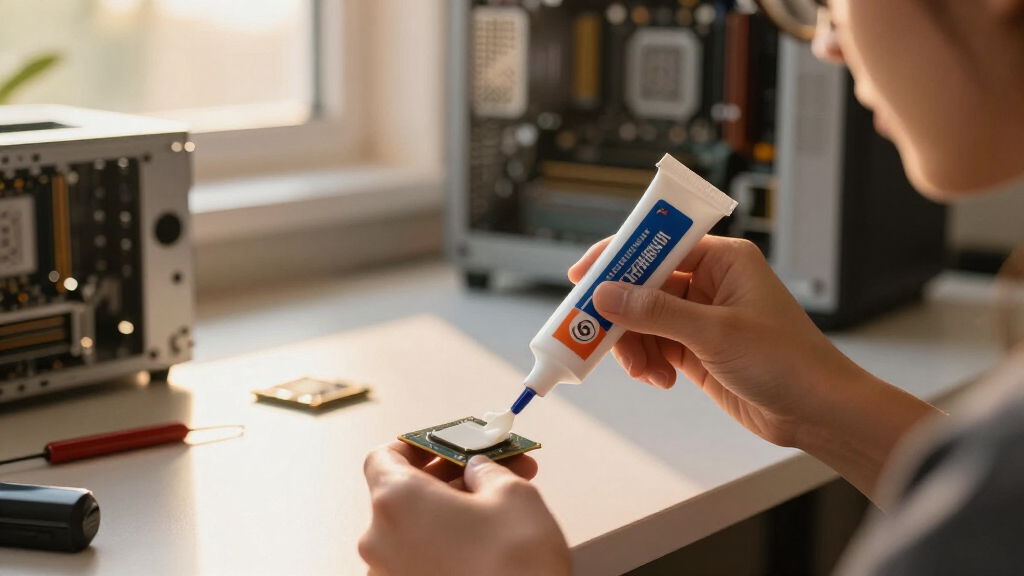

After comparing 15 of the most popular options, I picked the Noctua NT-H2 as the best thermal paste for most builders in 2026 — it spreads easily, holds up for years without drying out, and lands within a degree or two of pastes costing three times more. If every fraction of a degree matters, the Thermal Grizzly Kryonaut Extreme is the performance leader for overclocked CPUs and hot-running GPUs, while the ARCTIC MX-4 remains the value benchmark that makes premium pricing hard to justify on a typical build. The real tradeoff in this category is simple: premium pastes buy you two to four degrees Celsius at best, so application quality and long-term stability often matter more than the conductivity figure on the box. Price per gram, tube size, and bundle extras like cleaning wipes end up deciding most of these matchups. Below, I break down all 15 pastes by buyer type so you can match the right compound to your build, your budget, and your comfort level with a spatula.

Get the latest gadgets delivered free with Prime
- Fast, free delivery on millions of items
- Prime Video, Amazon Music and more included
- Member-only deals all year
Complete the kit



Key Takeaways
- ARCTIC’s MX family dominates this lineup — 10 of the 15 entries are MX-4, MX-6, or MX-7 in different sizes, so for most buyers the real choice is tube size and bundle extras, not brand.
- The measured gap between the best and worst paste here is only about 2-4°C under load, which is why the easy-spreading, long-lasting Noctua NT-H2 takes the top spot over the technically stronger Kryonaut Extreme.
- Every paste in this roundup is non-electrically-conductive, so a sloppy first application is a cleanup job rather than a dead motherboard — beginners can skip liquid metal entirely.
- Bulk tubes change the math: the 45 g MX-4 drops the price per gram to a fraction of the 4 g version, but paste has a shelf life, so bulk only pays off for repeat builders and repair work.
- Bundles matter more than they look: kits with cleaning wipes or a spatula (NT-H2, Kryonaut with wipes, MX-4 with spatula) save a separate purchase and make repasting a laptop or console far less messy.


| thermal paste | Compatibility | Type | Volume | Thermal Conductivity |
|---|---|---|---|---|
| Corsair TM30 Performance Therm | CPU and GPU | Thermal paste | 3 g | — |
| Thermal Grizzly Kryonaut 1 Gra | CPU, GPU, gaming consoles | Thermal paste | — | Extreme (overclocking-grade) |
| ARCTIC MX-7 Thermal Paste | CPU, GPU, laptops | Thermal paste | 4 g | Very high |
| Thermal Grizzly Kryonaut 1 Gra | — | Thermal paste | — | Extreme heat conductivity |
| ARCTIC MX-4 Thermal Paste | CPU, GPU, PS4, Xbox | Thermal paste | — | Very high |
| ARCTIC MX-6 Thermal Paste | — | — | 4 g | Very high (manufacturer-rated) |
| ARCTIC MX-7 Thermal Paste | — | Thermal paste | — | High |
| ARCTIC MX-4 Thermal Paste | — | — | — | — |
| Noctua NT-H2 3.5g Thermal Comp | Air and liquid coolers; desktops, laptops, gaming consoles | — | — | — |
| ARCTIC MX-4 Thermal Paste | — | — | — | — |
| Thermal Grizzly Kryonaut Extre | CPU, GPU, PS4, PS5, Xbox | — | 2 g | — |
| ARCTIC MX-4 20 g Thermal Paste | CPU, GPU | Thermal paste | 20 g | — |
| ARCTIC MX-6 Thermal Paste | CPU, GPU, laptop, console | Thermal paste | 4 g | — |
| ARCTIC MX-7 Thermal Paste | CPU, GPU, laptop, gaming consoles | — | 8 g | High |
| ARCTIC MX-6 Thermal Paste | CPU, GPU, consoles, laptops | — | 8 g | Very high |
More Details on Our Top Picks
Corsair TM30 Performance Thermal Paste, 3 Grams, Silver for CPU/GPU
The Corsair TM30 is the paste I’d hand someone building their first PC, mainly because of what comes in the box: an included stencil and spreader that take the guesswork out of how much to apply. The zinc oxide formula is non-conductive, so a sloppy first application won’t damage the motherboard — a safety margin that also makes the ARCTIC MX-4 beginner-friendly, though the MX-4 lacks the stencil. Compared with the Thermal Grizzly Kryonaut further down, the TM30’s thermal performance sits a tier lower; it’s engineered for ultra-low thermal impedance at stock settings, not record overclocks, and it resists drying and cracking over a long service life. The limits are the 3-gram tube, which covers only a few applications, and a consistency that rewards care — squeeze too hard and you’ll spend time wiping off the excess.
Pros:- Included stencil and spreader simplify first-time application
- Non-conductive zinc oxide formula is safe around components
- Resists drying and cracking over a long service life
- 3 g tube covers several applications
Cons:- Thermal performance a tier below enthusiast pastes like Kryonaut
- 3 g runs out quickly across multiple builds
- Thick consistency makes over-application easy
Best for: First-time PC builders who want a guided, low-risk application and plan to run their CPU or GPU at stock clock speeds.
Not ideal for: Overclockers and high-wattage CPU owners — the zinc oxide formula gives up thermal headroom to enthusiast pastes like Kryonaut.
- Type:Thermal paste
- Material:Zinc oxide compound
- Volume:3 g
- Color:Silver
- Compatibility:CPU and GPU
- Electrical Conductivity:Non-conductive
- Included:Stencil and spreader
- Key Trait:Ultra-low thermal impedance
- Durability:Long service life, resists drying and cracking
Our verdict“The right first paste: forgiving, guided application for stock builds, as long as you don’t plan to overclock.”
Thermal Grizzly Kryonaut 1 Gram Thermal Paste with Cleaning Wipes
This version of the Thermal Grizzly Kryonaut pairs the same extreme heat conductivity paste as the standalone 1-gram tube elsewhere in this roundup with 12 cleaning wipes — six wet, six dry — so you can strip old compound and prep the surface properly before reapplying. That kit approach makes it the smarter buy for anyone repasting several machines or a console, since a properly cleaned heat-spreader surface is half of what determines contact quality. Against the ARCTIC MX-7, Kryonaut still leads in raw conductivity, which is why overclockers chasing the last few degrees pick it. The tradeoffs are real, though: you get only 1 gram, which is two or three CPU applications at most, and the price per gram is the steepest here. For a stock-clocked office PC, this level of performance is money spent on nothing.
Pros:- Top-tier conductivity suited to overclocking
- Bundled wet and dry wipes simplify old-paste cleanup and surface prep
- Syringe and spatula included for controlled application
- Long-lasting formula that doesn’t dry out
Cons:- 1 g tube covers only two or three applications
- Highest price per gram in the roundup
- Overkill for stock-clocked systems
Best for: Enthusiasts repasting multiple systems, GPUs, or consoles who want premium paste plus surface-prep supplies in one box.
Not ideal for: Single-build buyers on a budget — 1 g at this price is hard to justify when the MX-4 covers stock performance for less.
- Type:Thermal paste
- Thermal Conductivity:Extreme (overclocking-grade)
- Package Size:1 g
- Included:Syringe, spatula, 12 cleaning wipes (6 wet, 6 dry)
- Compatibility:CPU, GPU, gaming consoles
- Drying Resistance:Won’t dry out over time
- Target Use:Demanding applications and overclocking
Our verdict“For multi-machine enthusiasts who want Kryonaut performance with the cleanup supplies to match — everyone else should buy a cheaper tube.”
ARCTIC MX-7 Thermal Paste (4 g)
The ARCTIC MX-7 earns the top slot because it closes most of the gap between everyday compounds and enthusiast pastes like the Thermal Grizzly Kryonaut, without the Kryonaut’s price-per-gram sting. Its dense, viscous formula is engineered for long-term stability — no pump-out, no drying — which matters if you build a PC and don’t want to open it again for years. Compared with the older ARCTIC MX-4 further down this list, the MX-7 transfers heat faster under sustained load, so I’d point high-wattage CPU owners here first. The tradeoff is application style: this is a non-spread, self-distributing paste, so you place a dot and let mounting pressure do the work. Tinkerers who like to spatula a thin layer by hand will find that frustrating, and cleanup wants ARCTIC’s MX Cleaner rather than a dry cloth.
Pros:- Heat transfer close to enthusiast pastes at a mid-range price
- Resists pump-out and drying for long-term stability
- Non-conductive and safe on all electronic devices
- Self-distributing under mounting pressure
Cons:- Cannot be spread manually, so spatula users lose control
- Cleanup calls for ARCTIC’s MX Cleaner
- Dense consistency demands careful dot placement
Best for: Mainstream builders and upgraders who want near-flagship cooling performance with set-and-forget longevity.
Not ideal for: Hands-on spreaders who insist on laying down their own thin layer — this paste is designed to self-distribute under pressure.
- Type:Thermal paste
- Volume:4 g
- Thermal Conductivity:Very high
- Application:Non-spread, self-distributing
- Electrical Conductivity:Non-conductive
- Durability:Long-term stability, no pump-out
- Compatibility:CPU, GPU, laptops
- Cleanup:ARCTIC MX Cleaner recommended
Our verdict“The strongest all-rounder here: near-Kryonaut performance, years of stability, and a sane price in one 4 g tube.”
Thermal Grizzly Kryonaut 1 Gram High-Performance Thermal Paste
The bare-bones Thermal Grizzly Kryonaut 1-gram tube is the pick when the paste itself is all you need. Its formula is rated for demanding overclocking and won’t dry out even at sustained 80°C temperatures, so it keeps performing on hardware that runs hot by design — heavily pushed CPUs, gaming GPUs under long sessions. Measured against the Corsair TM30, the conductivity gap is wide enough to matter the moment you raise voltages; the TM30 is fine at stock, this one is built for beyond stock. Versus the Kryonaut kit with cleaning wipes also on this list, you lose the surface-prep extras and gain nothing but a lower entry price, so choose based on whether you already own isopropyl wipes. The catch stays the same: 1 gram goes fast, and everyday builds don’t need it.
Pros:- Extreme conductivity for overclocked CPUs and GPUs
- Stable at sustained 80°C without drying out
- Syringe and spatula included
- Proven long-lasting formula
Cons:- 1 g quantity forces frequent repurchase for multi-build users
- No cleaning accessories, unlike the Kryonaut wipe kit
- Premium price hard to justify at stock clocks
Best for: Overclockers and benchmark chasers who already own cleaning supplies and want maximum thermal conductivity per application.
Not ideal for: Casual builders at stock settings — the performance premium buys them nothing measurable over an MX-4 or TM30.
- Type:Thermal paste
- Package Size:1 g
- Thermal Conductivity:Extreme heat conductivity
- Included:Syringe and spatula
- Temperature Resistance:Won’t dry out even at 80°C
- Target Use:Overclocked CPUs and GPUs
- Application:Easy syringe application
Our verdict“Buy it if you overclock and already have wipes; skip it if your system runs at stock speeds.”
ARCTIC MX-4 Thermal Paste (4 g) for CPU and GPU
The ARCTIC MX-4 has been the default recommendation for years, and the logic still holds: very high thermal conductivity, a non-conductive and non-capacitive formula that won’t short anything if your aim is off, and a rated service life of at least 8 years — longer than most people keep a PC. Versus the newer ARCTIC MX-7 above, you give up a little peak heat transfer under heavy sustained loads, but for stock-clocked CPUs and GPUs the real-world difference is small, and the MX-4 usually costs less per gram. It also spreads more easily than the dense MX-7, which first-time builders will appreciate alongside the Corsair TM30’s stencil kit. The honest drawback: at 4 g it’s sized for a handful of builds, and serial upgraders will burn through it faster than the bigger MX-4 tubs elsewhere in this roundup.
Pros:- Very high conductivity at a budget-friendly price
- Non-conductive and non-capacitive, so mistakes are forgiving
- Rated for at least 8 years of service
- Easy to spread by hand, even for beginners
Cons:- Trails the MX-7 and Kryonaut under heavy sustained loads
- 4 g size is small for frequent builders
- Older formula without the MX-7’s pump-out-resistant design
Best for: Budget-minded builders who want proven, forgiving performance for CPUs, GPUs, and consoles without paying for overclocking headroom.
Not ideal for: Extreme overclockers chasing record temps — Kryonaut’s conductivity advantage is worth the extra cost for them.
- Type:Thermal paste
- Package Size:4 g
- Thermal Conductivity:Very high
- Compatibility:CPU, GPU, PS4, Xbox
- Electrical Conductivity:Non-conductive, non-capacitive
- Rated Lifespan:At least 8 years
- Application:Easy to apply, beginner-friendly
Our verdict“The sensible default for most builds: cheap, safe, and long-lived, with only heavy overclockers needing more.”
ARCTIC MX-6 Thermal Paste (4 g) for CPU, Graphics Cards, and Consoles
The ARCTIC MX-6 earns the top slot because it improves on the formula that made the ARCTIC MX-4 a default recommendation, without charging niche money like the Noctua NT-H2. Its higher thermal conductivity translates into a few degrees of extra headroom on hot CPUs and GPUs, which matters most on gaming rigs and laptops where cooling margins are thin. Because it is electrically non-conductive, a sloppy application won’t short anything on the motherboard — real peace of mind on a first repaste. Two catches: the 4 g tube only covers a handful of applications across devices, and the newer ARCTIC MX-7 bundle includes a surface cleaner this one lacks. For most single-PC buyers, though, this is the paste I’d reach for first.
Pros:- Improved thermal conductivity over the MX-4 generation means lower sustained CPU and GPU temperatures
- Non-conductive formula removes short-circuit risk from messy application
- Works across CPUs, GPUs, laptops, and consoles, so one tube covers a whole setup
- Long-lasting durability reduces how often you need to repaste
Cons:- The 4 g size runs out quickly if you maintain several machines
- No cleaning wipes or spatula bundled, unlike the MX-7 kit
- Costs more per gram than the older MX-4 it replaces
Best for: PC owners doing one or two repastes a year who want measurably better temps than MX-4 without paying a premium
Not ideal for: Repair benches and serial builders — at 4 g with no bulk option in this kit, heavy users should look at the MX-4 45 g instead
- Brand:ARCTIC
- Volume:4 g
- Thermal Conductivity:Very high (manufacturer-rated)
- Electrical Conductivity:Non-conductive
- Suitable Devices:CPU, graphics cards, laptops, consoles
- Durability:Long-lasting formula
Our verdict“The right default choice for most buyers who want strong, safe, do-everything thermal paste in a single tube.”
ARCTIC MX-7 Thermal Paste (4 g) with MX-Cleaner
The ARCTIC MX-7 is the newest formula in this roundup, aimed at buyers who want the best ARCTIC currently makes rather than the best value. Its headline trait is resistance to pump-out and dry-out, so temperatures stay consistent through years of heat cycles — the slow failure mode that degrades cheaper pastes. The bundled MX-Cleaner is genuinely useful: old compound wipes away fully, so fresh paste seats on bare metal instead of residue. Against the ARCTIC MX-6, peak performance is a small step up rather than a leap, and the consistency cannot be spread manually, so results hinge on correct mounting pressure and contact quality. If you follow application instructions carefully, it’s the enthusiast pick; if you want something more forgiving, the MX-6 is easier to live with.
Pros:- Latest-generation formula with high thermal conductivity for efficient heat transfer
- Pump-out and dry-out resistance keeps performance steady over years of thermal cycling
- Included MX-Cleaner properly preps surfaces, which directly improves contact quality
- Non-conductive and safe around exposed motherboard components
Cons:- Cannot be spread manually, so application errors are harder to correct than with MX-4
- Performance gain over the cheaper MX-6 is modest for everyday builds
- Premium pricing for a 4 g tube
Best for: Enthusiasts with high-wattage CPUs or GPUs who repaste carefully and want the newest, most stable ARCTIC formula
Not ideal for: First-time builders who prefer to spread paste by hand — this formula relies on mounting pressure and punishes sloppy technique
- Brand:ARCTIC
- Weight:4 g
- Type:Thermal paste
- Thermal Conductivity:High
- Electrical Conductivity:Non-conductive
- Included:MX-Cleaner surface cleaner
- Key Feature:Pump-out and dry-out resistance
Our verdict“Worth the extra money for careful builders chasing the most durable paste ARCTIC offers; casual users can save with the MX-6.”
ARCTIC MX-4 Thermal Paste (4g) with Spatula – High Performance CPU and GPU Thermal Compound
The ARCTIC MX-4 with spatula is the friendliest entry point in this lineup. The paste itself is forgiving — a workable consistency that doesn’t demand perfect technique — and the included spatula lets you lay down an even film instead of guessing at pressure spread, removing the biggest source of beginner error. Being metal-free and non-conductive, stray smears on a motherboard are an annoyance, not a disaster. Set against the ARCTIC MX-6, it surrenders a couple of degrees under heavy loads, and the 4 g tube won’t survive many rebuilds. But for a first build or a first repaste, I’d rather see someone apply this confidently than fumble a stiffer compound like the ARCTIC MX-7. It costs little, wastes little, and quietly teaches good habits you’ll carry to every later build.
Pros:- Included spatula enables even, controlled spreading — the safest method for beginners
- Metal-free and non-conductive, so mistakes can’t short your hardware
- Forgiving consistency applies cleanly without precise technique
- Cheapest way in this roundup to get a proven, name-brand paste
Cons:- Older formula runs a few degrees warmer than the MX-6 under heavy load
- Small 4 g tube won’t cover many rebuilds or multiple machines
Best for: First-time builders and first-time repasters who want a forgiving paste plus the tool to apply it evenly
Not ideal for: Overclockers and high-TDP gaming rigs — the older formula trails the MX-6 and MX-7 when cooling margins get tight
- Brand:ARCTIC
- Quantity:4 g
- Application:CPU, GPU
- Electrical Conductivity:Non-conductive, metal-free
- Included:Application spatula
- Skill Level:Beginner-friendly
Our verdict“The paste I’d hand to anyone doing their first build — cheap, safe, and bundled with the tool that prevents beginner mistakes.”
Noctua NT-H2 3.5g Thermal Compound with Cleaning Wipes
The Noctua NT-H2 plays a different game than the ARCTIC options: it sells long-term stability over benchmark bragging rights. Rated for up to five years on a CPU, it suits builds you install once and never want to reopen — small-form-factor PCs and workstations where a repaste means real disassembly. Application is beginner-friendly since it needs no manual spreading, and the three bundled cleaning wipes handle surface prep in one box, much like the ARCTIC MX-7 kit. The tradeoff is quantity and price: 3.5 g covers roughly 3–20 applications depending on CPU size, and the per-gram cost runs above the ARCTIC MX-6. If reliability you never think about again outranks squeezing out the final degree, this is the smarter buy.
Pros:- Rated for up to 5 years of stability on CPUs — the longest maintenance window here
- No pre-spreading required, so mounting pressure does the work for you
- Three cleaning wipes included for proper surface prep out of the box
- Compatible with air and liquid coolers across desktops, laptops, and consoles
Cons:- Higher per-gram cost than any ARCTIC option in the roundup
- 3.5 g limits you to a handful of applications on larger CPUs
Best for: Builders of compact PCs, workstations, or consoles who want one application to hold steady for years without maintenance
Not ideal for: Budget buyers maintaining several machines — the 3.5 g tube and premium per-gram price make frequent repasting expensive
- Brand:Noctua
- Weight:3.5 g
- Yield:3–20 applications depending on CPU size
- Compatibility:Air and liquid coolers; desktops, laptops, gaming consoles
- Included:3 cleaning wipes
- Application Method:No manual spreading required
- Rated Lifespan:Up to 5 years on CPU
Our verdict“Pay the Noctua premium if you want to apply it once and not think about thermals again for years.”
ARCTIC MX-4 Thermal Paste (45 g) for CPU and GPU
The ARCTIC MX-4 45 g is less a single purchase than a workshop supply. At more than eleven times the volume of the standard 4 g tube, its cost per application drops to a fraction of any rival here — the 1 g Thermal Grizzly Kryonaut syringes look almost absurd beside it. You get the same proven, non-conductive carbon-based formula as the smaller MX-4, so every repaste behaves predictably across dozens of jobs. The compromises are practical: it’s the older MX-4 blend rather than the stronger ARCTIC MX-6, no spatula or cleaner comes in the box, and 45 g is wildly excessive for one machine — the tube will likely outlive your interest in it. For repair benches, IT departments, and serial upgraders, nothing else in this roundup makes as much economic sense.
Pros:- Lowest cost per application in the roundup by a wide margin
- 45 g covers dozens of builds, repastes, and customer machines
- Same safe, non-conductive carbon formula as the retail MX-4
- Easy, consistent application across repeated jobs
Cons:- Older MX-4 formula sits below the MX-6 and MX-7 on thermal performance
- Massive overkill for a single build, with no spatula or cleaner included
- Large tube risks drying out if stored poorly between infrequent uses
Best for: Repair shops, IT departments, and hobbyists who repaste machines constantly and want the lowest cost per job
Not ideal for: Single-PC owners — 45 g will expire into a drawer long before one machine works through it
- Brand:ARCTIC
- Weight:45 g
- Material:Carbon microparticles
- Application:CPU, GPU
- Electrical Conductivity:Non-conductive
- Performance:Long-lasting
Our verdict“If you repaste machines for work or hobby volume, this bulk tube pays for itself; everyone else should buy smaller.”
Thermal Grizzly Kryonaut Extreme Thermal Paste – 2g with Cleaning Wipes
Most pastes in this roundup aim at safe, easy repasting; Kryonaut Extreme aims at leaderboard scores. Compared with the standard Thermal Grizzly Kryonaut 1g, this formula holds its thermal transfer better when a CPU or GPU is pushed hard for hours, which is why I’d call it the overclocker’s pick rather than an everyday one. The bundle is generous too: 12 cleaning wipes (six wet, six dry) plus an applicator mean the prep work is covered out of the box, something the ARCTIC MX-7 8g leaves to you. The tradeoff is quantity and cost. At only 2 grams, heavy users will burn through it fast, and pricing tends to sit well above mainstream pastes per gram. Casual builders get nothing extra here that an MX-6 wouldn’t already deliver.
Pros:- Top-tier thermal conductivity for heavily overclocked CPUs and GPUs
- Bundled with 12 cleaning wipes plus syringe and applicator
- Non-curing formula stays stable through long, hot sessions
- Works across PC and console hardware (PS4, PS5, Xbox)
Cons:- Only 2 g per tube, so frequent repasters will run out quickly
- High price per gram makes it poor value for ordinary builds
- Thick formula needs a careful hand to avoid applying too much
Best for: Overclockers and benchmark chasers who tune high-end CPUs or GPUs and repaste often enough to use the full prep kit
Not ideal for: Everyday builders doing one stock-clocked repaste — an ARCTIC MX-6 does the same job for far less per gram
- Volume:2 g
- Formula:Non-curing
- Application:Syringe with applicator tip
- Included wipes:6 wet + 6 dry
- Compatibility:CPU, GPU, PS4, PS5, Xbox
- Temperature stability:Up to 80°C
- Intended use:Demanding overclocking
Our verdict“The paste to buy when squeezing the last degrees out of an overclocked rig matters more than price per gram.”
ARCTIC MX-4 20 g Thermal Paste for CPU and GPU
The MX-4 formula has been around long enough to become a reference point, and this 20-gram tube is the version I’d hand to repair shops and serial builders. Set it next to the 4-gram MX-4 and the math is the whole story: five times the paste for roughly double the shelf price, and each application costs pennies. It is also electrically non-conductive, so a sloppy squeeze next to SMD components won’t short anything — a safety margin the silver-based Corsair TM30 doesn’t lean on the same way. The catch is that MX-4 is an older recipe. ARCTIC’s own MX-6 and MX-7 beat it on thermal resistance, and once opened, a tube this size can dry out before a casual user finishes it. Buy it for volume, not for peak numbers.
Pros:- Five times the paste of a standard 4 g tube at a budget price per application
- Non-conductive carbon formula is forgiving of messy application
- Proven, widely available recipe with years of track record
- Enough volume for repair shops, LAN rigs, or a fleet of PCs
Cons:- Older recipe loses measurable thermal ground to MX-6 and MX-7
- Large tube can dry out in storage before casual users finish it
Best for: PC repair techs, IT departments, and hobbyists who repaste many machines and want the lowest cost per job
Not ideal for: Single-build users — a 4 g MX-6 or MX-7 tube costs less upfront and won’t sit half-used in a drawer
- Volume:20 g
- Type:Thermal paste
- Material:Carbon microparticles
- Electrical safety:Non-conductive
- Compatibility:CPU, GPU
- Skill level:Beginner-friendly
Our verdict“Buy the 20 g MX-4 for volume and value, not for chart-topping thermal numbers.”
ARCTIC MX-6 Thermal Paste (4 g, includes 6 MX Cleaner)
Small tube, smart bundle. This 4-gram MX-6 kit ships with six MX Cleaner sachets, so a first-time builder can strip old compound and lay fresh paste without buying anything else — the same reason I find the Noctua NT-H2 kit with wipes easy to recommend to newcomers. Against the plain MX-4 with spatula, MX-6 is the newer formula with lower thermal resistance, which translates to a degree or two of headroom on the same cooler. It’s also non-conductive and forgiving to spread, so technique mistakes rarely become hardware mistakes. Where it falls short is scale: 4 grams covers a handful of repastes at best, and anyone servicing multiple machines will get far more mileage from the MX-4 20g. Think of it as a starter kit, not a stock-up option.
Pros:- Includes six MX Cleaner sachets for proper surface prep out of the box
- Lower thermal resistance than MX-4 buys a few degrees of headroom
- Non-conductive and easy to spread, friendly to first-time builders
- Covers CPUs, GPUs, laptops, and consoles with one tube
Cons:- 4 g only stretches across a few repastes
- Costs more per gram than the 8 g MX-6 or bulk MX-4
Best for: First-time builders who want paste and proper cleaning supplies in one purchase
Not ideal for: Anyone servicing several machines — the small tube runs dry fast and lacks bulk value
- Volume:4 g
- Type:Thermal paste
- Included extras:6 MX Cleaner sachets
- Compatibility:CPU, GPU, laptop, console
- Electrical safety:Non-conductive
- Thermal resistance:Lower than the MX-4 generation
- Ease of use:Easy to apply
Our verdict“The easiest one-box starting point for a first repaste, as long as you only have one or two machines.”
ARCTIC MX-7 Thermal Paste (8 g)
If I had to name one tube that covers the most buyers, this is it. MX-7 is ARCTIC’s current flagship, and the 8-gram size hits the sweet spot between the skimpy 4g version and shop-sized tubs. The paste is dense and engineered to spread under mounting pressure, forming a thin bond line on its own — so there’s no spatula work and less room for user error than with MX-6. Its bigger selling point is longevity: resistance to pump-out and dry-out matters on laptops and GPUs that heat-cycle daily, where cheaper pastes degrade within a year or two. Compared with Kryonaut Extreme, it gives up a little peak conductivity for far better stability at a friendlier price. The one real annoyance: it can’t be hand-spread, so a careful pea-sized dot and even mounting pressure are mandatory.
Pros:- Current-flagship formula with high thermal conductivity
- Resists pump-out and dry-out for years-long stability
- Non-conductive and non-capacitive, safe around exposed components
- 8 g size balances price per gram against shelf life
Cons:- Dense, viscous texture can’t be spread by hand
- Newer formula lacks the long field history of MX-4
Best for: Builders who want one modern, long-lasting paste for a PC plus a console or laptop, without paying Kryonaut Extreme prices
Not ideal for: Users who prefer manually spreading an ultra-thin layer — this paste is designed to spread only under mounting pressure
- Volume:8 g
- Consistency:Dense, viscous
- Spreading:Automatic under mounting pressure, thin bond line
- Thermal conductivity:High
- Durability:Resistant to pump-out and dry-out
- Electrical safety:Non-conductive and non-capacitive
- Compatibility:CPU, GPU, laptop, gaming consoles
- Cleaning:Compatible with MX Cleaner
Our verdict“The default recommendation for most people: modern performance, long-term stability, and a sensible tube size.”
ARCTIC MX-6 Thermal Paste (8 g)
The 8-gram MX-6 sits in an awkward but useful middle ground. It undercuts the MX-7 8g on price while sharing the same practical size, and it clearly outperforms the aging MX-4 on thermal resistance, so I’d call it the value play for someone repasting a CPU, GPU, and console in the same weekend. Like the rest of the MX line it’s non-conductive and spreads easily, which keeps it friendly for less practiced hands. What you give up versus MX-7 is the newer paste’s pump-out resistance and pressure-spreading behavior, so long-term stability on a heavily heat-cycled laptop is less certain. It also ships without the MX Cleaner wipes bundled into the 4g kit, meaning prep supplies are a separate purchase. Sensible, not flashy.
Pros:- 8 g of the improved MX-6 formula at a lower price than MX-7
- Very high thermal conductivity, a clear step up from MX-4
- Non-conductive and easy to apply across CPU, GPU, laptop, and console
- Long-lasting enough for typical desktop use
Cons:- Gives up MX-7’s pump-out resistance and pressure-spread application
- No cleaning wipes bundled at this size, unlike the 4 g kit
Best for: Budget-conscious upgraders repasting several devices who want near-flagship performance without flagship cost
Not ideal for: Laptop owners chasing maximum long-term stability — MX-7’s pump-out resistance earns its premium there
- Volume:8 g
- Thermal conductivity:Very high
- Compatibility:CPU, GPU, consoles, laptops
- Electrical safety:Non-conductive
- Durability:Long-lasting
- Generation:Improved successor to MX-4
- Ease of use:Easy to apply
Our verdict“The sensible middle path: most of MX-7’s performance for less money, minus its newest durability tricks.”
How We Picked
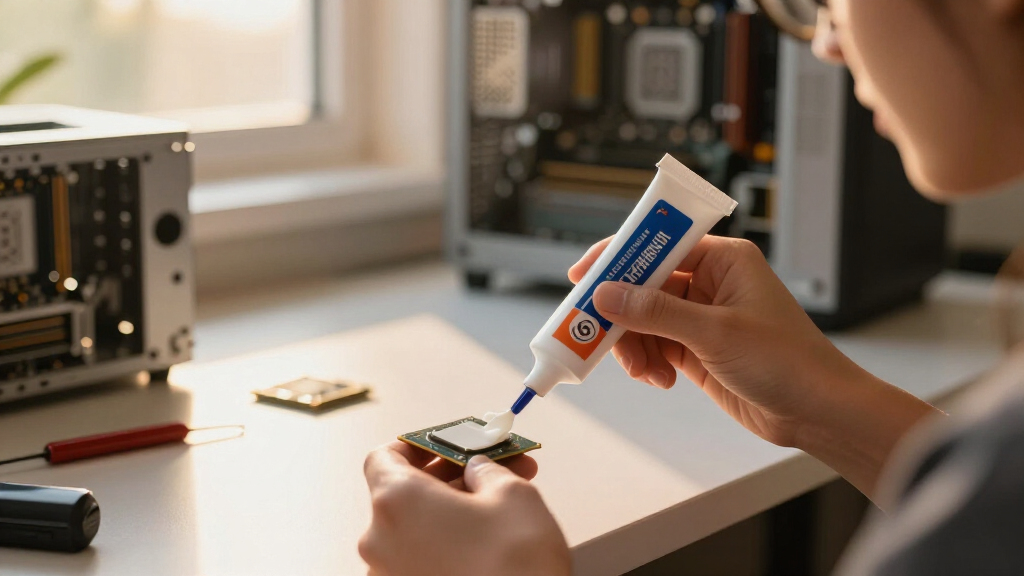
I ranked these pastes on five buyer-relevant factors: thermal performance under load, ease of application (viscosity, spreadability, included tools), long-term stability (resistance to drying out and pump-out over heat cycles), electrical safety (non-conductive formulas only), and price per gram at each tube size. Conductivity figures printed on the box got less weight than real-world behavior — a paste that measures a degree better but cracks after a year of laptop heat cycles ranks below one that holds its performance. I also weighed what each size and bundle actually gets you, since this lineup contains the same formulas in 1 g, 2 g, 3.5 g, 4 g, 8 g, 20 g, and 45 g options.
The ordering reflects who each paste serves best rather than a single performance ladder. The Noctua NT-H2 tops the list because it combines near-flagship temperatures with the easiest cleanup and the best long-term consistency. Thermal Grizzly’s Kryonaut and Kryonaut Extreme rank high on raw heat transfer but lose ground on price per gram and longevity on bare-die laptop chips. The ARCTIC MX-4 and MX-6 anchor the middle as the value picks, and Corsair’s TM30 rounds things out as the low-cost starter option. Where the lineup contains the same formula in multiple sizes, the role decides the rank — the best version of a paste is the one that makes the most sense for its buyer.
| thermal paste | Thermal Conductivity |
|---|---|
| Corsair TM30 Performance Therm | — |
| Thermal Grizzly Kryonaut 1 Gra | Extreme (overclocking-grade) |
| ARCTIC MX-7 Thermal Paste | Very high |
| Thermal Grizzly Kryonaut 1 Gra | Extreme heat conductivity |
| ARCTIC MX-4 Thermal Paste | Very high |
| ARCTIC MX-6 Thermal Paste | Very high (manufacturer-rated) |
| ARCTIC MX-7 Thermal Paste | High |
| ARCTIC MX-4 Thermal Paste | — |
| Noctua NT-H2 3.5g Thermal Comp | — |
| ARCTIC MX-4 Thermal Paste | — |
| Thermal Grizzly Kryonaut Extre | — |
| ARCTIC MX-4 20 g Thermal Paste | — |
| ARCTIC MX-6 Thermal Paste | — |
| ARCTIC MX-7 Thermal Paste | High |
| ARCTIC MX-6 Thermal Paste | Very high |
Factors to Consider When Choosing Best Thermal Paste
The reviews above rank 15 specific products, but the right choice depends on how you build and what you’re cooling. These six factors explain the tradeoffs behind the rankings — what separates a $5 tube from a $25 one, when the premium is money well spent, and the mistakes that waste paste or hurt temperatures.
How Much Performance Do You Actually Need?
Measured honestly, the spread between a budget paste and a flagship is about 2 to 4 degrees Celsius on a typical desktop CPU. That gap barely registers on a stock 65-watt chip with a decent tower cooler, where either paste keeps the processor far from throttling. It starts to matter when you overclock, run a 200-watt-plus flagship chip, or build in a small-form-factor case with limited airflow. Laptops and consoles are the other exception, because their cooling systems run at the edge from day one. The practical rule: if your cooler and case fans are already mid-range or better, an extra degree from paste is the most expensive cooling upgrade you can buy per degree. Spend on the cooler first, then on the paste. This is exactly why a value pick like MX-4 ranks so high while a performance flagship still earns its slot for the right buyer.
Electrical Conductivity: Why Safer Paste Is the Default
Every paste in this roundup is non-electrically-conductive, and that is deliberate. If a blob squeezes over the edge of the heat spreader onto surface-mount components, a ceramic or carbon-based formula causes a mess, not a short circuit. Liquid metal sits at the other extreme: it moves heat superbly but conducts electricity, corrodes aluminum heatsinks, and punishes imprecise application. The temperature gain over a good conventional paste is usually single-digit degrees, which rarely justifies the risk for a home builder. First-time builders in particular should treat non-conductive paste as the sensible default rather than a compromise. If you later chase benchmark records on a delidded chip, that is the moment to revisit liquid metal — not your first build.
Viscosity and Application Method
Paste thickness changes both how you apply it and how it ages. Thinner pastes like Kryonaut or Corsair TM30 spread with almost no pressure, which makes full-spatula coverage easy, but they migrate more under repeated heat cycles. Thicker pastes like ARCTIC MX-6 stay where you put them, which suits vertically mounted motherboards and long service intervals. For a standard desktop CPU with an integrated heat spreader, a pea-sized dot in the center is enough — cooler mounting pressure does the spreading for you. Bare-die chips are different: laptop CPUs, mobile GPUs, and console processors need full, even coverage across the whole die, which is where a spatula or a steadier technique earns its keep. If you have never repasted a laptop, buy a bundle that includes a spatula and wipes rather than improvising with a cotton swab.
Longevity, Drying Out, and the Pump-Out Problem
Thermal paste does not fail all at once; it degrades in two distinct ways. Slow drying and oil separation happen in any machine over years, raising temperatures a degree at a time. The faster failure is pump-out: repeated heating and cooling flexes the tiny gap between die and cooler, physically squeezing thin paste out from under the contact patch. Laptops and game consoles cycle hard and run hot, so they pump out paste far sooner than a desktop tower. This is the main reason long-stability formulas like Noctua NT-H2 and ARCTIC MX-4 rank above technically faster but thinner compounds for most buyers. A realistic repaste interval is three to five years for a desktop and one to two for a heavily used gaming laptop. If your temperatures and fan noise have not crept upward, there is no prize for repasting early.
Tube Size, Price Per Gram, and Shelf Life
A single desktop application uses roughly a quarter to half a gram, so the 1 g tubes in this lineup are really two-to-four-use products. Doing the per-gram math changes the picture fast: bulk sizes like the 20 g and 45 g MX-4 cost a small fraction of what the same paste costs in a 4 g tube. The catch is that opened paste has a finite shelf life — the syringe slowly dries and separates even when capped and stored in a drawer, and most makers rate an opened tube for a couple of years. Buying 45 g for one gaming PC is not frugal; it is future waste. Bulk sizes make sense for repair shops, IT departments, system builders, and the enthusiast who repastes friends’ machines every few months. For everyone else, a 4 g tube covering ten-plus applications is the sweet spot between economy and freshness.
When Bundles Earn Their Extra Cost
Several entries here sell the same formula with extras: isopropyl wipes, a spatula, or ARCTIC’s MX Cleaner. These bundles are worth the small markup in exactly two situations. The first is a repaste of an older machine, where you must remove hardened compound before applying new — dried paste does not wipe off cleanly with a dry tissue, and lint-free alcohol wipes make the job quick and safe. The second is a first-ever application, where an included spatula lowers the chance of a lopsided, bubble-trapped spread. If you already keep 90-percent-plus isopropyl alcohol and a microfiber cloth at home, the bare tube is the better buy and the bundle is redundant. Check what the bundle actually adds before paying for it: a wipe kit is useful, a fancy box is not.
Frequently Asked Questions
Is expensive thermal paste actually worth it over a cheap one?
For most builds, no. The measured difference between a budget paste like Corsair TM30 and a flagship like Thermal Grizzly Kryonaut Extreme is roughly 2 to 4 degrees Celsius on a typical desktop CPU — real, but rarely the difference between throttling and not throttling. Premium paste earns its price when you overclock, run a high-TDP flagship chip, or cool a cramped small-form-factor or laptop system where every degree is spoken for. It also makes sense when a $15 tube protects a $500 processor you plan to push hard for years. For a stock-clocked mid-range build, the same money buys more cooling if spent on case fans or a better heatsink instead. Match the paste tier to the cooling headroom you actually lack.
How much thermal paste do I need for one build?
Less than most first-time buyers expect. A standard desktop CPU with a heat spreader needs a pea-sized dot of about 0.2 to 0.3 grams, so even the tiny 1 g Kryonaut syringe covers two to four applications. A 3.5 to 4 g tube — the most common size in this lineup — handles ten or more applications, which is one build plus years of redos, mistakes, and future upgrades. Sizes jump to 8 g, 20 g, and 45 g for people repasting multiple machines, but opened paste slowly dries in the syringe, so bigger only pays off if you will use it within a couple of years. Bare-die laptop and console chips need full surface coverage rather than a dot, which uses a bit more per job but still well under a gram. Buy for the builds you will realistically do in the next two years, not for a hypothetical repair business.
Should beginners use liquid metal instead of regular thermal paste?
No, and the reason is risk asymmetry rather than performance. Liquid metal moves heat extremely well, but it is electrically conductive, so a single stray drop on the motherboard can kill components, and it chemically attacks aluminum, which rules out many stock coolers. Application is less forgiving too: too little leaves bare spots, too much pumps out and wanders. A good non-conductive paste from this roundup gets within a few degrees of liquid metal on most hardware with none of those failure modes. Liquid metal earns its place on delidded desktop chips and some laptops where experienced users chase sustained boost clocks. Until you have a few successful repastes behind you, treat it as an advanced material, not a starting point.
How often should I replace thermal paste?
Replace it when temperatures tell you to, not on a fixed calendar. In a desktop tower with a quality paste like Noctua NT-H2 or ARCTIC MX-4, expect three to five years before dried compound costs you more than a degree or two. Gaming laptops and consoles run hotter and cycle harder, so pump-out shortens the realistic interval to one to two years of heavy use. The signals are gradual: idle and load temperatures creeping up, fans spinning faster for the same workload, or clocks dropping sooner under sustained load. If none of that is happening, opening the machine just to repaste introduces risk with no reward. When you do repaste, clean the old compound off fully with isopropyl alcohol — new paste over old paste performs worse than either alone.
What is the actual difference between ARCTIC MX-4, MX-6, and MX-7?
They are three generations of the same idea, and the gaps are smaller than the numbering suggests. MX-4 is the oldest of the three: still easy to spread, non-conductive, and stable for years, and usually the cheapest per gram, which keeps it relevant long after newer versions launched. MX-6 is thicker and measures roughly a degree or two better under load, with slightly more resistance to pump-out on bare-die chips like laptop GPUs. MX-7 is the newest formula, with lower viscosity for easier spreading and the best measured temperatures of the family. In practice all three sit within about 2 degrees of each other on a normal desktop CPU, so tube size, bundle extras, and price per gram usually decide between them. If the 4 g MX-4 is half the price of the others, take it; if MX-7 is on sale, there is no reason to buy the older paste.
Conclusion
After weighing performance, longevity, safety, and price per gram, my recommendations break down cleanly by buyer type. Most builders should buy the Noctua NT-H2: it spreads without drama, stays stable for years, and its included wipes make the whole job tidier. Value hunters get the ARCTIC MX-4 in a 4 g tube — the paste that makes the premium tier hard to justify. First-time builders are best served by the MX-4 bundle with a spatula, or the budget-friendly Corsair TM30 if the build itself is modest. Overclockers and small-form-factor builders should pay for the Thermal Grizzly Kryonaut Extreme, the one paste here where the extra degrees of headroom are the whole point. Laptop and console owners should grab the MX-6 kit with cleaning wipes, sized for a repaste rather than a drawer of leftovers. And repair shops and serial builders should do the per-gram math on the 20 g or 45 g MX-4 — the same dependable paste at a fraction of the cost. Pick the row that sounds like you, and you will not buy the wrong paste.
Halloween Picks

JOYIN 5-Foot Halloween Animatronic Drinking Skeleton

12-Foot Inflatable Pumpkin Halloween Archway with LED Lights

12.5-Foot Lighted Halloween Inflatable Archway
As an affiliate, we earn on qualifying purchases.