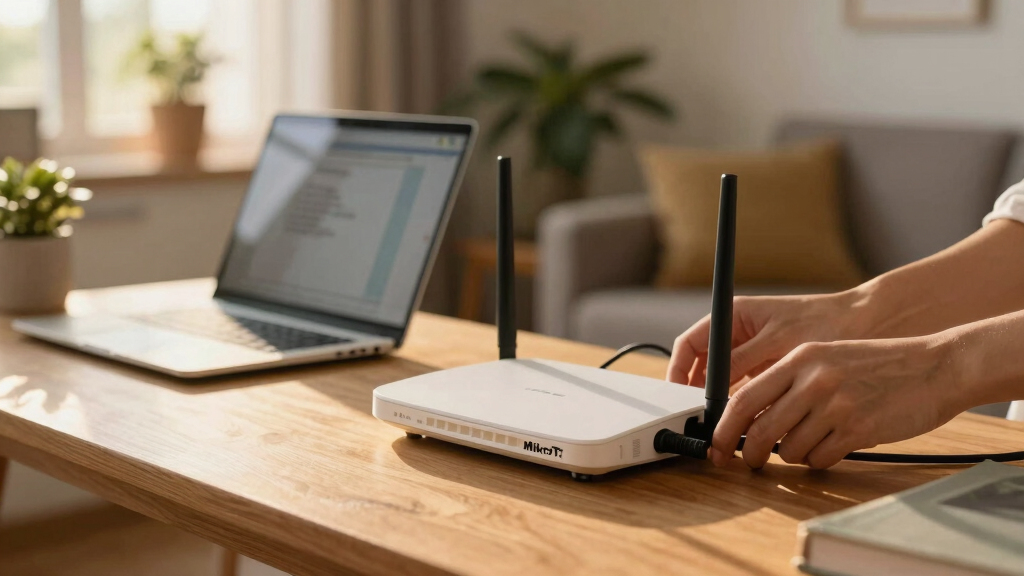

The MikroTik hAP ax S is my leading choice for most wireless households because Wi-Fi 6 gives it the most current wireless foundation in this lineup. The hAP ac3 ranks close behind as a practical value pick, pairing dual-band Wi-Fi 5 with five Ethernet ports. For a wired home built around separate access points, I would favor the hEX S (2025) and its unusually flexible mix of Gigabit Ethernet, 2.5G SFP, USB, and PoE out.

Get the latest gadgets delivered free with Prime
- Fast, free delivery on millions of items
- Prime Video, Amazon Music and more included
- Member-only deals all year
The main choice is not simply which MikroTik router is fastest. Buyers must decide between an all-in-one wireless router and a wired RouterOS gateway. The hAP models reduce the number of devices needed, while the hEX models suit homes where routing, switching, and Wi-Fi are handled separately. That modular approach offers more placement freedom but adds equipment and configuration work.
I ranked these routers by their usefulness in a home, not by the length of their feature lists. Wireless generation, port flexibility, setup demands, and upgrade headroom carry more weight than niche RouterOS capabilities. Every model here can serve a capable network administrator, but their roles differ sharply: some make sense as everyday household routers, while others are best treated as the control center for a carefully planned wired network.
Complete the kit



Key Takeaways
- The hAP ax S takes first place because Wi-Fi 6 makes it the most suitable all-in-one starting point for a current wireless household, though its published specification set is sparse.
- The hAP ac3 is the safer value choice for buyers who want dual-band Wi-Fi and five wired ports without adding a separate access point.
- The hEX S (2025) is the most expandable wired option here, led by its 2.5G SFP connection, PoE out, USB port, and RouterOS flexibility.
- The E50UG hEX offers the strongest budget wired proposition on paper, combining five Gigabit ports with a newer ARM processor and 512MB of RAM.
- The older RB750Gr3 remains useful for compact wired networks and hardware-assisted IPsec, but its lower memory and lack of Wi-Fi make newer models easier to recommend.
| MikroTik hAP ax S Wireless Router Wi-Fi 6 |  | Best Overall | Router Type: Wireless home router | Wireless Standard: 802.11ax | Wi-Fi Generation: Wi-Fi 6 | VIEW LATEST PRICE | See Our Full Breakdown |
| MikroTik hAP ac3 |  | Best Value All-in-One | Regional Version: US | Wireless Standard: 802.11ac | Wi-Fi Generation: Wi-Fi 5 | VIEW LATEST PRICE | See Our Full Breakdown |
| MikroTik hEX S (2025) E60iUGS Wired Router |  | Best Premium Wired Router | Router Type: Wired router | Ethernet Ports: 5 Gigabit Ethernet ports | SFP Port: 2.5G | VIEW LATEST PRICE | See Our Full Breakdown |
| Mikrotik hEX 5 Port Gigabit Router (E50UG) |  | Best Budget Wired Router | Router Type: Wired router | Ethernet Ports: 5 Gigabit Ethernet ports | Processor Architecture: ARM | VIEW LATEST PRICE | See Our Full Breakdown |
| Mikrotik hEX RB750Gr3 5-Port Ethernet Gigabit Router |  | Best Compact Legacy Pick | Ethernet Ports: 5 Gigabit Ethernet ports | Processor: Dual-core 880MHz CPU | Memory: 256MB RAM | VIEW LATEST PRICE | See Our Full Breakdown |
| MikroTik home router | Ethernet Ports | Processor | Memory | Router Type |
|---|---|---|---|---|
| MikroTik hAP ax S Wireless Rou | Not specified | Not specified | Not specified | Wireless home router |
| MikroTik hAP ac3 | 5 | Not specified | Not specified | — |
| MikroTik hEX S | 5 Gigabit Ethernet ports | Dual-core CPU | — | Wired router |
| Mikrotik hEX 5 Port Gigabit Ro | 5 Gigabit Ethernet ports | — | 512MB RAM | Wired router |
| Mikrotik hEX RB750Gr3 5-Port E | 5 Gigabit Ethernet ports | Dual-core 880MHz CPU | 256MB RAM | — |
More Details on Our Top Picks
MikroTik hAP ax S Wireless Router Wi-Fi 6
The MikroTik hAP ax S ranks first because it is the only model in this comparison built around Wi-Fi 6. That matters in a home filled with newer phones, laptops, televisions, and smart devices: the newer wireless standard is designed to handle busy networks more efficiently than the Wi-Fi 5 technology in the hAP ac3. It also avoids the immediate need for the separate wireless access point required by every hEX model.
This is the best fit for a buyer who wants one MikroTik device for routing and Wi-Fi while retaining access to RouterOS controls. Compared with the hAP ac3, its wireless generation gives it better long-term relevance. The older model has a clearer documented advantage for wired clients, however, because its five Ethernet ports are explicitly listed. The supplied hAP ax S information does not state its Ethernet count, radio arrangement, processor, memory, or included accessories.
That missing detail is the biggest reason my recommendation comes with a qualification. Wi-Fi 6 alone does not define whole-home coverage, and buyers with a large property may still need extra access points. I would choose the hAP ax S as the most current all-in-one option here, but I would verify the exact regional hardware specification before ordering. Anyone who values known port capacity over wireless recency may find the hAP ac3 easier to evaluate.
Pros:- Wi-Fi 6 support suits newer household devices
- Combines wireless access and routing in one unit
- More current wireless foundation than the hAP ac3
- Avoids requiring a separate access point at the outset
Cons:- Supplied specifications omit Ethernet, radio, CPU, and memory details
- RouterOS can be demanding for newcomers
- Coverage cannot be inferred from the wireless standard alone
Best for: Households with current Wi-Fi 6 devices that want an all-in-one MikroTik router and are willing to learn RouterOS.
Not ideal for: Buyers who need fully documented port, radio, processor, or memory specifications before purchase.
- Router Type:Wireless home router
- Wireless Standard:802.11ax
- Wi-Fi Generation:Wi-Fi 6
- Wireless Bands:Not specified
- Ethernet Ports:Not specified
- Processor:Not specified
- Memory:Not specified
Our verdict“The hAP ax S is my best overall pick for a current wireless home, provided the buyer confirms the missing hardware details before purchase.”
MikroTik hAP ac3
The MikroTik hAP ac3 is the most balanced known quantity in the group. It combines dual-band 802.11ac Wi-Fi with five Ethernet ports, making it a sensible hub for a household that mixes wireless devices with televisions, desktops, consoles, or a network-attached storage device. Unlike a wired hEX, it can provide the basic network from one box.
I place it behind the hAP ax S because Wi-Fi 5 is now the older standard. A household buying new Wi-Fi 6 devices will not receive the same wireless-generation match offered by the first-place model. Yet the hAP ac3 has an advantage for cautious shoppers: its dual-band capability and port count are clearly stated, so its role is easier to plan. It is also a more complete household solution than the similarly port-rich E50UG hEX, which has no built-in Wi-Fi.
The drawback is that this is not a plug-and-forget consumer router. RouterOS rewards technical confidence, and some users may find the setup disproportionate if they only want a network name and password. Its documentation here also leaves out processor, memory, antenna, and power-adapter details. I see the hAP ac3 as the value sweet spot for buyers who accept Wi-Fi 5 and want dependable wired capacity without assembling a modular network.
Pros:- Dual-band Wi-Fi supports common 2.4GHz and 5GHz use cases
- Five Ethernet ports accommodate several wired devices
- All-in-one design costs less effort than a separate router and access point
- RouterOS supports advanced small-network configurations
Cons:- Uses older 802.11ac Wi-Fi rather than Wi-Fi 6
- Setup requires more networking knowledge than many consumer routers
- Processor, memory, and power-adapter details are not supplied
Best for: Value-focused homes needing dual-band Wi-Fi plus several Ethernet connections in a single RouterOS device.
Not ideal for: Buyers prioritizing Wi-Fi 6 longevity or a guided, consumer-style setup process.
- Regional Version:US
- Wireless Standard:802.11ac
- Wi-Fi Generation:Wi-Fi 5
- Wireless Bands:Dual-band
- Ethernet Ports:5
- Processor:Not specified
- Memory:Not specified
- Power Adapter:Inclusion not specified
Our verdict“The hAP ac3 is my value recommendation for homes that favor a proven mix of dual-band Wi-Fi and five wired ports over the newest wireless standard.”
MikroTik hEX S (2025) E60iUGS Wired Router
The MikroTik hEX S (2025) is my leading wired pick because its connections support a more ambitious home network. Five Gigabit Ethernet ports cover ordinary wired clients, while the 2.5G SFP port creates a faster path for compatible fiber equipment or another network device. USB and PoE out broaden the configurations it can support without turning the router itself into a large appliance.
Its main advantage over the E50UG hEX is expansion rather than basic port count. Both provide five Gigabit Ethernet ports, but the hEX S adds the faster SFP connection and the ability to power a compatible device through PoE out. That can make a cleaner installation when feeding an access point or other supported equipment. Against the RB750Gr3, it also presents a more forward-looking connection set, though the supplied listing only identifies its processor as dual-core.
This is not a wireless router, despite the absence of an explicit Wi-Fi statement in the supplied material. I would plan around it as a wired RouterOS gateway and budget for one or more access points. The extra ports and functions offer little value to someone who will never use fiber, PoE, USB, VLANs, or separate wireless hardware. For a buyer building a structured home network, however, the hEX S offers the best upgrade path among these wired models.
Pros:- Five Gigabit Ethernet ports support a wired household network
- 2.5G SFP port offers faster uplink potential
- PoE out can simplify power delivery to compatible equipment
- USB and RouterOS expand possible network roles
Cons:- Built-in Wi-Fi is not listed, so wireless access requires separate hardware
- Benefits depend on owning or planning compatible network equipment
- Accessories and mounting options are not specified
Best for: Advanced home networks using separate access points, fiber or SFP equipment, PoE-powered devices, and RouterOS segmentation.
Not ideal for: Anyone seeking a self-contained wireless router or a simple setup with minimal extra hardware.
- Router Type:Wired router
- Ethernet Ports:5 Gigabit Ethernet ports
- SFP Port:2.5G
- PoE Out:Yes
- USB:Yes
- Processor:Dual-core CPU
- Operating System:RouterOS
- Built-in Wi-Fi:Not listed
Our verdict“The hEX S (2025) is my premium wired choice for buyers who will use its 2.5G SFP, PoE, and modular expansion advantages.”
Mikrotik hEX 5 Port Gigabit Router (E50UG)
The E50UG hEX focuses its budget on routing hardware rather than wireless radios. Its modern ARM processor and 512MB of RAM make it a more attractive entry point than the older RB750Gr3 for buyers who want a current wired MikroTik platform. Five Gigabit Ethernet ports provide enough physical connectivity for an internet uplink and several local devices, subject to the final port configuration.
Compared with the hEX S (2025), this model gives up the clearly listed 2.5G SFP connection and PoE out. That makes the E50UG less appealing for fiber-oriented builds or installations where the router should power another device. In exchange, its positioning is simpler: it is the cost-conscious RouterOS gateway for a network that remains within Gigabit Ethernet and relies on a separate switch or access point when expansion is needed.
I would choose it over the RB750Gr3 unless the older router’s hardware IPsec support, microSD slot, or passive PoE input served a specific plan. The E50UG has twice the listed RAM and a newer processor architecture, but the supplied details provide no throughput measurements or explicit security capabilities. It is a strong paper value, not proof of a particular real-world speed. Buyers must also account for the cost of separate Wi-Fi hardware.
Pros:- ARM processor provides a current platform for an affordable wired router
- 512MB of RAM exceeds the older RB750Gr3 specification
- Five Gigabit Ethernet ports cover core home-network connections
- Separating routing from Wi-Fi supports flexible access-point placement
Cons:- No built-in wireless capability is described
- No 2.5G SFP or PoE-out feature is listed
- Specific throughput and security details are not provided
Best for: Budget-conscious network enthusiasts who already own an access point or want to build a separate wired and wireless system.
Not ideal for: Homes needing built-in Wi-Fi, a documented multi-gigabit connection, or published throughput figures.
- Router Type:Wired router
- Ethernet Ports:5 Gigabit Ethernet ports
- Processor Architecture:ARM
- Memory:512MB RAM
- Built-in Wi-Fi:No
- SFP Connectivity:Not specified
- PoE:Not specified
- Published Throughput:Not specified
Our verdict“The E50UG hEX is my budget wired pick because it pairs five Gigabit ports with newer processing hardware and 512MB of RAM.”
Mikrotik hEX RB750Gr3 5-Port Ethernet Gigabit Router
The hEX RB750Gr3 remains appealing when compact size and established wired features matter more than owning the newest platform. Its five Gigabit ports, dual-core 880MHz processor, and hardware-assisted IPsec capability suit a small wired network or a dedicated VPN-oriented role. At 113 x 89 x 28mm, it is easy to place near a modem, patch panel, or shelf.
This model finishes behind the E50UG because the newer hEX lists 512MB of RAM versus 256MB and uses a modern ARM CPU. The RB750Gr3 answers with details absent from the E50UG description: a USB port, microSD expansion, passive PoE input, monitoring functions, and hardware encryption. Those can outweigh age when a buyer has a precise configuration in mind, but they are not automatic wins for an ordinary household.
Like the other hEX models, it has no built-in Wi-Fi. Adding an access point raises the total cost and makes setup more involved than choosing the hAP ac3. Its 16MB storage figure is also modest, while the supplied description does not state current software headroom or measured VPN throughput. I would buy the RB750Gr3 for a specific compact wired job, not as the default choice among MikroTik home routers in 2026.
Pros:- Compact enclosure fits constrained network spaces
- Five Gigabit Ethernet ports support common wired layouts
- Hardware IPsec encryption aids compatible VPN workloads
- USB, microSD, passive PoE input, and monitoring features add flexibility
Cons:- No built-in Wi-Fi
- Older CPU platform and less RAM than the E50UG
- RouterOS setup requires networking knowledge
Best for: Technically confident buyers needing a small wired router with hardware IPsec, USB, microSD, or passive PoE input.
Not ideal for: Mainstream households wanting integrated Wi-Fi or buyers who prefer the newer processor and extra RAM of the E50UG.
- Ethernet Ports:5 Gigabit Ethernet ports
- Processor:Dual-core 880MHz CPU
- Memory:256MB RAM
- Storage:16MB with microSD slot
- PoE:Passive PoE input
- USB:Yes
- Encryption:Hardware IPsec support
- Dimensions:113 x 89 x 28mm
- Built-in Wi-Fi:No
Our verdict“The RB750Gr3 is a capable compact specialist, but I would choose it over newer hEX models only for its particular VPN, storage, or power features.”
How We Picked
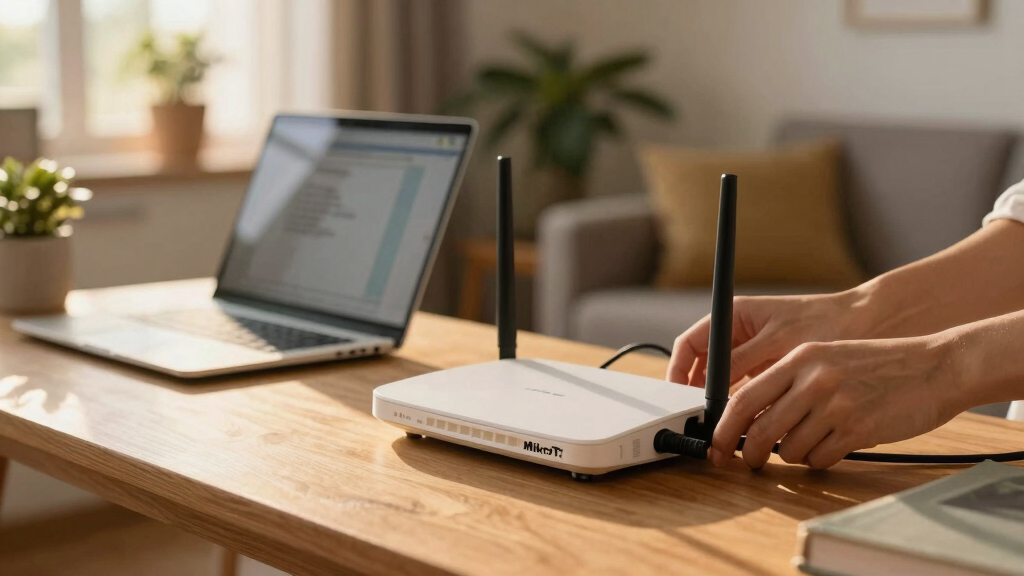
I judged each model specifically as a MikroTik router for the home. My ranking gives priority to features that change daily household use: built-in Wi-Fi, the wireless generation, Ethernet capacity, room for faster uplinks, and whether the router can power or support another network device. I also weighed how much extra hardware a buyer would need before the network was complete.
I treated RouterOS flexibility as both an advantage and a tradeoff. VLANs, detailed firewall policies, VPNs, traffic controls, and multiple subnets can make MikroTik hardware far more adaptable than a basic consumer router. Those capabilities also bring a steeper learning curve. A model did not move up my list merely because it could support an elaborate configuration; it needed a convincing benefit for a real home network.
Product differentiation shaped the final order. The hAP ax S leads for current wireless relevance, while the hAP ac3 earns its place through a clearer balance of Wi-Fi and wired connectivity. Among wired models, I put the hEX S ahead for expansion, the E50UG hEX ahead for value, and the RB750Gr3 last because its older platform faces stronger alternatives. Where the supplied product information omits a detail, I label it as unspecified instead of filling the gap with an assumption.
| MikroTik home router | Router Type | Processor | Built-in Wi-Fi |
|---|---|---|---|
| MikroTik hAP ax S Wireless Rou | Wireless home router | Not specified | — |
| MikroTik hAP ac3 | — | Not specified | — |
| MikroTik hEX S | Wired router | Dual-core CPU | Not listed |
| Mikrotik hEX 5 Port Gigabit Ro | Wired router | — | No |
| Mikrotik hEX RB750Gr3 5-Port E | — | Dual-core 880MHz CPU | No |
Factors to Consider When Choosing Best MikroTik Home Routers
I would start by deciding whether the router must provide Wi-Fi or only manage the network. That single choice separates the two hAP models from the three hEX models and prevents most mismatched purchases.
Choose an All-in-One or Modular Network
An all-in-one hAP router combines routing and wireless access, which suits apartments, smaller homes, and buyers who want fewer boxes. The hAP ax S is my choice for Wi-Fi 6, while the hAP ac3 is the clearer value option with a documented five-port layout. A single router may still struggle to cover a large or unusually shaped property, regardless of its wireless generation.
A wired hEX router separates network control from Wi-Fi coverage. I favor that arrangement when access points need to sit away from the modem or when several wireless nodes will cover the property. It provides placement freedom and cleaner upgrades, but the access points, cabling, and possible PoE equipment increase both cost and setup time.
Match the Wireless Standard to the Household
Wi-Fi 6 on the hAP ax S is the better match for newer client devices and a busy wireless network. It does not guarantee a particular speed or coverage area because radio design, channel conditions, walls, and client capabilities still matter. The hAP ac3 uses dual-band Wi-Fi 5, which remains workable for ordinary browsing, streaming, and smart-home use but offers less wireless headroom.
I would not reject a wired hEX simply because it lacks Wi-Fi. Pairing one with a well-positioned access point can outperform a wireless router placed beside an inconvenient internet connection. The tradeoff is that the access point becomes part of the budget, and compatibility between power requirements, Ethernet links, and management plans must be checked.
Plan Ports, Uplinks, and PoE Before Buying
Five Gigabit Ethernet ports appear across most of this comparison, but the number alone does not describe the whole network. One port will commonly serve the internet connection, leaving the others for local clients or switches. If a household has several wired rooms, cameras, consoles, or storage devices, I would expect to add a dedicated Ethernet switch.
The hEX S 2.5G SFP port is the standout connection for an advanced build. It may provide a faster link to suitable fiber equipment or another compatible device, while PoE out can reduce power clutter. Those features deserve a price premium only when the planned equipment can use them. For a Gigabit-only network, the E50UG hEX offers better economy.
Decide How Much RouterOS Complexity You Want
RouterOS is a major reason to buy MikroTik. It can support segmented home networks, guest access, VLANs, detailed firewall policies, VPN configurations, traffic queues, and many other controls. I see that freedom as valuable for enthusiasts, home labs, remote workers, and buyers who want to learn networking.
The same flexibility can frustrate someone expecting a short mobile-app wizard. Configuration errors may also affect security or connectivity. I would select MikroTik when I wanted fine control and room to learn; for a household seeking automated parental controls and highly guided setup, a mainstream consumer mesh system may be a better fit.
Buy for a Defined Upgrade Path
I would map the next few likely changes before choosing: faster internet, an extra access point, a managed switch, a home server, cameras, or a VPN. The hAP ax S protects the wireless side with Wi-Fi 6, whereas the hEX S creates the strongest modular path through SFP, PoE out, and USB. The hAP ac3 works best when the network is likely to stay simpler.
Older hardware can still be sensible when its specific tools match the job. The RB750Gr3 earns attention for hardware IPsec and passive PoE input, not merely because it is inexpensive. If those functions have no clear use, the E50UG’s newer ARM platform and greater memory make the more persuasive budget wired choice.
Frequently Asked Questions
Which MikroTik router is best for a typical home?
I rank the hAP ax S as the best overall choice for a typical current household because it combines routing with Wi-Fi 6. It requires less supporting hardware than a wired hEX and has a newer wireless standard than the hAP ac3. Its supplied specifications are incomplete, so I would verify the port count, radio arrangement, memory, processor, and regional package before ordering.
Do MikroTik hEX routers provide Wi-Fi?
The hEX models in this roundup should be treated as wired routers without integrated Wi-Fi. They need a separate wireless access point for phones, tablets, and other Wi-Fi clients. This can be an advantage when the router must stay near the modem but the access point can be installed in a central location. It also adds hardware, cabling, and configuration work compared with the hAP ax S or hAP ac3.
Is the hAP ac3 still a good home router in 2026?
Yes, the hAP ac3 remains a sensible value choice when Wi-Fi 5 meets the household’s needs. Its dual-band wireless support and five Ethernet ports make it more versatile out of the box than a wired hEX. I would favor the hAP ax S for buyers building around newer Wi-Fi 6 devices, but the ac3 is easier to recommend when known wired capacity and a lower-cost all-in-one design carry more weight.
What makes the hEX S (2025) different from the E50UG hEX?
The hEX S is the more expandable wired model. Both list five Gigabit Ethernet ports, but the hEX S adds a 2.5G SFP port, PoE out, and USB. Those features suit fiber connections, compatible powered devices, and modular home networks. The E50UG is my budget choice because its ARM processor and 512MB of RAM provide an appealing core specification without paying for connections that many Gigabit-only homes will not use.
Are MikroTik routers suitable for beginners?
A patient beginner can learn MikroTik, but RouterOS is less guided than many consumer-router interfaces. I would recommend starting with a simple configuration, applying software updates, changing default access credentials, and adding advanced rules only after understanding their effects. The hAP models reduce hardware complexity by including Wi-Fi, while a hEX network also requires the buyer to select and configure a separate access point.
Conclusion
For most buyers seeking a current all-in-one router, I would choose the MikroTik hAP ax S for its Wi-Fi 6 foundation. A value-focused household with several wired devices should pick the hAP ac3, provided Wi-Fi 5 is sufficient. For an advanced network with separate access points, fiber-oriented equipment, or PoE needs, the hEX S (2025) is the strongest wired option.
The E50UG hEX makes more sense for a budget Gigabit build, while the RB750Gr3 suits a compact specialist role involving hardware IPsec, microSD, USB, or passive PoE input. My final choice would follow the network design: hAP for a simpler wireless household, hEX for modular control, and the hEX S when expansion matters more than initial simplicity.