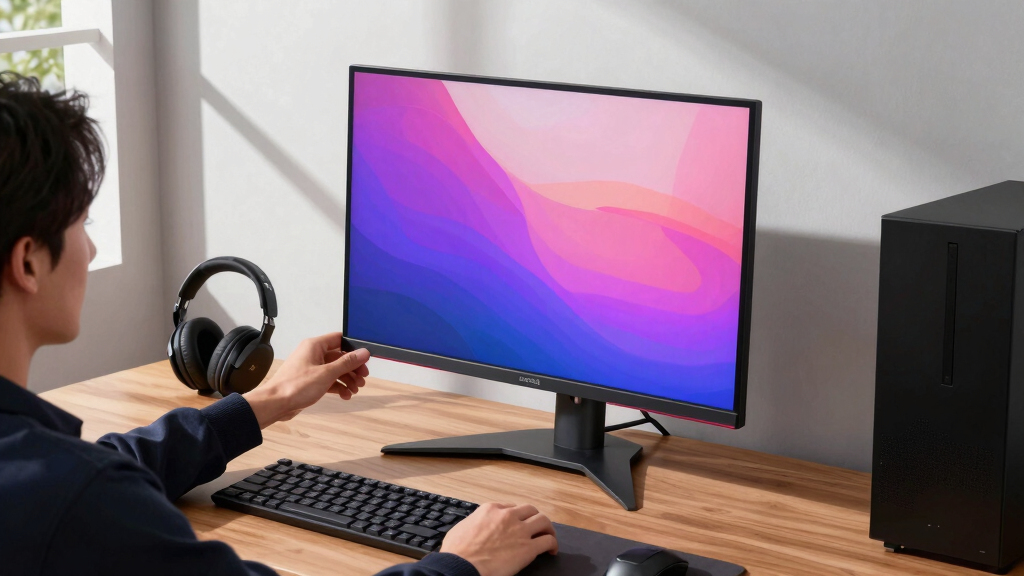

4K OLED gaming monitors now split into two main camps: QD-OLED models built around color punch and desk-hub features, and WOLED models that lean into brightness control, glossy finishes, or dual-mode speed. My best overall pick is the MSI MPG 321URXW QD-OLED because it pairs 4K/240Hz play with a KVM, RGB, HDMI 2.1, DisplayPort, and high-power USB-C in a package that works for both gaming and a clean work desk. The ASUS ROG Swift PG32UCDP is the premium play for buyers who want 4K/240Hz plus 1080p/480Hz, while the ASUS ROG Strix XG27UCDMG is the sharper compact choice for smaller desks. The main tradeoffs are size, panel type, burn-in care, HDR brightness, and whether dual-mode refresh is more useful than laptop-friendly ports. Continue reading for the full breakdown of which monitor fits each kind of setup.

Get the latest gadgets delivered free — and shop member deals
- Fast, free delivery on millions of items
- Access to Prime Big Deal Days deals on October 6–7
- Prime Video, Amazon Music and more included
Key Takeaways
- MSI has the best desk-hub story: the MPG 321URXW and MPG 321URX rise because their KVM and USB-C features matter when one display has to serve a gaming PC, laptop, and consoles.
- ASUS owns the dual-mode lane: the PG32UCDP and XG32UCWMG make more sense than fixed-refresh rivals for players who regularly swap between cinematic 4K games and fast shooters.
- The 27-inch ASUS XG27UCDMG is the compact specialist; it gives up the bigger 32-inch canvas but gains higher pixel density and easier desk placement than the 32-inch picks.
- LG is strongest when price drops: the 32GX850A-B and 32GX870A-B are appealing WOLED alternatives, but they need attractive pricing to outrank the richer port packages from MSI and ASUS.
- Samsung Odyssey OLED G8 is the smart-display wildcard; it suits buyers who want built-in apps and a polished all-in-one feel, but PC-first buyers may prefer simpler controls and stronger USB-C/KVM utility.
| ASUS ROG Strix 32” 4K OLED Gaming Monitor (XG32UCWMG) |  | Best Overall | Display Size: 32 inches | Resolution: 3840 x 2160 (4K) | Panel: TrueBlack Glossy WOLED | VIEW LATEST PRICE | See Our Full Breakdown |
| ASUS ROG Strix 32” 4K OLED Gaming Monitor (XG32UCWG) |  | Best Balanced Dual-Mode Pick | Display Size: 32 inches | Resolution: 3840 x 2160 (4K) | Panel: TrueBlack Glossy OLED | VIEW LATEST PRICE | See Our Full Breakdown |
| MSI MPG 321URXW QD-OLED 31.5 Inch 4K UHD Gaming Monitor |  | Best Desk Hub | Display Size: 31.5 inches | Resolution: 3840 x 2160 (4K UHD) | Panel Technology: Quantum Dot OLED | VIEW LATEST PRICE | See Our Full Breakdown |
| LG 32GX850A-B 32″ UltraGear 4K UHD OLED Gaming Monitor |  | Best for Ergonomics | Display Size: 32 inches | Resolution: 3840 x 2160 (4K UHD) | Panel Type: OLED | VIEW LATEST PRICE | See Our Full Breakdown |
| MSI MPG 321URX QD-OLED 32-Inch 4K UHD Gaming Monitor |  | Best QD-OLED Gaming Core | Display Size: 32 inches | Resolution: 3840 x 2160 | Panel Type: QD-OLED | VIEW LATEST PRICE | See Our Full Breakdown |
| ASUS ROG Strix 27-inch 4K QD-OLED Gaming Monitor XG27UCDMG |  | Best Compact 4K OLED Pick | Screen size: 27 inches | Resolution: 3840 x 2160 4K | Panel type: QD-OLED | VIEW LATEST PRICE | See Our Full Breakdown |
| ASUS ROG Swift 32-inch 4K OLED Gaming Monitor PG32UCDP |  | Best Dual-Mode Performance Pick | Screen size: 32 inches | Resolution: 3840 x 2160 4K UHD | Panel type: OLED | VIEW LATEST PRICE | See Our Full Breakdown |
| Samsung 32-inch Odyssey OLED G8 G80SD 4K UHD Smart Gaming Monitor |  | Best Smart 4K OLED Monitor | Screen size: 32 inches | Resolution: 4K UHD | Panel type: QD-OLED | VIEW LATEST PRICE | See Our Full Breakdown |
| LG 32GX870A-B 32-inch UltraGear 4K UHD OLED Gaming Monitor |  | Best High-Brightness Dual-Mode Pick | Screen size: 32 inches | Resolution: 3840 x 2160 4K UHD | Panel type: OLED | VIEW LATEST PRICE | See Our Full Breakdown |
More Details on Our Top Picks
ASUS ROG Strix 32” 4K OLED Gaming Monitor (XG32UCWMG)
I rank the ASUS ROG Strix XG32UCWMG highest because it best matches the 4K OLED gaming promise: 4K at 240Hz for sharp high-end play, plus FHD at 480Hz when speed matters more than pixel density. Compared with the ASUS ROG Strix XG32UCWG and LG 32GX850A-B, it gives competitive players more headroom while keeping the 32-inch 4K OLED format that also suits cinematic games and creative work. The TrueBlack Glossy WOLED panel, 99% DCI-P3 color, and Delta E under 2 make it more color-serious than a pure esports screen. The tradeoff is cost, and the compact stand may feel less flexible than LG’s more adjustable setup. I would also treat burn-in management as part of ownership, even with OLED Care Pro.
Pros:- 4K 240Hz mode balances sharpness and speed very well
- FHD 480Hz mode gives it stronger competitive reach than 165Hz/330Hz rivals
- 99% DCI-P3, true 10-bit color, and Delta E under 2 suit gaming and creative work
- OLED Care Pro with Neo Proximity Sensor adds useful burn-in protection
Cons:- Likely one of the pricier options in this batch
- Compact stand may feel limiting compared with fully adjustable alternatives
- OLED ownership still requires care around static UI elements
Best for: PC gamers with a high-end GPU who want one 32-inch OLED for both 4K visual quality and very fast competitive modes.
Not ideal for: Budget-focused players or users who need broad ergonomic adjustment, since the premium feature set and compact stand both add tradeoffs.
- Display Size:32 inches
- Resolution:3840 x 2160 (4K)
- Panel:TrueBlack Glossy WOLED
- Dual Mode:4K at 240Hz, FHD at 480Hz
- Response Time:0.03ms
- HDR:DisplayHDR 400 True Black
- Color:99% DCI-P3, true 10-bit, Delta E < 2
- Connectivity:DisplayPort 1.4 (DSC), HDMI 2.1, USB-C with 15W Power Delivery
- Warranty:3 years
Bottom line: This is the pick I would put first for buyers who want the strongest mix of 4K OLED fidelity, speed, and long-term panel protection.
ASUS ROG Strix 32” 4K OLED Gaming Monitor (XG32UCWG)
The ASUS ROG Strix XG32UCWG makes the most sense when I want the ASUS OLED package without paying for the faster XG32UCWMG’s 240Hz/480Hz ceiling. Its 4K 165Hz mode is still smooth for single-player games and most multiplayer use, while FHD 330Hz gives a real speed option for shooters. Compared with the LG 32GX850A-B, it has a very similar refresh-rate idea, but ASUS leans harder into color precision with Delta E under 2 and true 10-bit color. The catch is that it no longer feels like the performance leader beside the MSI MPG 321URX or XG32UCWMG, both of which reach 240Hz at 4K. I would choose it for balance, not bragging rights.
Pros:- Dual mode covers both 4K sharpness and faster FHD play
- Strong color credentials with 99% DCI-P3, true 10-bit color, and Delta E < 2
- G-SYNC compatibility helps smooth out demanding 4K games
- USB-C, HDMI 2.1, and DisplayPort give it broad device support
Cons:- 4K refresh rate trails the 240Hz options in the same roundup
- Still carries OLED burn-in care requirements
- USB-C charging is limited to 15W, which is light for laptop docking
Best for: Players who split time between 4K campaign games and faster competitive titles but do not need 4K 240Hz.
Not ideal for: Esports-first buyers chasing maximum 4K refresh, since the XG32UCWMG and MSI 321URX models offer more speed at full resolution.
- Display Size:32 inches
- Resolution:3840 x 2160 (4K)
- Panel:TrueBlack Glossy OLED
- Refresh Rate:165Hz at 4K, 330Hz at FHD
- Response Time:0.03ms
- HDR:DisplayHDR 400 True Black
- Color:99% DCI-P3, true 10-bit, Delta E < 2
- Connectivity:DisplayPort 1.4, HDMI 2.1, USB-C with 15W Power Delivery
- Warranty:3 years
Bottom line: I would pick this for a balanced 32-inch 4K OLED setup when 165Hz is enough and color accuracy still matters.
MSI MPG 321URXW QD-OLED 31.5 Inch 4K UHD Gaming Monitor
The MSI MPG 321URXW earns its place because it is more than a fast OLED panel. Like the ASUS XG32UCWMG, it reaches 4K 240Hz with a 0.03ms response time, but MSI adds a more workstation-friendly setup with USB-C 98W Power Delivery, a USB hub, and KVM. That makes it stronger than the MSI MPG 321URX if I want one screen for a gaming PC and a laptop. The QD-OLED panel, 99% DCI-P3 coverage, and 1000-nit peak brightness also help HDR highlights feel punchier than lower-brightness OLED options. The tradeoff is physical and financial: it needs desk space, and the extra hub features can push the price beyond what a single-PC gamer needs. OLED Care 2.0 helps, but static desktop use still calls for discipline.
Pros:- 4K 240Hz QD-OLED panel is fast and color-rich
- USB-C with 98W Power Delivery can simplify laptop setups
- KVM and USB hub are useful for shared desk workflows
- Fully adjustable stand gives more placement control than compact-stand rivals
Cons:- Large 31.5-inch body needs a roomy desk
- Premium hub features may be wasted on a simple console or single-PC setup
- OLED burn-in risk remains for static productivity layouts
Best for: Hybrid desk users who connect a gaming PC and laptop and want 4K 240Hz OLED performance with docking-style convenience.
Not ideal for: Single-system gamers who will not use KVM or high-wattage USB-C, since those features add cost without changing frame rate.
- Display Size:31.5 inches
- Resolution:3840 x 2160 (4K UHD)
- Panel Technology:Quantum Dot OLED
- Refresh Rate:240Hz
- Response Time:0.03ms (GtG)
- HDR:DisplayHDR True Black 400, 1000-nit peak brightness
- Color Gamut:99% DCI-P3
- Stand Adjustments:Pivot, tilt, swivel, height
- Connectivity:DisplayPort 1.4a, HDMI 2.1, USB-C 98W, USB hub, KVM
Bottom line: This is the model I would choose when the monitor also needs to act as the center of a mixed gaming and work desk.
LG 32GX850A-B 32″ UltraGear 4K UHD OLED Gaming Monitor
The LG 32GX850A-B is the one I would move up the list for long sessions, because its tilt, height, swivel, and pivot adjustments make day-to-day positioning easier than the compact ASUS XG32UCWMG stand. Performance lands closer to the ASUS XG32UCWG, with 4K 165Hz and a faster FHD 330Hz mode rather than the 4K 240Hz of the MSI MPG 321URX. That means LG is less appealing for buyers chasing the highest full-resolution refresh, but it is friendlier for comfort-focused setups. Support for both G-SYNC and FreeSync Premium Pro also makes it flexible across GPU camps. The glossy OLED image should look rich, yet reflections and the 275-nit listed brightness make room lighting more relevant than with brighter QD-OLED options.
Pros:- Highly adjustable stand helps comfort during long sessions
- Dual 165Hz/330Hz modes support both 4K detail and faster play
- G-SYNC and FreeSync Premium Pro support suit a wider range of GPUs
- Eye comfort certifications add appeal for extended use
Cons:- 4K refresh rate is lower than 240Hz rivals
- Glossy finish can pick up reflections in bright rooms
- High refresh modes still demand a strong graphics card
Best for: Gamers who play for long stretches and need a 32-inch 4K OLED that is easy to position correctly.
Not ideal for: Bright-room users or competitive players who want 4K 240Hz, since reflections and the 165Hz 4K ceiling are real limits.
- Display Size:32 inches
- Resolution:3840 x 2160 (4K UHD)
- Panel Type:OLED
- Refresh Rate:165Hz / 330Hz dual mode
- Response Time:0.03ms (GtG)
- HDR:VESA DisplayHDR True Black 400
- Color Gamut:DCI-P3 98.5%
- Adaptive Sync:G-SYNC and FreeSync Premium Pro
- Stand Adjustments:Tilt, height, swivel, pivot
Bottom line: I would choose this LG for a comfort-first OLED gaming desk where ergonomics matter as much as raw speed.
MSI MPG 321URX QD-OLED 32-Inch 4K UHD Gaming Monitor
The MSI MPG 321URX is the cleaner gaming-first version of MSI’s 32-inch QD-OLED idea. It keeps the parts that matter most for play: 4K 240Hz, 0.03ms response, 99% DCI-P3 color, and HDMI 2.1/DisplayPort/USB-C connectivity. Compared with the MSI MPG 321URXW, it is less clearly built as a desk hub because the listed data does not call out 98W USB-C or KVM, so I would view it as the better fit for a dedicated gaming rig. Against the ASUS XG32UCWG and LG 32GX850A-B, the full-resolution 240Hz refresh gives it a real speed advantage. The weak point is brightness: a listed 250 nits can feel limiting in a sunny room, and the large 32-inch footprint will not suit every desk.
Pros:- 4K 240Hz refresh gives it stronger full-resolution speed than 165Hz competitors
- QD-OLED panel with 99% DCI-P3 coverage supports vivid color and deep contrast
- 0.03ms response time suits fast action and low blur
- HDMI, DisplayPort, USB-C, and USB ports cover most gaming setups
Cons:- 250-nit listed brightness may struggle in very bright rooms
- Large 32-inch size and 27.2-pound weight require a sturdy desk
- Less compelling as a laptop dock than the MSI MPG 321URXW
Best for: PC gamers who want QD-OLED color and 4K 240Hz speed without paying extra for a full docking-style feature set.
Not ideal for: Laptop-heavy users or bright-room setups, since the 321URXW has stronger desk-hub features and this model lists only 250 nits of brightness.
- Display Size:32 inches
- Resolution:3840 x 2160
- Panel Type:QD-OLED
- Refresh Rate:240Hz
- Response Time:0.03ms
- HDR:VESA DisplayHDR True Black 400
- Color Gamut:99% DCI-P3
- Brightness:250 nits
- Ports:2 HDMI, 1 DisplayPort, 1 USB Type-C, 3 USB 3.0
Bottom line: This is my pick for buyers who mainly want the 4K 240Hz QD-OLED gaming experience and can skip the fancier hub extras.
ASUS ROG Strix 27-inch 4K QD-OLED Gaming Monitor XG27UCDMG
I would put the ASUS ROG Strix XG27UCDMG here for buyers who want 4K sharpness in a 27-inch frame instead of the bigger 32-inch layout used by the ASUS ROG Swift PG32UCDP, Samsung Odyssey OLED G8, and LG 32GX870A-B. The smaller size gives higher pixel density, which helps if this monitor will split time between competitive games, text work, and creative apps. It still has the core gaming pieces I want in this category: 240Hz QD-OLED speed, 0.03ms response, DisplayHDR 400 True Black, and true 10-bit color. The tradeoff is scale. Cinematic games and couch-distance play feel better on the 32-inch options, and this ASUS still sits in a high-price lane. Its USB-C with 90W power delivery makes it more flexible than many gaming-first screens, though.
Pros:- Crisp 27-inch 4K QD-OLED panel with strong pixel density
- 240Hz refresh rate and 0.03ms response suit fast PC gaming
- True 10-bit color and 99% DCI-P3 help with creative workloads
- USB-C with 90W power delivery adds real desk setup flexibility
Cons:- Smaller screen is less immersive than 32-inch 4K OLED rivals
- High price for buyers who only need gaming performance
- Adobe Creative Cloud access is limited to 3 months
Best for: Desk-focused players who want dense 4K detail, fast OLED response, and USB-C laptop support without moving up to a 32-inch screen.
Not ideal for: Players who want the most immersive 4K canvas for cinematic games — the 32-inch ASUS, Samsung, and LG options feel larger and more enveloping.
- Screen size:27 inches
- Resolution:3840 x 2160 4K
- Panel type:QD-OLED
- Refresh rate:240Hz
- Response time:0.03ms
- HDR:VESA DisplayHDR 400 True Black
- Color:99% DCI-P3, true 10-bit
- Connectivity feature:USB-C with 90W power delivery
- Warranty:3 years
Bottom line: This is the 4K OLED I would pick for a sharp, compact desktop setup rather than a big-screen gaming station.
ASUS ROG Swift 32-inch 4K OLED Gaming Monitor PG32UCDP
The ASUS ROG Swift PG32UCDP is the most performance-split option in this batch because it can run 4K at 240Hz or drop to Full HD at 480Hz. That makes it better suited to players who bounce between cinematic single-player games and esports than the Samsung Odyssey OLED G8, which stays focused on 4K 240Hz. Compared with the ASUS ROG Strix XG27UCDMG, the PG32UCDP trades compact sharpness for a larger 32-inch OLED image and a faster secondary mode. The downside is that the lower-resolution 480Hz mode is a specific use case, not a reason to buy for everyone. Port details are also thinner than I would like for a high-end display, and OLED burn-in still needs care even with advanced cooling. For mixed competitive and visual play, though, its dual-mode design is the hook.
Pros:- Dual-mode 4K 240Hz and Full HD 480Hz setup fits mixed gaming styles
- Large 32-inch OLED panel gives a more immersive 4K image than 27-inch options
- 0.03ms response time helps reduce perceived blur in fast games
- G-SYNC compatibility supports smoother variable refresh gameplay
Cons:- 480Hz mode requires dropping far below native 4K resolution
- Port information is limited compared with better-specified rivals
- OLED panel care still matters for static desktop or HUD-heavy use
Best for: Competitive players who also want a large 4K OLED screen for story games and can use the 480Hz Full HD mode for esports.
Not ideal for: Buyers who only play at 4K and want clearer port information before purchase — the Samsung Odyssey OLED G8 or LG 32GX870A-B is easier to compare on connectivity.
- Screen size:32 inches
- Resolution:3840 x 2160 4K UHD
- Panel type:OLED
- Refresh rate:240Hz at 4K, 480Hz at Full HD
- Response time:0.03ms
- HDR:VESA DisplayHDR 400
- Viewing angle:178 degrees
- Weight:16.1 pounds
- Dimensions:10.8 x 28.1 x 22.8 inches
Bottom line: This is the pick for players who want one 32-inch OLED to cover both high-detail 4K gaming and very fast esports sessions.
Samsung 32-inch Odyssey OLED G8 G80SD 4K UHD Smart Gaming Monitor
The Samsung Odyssey OLED G8 G80SD earns its place as the smart, living-room-friendly 32-inch option. It matches the ASUS ROG Swift PG32UCDP on 4K 240Hz OLED gaming speed, but it leans more toward a polished all-purpose screen with QD-OLED color, glare-free treatment, HDMI 2.1, DisplayPort, and a 3-year warranty. Compared with the LG 32GX870A-B, it lacks the headline 480Hz Full HD mode, so esports-first buyers may get more flexibility from LG. The Samsung makes more sense for players who mainly want native 4K play, console support, and reduced reflections in a bright room. Its typical brightness rating of 250 nits is lower than LG’s listed typical and peak brightness, so HDR buyers should weigh that. Still, the glare-free panel gives it a practical edge in real desks and shared spaces.
Pros:- 32-inch 4K QD-OLED panel suits immersive native-resolution gaming
- 240Hz refresh rate and 0.03ms response keep motion responsive
- Glare-free treatment helps in brighter rooms
- HDMI 2.1, DisplayPort, G-SYNC compatibility, and 3-year warranty make it easy to pair with modern systems
Cons:- No 480Hz secondary mode like the ASUS PG32UCDP or LG 32GX870A-B
- 250-nit typical brightness trails LG’s listed brightness specs
- High-end pricing may be hard to justify for buyers who do not need smart features
Best for: Console and PC players who want a 32-inch 4K QD-OLED gaming screen with smart-monitor convenience and better glare control.
Not ideal for: Esports players chasing the highest refresh mode — the ASUS PG32UCDP and LG 32GX870A-B offer 480Hz Full HD options.
- Screen size:32 inches
- Resolution:4K UHD
- Panel type:QD-OLED
- Refresh rate:240Hz
- Response time:0.03ms
- Adaptive sync:G-SYNC compatible
- Brightness:250 nits typical
- Connections:HDMI 2.1, DisplayPort
- Warranty:3 years
Bottom line: I would choose this for native 4K OLED gaming in a brighter room, especially when smart features matter more than 480Hz play.
LG 32GX870A-B 32-inch UltraGear 4K UHD OLED Gaming Monitor
The LG 32GX870A-B UltraGear is the strongest choice here for buyers who want dual-mode speed but also care about brightness specs and modern inputs. Like the ASUS ROG Swift PG32UCDP, it supports 4K 240Hz and Full HD 480Hz, but LG adds a listed 275-nit typical brightness, up to 1300-nit peak brightness, USB Type-C, and DisplayPort 2.1. That makes it easier to recommend for powerful new PCs than the Samsung Odyssey OLED G8 if 480Hz matters, and more clearly specified than the ASUS PG32UCDP on connectivity. The tradeoff is focus: this is a costly monitor built for high-end gaming rigs, and OLED upkeep remains part of ownership. Its 2-year warranty is also shorter than Samsung’s listed 3-year coverage. Even so, the brightness plus bandwidth pairing gives LG a clear role.
Pros:- Dual-mode 4K 240Hz and Full HD 480Hz supports both visual and competitive play
- Listed 1300-nit peak brightness gives HDR games more punch than lower-brightness rivals
- DisplayPort 2.1 and USB Type-C suit modern PC setups
- G-SYNC and AMD FreeSync Premium Pro compatibility cover both major GPU camps
Cons:- Premium pricing limits its appeal outside serious gaming setups
- OLED burn-in prevention requires user attention over time
- 2-year warranty is shorter than Samsung’s listed 3-year coverage
Best for: High-end PC gamers with modern GPUs who want 4K OLED visuals, a 480Hz esports mode, USB-C, and DisplayPort 2.1.
Not ideal for: Budget-conscious players or mostly static productivity users — the price and OLED maintenance demands are hard to justify for lighter gaming.
- Screen size:32 inches
- Resolution:3840 x 2160 4K UHD
- Panel type:OLED
- Refresh rate:240Hz at 4K UHD, 480Hz at Full HD
- Response time:0.03ms
- HDR:VESA DisplayHDR True Black 400
- Brightness:275 nits typical, up to 1300 nits peak
- Connectivity:USB Type-C, DisplayPort 2.1
- Warranty:2-year limited warranty
Bottom line: This is the 32-inch OLED I would favor for a high-end PC build where 480Hz flexibility and newer connectivity both matter.
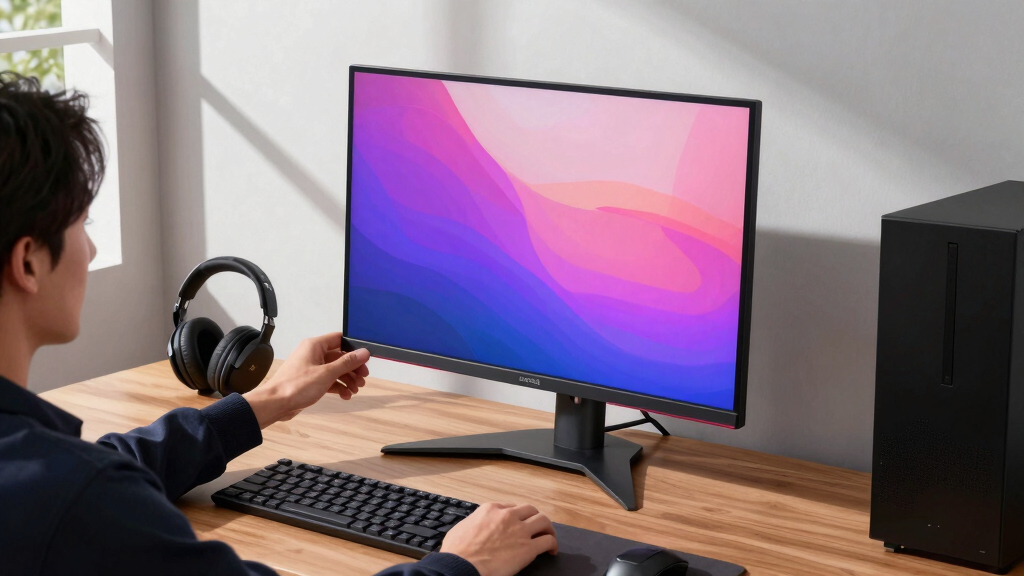
How We Picked
I ranked these 4K OLED gaming monitors around the choices that change daily use: 4K refresh rate, OLED panel type, HDR behavior, input bandwidth, VRR support, USB-C power, KVM support, burn-in warranty, stand quality, and price positioning. A monitor moved up when it combined gaming speed with fewer setup compromises, especially if it could handle a desktop PC, current consoles, and a laptop without cable clutter. A monitor moved down when it depended on one narrow strength, such as smart TV features or a lower 4K refresh ceiling, while rivals delivered broader gaming value.
The ranking favors balanced 32-inch 4K/240Hz monitors first because that size and refresh rate hit the sweet spot for this category. After that, I separated the field by role: value-focused QD-OLED, premium dual-mode WOLED, compact 27-inch QD-OLED, smart-display convenience, and LG/ASUS alternatives that make more sense for narrower setups. That is why the MSI MPG 321URXW leads, the MSI MPG 321URX stays close for value, and the ASUS PG32UCDP climbs for buyers who will actually use its 480Hz mode.
Factors to Consider When Choosing 4K OLED Gaming Monitors
The spec sheet on a 4K OLED monitor can make every option look fast, sharp, and premium. I would narrow the choice by matching the panel to the way the display will be used every week: game mix, room lighting, desk depth, GPU power, and the number of devices sharing the screen.
Match 32 Inches or 27 Inches to the Desk
A 32-inch 4K OLED monitor is the natural fit if the screen will double as a single-player showpiece, a console display, and a roomy desktop monitor. The extra size makes 4K detail easier to appreciate from a normal chair distance, which is why the MSI, LG, Samsung, and ASUS 32-inch models dominate this roundup. A 27-inch 4K OLED like the ASUS ROG Strix XG27UCDMG is better when desk depth is tight or when very sharp text matters more than scale. The mistake is buying 32 inches only because it feels more premium, then sitting too close and moving your head around in fast games. I would choose 32 inches for immersion and mixed PC-console use, but 27 inches for tighter competitive setups or smaller rooms. The GPU demand is the same either way, so size should be a comfort decision rather than a performance shortcut.
Pick QD-OLED or WOLED Based on Lighting
QD-OLED models such as the MSI MPG 321URXW, MSI MPG 321URX, Samsung Odyssey OLED G8, and ASUS XG27UCDMG usually appeal to buyers who want saturated color, strong HDR highlights, and a vivid game image. WOLED models such as the ASUS PG32UCDP, ASUS XG32UCWMG, ASUS XG32UCWG, and LG UltraGear picks push a different mix of brightness handling, dual-mode flexibility, and room-light performance. In darker rooms, QD-OLED can look more dramatic because color volume and contrast do a lot of the work. In brighter rooms, panel coating and black-level handling become just as meaningful as color. I would avoid choosing by panel acronym alone; the better question is whether the screen will face windows, overhead lights, or a controlled gaming space. If color punch is the priority, lean QD-OLED; if dual-mode speed and light management matter more, WOLED deserves a harder look.
Be Honest About 4K/240Hz and Dual Mode
Most of these monitors advertise 4K/240Hz, but a buyer still needs a high-end GPU to reach that refresh rate in demanding PC games. For many players, the benefit is not hitting 240 frames per second all the time; it is lower latency, smoother motion, and headroom for older esports titles. Dual-mode monitors like the ASUS ROG Swift PG32UCDP and ASUS XG32UCWMG add a second personality by dropping resolution for much higher refresh. That makes sense for shooters, racing games, and competitive sessions where response matters more than image sharpness. The tradeoff is that 1080p on a 32-inch panel will look softer than native 4K, so dual mode should be a bonus rather than the only reason to buy. Console players should be extra practical here, since PS5 and Xbox Series X usually care more about HDMI 2.1, 4K/120Hz, and HDR tone mapping than 240Hz ceilings.
Prioritize Ports Before Aesthetics
The easiest mistake in this category is paying for the prettiest monitor and then discovering that the ports do not match the setup. A strong 4K OLED gaming monitor should cover HDMI 2.1 for consoles, DisplayPort for a gaming PC, and enough USB support to keep peripherals tidy. The MSI MPG 321URXW stands out because USB-C power and KVM support make it more than a display for one tower. That matters if the same desk holds a work laptop, a gaming PC, and a console. DisplayPort 2.1 is nice for future bandwidth, but DisplayPort 1.4 with DSC can still deliver excellent 4K/240Hz behavior on many setups. I would rank ports above RGB lighting, stand styling, and colorway unless the monitor will live in a very visible studio-style desk build.
Plan for OLED Care From Day One
OLED burn-in risk should not scare every gamer away, but it should shape daily habits. Varied gaming, videos, dark mode, hidden taskbars, screen savers, and pixel-cleaning cycles all help protect OLED panel health. The risk rises when the monitor spends long days on static spreadsheets, chat windows, timelines, or bright desktop elements. That is why warranty length and burn-in coverage matter more here than they would on a basic LCD gaming monitor. I would pay extra for better care features if the display will be used for work during the day and gaming at night. If the screen is mainly for varied games and media, burn-in becomes a manageable tradeoff rather than a dealbreaker.
Frequently Asked Questions
Is a 4K OLED gaming monitor worth it over a 1440p OLED?
I would choose a 4K OLED gaming monitor over 1440p OLED if the setup includes a high-end GPU, a PS5 or Xbox Series X, or a desk where the screen also handles movies and productivity. The extra pixels make 32-inch OLED panels look cleaner, especially with game UI, text, and distant detail. A 1440p OLED still makes more sense for strict competitive play because it is easier to drive at very high frame rates. The key difference is that 4K OLED feels like a premium all-purpose display, while 1440p OLED is usually the value-speed play. If the graphics card cannot keep games near high settings at 4K, I would buy the monitor only if a GPU upgrade is already planned.
Should I buy QD-OLED or WOLED for 4K gaming?
I would pick QD-OLED if the priority is rich color, strong HDR highlights, and a vivid image in a dim or controlled room. That points toward the MSI MPG 321URXW, MSI MPG 321URX, Samsung Odyssey OLED G8, and ASUS XG27UCDMG. I would pick WOLED if the appeal is dual-mode refresh, different coating behavior, or a model like the ASUS PG32UCDP that can jump to 1080p/480Hz. The tradeoff is not simple quality versus quality; it is color punch versus flexibility and room behavior. For mixed work and play, I would also weigh text clarity, warranty, and USB-C/KVM features before panel type alone.
Do I need 240Hz for PS5 or Xbox Series X?
No, 240Hz is not required for current console gaming, because most PS5 and Xbox Series X games target 60Hz or 120Hz modes. A 4K OLED monitor can still be a great console display because OLED contrast, fast pixel response, and HDMI 2.1 matter at 4K/120Hz. I would buy a 240Hz model for console use only if it will also connect to a gaming PC. Otherwise, the extra refresh ceiling may sit unused while the buyer pays for speed the console cannot tap. For console-first setups, I would focus on HDMI 2.1, HDR handling, screen size, and sound or smart features before chasing the highest refresh number.
Are dual-mode 4K OLED monitors worth paying more for?
Dual-mode models are worth the premium only when the buyer will actually use both modes. The ASUS ROG Swift PG32UCDP is the clearest example because it works as a 4K/240Hz display for rich games and a 1080p/480Hz display for speed-focused play. The downside is that the lower-resolution mode looks softer, and some buyers may switch once or twice before settling back into 4K. I would pay more for dual mode if fast shooters are part of the weekly routine. If single-player games, RPGs, strategy titles, and console play dominate, a strong fixed 4K/240Hz QD-OLED is usually the cleaner buy.
How worried should I be about burn-in if I use the monitor for work too?
I would be more careful if the monitor will show static desktop elements for many hours each day. OLED burn-in is less alarming for varied games and video, but work use changes the risk profile because taskbars, browser tabs, spreadsheets, and editing timelines stay in the same place. Built-in pixel refresh, logo dimming, panel refresh reminders, and better warranties all reduce the stress of owning one. The smarter buy for work-plus-gaming is a model with strong OLED care tools, useful USB-C/KVM support, and a warranty that clearly covers burn-in. I would also set the desktop to dark mode, hide the taskbar, rotate wallpapers, and avoid leaving static windows up while away from the desk.
Conclusion
My best overall recommendation is the MSI MPG 321URXW QD-OLED because it gives 4K OLED gaming the right blend of speed, 32-inch scale, USB-C power, KVM utility, and modern console support. The best value pick is the MSI MPG 321URX QD-OLED, which keeps the core 32-inch 4K/240Hz QD-OLED appeal while trimming the extras that not every buyer needs. For the premium slot, I would choose the ASUS ROG Swift PG32UCDP because its 4K/240Hz and 1080p/480Hz dual mode gives it the broadest play-style range. Beginners who want a simpler OLED entry should watch the LG 32GX850A-B, especially when it undercuts the higher-featured MSI and ASUS models.
For specific needs, the ASUS ROG Strix XG27UCDMG is my compact pick, the ASUS ROG Strix XG32UCWMG is the faster glossy WOLED alternative, and the ASUS ROG Strix XG32UCWG is the more restrained ASUS dual-mode choice. The Samsung Odyssey OLED G8 G80SD is the smart-monitor pick for buyers who want apps and a living-room-style interface on a gaming desk. The LG 32GX870A-B is best for LG loyalists or buyers comparing WOLED pricing against ASUS, while the MSI pair remains easier to recommend for a PC-first desk. That is the simplest way to choose: MSI for balanced value and ports, ASUS for dual-mode specialization, LG for WOLED deals, Samsung for smart features, and ASUS 27-inch for compact sharpness.
Halloween Picks
halloween
As an affiliate, we earn on qualifying purchases.