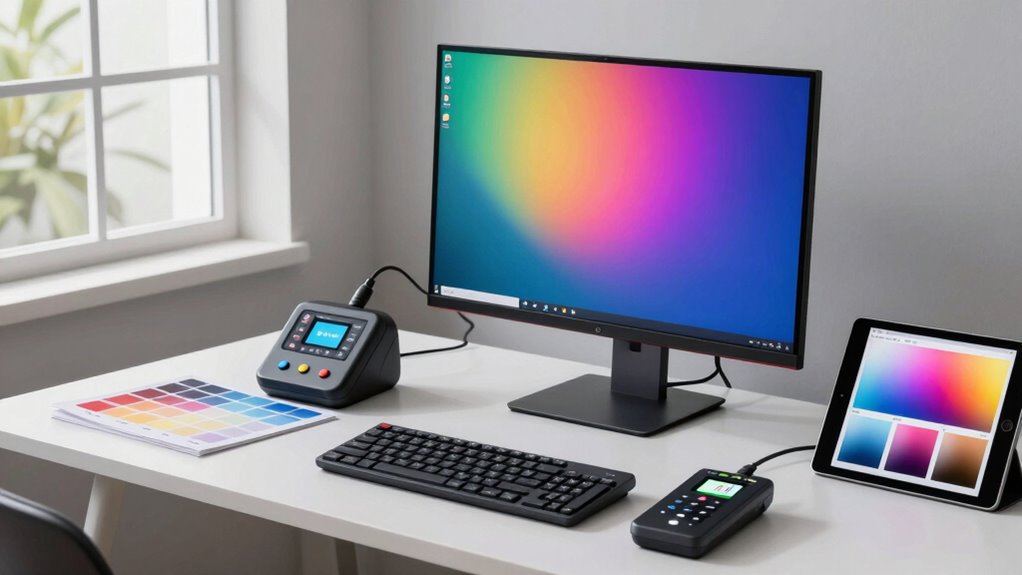

Choosing the right color calibration tool in 2026 hinges on your specific needs—whether you’re a professional working with high luminance displays or a creator managing multiple screens. The Calibrite Display Pro HL stands out for its ability to calibrate up to 3000 nits, making it ideal for high-end professionals. Meanwhile, the Calibrite Display 123 offers a simple, budget-friendly solution perfect for photographers and creators needing quick, reliable calibration for up to two displays. For those seeking maximum flexibility and detailed control, the Datacolor SpyderPro provides support for unlimited displays and advanced features. Each option balances ease of use, precision, and cost, but their suitability varies based on your workflow and display setup.

Get the latest gadgets delivered free with Prime
- Fast, free delivery on millions of items
- Prime Video, Amazon Music and more included
- Member-only deals all year
Complete the kit



Key Takeaways
- The Calibrite Display Pro HL excels in high luminance environments but is more suited for professionals due to its cost and complexity.
- The Calibrite Display 123 offers straightforward calibration for photographers with support for two displays and a simple workflow.
- The Datacolor SpyderPro provides extensive compatibility and features, making it ideal for multi-display setups but may overwhelm casual users.
- Ease of use varies significantly; beginner-friendly tools tend to have guided workflows, while professional-grade options offer advanced controls.
- Price and compatibility should influence your choice, especially considering your display types and software ecosystem.
| Calibrite Display Pro HL Monitor Calibration Colorimeter for LCD, Mini-LED, and OLED Displays |  | Best for High-End Professional Calibration | Measurement Range: Up to 3000 nits | Display Compatibility: LCD, Mini-LED, OLED, Projectors | Software: Calibrite PROFILER for Mac and Windows | VIEW ON AMAZON | See Our Full Breakdown |
| Calibrite Display 123 Monitor Calibration Colorimeter for Photo Editing and Color Accurate Viewing |  | Best for Simplicity and Quick Calibration | Monitor calibration colorimeter: Yes | Software workflow: Easy 1-2-3 | Connection: USB-C | VIEW ON AMAZON | See Our Full Breakdown |
| Datacolor SpyderPro Monitor Calibration Tool |  | Best for Flexibility and Advanced Features | Device Compatibility: Supports unlimited displays, USB-C | Operating System: Windows 10/11, macOS 10.14 to 14 | Features: Gamma, whitepoint, brightness, projector calibration, display analysis | VIEW ON AMAZON | See Our Full Breakdown |
| color calibration tool for designer | Connection |
|---|---|
| Calibrite Display Pro HL Monit | USB-C with USB-A adapter |
| Calibrite Display 123 Monitor | USB-C |
| Datacolor SpyderPro Monitor Ca | — |
More Details on Our Top Picks
Calibrite Display Pro HL Monitor Calibration Colorimeter for LCD, Mini-LED, and OLED Displays
This option stands out for supporting high luminance displays up to 3000 nits, making it a top choice for professionals working with HDR content or high-end monitors. Its compatibility with LCD, Mini-LED, and OLED screens, combined with the Calibrite PROFILER software, ensures precise calibration and multi-display consistency. Compared with the Calibrite Display 123, this tool offers more advanced control and supports larger, more demanding displays, but at a higher price and complexity. Casual users or those only calibrating a few screens may find it unnecessarily sophisticated and costly.
Pros:- Supports displays up to 3000 nits, ideal for HDR workflows
- Compatible with multiple display types including OLED and Mini-LED
- Includes professional software for advanced control
- Supports multi-display calibration for consistency
Cons:- Requires familiarity with calibration software
- Higher cost may deter casual users
- Designed mainly for high-end professional use
Best for: Professional designers needing high luminance calibration and multi-display workflows
Not ideal for: Casual users or those with only basic calibration needs
- Measurement Range:Up to 3000 nits
- Display Compatibility:LCD, Mini-LED, OLED, Projectors
- Software:Calibrite PROFILER for Mac and Windows
- Connection:USB-C with USB-A adapter
- Mounting:Built-in 1/4″ mount thread
- Includes:Travel storage pouch
Our verdict“The Calibrite Display Pro HL is a powerful, high-luminance calibration tool best suited for professionals with demanding display needs.”
Calibrite Display 123 Monitor Calibration Colorimeter for Photo Editing and Color Accurate Viewing
This pick makes the most sense for photographers and creators who need a straightforward calibration solution. Its support for up to two displays makes it perfect for multi-screen setups, and the simple 1-2-3 software workflow minimizes setup time. The built-in comparison view helps verify calibration accuracy without additional steps. Compared with the Calibrite Display Pro HL, it offers less support for high luminance or complex workflows, but its ease of use and compact size make it more accessible for everyday editing tasks. However, some users report moderate satisfaction, indicating it might not be suitable for very demanding professional environments.
Pros:- Supports calibration for two monitors
- Simple, guided workflow for quick setup
- Built-in before-and-after comparison view
- Compact and portable design
Cons:- Limited to two displays
- Requires USB-C connection, may not be compatible with older hardware
- Moderate user satisfaction suggests some calibration issues
Best for: Photographers and creators with up to two monitors seeking quick, reliable calibration
Not ideal for: Power users managing more than two displays or high-luminance HDR workflows
- Monitor calibration colorimeter:Yes
- Software workflow:Easy 1-2-3
- Connection:USB-C
- Dimensions:34mm tall x 37mm diameter
- Supports:Up to 2 displays
- Brightness target options:Native or Photo
- Built-in comparison view:Yes
- Item Weight:4.8 ounces
Our verdict“The Calibrite Display 123 offers a straightforward, effective calibration process for creators with a small to medium multi-display setup.”
Datacolor SpyderPro Monitor Calibration Tool
Compared with the other two options, the Datacolor SpyderPro provides support for unlimited displays and a broad range of features, including gamma, whitepoint, and projector calibration. Its user-friendly interface makes it accessible for both professionals and serious enthusiasts. The ability to calibrate multiple types of screens and operate across various OS environments gives it a clear advantage in multi-device setups. However, the lack of specific pricing details and potential complexity might make it less appealing for casual or less tech-savvy users. It’s a well-rounded choice for those needing maximum control and flexibility.
Pros:- Supports unlimited displays
- Compatible with Windows and macOS
- Offers gamma, whitepoint, and brightness adjustments
- Supports projector calibration and room light switching
Cons:- No fixed price info, potentially costly
- May be complex for beginners
- Requires proper setup for full functionality
Best for: Designers managing multiple displays or seeking detailed calibration controls
Not ideal for: Casual users or those with simple single-monitor setups
- Device Compatibility:Supports unlimited displays, USB-C
- Operating System:Windows 10/11, macOS 10.14 to 14
- Features:Gamma, whitepoint, brightness, projector calibration, display analysis
Our verdict“The Datacolor SpyderPro is a versatile, feature-rich tool suited for multi-display environments and advanced calibration needs.”

How We Picked
Our selection process focused on identifying calibration tools that balance accuracy, ease of use, compatibility, and value for different types of designers. We reviewed products based on display support range, software features, workflow simplicity, and user feedback. Priority was given to tools that cater to professional needs, such as high luminance calibration or multi-display workflows, while also considering options suitable for hobbyists or creators with simpler setups. Compatibility with current operating systems and connection types was also a key factor, ensuring that each product fits into typical design workflows today.
| color calibration tool for designer | Connection |
|---|---|
| Calibrite Display Pro HL Monit | USB-C with USB-A adapter |
| Calibrite Display 123 Monitor | USB-C |
| Datacolor SpyderPro Monitor Ca | — |
Factors to Consider When Choosing Color Calibration Tool For Designers
Choosing the right color calibration tool depends heavily on your specific workflow, display types, and budget. Whether you’re a professional working with HDR displays, a photographer needing quick setup, or managing multiple screens, understanding each product’s strengths and limitations will help you make an informed decision.
Understanding Your Display Needs
High-end HDR and OLED displays demand calibration tools capable of measuring very high luminance levels, like the Calibrite Display Pro HL. For photographers or creators with standard setups, a simple, quick calibration device like the Calibrite Display 123 might be enough. If you manage multiple screens or require extensive control, the Datacolor SpyderPro offers maximum flexibility and features.
Ease of Use Vs. Advanced Control
Simple, guided workflows benefit users who want quick results without steep learning curves. Conversely, professionals needing precise control will appreciate software with advanced options, even if it involves a learning curve. Consider how much time you’re willing to invest in setup versus the calibration accuracy you require.
Compatibility and Future Proofing
Ensure your chosen device supports your display types and connections. USB-C compatibility is common, but if you use older hardware, check for alternative connection options. Also, consider whether the calibration software integrates smoothly with your existing tools and workflows for seamless operation.
Frequently Asked Questions
Why is high luminance support important for some calibrators?
High luminance support allows calibration of HDR and high-end displays that can reach thousands of nits. This ensures accurate color and brightness reproduction in professional workflows involving HDR content, making tools like the Calibrite Display Pro HL essential for such tasks.
Can I use these calibration tools for multiple operating systems?
Most professional-grade tools, like the Calibrite Display Pro HL and SpyderPro, support both Windows and macOS. Compatibility is usually specified in the specs, so verifying your system meets these requirements ensures smooth calibration sessions.
How many displays can the Calibrite Display 123 calibrate at once?
The Calibrite Display 123 is limited to two displays, making it ideal for small multi-monitor setups. For larger environments or those needing to calibrate more screens, a more advanced tool like the SpyderPro might be necessary.
Is calibration software difficult to learn?
Calibration software complexity varies; tools like Calibrite PROFILER and the 1-2-3 workflow are designed to be user-friendly, making calibration accessible even for beginners. More advanced software, like SpyderPro, offers detailed controls but may require some learning before mastering all features.
Do I need professional calibration tools if I only do casual design work?
Casual designers or hobbyists can often get by with basic or built-in calibration options. However, investing in a dedicated device improves accuracy and consistency, especially if your work involves color-critical projects like photo editing or print production. For non-professional use, simpler tools like the Calibrite Display 123 might suffice.
Conclusion
For professional designers working with demanding HDR or high-luminance displays, the Calibrite Display Pro HL offers unmatched precision. Creators with smaller setups or those prioritizing simplicity should consider the Calibrite Display 123 for quick, reliable calibration. Meanwhile, users managing multiple screens and seeking maximum flexibility will find the Datacolor SpyderPro to be a comprehensive solution. Your choice should align with your display setup, workflow complexity, and budget.
Halloween Picks
halloween
As an affiliate, we earn on qualifying purchases.