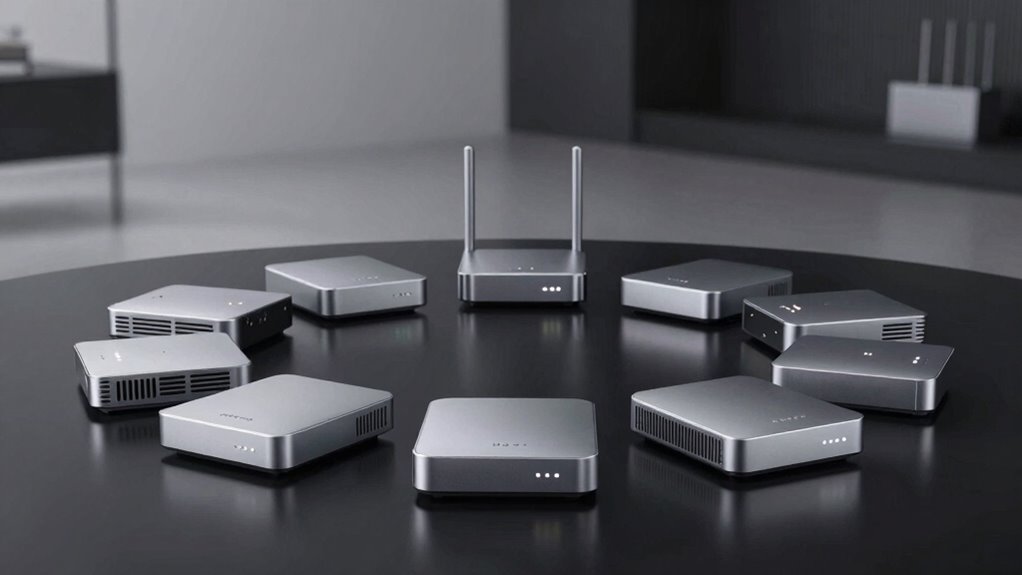

Finding the right Thread border router can significantly enhance your smart home network, providing seamless connectivity between devices and platforms. The best options offer reliable performance, broad compatibility, and easy setup, but they vary in features and price. The ESP Thread Border Router stands out for affordability and versatility, while premium picks like the Aqara M3 excel in integration and future-proofing. Many buyers face tradeoffs between cost, compatibility, and complexity, making it crucial to choose wisely. Continue reading for a detailed comparison of the top options to help you find the perfect fit for your home automation.
Complete the kit



Key Takeaways
- The top picks balance ease of setup with robust performance, making them suitable for both beginners and advanced users.
- Compatibility with major smart home platforms like Apple HomeKit, Alexa, and Google Home remains a key differentiator among options.
- Many high-end border routers include multiple protocols (Zigbee, Z-Wave, Thread) for greater versatility, but often at a higher price.
- The best value options provide essential features without sacrificing reliability, perfect for budget-conscious buyers.
- A common pattern is that premium models often include PoE support and more extensive network management features.
| ESP Thread Border Router/Zigbee Gateway Sub-Ethernet Board |  | Best for Developers Integrating Zigbee and Thread into Custom Projects | Supported Protocols: Zigbee, Thread | Compatibility: Requires additional hardware | Form Factor: Main development board | VIEW ON AMAZON | See Our Full Breakdown |
| Aqara Smart Hub M100 for Home Automation, Matter Controller, Thread Border Router, Supports Apple HomeKit, Amazon Alexa, IFTTT, Home Assistant |  | Best for Multi-Protocol Home Automation with Ease of Use | Compatibility: Apple HomeKit, Alexa, IFTTT, Home Assistant | Protocols: Zigbee (Aqara only), Thread, Wi-Fi 6 | Device Support: Up to 20 Zigbee, 20 Thread devices | VIEW ON AMAZON | See Our Full Breakdown |
| Aqara Smart Home Hub M3 with Matter, Zigbee, Thread, Bluetooth, Wi-Fi, PoE, IR, Apple HomeKit, Alexa, SmartThings, Home Assistant, IFTTT |  | Best for Advanced Ecosystem Integration and Privacy-Conscious Users | Protocols Supported: Zigbee, Thread, Bluetooth, Wi-Fi, IR | Connectivity: PoE, USB-C, Wireless | Device Capacity: 127 Zigbee, 127 Thread devices | VIEW ON AMAZON | See Our Full Breakdown |
| ESP Thread Border Router / Zigbee Gateway Board |  | Best for Developers Building Custom Zigbee and Thread Solutions | Supported Protocols: Zigbee, Thread | Support Level: Development hardware | Form Factor: Mainboard for integration | VIEW ON AMAZON | See Our Full Breakdown |
| Matter Smart Home Hub M1 Pro – Matter Controller, Thread Border Router, Zigbee & IR Hub, Compatible with Apple Home, Google, SmartThings, Home Assistant |  | Best for Multi-Protocol Smart Home Control with Built-in Matter Bridge | Protocols: Zigbee, Thread, IR | Connectivity: Wi-Fi (2.4/5 GHz), Ethernet, USB-C | Device Support: Multiple protocols with local automation | VIEW ON AMAZON | See Our Full Breakdown |
| Eve Energy (Matter) 2 Pack – Smart Plug, App and Voice Control, 100% Privacy, Matter Over Thread, Works with Apple Home, Alexa, Google Home, SmartThings, Requires Thread Border Router |  | Best for Privacy-Conscious Users and Simple Setup | Connectivity: Thread, Wi-Fi | Compatibility: Apple Home, Alexa, Google, SmartThings | Privacy: 100% local control, no cloud | VIEW ON AMAZON | See Our Full Breakdown |
| Aqara Smart Hub M200, Matter Controller, Thread Border Router, Zigbee, Bluetooth, Wi-Fi, PoE, IR, Compatible with Alexa, Apple HomeKit, Home Assistant, SmartThings |  | Best for Multi-Protocol Integration and Ecosystem Flexibility | Protocols Supported: Zigbee, Thread, Bluetooth, Wi-Fi | Device Capacity: Up to 40 Zigbee and 40 Thread devices | Connectivity: PoE, Wi-Fi, Bluetooth | VIEW ON AMAZON | See Our Full Breakdown |
| Switch (Matter) Smart Switch, App & Voice Control, Thread, Works with Apple Home, Alexa, Google Home, SmartThings, 100% Privacy, requires Thread Border Router, Neutral Wire Required |  | Best for Upgrading Wired Switches with Privacy and Thread Support | Connectivity: Thread | Compatibility: Apple Home, Alexa, Google, SmartThings | Wiring: Neutral wire required | VIEW ON AMAZON | See Our Full Breakdown |
| Tuya Smart Home Hub M Gateway for Advanced Automation, Matter Controller, Thread Border Router, Zigbee, Bluetooth, Wi-Fi, PoE, Supports Alexa, Apple HomeKit, SmartThings, Home Assistant, IFTTT |  | Best for Advanced Automation and Multi-Protocol Integration | Protocols Supported: Zigbee, Thread, Bluetooth, Wi-Fi | Device Capacity: Up to 127 devices | Connectivity: PoE, Ethernet, Wi-Fi, Bluetooth | VIEW ON AMAZON | See Our Full Breakdown |
| SmartSetup Outlet (Matter) with USB-C and USB-A, App & Voice Control, Thread Support, Compatible with Apple Home, Alexa, Google Home, SmartThings |  | Best for Future-Proof USB Charging with Local Control | Connectivity: Thread, Matter 1.4 | USB Ports: USB-C and USB-A, 10.5W total | Compatibility: Apple Home, Alexa, Google, SmartThings | VIEW ON AMAZON | See Our Full Breakdown |
| thread border router | Connectivity | Compatibility | Power |
|---|---|---|---|
| ESP Thread Border Router/Zigbe | Ethernet, UART | Requires additional hardware | Powered via main board |
| Aqara Smart Hub M100 for Home | 2.4GHz Wi-Fi 6, WPA3 | Apple HomeKit, Alexa, IFTTT, Home Assistant | USB-A (power adapter not included) |
| Aqara Smart Home Hub M3 with M | PoE, USB-C, Wireless | Apple HomeKit, Alexa, SmartThings, Home Assistant | PoE or USB-C (adapter not included) |
| ESP Thread Border Router / Zig | UART, Ethernet | — | Requires external power supply |
| Matter Smart Home Hub M1 Pro | Wi-Fi (2.4/5 GHz), Ethernet, USB-C | Apple Home, Google, SmartThings, Home Assistant | USB-C (adapter not included) |
| Eve Energy | Thread, Wi-Fi | Apple Home, Alexa, Google, SmartThings | — |
| Aqara Smart Hub M200 | PoE, Wi-Fi, Bluetooth | Apple HomeKit, Alexa, Google, SmartThings | — |
| Switch | Thread | Apple Home, Alexa, Google, SmartThings | — |
| Tuya Smart Home Hub M Gateway | PoE, Ethernet, Wi-Fi, Bluetooth | Apple HomeKit, Alexa, SmartThings, Home Assistant | — |
| SmartSetup Outlet | Thread, Matter 1.4 | Apple Home, Alexa, Google, SmartThings | — |
More Details on Our Top Picks
ESP Thread Border Router/Zigbee Gateway Sub-Ethernet Board
This main board is tailored for technical users who want to embed Zigbee and Thread capabilities directly into their own hardware setups. Compared to the Aqara Smart Hub M100, which offers a ready-to-use solution with multi-protocol support, this board requires additional components and a higher level of technical skill. Its support for Zigbee and Thread is reliable, but the lack of built-in features means you’ll need to develop your own firmware and hardware integrations. This option is ideal for developers building custom smart home solutions or expanding existing systems with low-level control. The main tradeoff is the need for extra effort and expertise, which might deter casual users.
Pros:- Supports both Zigbee and Thread protocols for versatile connectivity
- Allows deep customization for specialized projects
- Designed for integration into custom hardware setups
Cons:- Limited documentation and support due to its developer focus
- Requires additional components and development effort
Best for: Developers and hobbyists designing custom Zigbee and Thread integrations
Not ideal for: Homeowners seeking an out-of-the-box, user-friendly smart home hub
- Supported Protocols:Zigbee, Thread
- Compatibility:Requires additional hardware
- Form Factor:Main development board
- Connectivity:Ethernet, UART
- Power:Powered via main board
- Intended Users:Developers, hobbyists
Our verdict“This board is best suited for technically skilled users aiming to embed Zigbee and Thread into custom projects rather than those seeking plug-and-play solutions.”
Aqara Smart Hub M100 for Home Automation, Matter Controller, Thread Border Router, Supports Apple HomeKit, Amazon Alexa, IFTTT, Home Assistant
The Aqara Smart Hub M100 stands out for users who want a versatile device supporting Zigbee, Thread, Wi-Fi, and multiple ecosystems like Apple HomeKit and Alexa. Unlike the ESP Thread Border Router, which is more developer-focused, the M100 offers a straightforward setup and seamless integration for everyday users. Its support for local automation enhances reliability, but being limited to Aqara Zigbee devices can restrict device choices compared to more open systems. This hub makes the most sense for homeowners seeking a reliable, multi-protocol smart hub that fits into existing ecosystems. The main tradeoff is its reliance on Aqara-specific Zigbee devices, which may limit compatibility for some users.
Pros:- Supports multiple ecosystems including Apple HomeKit and Alexa
- Enables local automation for improved reliability
- Compact, flexible placement options
- Fast Wi-Fi 6 connectivity with WPA3 security
Cons:- Limited to Aqara Zigbee devices
- Requires a separate power adapter (not included)
- Some automations depend on cloud connectivity
Best for: Homeowners looking for an easy-to-use, multi-protocol smart home hub
Not ideal for: Advanced users wanting full control over Zigbee device compatibility beyond Aqara products
- Compatibility:Apple HomeKit, Alexa, IFTTT, Home Assistant
- Protocols:Zigbee (Aqara only), Thread, Wi-Fi 6
- Device Support:Up to 20 Zigbee, 20 Thread devices
- Power:USB-A (power adapter not included)
- Size:Adjustable shaft within 210 degrees
- Connectivity:2.4GHz Wi-Fi 6, WPA3
Our verdict“Ideal for residential users seeking an easy, multi-protocol hub with local automation and broad ecosystem support.”
Aqara Smart Home Hub M3 with Matter, Zigbee, Thread, Bluetooth, Wi-Fi, PoE, IR, Apple HomeKit, Alexa, SmartThings, Home Assistant, IFTTT
The Aqara M3 offers a comprehensive package supporting Zigbee, Thread, Bluetooth, Wi-Fi, and IR, making it a flexible choice for users wanting broad protocol coverage. Compared to the Aqara M100, the M3 includes PoE support and an IR blaster, which broadens automation possibilities and simplifies power management. Its local control prioritization enhances privacy and reliability, but the need for a separate power supply and placement distance can complicate setup. This hub is well-suited for tech-savvy homeowners who want a secure, multi-protocol device with advanced features. The tradeoff lies in its more complex setup process and higher hardware requirements.
Pros:- Supports Zigbee, Thread, Bluetooth, Wi-Fi, and IR
- Local control prioritization enhances privacy and reliability
- Includes PoE and IR blaster for expanded automation
- Encrypted local storage for added security
Cons:- Requires separate power adapter (not included)
- Placement distance may affect connectivity
- Setup can be more complex due to multiple connectivity options
Best for: Homeowners with technical expertise seeking a highly versatile, privacy-focused hub
Not ideal for: Casual users who prefer a simple plug-and-play device without additional installation steps
- Protocols Supported:Zigbee, Thread, Bluetooth, Wi-Fi, IR
- Connectivity:PoE, USB-C, Wireless
- Device Capacity:127 Zigbee, 127 Thread devices
- Storage:8GB encrypted local storage
- Power:PoE or USB-C (adapter not included)
- Compatibility:Apple HomeKit, Alexa, SmartThings, Home Assistant
Our verdict“Designed for users wanting a highly adaptable, privacy-conscious hub capable of managing diverse smart devices with local automation.”
ESP Thread Border Router / Zigbee Gateway Board
This main board is aimed at developers needing Zigbee and Thread integration into custom projects. Unlike comprehensive hubs like the Aqara M3, which prioritize ease of use, this board offers raw support for protocol connectivity for those comfortable with hardware development. Its limited details mean you’ll need to provide your own power supply and develop your firmware. This product is best suited for technical users who want to embed Zigbee and Thread into bespoke systems. The main compromise is a steeper learning curve and the need for additional components, making it less suitable for general consumers.
Pros:- Supports Zigbee and Thread protocols for deep integration
- Designed specifically for development projects
- Flexible to customize for specific hardware designs
Cons:- Limited product info and documentation
- Requires additional components and development effort
Best for: Hardware developers and advanced hobbyists integrating Zigbee and Thread into custom systems
Not ideal for: End users seeking ready-made smart home hubs with simple setup
- Supported Protocols:Zigbee, Thread
- Support Level:Development hardware
- Form Factor:Mainboard for integration
- Power:Requires external power supply
- Connectivity:UART, Ethernet
- Target Users:Developers, integrators
Our verdict“This board caters to experienced developers creating bespoke Zigbee and Thread solutions rather than those seeking turnkey smart home products.”
Matter Smart Home Hub M1 Pro – Matter Controller, Thread Border Router, Zigbee & IR Hub, Compatible with Apple Home, Google, SmartThings, Home Assistant
The Matter M1 Pro excels at unifying Zigbee, Thread, and IR devices into a single system, making it a strong choice for users who want seamless control across ecosystems like Apple, Google, and SmartThings. Its built-in Matter bridge simplifies device management and automations, especially during internet outages, thanks to local automation support. Compared to the Aqara M100, which is more basic, the M1 Pro offers richer automation features and a more integrated experience. However, its wired setup requirement and lack of included power adapter can complicate initial deployment. This hub is best suited for tech-savvy homeowners or small businesses seeking comprehensive multi-protocol coverage with reliable local automations. The main drawback is its initial setup complexity and power accessory cost.
Pros:- Supports Zigbee, Thread, and IR for broad device compatibility
- Built-in Matter bridge for streamlined device management
- Enables local automations even during internet outages
- Compact and easy to set up via app
Cons:- Requires wired Ethernet or USB-C connection for setup
- Power adapter not included
- IR control functionality may vary depending on platform
Best for: Users seeking a versatile, multi-protocol hub with integrated Matter support and IR control
Not ideal for: People looking for a simple plug-and-play hub without wired installation or additional setup steps
- Protocols:Zigbee, Thread, IR
- Connectivity:Wi-Fi (2.4/5 GHz), Ethernet, USB-C
- Device Support:Multiple protocols with local automation
- IR Blaster:360° with six emitters
- Compatibility:Apple Home, Google, SmartThings, Home Assistant
- Power:USB-C (adapter not included)
Our verdict“This hub suits users who want a comprehensive, multi-protocol system with robust local automation and Matter integration, despite some setup complexity.”
Eve Energy (Matter) 2 Pack – Smart Plug, App and Voice Control, 100% Privacy, Matter Over Thread, Works with Apple Home, Alexa, Google Home, SmartThings, Requires Thread Border Router
This Eve Energy plug is a strong choice for those prioritizing privacy and easy integration within a Thread-enabled smart home. Unlike some hubs, it relies solely on local control, avoiding cloud dependence, which appeals to security-focused users. While it doesn’t serve as a central hub like the Aqara M200, it enhances your existing Thread network by extending reach with minimal fuss. The plug’s straightforward setup and broad compatibility make it ideal for users who want simple control over appliances without complex automation features. However, it lacks advanced automation or scene management, which limits its role to basic device control. Compared to the Aqara M200 hub, Eve Energy is more focused on privacy and ease of use but sacrifices multi-protocol versatility.
Pros:- Local control with no cloud dependency enhances privacy
- Easy to set up and integrate with Apple Home, Alexa, Google, and SmartThings
- Extends Thread network robustness and reach
Cons:- Limited to basic device control, lacking automation complexity
- Not a central hub or multi-protocol device, so less versatile
Best for: Homeowners seeking privacy-first smart plugs that integrate effortlessly with Apple Home and other ecosystems.
Not ideal for: Power users needing extensive automation, multi-protocol devices, or a central smart home hub with advanced features.
- Connectivity:Thread, Wi-Fi
- Compatibility:Apple Home, Alexa, Google, SmartThings
- Privacy:100% local control, no cloud
- Setup:Quick and easy
- Control:App and voice
- Number of Devices:Supports multiple units
Our verdict“Ideal for users wanting simple, private control over their devices within a Thread network, especially those invested in Apple ecosystem.”
Aqara Smart Hub M200, Matter Controller, Thread Border Router, Zigbee, Bluetooth, Wi-Fi, PoE, IR, Compatible with Alexa, Apple HomeKit, Home Assistant, SmartThings
The Aqara M200 stands out with support for multiple protocols including Zigbee, Thread, Bluetooth, and Wi-Fi, making it a versatile centerpiece for diverse smart homes. Compared with the Eve Energy plug, it functions as a comprehensive hub capable of managing up to 40 Zigbee and Thread devices, plus local automation, which is ideal for larger or more complex setups. Its PoE support offers flexible wired power, and the built-in speaker adds alert functionality. Nonetheless, the hub’s setup can be complex, and only one IR device can be exposed to Matter, which might limit some automation options. In contrast to the simpler Eve plug, the M200 offers broader device compatibility and automation potential but with increased complexity and cost.
Pros:- Supports multiple protocols, including Zigbee, Thread, Bluetooth, and Wi-Fi
- Acts as a central hub with local automation capabilities
- PoE support and built-in speaker for alerts
Cons:- Complex setup process requiring technical familiarity
- Limited IR device exposure to Matter, only one device
Best for: Power users seeking a multi-protocol hub that supports extensive automation within major smart home ecosystems.
Not ideal for: Casual homeowners who prefer straightforward, plug-and-play solutions without extensive setup or device management.
- Protocols Supported:Zigbee, Thread, Bluetooth, Wi-Fi
- Device Capacity:Up to 40 Zigbee and 40 Thread devices
- Connectivity:PoE, Wi-Fi, Bluetooth
- Compatibility:Apple HomeKit, Alexa, Google, SmartThings
- Automation:Local automation support
- Additional Features:Built-in speaker, IR learning
Our verdict“Best suited for advanced users who want a multi-protocol hub with extensive device support and automation options.”
Switch (Matter) Smart Switch, App & Voice Control, Thread, Works with Apple Home, Alexa, Google Home, SmartThings, 100% Privacy, requires Thread Border Router, Neutral Wire Required
This Matter smart switch is designed for those replacing traditional wired switches, offering seamless control via app and voice. It supports Thread, providing a reliable, low-latency connection ideal for automation, comparable to other Thread devices like Eve Energy but focused on wall switches. The switch’s requirement for a neutral wire limits its installation options, but it’s a solid choice for new builds or renovations. Its privacy features and compatibility with multiple platforms make it attractive for security-conscious users. However, the setup and wiring requirements may be a hurdle for some DIYers, and the switch’s automation features are basic compared to more advanced hubs like the Tuya M Gateway. Compared to the Tuya Gateway, this switch focuses solely on lighting control and wired installation, with less versatility but more straightforward operation.
Pros:- Supports Thread for low-latency, reliable connectivity
- Works with multiple voice assistants and ecosystems
- Strong privacy with local control
Cons:- Requires neutral wire, limiting installation options
- Limited to switch control, no automation hub features
Best for: Homeowners updating wired lighting switches who want reliable, privacy-focused control with Thread support.
Not ideal for: Renters or DIYers without neutral wiring, as installation may be impractical or impossible.
- Connectivity:Thread
- Compatibility:Apple Home, Alexa, Google, SmartThings
- Wiring:Neutral wire required
- Control:App and voice
- Privacy:Local control, no cloud
- Functionality:Lighting switch
Our verdict“Perfect for upgrading wired switches in new builds or renovations with a focus on privacy and Thread reliability.”
Tuya Smart Home Hub M Gateway for Advanced Automation, Matter Controller, Thread Border Router, Zigbee, Bluetooth, Wi-Fi, PoE, Supports Alexa, Apple HomeKit, SmartThings, Home Assistant, IFTTT
The Tuya M Gateway excels at bridging multiple protocols, supporting Zigbee, Thread, Wi-Fi, and Bluetooth, making it a robust choice for complex smart homes. Unlike the Aqara M200, it emphasizes advanced automation and device management, with a focus on local control and compatibility across platforms. Its PoE support simplifies installation in permanent setups, and its capacity to manage up to 127 devices makes it suitable for larger homes. The extensive feature set and flexibility come with a more involved setup process, which could overwhelm casual users. Compared to the Aqara hub, the Tuya M Gateway offers more automation power and device capacity but requires more technical knowledge to operate effectively.
Pros:- Supports Zigbee, Thread, Bluetooth, and Wi-Fi for maximum compatibility
- Acts as a border router, controller, and hub with extensive device capacity
- PoE support for clean, reliable installation
Cons:- Complex setup with many features can be intimidating for novices
- Limited to Tuya/Smart Life Zigbee devices, with strict protocol standards
Best for: Tech-savvy homeowners or professional installers managing large, multi-protocol smart homes needing advanced automation.
Not ideal for: Casual users or those seeking straightforward plug-and-play solutions with minimal setup or technical fuss.
- Protocols Supported:Zigbee, Thread, Bluetooth, Wi-Fi
- Device Capacity:Up to 127 devices
- Connectivity:PoE, Ethernet, Wi-Fi, Bluetooth
- Compatibility:Apple HomeKit, Alexa, SmartThings, Home Assistant
- Security:WPA2, WPA3
- Wireless Bands:Dual-Band Wi-Fi 6
Our verdict“Designed for users who need a powerful, multi-protocol hub with extensive automation and device capacity for large smart home ecosystems.”
SmartSetup Outlet (Matter) with USB-C and USB-A, App & Voice Control, Thread Support, Compatible with Apple Home, Alexa, Google Home, SmartThings
The SmartSetup Outlet combines USB charging ports with Matter over Thread, making it a practical addition for device charging and automation. Its support for multiple platforms, including Apple and Google, offers broad compatibility. Compared to the Eve Energy plug, this outlet provides convenient USB ports, ideal for charging devices without clutter. Its reliance on a Thread Border Router makes it suitable for users already invested in Thread-enabled networks, but the limited total USB power output (10.5W) may restrict high-power charging needs. The device’s firmware updates and Matter certification promise ongoing improvements, yet it doesn’t function as a hub or automation controller on its own. While less versatile than the Tuya Gateway, it excels as a reliable, privacy-focused charging outlet integrated into a Thread network.
Pros:- Supports multiple platforms including Apple, Google, and Alexa
- Future-proof with Matter 1.4 certification and firmware updates
- Exposed USB-C and USB-A ports for convenient device charging
Cons:- Requires a Thread Border Router for full functionality
- Limited to 10.5W total USB power output
Best for: Home users needing reliable USB charging integrated into a Thread-enabled smart home ecosystem.
Not ideal for: Power users seeking a full-fledged automation hub or those requiring high USB power output for fast charging.
- Connectivity:Thread, Matter 1.4
- USB Ports:USB-C and USB-A, 10.5W total
- Compatibility:Apple Home, Alexa, Google, SmartThings
- Control:App and voice
- Privacy:Local control, no cloud
- Power Output:5V, 2.1A per port
Our verdict“Great for users wanting a privacy-focused, reliable USB charging outlet integrated into a Thread network, with future-proofing via Matter.”

How We Picked
Our selection process focused on performance, ease of use, build quality, and compatibility with popular smart home platforms. We evaluated each device’s ability to reliably support Thread networks and integrate with other protocols like Zigbee and Matter. Price was considered alongside features, ensuring options suit a range of budgets. We prioritized products that have proven firmware stability and broad ecosystem support, ranking those with better user reviews and ongoing software updates higher. This approach ensures the list includes options suitable for various levels of expertise and specific home automation needs.
| thread border router | Compatibility | Power |
|---|---|---|
| ESP Thread Border Router/Zigbe | Requires additional hardware | Powered via main board |
| Aqara Smart Hub M100 for Home | Apple HomeKit, Alexa, IFTTT, Home Assistant | USB-A (power adapter not included) |
| Aqara Smart Home Hub M3 with M | Apple HomeKit, Alexa, SmartThings, Home Assistant | PoE or USB-C (adapter not included) |
| ESP Thread Border Router / Zig | — | Requires external power supply |
| Matter Smart Home Hub M1 Pro | Apple Home, Google, SmartThings, Home Assistant | USB-C (adapter not included) |
| Eve Energy | Apple Home, Alexa, Google, SmartThings | — |
| Aqara Smart Hub M200 | Apple HomeKit, Alexa, Google, SmartThings | — |
| Switch | Apple Home, Alexa, Google, SmartThings | — |
| Tuya Smart Home Hub M Gateway | Apple HomeKit, Alexa, SmartThings, Home Assistant | — |
| SmartSetup Outlet | Apple Home, Alexa, Google, SmartThings | — |
Factors to Consider When Choosing Thread Border Router
Choosing the right Thread border router involves considering several key factors that impact performance, compatibility, and future-proofing. Understanding these elements helps prevent costly mistakes and ensures your smart home remains flexible and reliable. Here are the main considerations to keep in mind before making a purchase.
Compatibility with Smart Home Ecosystems
Ensure the border router supports your preferred platforms like Apple HomeKit, Amazon Alexa, or Google Home. Compatibility determines how easily your devices integrate and whether you can manage everything through your existing apps. Some routers focus on specific ecosystems, which may limit future expansion or require additional hubs. Matching the router to your ecosystem simplifies setup and reduces potential issues down the line.
Protocol Support and Versatility
Look for devices supporting multiple protocols such as Thread, Zigbee, Z-Wave, and Matter. This flexibility allows your smart home to work across various brands and devices, preventing lock-in with a single ecosystem. However, more protocols often mean higher cost and complexity. Consider your current device lineup and future plans to choose a router that offers the right mix for your setup.
Connectivity and Network Features
PoE (Power over Ethernet) support can simplify installation by reducing cable clutter, especially in fixed locations. A stable, high-speed Wi-Fi or Ethernet connection ensures reliable device communication. Some routers include advanced network management features like traffic prioritization or mesh support, which can improve overall performance but may increase complexity. Assess your home’s network architecture to pick a router that fits your connectivity needs.
Ease of Setup and User Interface
Intuitive setup processes and user-friendly interfaces save time and reduce frustration, especially for users new to smart home networks. Look for routers with clear instructions, mobile apps, and good customer support. Complicated configurations can lead to misconfigurations or network instability, so balance advanced features with simplicity if you’re less tech-savvy.
Price and Long-term Value
While budget options can be appealing, investing in a more capable router may provide better longevity and performance, especially as your smart home grows. Consider the total cost of ownership, including firmware updates and support. Sometimes, paying more upfront results in fewer headaches and more reliable operation over time, but ensure the features match your actual needs to avoid overspending.
Frequently Asked Questions
Do I need a Thread border router for my smart home?
Yes, a Thread border router acts as a gateway between your Thread network and other IP-based networks or platforms, enabling your devices to communicate beyond their local network. Without a border router, Thread-enabled devices may not connect with systems like Apple HomeKit or Google Home, limiting their functionality. If your smart home includes Thread devices, investing in a border router is essential for full integration and remote control capabilities.
Can I use multiple border routers in my home?
Yes, deploying multiple border routers can improve coverage in larger homes or complex layouts, ensuring stable connections across all areas. However, this often introduces additional complexity in network management, and not all devices support multi-router environments seamlessly. It’s best to plan your setup carefully and choose routers that support mesh or multi-router configurations if you need extensive coverage.
Are PoE-enabled border routers worth the extra cost?
PoE support simplifies installation by allowing you to power the router through Ethernet cables, eliminating the need for separate power adapters. This feature is especially valuable in fixed installations or when power outlets are limited. While PoE routers tend to be more expensive, they can save time and reduce clutter, providing a neat and reliable setup that’s worth considering for permanent installations.
How often do I need to update my border router’s firmware?
Regular firmware updates are important for maintaining security, improving performance, and adding new features. Most reputable manufacturers release updates periodically, which can often be applied via the device’s app or web interface. Keeping your border router up-to-date helps prevent vulnerabilities and ensures compatibility with evolving smart home standards. It’s wise to choose a model with good ongoing support and update policies.
Is a more expensive border router always better?
Not necessarily. While higher-priced models often offer more features, better build quality, and future-proofing, they may include capabilities you don’t need. For many users, a mid-range or budget option can deliver reliable performance for basic or moderate smart home setups. Carefully assess your current device ecosystem and future plans to determine if the extra investment aligns with your needs.
Conclusion
For those new to smart home automation, the ESP Thread Border Router provides an affordable and straightforward entry point. Buyers seeking the best overall performance and compatibility should consider the Aqara M3, which offers broad ecosystem support and future-proof features. If your priority is a premium, feature-rich setup, the Matter Smart Home Hub M1 Pro delivers advanced management and multi-protocol support. Budget-conscious users will find the SmartSetup Outlet offers reliable Thread support without breaking the bank. Ultimately, your choice depends on your current ecosystem, future expansion plans, and the level of complexity you’re comfortable managing.