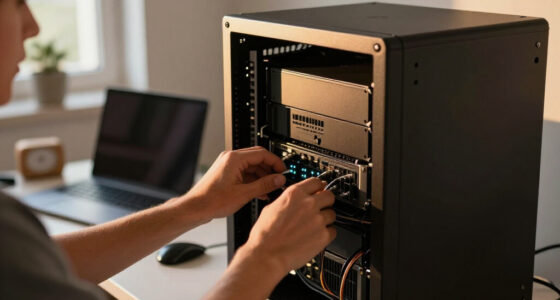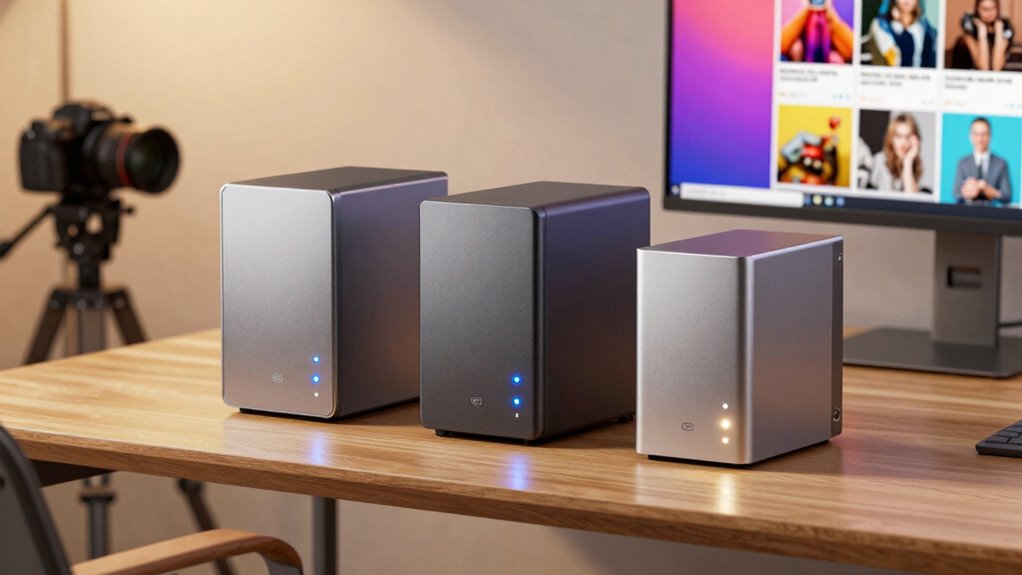
For photographers, choosing the right NAS storage means balancing capacity, ease of use, and performance. The UGREEN NAS DH2300 stands out for its user-friendly setup and AI features, ideal for personal backups. The Synology DS124 offers robust security and smart home integration, perfect for safeguarding precious images. Meanwhile, the UGREEN NAS DXP2800 provides a high-capacity, customizable solution for content creators with technical know-how. Each of these options balances different priorities—cost, simplicity, performance—so understanding their strengths and limitations helps make an informed decision.
Complete the kit



Key Takeaways
- Entry-level models like the UGREEN NAS DH2300 prioritize ease of use and AI photo organization but lack Wi-Fi support.
- Synology’s solutions excel in security, automatic backups, and surveillance integration, suited for photographers needing data protection.
- High-capacity models like the UGREEN NAS DXP2800 serve content creators with advanced features but require technical setup.
- Diskless NAS require additional investment in drives, influencing total cost and setup complexity.
- Performance varies: while basic models focus on file transfer speeds, premium options support multitasking and media streaming.


More Details on Our Top Picks
UGREEN NAS DH2300 2-Bay Desktop NAS Support Capacity 64TB (Diskless)
The UGREEN NAS DH2300 makes an appealing choice for photographers just starting to build a personal backup system. Its support for up to 64TB of storage offers ample room for high-resolution images and videos. The device’s AI-powered photo organization features help automate tagging and duplicate detection, saving time during curation. Compared with more advanced models, this NAS lacks Wi-Fi support and is wired-only, which might limit flexibility in some home setups. Still, its straightforward interface and security features like RAID and encryption make it a reliable, entry-level option for individual creatives.
Pros:- Supports large storage capacity up to 64TB
- Fast file transfers up to 125MB/s
- AI features for photo organization and duplicate detection
- Enhanced security with RAID and encryption
Cons:- No Wi-Fi support; wired Ethernet required
- Limited to basic backup and storage functions
- No drives included; additional purchase needed
Best for: Photographers seeking an easy, secure backup solution for personal use.
Not ideal for: Users needing wireless connectivity or enterprise-level features.
- Digital Storage Capacity:64 TB
- Hard Disk Interface:Serial ATA
- Connectivity Technology:Ethernet, HDMI, SATA, USB
- Additional Features:Dust Resistant, LED Light, Password Protection, Portable, Shock Resistant
- Hard Disk Form Factor:3.5 Inches
- Compatible Devices:Desktop, Laptop, Smartphone, Tablet, Television
Our verdict“A solid choice for beginners seeking a straightforward, AI-enabled personal NAS for data backup.”
Synology DS124 Personal Backup & File Hub – Protect Photos, Secure Home Surveillance (1-Bay Diskless NAS)
The Synology DS124 stands out for those prioritizing data protection, automatic backups, and home security. Its ability to seamlessly back up photos, videos, and documents from multiple platforms makes it ideal for photographers who want a centralized, secure archive. The built-in surveillance hub with AI detection adds extra value for those who also monitor their studio or home environment. However, being diskless, it requires separate drive purchase, and its setup can pose a challenge for newcomers. Still, the model’s software support and hardware reliability justify its higher price.
Pros:- Complete phone and computer backup
- Secure private file cloud access
- AI-powered surveillance with alerts
- Reliable hardware with 2-year warranty
Cons:- Requires separate drives, increasing initial cost
- Setup can be complex for less tech-savvy users
- Limited to small-scale home or studio use
Best for: Photographers needing a secure, multi-purpose NAS with backup and surveillance features.
Not ideal for: Those seeking plug-and-play simplicity or wireless operation.
Our verdict“Ideal for photographers prioritizing security, automated backups, and integrated surveillance in a compact form.”
UGREEN NAS DXP2800 2-Bay Network Attached Storage for Content Creators
The UGREEN NAS DXP2800 offers up to 80TB of storage and is tailored for content creators who demand extensive space and high performance. Its user-friendly setup combined with AI-powered photo management helps streamline large media libraries. With a powerful Intel N100 quad-core processor and 8GB DDR5 RAM, it handles multiple tasks smoothly and supports 4K media output via HDMI. However, it requires technical knowledge for initial configuration, and drives are not included, which can add to the total investment. Compared with simpler models, this NAS is geared toward users comfortable with more complex setups.
Pros:- Supports up to 80TB storage
- Powerful Intel N100 CPU with 8GB DDR5 RAM
- AI-powered photo organization
- Supports multiple devices and 4K HDMI output
Cons:- Requires technical setup skills
- Drives are sold separately
- More expensive due to high-spec components
Best for: Content creators needing large, customizable storage and multitasking capabilities.
Not ideal for: Beginners or users seeking plug-and-play simplicity.
- Processor:Intel N100 Quad-Core
- RAM:8GB DDR5
- Storage Capacity:Up to 80TB
- Network Speed:2.5GbE
- Video Output:4K HDMI
- Form Factor:Diskless
Our verdict“A flexible, high-capacity NAS best suited for experienced users managing large media collections.”
Synology DS225+ Private Cloud Media Server – 2-Bay Diskless NAS with Intel CPU
The Synology DS225+ combines media streaming, private cloud storage, and data protection in a compact package. Its support for 4K media streaming makes it perfect for photographers who want to access or showcase their work from anywhere. With automated backups and RAID support, it provides a reliable way to protect valuable images. Its Intel CPU and 3-year warranty add to its appeal, but being diskless, it necessitates purchasing drives separately. Its setup may be more involved for beginners, but it offers a solid balance of features for small studios or home offices.
Pros:- Supports 4K media streaming
- Automated backups and RAID redundancy
- Supports IP cameras with AI detection
- 3-year warranty for peace of mind
Cons:- No drives included; additional purchase required
- Setup can be complex for newcomers
- Limited storage capacity compared to larger models
Best for: Photographers needing media streaming, backup, and small-scale cloud solutions.
Not ideal for: Users looking for high expandability or enterprise features.
- Storage Bays:2
- CPU:Intel
- Transfer Speed:282 MB/s
- Warranty:3 years
- Supports IP Cameras:Yes
Our verdict“A reliable, media-focused NAS for photographers who want simple access and secure backups with media streaming capabilities.”
UGREEN NAS DXP4800 GT 4-Bay Desktop NAS with AMD R2514 CPU, 8GB DDR4 RAM, 2x 10GbE, M.2 NVMe Slots, 4K HDMI, Diskless
The UGREEN NAS DXP4800 GT is tailored for demanding workflows, offering extensive storage, high-speed networking, and multitasking power. Its AMD Ryzen R2514 CPU paired with up to 144TB of expandable storage and dual 10GbE ports makes it ideal for media professionals, small teams, or serious content creators. The device supports multiple SSDs and HDDs, along with surveillance features, making it a versatile hub for complex environments. The tradeoff is its complexity: setup is not straightforward, drives are sold separately, and advanced features like Docker configuration may require technical expertise.
Pros:- Supports up to 144TB storage
- High-performance AMD Ryzen CPU
- Dual 10GbE ports with link aggregation
- Supports multiple SSDs and HDDs
Cons:- Drives are not included; additional cost
- Setup complexity requiring technical knowledge
- Pre-installed RAM is non-ECC, upgrade needed for critical use
Best for: Power users managing large media projects and high-volume data workflows.
Not ideal for: Entry-level users or those seeking simple plug-and-play solutions.
- CPU:AMD Ryzen Embedded R2514
- Cores:4 cores
- Threads:8 threads
- Max GHz:3.70GHz
- RAM:8GB DDR4 (expandable to 64GB)
- Drive Bays:4 SATA, 2 U.2 NVMe, 2 M.2 SSD
- Max Storage:144TB
- Network:2x 10GbE ports, supports Link Aggregation
- Video Output:4K HDMI
- Supported Drives:HDDs and SSDs (not included)
Our verdict“A high-end, customizable NAS designed for intensive data tasks, best suited for tech-savvy professionals with demanding needs.”

How We Picked
Our selection process focused on models specifically tailored for photographers or creative professionals, emphasizing storage capacity, ease of data management, and security features. We prioritized products that balance affordability with powerful features like AI photo organization, automatic backups, and robust connectivity options. Each model was assessed for user-friendliness, expandability, and overall value, considering different levels of technical expertise and storage needs. We also looked at how well these NAS integrate into home or studio environments, ensuring they meet the demands of image-heavy workflows.
Factors to Consider When Choosing Nas Storage For Photographers
Choosing the right NAS for photography involves understanding your storage needs, technical comfort level, and desired features like media streaming, security, or automation. Whether you’re an amateur needing simple backups or a professional managing vast media libraries, the right device can streamline your workflow and protect your data effectively.
Capacity & Scalability
Assess your current storage needs and future growth. Entry-level models like the UGREEN NAS DH2300 support up to 64TB, suitable for personal projects, while high-end options like the UGREEN DXP4800 support up to 144TB, ideal for demanding workflows. Remember, diskless models require additional investment in drives, which can influence your total cost and setup complexity.
Ease of Use & Setup
If you prefer a straightforward setup, models like the Synology DS124 or DS225+ offer user-friendly interfaces and minimal configuration. More advanced devices, such as the UGREEN DXP4800, provide extensive customization at the expense of complexity, often requiring technical expertise.
Performance & Connectivity
Consider transfer speeds, network interfaces, and multitasking capabilities. Basic models focus on fast file transfers and AI photo tagging, while high-performance options support multi-user environments and 4K media streaming. Dual 10GbE ports in premium models enable faster data movement for large files or collaborative workflows.
Security & Additional Features
Features like RAID redundancy, encryption, and AI surveillance can safeguard your work. For photographers with sensitive data, models with robust security and backup options are preferable. Surveillance integration adds value if you need to monitor your studio or home environment.
Frequently Asked Questions
What is the best NAS for photographers with limited technical skills?
The UGREEN NAS DH2300 is an excellent choice for those seeking an easy-to-set-up device with AI photo organization features. Its user-friendly interface and security options make it accessible for beginners, though it lacks wireless support, which might limit flexibility.
Which NAS offers the most storage capacity for large media libraries?
The UGREEN DXP4800 GT provides the highest maximum storage capacity at 144TB, making it suitable for photographers managing extensive collections of high-resolution images and videos. Its multiple drive bays and support for SSDs and HDDs make it highly expandable.
Are diskless NAS a good choice for photographers?
Diskless NAS like the Synology DS124 and DS225+ offer flexibility and often better security, but they require purchasing drives separately. This approach is cost-effective if you already have drives or want to customize your storage, though it adds complexity during setup.
Can these NAS devices handle media streaming?
Yes, models like the Synology DS225+ and UGREEN DXP2800 support 4K media streaming, making them suitable for showcasing your work or accessing files remotely. Higher-performance models with better hardware and network interfaces provide smoother streaming experiences.
Is AI photo organization a common feature in NAS for photographers?
AI photo organization is increasingly featured in consumer and prosumer NAS devices like the UGREEN NAS DH2300 and DXP2800. These tools help automate tagging, duplicate detection, and sorting, saving time and improving workflow management for photographers handling large image libraries.
Conclusion
For casual photographers or hobbyists, the UGREEN NAS DH2300 offers a simple, secure backup solution with AI features. Professionals or serious content creators who need large, customizable storage will find the UGREEN DXP2800 or DXP4800 more fitting, despite the added setup complexity. Small studio owners prioritizing data security and media streaming should consider the Synology DS124 or DS225+. Ultimately, your choice depends on your technical comfort, storage needs, and whether you value simplicity or high performance.