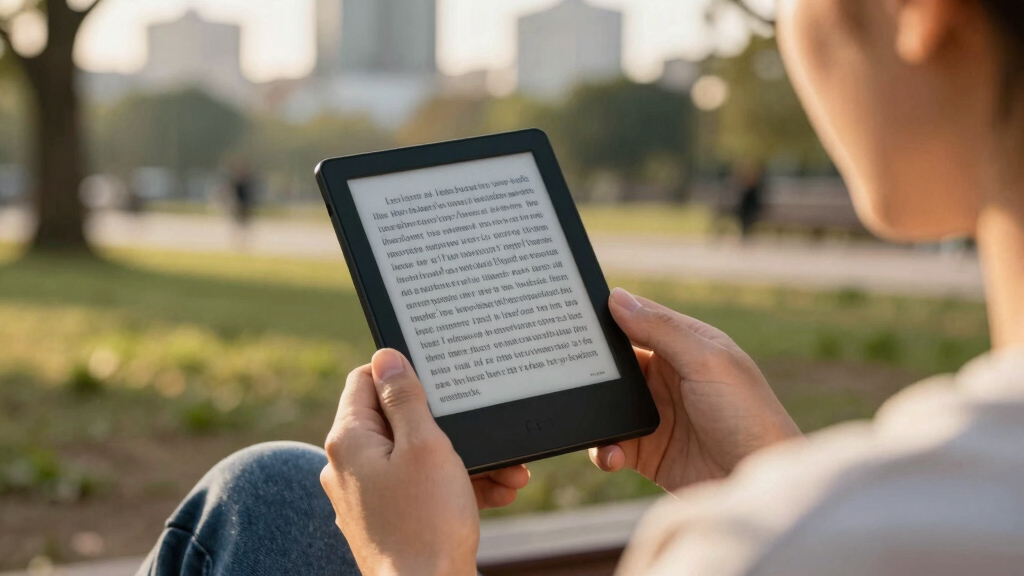

Open-source e-readers split into two camps: polished readers you can open up with community software, and fully open Android devices that run almost any app you side-load. After comparing six of the strongest options, my top pick is the Kobo Clara BW, because its Linux-based platform welcomes tools like KOReader without asking you to give up a sharp 6-inch screen, waterproofing, or weeks of battery life. Tinkerers who want a pocketable project device should look at the XTEINK X4 Developer Edition, while readers who want a full open Android experience get the most from the Bigme B6. The real tradeoff in this category is freedom versus friction: the more open the device, the more setup and maintenance it tends to demand, and the shorter the battery usually lasts. Keep reading for the full breakdown of all six picks, who each one suits, and who should skip it.
Complete the kit



Key Takeaways
- The Kobo Clara BW takes the top spot because it is the only pick here that pairs genuine hackability (KOReader, NickelMenu, community patches) with mainstream polish — no command line required.
- Every pick falls into one of three openness tiers: hackable mainstream firmware (Kobo), open Android slates (Bigme B6, the 6-inch Color E-Reader), and true developer hardware (XTEINK X4).
- Open Android readers like the Bigme B6 and the Color E-Reader win on app freedom but give back days of battery life and occasional app-scaling quirks on E Ink.
- Color E Ink on the generic 6-inch Color E-Reader costs you contrast and money — it only pays off for comics, manga covers, and PDF diagrams, not plain novels.
- Sub-4.3-inch devices (the XTEINK X4, OBOOK5, and the 2.66-inch Mini E-Book Reader) work best as secondary or specialty readers; none of them should be your only screen for long-form reading.
| Kobo Clara BW |  | Best Overall | Display: 6-inch E Ink Carta 1300 HD, glare-free | Storage: 16GB (up to ~12,000 eBooks) | Waterproof Rating: IPX8 — 60 minutes in 2 meters of water | VIEW LATEST PRICE | See Our Full Breakdown |
| Color E-Reader 6-Inch with Open Android |  | Best for App Freedom | Display: 6-inch Kaleido Plus color E Ink | Operating System: Open Android | Storage: 32GB | VIEW LATEST PRICE | See Our Full Breakdown |
| XTEINK X4 E-Book Reader (Developer Edition) |  | Best for Developers and Tinkerers | Display: 4.3-inch E Ink, glare-free | Storage: 16GB | Battery Life: Up to 14 days | VIEW LATEST PRICE | See Our Full Breakdown |
| OBOOK5 eBook Reader |  | Best Value | Display: 4.26-inch glare-free HD | Resolution: 219 ppi | Storage: 32GB | VIEW LATEST PRICE | See Our Full Breakdown |
| HAMGEEK RW01 Mini E-Book Reader |  | Best Ultra-Compact | Display: 2.66-inch E Ink, paper-like | Storage: 32GB memory card included | File Formats: EPUB, TXT | VIEW LATEST PRICE | See Our Full Breakdown |
| Bigme B6 e-Reader with B/W Display, 6 Inch E-Ink eBook Reader, Android 14 OS, 4GB+64GB, Adjustable Front Light, White |  | Best for App Flexibility | Display: 6-inch E-Ink black and white | Resolution: 300 PPI | Operating System: Android 14 | VIEW LATEST PRICE | See Our Full Breakdown |
| open-source e-reader | Display | Storage | Battery Life | Lighting |
|---|---|---|---|---|
| Kobo Clara BW | 6-inch E Ink Carta 1300 HD, glare-free | 16GB (up to ~12,000 eBooks) | Weeks per charge | ComfortLight PRO with adjustable brightness and color temperature |
| Color E-Reader 6-Inch with Ope | 6-inch Kaleido Plus color E Ink | 32GB | Approximately 8 hours | Adjustable eye-friendly front light |
| XTEINK X4 E-Book Reader | 4.3-inch E Ink, glare-free | 16GB | Up to 14 days | — |
| OBOOK5 eBook Reader | 4.26-inch glare-free HD | 32GB | Weeks per charge | Adjustable front light |
| HAMGEEK RW01 Mini E-Book Reade | 2.66-inch E Ink, paper-like | 32GB memory card included | Up to one month standby, several weeks reading | Backlit with dark mode |
| Bigme B6 e-Reader with B/W Dis | 6-inch E-Ink black and white | 64GB, expandable to 1TB via micro SD | — | — |
More Details on Our Top Picks
Kobo Clara BW
The Kobo Clara BW earns the top spot because it balances open-format freedom with mainstream polish. It reads EPUB files natively, so I can load books from any store or free library without conversion — something a Kindle won’t allow. The 6-inch E Ink Carta 1300 screen is sharp and readable in direct sun, and IPX8 waterproofing means poolside reading isn’t a risk. Compared with the Color E-Reader below, the Clara BW gives up color and Android apps but pays back weeks of battery life instead of roughly eight hours. The tradeoffs are real: the 6-inch panel feels cramped for PDFs and comics, there’s no color, and Kobo’s software is open-friendly rather than truly hackable like the XTEINK X4. For most readers, though, this is the safest buy.
Pros:- Native EPUB support frees you from any single bookstore
- IPX8 waterproofing survives 60 minutes in 2 meters of water
- ComfortLight PRO shifts color temperature for easier nighttime reading
- Battery lasts weeks, far outlasting Android-based rivals
Cons:- 6-inch black-and-white screen is cramped for PDFs, manga, and comics
- Open-friendly but not truly open — no third-party app installation like Android e-readers
Best for: Readers who want a polished, open-format daily reader that handles sideloaded EPUBs, library loans, and poolside sessions without fuss
Not ideal for: Comic and PDF readers — the 6-inch monochrome screen is too cramped for visual content, and tinkerers will find Kobo’s software closed compared to open Android options
- Display:6-inch E Ink Carta 1300 HD, glare-free
- Storage:16GB (up to ~12,000 eBooks)
- Waterproof Rating:IPX8 — 60 minutes in 2 meters of water
- Battery Life:Weeks per charge
- Lighting:ComfortLight PRO with adjustable brightness and color temperature
- Extras:Dark Mode, audiobook support
- Color:Black
Our verdict“The default choice for anyone who wants open-format reading with zero maintenance and the fewest compromises.”
Color E-Reader 6-Inch with Open Android
If open-source to me means running whatever software I want, this 6-inch color e-reader is the most literal interpretation in the lineup. Its open Android system lets me install third-party reading apps rather than living inside one bookstore — a flexibility the Kobo Clara BW simply can’t match. The Kaleido Plus panel brings color to comics and cover art, and at 138g it disappears into a jacket pocket. The compromises hit hard, though: battery life sits around eight hours, where the Kobo and OBOOK5 measure endurance in weeks, and color E Ink looks washed out next to any tablet. Wi-Fi is also required for app downloads. I’d choose it over the Bigme B6 only when color and lighter weight matter more than the B6’s 64GB of storage.
Pros:- Open Android allows installing virtually any reading app
- Kaleido Plus color display suits comics, magazines, and cover art
- Only 138g — the lightest full-size option here
- Broad format support including EPUB, MOBI, PDF, and DOCX
Cons:- Roughly 8-hour battery life versus weeks on conventional e-readers
- Color E Ink saturation is muted compared to tablets
- Requires Wi-Fi for app downloads and updates
Best for: Android-comfortable readers who want comics in color and their pick of reading apps in a 138g travel-friendly device
Not ideal for: Anyone who forgets chargers — the roughly 8-hour battery demands near-daily top-ups, a shock if you’re coming from a Kobo or Kindle
- Display:6-inch Kaleido Plus color E Ink
- Operating System:Open Android
- Storage:32GB
- Weight:138g
- Battery Life:Approximately 8 hours
- Connectivity:USB, Wi-Fi
- File Formats:EPUB, MOBI, PDF, TXT, DOC/DOCX, HTML, JPEG, PNG, GIF
- Lighting:Adjustable eye-friendly front light
Our verdict“The right pick for readers who prioritize app choice and color over battery endurance.”
XTEINK X4 E-Book Reader (Developer Edition)
The XTEINK X4 Developer Edition is the pick for readers who treat an e-reader as a project, not an appliance. The Developer Edition branding signals hardware meant to be modified, and the 14-day battery plus physical page-turn buttons give it a purposeful, stripped-down feel at just 2.72 oz. Compared with the similarly pocketable OBOOK5, the X4 is thinner and more elegantly built — but the OBOOK5 includes a front light, and the X4 has no built-in lighting at all, which rules out reading in the dark. The 4.3-inch screen suits novels in short bursts, not PDFs or manga. I see it as the enthusiast’s second reader: brilliant in a pocket, compromised as an only device. The HAMGEEK RW01 shrinks the idea further, but the X4 remains the more usable everyday machine.
Pros:- Developer Edition positioning invites firmware and software experimentation
- Physical page-turn buttons beat touchscreen-only pocket rivals
- Up to 14 days of battery life
- Remarkably thin and light at 0.23 inch and 2.72 oz
Cons:- No front light — unusable in the dark without an external lamp
- Etched glass screen requires careful handling
- 4.3-inch display too small for PDFs, comics, or technical books
Best for: Tinkerers and minimalists who want a hackable pocket reader with real buttons and two-week battery life
Not ideal for: Night readers — with no front light, it needs ambient light just like a paper book, and its screen is too small for PDFs
- Display:4.3-inch E Ink, glare-free
- Storage:16GB
- Battery Life:Up to 14 days
- Weight:2.72 oz
- Thickness:0.23 inch
- Controls:Physical page-turn buttons
- Build:Premium etched glass, magnetic-ready design
- Color:Mist Gray
Our verdict“A beautifully minimal pocket reader for hobbyists who value buttons and hackability over reading in the dark.”
OBOOK5 eBook Reader
The OBOOK5 covers more bases per dollar than anything else in this roundup. For a pocket reader it checks boxes the XTEINK X4 misses — an adjustable front light, audiobook playback through a built-in speaker, Bluetooth, and 32GB of storage at a budget price. The 219ppi screen won’t match the crispness of the Kobo Clara BW’s Carta 1300 panel, but text stays clean at normal reading distance. Where it falls short: the 4.26-inch display is genuinely small for long sessions, there’s no waterproofing for bath or beach reading, and the software feels functional rather than polished. I’d steer buyers toward it over the HAMGEEK RW01 whenever they want a small reader that still handles mainstream tasks, since the RW01’s two-format support is far more limiting for a everyday library.
Pros:- Adjustable front light included at a budget price
- Built-in speaker plus Bluetooth for audiobooks
- 32GB storage doubles the Kobo Clara BW’s capacity
- Modern USB-C charging
Cons:- 4.26-inch screen is small for extended reading sessions
- No waterproof rating
- 219ppi resolution trails sharper 300ppi-class rivals
Best for: Budget buyers who want a genuinely small reader that still delivers a front light, Bluetooth, and audiobook playback
Not ideal for: Bath and beach readers — unlike the Kobo Clara BW it has no waterproofing, and marathon readers will find the 4.26-inch screen tiring
- Display:4.26-inch glare-free HD
- Resolution:219 ppi
- Storage:32GB
- Battery Life:Weeks per charge
- Connectivity:Wi-Fi, Bluetooth
- Port:USB-C
- Audio:Built-in speaker, audiobook support
- Lighting:Adjustable front light
Our verdict“The sensible budget pick if you want pocket size without giving up lighting and audio.”
HAMGEEK RW01 Mini E-Book Reader
The HAMGEEK RW01 is less an e-reader and more a keychain-sized experiment — 43 grams, a 2.66-inch screen, and custom firmware support that openly invites modification. For open-source purists that hackability is the whole appeal; it reads plain EPUB and TXT files, bundles a 32GB card, and runs weeks per charge with a backlight and dark mode built in. The limits define the buyer, though: two file formats means no PDFs or MOBI, and the tiny panel shows only a paragraph or two at a time, so novels become an exercise in constant page turns. Next to the XTEINK X4, which shares the minimalist spirit, the RW01 trades everyday usability for sheer smallness. I’d frame it as a gift for tinkerers and ultralight travelers rather than anyone’s primary reading device.
Pros:- Custom firmware support makes it the most openly hackable device here
- Only 43g — genuinely pocketable anywhere
- Backlight with dark mode, rare at this size
- 32GB memory card included
Cons:- Supports only EPUB and TXT — no PDF, MOBI, or images
- 2.66-inch screen shows a paragraph or two per page
- More of a hobbyist gadget than a polished reading device
Best for: Ultralight travelers and firmware hobbyists who value extreme portability and open customization over reading comfort
Not ideal for: Novel bingers — a 2.66-inch screen forces a page turn every few sentences, and EPUB/TXT-only support excludes most purchased eBook libraries
- Display:2.66-inch E Ink, paper-like
- Storage:32GB memory card included
- File Formats:EPUB, TXT
- Battery Life:Up to one month standby, several weeks reading
- Weight:43g
- Dimensions:4 × 8.5 cm
- Lighting:Backlit with dark mode
- Firmware:Custom firmware support
Our verdict“A charming micro-reader for hackers and minimalists, but too constrained to serve as your main e-reader.”
Bigme B6 e-Reader with B/W Display, 6 Inch E-Ink eBook Reader, Android 14 OS, 4GB+64GB, Adjustable Front Light, White
This option stands out as the most open device in this roundup — it runs full Android 14, so you can install third-party reading apps like KOReader, Libby, or Audible instead of staying locked into one bookstore. That freedom comes with overhead: an app-capable reader demands more setup and tinkering than the Kobo Clara BW, which simply works out of the box. The 300 PPI E-Ink screen matches the Clara for crisp text, while 64GB of storage plus a micro SD slot dwarfs its 16GB — useful if you carry audiobooks or a large library. Compared with the Color E-Reader, which also runs an open Android system, this model doubles the RAM and ships newer software. The tradeoff is battery: heavy app and multimedia use shortens runtime considerably.
Pros:- Full Android 14 with genuine third-party app support, not a walled-garden store
- Sharp 300 PPI E-Ink display keeps text crisp at any font size
- 64GB internal storage plus micro SD expansion up to 1TB
- 4GB RAM and an octa-core processor keep apps and page turns responsive
Cons:- Battery life drops noticeably with Wi-Fi, apps, and audiobook playback
- Android setup and app management add friction versus plug-and-play readers
- Expansion slot ships empty — no micro SD card included
Best for: Tinkerers and app-dependent readers who want KOReader, Libby, or Audible running natively on an E-Ink screen
Not ideal for: Set-and-forget readers who just want to open books — the Kobo Clara BW offers a far simpler, curated experience
- Display:6-inch E-Ink black and white
- Resolution:300 PPI
- Operating System:Android 14
- Processor:Octa-Core 2.3GHz
- RAM:4GB
- Storage:64GB, expandable to 1TB via micro SD
- Front Light:36-level adjustable
- Connectivity:Dual-band Wi-Fi (2.4G & 5G), Bluetooth
- Thickness:6.98mm
Our verdict“The right pick if you want an E-Ink screen that behaves like an open Android tablet; skip it if you want a reader that just opens books.”
How We Picked
I evaluated each reader against six criteria: software openness (community firmware, root access, KOReader compatibility), display quality, battery life, format and library support, the strength of the modding or user community around the device, and overall value. Openness carried the most weight because it is the reason you are shopping this category, but I scored it against usability — a reader that demands a full weekend of setup before it opens an EPUB is less useful to most buyers than one that stays open without forcing the issue.
That balance explains the order. The Kobo Clara BW ranks first because it offers the deepest well-documented modding scene of any mainstream reader while working perfectly for someone who never installs a single patch. The open Android picks, led by the Bigme B6, follow because they deliver real app freedom but pay for it in battery life and E Ink app quirks. The pocket-sized devices round out the list: each is genuinely useful, but as a specialist or secondary reader rather than a daily driver.
| open-source e-reader | Battery Life | Lighting | Connectivity |
|---|---|---|---|
| Kobo Clara BW | Weeks per charge | ComfortLight PRO with adjustable brightness and color temperature | — |
| Color E-Reader 6-Inch with Ope | Approximately 8 hours | Adjustable eye-friendly front light | USB, Wi-Fi |
| XTEINK X4 E-Book Reader | Up to 14 days | — | — |
| OBOOK5 eBook Reader | Weeks per charge | Adjustable front light | Wi-Fi, Bluetooth |
| HAMGEEK RW01 Mini E-Book Reade | Up to one month standby, several weeks reading | Backlit with dark mode | — |
| Bigme B6 e-Reader with B/W Dis | — | — | Dual-band Wi-Fi (2.4G & 5G), Bluetooth |
Factors to Consider When Choosing Best Open-source E-readers
Specs on an e-reader box tell you surprisingly little about what living with the device is like. The sections below cover the decisions that actually separate a good purchase from a regretted one in this category: what openness really gets you, where the hidden costs sit, and which mistakes buyers make most often.
Know the Three Tiers of Openness
The phrase open-source e-reader covers three very different kinds of hardware, and mixing them up is the most common buying mistake in this category. The first tier is hackable mainstream firmware: devices like the Kobo line run Linux and have mature community toolchains (KOReader, NickelMenu, custom screensavers) that you can add without replacing the stock software. The second tier is open Android, where the device ships with a near-stock Android build and an app store or side-loading path, so you can install Kindle, Libby, or a manga reader directly. The third tier is developer hardware — devices sold with documentation, schematics, or source code specifically so you can modify the system itself. Each tier asks more of you than the last and gives you more control in return. A reader who just wants to avoid Amazon’s walled garden belongs in tier one; someone who wants to flash their own build belongs in tier three. Buy a tier-three device expecting tier-one convenience and you will be disappointed within a day.
Weigh App Freedom Against Battery Life
Every open Android e-reader makes the same quiet trade: you swap weeks of battery for days. A Linux-based reader like the Kobo sips power because it only wakes the full system when you turn a page, while an Android device keeps background services, Wi-Fi, and app processes alive between sessions. Three to seven days per charge is a realistic expectation for the Android picks here, versus several weeks on the lighter platforms. There is a second cost that spec sheets never mention: apps designed for phones do not always behave on E Ink. Animations ghost, scrolling stutters, and some apps need their refresh mode tuned per-app before they are comfortable. None of this is a reason to avoid open Android — it is a reason to buy it only when you genuinely need third-party apps for library lending, a specific bookstore, or a reading app with no alternative. If your library is EPUB files and Calibre, the simpler platform will treat you better.
Match Screen Size and Color to What You Actually Read
For novels and long-form text, a 6-inch monochrome screen at 300 ppi remains the sweet spot: sharp enough for small fonts, large enough that you are not turning pages every twenty seconds. Color E Ink sounds like a free upgrade, but current Kaleido-style panels show color at roughly half the resolution of black-and-white content and at a slightly darker, grayer white level, so plain text looks worse on the color device than on the cheaper mono one. Color only earns its premium if a large share of your reading is comics, graphic novels, cookbooks, or PDFs with diagrams. At the other end of the scale, the pocket readers under 4.3 inches in this roundup serve a real purpose — articles, short stories, flashcard-style reading on a commute — but page turns become constant on a 2.66-inch screen. Treat those devices as companions to a main reader or a phone, not replacements for either.
Sort Out Your Library Pipeline Before You Buy
An open e-reader is only as useful as the books you can get onto it, and this is where buyers most often skip the homework. Start by listing where your current library lives: EPUB files, a bookstore account, a public library’s lending app, or audiobooks. EPUB and Calibre workflows work on every device in this roundup, but bookstore ecosystems do not — a Kobo will not open a Kindle-purchased book without conversion, and Kindle purchases carry DRM that the law in many regions restricts you from removing. Open Android readers solve this by running the store’s own app, which is their strongest argument. If you borrow from a public library, check whether your library’s platform (OverDrive, Libby, or a regional service) has a native path on the device or needs an Android app. Audiobook listeners should check for Bluetooth and storage too, since audio files dwarf ebook sizes and not every reader here supports them.
Bet on Community Support, Not Brand Promises
In this category, the spec sheet matters less than the crowd behind the device. A reader with an active KOReader port, a busy user forum, and published firmware source will keep improving for years, while a generic brand with no community may never ship a single update after launch. Before buying any of the lesser-known names, spend ten minutes checking three things: whether recent firmware updates exist, whether users report bugs getting fixed, and whether replacement accessories or parts are findable. The Kobo’s decade-long modding history is a large part of why it leads this roundup, and the XTEINK’s developer documentation is its main asset. For the generic Android devices, assume the software you get in the box is roughly what you will have forever, and judge them on that basis. This one habit — checking the community before the price — prevents most of the regret purchases in open-source e-reading.
Frequently Asked Questions
Are any e-readers fully open source?
Fully open is a high bar, and almost no shipping e-reader clears it. Most devices described this way — the Kobo included — run Linux and open-source components but keep some firmware and hardware elements closed. The XTEINK X4 Developer Edition comes closest in this lineup because it is sold with modification in mind, but even it is better described as hackable than as fully open hardware. Open Android readers like the Bigme B6 give you freedom at the app layer, not the firmware layer: you can install nearly anything, yet the underlying system still ships as-is from the manufacturer. If strict open-source purity is your goal, expect a project device rather than a polished consumer product. If your actual goal is escaping a locked bookstore and owning your files, every pick in this roundup gets you there.
Can I read my Kindle books on an open-source e-reader?
Yes, but the route depends on the device. Open Android readers like the Bigme B6 and the 6-inch Color E-Reader can install the Kindle app directly, so your whole Amazon library works as it would on a phone — this is the simplest answer and one of the best reasons to choose an Android-based pick. Kobo devices cannot run the Kindle app, so Amazon purchases need conversion through Calibre, which only works on DRM-free files or books you are legally permitted to convert where you live. The XTEINK and the smallest pocket readers have no practical Kindle path at all. Library lending through Libby or OverDrive follows the same pattern: Android devices run the app, Kobo has built-in OverDrive support in many regions, and the tiny readers are offline-only. Map your existing library before you choose, and the right answer usually picks itself.
Is a color E Ink reader worth paying more for?
For most readers, no. Current color E Ink panels render color content at roughly half the resolution of black-and-white content, and the color filter layer makes the background grayer, so plain text on a color reader looks slightly worse than on a mono one that costs less. The math flips if a big share of your reading is comics, manga, textbooks with diagrams, or illustrated PDFs — for those, even muted E Ink color beats squinting at grayscale. Among these picks, the 6-inch Color E-Reader is the only color option, which makes the decision simple: if color content is your daily diet, it is your pick; if you mostly read novels, the Kobo Clara BW or Bigme B6 will look sharper. Budget also plays a role, since the color premium could instead buy you more storage or a better front light. Buy color for a specific need, not as a general upgrade.
How much storage do I need on an open-source e-reader?
For plain ebooks, far less than you think: an EPUB averages a megabyte or two, so even the 16GB on the Kobo Clara BW or XTEINK X4 holds several thousand books. Storage starts to matter in three situations. Manga and PDF collections are image-heavy and can run hundreds of megabytes per volume, so heavy comic readers should look at 32GB and up. Audiobooks are the real space hog — a single title can exceed a gigabyte, which is why the OBOOK5’s 32GB pairs sensibly with its audiobook support. And on open Android devices, the apps themselves claim space before you add a single book, making the Bigme B6’s 64GB the safest choice in that tier. As a rule: text-only readers can ignore storage numbers entirely, while comic, audio, and app users should buy more than they expect to need.
Which open-source e-reader is best for beginners?
The Kobo Clara BW, and it is not close. It works fully out of the box — Wi-Fi book transfers, library borrowing, a waterproof build — and its openness is optional rather than required, so a beginner can ignore the modding scene entirely or grow into it one plugin at a time. The open Android picks ask more of you: expect to tune refresh settings per app, manage battery-draining background processes, and side-load APKs at some point. The XTEINK X4 Developer Edition is explicitly a tinkerer’s device, and the tiny 2.66-inch Mini reader demands comfort with drag-and-drop file management and minimal software. A beginner who buys a developer-grade device for its price or novelty usually ends up with a drawer gadget. Start with the device that forgives mistakes, then move up the openness ladder once you know what you actually want from it.
Conclusion
Each of these six readers owns a clear lane, so the right choice comes down to which kind of open matters to you. For most buyers, the Kobo Clara BW is the best open-source e-reader overall — and also the best pick for beginners — because it pairs a genuinely open, mod-friendly platform with the polish of a mainstream device. If you want the most capable hardware and full open Android, the Bigme B6 is the premium choice, with enough storage and memory to run any reading app you throw at it. The 6-inch Color E-Reader earns its place for comic and PDF readers who need color, while the OBOOK5 is the value pick for anyone who wants a compact reader with audiobook support at a sensible price. Developers and hobbyists should go straight to the XTEINK X4, the only device here sold for modification first. And if you want the smallest possible screen for pocket reading, the 2.66-inch Mini E-Book Reader fills that niche cheaply — just keep a larger reader for the long haul. Decide what openness means for your reading life, and one of these six will fit it.