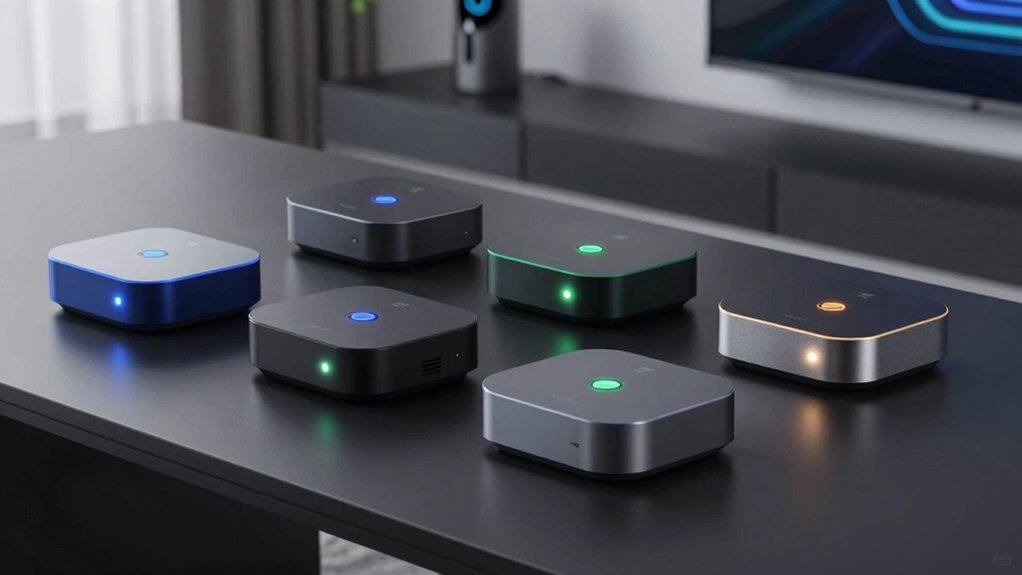

Looking for a smart home mini PC hub? The ideal choice depends on your automation needs, budget, and technical comfort. The TK Node Mini PC with Proxmox and Home Assistant preinstalled stands out as the best overall for its versatility and robust setup options. The Homey Pro Mini excels in seamless Zigbee, Matter, and Thread integration, perfect for device compatibility. Meanwhile, the GMKtec G3S offers a powerful Intel option with dual 4K displays for those who want a mini PC that doubles as a media hub. Continue reading for a full breakdown of these options and what to consider when choosing your perfect smart home hub.

Get the latest gadgets delivered free with Prime
- Fast, free delivery on millions of items
- Prime Video, Amazon Music and more included
- Member-only deals all year
Complete the kit



Key Takeaways
- Performance and flexibility are key, with AMD Ryzen models offering more versatility for custom setups.
- Preinstalled software like Home Assistant simplifies setup, but may limit customization for advanced users.
- Device compatibility matters—look for hubs supporting Zigbee, Thread, or Matter for broader device integration.
- Size and form factor are critical for fitting your space; more powerful mini PCs tend to be larger.
- Connectivity options like Ethernet and WiFi 6 can significantly impact reliability and speed.
| TK Node Mini PC – Proxmox + Home Assistant preinstalled, AMD Ryzen R2514, 16GB RAM, 512GB SSD |  | Best Overall for Self-Hosting and Professional Use | Processor: AMD Ryzen R2514 (8-thread) | RAM: 16GB (expandable up to 64GB) | Storage: 512GB SSD (supports up to 4TB NVMe) | VIEW ON AMAZON | See Our Full Breakdown |
| TK Node Mini PC – Home Assistant Preinstalled, AMD Ryzen R2514, 16GB RAM, 512GB SSD | | Best for Smart Home Automation with Ease of Use | Processor: AMD Ryzen R2514 (8-thread) | RAM: 16GB (expandable up to 64GB) | Storage: 512GB SSD (supports up to 4TB NVMe) | VIEW ON AMAZON | See Our Full Breakdown |
| Homey Pro Mini | Smart Home Hub for Home Automation with Zigbee, Ethernet, Matter & Thread |  | Best for Protocol Compatibility and Privacy | Protocols Supported: Zigbee, Matter, Thread, Ethernet | Compatibility: Apple Siri, Amazon Alexa, Google Assistant | Connectivity: Ethernet, Zigbee, Thread | VIEW ON AMAZON | See Our Full Breakdown |
| GMKtec G3S Mini PC with Intel N95 Processor, 8GB RAM, 256GB SSD, Dual 4K Display, WiFi 5, Gigabit Ethernet |  | Best Compact Power for Office and Media | Processor: Intel N95 (12th Gen, 4 cores, up to 3.4GHz) | RAM: 8GB DDR4 | Storage: 256GB M.2 SSD | VIEW ON AMAZON | See Our Full Breakdown |
| Mini PC Intel N3160, 8GB RAM, 128GB SSD, Dual 4K Display, WiFi & Bluetooth, Compact Desktop Computer for Home and Office |  | Best Budget for Basic Home and Office Use | Processor: Intel Celeron N3160 (4 cores/4 threads) | RAM: 8GB | Storage: 128GB SSD (supports 2TB) | VIEW ON AMAZON | See Our Full Breakdown |
| KAMRUI Pinova P2 Mini PC with AMD Ryzen 7330U, 16GB RAM, 256GB SSD, Triple 4K Display |  | Best for High-Performance Multi-Display Home or Business Use | Processor: AMD Ryzen 7330U (Zen 3, SMT, 4C/8T) | Graphics: Integrated Radeon Vega 6, up to 1.8GHz | RAM: 16GB LPDDR4X | VIEW ON AMAZON | See Our Full Breakdown |
| smart home mini pc hub | Connectivity | Processor | RAM | Storage |
|---|---|---|---|---|
| TK Node Mini PC | Gigabit Ethernet, WiFi, Bluetooth | AMD Ryzen R2514 (8-thread) | 16GB (expandable up to 64GB) | 512GB SSD (supports up to 4TB NVMe) |
| TK Node Mini PC | Gigabit Ethernet, WiFi, Bluetooth | AMD Ryzen R2514 (8-thread) | 16GB (expandable up to 64GB) | 512GB SSD (supports up to 4TB NVMe) |
| Homey Pro Mini | Smart Home Hu | Ethernet, Zigbee, Thread | — | — | — |
| GMKtec G3S Mini PC with Intel | WiFi 5, Gigabit Ethernet | Intel N95 (12th Gen, 4 cores, up to 3.4GHz) | 8GB DDR4 | 256GB M.2 SSD |
| Mini PC Intel N3160 | WiFi 802.11ac, Bluetooth 4.2 | Intel Celeron N3160 (4 cores/4 threads) | 8GB | 128GB SSD (supports 2TB) |
| KAMRUI Pinova P2 Mini PC with | Wi-Fi 2.4G+5.0G Dual Band, Bluetooth, Gigabit LAN | AMD Ryzen 7330U (Zen 3, SMT, 4C/8T) | 16GB LPDDR4X | 256GB M.2 SSD, expandable up to 4TB |
More Details on Our Top Picks
TK Node Mini PC – Proxmox + Home Assistant preinstalled, AMD Ryzen R2514, 16GB RAM, 512GB SSD
The TK Node Mini PC stands out as the most versatile choice for those who want a reliable, preconfigured system for virtualization and automation, thanks to its preinstalled Proxmox and Home Assistant. Compared with the Homey Pro Mini, it offers greater flexibility for self-hosted solutions, but it demands more technical skill for setup and maintenance. Its support for multiple 4K displays and expandable RAM/storage makes it ideal for professional environments where uptime and customization matter. The tradeoff is that it’s limited to specific processor options, and users need to handle configuration without much out-of-the-box ease. If you’re a tech-savvy user needing a compact yet powerful self-hosted hub, this is a compelling pick.
Pros:- Preinstalled with Proxmox and Home Assistant for quick deployment
- Supports up to three 4K displays for multitasking
- Expandable RAM and storage for future growth
- Compact size with continuous 24/7 operation
Cons:- Requires technical knowledge for initial setup and upgrades
- Limited processor options restrict flexibility
Best for: IT professionals, hobbyists, or small businesses seeking a dedicated, expandable virtualization host.
Not ideal for: Less technical users or those seeking a plug-and-play smart home hub with minimal setup.
- Processor:AMD Ryzen R2514 (8-thread)
- RAM:16GB (expandable up to 64GB)
- Storage:512GB SSD (supports up to 4TB NVMe)
- Display Support:Up to three 4K displays via HDMI, DisplayPort, USB-C
- Connectivity:Gigabit Ethernet, WiFi, Bluetooth
- Dimensions:5″ x 5″ x 1.7″
Our verdict“Ideal for users needing a customizable, high-performance mini PC for virtualization and automation, despite its technical demands.”
TK Node Mini PC – Home Assistant Preinstalled, AMD Ryzen R2514, 16GB RAM, 512GB SSD
This TK Node Mini PC variant simplifies smart home setup by coming with Home Assistant OS preinstalled, making it especially suitable for users focused solely on automation rather than virtualization. It compares favorably to the Homey Pro Mini in terms of ease, but it still requires some technical knowledge for upgrades or troubleshooting. Its support for multiple 4K displays and expandable RAM makes it future-proof for growing smart home needs. However, it lacks detailed info on included accessories, which could lead to surprises during setup. If seamless smart home integration with minimal fuss is your priority, this model offers a compelling balance of power and simplicity.
Pros:- Preinstalled with Home Assistant OS for streamlined setup
- Supports multiple 4K displays for monitoring or dashboards
- Expandable RAM and storage for future expansion
- Compact form factor suitable for various locations
Cons:- Limited accessory details may cause setup surprises
- Requires some technical skills for upgrades
Best for: Homeowners or hobbyists wanting a dedicated, expandable smart home hub with minimal initial configuration.
Not ideal for: Those needing a plug-and-play device without any technical setup or upgrades.
- Processor:AMD Ryzen R2514 (8-thread)
- RAM:16GB (expandable up to 64GB)
- Storage:512GB SSD (supports up to 4TB NVMe)
- Display Support:Up to three 4K displays
- Connectivity:Gigabit Ethernet, WiFi, Bluetooth
- Dimensions:5″ x 5″ x 1.7″
Our verdict“A strong choice for users seeking an easy-to-configure yet expandable smart home automation hub.”
Homey Pro Mini | Smart Home Hub for Home Automation with Zigbee, Ethernet, Matter & Thread
The Homey Pro Mini excels in broad protocol support, including Zigbee, Matter, and Thread, making it ideal for users with diverse smart devices. Compared to the GMKtec G3S, it offers better local control and privacy, as processing occurs on the device itself without relying on cloud services. Its compatibility with major voice assistants and routines enhances automation flexibility. The main tradeoff is that it requires a separate purchase of the Homey Bridge for Z-Wave and other protocols, which adds complexity and cost. It’s better suited for those prioritizing protocol versatility and privacy, rather than raw computing power or media support.
Pros:- Supports multiple protocols including Zigbee, Matter, and Thread
- Local processing enhances privacy and reliability
- No subscription required for full features
- Custom routines and automation via Homey Flow
Cons:- Requires separate purchase of Homey Bridge for Z-Wave and additional protocols
- Limited out-of-the-box protocol support without accessories
Best for: Smart home enthusiasts with multiple protocol requirements and privacy concerns who want local control.
Not ideal for: Users looking for a straightforward, all-in-one media or multitasking hub without protocol expansion needs.
- Protocols Supported:Zigbee, Matter, Thread, Ethernet
- Compatibility:Apple Siri, Amazon Alexa, Google Assistant
- Connectivity:Ethernet, Zigbee, Thread
- Additional Features:Local control, routines, energy monitoring
Our verdict“Best suited for users needing broad protocol support with a focus on local control and privacy, despite additional accessory costs.”
GMKtec G3S Mini PC with Intel N95 Processor, 8GB RAM, 256GB SSD, Dual 4K Display, WiFi 5, Gigabit Ethernet
The GMKtec G3S offers a balanced mix of power and affordability, with its 12th Gen Intel N95 processor providing better multitasking than lower-end options like the Mini PC Intel N3160. Its support for dual 4K displays and fast SSD storage makes it well-suited for office work, media, and light multitasking. Compared to the KAMRUI Pinova P2, it provides more processing power, but at the expense of higher energy consumption and a shorter warranty period. It’s best for users who need a compact, capable device for productivity and media, but it’s less suited for intensive workloads or gaming. The 8GB RAM may limit future multitasking needs, especially with demanding applications.
Pros:- Powerful 12th Gen Intel N95 processor with efficient performance
- Supports dual 4K displays for multitasking
- VESA mounting for flexible placement
- Fast SSD and 8GB RAM for smooth operation
Cons:- Limited to 8GB RAM, potentially restricting multitasking
- No dedicated GPU for high-end graphics or gaming
- One-year warranty may be insufficient for some buyers
Best for: Home or small office users needing reliable dual 4K display support with decent performance.
Not ideal for: Power users requiring high RAM or dedicated graphics for demanding tasks or heavy multitasking.
- Processor:Intel N95 (12th Gen, 4 cores, up to 3.4GHz)
- RAM:8GB DDR4
- Storage:256GB M.2 SSD
- Graphics:Intel UHD Graphics (up to 1000MHz)
- Display Support:Dual 4K@60Hz
- Connectivity:WiFi 5, Gigabit Ethernet
Our verdict“A practical choice for professional and media tasks in a compact form, with some limitations in future-proofing.”
Mini PC Intel N3160, 8GB RAM, 128GB SSD, Dual 4K Display, WiFi & Bluetooth, Compact Desktop Computer for Home and Office
The Mini PC Intel N3160 offers a low-cost, space-saving solution for everyday tasks, supporting dual 4K displays and basic connectivity needs. Compared to the GMKtec G3S, it has a less powerful processor, making it less suitable for multitasking or demanding applications, but it excels in low power consumption and quiet operation. Its 128GB SSD is limited, often necessitating external storage, which could be a drawback for users with larger media libraries or files. This mini PC is ideal for light web browsing, office work, or simple media display, but it won’t handle intensive workloads or heavy multitasking well.
Pros:- Very compact and portable design
- Supports dual 4K displays for basic multimedia needs
- Low power consumption and quiet operation
- Affordable price point
Cons:- Limited internal storage (128GB), often requiring external drives
- Weak processor for multitasking or intensive tasks
- No dedicated GPU for gaming or heavy graphics
Best for: Basic home users or small offices needing a compact, energy-efficient device for simple tasks.
Not ideal for: Power users or those needing high storage, performance, or multitasking capabilities.
- Processor:Intel Celeron N3160 (4 cores/4 threads)
- RAM:8GB
- Storage:128GB SSD (supports 2TB)
- Graphics:Intel HD Graphics up to 640 MHz
- Display Support:Dual 4K
- Connectivity:WiFi 802.11ac, Bluetooth 4.2
Our verdict“A budget-friendly mini PC suitable for light duties, with limited storage and processing power for demanding tasks.”
KAMRUI Pinova P2 Mini PC with AMD Ryzen 7330U, 16GB RAM, 256GB SSD, Triple 4K Display
The KAMRUI Pinova P2 stands out for its powerful AMD Ryzen 7330U processor, making it well-suited for multitasking, media editing, and demanding home office tasks. Unlike the GMKtec G3S, which offers dual 4K outputs, this model supports triple 4K displays, catering to users who need immersive visual setups. Its 16GB RAM and fast 256GB SSD provide smooth performance, with expandability up to 4TB for future storage needs. However, the operating system isn’t specified, which could be a hurdle for some, and it doesn’t come with peripherals. Compared to the Mini PC Intel N3160 with less RAM and lower graphics capability, the Pinova P2 offers significantly better multitasking and display support, though at a likely higher price point. This pick is ideal for users who require a compact, quiet, yet powerful mini PC for complex multitasking across multiple screens.
Pros:- Powerful AMD Ryzen 7330U processor with robust multi-core performance
- Supports triple 4K display output for extensive visual workspace
- Fast 256GB SSD with expandable storage up to 4TB
- Compact and VESA mountable for versatile placement
Cons:- Operating system not included, requiring user installation
- No bundled keyboard or mouse, adding to initial setup costs
- Limited info on pre-installed software or warranty details
Best for: Power users needing a compact, multi-display setup for media editing or multitasking at home or in small business environments
Not ideal for: Casual users or those on a tight budget who don’t need triple 4K support or high processing power
- Processor:AMD Ryzen 7330U (Zen 3, SMT, 4C/8T)
- Graphics:Integrated Radeon Vega 6, up to 1.8GHz
- RAM:16GB LPDDR4X
- Storage:256GB M.2 SSD, expandable up to 4TB
- Display Output:HDMI 2.0, DP 1.4, USB-C with DP Alt Mode
- Connectivity:Wi-Fi 2.4G+5.0G Dual Band, Bluetooth, Gigabit LAN
- Dimensions:5.05 x 5.05 x 1.73 inches
- Additional Features:VESA mount, quiet cooling, auto power on, Wake On LAN
Our verdict“This mini PC is best for users who need high processing power and multi-display capabilities in a compact form factor, willing to handle setup themselves.”

How We Picked
To create this lineup, I evaluated each product based on performance, ease of use, build quality, and expandability. I prioritized models that support common smart home protocols and offered good connectivity options, ensuring seamless device integration. The ranking also considers value for money—balancing features against price—and how well each product caters to both beginners and advanced users. I aimed to include a range of options, from plug-and-play hubs to more customizable mini PCs, to suit different needs and technical expertise.| smart home mini pc hub | Processor | Display Support | Connectivity | Graphics |
|---|---|---|---|---|
| TK Node Mini PC | AMD Ryzen R2514 (8-thread) | Up to three 4K displays via HDMI, DisplayPort, USB-C | Gigabit Ethernet, WiFi, Bluetooth | — |
| TK Node Mini PC | AMD Ryzen R2514 (8-thread) | Up to three 4K displays | Gigabit Ethernet, WiFi, Bluetooth | — |
| Homey Pro Mini | Smart Home Hu | — | — | Ethernet, Zigbee, Thread | — |
| GMKtec G3S Mini PC with Intel | Intel N95 (12th Gen, 4 cores, up to 3.4GHz) | Dual 4K@60Hz | WiFi 5, Gigabit Ethernet | Intel UHD Graphics (up to 1000MHz) |
| Mini PC Intel N3160 | Intel Celeron N3160 (4 cores/4 threads) | Dual 4K | WiFi 802.11ac, Bluetooth 4.2 | Intel HD Graphics up to 640 MHz |
| KAMRUI Pinova P2 Mini PC with | AMD Ryzen 7330U (Zen 3, SMT, 4C/8T) | — | Wi-Fi 2.4G+5.0G Dual Band, Bluetooth, Gigabit LAN | Integrated Radeon Vega 6, up to 1.8GHz |
Factors to Consider When Choosing Smart Home Mini Pc Hub
Choosing the right smart home mini PC hub involves balancing performance, compatibility, and ease of use. Consider how much processing power you need, especially if you plan to run multiple automation platforms or media functions. Compatibility with your existing smart devices, particularly protocols like Zigbee, Thread, or Matter, can make setup smoother and reduce future headaches. Size and design matter if space is limited or aesthetics are important. Connectivity options like Ethernet and WiFi 6 ensure reliable communication, especially for larger or more complex setups. Lastly, think about your technical comfort—some hubs require more configuration, while others offer plug-and-play simplicity.Performance and Processing Power
Some smart home hubs are basic but sufficient for simple automation, while others, like mini PCs equipped with AMD Ryzen or Intel N95 processors, provide the processing headroom for running multiple services or media functions. If you plan to run complex automation routines or media servers, prioritize higher-spec models. However, keep in mind that more powerful hardware often comes with increased size and price. Balancing your needs with your budget is essential—think about not just current demands but future expansion as well.
Device Compatibility and Protocol Support
The ability to connect with a broad range of smart devices is crucial. Protocols like Zigbee, Thread, and Matter are becoming standards for interoperability. A hub supporting multiple protocols reduces the need for additional bridges or adapters, simplifying your setup. Some hubs, like the Homey Pro Mini, excel here with native support for various protocols, making them ideal for diverse device ecosystems. Overlooking protocol support can lead to frustration later, especially when adding new devices or troubleshooting connectivity issues.
Connectivity and Network Reliability
Stable network connections are the backbone of a reliable smart home. Ethernet ports provide consistent, wired connectivity, especially important for critical devices or large setups. WiFi 6, present in many mini PCs, offers faster speeds and better performance in congested environments. For portable or less permanent setups, WiFi might suffice, but for a seamless experience with multiple devices, wired connections are often preferable. Consider your home’s network infrastructure before choosing a hub to prevent bottlenecks and lag.
Size, Design, and Expandability
Mini PCs vary from compact stick-like devices to larger units with more ports and expansion options. Size can influence where you place the hub—on a shelf, behind a TV, or near your router. Some models, like the GMKtec G3S, offer dual 4K outputs, adding versatility for media or display functions. It’s worth checking for USB, HDMI, and other ports if you plan to connect peripherals or screens. Keep in mind that larger, more powerful units might be less discreet but can offer more features and future-proofing.
Ease of Setup and User Interface
For those less comfortable with technology, preinstalled software like Home Assistant or dedicated apps can make setup much easier. Some hubs, like the Homey Pro Mini, come with intuitive interfaces and support remote management. Advanced users might prefer more customizable options like the TK Node models, which allow for tailored configurations but require more technical knowledge. Consider your comfort level and willingness to troubleshoot when selecting a device—sometimes a simpler setup saves time and frustration.
Frequently Asked Questions
Can I use a smart home mini PC hub with my existing smart devices?
Yes, most mini PC hubs support common protocols like Zigbee, Thread, and Matter, which are used by many smart devices today. Ensuring that the hub supports these protocols is critical for compatibility. If you have a specific device ecosystem in mind, verify that the hub supports its protocol before purchasing. This reduces the risk of needing additional bridges or adapters later on, making your setup more streamlined and reliable.
Is it necessary to get a mini PC with a high-end processor for smart home use?
Not always. For basic automation and device control, a modest processor can handle the workload comfortably. However, if you plan to run media servers, complex automations, or multiple platforms simultaneously, higher-end processors like AMD Ryzen or Intel N95 provide more headroom. Investing in a more powerful mini PC pays off if future expansion or advanced features are part of your plan, but for simple setups, lower-spec models often suffice.
Do I need a dedicated smart home hub or can I use a regular mini PC?
A regular mini PC can function as a smart home hub if it supports the necessary protocols and runs compatible software like Home Assistant or openHAB. The advantage is flexibility—you can customize your setup and run multiple services. However, dedicated hubs often come with simplified interfaces, better device compatibility out of the box, and less setup time. Your choice depends on whether you prioritize customization or ease of use.
How important is network connectivity in choosing a smart home hub?
Connectivity is vital for a reliable smart home experience. Wired Ethernet connections offer stability, especially for critical devices or larger setups, while WiFi provides flexibility and easier placement. Modern hubs supporting WiFi 6 ensure faster, more stable connections even with many devices active. Poor connectivity can lead to delayed responses, device dropouts, or failed automations, so consider your home’s network infrastructure carefully when choosing a hub.
Are mini PCs suitable for smart home beginners?
Mini PCs can be suitable for beginners if they come with preinstalled software and a user-friendly interface. Devices like the TK Node with Home Assistant preinstalled reduce setup complexity. However, they might require some initial configuration and troubleshooting, which could be daunting for complete novices. For absolute beginners, dedicated hubs with dedicated apps and straightforward setup processes might be a better choice, but mini PCs offer more flexibility once you’re comfortable with basic networking and software configuration.
Conclusion
For those seeking an all-around reliable and versatile solution, the TK Node Mini PC with Proxmox and Home Assistant makes the best overall pick, especially for users comfortable with some setup. If device compatibility and protocol support are your priorities, the Homey Pro Mini excels as a dedicated hub. The GMKtec G3S is perfect for tech-savvy users who want a mini PC that doubles as a media center, while the KAMRUI Pinova P2 offers a high-performance option for demanding setups. Beginners or those looking for simple plug-and-play solutions should consider models with preinstalled software, but for advanced customization, a mini PC provides unmatched flexibility.Halloween Picks
halloween
As an affiliate, we earn on qualifying purchases.