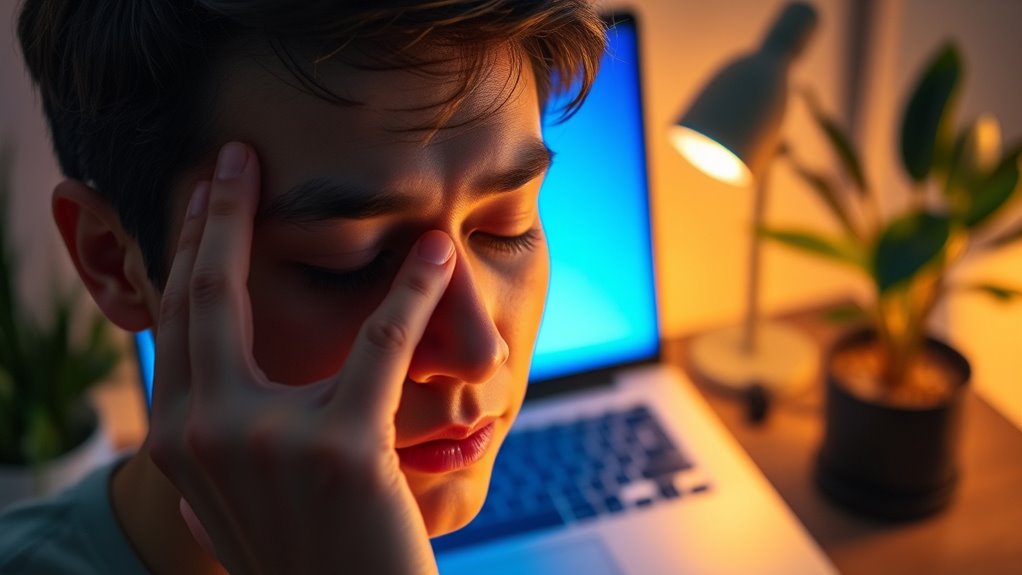

To reduce eye strain from digital screens, start by adjusting your workspace so your monitor is at eye level and about an arm’s length away, and make certain good lighting to minimize glare. Use blue light filters or device settings to cut down exposure, take regular breaks following the 20-20-20 rule, and blink often to stay moist. Making these changes can considerably ease your eye discomfort—keep going to discover more helpful tips.
Get ready for Prime Big Deal Days — try Prime free
Exclusive member deals on October 6–7, plus fast free delivery. Cancel anytime.
As an affiliate, we earn on qualifying purchases.
Key Takeaways
- Use blue light filters on devices to lessen eye fatigue and improve sleep quality.
- Maintain an ergonomic workspace with monitor at eye level and proper lighting to reduce glare.
- Follow the 20-20-20 rule: look 20 feet away for 20 seconds every 20 minutes.
- Adjust screen brightness and contrast to match ambient lighting for comfortable viewing.
- Take regular breaks and blink frequently to keep eyes moist and prevent soreness.

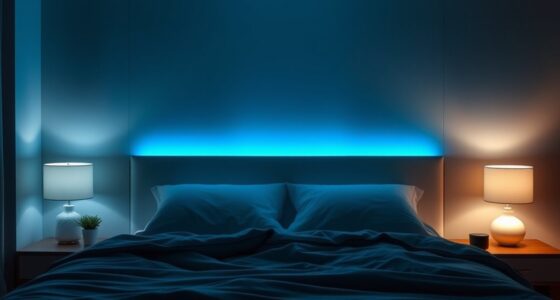
Have you ever felt tired, sore, or blurry after hours of staring at a screen? If so, you’re not alone. Spending long hours in front of computers, tablets,, or smartphones can take a toll on your eyes and overall comfort. Fortunately, small changes can make a big difference. One effective approach is to use blue light filters on your devices. These filters help reduce the amount of blue light reaching your eyes, which can minimize eye fatigue and improve sleep quality. When you activate blue light filters, either through built-in device settings or third-party apps, you lessen the strain caused by prolonged exposure to bright screens. This simple step can help your eyes relax more naturally and prevent that nagging soreness or blurriness.
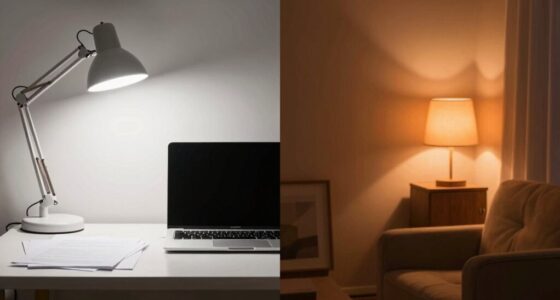
Alongside blue light filters, creating an ergonomic workspace is essential. An ergonomic setup means arranging your workspace to promote good posture and reduce unnecessary strain. Adjust your chair and desk so your monitor is at eye level, about an arm’s length away. This positioning helps prevent you from tilting your head or squinting, which are common causes of neck and eye strain. Keep your keyboard and mouse within easy reach to avoid awkward positions that can lead to discomfort. Proper lighting is also necessary—avoid glare on your screen by positioning your workspace away from direct sunlight or harsh overhead lights. Instead, use softer, indirect lighting to reduce contrast and prevent your eyes from having to constantly adjust.
In addition to these adjustments, taking regular breaks is essential. Follow the 20-20-20 rule: every 20 minutes, look at something 20 feet away for at least 20 seconds. This practice gives your eye muscles a much-needed rest and helps prevent fatigue. blinking frequently also keeps your eyes moist and reduces dryness, a common issue when staring at screens for extended periods. If you wear glasses, consider lenses with an anti-reflective coating to cut down on glare and improve clarity. Using a larger monitor or multiple screens can also help by reducing the need to squint or lean forward. Understanding the importance of contrast ratio can further enhance your viewing comfort by ensuring images are clear and detailed, reducing eye strain during long sessions.
As an affiliate, we earn on qualifying purchases.
Frequently Asked Questions
Can Certain Eye Exercises Help Prevent Digital Eye Strain?
Yes, certain eye exercises can help prevent digital eye strain. Vision therapy techniques, including specific eye relaxation exercises, strengthen your eye muscles and improve focus flexibility. Regularly practicing these exercises reduces fatigue and discomfort caused by prolonged screen time. Incorporate simple routines like blinking frequently, focusing on distant objects, or gentle eye movements to keep your eyes relaxed and minimize strain during digital device use.
Are Blue Light Glasses Effective in Reducing Eye Fatigue?
Sure, blue light glasses are effective at reducing eye fatigue, right? Well, they can help, but don’t expect them to work miracles. While they block some blue light, scientific evidence shows they only slightly lessen eye strain caused by digital screens. So, if you’re thinking blue light glasses will completely eliminate eye fatigue, you might be disappointed. Pair them with regular breaks for better relief.
How Does Screen Brightness Impact Eye Strain Levels?
You’ll notice that screen brightness directly impacts your eye strain—if it’s too bright or too dim, your eyes work harder to focus. Adjusting your screen to match ambient lighting creates a comfortable viewing experience, reducing fatigue. When your screen’s brightness aligns with your environment, it eases eye tension and minimizes strain, helping you stay comfortable during long screen sessions. Remember, balancing screen brightness with ambient lighting is key.
Is There an Ideal Distance to Hold Digital Devices?
You should hold your device about an arm’s length away, typically 20-30 inches, to reduce eye strain. Studies suggest that ergonomic positioning minimizes discomfort and promotes better eye health. When considering screen size, larger screens allow for a slightly greater distance, lessening eye fatigue. Adjust your device’s position so that the top of the screen is at eye level, which helps maintain proper ergonomic alignment and keeps your eyes comfortable during extended use.
Do Dietary Supplements Improve Eye Health Related to Screen Use?
Nutritional supplements can support eye health, especially if you struggle with screen time, but they don’t directly diminish eye strain. Supplements like omega-3s, lutein, and zeaxanthin may improve nutrient absorption and protect your eyes from damage. However, it’s best to get these nutrients from a balanced diet. Always consult your healthcare provider before starting new supplements to ensure they’re appropriate for your needs.
As an affiliate, we earn on qualifying purchases.
Conclusion
By taking these simple steps, you’ll create a calming oasis for your eyes amid the digital storm. Imagine your screens dimming slightly, your workspace bathed in soft, warm light, and your eyes gently relaxing like waves settling on a quiet shore. With each mindful break and proper posture, you paint a peaceful scene where fatigue fades away. Protect your vision today, and let your eyes enjoy a clearer, more comfortable view of the world around you.
As an affiliate, we earn on qualifying purchases.
blue light filter app for devices
As an affiliate, we earn on qualifying purchases.
As an affiliate, we earn on qualifying purchases.
Fall yard work Picks
leaf blowers
As an affiliate, we earn on qualifying purchases.