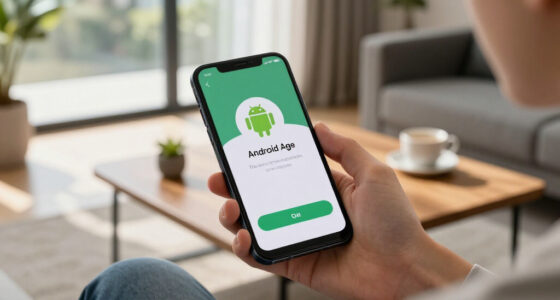

When choosing between voice control and apps, consider your needs. Voice control offers quick, hands-free commands perfect for multitasking or when your hands are busy. Apps provide precise, visual management, ideal for complex tasks or detailed adjustments. Many systems now combine both for flexibility. Think about your lifestyle and how you prefer to interact with your devices. Exploring these options further can help you find the best fit for your smart home setup.
Key Takeaways
- Use voice control for quick, hands-free commands when multitasking or on the go.
- Choose apps for precise, visual management and verification of device settings.
- Consider hybrid systems for flexible control combining voice, visual, and gesture options.
- Voice control is ideal in noisy environments or when your hands are occupied.
- Apps are better for managing complex tasks and ensuring accuracy through visual feedback.
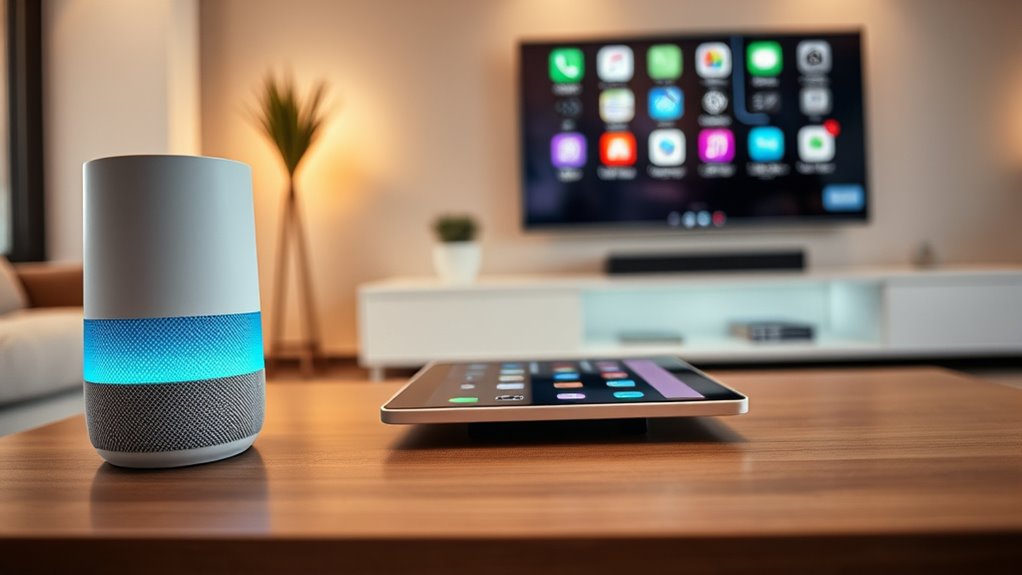
As technology advances, choosing between voice control and apps for managing your devices becomes increasingly important. Both interfaces offer unique advantages, but understanding their differences can help you decide which suits your lifestyle best. When considering voice control, you might think about how it allows you to operate devices hands-free, making multitasking easier. However, some people prefer the visual interface of apps, which provides a clear, on-screen display of controls and information. This contrast highlights how each method caters to different needs and preferences.
Voice control excels in situations where your hands are busy or when quick, simple commands are sufficient. You can ask your device to play music, adjust the thermostat, or send messages without needing to touch anything. It’s especially useful when your hands are full or you’re on the go. On the other hand, a visual interface offers a tactile way to navigate, giving you immediate feedback through icons, menus, and visual cues. With apps, you can see all the options at once, making complex tasks easier to perform. For example, adjusting multiple smart devices simultaneously becomes more straightforward when you can see their statuses and controls on a screen.
Voice control is ideal for quick tasks when your hands are full or on the go.
When it comes to responsiveness, voice control can sometimes misinterpret commands, especially in noisy environments or with accents. This can be frustrating if you rely solely on voice. Conversely, a visual interface allows you to verify your actions before executing them, reducing errors. You can visually confirm settings or select specific options with a tap, ensuring precision. For users who prefer tactile feedback, a hand gesture-based interface integrated into visual systems adds another layer of interaction, allowing you to control devices through simple gestures without touching the screen. These visual interfaces often incorporate hand gesture recognition, making control even more intuitive and hands-free. Additionally, integrating AI security features into these systems can enhance their resilience against potential threats.
Ultimately, your choice depends on your lifestyle and preferences. If you value convenience and speed, voice control might be your go-to, especially for quick commands or when your hands are occupied. If you prefer accuracy and detailed control, a visual interface with a clear display will serve you better. Some systems even combine both, letting you switch seamlessly between voice commands, apps, and gestures. This hybrid approach offers flexibility, giving you options depending on the situation. By understanding the strengths and limitations of each interface, you can optimize how you manage your devices, making your daily routines more efficient and intuitive.
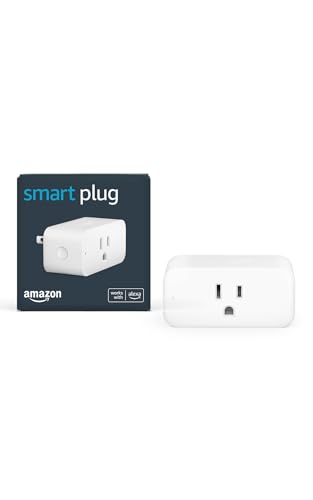
Amazon Smart Plug, Works with Alexa, Simple Setup, Endless Possibilities
- Voice Control: Works with Alexa for easy control
- Easy Setup: No hub needed, quick installation
- Device Compatibility: Works with various household appliances
As an affiliate, we earn on qualifying purchases.
As an affiliate, we earn on qualifying purchases.
Frequently Asked Questions
How Do Voice Control and Apps Compare in Accessibility for Disabled Users?
You find voice control often more accessible than apps because it requires minimal physical effort and can be used hands-free, ideal for those with mobility challenges. Gesture control and visual interfaces can also help, but may depend on fine motor skills or vision. Apps with customizable settings can improve accessibility, yet voice control’s natural language processing makes it easier for many disabled users to navigate devices effortlessly.
Which Interface Offers Better Security for Personal Data?
You’ll find that apps generally offer better security for your personal data because they often use data encryption and robust privacy controls. Voice control systems may have privacy concerns, as voice data can be stored or analyzed externally. Always check app privacy policies and enable security features like two-factor authentication. Staying informed about how your data is handled helps you protect your personal information, regardless of the interface you choose.
Can Voice Control Replace Apps Entirely in Everyday Tasks?
Sure, voice control can seem like the ultimate solution, but don’t be fooled—it’s got limitations that make it tough to replace apps entirely in daily tasks. While voice control offers convenience, app flexibility still outshines it for complex or detailed activities. So, you’ll likely find yourself relying on apps for precision and control, making voice commands a helpful addition, not a complete substitute.
How Do Costs Differ Between Voice Control Systems and App-Based Solutions?
You’ll find that voice control systems often have higher initial costs due to specialized hardware and setup, with pricing structures that include both purchase and subscription fees. App-based solutions tend to be more affordable upfront, usually just requiring you to download and install. Maintenance costs for voice systems can add up over time, while app-based solutions generally have lower ongoing expenses, making them more budget-friendly for everyday use.
What Are the Environmental Impacts of Using Voice Control Versus Apps?
Using voice control is generally more energy-efficient, reducing your device’s power consumption during interactions. However, the manufacturing footprint of voice systems can be higher due to the advanced hardware and microphones involved. Apps typically have a lower manufacturing impact but may require continuous data processing, increasing energy use over time. By choosing between them, you influence your environmental impact through energy efficiency and the resources needed to produce and operate the technology.

Linkind Matter Smart Plug, Work with Apple Home, Siri, Alexa, Google, SmartThings, Smart Home Smart Outlet Timer 15A/1800W, APP Remote Control & Schedule, 2.4G Wi-Fi Only, 4 Pack
- Easy Setup: Control devices without multiple apps
- Offline-Ready Control: Devices communicate without internet
- Remote Control: Manage electronics from anywhere
As an affiliate, we earn on qualifying purchases.
As an affiliate, we earn on qualifying purchases.
Conclusion
As you stand at the crossroads of voice control and apps, imagine yourself holding a key to a vast, open door. Voice commands whisper like a gentle breeze, offering seamless flow, while apps stand firm like sturdy gates, waiting for your touch. Both guide you through digital worlds—choose the one that feels right. Whether you listen to the wind or push the gate, remember, your journey is yours to command.

SmartWiz++ Mirror | 21.5'' Smart Home Controller | Matter Compatibility Equipped with Gesture UI
- Display Size: 21.5-inch full HD touchscreen
- Mounting Type: Wall mount
- Power Input: 12V, 2.0A
As an affiliate, we earn on qualifying purchases.
As an affiliate, we earn on qualifying purchases.

WYZE Cam Pan v3, Indoor/Outdoor IP65-Rated 1080p Pan/Tilt/Zoom Wi-Fi Smart Home Security Camera with Color Night Vision, 2-Way Audio, Compatible with Alexa & Google Assistant, Free Expert Setup
- 1080p HD Video Quality: Crystal-clear video with pan and tilt
- Color Night Vision: Vivid details in low-light conditions
- AI Motion Tracking: Automatically follows pets and people
As an affiliate, we earn on qualifying purchases.
As an affiliate, we earn on qualifying purchases.