To secure your smart lighting network, start by ensuring all devices are authenticated with strong, unique credentials and regularly update their firmware to fix vulnerabilities. Use network segmentation to isolate smart devices from your main network, and change default passwords immediately. Incorporate multi-factor authentication where possible and stay vigilant about security practices. Implementing these steps creates a layered defense, helping protect your system from cyber threats. Keep going to discover how to strengthen your setup even further.
Key Takeaways
- Implement device authentication methods like digital certificates and strong passwords to verify trusted devices.
- Regularly update firmware to patch vulnerabilities and enhance security features.
- Segment your network to isolate smart lighting systems from critical devices and data.
- Change default passwords and avoid factory settings to prevent easy unauthorized access.
- Adopt continuous security practices, including monitoring device activity and verifying device authenticity regularly.
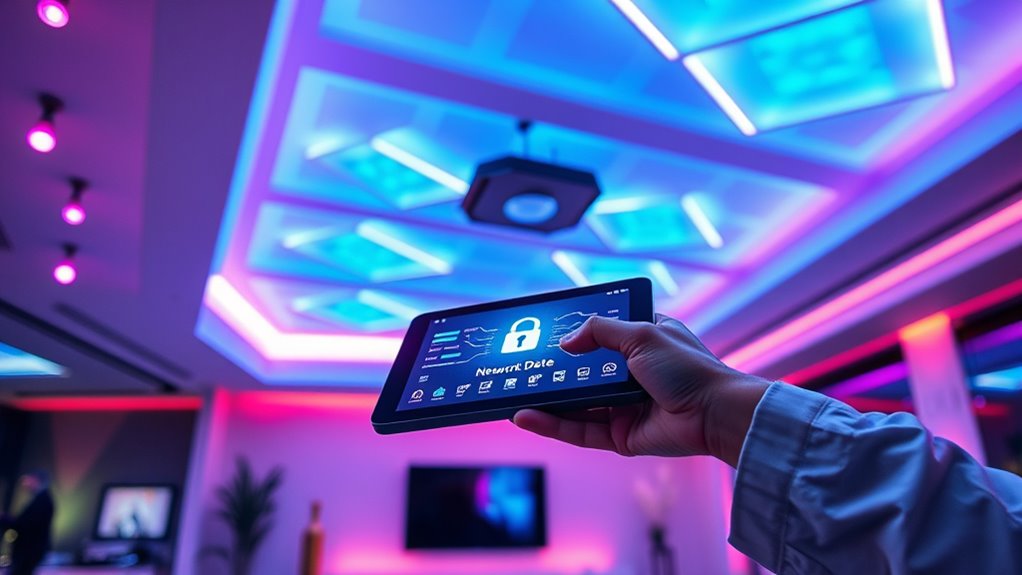
As smart lighting networks become more common in homes and businesses, their convenience also introduces new security risks. These networks connect various devices—smart bulbs, switches, hubs—creating potential gateways for cyber threats if not properly secured. You need to understand that protecting these systems involves more than just installing the latest gadgets; it requires proactive security measures like device authentication and timely firmware updates. Device authentication ensures that only trusted devices connect to your network, preventing unauthorized access. When each device is verified using secure credentials or unique identifiers, it becomes far harder for hackers to infiltrate your system. Without proper authentication, malicious actors could manipulate your lighting, disable controls, or even use your network as a foothold for broader cyberattacks. Hence, you should always enable device authentication features provided by your smart lighting manufacturer. This might involve setting strong passwords, utilizing digital certificates, or employing multi-factor authentication where available. Such steps create a secure barrier that keeps unwanted devices out. At the same time, firmware updates are critical for maintaining the security and functionality of your smart lighting network. Manufacturers regularly release firmware updates to patch vulnerabilities discovered after the device’s initial release. Ignoring these updates leaves your devices exposed to known exploits, which hackers can exploit to gain control or disrupt your network. To stay protected, you should check for firmware updates regularly and enable automatic updates if your devices support this feature. This way, your smart lighting system remains resilient against evolving threats. Besides the technical steps, it’s also wise to create a segmented network for your smart devices separate from your primary home or business network. This limits potential damage if a device is compromised. Additionally, always change default passwords and avoid using easily guessable login credentials, as many devices come with factory settings that are well-known to hackers. Incorporating software quality assurance best practices into your security plan can further enhance your defenses by systematically identifying and addressing vulnerabilities. Combining device authentication, timely firmware updates, and good network hygiene creates a layered defense that substantially reduces your risk of security breaches. Remember, the convenience of smart lighting shouldn’t come at the expense of your security. By taking these precautions seriously, you protect not just your lighting system but also your broader network and personal data. Security isn’t a one-time task but an ongoing process, so stay vigilant, keep your devices up to date, and verify their authenticity regularly. These actions ensure your smart lighting remains a helpful, secure feature rather than a vulnerability waiting to be exploited.

MOES Smart Home Touchscreen Control(1-Switch Panel), In-wall Smart Panel with Alexa Built-in, Compatible with Smart Life devices, Manage and Control Home Devices and Scenes with Touch and Voice
【Wide Compatibility】The Smart Control Panel L is compatible with a wide range of Smart Life devices, such as...
As an affiliate, we earn on qualifying purchases.
Frequently Asked Questions
How Often Should I Update My Smart Lighting Firmware?
You should update your smart lighting firmware as often as updates become available, ideally once a month. Firmware updates include vital security patches that protect your devices from vulnerabilities. Regularly checking for new updates guarantees your smart lighting system stays secure and functions at its best. Don’t ignore these updates, as they often fix bugs and improve performance, keeping your smart home safer and more dependable over time.
Can I Secure Smart Lighting Without Professional Help?
Yes, you can secure your smart lighting without professional help. Focus on DIY security measures like changing default passwords, enabling two-factor authentication, and keeping firmware updated. Educate yourself about potential risks and best practices through user manuals and online resources. Regularly monitor your network for suspicious activity. These steps empower you to protect your smart lighting system effectively, making professional assistance unnecessary for basic security.
What Are Signs My Smart Lighting Network Has Been Hacked?
If your smart lighting network has been hacked, you’ll notice signs like unauthorized access or unusual activity. Maybe your lights turn on or off unexpectedly, or you see unfamiliar devices connected. You might also experience delays or inconsistent responses. Keep an eye out for these indicators, and if you spot them, take action immediately by changing passwords, updating firmware, and resetting your devices to protect your system from further breaches.
Are Third-Party Apps Safe for Controlling Smart Lighting?
Third-party apps can be risky, like opening a door to unknown guests. While some are safe, others pose third-party risks, especially if they request excessive app permissions. Always review what permissions the app asks for—if it demands access beyond your smart lighting controls, think twice. Stick to trusted developers and official app stores to keep your smart lighting system secure, ensuring you’re in control, not vulnerable.
How Do I Securely Reset My Smart Lighting Device?
To securely reset your smart lighting device, perform a factory reset by pressing and holding the reset button until the indicator flashes. After resetting, set a strong, unique password to protect your device. This process clears previous settings and disconnects it from your network, guaranteeing no unauthorized access. Always follow the manufacturer’s instructions for your specific model to guarantee a safe and effective reset.

LANBON Smart Light Switch,1/2/3 Gang,3 Way for Whole House, LCD Magic Panel by WiFi Mesh Never be Offline, 2.4G Wi-Fi Smart Switch Compatible with Alexa&Google Home, Neutral Wire Required,L8-HS-White
⚠️⚠️⚠️【Tips】Before you buy, please be sure these things: 1️⃣Neutral wire required; 2️⃣Only fits in a regular single pole...
As an affiliate, we earn on qualifying purchases.
Conclusion
So, after all this talk about securing your smart lighting, it’s funny how a simple password can make or break your entire setup. You spend hours choosing the perfect hue, only to leave the door wide open for hackers with one weak login. Ironically, protecting your smart lights is just as essential as brightening your home—maybe even more so. Don’t let a careless blink of a password turn your shining moments into a dark, vulnerable space.
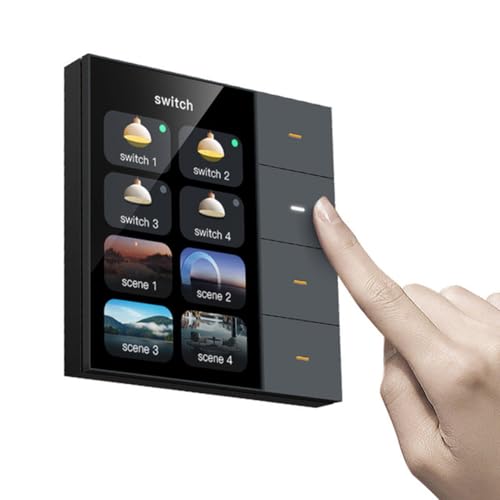
Wuden 3.5 Inch Smart Wall Switch Touch Screen 4 Groups Switch 8-Way Scene Radar Sensor Dimming Switch Curtain Tuya Zigbee A
Enables control of 4-Gang curtains - Operate up to 4 curtains to match your daily routines.
As an affiliate, we earn on qualifying purchases.

TP-Link Deco XE70 Pro AXE4900 Tri-Band WiFi 6E Mesh WiFi System - 2.5G WAN/LAN Ports, 4.9 Gbps Wi-Fi 7,200 Sq. Ft Coverage, Connect up to 200 Devices, 6 GHz Band, 3-Pack
𝗦𝘂𝗽𝗲𝗿𝗰𝗵𝗮𝗿𝗴𝗲𝗱 𝗪𝗶-𝗙𝗶 𝟲𝗘: Experience the future of Wi-Fi performance with Wi-Fi 6E. With a new, congestion-free 6 GHz,...
As an affiliate, we earn on qualifying purchases.