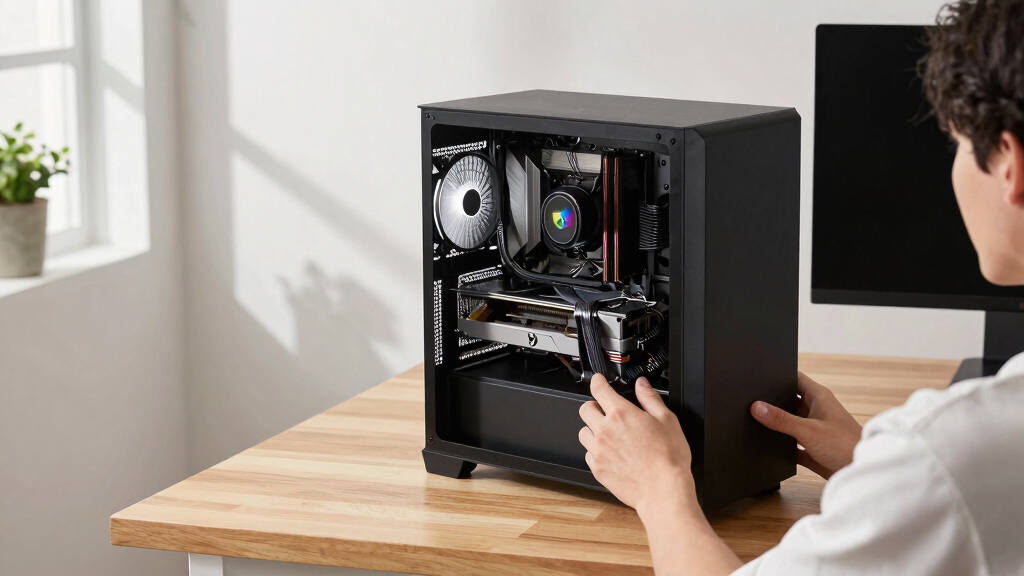

The GIGABYTE GeForce RTX 5060 WINDFORCE OC 8G is my best overall budget graphics card because it pairs current-generation features with balanced 1080p performance and a practical dual-fan design. The PNY GeForce RTX 5060 OC Dual Fan is the value alternative when it costs less, while the GIGABYTE Radeon RX 9060 XT Gaming OC ICE 16G stands out for buyers who value extra memory and stronger long-term headroom. The main choice is between paying less for an RTX 3050 or RTX 5050, choosing an RTX 5060 for the broadest balance, or spending more on an RX 9060 XT or RTX 5070. Buyers must also weigh VRAM capacity, case clearance, power requirements, and ray-tracing priorities. Continue reading for the full breakdown of which card fits each budget, system, and gaming target.

Get the latest gadgets delivered free with Prime
- Fast, free delivery on millions of items
- Prime Video, Amazon Music and more included
- Member-only deals all year
Complete the kit



Key Takeaways
- The RTX 5060 tier offers the strongest balance in this lineup: the GIGABYTE WINDFORCE ranks first, while the PNY and ASUS Dual versions serve value-focused and space-conscious buyers.
- The 16GB RX 9060 XT cards provide the most memory headroom, making them better fits than the 8GB RTX 5060 models for texture-heavy games and buyers planning to keep a card longer.
- The ASUS Prime RTX 5070 is the performance leader but stretches the meaning of budget; I reserve it for buyers who want a stronger 1440p target and can fund the rest of the system accordingly.
- The MSI RTX 3050 LP fills a role no other card here matches: upgrading a slim or low-profile PC where a standard-height RTX 5050 or RTX 5060 will not fit.
- Cooler design separates cards built around the same GPU. The Eagle OC ICE favors a white build, the ASUS Dual emphasizes easier fitment, and the PNY RTX 5060 makes the most sense when its simpler design brings a lower price.
| GIGABYTE GeForce RTX 5060 WINDFORCE OC 8G Graphics Card |  | Best Overall | GPU: NVIDIA GeForce RTX 5060 | Architecture: NVIDIA Blackwell | Memory: 8GB GDDR7 | VIEW LATEST PRICE | See Our Full Breakdown |
| GIGABYTE GeForce RTX 5060 Eagle OC ICE 8G Graphics Card |  | Best for White-Themed Builds | GPU: NVIDIA GeForce RTX 5060 | Architecture: NVIDIA Blackwell | Memory: 8GB GDDR7 | VIEW LATEST PRICE | See Our Full Breakdown |
| ASUS Prime NVIDIA GeForce RTX 5070 Graphics Card |  | Best Premium Stretch | GPU: NVIDIA GeForce RTX 5070 | Architecture: NVIDIA Blackwell | Memory: 12GB GDDR7 | VIEW LATEST PRICE | See Our Full Breakdown |
| ASUS Dual NVIDIA GeForce RTX 3050 6GB GDDR6 OC Edition Gaming Graphics Card |  | Best Entry-Level Pick | GPU: NVIDIA GeForce RTX 3050 | Architecture: NVIDIA Ampere | Memory: 6GB GDDR6 | VIEW LATEST PRICE | See Our Full Breakdown |
| GIGABYTE Radeon RX 9060 XT Gaming OC ICE 16G Graphics Card |  | Best for Maximum VRAM | GPU: AMD Radeon RX 9060 XT | VRAM: 16GB GDDR6 | Interface: PCIe 5.0 | VIEW LATEST PRICE | See Our Full Breakdown |
| MSI Gaming RTX 3050 Ventus 2X 6G OC Graphics Card |  | Best Standard-Tower RTX 3050 | Chipset: NVIDIA GeForce RTX 3050 | Boost Clock: 1492 MHz | Memory Capacity: 6GB | VIEW LATEST PRICE | See Our Full Breakdown |
| MSI Gaming RTX 3050 LP 6G OC Graphics Card |  | Best Low-Profile Pick | GPU Architecture: NVIDIA Ampere | Chipset: NVIDIA GeForce RTX 3050 | Boost Clock: 1492 MHz | VIEW LATEST PRICE | See Our Full Breakdown |
| ASUS Dual Radeon RX 9060 XT 16GB GDDR6 Graphics Card |  | Best for Texture Headroom | Memory: 16GB GDDR6 | Interface: PCIe 5.0 | Display Outputs: HDMI 2.1b and DisplayPort 2.1a | VIEW LATEST PRICE | See Our Full Breakdown |
| ASUS Dual NVIDIA GeForce RTX 5060 8GB GDDR7 OC Edition Graphics Card |  | Best for DLSS 4 Gaming | GPU Architecture: NVIDIA Blackwell | Memory: 8GB GDDR7 | Clock Speed: 2565 MHz OC mode; 2535 MHz default mode | VIEW LATEST PRICE | See Our Full Breakdown |
| GIGABYTE GeForce RTX 5050 WINDFORCE OC 8G Graphics Card |  | Best for Short Desktop Cases | GPU: NVIDIA GeForce RTX 5050 | Memory: 8GB GDDR6 | GPU Clock Speed: 2587 MHz | VIEW LATEST PRICE | See Our Full Breakdown |
| PNY NVIDIA GeForce RTX 5060 OC Dual Fan Graphics Card |  | Best SFF-Ready Upgrade | GPU Architecture: NVIDIA Blackwell | Memory: 8GB GDDR7 | Memory Interface: 128-bit | VIEW LATEST PRICE | See Our Full Breakdown |
| GIGABYTE GeForce RTX 3050 WINDFORCE OC V2 6G Graphics Card |  | Best Entry-Level NVIDIA Pick | GPU Architecture: NVIDIA Ampere | RT Cores: 2nd Generation | Tensor Cores: 3rd Generation | VIEW LATEST PRICE | See Our Full Breakdown |
| budget graphics card | Memory | Interface | GPU | Memory Interface |
|---|---|---|---|---|
| GIGABYTE GeForce RTX 5060 WIND | 8GB GDDR7 | — | NVIDIA GeForce RTX 5060 | 128-bit |
| GIGABYTE GeForce RTX 5060 Eagl | 8GB GDDR7 | PCIe 5.0 | NVIDIA GeForce RTX 5060 | 128-bit |
| ASUS Prime NVIDIA GeForce RTX | 12GB GDDR7 | PCI Express x16 | NVIDIA GeForce RTX 5070 | — |
| ASUS Dual NVIDIA GeForce RTX 3 | 6GB GDDR6 | PCIe 4.0 | NVIDIA GeForce RTX 3050 | — |
| GIGABYTE Radeon RX 9060 XT Gam | — | PCIe 5.0 | AMD Radeon RX 9060 XT | — |
| MSI Gaming RTX 3050 Ventus 2X | — | — | — | 96-bit |
| MSI Gaming RTX 3050 LP 6G OC G | — | — | — | 96-bit |
| ASUS Dual Radeon RX 9060 XT 16 | 16GB GDDR6 | PCIe 5.0 | — | — |
| ASUS Dual NVIDIA GeForce RTX 5 | 8GB GDDR7 | PCIe 5.0 | — | — |
| GIGABYTE GeForce RTX 5050 WIND | 8GB GDDR6 | PCIe 5.0 x8 | NVIDIA GeForce RTX 5050 | — |
| PNY NVIDIA GeForce RTX 5060 OC | 8GB GDDR7 | — | — | 128-bit |
| GIGABYTE GeForce RTX 3050 WIND | 6GB GDDR6 | — | — | 96-bit |
More Details on Our Top Picks
GIGABYTE GeForce RTX 5060 WINDFORCE OC 8G Graphics Card
I rank the GIGABYTE GeForce RTX 5060 WINDFORCE OC 8G first because it offers the most balanced mix of current-generation features and attainable performance in this group. Compared with the ASUS Dual RTX 3050, its Blackwell architecture and GDDR7 memory provide more room for modern games, while DLSS 4 can help maintain smoother frame rates at demanding settings. The RX 9060 XT supplies twice the VRAM, but this RTX 5060 is the more measured choice for buyers focused on mainstream 1080p gaming. Its limits still matter: the 8GB capacity and 128-bit interface may restrict high-resolution textures sooner than the 16GB Radeon. GIGABYTE also omits dimensions and power requirements from the supplied data. I would confirm those details and compare the live price before treating it as a genuine budget sweet spot.
Pros:- Blackwell architecture offers a current-generation performance platform
- DLSS 4 can improve frame rates in supported games
- Fast 8GB GDDR7 memory
- WINDFORCE cooling is designed for sustained gaming loads
Cons:- 8GB VRAM and a 128-bit interface may limit demanding texture settings
- Card dimensions and power requirements are not supplied
- Budget appeal depends heavily on its retail price
Best for: 1080p gamers seeking current NVIDIA features without paying for an RTX 5070-class card
Not ideal for: Texture-heavy 1440p gaming or long-term buyers who want more than 8GB of VRAM
- GPU:NVIDIA GeForce RTX 5060
- Architecture:NVIDIA Blackwell
- Memory:8GB GDDR7
- Memory Interface:128-bit
- PCIe:PCIe 5.0
- Upscaling Technology:DLSS 4
- Cooling System:WINDFORCE
Our verdict“I recommend this as the balanced 1080p choice if its price remains well below the RTX 5070.”
GIGABYTE GeForce RTX 5060 Eagle OC ICE 8G Graphics Card
I assign the GIGABYTE GeForce RTX 5060 Eagle OC ICE 8G the style-focused role because its ICE presentation gives coordinated builds an alternative to conventional dark graphics cards. Beneath that appearance, its RTX 5060, 8GB GDDR7 configuration closely matches the GIGABYTE RTX 5060 WINDFORCE OC. Buyers should expect the same broad 1080p audience rather than a new performance tier. That makes the price gap decisive: I would pay only a modest premium for the ICE design and Eagle branding. Compared with the ASUS Prime RTX 5070, this model has less memory and a lower performance ceiling, but it should be easier to place within a restrained gaming budget. The main drawbacks are its limited 8GB capacity and missing size and power figures. I see it as a visual alternative, not a performance-led upgrade over the standard WINDFORCE model.
Pros:- ICE styling suits coordinated light-colored builds
- Current Blackwell architecture with 8GB GDDR7 memory
- PCIe 5.0 interface
- WINDFORCE cooling supports extended gaming sessions
Cons:- Little stated performance differentiation from the standard RTX 5060 WINDFORCE OC
- 8GB VRAM may become restrictive in demanding games
- Dimensions and exact power requirements are not provided
Best for: PC builders assembling a white-themed 1080p gaming system around current NVIDIA hardware
Not ideal for: Value-first shoppers who can buy another RTX 5060 model for less or gamers needing more than 8GB of VRAM
- GPU:NVIDIA GeForce RTX 5060
- Architecture:NVIDIA Blackwell
- Memory:8GB GDDR7
- Memory Interface:128-bit
- Interface:PCIe 5.0
- Cooling System:WINDFORCE
Our verdict“I would choose this RTX 5060 for its ICE styling only when the premium over plainer models is small.”
ASUS Prime NVIDIA GeForce RTX 5070 Graphics Card
I place the ASUS Prime GeForce RTX 5070 in the premium-stretch position because it raises both performance potential and memory capacity without moving outside the consumer RTX 50-series lineup. Its 12GB GDDR7 memory offers more headroom than either GIGABYTE RTX 5060, making it better suited to higher resolutions, demanding visual settings, and graphics workloads. The three Axial-tech fans and phase-change thermal pad also provide a more substantial cooling design. Yet this is the hardest card here to call budget-friendly. The RX 9060 XT carries 16GB of VRAM, while the RTX 5070 counters with NVIDIA Blackwell features and broad display connectivity. Its advertised 2.5-slot format is relatively restrained, but the 12-inch length can still exclude compact cases. I rank it below the budget leaders because its higher purchase cost only makes sense when the extra performance will be used.
Pros:- RTX 5070 GPU provides a higher performance tier than RTX 5060 and RTX 3050 options
- 12GB GDDR7 offers added memory headroom
- Three Axial-tech fans and a phase-change thermal pad support heat management
- HDMI 2.1b and three DisplayPort 2.1b outputs support modern displays
Cons:- Higher expected cost weakens its budget credentials
- A 12-inch length may not fit many small-form-factor cases
- Power-supply requirements are not included in the supplied specifications
Best for: 1440p gamers and creators willing to stretch their budget for 12GB of GDDR7 memory and stronger performance potential
Not ideal for: Basic 1080p players or compact-case owners who cannot accommodate a 12-inch card
- GPU:NVIDIA GeForce RTX 5070
- Architecture:NVIDIA Blackwell
- Memory:12GB GDDR7
- GPU Clock Speed:2542 MHz
- Interface:PCI Express x16
- Display Outputs:3 x DisplayPort 2.1b, 1 x HDMI 2.1b
- Cooling:3 Axial-tech fans
- Card Size:12 x 5 inches, 2.5-slot
- Warranty:3 years
Our verdict“I recommend stretching to this card only for buyers who will use its added 1440p performance and 12GB memory capacity.”
ASUS Dual NVIDIA GeForce RTX 3050 6GB GDDR6 OC Edition Gaming Graphics Card
I reserve the entry-level role for the ASUS Dual GeForce RTX 3050 6GB OC, a compact option for modest 1080p systems and upgrades from integrated graphics. Compared with the GIGABYTE RTX 5060 WINDFORCE OC, its Ampere architecture and 6GB GDDR6 memory leave far less performance and texture headroom. The tradeoff can work when the RTX 3050 is substantially cheaper. Its two-slot body and Axial-tech fans suit smaller mainstream cases, while the three-year warranty adds useful protection to a cost-controlled build. Against the MSI RTX 3050 Ventus 2X 6G OC, the ASUS model occupies much the same performance class, so price, case fit, and warranty should decide the purchase. Ray tracing and AI hardware are present, but demanding effects can push this tier hard. I view it as a practical starter card, not a lasting solution for ambitious settings or high-refresh gaming.
Pros:- Compact two-slot design fits a wider range of cases
- Axial-tech fans provide active dual-fan cooling
- Supports HDMI 2.1 and DisplayPort 1.4a
- Three-year warranty adds value to an entry-level purchase
Cons:- 6GB VRAM provides limited room for demanding textures
- Performance ceiling is well below current RTX 5060 cards
- Poor value if priced close to newer RTX 5050-class hardware
Best for: First-time PC builders and integrated-graphics users targeting affordable 1080p esports or lighter games
Not ideal for: Players seeking high-refresh AAA gaming, demanding ray tracing, or enough VRAM for high-resolution texture packs
- GPU:NVIDIA GeForce RTX 3050
- Architecture:NVIDIA Ampere
- Memory:6GB GDDR6
- RT Cores:2nd generation
- Tensor Cores:3rd generation
- Interface:PCIe 4.0
- Card Design:2-slot
- Connectivity:HDMI 2.1, DisplayPort 1.4a
- Warranty:3 years
Our verdict“I would buy this only as a low-cost 1080p starter card with a clear price advantage over newer GPUs.”
GIGABYTE Radeon RX 9060 XT Gaming OC ICE 16G Graphics Card
I choose the GIGABYTE Radeon RX 9060 XT Gaming OC ICE 16G for buyers who value memory capacity over the lowest entry price. Its 16GB GDDR6 VRAM is double the allocation of both RTX 5060 models and four gigabytes above the ASUS Prime RTX 5070, giving texture-heavy games and creative applications more breathing room. Compared with the ASUS Dual RX 9060 XT 16GB, this GIGABYTE version adds dual BIOS, RGB lighting, server-grade thermal gel, and a reinforced design, making it the more feature-rich interpretation of the same GPU class. Those additions also weaken its budget case: the card may be bulkier, draw more power, and carry a premium. Buyers who prefer NVIDIA-specific software features may still favor an RTX model. I rank this as the best long-term memory bet, provided the case and power supply can support its larger cooling package.
Pros:- 16GB VRAM provides generous capacity for textures and creative workloads
- WINDFORCE cooling with server-grade thermal gel supports heat dissipation
- Dual BIOS offers configuration flexibility
- HDMI 2.1 and DisplayPort 2.1a support current high-refresh displays
Cons:- Premium positioning may put it above a strict budget
- Potentially bulky design requires careful case-fit checks
- Power consumption and power-supply requirements are not specified
Best for: 1440p gamers, mod users, and budget-conscious creators who want 16GB of graphics memory
Not ideal for: Small-case builders or shoppers who prioritize the lowest price and NVIDIA-specific software support
- GPU:AMD Radeon RX 9060 XT
- VRAM:16GB GDDR6
- Interface:PCIe 5.0
- HDMI Output:HDMI 2.1
- DisplayPort Output:DisplayPort 2.1a
- Cooling System:WINDFORCE with server-grade thermal gel
- Additional Features:RGB lighting and dual BIOS
Our verdict“I favor this card for buyers who will trade a higher initial cost and larger footprint for 16GB of VRAM.”
MSI Gaming RTX 3050 Ventus 2X 6G OC Graphics Card
I rank the MSI RTX 3050 Ventus 2X 6G OC as the sensible RTX 3050 choice for a conventional desktop. Compared with the MSI RTX 3050 LP 6G OC, its core specifications are nearly identical, including the 1492 MHz boost clock, 6GB of GDDR6, and 96-bit memory bus. The deciding factor is format: this model makes more sense when a low-profile card is unnecessary. Its two HDMI outputs plus DisplayPort also provide useful flexibility for multi-display setups. The limitations are substantial, though. Its 6GB memory ceiling leaves less room for demanding textures than the 8GB GIGABYTE RTX 5050, while the narrow bus reinforces its focus on modest gaming settings. With no supplied cooling or noise details, buyers seeking a particularly quiet build have limited evidence to work from.
Pros:- 1492 MHz boost clock supports capable entry-level gaming
- Two HDMI 2.1a ports and one DisplayPort simplify multi-display setups
- GDDR6 memory is suitable for mainstream 1080p workloads
- Conventional format suits standard desktop cases
Cons:- 6GB of VRAM offers less texture headroom than newer 8GB and 16GB options
- The 96-bit memory interface limits bandwidth
- Cooling temperatures and noise levels are not specified
Best for: Standard-tower owners upgrading an older desktop for modest gaming and multi-monitor use
Not ideal for: Players targeting demanding high-resolution textures or buyers who need documented acoustic performance
- Chipset:NVIDIA GeForce RTX 3050
- Boost Clock:1492 MHz
- Memory Capacity:6GB
- Memory Type:GDDR6
- Memory Interface:96-bit
- HDMI Outputs:2 x HDMI 2.1a
- DisplayPort Output:1 x DisplayPort 1.4a
Our verdict“I recommend this RTX 3050 for standard desktops when broad display connectivity matters more than extra memory capacity.”
MSI Gaming RTX 3050 LP 6G OC Graphics Card
I give the MSI RTX 3050 LP 6G OC a specialist role: it is the card here for compact systems that cannot accommodate a typical full-height design. Its 1492 MHz boost clock, 6GB of GDDR6, and 96-bit bus match the MSI RTX 3050 Ventus 2X 6G OC on paper, so low-profile compatibility is the main reason to choose it. That makes it appealing for slim office-PC upgrades and small living-room builds. It is less persuasive for roomy towers, where the Ventus model offers a conventional layout and clearly specified port counts. The 6GB VRAM limit also places this below the 8GB RTX 5050 for memory-heavy games. Buyers must confirm power-supply compatibility, and the supplied information does not establish how quietly its compact cooler operates under sustained load.
Pros:- Low-profile design fits compact systems that exclude standard-height cards
- 1492 MHz boost clock matches the standard Ventus RTX 3050 model
- 14 Gbps GDDR6 memory supports entry-level gaming workloads
- Modern HDMI 2.1a and DisplayPort 1.4a connectivity
Cons:- 6GB capacity and a 96-bit bus restrict memory-heavy gaming
- Power-supply compatibility must be confirmed before purchase
- Cooling temperatures and operating noise are not documented
Best for: Owners of slim desktops or small-form-factor systems who need a low-profile gaming upgrade
Not ideal for: Full-size tower builders and players who need more than 6GB of VRAM for demanding textures
- GPU Architecture:NVIDIA Ampere
- Chipset:NVIDIA GeForce RTX 3050
- Boost Clock:1492 MHz
- Memory Capacity:6GB
- Memory Type:GDDR6
- Memory Speed:14 Gbps
- Memory Interface:96-bit
- Display Outputs:HDMI 2.1a and DisplayPort 1.4a
- Design:Low profile
Our verdict“I would choose this card for a slim desktop, but a standard-height model is the better fit when case space is plentiful.”
ASUS Dual Radeon RX 9060 XT 16GB GDDR6 Graphics Card
I rank the ASUS Dual Radeon RX 9060 XT 16GB highest for buyers who prioritize memory capacity and long-term texture headroom. Its 16GB pool is double the 8GB found on the ASUS Dual RTX 5060, which can reduce memory pressure in texture-heavy games and graphics workloads. Cooling is another differentiator: axial-tech fans, passive 0dB operation, and a dual-BIOS switch let buyers favor quieter running or a performance-oriented profile. That flexibility comes in a 2.5-slot body, making it far less suitable for tight systems than the MSI RTX 3050 LP. There is also no listed clock speed, price, or measured gaming data, so I cannot judge its exact value from specifications alone. This pick makes the most sense when 16GB capacity outweighs compactness and its selling price remains close to competing 8GB cards.
Pros:- 16GB of GDDR6 provides twice the capacity of the 8GB RTX 5060
- Axial-tech fans and a barrier ring support focused airflow
- 0dB technology allows silent fan operation during light loads
- Dual BIOS offers selectable performance and quiet profiles
Cons:- The 2.5-slot body may not fit narrow or crowded cases
- No clock-speed or measured gaming results are supplied
- Unlisted pricing makes its budget value difficult to establish
Best for: Budget-focused gamers and creators who want 16GB of graphics memory for large textures or memory-heavy projects
Not ideal for: Slim-case builders or shoppers who need firm price-to-performance evidence before choosing
- Memory:16GB GDDR6
- Interface:PCIe 5.0
- Display Outputs:HDMI 2.1b and DisplayPort 2.1a
- Slot Design:2.5-slot
- Cooling:Axial-tech fans with barrier ring
- Low-Load Fan Mode:0dB technology
- BIOS Modes:Performance and quiet modes via dual-BIOS switch
Our verdict“I favor this model for buyers who place 16GB of memory and flexible cooling ahead of compact dimensions.”
ASUS Dual NVIDIA GeForce RTX 5060 8GB GDDR7 OC Edition Graphics Card
I position the ASUS Dual GeForce RTX 5060 OC Edition as the best feature-led choice for gamers who plan to use DLSS 4. Its Blackwell architecture, 8GB of GDDR7, and 2565 MHz OC-mode clock give it a newer platform than either MSI RTX 3050 model, while 623 TOPS of AI performance supports its AI-focused gaming tools. The axial-tech cooler and 0dB mode also make it better suited to buyers who value quiet light-load operation. Against the ASUS Radeon RX 9060 XT, however, its 8GB capacity is only half as large, leaving less room for memory-heavy textures and projects. Its 2.5-slot body rules out some compact cases, too. I would pay extra over the RTX 5050 only when DLSS 4 and GDDR7 memory are features the buyer will actively use.
Pros:- Blackwell architecture supports DLSS 4 and AI-assisted graphics features
- 8GB of newer GDDR7 memory
- 0dB mode stops the fans during light workloads
- Three-year warranty adds longer ownership protection
Cons:- 8GB capacity is modest beside the 16GB Radeon RX 9060 XT
- The 2.5-slot cooler may conflict with compact cases or adjacent cards
- No measured gaming performance is included in the supplied data
Best for: 1080p and 1440p gamers who want DLSS 4, modern display connections, and quiet low-load operation
Not ideal for: Texture-heavy users who need 16GB of VRAM or compact-system owners limited to low-profile cards
- GPU Architecture:NVIDIA Blackwell
- Memory:8GB GDDR7
- Clock Speed:2565 MHz OC mode; 2535 MHz default mode
- Interface:PCIe 5.0
- Display Outputs:HDMI 2.1b and DisplayPort 2.1b
- Design:2.5-slot axial-tech fan cooler
- Fan Technology:0dB mode
- AI Technology:DLSS 4 with 623 TOPS
- Warranty:3 years
Our verdict“I recommend this model to budget buyers who value DLSS 4 and GDDR7 more than maximum VRAM capacity.”
GIGABYTE GeForce RTX 5050 WINDFORCE OC 8G Graphics Card
I assign the GIGABYTE GeForce RTX 5050 WINDFORCE OC 8G to buyers who need a relatively short card without dropping to a low-profile RTX 3050. At 7.83 inches long, its dual-fan body is easier to accommodate in many compact desktops, while 8GB of GDDR6 gives it more memory capacity than either 6GB MSI RTX 3050. The tradeoff becomes clearer beside the ASUS Dual RTX 5060: the 5050 uses GDDR6 instead of GDDR7, so the 5060 has the more modern memory specification and explicit DLSS 4 positioning. The Radeon RX 9060 XT also doubles its capacity to 16GB. Its PCIe 5.0 x8 interface and 2587 MHz clock look competitive on paper, but supplied data lacks measured frame rates and power requirements. I see this as a price-sensitive compact pick, provided it costs meaningfully less than an RTX 5060.
Pros:- 7.83-inch length suits many shorter desktop cases
- 8GB capacity improves memory headroom over 6GB RTX 3050 cards
- Dual-fan WINDFORCE design balances cooling with compact dimensions
- PCIe 5.0 support provides a current-generation host interface
Cons:- GDDR6 memory is less advanced than the RTX 5060’s GDDR7
- 8GB capacity is half that of the Radeon RX 9060 XT
- Power requirements and measured gaming results are not supplied
Best for: Compact-desktop owners seeking an 8GB RTX 50-series card under eight inches long
Not ideal for: Buyers who want GDDR7 memory, 16GB capacity, or documented power requirements before upgrading
- GPU:NVIDIA GeForce RTX 5050
- Memory:8GB GDDR6
- GPU Clock Speed:2587 MHz
- Memory Clock Speed:20000 MHz
- Interface:PCIe 5.0 x8
- Display Outputs:DisplayPort and HDMI
- Cooling:Dual-fan design
- Maximum Resolution:3840 x 2160
- Dimensions:7.83 x 4.57 inches
Our verdict“I would buy this for a short case only when its price sits clearly below comparable RTX 5060 cards.”
PNY NVIDIA GeForce RTX 5060 OC Dual Fan Graphics Card
I rank the PNY GeForce RTX 5060 OC as the best fit for compact-PC buyers who still want current-generation NVIDIA features. Its 8GB of fast GDDR7 memory and Blackwell architecture give it more gaming headroom than the GIGABYTE GeForce RTX 3050 WINDFORCE OC V2 6G, especially when DLSS and ray tracing enter the mix. The SFF-ready design also makes this PNY model easier to accommodate than larger, multi-slot cards such as the ASUS Prime RTX 5070. That convenience carries limits: 8GB on a 128-bit interface may restrict demanding textures and creative projects sooner than the 16GB Radeon RX 9060 XT options. Power-supply requirements are not stated either, so upgrade planning takes extra research. I favor this card for buyers seeking modern 1080p performance in a smaller build, rather than maximum VRAM per dollar.
Pros:- SFF-ready form factor suits space-constrained builds
- 8GB GDDR7 provides faster, newer memory technology than the RTX 3050 options
- Blackwell architecture supports current NVIDIA AI, ray-tracing, and DLSS features
- HDMI and DisplayPort 2.1 outputs support modern display connections
Cons:- 8GB VRAM and a 128-bit interface may limit demanding textures and larger creative projects
- Offers half the memory capacity of the 16GB Radeon RX 9060 XT cards in the lineup
- Power-supply wattage and connector requirements are not provided
Best for: Compact-PC builders upgrading to current-generation NVIDIA features for 1080p gaming and light creative work
Not ideal for: Texture-heavy gaming or memory-intensive creative workloads, where the 8GB capacity may become restrictive
- GPU Architecture:NVIDIA Blackwell
- Memory:8GB GDDR7
- Memory Interface:128-bit
- Host Interface:PCIe 5.0
- Form Factor:SFF-Ready
- Cooling:Dual Fan
- HDMI Output:Yes
- DisplayPort:DisplayPort 2.1
Our verdict“My pick for compact-system owners who want RTX 5060 features without moving to a larger graphics card.”
GIGABYTE GeForce RTX 3050 WINDFORCE OC V2 6G Graphics Card
The GIGABYTE GeForce RTX 3050 WINDFORCE OC V2 6G earns its place as an entry point for buyers who want NVIDIA gaming features without stepping up to an RTX 5060. Its Ampere GPU includes second-generation RT Cores and third-generation Tensor Cores, giving budget 1080p systems access to ray tracing and AI-assisted graphics. Dual WINDFORCE fans also make it a more conventional desktop choice than the low-profile MSI RTX 3050 LP. Still, the PNY GeForce RTX 5060 OC offers newer Blackwell architecture, 8GB GDDR7, and a wider 128-bit memory interface. By comparison, this card’s 6GB GDDR6 and 96-bit interface leave less room for high-resolution textures or demanding new games. I see it as a sensible option for modest 1080p settings and older systems, but not a long-range performance purchase.
Pros:- Provides NVIDIA ray-tracing and Tensor Core features at an entry-level tier
- Dual WINDFORCE fans provide active cooling for standard desktop builds
- Suitable memory capacity for lighter games and modest 1080p settings
Cons:- 6GB VRAM can become restrictive in newer texture-heavy games
- The 96-bit memory interface is narrower than the RTX 5060 cards in the roundup
- Older Ampere architecture offers less upgrade headroom than current-generation Blackwell options
Best for: Cost-conscious 1080p players with standard desktop cases who want NVIDIA ray tracing and AI features for lighter games
Not ideal for: Buyers targeting demanding new releases, high-resolution textures, or strong longevity from a 6GB graphics card
- GPU Architecture:NVIDIA Ampere
- RT Cores:2nd Generation
- Tensor Cores:3rd Generation
- Memory:6GB GDDR6
- Memory Interface:96-bit
- Cooling:2X WINDFORCE Fans
Our verdict“I recommend this card for inexpensive 1080p builds where access to NVIDIA features matters more than future-ready performance.”
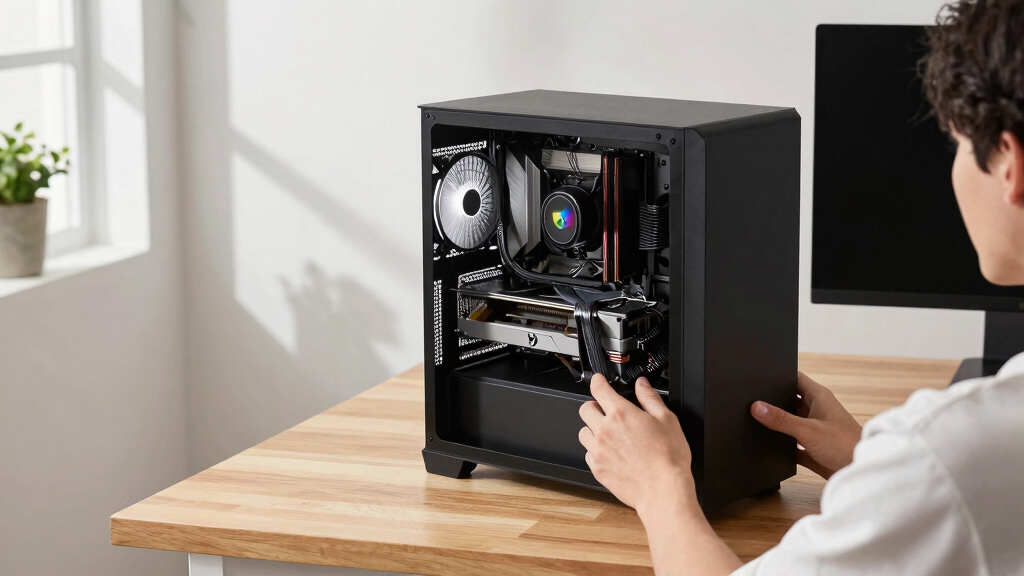
How We Picked
I ranked these cards by gaming performance per dollar, useful memory capacity, feature support, cooler practicality, and the likelihood that each model will fit a typical budget build. I gave the greatest weight to smooth 1080p play because that is where a budget GPU should deliver convincing results without demanding costly supporting hardware. I also examined 1440p viability, VRAM limits, case compatibility, power demands, and warranty coverage. Since street prices move often, I judged value by price tier and by how much more a buyer should reasonably pay to reach the next performance class.
The GIGABYTE RTX 5060 WINDFORCE OC leads because it has the fewest major compromises for a mainstream gaming build. The PNY and ASUS RTX 5060 models follow as role-specific alternatives, while the 16GB RX 9060 XT cards move higher for memory-heavy workloads but may cost enough to weaken their budget appeal. The RTX 5070 earns the premium position rather than the overall win because its added speed comes with a larger total-system expense. I placed the RTX 5050 ahead of the standard RTX 3050 cards for buyers seeking a newer entry point, but retained the MSI RTX 3050 LP as the compact specialist. Among the remaining RTX 3050 models, cooler format, likely pricing, and availability matter more than small factory overclocks.
| budget graphics card | GPU | Interface |
|---|---|---|
| GIGABYTE GeForce RTX 5060 WIND | NVIDIA GeForce RTX 5060 | — |
| GIGABYTE GeForce RTX 5060 Eagl | NVIDIA GeForce RTX 5060 | PCIe 5.0 |
| ASUS Prime NVIDIA GeForce RTX | NVIDIA GeForce RTX 5070 | PCI Express x16 |
| ASUS Dual NVIDIA GeForce RTX 3 | NVIDIA GeForce RTX 3050 | PCIe 4.0 |
| GIGABYTE Radeon RX 9060 XT Gam | AMD Radeon RX 9060 XT | PCIe 5.0 |
| MSI Gaming RTX 3050 Ventus 2X | — | — |
| MSI Gaming RTX 3050 LP 6G OC G | — | — |
| ASUS Dual Radeon RX 9060 XT 16 | — | PCIe 5.0 |
| ASUS Dual NVIDIA GeForce RTX 5 | — | PCIe 5.0 |
| GIGABYTE GeForce RTX 5050 WIND | NVIDIA GeForce RTX 5050 | PCIe 5.0 x8 |
| PNY NVIDIA GeForce RTX 5060 OC | — | — |
| GIGABYTE GeForce RTX 3050 WIND | — | — |
Factors to Consider When Choosing Best Budget Graphics Cards
I would choose a budget graphics card by starting with the monitor, games, case, and power supply rather than shopping from the GPU name alone. A balanced build usually delivers better value than spending the full budget on a fast card that the processor, display, or power supply cannot support well. The factors below help separate a worthwhile saving from a compromise that creates another upgrade sooner than planned.
Match Performance to Resolution and Refresh Rate
I treat 1080p at 60 to 120 fps as the natural target for most budget graphics cards. An RTX 3050 can suit lighter games and reduced settings, but it leaves less room for demanding new releases than an RTX 5050 or RTX 5060. A high-refresh 1080p monitor makes the RTX 5060 class more appealing because extra frame rate has a visible benefit. For 1440p, I would lean toward the 16GB RX 9060 XT models or step up to the RTX 5070 rather than expect an entry-level card to sustain high settings. Competitive games often depend heavily on the processor, so a GPU upgrade alone may not deliver the expected frame-rate jump. Buying far beyond the monitor’s resolution and refresh rate can also waste money that would improve storage, memory, or CPU performance elsewhere.
Treat VRAM as a Settings Limit, Not a Speed Rating
VRAM capacity does not directly measure GPU speed, but it affects texture quality, frame consistency, and how comfortably a card handles newer games. The 6GB RTX 3050 models are best paired with 1080p resolution and restrained texture settings. The 8GB RTX 5050 and RTX 5060 cards offer a better middle ground, although demanding games can still expose memory limits at 1440p or with large texture packs. The 16GB RX 9060 XT cards provide much more breathing room, which may matter more than ray-tracing extras for buyers keeping a card for several years. Extra memory cannot compensate for a slow graphics processor, so I would not choose by capacity alone. I would instead match VRAM to the intended resolution, game library, and appetite for reducing settings later.
Check Case Space, Slot Width, and Airflow
A card can meet the performance target and still be the wrong purchase if it blocks another expansion slot or does not fit the case. I would measure card length, height, and slot thickness, leaving room for power connectors and front-mounted radiators. Dual-fan cards often suit mainstream cases, while a 2.5-slot model such as the ASUS Prime RTX 5070 needs more clearance. Small-form-factor systems may require the MSI RTX 3050 LP, whose low-profile shape matters more than its lower performance ceiling. Compact coolers can run warmer or louder because they have less surface area for heat dissipation. Good intake and exhaust airflow may improve noise and sustained clock speeds more than a small factory overclock.
Budget for Power and Platform Compatibility
I would check the power supply’s rated capacity, age, connector type, and build quality before ordering a graphics card. Faster GPUs can raise total cost if they require a replacement power supply, a roomier case, or better cooling. PCIe generations are generally backward compatible, but some entry-level cards may lose a little performance on older motherboards when they use fewer PCIe lanes. A weak processor can also limit an RTX 5070, particularly in high-frame-rate 1080p games. For an older prebuilt PC, the lowest-risk upgrade may be a modest card that works within existing power and space limits. I would calculate the full upgrade price rather than compare graphics-card prices in isolation.
Decide Which Software Features Matter
Upscaling and frame-generation tools can make a budget GPU feel faster, but I would not treat generated frames as a replacement for solid base performance. NVIDIA cards often appeal to buyers prioritizing ray tracing, creator applications, or software compatibility, while Radeon models can offer more memory at a given performance tier. The value of either ecosystem depends on the games and applications actually being used. Streaming and video-editing buyers should check codec support in their preferred software before choosing a card. Ray tracing carries a heavy performance cost on lower tiers, making traditional rasterized performance a better buying anchor for many budget systems. Driver support, game profiles, and display connections should break a close tie rather than override a large price or performance difference.
Frequently Asked Questions
Is an 8GB RTX 5060 enough for gaming in 2026?
An 8GB RTX 5060 is a sensible 1080p choice for buyers willing to adjust texture settings in the most memory-heavy games. It can also handle 1440p in many titles, though high-resolution textures and ray tracing may expose the capacity limit sooner. The 16GB RX 9060 XT models offer more memory headroom, but they are only better values when their extra cost fits the budget. I would choose the RTX 5060 for balanced mainstream gaming and the RX 9060 XT for a longer ownership plan centered on demanding textures.
Should I buy an RTX 3050, RTX 5050, or save for an RTX 5060?
I would buy an RTX 3050 only for a strict budget, a low-profile requirement, or a steep discount. The RTX 5050 is the more appealing entry point when it fits the case and power budget, since it sits on a newer product tier. Saving for an RTX 5060 makes sense for frequent gaming because it provides a larger performance cushion and delays the need to reduce settings. The jump matters less for esports titles or occasional 1080p play. Among these options, the RTX 5060 is the safest long-term purchase, while the MSI RTX 3050 LP remains the specialist choice for slim PCs.
Is 16GB of VRAM worth paying extra for on a budget card?
Sixteen gigabytes is worth extra when the buyer plays texture-heavy games, uses large mods, works with GPU-accelerated creative software, or plans to keep the card for several years. It is less persuasive for lightweight esports games at 1080p. The RX 9060 XT’s larger memory pool can reduce texture compromises, but the purchase still needs to deliver suitable processing speed and a fair price. I would not pay a large premium for capacity that the current workload will rarely use. In this lineup, the 16GB Radeon cards are longevity picks, not automatic winners for every budget.
Does the graphics-card brand matter when several models use the same GPU?
The underlying GPU determines most performance, while the board partner affects cooling, dimensions, noise, warranty, and appearance. Factory overclocks usually create smaller real-world differences than the price gap between models. For the RTX 5060 choices here, the GIGABYTE WINDFORCE offers the broadest balance, the ASUS Dual favors easier fitment, the Eagle OC ICE suits a white build, and the PNY model targets straightforward value. I would choose the least expensive model that fits the case and meets the desired noise and support standards. Paying more makes sense for better physical compatibility or a preferred cooler, not for a tiny clock-speed increase.
When does the RTX 5070 make more sense than a budget GPU?
The RTX 5070 makes sense for high-refresh 1440p gaming, heavier ray tracing, or workloads that can use its extra processing power and 12GB of GDDR7 memory. It is harder to justify for a 1080p 60Hz display, where an RTX 5060 may already satisfy the target. Buyers also need enough CPU performance, case clearance, and power capacity to support it. I classify the ASUS Prime RTX 5070 as the premium pick because its total platform cost sits above the rest of this roundup. I would pay the difference only when the monitor and game library can expose the gain.
Conclusion
For most buyers, I recommend the GIGABYTE GeForce RTX 5060 WINDFORCE OC 8G as the best overall because it balances current features, practical cooling, and strong 1080p capability. The PNY GeForce RTX 5060 OC Dual Fan is my best-value pick when it undercuts the other RTX 5060 models, while the GIGABYTE RTX 5050 WINDFORCE OC is the better beginner option for a tighter new-build budget. Buyers seeking maximum memory headroom should choose the GIGABYTE RX 9060 XT Gaming OC ICE 16G, with the ASUS Dual RX 9060 XT as the cleaner fit for a more restrained build. The ASUS Prime RTX 5070 is my premium recommendation for 1440p buyers, and the MSI RTX 3050 LP is the clear specialist for low-profile PCs. White-build buyers should favor the RTX 5060 Eagle OC ICE, while the ASUS Dual RTX 5060 suits systems where a compact dual-fan layout matters. Among the standard RTX 3050 cards from ASUS, MSI, and GIGABYTE, I would choose whichever is cheapest and fits the case, since price and physical design outweigh minor clock differences.
Halloween Picks
halloween
As an affiliate, we earn on qualifying purchases.