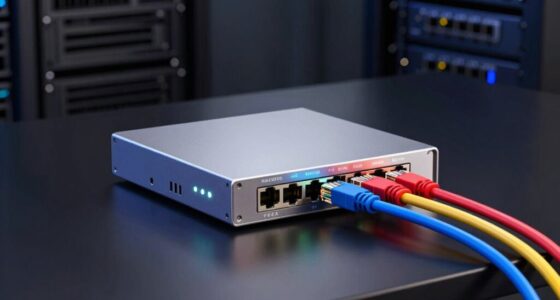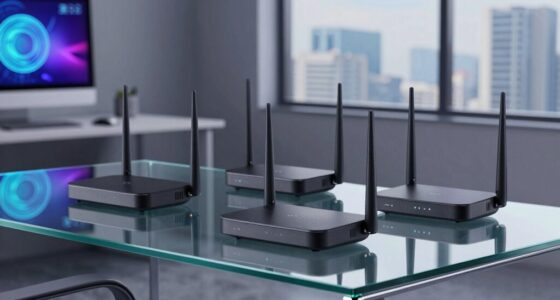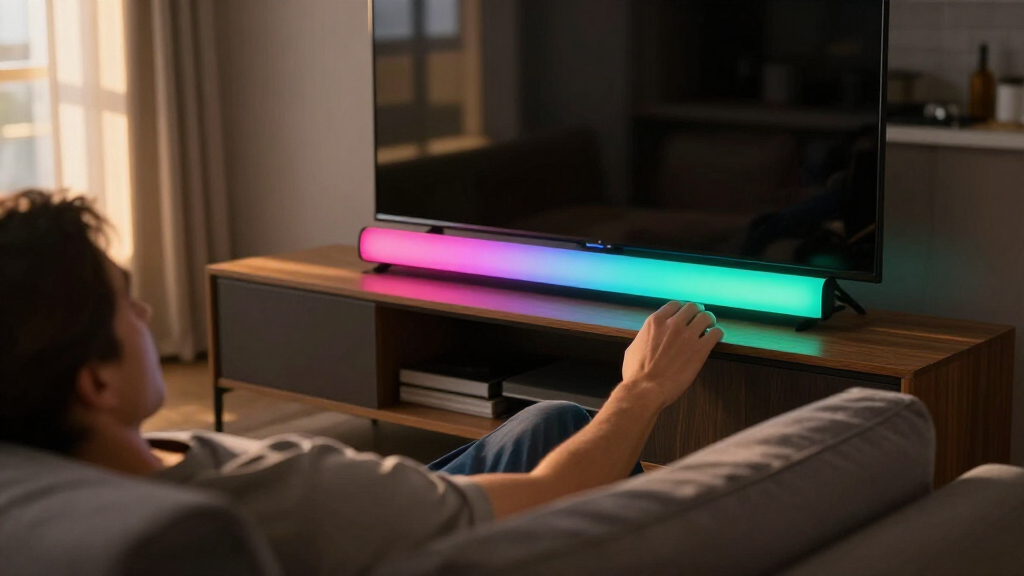
The Govee Gaming Light Bars Pro takes the top spot among the best RGB smart light bars thanks to its sharp RGBIC color segmentation, responsive music sync, and a polished app that puts cheaper rivals to shame. For buyers who want similar atmosphere at a lower cost, the DAYBETTER Smart LED Light Bar with RGBICW adds a dedicated white channel that budget bars usually skip, while the Philips Gradient Light Bars connected by WiZ are the pick for design-forward living rooms where aesthetics matter as much as effects. The core tradeoff in this category is ecosystem and app quality versus price: Govee dominates on software, budget brands like Eastfine win on affordability, and premium options like Philips offer cleaner hardware with fewer effects. Read on for the full breakdown of all 14 light bars.

Get the latest gadgets delivered free — and shop member deals
- Fast, free delivery on millions of items
- Access to Prime Big Deal Days deals on October 6–7
- Prime Video, Amazon Music and more included
Complete the kit



Key Takeaways
- Govee appears five times in this lineup, and its app ecosystem, RGBIC color segmentation, and scene library are the reason — no budget brand matched its software polish, which explains why Govee bars hold the top rankings.
- RGBIC and RGBW chips are not marketing fluff: bars with independent color zones (Govee Glide, Gaming Light Bars Pro, Nurmina Nova Pro) produced visibly richer gradients than single-color bars like the generic music-sync model at #11.
- USB-powered bars (Eastfine, NBBUFF, the 16.5-inch TV bar) are the best fit behind monitors and TVs because they power on with the screen — but they almost always sacrifice Wi-Fi, which means no voice assistant control.
- The Philips WiZ Gradient bars are the only premium pick with a design-first build and Matter-friendly ecosystem, making them the clear choice over Govee for buyers who prioritize a mature smart home platform over sheer effects.
- Two identical-looking Eastfine models ranked several spots apart: the Alexa/Google-compatible version (#6) clearly beat the app-and-remote-only version (#14), showing that voice assistant support — not raw LED count — was the biggest value separator among budget bars.
| Smart RGB-IC Gaming Light Bars with Iron Plate Base, 2-Pack |  | Best Budget Starter Set | Technology: RGB-IC | Quantity: 2-Pack | Base: Iron plate | VIEW LATEST PRICE | See Our Full Breakdown |
| Govee Glide Wall Lights, Smart RGBIC Gaming Light Bar (2-Panel Set, H610A) |  | Best Wall-Mount Ambience | Model: H610A | Panel Count: 2 panels (6 segments total) | Segment Length: 14.8 inches (37.6 cm) | VIEW LATEST PRICE | See Our Full Breakdown |
| DAYBETTER Smart LED Light Bar with RGBICW Technology |  | Best Control Flexibility | Technology: RGBICW (16 million colors) | Control Method: App, Remote, Touch | Connectivity: Bluetooth | VIEW LATEST PRICE | See Our Full Breakdown |
| 16.5″ Smart RGB LED Light Bar for TV and Gaming Room | 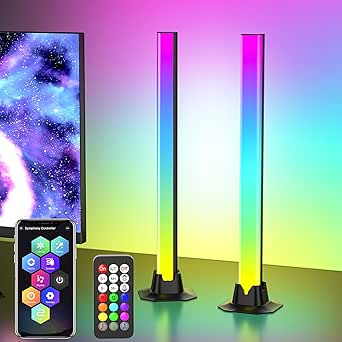 | Best Single-Bar Coverage | Length: 16.5 inches | Light Source: 36 LEDs | Power Source: USB (Corded Electric) | VIEW LATEST PRICE | See Our Full Breakdown |
| Govee RGBIC Gaming Light Bars H6047 with Smart Controller |  | Best Overall for Gamers | Model: H6047 | Technology: RGBIC (multiple simultaneous colors) | Colors: 16.8 million | VIEW LATEST PRICE | See Our Full Breakdown |
| Eastfine RGB Smart LED Light Bar (2 Pack) |  | Best Budget Starter Set | Power Source: USB powered (adapter not included) | Wattage: 2 watts per bar | Light Source: 36 LEDs per bar | VIEW LATEST PRICE | See Our Full Breakdown |
| Philips Smart Lighting Gradient Light Bars with RGBIC LED (Connected by WiZ) |  | Best Premium Pick | Technology: RGBIC, 7 color segments per bar | Wattage: 8.4 watts | Connectivity: WiZ, Matter compatible | VIEW LATEST PRICE | See Our Full Breakdown |
| NBBUFF IC+RGBW USB Powered LED Light Bar (2 Pack) |  | Best Value Pattern Variety | Power Source: USB (power bank, charger, TV, PC) | Color Modes: RGB+IC and dedicated white (RGBW) | Lighting Patterns: 64+ presets | VIEW LATEST PRICE | See Our Full Breakdown |
| Govee Smart RGBWIC Light Bars, 15-Inch WiFi TV Backlight |  | Best for Large TVs | Bar Length: 15 inches (pair) | Recommended TV Size: 45-70 inches | Light Source: 30 RGBWIC LEDs | VIEW LATEST PRICE | See Our Full Breakdown |
| Govee Smart Light Bar, RGBICWW TV Lights (Silver) |  | Best for Small Monitors and Desk Setups | Technology: RGBICWW (segmented RGB + tunable white) | Recommended Screen Size: Under 45 inches | Connectivity: Matter, Alexa, Google Home | VIEW LATEST PRICE | See Our Full Breakdown |
| Smart RGB LED Light Bar with Music Sync and App Control |  | Best Budget Music Sync | Light Source: LED (48 light sources) | Modes: 213 preset modes | Control: App, remote control, control box | VIEW LATEST PRICE | See Our Full Breakdown |
| Nurmina Nova Light Bars Pro – Smart RGBWIC LED Lights for Gaming and Living Room |  | Best Premium Smart Home Pick | Color Technology: RGBWIC | White Brightness: 800 lumens | Color Temperature: 3000 Kelvin | VIEW LATEST PRICE | See Our Full Breakdown |
| Govee Gaming Light Bars Pro, 16-Inch Smart RGBIC Wi-Fi LED Game Lights | 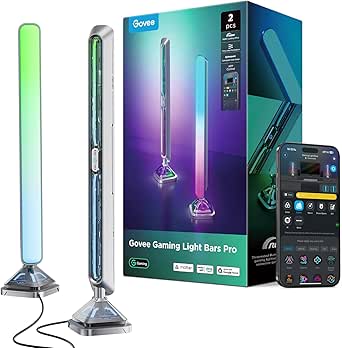 | Best for PC Gamers | Length: 16 inches | Colors: 16 million (RGBIC) | Connectivity: Wi-Fi | VIEW LATEST PRICE | See Our Full Breakdown |
| Eastfine RGB LED Light Bar (2 Pack), USB Powered with APP Control, Music Sync Ambient Lighting |  | Best Value Starter Set | Light Source: LED (18 sources per pair) | Colors: 16 million | Control: App, remote, onboard button | VIEW LATEST PRICE | See Our Full Breakdown |
| RGB smart light bar | Connectivity |
|---|---|
| Smart RGB-IC Gaming Light Bars | Bluetooth app control |
| Govee Glide Wall Lights | Bluetooth, Wi-Fi |
| DAYBETTER Smart LED Light Bar | Bluetooth |
| 16.5" Smart RGB LED Light Bar | — |
| Govee RGBIC Gaming Light Bars | Wi-Fi, Bluetooth |
| Eastfine RGB Smart LED Light B | Bluetooth, Wi-Fi, USB |
| Philips Smart Lighting Gradien | WiZ, Matter compatible |
| NBBUFF IC+RGBW USB Powered LED | — |
| Govee Smart RGBWIC Light Bars | — |
| Govee Smart Light Bar | Matter, Alexa, Google Home |
| Smart RGB LED Light Bar with M | Bluetooth, USB |
| Nurmina Nova Light Bars Pro | Matter |
| Govee Gaming Light Bars Pro | Wi-Fi |
| Eastfine RGB LED Light Bar | — |
More Details on Our Top Picks
Smart RGB-IC Gaming Light Bars with Iron Plate Base, 2-Pack
This 2-pack makes the most sense for someone who wants to try RGB-IC lighting without a big commitment. The iron plate bases keep the bars upright behind a monitor with zero mounting hassle, which is a genuine advantage over the Govee Glide H610A, whose rigid panels demand clean wall space and an hour of adhesive curing. Compared with the DAYBETTER bar, this set skips the remote and touch controls entirely — every adjustment happens through the Bluetooth app, so a dead phone means no lighting changes at all. The built-in microphone handles music sync well for the category, but audio reactivity won’t match the Govee H6047’s headphone-level sync. USB power keeps installation simple, though it ties placement to whatever port your PC or hub offers.
Pros:- Stable iron plate bases require no mounting or adhesives
- DIY app modes allow fully custom color and effect creation
- Music sync via built-in microphone adds atmosphere cheaply
- Two bars deliver stereo-style separation behind a monitor
Cons:- No physical buttons or remote — the app is the only interface
- No voice assistant or Wi-Fi support, limiting smart-home integration
Best for: First-time buyers building a gaming setup on a tight budget who already control everything from their phone
Not ideal for: Anyone who wants physical controls or voice commands — there are no buttons, and Alexa/Google support is absent
- Technology:RGB-IC
- Quantity:2-Pack
- Base:Iron plate
- Connectivity:Bluetooth app control
- Power Source:USB
- Microphone:Built-in high-sensitivity mic for music sync
Our verdict“A low-risk entry point for app-comfortable gamers who want dual-bar RGB-IC effects and nothing more.”
Govee Glide Wall Lights, Smart RGBIC Gaming Light Bar (2-Panel Set, H610A)
This option stands out for whole-room color rather than desk-level glow. The Glide’s six wall-mounted segments displaying 24 simultaneous colors create a backdrop effect the tabletop DAYBETTER and 16.5-inch RGB bar simply can’t replicate — they light your wall; this one turns it into a canvas. Alexa, Google Assistant, and SmartThings support also puts it ahead of the Bluetooth-only budget 2-pack for smart-home households. The tradeoff is permanence: the rigid panels attach with velcro and adhesive that need ten seconds of pressure plus a full hour to set, and repositioning them later risks paint. Setup is also less forgiving — every bar must be connected before power is applied, so plan your layout before committing.
Pros:- 24 simultaneous colors across 6 segments for large-scale gradients
- Voice control via Alexa, Google Assistant, and SmartThings
- 64+ scene modes and 11 music sync modes
- Wi-Fi connectivity enables remote control away from home
Cons:- Rigid panels cannot be bent or rearranged into custom shapes
- Adhesive mounting requires careful placement and curing time
- All segments must be linked before powering on
Best for: Streamers and smart-home owners who want dramatic, voice-controlled wall lighting behind their setup
Not ideal for: Renters or anyone who reconfigures their space often — adhesive wall mounting is semi-permanent
- Model:H610A
- Panel Count:2 panels (6 segments total)
- Segment Length:14.8 inches (37.6 cm)
- Connectivity:Bluetooth, Wi-Fi
- Compatibility:Alexa, Google Assistant, SmartThings
- Colors:16 million (RGBIC, 24 simultaneous)
- Scene Modes:64+
- Mounting:Velcro and adhesives
Our verdict“The pick for turning an entire wall into a smart lighting feature, provided you’re committed to where you mount it.”
DAYBETTER Smart LED Light Bar with RGBICW Technology
Where the budget 2-pack locks you into its app, DAYBETTER gives you three ways to adjust things: app, remote, and touch. That redundancy matters when guests want a change or your phone isn’t nearby — a convenience neither the app-only iron-base set nor the wall-mounted Govee Glide offers at arm’s reach. The RGBICW chipset adds a dedicated white channel, producing cleaner whites and warmer ambient tones than standard RGB-IC bars in this lineup. The compromises are real, though: at 110 lumens it’s the dimmest option here, better for accent glow than filling a room, and music sync works through its own mic rather than directly from TV audio, so movie soundtracks won’t drive the effects reliably.
Pros:- Three control methods reduce dependence on any single device
- RGBICW adds a dedicated white channel for natural ambient light
- Bracket-free placement works on desks or behind screens
- Compact 12-ounce body moves easily between rooms
Cons:- 110 lumens is dim compared with larger bars in this roundup
- Music sync cannot read audio directly from TV sources
- Not water resistant, ruling out bathrooms or covered outdoor use
Best for: Buyers who want app, remote, and touch control in one bar and prioritize adjustable white tones for everyday ambience
Not ideal for: Home theater owners wanting bright bias lighting or TV-audio sync — output is modest and sync is mic-based only
- Technology:RGBICW (16 million colors)
- Control Method:App, Remote, Touch
- Connectivity:Bluetooth
- Power Source:Corded Electric
- Brightness:110 Lumens
- Wattage:5 Watts
- Dimensions:15.55″ D x 4.13″ W x 2.56″ H
- Recommended Screen Size:Under 85 inches
Our verdict“The most flexible control package here for casual users who value convenience and warm white options over raw brightness.”
16.5″ Smart RGB LED Light Bar for TV and Gaming Room
If one long bar appeals more than multiple pieces, this 16.5-inch unit covers more wall in a single placement than anything else in this batch, courtesy of 36 LEDs and an unusually deep library of 213 preset dynamic modes — triple the scene count of the Govee H6047. It also remembers your last mode at power-on, a small mercy the iron-base 2-pack can’t claim since it lacks any persistence-friendly hardware controls. Inline USB cable buttons give it a physical fallback the Bluetooth-only budget set misses. Against the Govee Glide, the tradeoff is ecosystem: no Wi-Fi, no voice assistants, and no Razer integration. The ABS plastic housing also reads utilitarian rather than premium, and USB power anchors it near a port.
Pros:- 16.5-inch length delivers broad ambient coverage from one unit
- 213 preset modes offer far more variety than similarly priced rivals
- App, remote, and inline buttons give three control paths
- Retains last-used mode through power cycles
Cons:- USB-only power limits placement flexibility
- Plastic build feels less refined than Govee’s offerings
- No voice assistant or multi-room ecosystem support
Best for: TV and console gamers who want maximum preset variety and wide coverage from a single bar without smart-home complexity
Not ideal for: Smart-home enthusiasts — there’s no voice control, Wi-Fi, or integration with platforms like Alexa or Razer Chroma
- Length:16.5 inches
- Light Source:36 LEDs
- Power Source:USB (Corded Electric)
- Wattage:5 Watts
- Modes:213 preset dynamic modes, 8 scene modes
- Control Methods:App, Remote Control, USB Cable Buttons
- Mounting Type:Table Mount
- Weight:0.45 kg
Our verdict“A mode-packed single-bar solution for viewers and gamers who care more about effect variety than ecosystem integration.”
Govee RGBIC Gaming Light Bars H6047 with Smart Controller
This model earns the top spot because it solves the problem every other pick here stumbles on: reacting to actual game audio, including headphones. While the iron-base 2-pack and DAYBETTER rely on room microphones, the H6047 syncs with your sound source directly, so effects stay locked to gameplay even in a noisy space. The desktop dial controller is the other differentiator — quick brightness and mode changes without unlocking a phone, something only the 16.5-inch bar’s inline buttons approximate. Razer Chroma compatibility ties lighting to in-game events, a feature no other product in this lineup matches. The costs: there’s no camera-based screen color matching, and unlocking everything means juggling Govee Home, Govee Desktop, and Razer Synapse 3 — a heavier software footprint than the plug-and-play alternatives.
Pros:- Audio reactivity syncs with game sounds, speakers, and headphones
- Razer Chroma integration enables in-game event lighting
- Desktop dial controller allows instant physical adjustments
- Wi-Fi plus Bluetooth with Alexa and Google Assistant support
Cons:- No camera, so it can’t sample on-screen colors like higher-end rivals
- Requires three separate apps for complete feature access
Best for: Serious PC gamers already in the Razer ecosystem who want lighting that reacts to gameplay, not just room audio
Not ideal for: Casual users who want a plug-and-play bar — full functionality requires installing and linking multiple desktop and mobile apps
- Model:H6047
- Technology:RGBIC (multiple simultaneous colors)
- Colors:16.8 million
- Scene Modes:60+
- Connectivity:Wi-Fi, Bluetooth
- Compatibility:Razer Synapse 3, Alexa, Google Assistant
- Controller:Smart Desktop Dial Controller
Our verdict“The most capable gaming-focused light bar in this roundup for players who want deep sync and don’t mind managing multiple apps.”
Eastfine RGB Smart LED Light Bar (2 Pack)
For anyone testing the smart-lighting waters without a big commitment, this Eastfine 2-pack keeps things simple. Voice control through Alexa and Google Assistant works reliably, and the three control methods — app, remote, and button — mean you’re never locked out if your Wi-Fi hiccups. The music sync with three rhythm modes holds its own against pricier options like the NBBUFF IC+RGBW bars, though the effects are less nuanced. Because they’re USB powered, they turn on and off with your TV or PC, which is a genuinely useful trick the corded Philips WiZ bars can’t replicate. The catch: at 2 watts each, brightness is modest, and you’ll need to supply your own USB adapter. Compared with the Govee RGBWIC bars, you give up scene depth and Matter support, but you also skip the app-learning curve almost entirely.
Pros:- Voice control via Alexa and Google Assistant at a starter price
- Three control methods: app, remote, and physical button
- USB power syncs on/off with your TV or PC automatically
- 16 million colors with DIY preset modes
Cons:- USB power adapter not included
- Only 2 watts per bar — limited brightness and effect richness
Best for: First-time buyers who want app and voice control basics for a desk, monitor, or bedroom setup
Not ideal for: Buyers wanting bright, room-filling light for a large TV wall — the 2-watt output is too dim
- Power Source:USB powered (adapter not included)
- Wattage:2 watts per bar
- Light Source:36 LEDs per bar
- Connectivity:Bluetooth, Wi-Fi, USB
- Control Methods:Voice (Alexa/Google), app, remote, button
- Quantity:2-pack, tabletop mounting
- Warranty:12 months
Our verdict“A low-risk entry point into smart ambient lighting that covers the essentials well, as long as you don’t expect premium effect depth.”
Philips Smart Lighting Gradient Light Bars with RGBIC LED (Connected by WiZ)
This Philips WiZ set is the lineup’s polish play. The RGBIC gradient technology with 7 color segments per bar produces the smoothest multi-color transitions here — visibly richer than the Eastfine 2-pack, which can only show one color at a time per bar. Installation flexibility is another strength: lay them flat, stand them vertically, or bracket-mount them behind a TV, matching the placement options of the Govee RGBICWW bar but with a more premium build. Matter compatibility means these slot into Apple Home, Alexa, and Google Home without friction — a broader ecosystem reach than the Wi-Fi-only NBBUFF bars. The real tradeoffs: TV screen syncing requires extra hardware, and despite the Philips name, they don’t talk to Philips Hue at all. If you assumed brand synergy, you’ll be disappointed.
Pros:- RGBIC gradient with 7 color segments per bar for smooth multi-color effects
- Matter compatibility across Alexa, Google Home, and Apple Home
- Flexible placement: horizontal, vertical, or wall-mounted behind a TV
- 2-year manufacturer warranty with a reputable brand behind it
Cons:- Not compatible with Philips Hue products
- True TV screen syncing requires purchasing additional hardware
Best for: Smart-home enthusiasts already invested in Apple Home or Matter who want refined gradient lighting
Not ideal for: Philips Hue owners — these bars are incompatible with the Hue ecosystem entirely
- Technology:RGBIC, 7 color segments per bar
- Wattage:8.4 watts
- Connectivity:WiZ, Matter compatible
- Control:WiZ app, Alexa, Google Home, Apple Home
- Mounting:Tabletop or wall brackets
- Dimensions:11.81″D x 1.81″W x 1.81″H per bar
- Warranty:2 years
Our verdict“The most refined and future-proof option in the roundup, provided you don’t need Hue integration or built-in screen matching.”
NBBUFF IC+RGBW USB Powered LED Light Bar (2 Pack)
Where the Eastfine 2-pack keeps things basic, NBBUFF goes wide on effects: 64+ lighting patterns spanning strobe, chasing, gradient, and fluttering modes, plus a dedicated white channel the Eastfine lacks entirely. That RGBW combination makes these bars genuinely usable as task-adjacent desk lighting, not just decoration — something pure-RGB options here can’t claim. The 1%-to-full dimming range is finer-grained than most competitors, which matters at night when even 10% is too bright. Control redundancy is strong: the LotusLamp X app, a 24-button remote, and an inline button. Compared with the Philips WiZ bars, you sacrifice ecosystem polish and multi-segment gradients, and the 60-inch cord constrains placement on larger wall setups. The app requirement for full feature access is also a mild annoyance for remote-only users.
Pros:- 64+ lighting patterns including chasing, gradient, and strobe modes
- RGBW with a dedicated white channel usable for actual desk lighting
- Fine 1%-to-full dimming range for low-light comfort
- High-sensitivity music sync with no hub required
Cons:- App required to unlock full feature set
- 60-inch cord restricts placement flexibility on bigger setups
Best for: TV backlighting and gaming-desk users who want maximum pattern variety on a USB power budget
Not ideal for: Large living-room setups — the fixed 60-inch cord limits where the bars can reach
- Power Source:USB (power bank, charger, TV, PC)
- Color Modes:RGB+IC and dedicated white (RGBW)
- Lighting Patterns:64+ presets
- Brightness:1% to full, dimmable
- Control:LotusLamp X app, 24-button remote, inline button
- Cord Length:60 inches
- Special Features:Music sync, timing/schedule function
Our verdict“The strongest effects-per-dollar pick for USB-powered setups, with a useful white channel most budget rivals skip.”
Govee Smart RGBWIC Light Bars, 15-Inch WiFi TV Backlight
Sized and tuned specifically for 45-70-inch televisions, this Govee pair solves the problem most bars in this roundup create: being too short or too dim to flank a big screen. The upgraded RGBWIC LEDs render noticeably purer whites and more accurate colors than standard RGB models like the Eastfine bars, which matters for anything other than saturated party effects. Voice support spans Matter, Alexa, Google Assistant, and SmartThings with no hub — a wider compatibility net than the app-locked NBBUFF bars. Placement is flexible: wall-mount behind the TV, stand alongside it, or lay the bars horizontally. The honest tradeoff versus the Philips WiZ gradient bars is screen sync — no color matching with on-screen content, ambient effects only. If you wanted your lighting to mirror the movie you’re watching, this isn’t that product.
Pros:- Sized and powered appropriately for 45-70-inch TVs
- RGBWIC LEDs with purer whites and more accurate color than standard RGB
- Broad voice compatibility: Matter, Alexa, Google Assistant, SmartThings
- 60+ preset scenes plus AI-generated custom effects
Cons:- No color matching with on-screen TV content
- Effects limited to ambient modes rather than screen-reactive lighting
Best for: Owners of 45-70-inch TVs who want bright, voice-controlled ambient backlighting
Not ideal for: Viewers who want lights that color-match on-screen content — these are ambient-only
- Bar Length:15 inches (pair)
- Recommended TV Size:45-70 inches
- Light Source:30 RGBWIC LEDs
- Power:Corded electric, 12V, 10 watts
- Compatibility:Matter, Alexa, Google Assistant, SmartThings
- Mounting:Wall mount, stand, or horizontal
- Certification:UL Listed
Our verdict“The right scale and color quality for big-screen backlighting, as long as ambient glow — not screen sync — is the goal.”
Govee Smart Light Bar, RGBICWW TV Lights (Silver)
This silver Govee bar is the roundup’s most focused offering: it’s explicitly built for monitors under 45 inches, which makes it the natural pick for a desk or gaming battlestation rather than a living room. Its differentiator is RGBICWW technology — segmented RGB effects plus tunable cool-to-warm white — giving it the best white-light quality of any Govee option here, including the 15-inch RGBWIC TV bars. The 106-inch cord is nearly double the NBBUFF’s 60 inches, freeing you to route power cleanly around a desk. Matter support keeps voice control straightforward, and the bar lays flat, stands upright, or mounts with included brackets. The honest limitation is scope: on a 55-inch TV, a single under-45-inch bar will look undersized next to the dedicated Govee 15-inch pair. Full customization also runs through the Govee Home App.
Pros:- RGBICWW combines segmented RGB with genuinely tunable white light
- 106-inch cord allows clean routing on larger desks
- Matter support with Alexa and Google Home voice control
- Three placement modes with included mounting brackets
Cons:- Limited to monitors under 45 inches
- Full feature set requires the Govee Home App
Best for: Desk and gaming users with monitors under 45 inches who want tunable white plus RGB effects
Not ideal for: Large-TV owners — the bar is explicitly rated for screens under 45 inches and will look undersized
- Technology:RGBICWW (segmented RGB + tunable white)
- Recommended Screen Size:Under 45 inches
- Connectivity:Matter, Alexa, Google Home
- Control:Govee Home App, voice control
- Cord Length:106 inches
- Scene Modes:60+ presets plus AI-generated effects
- Mounting:Flat, vertical, or wall-mount with brackets
Our verdict“The sharpest choice for monitor-scale setups where tunable white matters as much as color, and overkill to skip for big TVs.”
Smart RGB LED Light Bar with Music Sync and App Control
This option stands out for sheer mode variety on a budget — 213 preset scenes means there is always something that fits a gaming session or a party without fiddling with custom color wheels. The three-way control system (app, remote, and physical control box) is unusual at this price; competitors like the Eastfine RGB LED Light Bar 2 Pack also offer triple control, but lack this model’s scheduling function, which lets buyers automate on/off times. The low-heat aluminum build is a genuine plus for households with kids or pets. The tradeoff is the 5-watt, USB-only power setup with no adapter included, and there’s no smart home voice assistant integration — unlike the Nurmina Nova Pro, which connects to Alexa, Google, and Apple Home. Compared with the Govee Gaming Light Bars Pro, this is far simpler and far less capable.
Pros:- 213 preset modes offer instant variety without setup
- Music sync via built-in microphone reacts well to room audio
- App, remote, and control box give flexible control for any household member
- Low-heat aluminum design is safe around children and pets
Cons:- No voice assistant or smart home ecosystem support
- USB powered with no adapter included, so a spare port or charger is required
Best for: Budget-conscious buyers and families who want kid-safe, schedule-driven ambient lighting without needing smart home integration
Not ideal for: Smart home enthusiasts — there is no Alexa, Google, or Apple Home support, so it stays siloed in its own app
- Light Source:LED (48 light sources)
- Modes:213 preset modes
- Control:App, remote control, control box
- Connectivity:Bluetooth, USB
- Power:DC 5V, 5 watts
- Dimensions:13″ H x 3.54″ W x 2.36″ D
- Material:Aluminum, plastic, PVC
- Mounting:Tabletop and hanging
Our verdict“A straightforward, family-friendly pick for anyone who wants lots of preset lighting scenes and music sync without paying for smart home features they won’t use.”
Nurmina Nova Light Bars Pro – Smart RGBWIC LED Lights for Gaming and Living Room
What separates the Nova Pro from the rest of this lineup is true Matter compatibility, meaning it plays natively with Alexa, Google Home, and Apple Home without ecosystem lock-in — the Smart RGB LED Light Bar from product 11 offers nothing comparable, and even the Govee Gaming Light Bars Pro leans on its own app ecosystem. The RGBWIC technology with dedicated 800-lumen white output also means these bars double as functional task lighting, not just decoration, putting them closer to the Philips WiZ gradient bars than to party-oriented picks. The AI modes (Photo Gen, Voice Gen, Random Gen) create ambiance you won’t find elsewhere. The tradeoffs: it is corded rather than USB, needs cable management, and carries an IP20 rating, so it must stay away from kitchens and bathrooms. Compared with the Eastfine 2-pack, you are paying for intelligence, not quantity.
Pros:- Matter protocol support works natively across Alexa, Google Home, and Apple Home
- RGBWIC with 800-lumen white output doubles as practical room lighting
- AI-driven Photo, Voice, and Random modes generate unique ambiance
- Slim 3-inch base footprint keeps desks uncluttered
Cons:- IP20 rating means no dust or moisture protection — indoor, low-risk placement only
- Corded power requires cable routing and proximity to an outlet
Best for: Smart home owners invested in Matter who want light bars that also serve as usable everyday white lighting
Not ideal for: Buyers wanting cheap plug-and-play accent lights — the corded setup and feature depth are overkill for a simple desk glow
- Color Technology:RGBWIC
- White Brightness:800 lumens
- Color Temperature:3000 Kelvin
- Connectivity:Matter
- Compatibility:Google Home, Amazon Alexa, Apple Home
- Power:Corded electric, 15 watts
- Control:App, remote, touch
- Dimensions:16-inch column, 3-inch base diameter
Our verdict“The choice for Matter-equipped smart homes that want light bars sophisticated enough to replace a desk lamp.”
Govee Gaming Light Bars Pro, 16-Inch Smart RGBIC Wi-Fi LED Game Lights
If lighting that reacts to what’s on screen is the goal, this Govee set is the only pick in the roundup that delivers it — the real-time screen sync via Govee Desktop turns your whole wall into an extension of the game. The triple-sided illumination and cyberpunk metal texture also give it a visual identity the plastic Eastfine bars can’t match, and the Razer Chroma compatibility ties lighting effects directly into supported games. Matter support and hub-free voice control put it in the same smart home tier as the Nurmina Nova Pro, though it lacks that model’s usable white brightness. The catch is significant: screen syncing runs through Govee Desktop, which is Windows-only, leaving Mac users with standard music sync and app control only. The bars also can’t color-match on their own without the software in the loop.
Pros:- Real-time screen syncing creates genuinely immersive gameplay lighting
- Triple-sided illumination with 16 million colors fills a wall from one bar
- Razer Chroma compatibility integrates with gaming peripherals
- Weighted base and tool-free setup make desk placement painless
Cons:- Screen sync requires Govee Desktop, which only runs on Windows
- Bars cannot color-match standalone without the desktop software
Best for: Windows PC gamers with Razer gear who want screen-reactive, game-integrated lighting
Not ideal for: Mac or console-only users — the headline screen sync feature is Windows software-dependent
- Length:16 inches
- Colors:16 million (RGBIC)
- Connectivity:Wi-Fi
- Smart Home:Alexa, Google Home, Matter
- Software:Govee Desktop (Windows only)
- Gaming Integration:Razer Chroma compatible
- Design:Triple-sided illumination, cyberpunk metal texture
Our verdict“Windows gamers get the most immersive lighting experience in this lineup; everyone else should look at the Nurmina Nova Pro for smart home muscle.”
Eastfine RGB LED Light Bar (2 Pack), USB Powered with APP Control, Music Sync Ambient Lighting
This two-bar kit is the easiest entry point in the roundup: plug into any USB port, pair the app, and you have 16 million colors flanking a monitor or TV within minutes. Compared with the single-bar Smart RGB LED Light Bar (product 11), getting two bars for symmetric placement makes a real visual difference behind a desk setup, and the 270-degree beam angle spreads light wider than most budget competitors. The three rhythm modes in music sync add variety the basic Eastfine Alexa-compatible model doesn’t offer. The compromises are clear: 5 watts total output means dimmer, purely decorative light — the Nurmina Nova Pro is far brighter with usable whites — and the all-plastic construction feels accordingly basic. There’s also no smart home voice control, keeping it strictly app-and-remote territory.
Pros:- Two bars in the box enable balanced symmetric monitor or TV setups
- Plug-and-play USB power works with TVs, power banks, and consoles
- Three music-sync rhythm modes plus 16 million colors
- 24-month manufacturer warranty adds peace of mind for a budget buy
Cons:- Low 5-watt output limits brightness to accent-level glow
- All-plastic build feels less premium than aluminum competitors
Best for: First-time buyers or students who want an affordable, instant two-bar glow behind a monitor or TV
Not ideal for: Buyers wanting bright functional lighting or voice assistant control — this set is decorative only and app/remote controlled
- Light Source:LED (18 sources per pair)
- Colors:16 million
- Control:App, remote, onboard button
- Power:USB, 5V DC, 5 watts, 1A
- Beam Angle:270 degrees
- Dimensions:1.18″ L x 1.18″ W x 12.59″ H per bar
- Quantity:2 bars
- Warranty:24 months
Our verdict“The simplest way to get a symmetric, music-synced glow behind a screen without spending on smart home features.”

How We Picked
I evaluated these 14 light bars against four buyer-facing criteria. Color performance came first: bars with RGBIC or RGBW chips that display multiple colors simultaneously ranked above single-zone bars, because gradient effects are the whole point of upgrading from a basic strip light. Software and connectivity came second — a light bar lives or dies by its app, so Wi-Fi models with reliable apps, music sync, and voice assistant support outranked Bluetooth-only or remote-only units. Placement flexibility was third: wall-mountable or vertically oriented bars scored higher for gaming and TV setups than desk-only designs. Finally, I weighed value, meaning whether the feature set justifies the position in the lineup relative to its closest competitors.
The ranking order reflects a simple logic: ecosystem maturity and color capability at the top, balanced mid-range picks in the middle, and bars whose only real advantage is a low price or a specific niche (like USB TV backlighting) toward the bottom. Where two bars seemed similar on paper, I favored the one with better long-term usability — better app updates, broader assistant support, or smarter mounting hardware — since that is what separates a bar you keep from one you replace within a year.
Factors to Consider When Choosing Best RGB Smart Light Bars
Choosing between RGB smart light bars comes down to a handful of decisions that manufacturers rarely explain clearly. Before picking from the lineup above, work through these factors — they will eliminate half the options immediately and save you from the most common mistakes buyers make in this category.
Chip Type: Why RGBIC and RGBW Change Everything
The single biggest specification to understand is the LED chip, and it is where most buyers get misled. A standard RGB bar can only show one color at a time across the entire bar, which produces a flat, uniform wash. RGBIC (the IC stands for independent control) divides the bar into zones that each display their own color, creating flowing gradients — this is the effect most people picture when they imagine light bars. RGBW adds a dedicated white LED, which matters more than it sounds: white light rendered from mixed RGB looks muddy and blue-tinted, while a true white channel produces clean, usable ambient reading light. If you want your bars to double as room lighting rather than pure decoration, RGBW or RGBICW (both combined, as on the DAYBETTER and Govee RGBICWW models) should be on your shortlist. The mistake to avoid: assuming more LEDs means better color — zone control, not LED count, drives gradient quality.
Connectivity: USB, Bluetooth, Wi-Fi and What Each Costs You
Connectivity determines not just how you control the bars, but where you can put them. USB-powered bars are ideal behind monitors and TVs because they switch on with the screen, but they typically rely on Bluetooth-only control and cannot link to Alexa or Google Assistant. Wi-Fi bars unlock voice control, scheduling, and away-from-home control, and they integrate with smart home routines — the reason Govee’s Wi-Fi models dominate the top of this lineup. A common mistake is buying a Bluetooth-only bar expecting to add it to an existing smart home setup; it will not appear in the Alexa app no matter what the listing implies. Also check whether the app requires the bars and your phone to be on a 2.4GHz network, since many budget brands still fail on 5GHz-only routers. If you already run Philips Hue, Alexa routines, or Google Home scenes, treat ecosystem compatibility as a hard requirement rather than a nice-to-have.
Placement and Mounting: Desk, Wall or Behind the TV
Where the bars will live should dictate the form factor before you compare any other feature. Wall-mountable panels like the Govee Glide suit gaming corners and desks without free surface space. Vertical standing bars with weighted bases (the Gaming Light Bars Pro, Nurmina Nova Pro) sit beside a monitor and cast light onto the wall behind it. Adhesive TV backlight bars like the Govee RGBWIC 15-inch model mount directly to the back of the panel, which boosts perceived contrast but caps brightness needs. A frequent regret among buyers is choosing a desk-standing bar when a wall panel would have freed the surface, or vice versa. Check the base footprint and cable length before ordering: budget bars often ship with short USB cables that force an awkward power brick placement, and third-party extensions can introduce flicker.
Music Sync: Realistic Expectations
Nearly every bar in this category advertises music sync, but the implementation quality varies enormously. Bars with a built-in microphone react to any sound in the room — fine for parties, but they also flash when you talk or type. Bars that sync via the phone’s microphone through the app require the app to stay open, which drains battery and breaks when the phone locks. The strongest implementations analyze audio streamed directly through the app or via screen capture for games and movies, which is where Govee’s software advantage becomes obvious. Before buying, decide what you actually want: party-reactive flashing is cheap and everywhere, while calm, beat-matched ambient effects require better software. Buyers who expect cinematic bias-lighting reactions from a budget microphone-based bar are the most frequently disappointed group in this category.
Brightness, Diffusion and Eye Comfort
Light bars sit in your peripheral vision for hours, so light quality matters more than raw brightness. Look for frosted diffusers, which smooth out visible LED hotspots — a bare LED strip in a clear tube looks cheap at close range no matter how many colors it supports. Brightness is measured in lumens, but few budget brands publish it, so read between the lines: bars aimed at TV backlighting can be dimmer, while room-lighting bars need a white channel and enough output to actually illuminate a wall. Also consider whether the bar supports warm white temperatures (2700K–3000K range); RGB-only bars cannot produce cozy evening light, which limits them to decoration. If the bars will sit near a TV you watch at night, prioritize smooth dimming at low brightness — some budget controllers flicker or step visibly when dimmed, which causes eye strain during long sessions.
When to Pay More — and When Not To
The price ladder in this category roughly tracks ecosystem maturity rather than hardware quality. Budget bars are genuinely fine for a first setup, a kids’ room, or a desk where you just want color washes — paying more there buys features you will not use. Step up to the mid-range when you want Wi-Fi, voice control, and RGBIC gradients, because that is where the experience visibly changes. Pay premium prices only when you specifically want design-grade hardware (Philips WiZ) or deep gaming integrations like Govee’s syncing with on-screen action. A useful rule: if you cannot name a feature on the expensive bar you would use weekly, the cheaper one is the better buy. Also factor in longevity — brands with frequent app updates and large user communities tend to keep their products functional for years, while no-name bars often lose app support when the manufacturer moves on.
Frequently Asked Questions
Are Govee light bars worth paying extra for over budget brands like Eastfine or NBBUFF?
For most buyers, yes — but not for the reason you might expect. The hardware gap between Govee and budget brands is modest; both use similar LED technology at this size. The real difference is software: Govee’s app receives regular updates, offers a large community-created scene library, and supports smoother RGBIC gradient rendering, while budget apps tend to be slower, less stable, and occasionally abandoned after a year or two. If you plan to control the bars through Alexa or Google routines, or want music sync that actually follows the beat, the premium is justified. However, if you just want static color washes behind a monitor controlled by a remote, a budget pair delivers 90% of the experience, and saving the difference is a defensible call.
Do USB-powered light bars work with Alexa and Google Assistant?
Almost never, and this trips up a lot of buyers. USB power itself is not the limitation — the issue is that USB bars are usually Bluetooth-only to keep costs down, and voice assistants require a Wi-Fi connection through the manufacturer’s cloud. The Eastfine Alexa and Google model in this lineup is an exception because it pairs Bluetooth setup with cloud integration, but it still needs a USB power source. If voice control is a priority, target Wi-Fi bars like the Govee RGBWIC TV backlight or the Philips WiZ Gradient, and plan for a wall adapter or USB port that supplies adequate power. A workaround: plug a USB bar into a smart plug, which gives you on/off voice control, though you lose color and scene control.
Should I put light bars behind my TV or beside my monitor?
Both work, but they serve different purposes, and matching the placement to the product matters. Behind a TV, bars act as bias lighting: they reduce perceived contrast strain during dark scenes and make the screen feel larger. For that role, a dedicated adhesive-mounted bar like the Govee 15-inch RGBWIC model is purpose-built and sized for 45–70-inch panels. Beside a monitor, standing vertical bars or wall panels wash the wall behind your setup with color, which looks better in gaming and streaming setups but does less for eye comfort. If eye strain reduction is your main goal, prioritize the TV-backlight placement with a warm white mode; if atmosphere and content for streaming or gaming is the goal, standing bars beside the display deliver more visual impact.
What does RGBIC actually do, and can I tell the difference from regular RGB?
You can tell the difference immediately, which is why RGBIC models dominate the top of this lineup. A regular RGB bar displays one color at a time along its entire length, so a “rainbow” mode just cycles the whole bar through colors sequentially. An RGBIC bar divides its LEDs into independently controlled zones, so multiple colors display simultaneously and gradients flow along the bar — the flowing, aurora-like effect you see in gaming setup videos is RGBIC. The practical impact is biggest on longer bars and wall panels like the Govee Glide, where the gradient has room to breathe. On short bars under a foot long, the difference is subtler, which is one reason I ranked compact budget RGB bars more favorably than compact RGBIC ones where the price gap was large.
Can smart light bars replace a lamp for everyday room lighting?
Only models with a dedicated white LED channel can, and even then with caveats. RGB-only bars render white by mixing red, green and blue, which produces a cold, slightly purple-tinted light fine for accents but unpleasant for reading or tasks. Bars with RGBW or RGBICW — like the DAYBETTER, Govee RGBICWW silver model, or Nurmina Nova Pro — produce genuine white at adjustable temperatures, so they can serve as soft ambient or evening lighting. That said, a pair of light bars rarely matches a floor lamp’s total output for illuminating a whole room; they work best as secondary lighting. If replacing a lamp is part of your plan, prioritize the white-channel models and check that they support warm color temperatures around 2700K.
Conclusion
After comparing all 14 bars, the decision comes down to what kind of buyer you are. For the best overall pick, the Govee Gaming Light Bars Pro deliver the strongest combination of RGBIC gradients, Wi-Fi connectivity, music sync, and mounting flexibility — this is the bar most setups will be happiest with. For the best value, the DAYBETTER RGBICW bar packs a true white channel and solid app control into a budget-friendly package, and the Eastfine Alexa/Google two-pack is the cheapest route to voice-controlled ambient lighting. For a premium setup, the Philips Gradient Light Bars with WiZ offer design-grade hardware and a mature smart home ecosystem, with the Nurmina Nova Pro as the premium pick for gaming-first buyers. Beginners should start with the Govee H6047 with Smart Controller or the NBBBUFF two-pack — both are forgiving, simple, and inexpensive enough to learn on. For specific needs: the Govee RGBWIC 15-inch bar for 45–70-inch TV backlighting, the Govee Glide wall panels for desks with no free surface, and the 16.5-inch USB bar for setups where lights should power on with the screen. Whatever you pick, choose based on where the bars will live and which ecosystem you already use — those two answers narrow this list down faster than any spec sheet.
Fall Picks
fall essentials
As an affiliate, we earn on qualifying purchases.