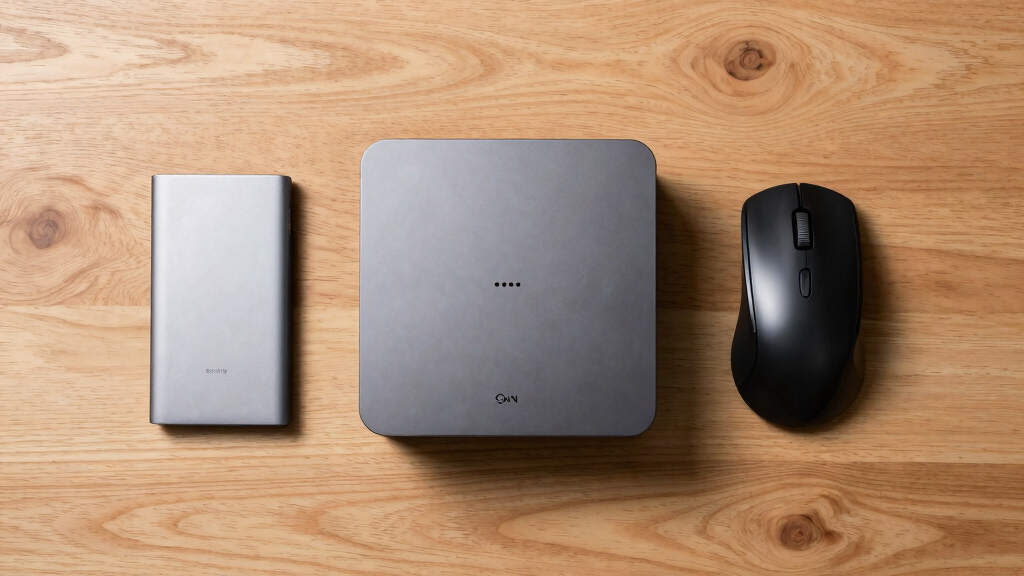

The GEEKOM A9 Max is my best overall mini PC because its Ryzen AI 9 HX 370, 32GB of RAM, modern connectivity, and capable integrated graphics give it the broadest range of uses. The GMKtec M6 Ultra with 1TB storage is the stronger value choice for buyers who want 32GB of RAM and dual 2.5GbE networking, while the GEEKOM A5 offers a more approachable setup for routine home and office work. The main tradeoffs are processor speed, graphics capability, fan noise, upgrade access, port selection, and the premium attached to newer hardware. A compact computer that excels at spreadsheets may fall short in gaming or video production, while a powerful model can cost more than a larger desktop with easier upgrades. Continue reading for my full breakdown of the 15 best mini PCs and the buyer each one suits.

Get the latest gadgets delivered free with Prime
- Fast, free delivery on millions of items
- Prime Video, Amazon Music and more included
- Member-only deals all year
Complete the kit



Key Takeaways
- GEEKOM A9 Max leads the lineup because it combines the newest processor platform, 32GB of RAM, Wi-Fi 7, USB4, and broad creative and business potential in one system.
- GMKtec M6 Ultra with the 1TB SSD is the value standout; the otherwise similar 512GB version makes less sense unless its price is appreciably lower.
- Integrated graphics create the clearest dividing line: Ryzen HS and HX systems suit light gaming and creative workloads better than the Celeron N5095 or older Intel Core i7-1185G7 options.
- Networking needs can change the ranking, with the GMKtec M6 Ultra, GMKtec M7 Ultra, and BOSGAME P4 offering stronger wired-network features than many general-purpose picks.
- GEEKOM covers the widest range of buyer types, from the approachable A5 and balanced A6 to the quiet AX8 Max and premium A9 Max.
| GEEKOM A9 Max |  | Best Overall | Processor: AMD Ryzen AI 9 HX 370, up to 5.1GHz | Graphics: AMD Radeon 890M with 16 RDNA 3.5 compute units | Memory: 32GB DDR5-5600 | VIEW LATEST PRICE | See Our Full Breakdown |
| ACEMAGIC M5 |  | Best for Office Multitasking | Processor: Intel Core i5-14450HX | Graphics: Intel UHD Graphics, up to 1.55GHz | Memory: 32GB DDR4 | VIEW LATEST PRICE | See Our Full Breakdown |
| KAMRUI E3B |  | Best Budget Multitasker | Processor: AMD Ryzen 7 7730U | Graphics: AMD Radeon Vega 8, up to 2000MHz | Memory: 16GB DDR4, expandable to 64GB | VIEW LATEST PRICE | See Our Full Breakdown |
| GEEKOM AX8 Max |  | Best for Upgrades | Processor: AMD Ryzen 7 8745HS | Graphics: AMD Radeon 780M | Memory: 16GB DDR5, expandable to 128GB | VIEW LATEST PRICE | See Our Full Breakdown |
| BOSGAME P6 |  | Best for Quiet Light Gaming | Processor: AMD Ryzen 9 6900HX, 8 cores and 16 threads, up to 4.9GHz | Graphics: Integrated AMD Radeon 680M | Memory: 24GB LPDDR5X-4800 | VIEW LATEST PRICE | See Our Full Breakdown |
| GEEKOM A6 |  | Best for Multi-Monitor Productivity | Processor: AMD Ryzen 7 6800H | Graphics: AMD Radeon 680M | Memory: 16GB DDR5, upgradable to 64GB | VIEW LATEST PRICE | See Our Full Breakdown |
| BOSGAME P3 |  | Best for Light Gaming | Processor: AMD Ryzen 7 7840HS | Graphics: AMD Radeon 780M | Memory: 16GB DDR5, upgradable to 64GB | VIEW LATEST PRICE | See Our Full Breakdown |
| GEEKOM IT13 |  | Best for Business Deployment | Processor: Intel Core i5-13600H, 12 cores and 16 threads, up to 4.8GHz | Graphics: Intel Iris Xe Graphics | Memory: 16GB DDR4, upgradable to 96GB | VIEW LATEST PRICE | See Our Full Breakdown |
| GMKtec M6 Ultra |  | Best for Home Labs and Networking | Processor: AMD Ryzen 5 7640HS | Graphics: AMD Radeon 760M | Memory: 32GB DDR5 | VIEW LATEST PRICE | See Our Full Breakdown |
| KAMRUI AK1PLUS |  | Best Budget Pick | Processor: Intel Celeron N5095 | Graphics: Intel UHD Graphics | Memory: 16GB LPDDR4X | VIEW LATEST PRICE | See Our Full Breakdown |
| GEEKOM A5 2026 Edition |  | Best for Home-Office Longevity | Processor: AMD Ryzen 5 7430U | Graphics: AMD Radeon Vega 7 | Memory: 16GB, expandable to 64GB | VIEW LATEST PRICE | See Our Full Breakdown |
| BOSGAME P4 Ultra |  | Best for Home Network Labs | Processor: AMD Ryzen 7 7730U, 8 cores and 16 threads, up to 4.5GHz | Memory: 16GB DDR4-3200, expandable to 64GB | Storage: 1TB PCIe 3.0 NVMe SSD | VIEW LATEST PRICE | See Our Full Breakdown |
| GMKtec M7 Ultra |  | Best for External GPU Expansion | Processor: AMD Ryzen 7 PRO 6850U | Graphics: AMD Radeon 680M with 12 compute units | Memory: 32GB DDR5-4800, expandable to 128GB | VIEW LATEST PRICE | See Our Full Breakdown |
| GMKtec M2 Pro S |  | Best Low-Power Intel Pick | Processor: Intel Core i7-1185G7, up to 4.8GHz | Graphics: Intel Iris Xe G7 with 96 execution units | Memory: 16GB DDR4, expandable to 64GB | VIEW LATEST PRICE | See Our Full Breakdown |
| GMKtec M6 Ultra |  | Best for CPU-Heavy Multitasking | Processor: AMD Ryzen 7640HS, 6 cores, up to 5GHz | Graphics: AMD Radeon 760M, 8 compute units at 2600MHz | Memory: 32GB DDR5 | VIEW LATEST PRICE | See Our Full Breakdown |
| mini PC | Processor | Memory | Storage | Graphics |
|---|---|---|---|---|
| GEEKOM A9 Max | AMD Ryzen AI 9 HX 370, up to 5.1GHz | 32GB DDR5-5600 | 1TB SSD | AMD Radeon 890M with 16 RDNA 3.5 compute units |
| ACEMAGIC M5 | Intel Core i5-14450HX | 32GB DDR4 | 1TB NVMe PCIe 4.0 SSD | Intel UHD Graphics, up to 1.55GHz |
| KAMRUI E3B | AMD Ryzen 7 7730U | 16GB DDR4, expandable to 64GB | 1TB M.2 SSD, expandable to 4TB | AMD Radeon Vega 8, up to 2000MHz |
| GEEKOM AX8 Max | AMD Ryzen 7 8745HS | 16GB DDR5, expandable to 128GB | 1TB NVMe SSD, upgradable to 8TB | AMD Radeon 780M |
| BOSGAME P6 | AMD Ryzen 9 6900HX, 8 cores and 16 threads, up to 4.9GHz | 24GB LPDDR5X-4800 | 1TB PCIe 4.0 SSD, expandable to 8TB | Integrated AMD Radeon 680M |
| GEEKOM A6 | AMD Ryzen 7 6800H | 16GB DDR5, upgradable to 64GB | 1TB PCIe 4.0 SSD | AMD Radeon 680M |
| BOSGAME P3 | AMD Ryzen 7 7840HS | 16GB DDR5, upgradable to 64GB | 1TB PCIe 4.0 NVMe SSD | AMD Radeon 780M |
| GEEKOM IT13 | Intel Core i5-13600H, 12 cores and 16 threads, up to 4.8GHz | 16GB DDR4, upgradable to 96GB | 1TB PCIe Gen4 NVMe SSD | Intel Iris Xe Graphics |
| GMKtec M6 Ultra | AMD Ryzen 5 7640HS | 32GB DDR5 | 1TB PCIe SSD | AMD Radeon 760M |
| KAMRUI AK1PLUS | Intel Celeron N5095 | 16GB LPDDR4X | 256GB SSD | Intel UHD Graphics |
| GEEKOM A5 2026 Edition | AMD Ryzen 5 7430U | 16GB, expandable to 64GB | 512GB NVMe SSD, expandable to 4TB with additional M.2 and HDD slots | AMD Radeon Vega 7 |
| BOSGAME P4 Ultra | AMD Ryzen 7 7730U, 8 cores and 16 threads, up to 4.5GHz | 16GB DDR4-3200, expandable to 64GB | 1TB PCIe 3.0 NVMe SSD | — |
| GMKtec M7 Ultra | AMD Ryzen 7 PRO 6850U | 32GB DDR5-4800, expandable to 128GB | 512GB PCIe SSD with two slots supporting up to 4TB | AMD Radeon 680M with 12 compute units |
| GMKtec M2 Pro S | Intel Core i7-1185G7, up to 4.8GHz | 16GB DDR4, expandable to 64GB | 1TB NVMe SSD, expandable to 2TB | Intel Iris Xe G7 with 96 execution units |
| GMKtec M6 Ultra | AMD Ryzen 7640HS, 6 cores, up to 5GHz | 32GB DDR5 | 512GB PCIe SSD, expandable to 4TB | AMD Radeon 760M, 8 compute units at 2600MHz |
More Details on Our Top Picks
GEEKOM A9 Max
I rank the GEEKOM A9 Max first because it combines the strongest processor and integrated graphics here with modern networking and a compact metal chassis. The Ryzen AI 9 HX 370 and Radeon 890M make creative work, local AI tasks, and light gaming far more practical than on the ACEMAGIC M5, whose Intel UHD graphics are aimed at office displays rather than rendering. Its 32GB of DDR5 memory also provides more working room than the 16GB GEEKOM AX8 Max configuration. Buyers pay for that advantage: this is likely one of the costliest choices, upgrade details are unclear, and integrated graphics still cannot match a dedicated gaming GPU. I see it as the most capable all-round mini PC, but it is excessive for email, streaming, and routine documents.
Pros:- Ryzen AI 9 HX 370 provides strong multithreaded performance and dedicated NPU acceleration
- Radeon 890M is the most capable integrated graphics option in this five-product group
- WiFi 7, dual 2.5GbE, USB4, and HDMI 2.1 suit advanced workstations
- Three-year warranty and metal chassis add long-term appeal
Cons:- High-end hardware is likely priced well above mainstream mini PCs
- Upgrade capacity is not clearly documented
- Integrated graphics remain limiting for demanding games and GPU-heavy rendering
Best for: Content creators, developers, and business users who want strong CPU, integrated graphics, and AI acceleration in one compact Windows workstation
Not ideal for: Basic home users or dedicated-GPU gamers, since its premium hardware is excessive for simple tasks and insufficient for demanding AAA gaming at high settings
- Processor:AMD Ryzen AI 9 HX 370, up to 5.1GHz
- Graphics:AMD Radeon 890M with 16 RDNA 3.5 compute units
- Memory:32GB DDR5-5600
- Storage:1TB SSD
- Networking:WiFi 7, Bluetooth 5.4, dual 2.5GbE LAN
- Video and I/O:HDMI 2.1 and USB4
- Dimensions:5.32 x 5.2 x 1.8 inches
- Operating System:Windows 11 Pro
- Warranty:3 years
Our verdict“I would choose the GEEKOM A9 Max for the strongest balance of compact size, modern connectivity, creative performance, and AI capability.”
ACEMAGIC M5
The ACEMAGIC M5 earns its place through CPU strength, generous memory, and triple-monitor support rather than graphics power. Its Core i5-14450HX and 32GB of RAM are well matched to large spreadsheets, browser-heavy workflows, and several business apps running together. Compared with the KAMRUI E3B, it doubles the supplied memory and uses a faster PCIe 4.0 SSD specification; compared with the GEEKOM A9 Max, it offers older DDR4 memory, slower networking, and much weaker Intel UHD graphics. That split makes the buying decision clear. I would pick the M5 for a fixed office desk with three 4K screens, but not for serious gaming or graphics production. The limited stated upgrade path also reduces its appeal for buyers who expect to expand their system later. Its 35dB operating target is welcome in shared workspaces.
Pros:- Core i5-14450HX is well suited to demanding office multitasking
- 32GB RAM and a 1TB PCIe 4.0 SSD provide a strong ready-to-work configuration
- Triple 4K output supports dense desktop setups
- Rated 35dB operation suits quieter offices
Cons:- Intel UHD graphics are poorly matched to demanding games and GPU-heavy creation
- DDR4 memory is less modern than the DDR5 used by several rivals
- Expansion options beyond the supplied configuration are limited
Best for: Office professionals running several productivity applications across two or three 4K monitors
Not ideal for: Gamers, 3D artists, and buyers planning major future upgrades, because Intel UHD graphics and the stated expansion limits restrict its headroom
- Processor:Intel Core i5-14450HX
- Graphics:Intel UHD Graphics, up to 1.55GHz
- Memory:32GB DDR4
- Storage:1TB NVMe PCIe 4.0 SSD
- Display Support:Three 4K displays
- Networking:WiFi 6, Bluetooth 5.2, Gigabit Ethernet
- Ports:USB-C, USB 3.2, HDMI 2.0, DisplayPort 1.4b
- Dimensions:5.03 x 5.03 x 1.62 inches
- Noise Level:35dB
Our verdict“I recommend the ACEMAGIC M5 for multi-monitor office work where CPU performance and supplied memory matter more than graphics speed.”
KAMRUI E3B
I place the KAMRUI E3B below the ACEMAGIC M5 for raw workstation duty, but it presents a more approachable route to eight-core performance, triple 4K output, and a full 1TB of storage. Its 28W power figure and 1.1-pound body make it particularly appealing for small desks and portable work setups. The Ryzen 7 7730U handles everyday productivity well, while the Vega 8 graphics can support older or lighter games. The BOSGAME P6 is the better gaming choice because its Radeon 680M is newer and faster, and the E3B may need extra airflow during sustained heavy loads. On the other hand, the KAMRUI offers unusually useful memory and storage expansion, reaching 64GB and 4TB. I view it as the value-focused general-purpose pick, not a miniature replacement for a gaming tower.
Pros:- Eight-core Ryzen 7 processor offers strong everyday multitasking for the class
- RAM can expand to 64GB and storage can expand to 4TB
- Triple 4K display support works well for compact productivity stations
- Low 28W consumption and 1.1-pound weight aid portable setups
Cons:- Radeon Vega 8 graphics trail the Radeon 680M, Radeon 780M, and Radeon 890M
- Sustained high-load work may demand careful ventilation
- Supplied 16GB DDR4 configuration is modest beside 24GB and 32GB rivals
Best for: Budget-conscious remote workers and students who need an eight-core PC, three-display support, and room to add memory later
Not ideal for: Players targeting recent AAA games or creators running long rendering jobs, since Vega 8 graphics and sustained cooling capacity are limiting
- Processor:AMD Ryzen 7 7730U
- Graphics:AMD Radeon Vega 8, up to 2000MHz
- Memory:16GB DDR4, expandable to 64GB
- Storage:1TB M.2 SSD, expandable to 4TB
- Display Support:Three 4K UHD displays
- Wireless:WiFi 6 and Bluetooth 5.2
- Wired Networking:Gigabit Ethernet
- Dimensions:5.05 x 5.05 x 1.9 inches
- Power Consumption:28W
Our verdict“I would buy the KAMRUI E3B as an expandable, space-saving work PC with casual gaming ability at a more accessible performance tier.”
GEEKOM AX8 Max
The GEEKOM AX8 Max is my upgrade-focused choice because its 16GB starting configuration can grow to 128GB of DDR5 memory, while storage can reach 8TB. That gives it a much longer expansion runway than the ACEMAGIC M5 and clearer upgrade prospects than the GEEKOM A9 Max. Its Ryzen 7 8745HS and Radeon 780M also form a strong middle ground for creation and light gaming: faster graphically than the KAMRUI E3B, yet behind the A9 Max and its Radeon 890M. Four-display support, dual 2.5GbE, USB4, and an SD card slot make the AX8 Max especially flexible for studios, signage, and network-heavy desks. The supplied 16GB may feel stingy in a premium machine, and driving several high-resolution displays can complicate setup. I rank it below the A9 Max on immediate performance but ahead on long-term configurability.
Pros:- Memory expansion to 128GB provides exceptional headroom for a mini PC
- Storage capacity can grow to 8TB
- Radeon 780M graphics offer credible light-gaming and creative performance
- Dual 2.5GbE, USB4, SD card access, and four-display support provide broad flexibility
Cons:- Base 16GB memory is lean for a premium workstation configuration
- Integrated graphics are not suitable for high-end gaming
- Complex multi-display installations may require adapters and careful setup
Best for: Creators, lab users, and technical buyers who want a compact system they can expand with much more memory and storage
Not ideal for: Buyers seeking maximum performance out of the box, since the base 16GB memory trails several rivals and high-end gaming still needs discrete graphics
- Processor:AMD Ryzen 7 8745HS
- Graphics:AMD Radeon 780M
- Memory:16GB DDR5, expandable to 128GB
- Storage:1TB NVMe SSD, upgradable to 8TB
- Display Support:Up to four 8K displays
- Networking:Dual 2.5GbE LAN
- Ports:USB4 at 40Gbps, HDMI, SD card slot
- Cooling:IceBlast 2.0
- Operating System:Windows 11 Pro
Our verdict“I favor the GEEKOM AX8 Max for buyers who value a durable compact platform with far more upgrade headroom than most ready-made mini PCs.”
BOSGAME P6
The BOSGAME P6 occupies a useful spot between office-first models and pricier creative machines. Its Ryzen 9 6900HX and Radeon 680M provide better light-gaming ability than the ACEMAGIC M5, while the rated sub-36dB noise level makes it friendlier for bedrooms and shared desks. It cannot catch the GEEKOM A9 Max in processor, graphics, or networking performance, but its 24GB of fast LPDDR5X memory is a sensible middle tier between the 16GB KAMRUI E3B and 32GB A9 Max. Triple 4K output and storage expansion to 8TB add practical workstation value. The catch is that LPDDR memory is fixed, dual Ethernet is limited to 1Gbps, and Bluetooth 5.3 may require a driver update. I would choose it for quiet everyday computing with occasional games, rather than sustained rendering or demanding new releases.
Pros:- Ryzen 9 6900HX and Radeon 680M provide a balanced mix of productivity and light gaming
- Sub-36dB rated noise suits quiet rooms and shared workspaces
- Triple 4K output supports productive multi-monitor layouts
- PCIe 4.0 storage can expand to 8TB
Cons:- Fixed 24GB LPDDR5X memory cannot be expanded
- Radeon 680M is not powerful enough for demanding modern games at high settings
- Bluetooth 5.3 functionality may require a driver update
Best for: Home-office users and casual players who want a quiet, compact PC for three displays, media work, and lighter games
Not ideal for: Competitive gamers, heavy renderers, and memory upgraders, because Radeon 680M performance and fixed 24GB LPDDR5X impose firm limits
- Processor:AMD Ryzen 9 6900HX, 8 cores and 16 threads, up to 4.9GHz
- Graphics:Integrated AMD Radeon 680M
- Memory:24GB LPDDR5X-4800
- Storage:1TB PCIe 4.0 SSD, expandable to 8TB
- Display Support:Three 4K 60Hz displays via HDMI, DisplayPort, and USB-C
- Networking:Dual Gigabit Ethernet and WiFi 6E
- Bluetooth:Bluetooth 5.3
- Noise Level:Under 36dB
- Operating System:Windows 11 Pro; Linux compatible
Our verdict“I recommend the BOSGAME P6 to buyers who want quiet operation and credible light gaming without paying for the GEEKOM A9 Max tier.”
GEEKOM A6
I place the GEEKOM A6 high among productivity-focused mini PCs because its Ryzen 7 6800H, fast SSD, and four-monitor support suit dense spreadsheets, creative applications, and busy home offices. The Radeon 680M is less capable than the Radeon 780M inside the BOSGAME P3, so the P3 has a clearer advantage for light gaming. The A6 answers with an aluminum chassis, 2.5G Ethernet, and a longer three-year warranty. Its 64GB memory ceiling also leaves room for heavier workloads, though installing upgrades or configuring Linux may challenge newcomers. Price is the other compromise: buyers handling ordinary documents could spend less on the KAMRUI AK1PLUS. I see this as a durable work machine for buyers who will use its display capacity and connectivity.
Pros:- Ryzen 7 6800H handles demanding multitasking and creative workloads
- Supports as many as four 4K displays
- RAM can be expanded to 64GB
- Aluminum chassis and three-year warranty support long-term business use
Cons:- Radeon 680M trails the BOSGAME P3’s Radeon 780M for gaming
- Costs more than entry-level mini PCs
- Memory upgrades and alternative operating-system setup require technical confidence
Best for: Analysts, developers, and creative professionals who need several displays, fast wired networking, and room for more memory
Not ideal for: Budget-focused home users or light gamers who would not benefit from four-display support and may prefer stronger integrated graphics
- Processor:AMD Ryzen 7 6800H
- Graphics:AMD Radeon 680M
- Memory:16GB DDR5, upgradable to 64GB
- Storage:1TB PCIe 4.0 SSD
- Display Support:Up to four 4K monitors
- Networking:Wi-Fi 6E, Bluetooth 5.2, and 2.5G Ethernet
- Ports:USB4
- Operating System:Windows 11 Pro
- Warranty:3 years
Our verdict“I recommend the GEEKOM A6 for serious multi-screen work, but not for buyers seeking the cheapest office PC or the strongest gaming performance.”
BOSGAME P3
The BOSGAME P3 earns the gaming-focused position through its Ryzen 7 7840HS and Radeon 780M graphics, a stronger integrated pairing than the GEEKOM A6’s Ryzen 7 6800H and Radeon 680M. That difference gives buyers more headroom for esports, older games, and GPU-assisted creative work without requiring a full-size tower. Triple 4K output also makes it useful after play ends, while dual Ethernet can separate work and network traffic. I rank it below premium systems such as the GEEKOM A9 Max for demanding rendering or modern games at high settings; this remains an integrated-graphics machine. The included 16GB of memory may also become restrictive during editing or heavy multitasking, and upgrades require opening the case. Its compact, quiet design makes the most sense when balanced play and productivity matter more than maximum frame rates.
Pros:- Radeon 780M offers capable integrated graphics for esports and light gaming
- Ryzen 7 7840HS provides strong CPU performance for work and editing
- Triple 4K display support suits mixed gaming and productivity setups
- Dual Ethernet and Wi-Fi 6E provide flexible network connections
Cons:- Integrated graphics cannot replace a dedicated GPU for demanding games
- Only 16GB of RAM is included
- Memory expansion requires opening and working inside the system
Best for: Dorm-room gamers and home-office users who want capable integrated graphics, three display outputs, and a small footprint
Not ideal for: Players targeting demanding new games at high settings or creators who need more than 16GB of memory immediately
- Processor:AMD Ryzen 7 7840HS
- Graphics:AMD Radeon 780M
- Memory:16GB DDR5, upgradable to 64GB
- Storage:1TB PCIe 4.0 NVMe SSD
- Display Support:Up to three 4K displays
- Wireless:Wi-Fi 6E and Bluetooth 5.2
- Ethernet:Dual Gigabit Ethernet
Our verdict“I would choose the BOSGAME P3 for compact light gaming, while demanding players should move to a system with dedicated graphics.”
GEEKOM IT13
For offices, classrooms, and signage installations, I favor the GEEKOM IT13 because its Windows 11 Pro license, compact reinforced shell, and three-year warranty form a stronger deployment package than the one-year coverage offered with the GMKtec M6 Ultra. Its 12-core Core i5-13600H has ample CPU capacity for large spreadsheets, conferencing, and concurrent business applications, while the unusually high 96GB memory ceiling supports long service life. USB4, 2.5GbE, and multiple display outputs reduce dependence on adapters. The tradeoff is graphics: Intel Iris Xe falls behind the BOSGAME P3’s Radeon 780M, making the P3 better for gaming and graphics-heavy creation. DDR4 memory is also older than the DDR5 used by several rivals, and the listed 90-watt consumption may deter energy-conscious fleets. This is my administration-friendly choice, not my entertainment pick.
Pros:- Core i5-13600H supplies strong multi-core performance for business workloads
- Memory can be expanded to 96GB
- USB4, 2.5GbE, and multi-display support fit office deployments
- Reinforced shell and three-year warranty strengthen its long-term value
Cons:- Iris Xe graphics are weaker than current Radeon 780M alternatives
- DDR4 memory is less modern than the DDR5 used by competing models
- Listed 90-watt power consumption may be high for large energy-conscious fleets
Best for: Small businesses, schools, and digital-signage operators that value Windows 11 Pro, multiple displays, long warranty coverage, and high memory capacity
Not ideal for: Gamers and graphics-focused creators who would benefit more from the BOSGAME P3’s Radeon 780M
- Processor:Intel Core i5-13600H, 12 cores and 16 threads, up to 4.8GHz
- Graphics:Intel Iris Xe Graphics
- Memory:16GB DDR4, upgradable to 96GB
- Storage:1TB PCIe Gen4 NVMe SSD
- Maximum Resolution:7680 x 4320
- Networking:Wi-Fi 6E, Bluetooth 5.2, and 2.5GbE Ethernet
- Ports:USB4 and multiple display outputs
- Dimensions:4.6 x 4.4 x 1.9 inches
- Operating System:Windows 11 Pro
Our verdict“I recommend the GEEKOM IT13 for managed business and education setups where connectivity, memory growth, and warranty coverage outweigh gaming speed.”
GMKtec M6 Ultra
I give the GMKtec M6 Ultra the networking role because dual 2.5GbE ports make it better suited to routing, server experiments, and fast local transfers than the BOSGAME P3 with dual Gigabit Ethernet. Its included 32GB of DDR5 also provides twice the starting memory of the P3 and GEEKOM A6, saving an immediate upgrade for virtual machines or large development projects. Triple 4K output and 8K through USB4 add workstation flexibility, although the Radeon 760M sits below the P3’s Radeon 780M for gaming. Wi-Fi 6 also trails the Wi-Fi 6E included with several rivals. I would not treat the gaming label as a promise of high-end play; this system is better for moderate settings and productivity. The short one-year warranty weakens its long-term appeal, but its memory and network value remain persuasive.
Pros:- Dual 2.5GbE ports suit home labs and high-speed local networks
- 32GB of DDR5 memory is generous at purchase
- Ryzen 5 7640HS provides capable productivity and development performance
- Triple 4K output and USB4-based 8K support offer broad display flexibility
Cons:- Radeon 760M is intended for moderate rather than high-end gaming
- Wi-Fi 6 lacks the 6GHz access available with Wi-Fi 6E
- One-year warranty is shorter than GEEKOM’s three-year coverage
Best for: Home-lab builders, developers, and network enthusiasts running virtual machines or moving large files across a 2.5GbE network
Not ideal for: Warranty-focused business buyers and serious gamers who need stronger graphics or dedicated GPU performance
- Processor:AMD Ryzen 5 7640HS
- Graphics:AMD Radeon 760M
- Memory:32GB DDR5
- Storage:1TB PCIe SSD
- Display Support:Triple 4K and 8K at 60Hz through USB4
- Ethernet:Dual 2.5GbE LAN
- Wireless:Wi-Fi 6 and Bluetooth 5.2
- Video Ports:HDMI 2.0, DisplayPort, and USB4
- Warranty:1 year
Our verdict“I favor the GMKtec M6 Ultra for memory-heavy home labs and dual-2.5GbE setups, provided gaming power and long warranty coverage are secondary.”
KAMRUI AK1PLUS
The KAMRUI AK1PLUS occupies the budget slot because it covers web browsing, streaming, documents, and dual-screen office work without charging for performance many households will never use. Its 16GB of memory is generous beside other entry-level PCs, and dual 4K HDMI gives it more display flexibility than its Celeron processor might suggest. Compared with the GEEKOM A6, however, the N5095 is far slower during editing, code compilation, or heavy multitasking; buyers should treat this as a basic-use machine. The 256GB SSD also fills quickly, although support for both M.2 and 2.5-inch storage provides a practical path to larger local libraries. Unlike the BOSGAME P3, it has no credible gaming advantage beyond simple or older titles. I rank it for low-cost everyday computing, with expandable storage offsetting its modest processor and graphics.
Pros:- 16GB of RAM supports comfortable everyday multitasking
- Two HDMI 2.0 outputs can drive dual 4K displays at 60Hz
- Supports both M.2 and 2.5-inch storage expansion
- Compact body fits desks, kiosks, and media setups
Cons:- Celeron N5095 performance is limited to light workloads
- Intel UHD graphics are unsuitable for modern gaming or demanding creation
- The included 256GB SSD may require an early storage upgrade
Best for: Students, reception desks, and households needing an inexpensive PC for browsing, documents, streaming, and two 4K monitors
Not ideal for: Video editors, software developers, and gamers whose workloads demand a modern high-performance CPU or capable integrated graphics
- Processor:Intel Celeron N5095
- Graphics:Intel UHD Graphics
- Memory:16GB LPDDR4X
- Storage:256GB SSD
- Storage Expansion:M.2 SSD up to 2TB plus 2.5-inch SSD or HDD up to 2TB
- Display Outputs:Two HDMI 2.0 ports with 4K at 60Hz support
- Networking:Wi-Fi, Bluetooth, and Gigabit Ethernet
- USB Ports:Four USB 3.2 ports
Our verdict“I would buy the KAMRUI AK1PLUS for inexpensive everyday computing, but any demanding workload justifies moving up to the GEEKOM A6 or BOSGAME P3.”
GEEKOM A5 2026 Edition
I rank the GEEKOM A5 2026 Edition as the home-office longevity pick because its 64GB memory ceiling, multiple storage slots, and three-year warranty leave room for changing workloads. Its Ryzen 5 7430U is well suited to spreadsheets, browser-heavy work, and routine creative tasks, while four-display support gives it a wider desktop canvas than the triple-display BOSGAME P4 Ultra. The P4 Ultra is faster and includes a larger 1TB SSD, though, so the A5 is less appealing for heavier processing or buyers who need ample storage immediately. I also see Vega 7 graphics as the main performance limit: 8K output describes display compatibility, not smooth 8K editing or demanding gaming. Still, the upgrade flexibility and long warranty make this one of the safer choices for a workstation expected to remain useful for years.
Pros:- Supports as many as four 4K displays and 8K output through USB-C
- Memory can be expanded from 16GB to 64GB
- Multiple storage options provide more growth room than a single-slot design
- Three-year warranty is stronger than the unspecified coverage of several rivals
Cons:- Vega 7 graphics are poorly suited to demanding games or intensive GPU rendering
- The included 512GB SSD is smaller than the 1TB drives supplied with several competing models
- Premium connectivity and warranty coverage may raise the cost relative to similarly powered systems
Best for: Home-office professionals who want multiple monitors, replaceable memory and storage, and longer warranty coverage
Not ideal for: Gamers and video editors who need strong graphics performance, since the integrated Vega 7 GPU is modest
- Processor:AMD Ryzen 5 7430U
- Graphics:AMD Radeon Vega 7
- Memory:16GB, expandable to 64GB
- Storage:512GB NVMe SSD, expandable to 4TB with additional M.2 and HDD slots
- Display support:Up to four 4K displays; 8K through USB-C
- Wireless:Wi-Fi 6 and Bluetooth 5.2
- Ports:Six USB ports, two HDMI ports, and two USB-C ports
- Warranty:3 years
Our verdict“I recommend the GEEKOM A5 to home-office buyers who value expansion and warranty support more than gaming speed.”
BOSGAME P4 Ultra
The BOSGAME P4 Ultra earns its place through connectivity rather than gaming muscle. Its two 2.5GbE ports can separate internet and local traffic, making this a practical small server, router, or network-lab machine. That is a sharper networking proposition than the KAMRUI E3B, while the 1TB SSD also gives buyers more starting capacity than the GEEKOM A5. I would choose the P4 Ultra for virtual machines and multitasking because its eight-core Ryzen 7 7730U and expandable memory suit parallel workloads. The tradeoff is the “gaming” label: integrated graphics are better matched to lighter titles than demanding new releases, and the GMKtec M7 Ultra supplies stronger Radeon 680M graphics plus Oculink. Its triple-4K output is useful for office work, but fan noise under sustained load may matter in a quiet workspace.
Pros:- Dual 2.5GbE ports support advanced routing, server, and network-storage setups
- Eight-core, 16-thread processor handles parallel office and virtual-machine workloads
- Included 1TB NVMe SSD offers useful capacity from the start
- Triple 4K output supports a large productivity workspace
Cons:- Integrated graphics cannot match a dedicated GPU in demanding games
- Cooling may become audible during sustained heavy workloads
- PCIe 3.0 storage is slower than the PCIe 4.0 drives found in newer alternatives
Best for: Home-lab users, IT learners, and remote workers who need dual high-speed Ethernet and three display outputs
Not ideal for: Buyers seeking a compact AAA gaming system, because there is no dedicated graphics card
- Processor:AMD Ryzen 7 7730U, 8 cores and 16 threads, up to 4.5GHz
- Memory:16GB DDR4-3200, expandable to 64GB
- Storage:1TB PCIe 3.0 NVMe SSD
- Display support:Three 4K displays at 60Hz through HDMI, DisplayPort, and USB-C
- Ethernet:Dual 2.5GbE LAN
- Wireless:Wi-Fi 6E and Bluetooth 5.2
- Chassis:3.2-liter case with VESA mount
- Operating system:Windows 11 Pro
Our verdict“I would pick the P4 Ultra for a compact network lab or multi-monitor office, but not as a substitute for a dedicated gaming PC.”
GMKtec M7 Ultra
I give the GMKtec M7 Ultra the expansion-focused role because Oculink creates a more convincing route to external desktop graphics than ordinary USB connections. Before adding a GPU, its Radeon 680M is already better suited to light gaming and graphics work than the Vega 7 inside the GEEKOM A5. The M7 Ultra also starts with 32GB of DDR5 and can reach 128GB, making it a stronger choice for large creative projects and virtual machines. Compared with the GMKtec M6 Ultra, however, it uses an older Ryzen 7 PRO 6850U and includes only 512GB of storage. Buyers must also supply the external GPU hardware that makes Oculink expansion valuable. I rate its dual networking and three performance modes highly, but fan noise and involved upgrades keep it from being the simplest mini PC here.
Pros:- Oculink offers a high-bandwidth path for compatible external GPU hardware
- Radeon 680M graphics are capable enough for light gaming and accelerated creative work
- 32GB DDR5 memory can be expanded to 128GB
- Dual 2.5GbE, Wi-Fi 6E, and USB4 provide broad high-speed connectivity
Cons:- No dedicated GPU or external GPU enclosure is included
- The supplied 512GB SSD is limited for a gaming or media library
- Performance mode may produce noticeable fan noise, and internal upgrades can be involved
Best for: Enthusiasts and creators who want strong integrated graphics now with a path to an Oculink external GPU later
Not ideal for: Casual buyers who want quiet, appliance-like operation without opening the chassis or adding external hardware
- Processor:AMD Ryzen 7 PRO 6850U
- Graphics:AMD Radeon 680M with 12 compute units
- Memory:32GB DDR5-4800, expandable to 128GB
- Storage:512GB PCIe SSD with two slots supporting up to 4TB
- Display outputs:HDMI 2.1, USB4, and USB-C DisplayPort with up to 8K support
- Networking:Dual 2.5GbE LAN, Wi-Fi 6E, and Bluetooth 5.2
- Expansion:Oculink and USB4
- Cooling:Dual fans with copper base and three performance modes
Our verdict“I recommend the M7 Ultra to hands-on buyers who will use its Oculink port and unusually high memory ceiling.”
GMKtec M2 Pro S
The GMKtec M2 Pro S is my Intel pick for buyers who prioritize low power draw and familiar office performance. Its Core i7-1185G7 can reach 4.8GHz, which helps with responsive everyday tasks, while the listed 35W consumption makes it easier to justify as an always-on desk computer. It also includes a 1TB SSD, twice the starting capacity of the GEEKOM A5. Age is the compromise: this 11th-generation processor and DDR4 platform offer less headroom than the Ryzen 7640HS and DDR5 memory in the GMKtec M6 Ultra. Iris Xe graphics can drive three 4K screens, but that does not make this a serious gaming or rendering machine. I would favor it for office software, web work, and media playback; buyers pursuing heavier multicore work should choose a newer AMD alternative. The 2TB storage ceiling is also restrictive beside models supporting 4TB.
Pros:- Listed 35W power consumption suits an always-on office or media computer
- 1TB NVMe SSD provides more starting capacity than several 512GB rivals
- Three 4K display outputs support multi-monitor desk setups
- 2.5Gbps Ethernet adds faster wired networking than standard Gigabit LAN
Cons:- The 11th-generation Intel platform is older than many processors in this roundup
- Iris Xe graphics are unsuitable for demanding gaming and GPU-heavy production
- Storage expansion stops at 2TB, below the 4TB support offered by several alternatives
Best for: Intel-preferring office users who need three 4K displays, a 1TB system drive, and modest power consumption
Not ideal for: Creators, gamers, and heavy multitaskers who would benefit from a newer processor, DDR5 memory, or stronger graphics
- Processor:Intel Core i7-1185G7, up to 4.8GHz
- Graphics:Intel Iris Xe G7 with 96 execution units
- Memory:16GB DDR4, expandable to 64GB
- Storage:1TB NVMe SSD, expandable to 2TB
- Display support:Three 4K screens through two HDMI ports and USB-C
- Ethernet:2.5Gbps LAN
- Wireless:Wi-Fi 6 and Bluetooth 5.2
- Power consumption:35W
Our verdict“I would choose the M2 Pro S for efficient Intel-based office work, provided newer multicore performance is not a priority.”
GMKtec M6 Ultra
I place the GMKtec M6 Ultra ahead for CPU-heavy multitasking because its six-core Ryzen 7640HS reaches 5GHz and is paired with 32GB of DDR5. That combination suits code compilation, busy office workflows, and moderate content creation better than the lower-power Ryzen 7 7730U in the BOSGAME P4 Ultra. Its Radeon 760M also handles lighter games, but the “gaming” name needs restraint: demanding titles still call for dedicated graphics, and the GMKtec M7 Ultra offers Oculink for adding an external GPU. The main buying problem is only 512GB of included storage, especially when another M6 Ultra configuration in this roundup supplies 1TB. I like the dual 2.5GbE networking and triple-display flexibility, though its 45W draw is higher than the GMKtec M2 Pro S. This is a performance-first compact PC, not the quietest or most storage-rich choice.
Pros:- Ryzen 7640HS offers strong clock speed for demanding productivity workloads
- 32GB DDR5 memory is generous for multitasking out of the box
- Dual 2.5GbE ports suit fast local networking and advanced network setups
- USB4, HDMI, and DisplayPort support a flexible triple-screen workspace
Cons:- The included 512GB SSD is small for a performance or gaming PC
- Radeon 760M graphics remain below dedicated-GPU performance
- The 45W power figure is higher than that of lower-power office-focused alternatives
Best for: Developers, analysts, and power users running processor-heavy applications across several monitors
Not ideal for: Buyers building large game libraries or seeking dedicated-GPU performance without upgrades
- Processor:AMD Ryzen 7640HS, 6 cores, up to 5GHz
- Graphics:AMD Radeon 760M, 8 compute units at 2600MHz
- Memory:32GB DDR5
- Storage:512GB PCIe SSD, expandable to 4TB
- Display support:Triple 4K output; USB4 supports up to 8K at 60Hz
- Networking:Dual 2.5GbE LAN, Wi-Fi 6, and Bluetooth 5.2
- Operating system:Windows 11 Pro
- Power consumption:45W
Our verdict“I recommend this M6 Ultra configuration for processor-heavy work, but the otherwise similar 1TB version is the better buy when pricing is close.”
How We Picked
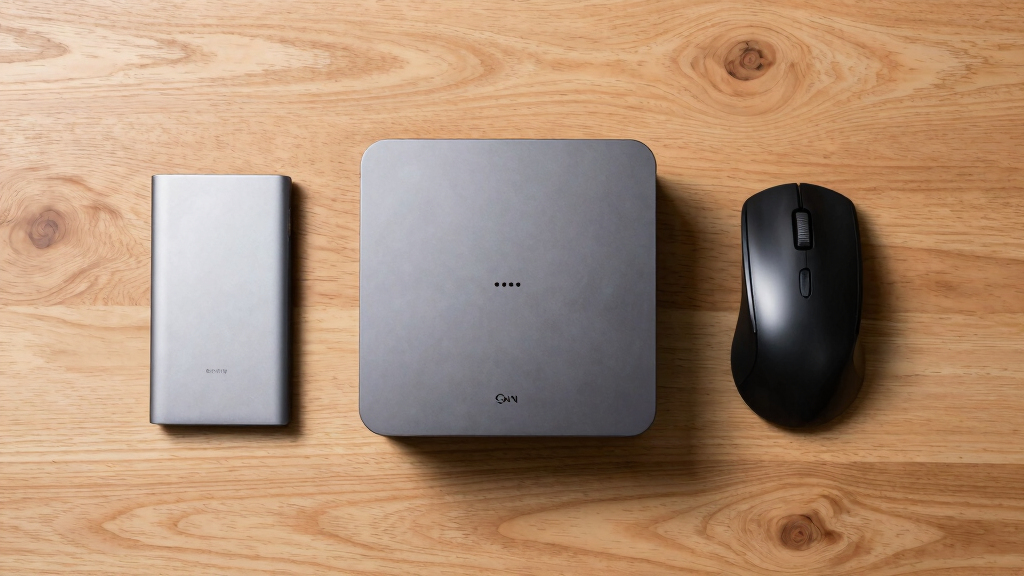
I ranked these mini PCs by how well their processor, memory, storage, and connectivity work together rather than rewarding one headline specification. Greater weight went to models that can handle several roles without an obvious bottleneck, which is why the GEEKOM A9 Max takes the top position. I also compared display support, wired networking, wireless standards, port variety, upgrade potential, and the suitability of integrated graphics for light gaming or creative work. Systems with older processors could still place well when their pricing, storage, or simplicity gave them a clear buyer advantage.
My ranking also reflects usability and long-term value, including whether the supplied RAM and SSD are adequate from day one. I treated similar configurations carefully: the two GMKtec M6 Ultra models share the same processor and memory, so the 1TB version ranks ahead unless the 512GB configuration carries a meaningful discount. Quiet operation, compact construction, and business-friendly features helped specialized models earn distinct roles, but they did not automatically outweigh weaker performance or limited storage. This approach makes the order a measure of buyer usefulness rather than a simple fastest-to-slowest list.
Factors to Consider When Choosing Best Mini PCs
I would choose a mini PC by starting with the heaviest workload it must handle, then narrowing the field by graphics, ports, noise, and upgrade needs. Paying for specifications that never affect daily use wastes money, but buying too little memory or storage can make a compact system feel constrained quickly. The factors below explain where spending more produces a real benefit and where a less expensive model remains the smarter purchase.
Match the Processor to the Workload
The processor determines far more than how quickly applications open. A modern Ryzen AI 9, Ryzen 7 HS, or Intel Core HX chip is better suited to sustained multitasking, software development, media work, and heavier business applications. Lower-power U-series processors make more sense for documents, web applications, streaming, and routine administration because they often consume less power and generate less heat. Entry chips such as the Celeron N5095 should be reserved for basic tasks, digital signage, or a secondary computer. I would not buy an expensive processor solely for email and browser work, since extra memory or storage may improve that experience more. Conversely, anyone replacing a full desktop should leave enough performance headroom for future software demands.
Understand the Limits of Integrated Graphics
Most mini PCs rely on graphics built into the processor, which keeps size and power consumption down but limits demanding gaming. Newer AMD systems can handle esports, older games, and lighter creative applications more comfortably than basic Intel or older Ryzen configurations. Marketing labels such as “gaming mini PC” do not mean the system will match a desktop graphics card at high settings. Resolution matters too: supporting an 8K display says little about how smoothly the computer can render games at that resolution. Buyers who want a future external GPU path should look for Oculink or suitable USB4 connectivity, while checking enclosure and compatibility requirements. I would favor a conventional gaming desktop if modern high-detail games are the main purpose.
Buy Enough Memory and Storage Up Front
16GB of RAM is a sensible baseline for office work, study, media playback, and moderate multitasking in 2026. Moving to 32GB helps with large creative projects, virtual machines, development tools, and workloads that share system memory with integrated graphics. Storage capacity is equally practical: a 256GB drive can become crowded after Windows updates and a modest application library. A 1TB SSD is the most balanced starting point in this roundup, especially for a primary computer. Upgradeable memory and an extra drive bay can extend a system’s useful life, though compact internal layouts may make access less convenient. I would compare the price of a better factory configuration against the cost and effort of upgrading immediately after purchase.
Check Ports, Displays, and Network Speed
Port count only helps when the connections match the equipment already on the desk. USB4 and HDMI 2.1 offer more flexibility for fast storage, docks, and high-resolution displays, but a buyer using one 4K monitor may gain little from quad-display support. Multiple Ethernet ports suit home labs, routers, servers, and segmented business networks rather than ordinary web use. Dual 2.5GbE can move local files faster than Gigabit Ethernet when the router, switch, and storage system support the same speed. Wi-Fi 7 is attractive for longevity, yet Wi-Fi 6E remains capable for most homes and offices. I would map every monitor, drive, network cable, and peripheral before ordering rather than relying on an adapter-heavy setup later.
Balance Cooling, Noise, and Placement
Small enclosures have less room to disperse heat, so cooling design affects noise and sustained speed. A fast processor may reduce clock speed during long renders or compile jobs if its cooling system cannot keep pace. Models promoted for quiet operation, such as the GEEKOM AX8 Max, suit bedrooms, recording areas, and shared workspaces where fan tone matters. Dual-fan systems may cool demanding hardware more effectively, but they also introduce another potential source of audible noise and dust buildup. Leaving open space around the vents and avoiding enclosed cabinets supports steadier operation. I would pay extra for acoustic comfort and reliable cooling when the computer will run for long periods near the user.
Know When Paying More Makes Sense
A premium mini PC earns its price when its processor, memory, ports, and wireless hardware will all be used. The GEEKOM A9 Max makes sense for buyers combining business work, creative software, multitasking, and occasional gaming on one compact machine. It is excessive for a kiosk, streaming box, or simple family computer, where the GEEKOM A5 or KAMRUI AK1PLUS may cover the workload at lower cost. Midrange models often provide the strongest return because they avoid both entry-level slowdowns and the steep cost of new flagship silicon. Warranty support, Windows licensing, and upgrade access also deserve space in the price comparison. I would spend more for measurable workload gains, not merely a newer model number or an AI label.
Frequently Asked Questions
How Much RAM Do I Need in a Mini PC in 2026?
I recommend 16GB for mainstream use, including office applications, study, streaming, and ordinary multitasking. A 32GB configuration is better for virtual machines, software development, large media projects, or keeping many demanding applications open. Because integrated graphics borrow system memory, extra capacity can also help a gaming-oriented mini PC avoid memory pressure. Models with upgradeable RAM give buyers a less expensive starting point, though soldered memory must be chosen correctly at purchase. An 8GB system may still run basic tasks, but it offers less room for future software growth.
Can These Mini PCs Replace a Full-Size Desktop?
A capable model such as the GEEKOM A9 Max or ACEMAGIC M5 can replace a desktop for office work, programming, media production, and broad home use. Mini PCs are less convincing replacements when the job requires a powerful discrete graphics card, several internal drives, specialist expansion cards, or frequent hardware upgrades. Their compact size also places more pressure on cooling during long workloads. I would treat the strongest systems here as compact workstation alternatives, while dedicated gamers and upgrade-focused buyers may still prefer a tower.
Is a Mini PC Marketed for Gaming Good Enough for Modern Games?
A “gaming” label usually indicates stronger integrated graphics, but it does not promise desktop-class frame rates. Systems built around Ryzen 7 HS or Ryzen 9 processors are better suited to esports, indie games, and older titles at sensible settings than the Celeron or older Intel options. Recent demanding games may require lower resolution, reduced visual settings, or an external GPU arrangement. The GMKtec M7 Ultra’s Oculink connection makes it the most flexible specialist choice for buyers exploring external graphics, though that adds cost and desk clutter.
Should I Choose the 1TB or 512GB GMKtec M6 Ultra?
I would choose the 1TB GMKtec M6 Ultra when the price difference is modest because both versions otherwise pair a Ryzen 7640HS with 32GB of DDR5 memory. The larger drive leaves more space for games, media, development tools, and Windows updates without changing the computer’s footprint. The 512GB model becomes attractive only when it is substantially cheaper or when network storage will hold most files. Since the two configurations are so similar, price per gigabyte is more useful here than processor comparisons.
Which Mini PC Features Matter for a Home Server or Network Lab?
I would prioritize dual Ethernet ports, 2.5GbE speed, upgradeable storage, and dependable cooling ahead of display count or gaming claims. The GMKtec M6 Ultra and BOSGAME P4 are appealing because their dual 2.5GbE connections suit routing, virtualization, and fast local transfers. The BOSGAME P3 and GMKtec M7 Ultra also offer dual-network flexibility, though buyers should verify the exact port speeds required by their setup. Low idle power and quiet fans matter for a machine running all day, while 32GB of RAM becomes useful when hosting several services or virtual machines.
Conclusion
The GEEKOM A9 Max is my best overall and best premium recommendation for buyers who want the fastest, most versatile system in this group. For value, I would choose the 1TB GMKtec M6 Ultra, which combines 32GB of RAM, useful dual 2.5GbE networking, and capable Ryzen performance without moving to the flagship tier. Beginners and everyday home-office buyers should start with the GEEKOM A5, while noise-sensitive workspaces are better served by the GEEKOM AX8 Max. The GMKtec M7 Ultra is my specialist pick for external-GPU flexibility, and the KAMRUI AK1PLUS fits basic secondary-computer or signage duties when price matters more than speed. Buyers wanting a balanced step between entry and premium tiers should compare the GEEKOM A6, BOSGAME P3, and GEEKOM IT13 around their preferred ports and processor platform. My final choice would follow the workload: buy the A9 Max for broad power, the M6 Ultra for value, the A5 for simplicity, or a networking-focused model for server and lab use.
Columbus Day / Indigenous Peoples' Day Picks
long weekend sales
As an affiliate, we earn on qualifying purchases.