The best smart home devices make everyday routines easier, but the right choice depends on what you want to automate and which voice assistant or smart home standard you use. Amazon Echo Dot (5th Gen) is my best overall pick for a flexible voice-control hub, while the TP-Link Tapo Matter Smart Plug Mini stands out for broad compatibility and the Amazon Echo Show 15 for a large, feature-rich household display. Smart plugs are simple to add, while switches, thermostats, and displays ask for more setup or space. This roundup compares convenience, compatibility, and the tradeoffs behind each type of device. Read on for the full breakdown and a guide to choosing a setup that fits your home.

Get the latest gadgets delivered free — and shop member deals
- Fast, free delivery on millions of items
- Access to Prime Big Deal Days deals on October 6–7
- Prime Video, Amazon Music and more included
Complete the kit



Key Takeaways
- The Echo Dot (5th Gen) is the most balanced starting point: it adds voice control and routines without asking for the wall space or dedicated display area of an Echo Show.
- Matter support separates the more flexible plugs and switches: amazon.com/dp/B09B2SRGXH?tag=spectralore.com-20&ascsubtag=dc-1152221″ target=”_blank” rel=”nofollow sponsored noopener”>amazon.com/dp/B089DR29T6?tag=spectralore.com-20&ascsubtag=dc-1152221″ target=”_blank” rel=”nofollow sponsored noopener”>amazon.com/dp/B0CL9D9HM4?tag=spectralore.com-20&ascsubtag=dc-1152221″ target=”_blank” rel=”nofollow sponsored noopener”>amazon.com/dp/B0BFC7WQ6R?tag=spectralore.com-20&ascsubtag=dc-1152221″ target=”_blank” rel=”nofollow sponsored noopener”>amazon.com/dp/B09B93ZDG4?tag=spectralore.com-20&ascsubtag=dc-1152221″ target=”_blank” rel=”nofollow sponsored noopener”>amazon.com/dp/B08J4C8871?tag=spectralore.com-20&ascsubtag=dc-1152221″ target=”_blank” rel=”nofollow sponsored noopener”>amazon.com/dp/B0C36WXGP1?tag=spectralore.com-20&ascsubtag=dc-1152221″ target=”_blank” rel=”nofollow sponsored noopener”>Linkind’s Matter Smart Plug and TP-Link Tapo’s Matter options can suit homes that use more than one compatible ecosystem, but compatibility still depends on the controller and setup.
- Smart plugs are not interchangeable: the Tapo Matter Mini’s stated 15A/1800W capacity may suit higher-load devices than basic plug options, while every appliance still needs to stay within its plug’s rating.
- Amazon’s lineup favors Alexa-centered homes: its thermostat, plugs, speakers, and displays make a coherent setup, but buyers committed to Google Home or another system should check compatibility before choosing.
- Display size changes the job the device can do: Echo Spot and Echo Show 5 suit bedside or compact spaces, while Echo Show 15 is better suited to a shared household hub with room for a large screen.
| Linkind Matter Smart Plug, 4-Pack |  | Best for Multi-Platform Smart Homes | Model: LC09003256 | Pack size: 4 plugs | Connectivity: Matter, 2.4 GHz Wi-Fi, IPv6 | VIEW LATEST PRICE | See Our Full Breakdown |
| TP-Link Tapo S505 Matter Smart Light Switch, 2-Pack | 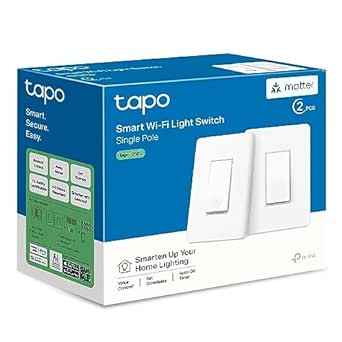 | Best Matter Wall Switch | Model: Tapo S505 | Pack size: 2 switches | Switch type: Single-pole, one-way | VIEW LATEST PRICE | See Our Full Breakdown |
| Amazon Smart Thermostat, Works with Alexa and Ring |  | Best for Alexa-Based Climate Control | Model: S6ED3R | Dimensions: 3.56 x 3.56 x 0.84 inches | HVAC compatibility: Most 24V systems; not compatible with 110–240V systems | VIEW LATEST PRICE | See Our Full Breakdown |
| Amazon Echo Dot (5th Gen) Smart Speaker, Deep Sea Blue |  | Best Smart Home Hub for Alexa Beginners | Generation: 5th Gen | Dimensions: 3.9 x 3.9 x 3.5 inches | Weight: 10.7 oz | VIEW LATEST PRICE | See Our Full Breakdown |
| Kasa Smart Plug HS103P4, 4-Pack |  | Best Hub-Free Starter Plug Pack | Model: HS103P4 | Pack size: 4 plugs | Operating voltage: 120 V AC | VIEW LATEST PRICE | See Our Full Breakdown |
| TP-Link Tapo Matter Smart Plug Mini, 15A/1800W, 3-Pack |  | Best for Cross-Platform Homes | Pack size: 3 | Maximum current: 15 A | Maximum wattage: 1800 W | VIEW LATEST PRICE | See Our Full Breakdown |
| Amazon Echo Spot Smart Alarm Clock with Alexa, Black |  | Best Smart Bedside Hub | Dimensions: 4.5 × 4.1 × 4.4 in | Weight: 14.3 oz | Display: 2.83-inch touchscreen, 240 × 320 pixels | VIEW LATEST PRICE | See Our Full Breakdown |
| Amazon Basics Smart Plug, Alexa-Compatible, 4-Pack | 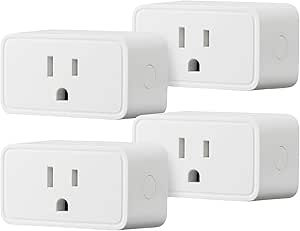 | Best for Alexa-Only Homes | Quantity: 4 plugs | Compatibility: Amazon Alexa only | Wi-Fi: 2.4 GHz | VIEW LATEST PRICE | See Our Full Breakdown |
| Govee Smart Plugs, Wi-Fi and Bluetooth, 4-Pack |  | Best for App-Based Group Control | Quantity: 4 plugs | Connectivity: Bluetooth and 2.4 GHz Wi-Fi | Voice assistants: Amazon Alexa, Google Assistant | VIEW LATEST PRICE | See Our Full Breakdown |
| EIGHTREE Smart Wi-Fi Plug, 15A, 4-Pack | 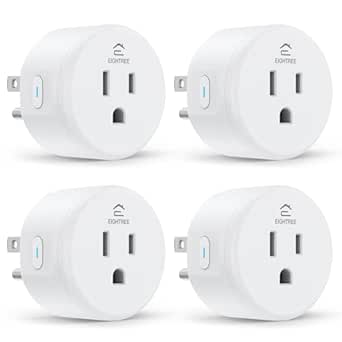 | Best for SmartThings Integration | Model: ET01 | Pack size: 4 | Operating voltage: 120 V | VIEW LATEST PRICE | See Our Full Breakdown |
| Amazon Smart Plug |  | Best for Alexa-Only Setups | Dimensions: 3.2 × 1.5 × 2.2 in (80 × 38 × 57 mm) | Weight: 3.1 oz (87 g) | Input: 120 VAC, 60 Hz, 15 A max | VIEW LATEST PRICE | See Our Full Breakdown |
| Amazon Echo Show 5 Smart Display with Alexa, Cloud Blue |  | Best Compact Smart Display | Display: 5.5 inches | Camera: 2 MP | Smart assistant: Alexa | VIEW LATEST PRICE | See Our Full Breakdown |
| Linkind Smart Wi-Fi LED Bulbs with Alexa and Google Home | 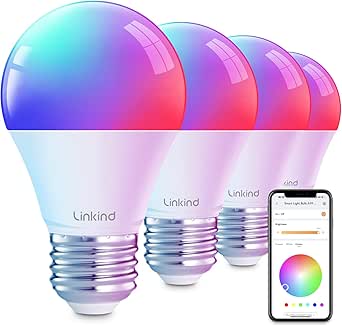 | Best for Colorful Lighting | Bulb shape and base: A19, E26 | Wattage: 9 watts; 60-watt incandescent equivalent | Brightness: 800 lumens | VIEW LATEST PRICE | See Our Full Breakdown |
| Amazon Echo Show 15 (2nd Gen) 15.6-Inch Full HD Smart Display with Fire TV and Alexa |  | Best Premium Smart Home Hub Display | Display: 15.6-inch Full HD, 1920 × 1080 | Dimensions: 16.1 × 10.1 × 1.4 in | Weight: 4.96 lb | VIEW LATEST PRICE | See Our Full Breakdown |
| GHome Smart Plug, 4-Pack |  | Best Multi-Room Plug Pack | Quantity: 4 plugs | Model: WP3 | Connectivity: 2.4 GHz Wi-Fi; Bluetooth or Wi-Fi setup | VIEW LATEST PRICE | See Our Full Breakdown |
| smart home device | Dimensions | Connectivity |
|---|---|---|
| Linkind Matter Smart Plug | — | Matter, 2.4 GHz Wi-Fi, IPv6 |
| TP-Link Tapo S505 Matter Smart | 5.04 x 3.33 x 1.41 inches | Matter, Wi-Fi; 2.4 GHz required |
| Amazon Smart Thermostat | 3.56 x 3.56 x 0.84 inches | — |
| Amazon Echo Dot | 3.9 x 3.9 x 3.5 inches | — |
| Kasa Smart Plug HS103P4 | 1.57 x 1.5 x 2.62 inches | 2.4 GHz Wi-Fi |
| TP-Link Tapo Matter Smart Plug | — | Matter, Wi-Fi, Bluetooth |
| Amazon Echo Spot Smart Alarm C | 4.5 × 4.1 × 4.4 in | — |
| Amazon Basics Smart Plug | 2.7 × 2.1 × 1.5 in | — |
| Govee Smart Plugs | — | Bluetooth and 2.4 GHz Wi-Fi |
| EIGHTREE Smart Wi-Fi Plug | 1.96 × 1.96 × 2.03 in | 2.4 GHz Wi-Fi |
| Amazon Smart Plug | 3.2 × 1.5 × 2.2 in (80 × 38 × 57 mm) | — |
| Amazon Echo Show 5 Smart Displ | — | — |
| Linkind Smart Wi-Fi LED Bulbs | — | 2.4 GHz Wi-Fi and Bluetooth |
| Amazon Echo Show 15 | 16.1 × 10.1 × 1.4 in | — |
| GHome Smart Plug | 2.1 × 2.1 × 1.1 in | 2.4 GHz Wi-Fi; Bluetooth or Wi-Fi setup |
More Details on Our Top Picks
Linkind Matter Smart Plug, 4-Pack
The Linkind four-pack is the better fit for a home that may mix Apple Home, Alexa, Google Home, and SmartThings devices. Matter support gives it broader platform reach than the Kasa HS103P4, which is limited to Alexa and Google Assistant, while schedules, timers, and remote control cover everyday automation. Local LAN communication can keep control available when internet access drops, a useful distinction for routines that should not depend entirely on cloud access. The tradeoff is setup: most platforms need a Matter-certified hub or controller, and the plugs require 2.4 GHz Wi-Fi and IPv6. The AiDot app works without a hub, but buyers seeking the simplest direct Wi-Fi setup may prefer Kasa. This is the more flexible choice if you already have compatible Matter infrastructure.
Pros:- Supports Matter across several major smart home platforms
- Local LAN communication can preserve control during an internet outage
- Schedules, timers, and remote control support everyday automation
- 15A/1800W capacity with short-circuit and overload protection
Cons:- Most supported platforms require a Matter-certified hub or controller
- Requires both 2.4 GHz Wi-Fi and IPv6
Best for: Households using multiple smart home platforms or planning to add Apple Home, SmartThings, Alexa, or Google Home devices through Matter.
Not ideal for: Buyers without a Matter-compatible hub who want straightforward setup across their preferred platform, or homes without 2.4 GHz Wi-Fi and IPv6.
- Model:LC09003256
- Pack size:4 plugs
- Connectivity:Matter, 2.4 GHz Wi-Fi, IPv6
- Voice assistant and platform support:Apple Home/Siri, Amazon Alexa, Google Assistant, SmartThings
- Maximum current:15 A
- Maximum power:1800 W
- Plug type:Type A
- Certifications:FCC, ETL
Our verdict“Choose the Linkind pack if platform flexibility and local control matter more to you than hub-free setup.”
TP-Link Tapo S505 Matter Smart Light Switch, 2-Pack
The Tapo S505 is for buyers who want smart control built into the wall rather than added at an outlet. Its Matter compatibility connects it to Apple Home, Alexa, Google Home, and SmartThings, and local network control and multi-admin access make it more suitable for shared households than a setup tied to one app. Compared with the Linkind Matter Smart Plug, this switch can control a hardwired light at the switch itself, but it is a more involved installation and cannot move between appliances. Neutral wiring is required, and electrical work may call for an electrician; homes without a neutral wire should skip it. The 600 W maximum also makes it a less flexible load controller than the 1800 W smart plugs in this roundup. Guided installation helps, but it does not remove the wiring requirement.
Pros:- Matter support covers Apple Home, Alexa, Google Home, and SmartThings
- Local network control and multi-admin access suit shared homes
- App, touch, and voice controls with schedules and timers
- UL-certified with guided installation support
Cons:- Requires a neutral wire and 2.4 GHz Wi-Fi
- Installation involves household wiring and may require an electrician
- 600 W maximum is lower than the 1800 W capacity of the smart plugs here
Best for: Homeowners with a neutral wire who want Matter-based app, voice, and touch control for a hardwired single-pole light circuit.
Not ideal for: Renters, homes without neutral wiring, or buyers who want a portable plug for different appliances.
- Model:Tapo S505
- Pack size:2 switches
- Switch type:Single-pole, one-way
- Connectivity:Matter, Wi-Fi; 2.4 GHz required
- Compatible platforms:Apple Home, Amazon Alexa, Google Home, Samsung SmartThings
- Wiring requirement:Neutral wire required
- Dimensions:5.04 x 3.33 x 1.41 inches
- Certification and warranty:UL certified; 2-year warranty
Our verdict“Pick the Tapo S505 for a hardwired light circuit and broad Matter access if your wiring supports it.”
Amazon Smart Thermostat, Works with Alexa and Ring
This thermostat brings smart-home control to heating and cooling, where schedules and remote adjustments can affect comfort throughout the day. It supports most 24V HVAC systems and can use presence and temperature information for automatic adjustments, alongside vacation mode, emergency heat mode, and an energy dashboard. Compared with the Echo Dot (5th Gen), it serves a narrower but more practical job: the Dot can trigger routines through its sensors, while this thermostat directly manages compatible HVAC equipment. Its main hurdle is compatibility and installation. A C-wire or separately sold power adapter kit is required, and 5 GHz Wi-Fi is not supported. Voice control also depends on a separate Alexa-enabled device, so buyers who want direct voice access without another device may find the setup incomplete.
Pros:- Schedules and automatic adjustments can reduce hands-on thermostat changes
- Alexa app and compatible Echo devices support remote control
- Vacation mode, emergency heat mode, and humidity sensing add useful HVAC controls
- Includes guided app-based installation and an energy dashboard
Cons:- Requires a C-wire or separately sold power adapter kit
- Does not support 5 GHz Wi-Fi
- Voice control requires a separate Alexa-enabled device
Best for: Alexa households with a compatible 24V heating or cooling system and a C-wire who want scheduled and remote climate control.
Not ideal for: Homes with 110–240V systems, no C-wire and no interest in a separate adapter, or buyers who need 5 GHz Wi-Fi.
- Model:S6ED3R
- Dimensions:3.56 x 3.56 x 0.84 inches
- HVAC compatibility:Most 24V systems; not compatible with 110–240V systems
- Power requirement:C-wire or separately sold power adapter kit
- Wi-Fi:2.4 GHz, 802.11 b/g/n; no 5 GHz support
- Controls:Three touch buttons, Alexa app, and compatible Alexa-enabled devices
- Features:Schedules, humidity sensing, emergency heat mode, vacation mode, energy dashboard, automatic air filter ordering
- Certifications:ENERGY STAR, ECOLOGO Gold
Our verdict“Choose this thermostat if your 24V HVAC system and wiring are compatible and Alexa is already part of your home.”
Amazon Echo Dot (5th Gen) Smart Speaker, Deep Sea Blue
The Echo Dot is the easiest entry point here for someone who wants a voice-controlled center for everyday smart home tasks, not just a single connected device. Alexa handles timers, alarms, music, and compatible smart home controls, while motion and temperature sensors can trigger routines without adding separate sensors. Matter support also gives it a wider smart home role than a speaker limited to voice commands. Unlike the Amazon Smart Thermostat, though, the Dot does not directly manage heating and cooling; it can only coordinate compatible devices and routines. Its mono 1.6-inch speaker suits casual listening, but buyers focused on room-filling sound should treat the smart home functions as the main draw. Eero network extension is available only with a compatible eero router and added setup.
Pros:- Alexa voice assistance supports smart home commands, timers, and alarms
- Motion and temperature sensors can activate compatible routines
- Matter support adds compatibility with supported smart home devices
- Can extend a compatible eero network when properly configured
Cons:- Mono audio and a single 1.6-inch driver are less suited to demanding music listening
- Eero Built-in needs a compatible router, account linking, and setup
- Some skills and services may require subscriptions or added fees
Best for: Alexa newcomers who want one compact speaker for voice control, simple routines, alarms, and basic smart home coordination.
Not ideal for: Buyers seeking a dedicated climate controller, richer multi-channel audio, or eero extension without a compatible eero router.
- Generation:5th Gen
- Dimensions:3.9 x 3.9 x 3.5 inches
- Weight:10.7 oz
- Audio:1.6-inch full-range driver; mono playback; 62 Hz–19 kHz
- Wi-Fi:Dual-band 802.11a/b/g/n/ac, 2.4 and 5 GHz
- Smart home compatibility:Wi-Fi, Bluetooth Low Energy Mesh, Matter
- Sensors:Motion and temperature
- Color:Deep Sea Blue
Our verdict“Pick the Echo Dot if you want a compact Alexa voice-control center with useful sensors, rather than a dedicated smart appliance.”
Kasa Smart Plug HS103P4, 4-Pack
The Kasa HS103P4 is the straightforward pick for turning lamps, fans, or other compatible appliances into app- and voice-controlled devices. It connects directly to 2.4 GHz Wi-Fi without a hub, so setup is simpler than the Linkind Matter Smart Plug when a buyer lacks a Matter controller. Kasa adds schedules, countdown timers, remote control, and Alexa or Google Assistant support for familiar routines. The tradeoff is a narrower platform list: unlike Linkind, it does not offer Matter-based access across Apple Home and SmartThings. Its 1800 W maximum suits many household devices, but buyers still need to check that an appliance is within the plug’s rating. For a home centered on Alexa or Google, the Kasa pack favors uncomplicated use over broader interoperability.
Pros:- Connects over Wi-Fi without a separate hub
- Kasa app supports remote control, schedules, and countdown timers
- Works with Amazon Alexa and Google Assistant
- 1800 W maximum capacity and UL certification
Cons:- Requires a 2.4 GHz Wi-Fi network
- Does not provide the broad Matter platform support offered by the Linkind plug
Best for: Alexa or Google Assistant households that want a four-pack of app-controlled plugs without buying a separate hub.
Not ideal for: Apple Home or SmartThings users seeking Matter support, or buyers whose Wi-Fi network lacks 2.4 GHz.
- Model:HS103P4
- Pack size:4 plugs
- Operating voltage:120 V AC
- Maximum power:1800 W
- Connectivity:2.4 GHz Wi-Fi
- Voice assistants:Amazon Alexa, Google Assistant
- Dimensions:1.57 x 1.5 x 2.62 inches
- Certification and warranty:UL certified; 2-year warranty
Our verdict“Choose the Kasa pack for simple, hub-free plug control if Alexa or Google Assistant covers your smart home needs.”
TP-Link Tapo Matter Smart Plug Mini, 15A/1800W, 3-Pack
I’d choose the Tapo Matter Smart Plug Mini for a home where devices from different ecosystems need to work together. Its Matter support spans Apple Home, Alexa, Google Home, and SmartThings, a broader platform mix than the Alexa-only Amazon Basics Smart Plug. Local Matter control can also keep compatible commands working when internet access drops, which adds resilience beyond ordinary app-dependent control. The three-pack is suited to a few targeted automations, such as lamps or small appliances, and its compact shape helps preserve access to the neighboring outlet. The main limitation is 2.4 GHz Wi-Fi only; homes that rely on 5 GHz connections need to check their network setup. Pick this over the four-plug alternatives when cross-platform compatibility matters more than plug count.
Pros:- Matter compatibility covers Apple Home, Alexa, Google Home, and SmartThings.
- Local Matter control can preserve compatible control during an internet outage.
- Compact plug design helps keep the adjacent outlet available.
- Supports app and voice control, schedules, and timers.
Cons:- Works on 2.4 GHz Wi-Fi only.
- The three-plug pack provides fewer outlets than the four-pack options.
Best for: Households using Apple Home, Alexa, Google Home, or SmartThings that want a small set of plugs to work across platforms.
Not ideal for: Buyers who need four plugs in one pack or whose Wi-Fi setup does not support 2.4 GHz.
- Pack size:3
- Maximum current:15 A
- Maximum wattage:1800 W
- Operating voltage:120 V AC
- Connectivity:Matter, Wi-Fi, Bluetooth
- Wi-Fi band:2.4 GHz
- Compatible platforms:Apple Home, Amazon Alexa, Google Home, Samsung SmartThings
- Certification and warranty:UL certified; 2-year limited warranty
Our verdict“Choose the Tapo pack if cross-platform Matter support and local control matter more than getting four plugs at once.”
Amazon Echo Spot Smart Alarm Clock with Alexa, Black
The Echo Spot earns a different place in a smart-home roundup than the plug-focused picks: it gives a bedside table a visible control point for Alexa routines and compatible devices. Its 2.83-inch touchscreen can show the time, weather, or song information, while the built-in speaker handles music, podcasts, and audiobooks without an extra device. Unlike the Amazon Basics Smart Plug, which automates a single connected appliance, the Spot can serve as a voice-controlled hub for several compatible devices. It also has no camera, a useful distinction for a bedroom. The screen is small, though, and it is not a substitute for the larger Echo Show 5 when video or more spacious visuals matter. Its eero network extension is conditional on having a compatible router and completing setup.
Pros:- Customizable touchscreen displays time, weather, and song information.
- Alexa routines and voice commands can control compatible smart-home devices.
- Built-in speaker plays music, podcasts, and audiobooks.
- No camera, making it a more bedroom-friendly display choice for some households.
Cons:- The 2.83-inch screen is small for video and detailed visual controls.
- eero network extension requires a compatible router, account linking, and setup.
- Some Alexa skills and services may require a subscription.
Best for: Alexa households that want a bedside alarm clock with quick voice access to routines, weather, audio, and compatible smart devices.
Not ideal for: Buyers seeking a large video display, a camera, or Wi-Fi extension without a compatible eero router.
- Dimensions:4.5 × 4.1 × 4.4 in
- Weight:14.3 oz
- Display:2.83-inch touchscreen, 240 × 320 pixels
- Camera:None
- Wi-Fi:Dual-band 802.11a/b/g/n/ac, 2.4 and 5 GHz
- Bluetooth:A2DP audio streaming and AVRCP voice control
- Speaker:1.73-inch full-range built-in speaker
- eero built-in:Up to 1,000 sq. ft. additional coverage with a compatible eero router
- Recycled materials:36%
Our verdict“Choose the Echo Spot if you want a compact Alexa control point and alarm clock, rather than a larger smart display like the Echo Show 5.”
Amazon Basics Smart Plug, Alexa-Compatible, 4-Pack
For a home already organized around Alexa, the Amazon Basics Smart Plug four-pack keeps setup focused: control plugs through the Alexa app or voice, without a separate hub or third-party app. Schedules can follow set times, sunrise, or sunset, making it practical for lamps and other appliances that benefit from predictable routines. Compared with the TP-Link Tapo Matter Smart Plug Mini, this option gives you one more plug but drops support for Apple Home, Google Home, and SmartThings. That makes the choice straightforward: favor this pack when Alexa is the only platform you plan to use, not when you want flexibility to change ecosystems. It also requires 2.4 GHz Wi-Fi, so check compatibility with your home network before choosing it.
Pros:- Four plugs cover multiple appliances in one pack.
- Works directly with Alexa without a separate hub or third-party app.
- Supports remote app control, voice commands, and scheduled routines.
- Compact form helps leave nearby outlets accessible.
Cons:- Compatible with Amazon Alexa only.
- Requires a 2.4 GHz Wi-Fi network.
- Does not offer the listed Matter and local-control features of the Tapo plug.
Best for: Alexa-only households automating several lamps or appliances that want app and voice control without a hub.
Not ideal for: People who use Apple Home, Google Home, or SmartThings, or who need Matter support or 5 GHz Wi-Fi.
- Quantity:4 plugs
- Compatibility:Amazon Alexa only
- Wi-Fi:2.4 GHz
- Plug type:Type B
- Amperage:15 A
- Dimensions:2.7 × 2.1 × 1.5 in
- Weight:2.4 oz
- Warranty:1-year limited warranty
Our verdict“Pick this four-pack for straightforward Alexa routines, but choose the Tapo pack if you need wider platform compatibility.”
Govee Smart Plugs, Wi-Fi and Bluetooth, 4-Pack
The Govee Smart Plugs suit households that want to manage several outlets together through the Govee Home app, with Alexa and Google Assistant available for voice commands. Bluetooth and Wi-Fi connectivity, plus no hub requirement, give this four-pack a flexible setup profile compared with the Alexa-only Amazon Basics plugs. It also supports schedules and group control, which can simplify routines for several lights or small appliances. The tradeoff is that it does not support Apple Home or Matter, so it is less adaptable than the Tapo Matter Smart Plug Mini if your smart-home platform changes. Buyers should also notice the conflicting amperage information: the specifications list 11 A, while the description says 10 A. That uncertainty makes this a less clear fit for appliances where load limits matter.
Pros:- Supports Alexa and Google Assistant voice control.
- Govee Home app offers schedules and group control.
- Bluetooth and 2.4 GHz Wi-Fi connectivity without a hub.
- Compact form can help preserve access to neighboring outlets.
Cons:- Does not support 5 GHz Wi-Fi.
- Amperage information conflicts between the specifications and product description.
- No listed Matter or Apple Home support.
Best for: Alexa or Google Assistant households that want four plugs, app-based group management, and scheduled control.
Not ideal for: Apple Home or Matter users, 5 GHz-only networks, and buyers who need an unambiguous amperage rating.
- Quantity:4 plugs
- Connectivity:Bluetooth and 2.4 GHz Wi-Fi
- Voice assistants:Amazon Alexa, Google Assistant
- App:Govee Home
- Amperage:11 A in specifications; 10 A in description
- Plug type:Type B
- Certification:ETL and FCC
- Model:B5081
Our verdict“Choose Govee for app-based group control across Alexa or Google homes, but favor the Tapo plug when Matter compatibility or clearer load specifications matter.”
EIGHTREE Smart Wi-Fi Plug, 15A, 4-Pack
The EIGHTREE Smart Wi-Fi Plug is a practical four-pack for buyers who want Alexa or Google voice control and a listed SmartThings integration without adding a hub. Its 15 A, 1800 W rating is clearly specified, unlike the Govee pack, whose supplied amperage details conflict. The compact dimensions also help when plugs sit close together. Setup does have an extra app dependency: voice control is configured through Smart Life, so this is less direct than the Amazon Basics plug, which works with Alexa without a third-party app. The plugs use 2.4 GHz Wi-Fi only, and the listed voice assistants are Alexa and Google Assistant; SmartThings is described separately as a smart-home integration. Choose this model when that combination fits your setup, not for broad Matter-based flexibility like the Tapo plug.
Pros:- Four-plug pack supports several appliance automations.
- Listed 15 A and 1800 W limits provide clear electrical specifications.
- Works with Alexa, Google Assistant, and SmartThings.
- Compact size and no-hub setup suit crowded outlets and simpler installations.
Cons:- Smart Life app is required to set up voice control.
- Supports 2.4 GHz Wi-Fi only.
- Does not list Matter support.
Best for: SmartThings users who also use Alexa or Google Assistant and want four compact, clearly rated plugs without a hub.
Not ideal for: Buyers who want a direct Alexa-only setup, Matter compatibility, or a network limited to 5 GHz Wi-Fi.
- Model:ET01
- Pack size:4
- Operating voltage:120 V
- Maximum wattage:1800 W
- Connectivity:2.4 GHz Wi-Fi
- Compatible assistants:Amazon Alexa, Google Assistant
- Smart-home integration:SmartThings
- Dimensions:1.96 × 1.96 × 2.03 in
- Warranty:2 years
Our verdict“Choose EIGHTREE for its SmartThings integration and clear load rating, but select Amazon Basics for a simpler Alexa-only setup or Tapo for Matter.”
Amazon Smart Plug
I’d pick the Amazon Smart Plug for a straightforward way to automate one indoor appliance without adding a hub. Alexa routines, timers, and schedules can make a lamp or fan easier to control, while the compact single-outlet design leaves the neighboring socket available. It also reconnects to Alexa after power or Wi-Fi interruptions, which can reduce the need to set it up again. Compared with the GHome Smart Plug 4-Pack, this is a simpler fit for someone who wants one plug in an Alexa household rather than several plugs with Alexa and Google Assistant support. The tradeoff is its narrow ecosystem: it works only with Alexa and only on 2.4 GHz Wi-Fi. It also needs a connected device with a physical on/off switch, so it won’t make every appliance smart.
Pros:- Works with Alexa without a separate smart home hub
- Supports voice control, routines, timers, and schedules
- Compact shape leaves the second outlet free
- Reconnects to Alexa after power or Wi-Fi outages
Cons:- Does not support Google Assistant or other smart home platforms
- Connects only to 2.4 GHz Wi-Fi
- Requires a compatible device with a physical on/off switch
Best for: Alexa households that want to automate one compatible lamp, fan, or other indoor device without buying a hub
Not ideal for: Google Assistant users, households with 5 GHz-only Wi-Fi, or anyone needing a plug for an appliance that cannot stay switched on
- Dimensions:3.2 × 1.5 × 2.2 in (80 × 38 × 57 mm)
- Weight:3.1 oz (87 g)
- Input:120 VAC, 60 Hz, 15 A max
- Maximum output:15 A
- Wi-Fi:2.4 GHz, 802.11 b/g/n; no 5 GHz support
- Usage:Indoor only
- Compatibility:Alexa only; requires a compatible device with a physical on/off switch
- Warranty:1-year limited warranty
Our verdict“Choose this for a single compatible device in an Alexa-only home, but pick the GHome 4-Pack for broader voice-assistant support or multiple outlets.”
Amazon Echo Show 5 Smart Display with Alexa, Cloud Blue
The Echo Show 5 suits a bedside table or kitchen counter where a small screen can put Alexa controls, weather, news, and compatible camera views within easy reach. Its 5.5-inch display adds a visual layer that an Echo Dot speaker cannot provide, and the built-in camera supports video calls. A physical camera shutter and mic/camera-off button give privacy-conscious buyers direct controls. Compared with the much larger Echo Show 15, this model takes up less space and is better for quick, personal check-ins; the Show 15 is the stronger choice for shared household widgets and a larger smart-home dashboard. The compact size also means less room for viewing content, and the 2 MP camera is modest. Camera and home-monitoring functions depend on compatible devices.
Pros:- Small display fits bedside tables and crowded counters
- Shows news, weather, photos, and compatible camera feeds
- Built-in camera supports video calls
- Camera shutter and mic/camera-off button offer direct privacy controls
Cons:- The 5.5-inch screen is limited for shared viewing and extended video
- The 2 MP camera offers modest video-call resolution
- Some camera and smart-home functions require compatible devices
Best for: Alexa users who want a small bedside or countertop screen for quick smart-home controls, updates, and video calls
Not ideal for: Households wanting a shared wall display, a large screen for entertainment, or higher-resolution video calls
- Display:5.5 inches
- Camera:2 MP
- Smart assistant:Alexa
- Color:Cloud Blue
- Recycled fabric:100% post-consumer recycled polyester yarn
- Recycled aluminum:100% recycled aluminum
- Packaging:100% recyclable
Our verdict“Choose the Echo Show 5 for a compact personal Alexa screen; choose the Echo Show 15 when household organization and a larger viewing area matter more.”
Linkind Smart Wi-Fi LED Bulbs with Alexa and Google Home
For lighting that does more than switch on remotely, the Linkind Smart Wi-Fi LED Bulbs combine dimming, tunable white light, and 16 million color options. The 1800K–6500K range lets buyers move from warmer evening light to cooler task lighting, while schedules and group control make multiple bulbs easier to manage. Alexa and Google Home support without a hub gives these bulbs broader assistant compatibility than the Alexa-only Amazon Smart Plug, though they require a suitable E26 fixture and indoor use. At 800 lumens, each bulb is a 60-watt incandescent equivalent, a useful general-purpose level rather than a replacement for every brighter fixture. Setup depends on 2.4 GHz Wi-Fi and Bluetooth, and traditional dimmer switches are incompatible. That makes these a better fit for app- or voice-controlled lamps than existing dimmer circuits.
Pros:- Supports Alexa and Google Home without a hub
- Offers color, tunable white light, and app or voice dimming
- Schedules, preset scenes, music sync, and group control add flexible automation
- Rated for 25,000 hours of use
Cons:- Setup requires 2.4 GHz Wi-Fi and Bluetooth
- Not compatible with traditional dimmer switches
- Indoor-only use and 800-lumen output may not suit every fixture
Best for: Renters or homeowners with standard E26 indoor fixtures who want adjustable white light, color scenes, and Alexa or Google Home control
Not ideal for: People using traditional dimmer switches, needing outdoor bulbs, or relying on 5 GHz-only Wi-Fi
- Bulb shape and base:A19, E26
- Wattage:9 watts; 60-watt incandescent equivalent
- Brightness:800 lumens
- Color options:16 million colors
- Color temperature:1800K–6500K
- Color rendering index:90
- Connectivity:2.4 GHz Wi-Fi and Bluetooth
- Compatibility:Alexa and Google Home
Our verdict“Pick these for flexible color and white-light control in standard indoor fixtures, but skip them if your lighting depends on a wall dimmer.”
Amazon Echo Show 15 (2nd Gen) 15.6-Inch Full HD Smart Display with Fire TV and Alexa
The Echo Show 15 (2nd Gen) is the lineup’s broadest choice for a central household screen: its 15.6-inch Full HD display can show family widgets, video, and smart-home controls in a way the compact Echo Show 5 cannot. Built-in Fire TV adds entertainment, while Zigbee, Matter, and Thread support lets it connect directly with a wider range of compatible devices. The 13 MP camera and privacy shutter also make it better equipped for video calls than the Show 5’s 2 MP camera. That range comes with a larger footprint and a 4.96-pound body, so it makes more sense as a dedicated wall or counter display than a portable bedside device. Some services may carry extra fees, and it does not support ad-hoc Wi-Fi networks.
Pros:- Large Full HD screen supports landscape and portrait orientation
- Fire TV and customizable widgets combine entertainment with household organization
- Zigbee, Matter, and Thread support broadens smart-home device compatibility
- 13 MP camera, privacy shutter, and microphone/camera-off button
Cons:- Large dimensions and nearly five-pound weight require a dedicated location
- Some skills and services may require subscriptions or additional fees
- Does not support ad-hoc Wi-Fi networks
Best for: Families who want a prominent shared screen for household widgets, entertainment, video calls, and compatible smart-home devices
Not ideal for: Buyers with limited wall or counter space, households seeking a compact display, or users relying on ad-hoc Wi-Fi networks
- Display:15.6-inch Full HD, 1920 × 1080
- Dimensions:16.1 × 10.1 × 1.4 in
- Weight:4.96 lb
- Camera:13 MP with shutter
- Audio:Two 2-inch woofers and two 0.6-inch tweeters
- Wi-Fi:Wi-Fi 6E; tri-band, dual-antenna MIMO
- Smart home support:Zigbee, Matter, and Thread Border Router
- Processor:Octa-core SoC with Amazon AZ2 neural network engine
- Included accessories:Alexa Voice Remote (2024), batteries, 30 W power adapter, and 5 ft. cord
Our verdict“Choose the Echo Show 15 as a shared smart-home and entertainment hub when you have room for its large screen; choose the Echo Show 5 for a compact personal display.”
GHome Smart Plug, 4-Pack
The GHome Smart Plug 4-Pack is aimed at buyers who want to automate several lamps or small appliances across rooms rather than add a single controlled outlet. It supports Alexa and Google Assistant, schedules, timers, remote operation, and group control through compatible apps, without a separate hub. That makes it more flexible across voice assistants than the Alexa-only Amazon Smart Plug. Each plug connects over 2.4 GHz Wi-Fi, and setup must run through the GHome app and network before Alexa or Google Home can control it. The listed maximum is 1200 W, so buyers should check appliance requirements instead of assuming it matches higher-capacity plugs in the roundup. Its compact dimensions may help it fit crowded outlets, but these remain indoor Wi-Fi plugs, not a route to automating every high-power device.
Pros:- Four plugs support automation across several rooms
- Works with Alexa and Google Assistant
- Remote control, schedules, timers, and group control are supported
- No separate smart home hub required
Cons:- Requires a 2.4 GHz Wi-Fi network
- Must be set up through the GHome app and network before voice-assistant use
- Maximum listed load is 1200 W
Best for: Households wanting to automate several indoor lamps or compatible small appliances across rooms with Alexa or Google Assistant
Not ideal for: People with 5 GHz-only Wi-Fi, buyers who want setup without the GHome app, or anyone needing a plug rated above 1200 W
- Quantity:4 plugs
- Model:WP3
- Connectivity:2.4 GHz Wi-Fi; Bluetooth or Wi-Fi setup
- Voice assistants:Amazon Alexa and Google Assistant
- Compatible apps:GHome, Smart Life, and Tuya
- Operating voltage:120 V
- Maximum wattage:1200 W
- Dimensions:2.1 × 2.1 × 1.1 in
- Hub required:No
Our verdict“Choose this pack for multi-room control with Alexa or Google Assistant, but favor the Amazon Smart Plug for a simpler single-device Alexa setup.”

How We Picked
I compared these 15 devices by the jobs they can perform in a smart home: adding voice control, automating outlets and lighting, managing temperature, or giving a household a shared screen. The main criteria were ecosystem and protocol compatibility, setup demands, ease of everyday control, stated electrical capacity where relevant, and whether a device’s form fits its likely location. I also weighed the value of multipacks against the flexibility of choosing individual devices, since a bundle only helps when its devices fit the buyer’s needs.
The ranking favors useful versatility and a clear role over sheer feature count. That puts a broadly useful voice-control device and a flexible Matter plug ahead of narrower picks, while larger displays rank for buyers who will use their screens and have room for them. Lower-ranked plugs are not automatically poor choices; they are more compelling when Alexa compatibility, a specific bundle size, or a straightforward outlet-control task matters more than cross-platform flexibility. Check current compatibility, electrical ratings, and installation requirements before buying.
Factors to Consider When Choosing Smart Home Devices
Smart home shopping works best when you start with the routine you want to improve, then choose devices that cooperate with the rest of your setup. These broader checks can prevent compatibility surprises and help you avoid buying more hardware than you will use.
Choose Your Ecosystem Before You Build Around It
Pick the voice assistant or smart home platform you expect to use most, then confirm each device supports it. A product described as voice-assistant compatible may still require a particular app, hub, or controller for setup and advanced routines. Matter can broaden compatibility, but it does not make every device work with every controller or feature. Check whether the exact product version and your existing hub support the functions you need. A common mistake is buying several devices first and discovering that they are split across apps. If you may change ecosystems later, prioritize clear standards support and verify the details rather than relying on a logo alone.
Match the Device to the Routine
Decide what you want to happen automatically: turn a lamp on at a set time, control room lighting from a wall switch, adjust heating, or see household information on a shared screen. A smart plug suits a plug-in appliance, but it cannot replace a wall switch or control a device that needs its own smart features. Bulbs offer color and dimming options, while switches can preserve familiar wall control but may require wiring work. A thermostat can affect comfort throughout the home, so compatibility with the heating system matters more than adding extra features. Start with one routine and expand only after confirming the first device works as expected.
Check Electrical Ratings and Installation Needs
Before connecting an appliance to a smart plug, compare its power requirements with the plug’s stated capacity. A 15A/1800W rating is a limit, not a promise that every appliance is suitable; the device type and local electrical guidance also matter. Avoid using a plug with equipment that draws more power than its rating, and check manufacturer instructions for appliances that should not be switched remotely. Smart switches and thermostats introduce a different concern: wiring, system compatibility, and, in some homes, the need for professional installation. Buyers often focus on app features and miss these practical constraints. Resolve the electrical and installation questions before choosing a bundle.
Plan Where Speakers and Displays Will Live
A screen’s usefulness depends on whether it has a natural place in your home and whether people there will use it. Compact speakers and displays fit smaller spaces, while a large household screen needs a visible location and access to power. Consider who will view or control it, how far away they will stand, and whether the screen duplicates a phone or tablet already in use. A bedside device may suit alarms and quick controls, whereas a shared display can support household information and media. Do not pay for a larger screen just because it has more room for features. Choose the size that matches the daily task and available space.
Compare Bundles by What You Will Actually Install
Multipacks can make it easier to automate several rooms, but a bundle is useful only if you need that many devices. Count the outlets, lamps, or rooms first, and check whether the products in the pack share the features you want. A lower-cost style of plug may be enough for a lamp, while Matter support or higher stated capacity can matter more for a different setup. Also check whether a device depends on a particular app, network band, or hub; those requirements can add friction across a group of products. Buying one unit to confirm fit and setup can be wiser than filling every outlet at once. Expand after you know the devices suit your routines.
Think About Reliability and Household Control
Smart devices depend on more than their advertised features: network coverage, app access, and the way other household members use them all affect day-to-day convenience. Reliable control matters more than an elaborate routine if a device handles lighting, temperature, or a frequently used appliance. Check what happens if Wi-Fi or internet access is interrupted, and whether basic controls remain available at the device itself. Consider who can access the app and whether shared household accounts or voice profiles meet your needs. A setup that is easy for everyone to operate is often more useful than one with many automations that only one person understands.
Frequently Asked Questions
Do I need a smart home hub to use these devices?
Not necessarily. Many Wi-Fi smart plugs, speakers, and displays connect through an app and your home network, though some features may depend on a compatible assistant or controller. Matter devices also need a compatible Matter controller for the setup and functions supported by your chosen ecosystem. Check the individual product’s requirements before buying, especially if you want to control devices from more than one platform. A hub can simplify a larger setup, but it is not automatically required for every device in this roundup.
Will Matter devices work with my existing Alexa or Google Home setup?
They may, but Matter support alone does not guarantee that every feature will work with every existing setup. Confirm that the specific device, your controller, and the relevant app versions support the features you want. Some setups may require a compatible hub or controller, even when the device connects over Wi-Fi. If you want routines or remote control, verify those functions rather than checking only for basic pairing. This extra check can prevent a device from joining your network but falling short of your intended use.
Can I use a smart plug with any appliance?
No. Match the appliance’s electrical requirements to the smart plug’s stated limits, and follow both manufacturers’ instructions. A plug’s current or wattage rating does not mean it is suitable for every appliance; some equipment may have startup loads or operating requirements that make remote switching inappropriate. Do not use a smart plug with a device that exceeds its rating. If the appliance’s needs are unclear, check its manual or ask a qualified electrician before connecting it.
Should I choose a smart bulb or a smart wall switch?
Choose a bulb when you want features such as app-controlled lighting or color options at an individual lamp, and choose a wall switch when you want familiar control for a hardwired light. A smart bulb can become unavailable to app control if someone turns off its physical switch. A smart switch can keep wall control in place, but installation and wiring compatibility require more attention. Think about how people in the home already use the light before deciding. For a rental or a lamp, a bulb may be less involved; for a frequently used room circuit, a switch may fit the routine better.
What should I buy first if I am new to smart home devices?
Start with one low-effort task that has a clear benefit, such as controlling a lamp with a smart plug or adding a voice speaker to a room where you already use voice commands. Confirm that the device supports your preferred assistant and that setup works on your home network. Avoid buying several different product types at once, since that makes compatibility problems harder to trace. Once the first device is reliable, add another product that supports the same routine or ecosystem. This staged approach reduces unused hardware and shows which features you actually value.
Conclusion
For the broadest mix of everyday voice control and a manageable footprint, I’d choose the Amazon Echo Dot (5th Gen) as best overall. Buyers seeking value from a multipack can look at the Kasa Smart Plug HS103P4 or Amazon Basics Smart Plug, while those prioritizing cross-platform flexibility should compare the Linkind Matter Smart Plug and TP-Link Tapo Matter Smart Plug Mini. The Amazon Echo Show 15 is my best premium choice for a household that will use a large shared display; the Echo Show 5 and Echo Spot are better fits for compact spaces. For beginners, start with one plug or the Echo Dot rather than building a full system at once. Choose the Tapo Matter Smart Light Switch for wall-based lighting control, the Amazon Smart Thermostat for an Alexa- and Ring-centered heating setup, or Linkind smart bulbs when app-controlled lighting is the main goal. The best fit is the device that solves a real routine and works with the system you already plan to use.
Halloween Picks
halloween
As an affiliate, we earn on qualifying purchases.