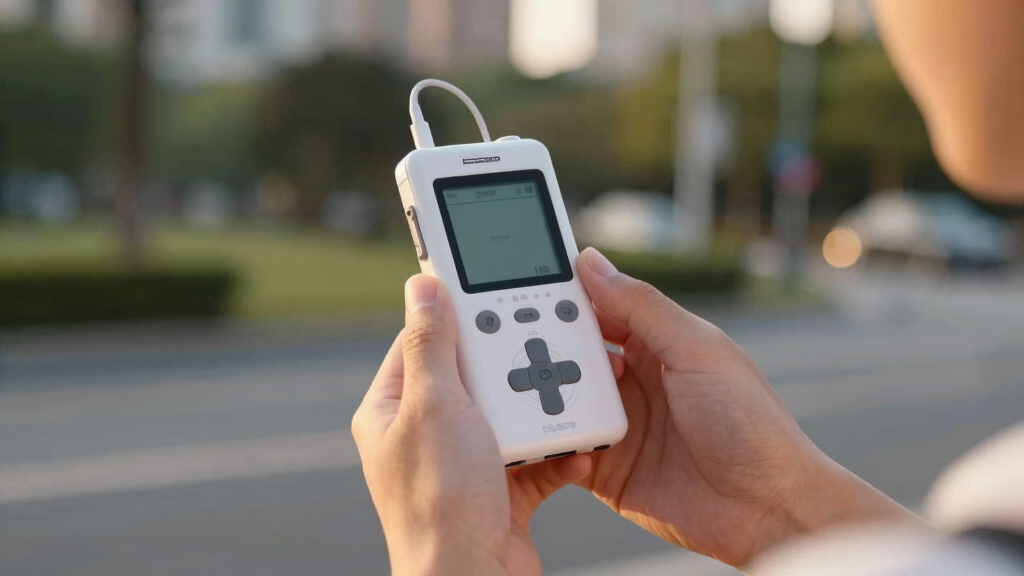

Shopping for a MIDI recorder in 2026 usually means shopping for something slightly different: a portable audio recorder or interface that captures the sound of your synths, drum machines, and MIDI-driven rigs cleanly, with enough headroom that no take gets ruined. I sorted this lineup by how well each device handles that job. The Zoom H4 Essential is my top pick because it combines built-in stereo mics, two XLR/TRS inputs, and 4-track 32-bit float recording in one handheld unit. For bigger rigs, the Zoom LiveTrak L6 records 10 tracks at once and is the only option here with true MIDI I/O. And if every session happens at a computer, the Focusrite Scarlett Solo gets you recording for the least money. The core tradeoff across all five: channel count and connectivity versus size, price, and simplicity. The right answer depends on how many sources you capture at once — and where.

Get the latest gadgets delivered free with Prime
- Fast, free delivery on millions of items
- Prime Video, Amazon Music and more included
- Member-only deals all year
Complete the kit



Key Takeaways
- The Zoom H4 Essential is the best all-round MIDI recorder for most musicians, thanks to built-in stereo mics, two XLR/TRS inputs, and 4-track 32-bit float recording.
- The Zoom LiveTrak L6 is the only pick with true MIDI I/O, and it records 10 tracks plus a stereo mix — the right choice for multi-synth rigs and band rehearsals.
- The Zoom F3 has the cleanest preamps in the group but limits you to two inputs, so it suits pristine stereo capture rather than multitrack sessions.
- The Focusrite Scarlett Solo 3rd Gen is the cheapest route into recording but needs a computer and has no MIDI ports, so it only fits desk-based, one-source-at-a-time workflows.
- Every Zoom recorder here uses 32-bit float, which means a take cannot clip — a genuine advantage over 24-bit recorders when performances are unpredictable.
| Zoom H4 Essential Handheld Recorder |  | Best Overall | Inputs: 2 XLR/TRS combo with phantom power | Built-in Microphones: Stereo pair | Recording Tracks: 4 tracks | VIEW LATEST PRICE | See Our Full Breakdown |
| Zoom LiveTrak L6 Mixer/Recorder |  | Best for Multi-Track Rigs | Channels: 10 | Inputs: 2 combo + 4 stereo 1/4″ | Tracks to SD: 10 plus stereo mix | VIEW LATEST PRICE | See Our Full Breakdown |
| Zoom F3 Professional Field Recorder |  | Best Premium Pick | Inputs: 2 locking XLR/TRS | Recording Format: 32-bit float | Preamps: Ultra-low-noise, dual AD converters | VIEW LATEST PRICE | See Our Full Breakdown |
| Focusrite Scarlett Solo 3rd Gen |  | Best for DAW-Based Studios | Preamps: High-performance with Air mode | Inputs: 2 high-headroom instrument inputs | Resolution: Up to 24-bit/192kHz | VIEW LATEST PRICE | See Our Full Breakdown |
| Zoom H1 XLR 2-Channel Recorder |  | Best Compact Value | Recording Quality: 32-bit float / 96kHz | Inputs: 2 locking XLR/TRS combo | Additional Input: 3.5mm stereo mic/line in | VIEW LATEST PRICE | See Our Full Breakdown |
| MIDI recorder | Inputs | Recording Format |
|---|---|---|
| Zoom H4 Essential Handheld Rec | 2 XLR/TRS combo with phantom power | 32-bit float |
| Zoom LiveTrak L6 Mixer/Recorde | 2 combo + 4 stereo 1/4" | 32-bit float |
| Zoom F3 Professional Field Rec | 2 locking XLR/TRS | 32-bit float |
| Focusrite Scarlett Solo 3rd Ge | 2 high-headroom instrument inputs | — |
| Zoom H1 XLR 2-Channel Recorder | 2 locking XLR/TRS combo | — |
More Details on Our Top Picks
Zoom H4 Essential Handheld Recorder
The Zoom H4 Essential earns the top spot because it covers more recording situations than anything else here. You get built-in stereo microphones for capturing a synth jam or rehearsal the moment inspiration hits, plus two XLR/TRS inputs with phantom power when you want a proper mic or line-level keyboard. That combination means you can record a rough idea with zero setup, then track a polished vocal-and-keys take an hour later on the same device.
The 4-track 32-bit float recording is the real selling point. Set levels roughly and the converters capture everything from a whispered lyric to a cranked amp without clipping, which matters when a performance only happens once. Compared with the Zoom F3, the H4 trades a little preamp refinement for those built-in mics and two extra tracks — a swap most musicians will happily make. It also doubles as a USB-C audio interface, so it feeds a DAW session when you are back at a desk.
Where it falls short: the menu system has a learning curve, and buyers who only ever record at a computer will get better value from the Scarlett Solo. It is also chunkier than the H1 XLR, so pocket carry is out. But as a single device that handles spontaneous capture, multitrack work, and interface duty, nothing else in this lineup matches its range.
Pros:- Built-in stereo mics plus two XLR/TRS inputs cover both spontaneous and studio takes
- 4 tracks of 32-bit float recording make clipped takes nearly impossible
- Doubles as a USB-C audio interface for DAW sessions
- Records to SDXC cards up to 1TB for days of capture
Cons:- Menu system has a learning curve for first-time recorder owners
- No MIDI ports for syncing hardware sequencers
- Too bulky for pocket carry
Best for: Solo musicians and songwriters who want one recorder for every situation
Not ideal for: Buyers who only record at a computer, or anyone needing more than four simultaneous tracks
- Inputs:2 XLR/TRS combo with phantom power
- Built-in Microphones:Stereo pair
- Recording Tracks:4 tracks
- Recording Format:32-bit float
- USB Interface:USB-C, 4-in/2-out
- Storage:SDXC up to 1TB
Our verdict“The most versatile MIDI recorder here — the one device that handles ideas, takes, and interface duty with equal ease.”
Zoom LiveTrak L6 Mixer/Recorder
If your rig involves several synths, a drum machine, or a full band rehearsal, the Zoom LiveTrak L6 is the only recorder here built for the job. It records 10 tracks plus a stereo mix to SD card simultaneously, all in 32-bit float, and it is the single product on this list with actual MIDI I/O — a real differentiator for anyone who wants a MIDI recorder in the literal sense. You can sync external hardware while capturing the audio it produces, all from one box.
Each channel gets a full strip with onboard effects like delay, echo, and reverb, so rough mixes can happen on the hardware itself rather than in post. Against the H4 Essential, the L6 gives up the built-in microphones and some portability in exchange for more than double the track count and proper mixing controls. It also runs on batteries, so a session in a garage or rehearsal space works without hunting for outlets.
The tradeoffs are real, though. There is no display for detailed metering, which makes fine level checks harder than on the H4 or the H1 XLR with its OLED screen. The interface rewards patience — first-time users should expect an evening with the manual before a session. And for solo artists who record one or two sources at a time, the extra channels are money spent on capacity that sits idle. This pick makes the most sense for multi-instrumentalists and podcasters running several mics.
Pros:- Records 10 tracks plus a stereo mix simultaneously in 32-bit float
- Only recorder here with true MIDI I/O for syncing external gear
- Onboard effects and a full channel strip on every track
- Battery powered for sessions away from outlets
Cons:- No display for detailed track metering
- Interface rewards patience; expect a learning curve
- Overkill for solo one-source-at-a-time recording
Best for: Multi-instrumentalists, bands, and podcasters running several mics or hardware synths at once
Not ideal for: Solo artists who record one or two sources at a time
- Channels:10
- Inputs:2 combo + 4 stereo 1/4″
- Tracks to SD:10 plus stereo mix
- Recording Format:32-bit float
- USB Interface:12-in/4-out
- MIDI I/O:Yes
- Effects:Delay, echo, reverb
- Power:Battery and USB
- Max SD Card:1TB
Our verdict“The clear pick for multi-synth rigs and band sessions, provided you can live without a screen.”
Zoom F3 Professional Field Recorder
The Zoom F3 is the premium pick, and its case rests on sound quality rather than versatility. The dual AD converters and ultra-low-noise preamps deliver the cleanest recordings in this group, with 32-bit float capturing a dynamic range that makes gain-staging mistakes nearly impossible. Put a pair of condenser mics in front of a piano and the F3 simply disappears — what you hear on playback is the instrument, not the recorder.
Compared with the H4 Essential, the F3 offers fewer tracks and no built-in microphones, which sounds like a downgrade until you hear the preamps. For professional field work, film sets, and critical music capture, that purity is the whole point. The locking XLR/TRS inputs also matter more than they sound: a cable yanked mid-take can end a session, while the F3’s connectors stay put, and AA battery power swaps instantly when a long day runs longer.
The drawbacks keep it at number three. Two inputs cap its usefulness for bands — the LiveTrak L6 handles five times the sources. There is no MIDI connectivity at all, so hardware sequencer fans should look at the L6 instead. And the pro-oriented design assumes you already own good mics and know how to use them. Buyers who want the highest fidelity for one stereo source will find nothing better here; everyone else pays a premium for restraint they may not need.
Pros:- Cleanest preamps in the lineup, with dual AD converters
- 32-bit float removes gain-staging risk completely
- Locking XLR/TRS inputs survive cable snags mid-take
- Flexible power options for long field sessions
Cons:- Only two inputs and no built-in microphones
- No MIDI connectivity
- Assumes you already own quality microphones
Best for: Field recordists, filmmakers, and musicians chasing the highest fidelity for one stereo source
Not ideal for: Bands or multi-synth rigs that need more than two channels
- Inputs:2 locking XLR/TRS
- Recording Format:32-bit float
- Preamps:Ultra-low-noise, dual AD converters
- Power:AA batteries
- Wireless Control:Via BTA-1 adapter
- Primary Use:Film, field, and pro music capture
Focusrite Scarlett Solo 3rd Gen
The Focusrite Scarlett Solo 3rd Gen is a different animal: not a standalone recorder at all, but a USB audio interface that records into your computer. For musicians whose workflow already lives in a DAW, that is a strength. The Air mode preamp adds a subtle high-end lift that flatters vocals and acoustic guitar, and the converters reach 24-bit/192kHz — a spec that looks modest next to the Zooms’ 32-bit float but is more than adequate in a controlled studio where you set levels deliberately.
The bundled software — Pro Tools Intro+, Ableton Live Lite, and Cubase LE — means a beginner can go from unboxing to a finished track without buying anything else. Against the H4 Essential, the Solo wins on price and simplicity for desk-bound recording, but it loses the moment you leave the desk: no computer, no recording. It is also the only pick here with no MIDI ports, so players who want to capture note data from a keyboard alongside audio will need a USB-MIDI keyboard or a separate interface.
Two inputs is the hard ceiling, which rules out drums or multi-synth rigs from day one. This model is better suited to singer-songwriters, podcasters, and producers who record one source at a time and value a painless computer workflow over location flexibility.
Pros:- Air mode preamp adds flattering clarity to vocals and guitars
- Cheapest route into recording on this list
- Bundled Pro Tools Intro+, Ableton Live Lite, and Cubase LE
- Clean 24-bit/192kHz conversion for studio work
Cons:- Requires a computer; no standalone recording
- No MIDI ports at all
- Two inputs cap multi-instrument setups
Best for: Singer-songwriters, podcasters, and producers working at a computer
Not ideal for: Anyone who records away from a desk or needs MIDI hardware connectivity
- Preamps:High-performance with Air mode
- Inputs:2 high-headroom instrument inputs
- Resolution:Up to 24-bit/192kHz
- Outputs:2 low-noise balanced outputs
- Included Software:Pro Tools Intro+, Ableton Live Lite, Cubase LE, Hitmaker Expansion
- Connectivity:USB (computer required)
- Warranty:3 years
Our verdict“The budget-friendly pick for desk-based musicians who record one source at a time.”
Zoom H1 XLR 2-Channel Recorder
The Zoom H1 XLR rounds out the list as the compact, budget-friendly option, and it punches well above its price. You get the same 32-bit float recording at up to 96kHz as recorders costing twice as much, two locking XLR/TRS combo inputs, and a 3.5mm stereo input for a lavalier or line source. For a musician who wants to throw a recorder in a gig bag and never worry about clipping a take, that package is hard to beat for the money.
The OLED waveform display is a small feature with an outsized payoff: you can see clipping risk and signal presence at a glance, something the pricier LiveTrak L6 cannot offer at all. Compared with the H4 Essential, the H1 XLR drops the built-in stereo mics and two of the four tracks — the honest reason it sits at number five rather than higher. You must bring your own microphones for everything.
Limitations stack up for bigger jobs: two channels rule out multi-mic setups, and beginners may find the menu logic terse. Still, for location dialogue, acoustic sessions, and demo capture where simplicity and size win, this is the smartest spend on the list — and an easy second recorder for F3 or L6 owners who want a backup in the bag.
Pros:- 32-bit float at up to 96kHz for the lowest standalone price here
- Two locking XLR/TRS combo inputs plus 3.5mm stereo in
- OLED waveform display shows levels at a glance
- Compact enough to live in a gig bag
Cons:- No built-in microphones — you must supply your own
- Two channels rule out multi-mic setups
- Menu logic is terse for beginners
Best for: Gigging musicians, interviewers, and players who want a compact capture device and already own mics
Not ideal for: Buyers who want built-in mics or more than two simultaneous channels
- Recording Quality:32-bit float / 96kHz
- Inputs:2 locking XLR/TRS combo
- Additional Input:3.5mm stereo mic/line in
- Display:OLED waveform
- Channels:2
- Storage:SDXC up to 1TB
Our verdict“The smartest budget buy, and the best second recorder to keep in the bag.”
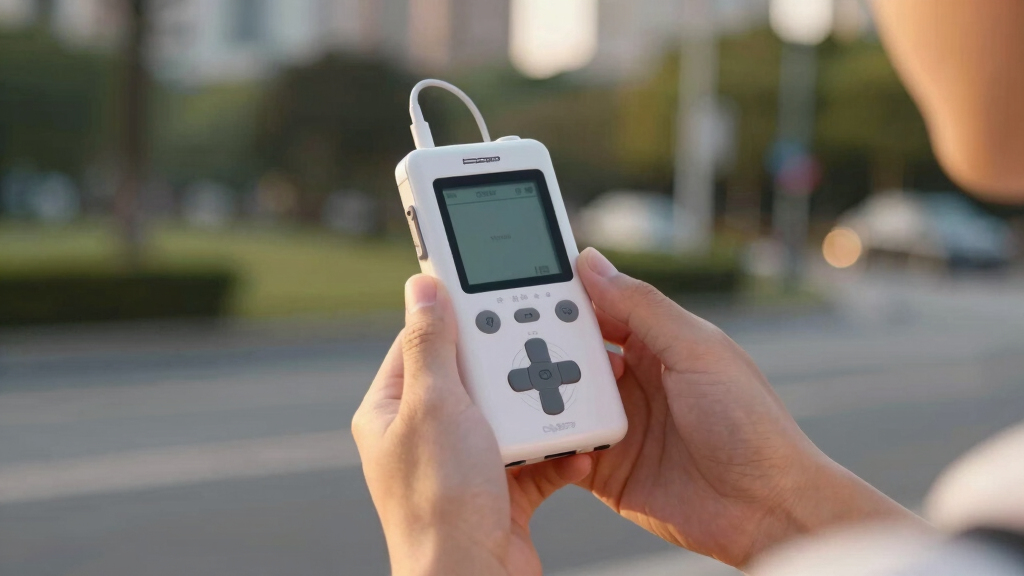
How We Picked
I evaluated each recorder through one lens: how well it captures MIDI-driven music — synths, drum machines, keyboards, and the vocals that go with them. That pushed four criteria to the front.
Recording headroom came first. Devices with 32-bit float recording ranked higher because they remove gain-staging risk entirely; an unpredictable synth patch cannot clip the take. Input flexibility came second: XLR/TRS combo jacks handle both mics and line-level keyboards, so recorders with them scored above those without. Track count and connectivity came third, including USB interface modes and, where present, actual MIDI ports for syncing hardware. Portability and power rounded out the list, since battery-powered units record where the music happens rather than where the desk is.
Price mattered only as a tiebreaker. A cheaper recorder that forces you to buy extra gear later is not cheaper in practice, so I weighed what each device does out of the box. Products with overlapping strengths were ranked by how many real-world scenarios they cover — which is why the most versatile option, not the most expensive one, sits at number one.
Factors to Consider When Choosing Best MIDI Recorders
A few minutes with the sections below will narrow this list to the one or two devices that fit how you actually record.What a MIDI Recorder Actually Is in 2026
Almost no modern device records MIDI note data by itself — that job moved to computers and apps years ago. When most buyers search for a MIDI recorder, they want a box that captures the audio output of MIDI hardware: synthesizers, drum machines, digital pianos, and grooveboxes. Every product in this guide does that job well. If you also need to record the note data itself, look for a device with 5-pin MIDI ports — in this lineup, only the Zoom LiveTrak L6 has them — or plug a USB-MIDI keyboard straight into your computer. Knowing which of the two you need eliminates half the confusion in this category.
Why 32-Bit Float Changes Everything
Traditional 24-bit recording punishes bad gain settings with clipped distortion or a noisy quiet passage. 32-bit float recording captures such a wide dynamic range that clipping is practically impossible — you set levels roughly and fix the balance later. For live synth jams, outdoor sessions, and any performance you cannot repeat, that safety net is worth real money. Four of the five products here include it. The exception, the Scarlett Solo, records at up to 24-bit/192kHz, which is fine in a quiet studio where you control the source, but less forgiving when a performance surprises you.
Standalone Recorder or Audio Interface?
A standalone recorder captures to an SD card anywhere, no computer required — the right call for rehearsals, gigs, field sessions, and songwriting away from a desk. An audio interface like the Scarlett Solo records into a DAW, so editing, effects, and mixing start the moment you stop playing, but the computer is mandatory. Several picks here, including the H4 Essential and LiveTrak L6, do both. If recording always happens at one desk, an interface is simpler and cheaper. If it happens anywhere else — or you want the option — standalone wins.
How Many Inputs You Actually Need
Count the sources you record at the same time, not the ones you own. A singer-songwriter layering one part at a time needs two inputs, and the Scarlett Solo or H1 XLR covers that comfortably. A stereo synth rig wants two line inputs at minimum. A drum machine plus two synths plus vocals, or a podcast with three mics, pushes you toward the LiveTrak L6’s 10 channels. Buying more channels than you ever use wastes money on mixer real estate; buying fewer means workarounds every session.
Storage, Power, and Life Away From the Desk
All the Zoom recorders here accept SDXC cards up to 1TB, which at typical settings holds days of audio — buy a reputable card from SanDisk or Samsung and storage stops being a concern. Power deserves more attention. AA batteries, as used by the F3, swap instantly mid-session; USB power banks extend any of these units for hours. If you record on location, battery flexibility matters as much as any audio spec, because a dead recorder with perfect preamps still records nothing.
Frequently Asked Questions
Can any of these devices record MIDI note data directly?
Only one. The Zoom LiveTrak L6 includes MIDI I/O, so it can send and receive MIDI messages alongside its audio recording — useful for syncing a drum machine or sequencing external synths while you capture their sound. The other four products record audio only. If capturing note data is the priority, the practical route is a USB-MIDI connection from your keyboard to a computer running a DAW, with a recorder like the Scarlett Solo handling the audio side. For most musicians, audio capture is what actually matters, since the DAW can hold the MIDI while the recorder holds the performance.
What is 32-bit float recording, and do I need it?
32-bit float is a recording format that stores such an enormous dynamic range that clipping becomes nearly impossible. With a normal 24-bit recorder, a sudden loud synth patch or shouted vocal can distort the take permanently; with 32-bit float, you simply lower the level afterward and the audio is intact. You need it most when performances are unpredictable — live jams, field recording, one-chance moments. In a quiet home studio where you can check levels before every take, 24-bit is still fine, which is why the Scarlett Solo remains a sensible budget pick despite lacking it.
Which MIDI recorder should a beginner choose?
Beginners recording at a computer should start with the Focusrite Scarlett Solo: it is the cheapest option here, the software bundle includes Ableton Live Lite and Pro Tools Intro+, and the workflow is plug in, press record. Beginners who want to record away from a computer should look at the Zoom H1 XLR, the smallest and most affordable standalone unit — though they should budget for a microphone, since it has none built in. The H4 Essential is the best long-term choice but asks for a little more menu-learning up front.
How many tracks do I need for recording synthesizers?
Most synth players need fewer than they think. A single stereo synth takes two tracks, which the H4 Essential, F3, and H1 XLR all handle with room to spare. Add a vocal mic and you are at three — still fine on the H4 Essential’s four tracks. You only step up to the LiveTrak L6’s 10 tracks when recording multiple instruments simultaneously: a drum machine, two synths, and a vocal, or a full band pass. Recording parts one at a time, which is how most home producers actually work, never outgrows two to four tracks.
Do I need special SD cards for these recorders?
Nothing exotic. The Zoom recorders here support SDXC cards up to 1TB, and any reputable Class 10 or UHS-I card from SanDisk, Samsung, or Lexar handles 32-bit float audio without trouble — audio data rates are modest compared to video. A 128GB card already stores well over a hundred hours at typical settings, so capacity anxiety is misplaced. The one habit worth building is formatting the card in the recorder itself before a big session, which avoids file-system quirks that occasionally cause dropouts with cards formatted elsewhere.
Conclusion
Match the recorder to the way you work and this list narrows fast. Solo musicians who want one device for everything should buy the Zoom H4 Essential — built-in mics for ideas, XLR inputs for serious takes, four tracks of 32-bit float. Multi-instrumentalists and bands should spend up for the Zoom LiveTrak L6, the only pick with real MIDI I/O and enough channels for a whole rig. Field recordists and quality-first buyers get the cleanest preamps available in the Zoom F3. Desk-based producers on a budget start with the Focusrite Scarlett Solo and its software bundle. And gigging players who want a bag-friendly backup get the most recorder per dollar in the Zoom H1 XLR. All five capture a MIDI rig’s sound faithfully — the differences come down to how many sources, where, and with how much setup.
Halloween Picks
halloween
As an affiliate, we earn on qualifying purchases.